Our readers keep the lights on and my smoothie glass nicely filled. As an Amazon Associate, I earn from qualifying purchases.
Specs are compiled from manufacturer listings and verified buyer reviews and can change over time — please confirm the key details on the product page before buying.
Printing with nylon is a different game. The stuff is tough, wear-resistant, and ideal for gears, brackets, and anything that takes real abuse. But you cannot just feed it into any printer and walk away — nylon absorbs moisture from the air, it loves to warp as it cools, and it needs temperatures that an all-metal hotend (a nozzle and heat break made entirely of metal) delivers. This guide walks you through the machines that handle those demands without guesswork.
I’m Mohammad Maruf — the founder and writer behind WellFizz. This guide is built by comparing the manufacturers’ published specifications and the patterns across verified customer reviews, so you get each pick’s real strengths and trade-offs instead of marketing spin.
Whether you are scaling up to big engineering-grade parts or just want one machine that runs both nylon and everyday PLA without a fight, the 3d printer for nylon you pick depends on chamber temperature, build volume, and how much tinkering you are willing to do yourself.
Our Picks at a Glance

How To Choose The Best 3D Printer For Nylon
Picking a printer for nylon is less about brand loyalty and more about three hard requirements: a hotend that reaches 280°C or higher, an enclosed frame that traps heat, and a build surface that holds the first layer down as the nylon cools. Skip any one of those and you are fighting warps, clogs, or failed prints from the start.
Heated Chamber Temperature
The chamber (the enclosed space around the print) keeps the whole print volume warm so the nylon does not shrink in one direction as it rises. A 60°C enclosure tames most nylon blends. Go for 65°C if you plan to run glass-filled or carbon-fiber reinforced nylon — those materials need the extra thermal stability to avoid delamination (layers peeling apart). A printer without an actively heated chamber will struggle with anything beyond basic PLA-compatible nylons.
Hotend and Nozzle Material
Nylon extrudes hot, and carbon-fiber filled nylon is abrasive (it grinds away soft metal). You need an all-metal hotend with a hardened steel or tri-metal nozzle (a nozzle made from three fused metals). Brass nozzles wear out fast when you run reinforced filament — the abrasive particles chew through the soft brass in a few prints. Look for a nozzle rated for 300°C or more so you have headroom for higher-temperature nylons without thermal creep (heat traveling up and softening filament too early).
Build Volume and Enclosure Rigidity
Nylon is a structural material. If you print large functional brackets or end-use parts, you want a build volume big enough to get them done in one piece — 350mm cubed or more saves you from splitting models and gluing later. A rigid frame matters too: die-cast or steel exoskeletons resist vibration during fast prints, and that stiffness prevents the layer-shift that ruins a long nylon job.
Quick Comparison
| Model | Best For | Chamber Temp | Build Volume | Max Speed | Amazon |
|---|---|---|---|---|---|
| Creality K2 Plus Combo 2026★ Best Overall | Best Overall | 60°C | 350×350×350 mm | 600 mm/s | Amazon |
| Prusa CORE OneBuy‑It‑For‑Life | Reliability & Support | 55°C | 250×220×270 mm | — | Amazon |
| QIDI Max4 Combo | Engineering Filaments | 65°C | 390×390×340 mm | 800 mm/s | Amazon |
| Creality K2 Plus Combo | Multi-Color Nylon | 60°C | 350×350×350 mm | 600 mm/s | Amazon |
| Flashforge AD5X | Entry-Level Nylon | Enclosure Kit | 220×220×220 mm | 600 mm/s | Amazon |
| Snapmaker Artisan | Workshop Versatility | Ambient (Enclosed) | 400×400×400 mm | — | Amazon |
In‑Depth Reviews
1. Creality K2 Plus Combo 3D Printer 2026 Upgraded Version
Our pick — over 4★ from 3,500+ verified ratings; the strongest balance of quality and price.
The big-swing workhorse that prints nylon, delivers multicolor, and barely flinches.
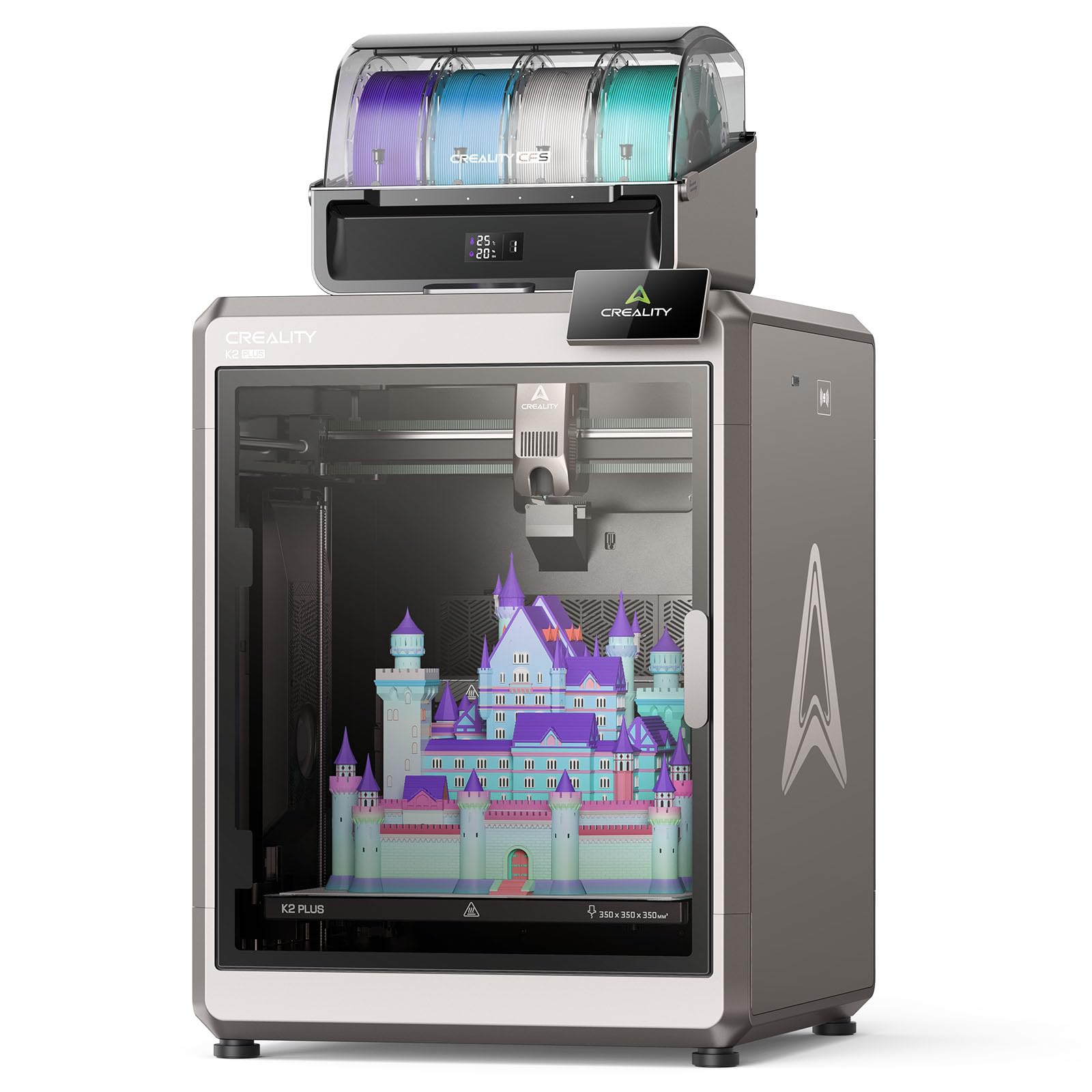
This machine does a lot. The heated chamber holds a steady 60°C — enough to keep nylon from warping mid-print — and the tri-metal nozzle (a nozzle made from three fused metals for abrasion resistance) can run up to 350°C, so you are not limited to basic blends. The 80W heater pushes a high-flow rate of 40mm³/s (the volume of melted plastic it can push each second), which is what prevents jams when you run abrasive carbon-fiber nylon through it. Owners praise the print quality above everything else, with 276 people singling it out as the machine’s strongest trait. The CFS multi-filament system handles up to 16 colors, which matters if you want dissolvable supports on nylon parts without swapping spools yourself.
At 112.4 pounds and 27.95 x 23.23 x 24.41 inches, while the Flashforge AD5X is 31.2 pounds and 14.57 x 14.57 x 16.54 inches — plan your workspace accordingly. Buyers report that the test print dog took about 11 and a half hours and used over half a spool, so a big job here is a real commitment. The trade-off: the build quality gets mixed feedback from some owners who find certain parts flimsy, and the instructions are not always clear about newer wiring configurations.
What wins people over
- Print quality gets the most praise — 276 owners highlight it
- Ease of use follows closely at 154 mentions, meaning minimal fiddling
- 60°C heated chamber and 350°C nozzle handle engineering-grade materials
- Multi-color CFS system is a genuine bonus for nylon support structures
The honest caveats
- Mixed reliability feedback — 239 owners flag it, with some reporting DOA issues
- Very heavy at 112.4 lb — requires two people to move
- Instructions are not always clear, especially for newer wiring
- Noise level gets mixed notes from 41 owners
Best for: Anyone who wants one printer that can do multicolor engineering-grade prints — nylon, ABS, PA-CF — right from the start.
Not for: Buyers with limited space or who prefer a lighter machine; this one owns its footprint.
2. Original Prusa CORE One
The printer for buyers who value long-term reliability and manufacturer support.
The CORE One comes from a company that treats printers like tools, not disposable gadgets. The enclosed chamber reaches 55°C with active temperature control, which is enough for nylon along with ASA and polycarbonate. The all-steel exoskeleton frame is designed for rigidity during faster prints. Print quality is the standout — 26 owners call it the machine’s best feature, and the speed gets its own praise at 8 mentions. The printer ships ready to use with a 1 kg spool of Prusament PLA included and includes a 250×220×270 mm print area.
The assembly is involved — some owners mention spending around 20 hours on the build. Reliability gets mixed reviews from 22 owners, with a few pointing to early firmware issues with homing and belt tensioning. The 56.8-pound weight still makes it a permanent station rather than a portable unit. And the price puts it well above similarly specced alternatives, though the lifetime technical assistance and 24-hour support justify the premium for some.
Why owners stick with Prusa
- Print quality praised most often — 26 owners highlight it
- Not cloud-locked; fully open source for local/offline control
- Lifetime technical assistance and 24-hour professional support
- Solid all-steel exoskeleton provides frame rigidity
The trade-offs
- Assembly can take ~20 hours — not a buy-and-print machine for everyone
- Reliability gets mixed feedback from 22 owners
- No ABS filter included and some report flimsy acrylic lid
- Multicolor add-on is delayed, so true multicolor nylon is not available yet
Ideal for: Experienced users who want a dependable, repairable printer with direct manufacturer support and prefer open-source software.
Think twice if: You want instant multicolor nylon printing or a budget-friendly entry point.
3. QIDI Max4 Combo 3D Printer

The fastest chamber in the lineup, built for demanding engineering filaments.
At 65°C, compared to the Creality K2 Plus’s 60°C chamber, that 5-degree edge makes a real difference with glass-filled and carbon-fiber nylons that need extra thermal stability (consistent heat to prevent layers peeling apart). The print volume is 390×390×340mm — 55% larger than its predecessor and roomy enough for one-piece industrial brackets. The closed-loop motors on the X/Y axes (motors that report their position back to the controller for precision) let it print at a max speed of 800mm/s, while the K2 Plus maxes at 600mm/s. Owners consistently call it a no-fuss machine: functionality gets 15 positive mentions and print quality gets 14, meaning it works as advertised from the start for engineering-grade materials like PPA-CF and ABS-CF.
The high-flow hotend with a hardened steel nozzle handles abrasive nylon right away. The QIDI BOX add-on supports up to 16 colors for multi-material printing. Some owners note a long pre-print startup routine and high purge waste. The printer weighs 120 pounds, so it is a permanent installation. A few units arrive with a warped bed, but QIDI’s support is fast about sending replacements.
The high marks
- 65°C chamber beats the competition for high-temp nylon stability
- 800mm/s speed is the fastest in this list without quality loss
- Functionality and print quality are called excellent by owners
- Large 390mm cube build volume handles big single-piece parts
Know before you buy
- Very heavy at 120 pounds — requires a dedicated table
- Long pre-print startup routine and high purge waste reported
- User interface described as choppy by some owners
- Occasional bed warping issues, though support is responsive
Right for: Users who regularly print carbon-fiber nylon parts and need a large, fast machine with the highest chamber temperature available.
Skip if: You need a lightweight or portable unit; this is a permanent shop machine.
4. Creality K2 Plus Combo 3D Printer (B0F5HJMMT9)

16-color nylon printing is rare — this machine makes it a simple CFS hookup.
If your nylon parts need supports or you want to mix colors in functional prints, the CFS system on this K2 Plus handles up to 16 filaments. The active heated chamber runs at 60°C, the high-temp nozzle with a hardened steel tip handles PA-CF and PPA-CF, and the dual AI cameras watch for failures and even tune flow rate automatically. The 350×350×350 mm build volume is generous, and the step-servo motor system delivers 30000mm/s² acceleration at a max speed of 600mm/s. Owners consistently praise the print quality and speed — the machine is described as a “beast” that produces fantastic results without adjustment.
At 27.5 pounds, this model is surprisingly light compared to the 112.4-pound 2026 version, but some units arrive with quality control issues — the data shows a DOA (dead on arrival) Y-axis servo failure and extruder problems that required self-funding a replacement part. Creality support does eventually send warranty parts, but the turnaround can be slow. The lack of a purge chute (a channel for waste filament) and the vague assembly instructions are minor annoyances owners flag.
Why it shines
- 16-color multi-filament printing with CFS is genuinely useful for nylon supports
- Dual AI cameras provide real-time monitoring and auto-flow optimization
- Print quality and speed are consistently praised by owners
- 350mm cube volume handles large functional parts
The honest concerns
- Quality control issues reported — some units arrive with servo failures
- Customer support is slow to respond to warranty claims
- No purge chute included; assembly instructions are vague
- Weighs only 27.5 lb but feels less sturdy than the heavier K2 models
Pick this for: Multi-color engineering prints where dissolvable supports or color-coded nylon parts are the goal.
Be cautious if: You want a low-maintenance first experience; some units ship with defects.
5. Flashforge AD5X Multicolor 3D Printer

The affordable entry point that opens the door to nylon without breaking your budget.
At this price, you usually get a single-color PLA printer. The AD5X gives you a 300°C all-metal hotend and a 4-color IFS system (a mechanism that switches filaments from four spools) that can auto-swap nylon alongside PLA, PETG, and TPU. The max speed of 600mm/s with CoreXY motion (a belt system for fast, precise movement) keeps the workflow fast, and the magnetic PEI plate (a textured steel sheet) with auto-leveling ensures first-layer adhesion — critical for nylon. Customers note minimal setup and flawless prints within an hour; the ease of use gets 5 mentions as a top positive. The print volume is 220×220×220 mm — smaller than others here but standard for its class.
The catch for nylon specifically: the enclosure is an add-on kit that you print yourself in PETG. Reviewers point out that the kit costs around and takes about 3 days to print before it bolts together with included hardware. Without that enclosure, your nylon prints might warp in a cool room. The 300°C nozzle can handle reinforced nylon, but for sustained carbon-fiber runs, the all-metal hotend may wear faster. A few owners noted initial firmware updates failures that required a USB fix. At 31.2 pounds and 14.57 x 14.57 x 16.54 inches, compared to the Creality K2 Plus 2026 at 112.4 pounds and 27.95 x 23.23 x 24.41 inches — genuinely desktop-friendly.
Best for: Budget-conscious makers who want multicolor nylon capability and a compact, fast machine.
Not ideal for: Heavy-duty production runs of carbon-fiber nylon; the enclosure is DIY and the hotend has limits.
6. Snapmaker Artisan 3D Printer

A 3-in-1 machine with the biggest standard build volume for nylon parts.
At 400×400×400 mm, the Snapmaker Artisan has the largest build volume on this list without any add-ons. The dual-extrusion module with 7:5:1 planetary gearing (gears that provide high torque for pushing stiff filament) lets you run nylon in one extruder and a dissolvable support material in the other — a big deal for complex functional parts. Snapmaker claims support for over 600 materials including nylon through its filaments list. The 7″ touchscreen and modular quick-swap design let you switch between 3D printing, laser engraving (a laser that burns designs into wood or metal), and CNC carving (a spinning bit that carves shapes) in under a minute.
The trade-off for nylon users: the Artisan does not come with an actively heated chamber. It is an enclosed frame, so ambient temperatures inside can warm up during long prints, but it lacks the active temperature control that makes nylon printing predictable. Quality gets 6 positive mentions, but build quality is mixed with 5 owners split. Some report a steep learning curve for the software and a difficult assembly that took about 4 hours with no full manual. The 75.8-pound weight and 24.41 x 22.83 x 24.96 inch footprint require a dedicated 4×5 ft workspace.
Why it stands out
- Largest print volume here at 400mm cube — handle big nylon parts in one go
- Dual extruder with planetary gearing for soluble supports with nylon
- 3-in-1 versatility with laser and CNC for workshop use
- 7-inch touchscreen and quick-swap toolheads
What to consider
- No active chamber heating — nylon printing may struggle in cool rooms
- Assembly is involved, with only a quick-start guide included
- Build quality feedback is split — some shoppers say issues
- Software has a steep learning curve and occasional glitches
Suits: A workshop user who wants one machine for printing nylon parts plus laser cutting and CNC routing.
Pass on it if: Your primary material is demanding nylon blends that need a reliably heated chamber.
Understanding the Specs
Heated Chamber Temperature
This is the spec that matters most for nylon. An actively heated chamber keeps the air around your print warm as each layer goes down. Without it, the outer edges of a nylon part cool faster than the middle, causing the corners to lift — that is warpage (the distortion where the print curls up from the bed). A 60°C chamber works for standard nylon blends. For glass-filled or carbon-fiber nylon, 65°C provides the extra thermal stability that prevents layer separation during longer prints.
Nozzle Material and Temperature
Nylon extrudes between 250°C and 300°C, so you need an all-metal hotend. A brass nozzle wears out in a few prints if you run carbon-fiber reinforced nylon — the abrasive fibers act like sandpaper. Hardened steel or tri-metal nozzles resist that wear. The max nozzle temperature matters as headroom: a 300°C rating lets you run the most common nylons, while 350°C opens up higher-temperature engineering blends like PPA and PPS.
FAQ
Do I really need a heated chamber to print nylon?
What is the difference between a 60°C chamber and a 65°C chamber for nylon?
Can I print carbon-fiber nylon on a 300°C nozzle?
Why do some printers list speed in mm/s while others do not?
How big a build volume do I need for nylon parts?
Is a dual extruder necessary for printing nylon?
Will a multicolor system work with nylon filament?
How heavy is too heavy for a home 3D printer?
Final Thoughts: The Verdict
Across the board, the 3d printer for nylon winner is the Creality K2 Plus Combo 2026 Upgraded Version because it delivers a 60°C chamber, a 350°C nozzle, and a versatile multicolor system for the best combination of features and community-approved print quality. If you want the highest chamber temperature and pure speed for engineering-grade production, grab the QIDI Max4 Combo. And for a budget-friendly multicolor nylon starter with a compact footprint, the Flashforge AD5X is the one to reach for.
How We Picked
We do not accept paid placement. Every pick is matched to a real buyer and a real use-case; we do not hands-on test units.
Sources & Methodology
Specifications: manufacturer listings and product documentation. Review insights: verified customer reviews, as of July 2026. Pricing: not shown on this page (it changes often); check the current price via the retailer link.
As an Amazon Associate, WellFizz earns from qualifying purchases. This does not affect which products we feature.
Related Guides

Mo Maruf
I created WellFizz to bridge the gap between vague wellness advice and actionable solutions. My mission is simple: to decode the research and give you practical tools you can actually use.
Beyond the data, I am a passionate traveler. I believe that stepping away from the screen to explore new environments is essential for mental clarity and physical vitality.