Our readers keep the lights on and my smoothie glass nicely filled. As an Amazon Associate, I earn from qualifying purchases.
The difference between a 3D printer gathering dust and one that sparks a lasting creative habit in a 10-year-old comes down to three things: how fast they can go from box to first print, how many times the print fails, and whether the parent needs a degree in mechanical engineering to keep it running. Most printers aimed at this age group overpromise on “kid-friendly” while delivering a machine that requires adult intervention every few hours.
I’m Mohammad Maruf — the founder and writer behind WellFizz. My deep market research focuses on analyzing hardware specifications, firmware maturity, and real-world safety profiles of consumer-grade 3D printers to separate the true plug-and-play machines from the tinkerer’s projects.
This guide examines nine models built for young makers, weighing speed, safety, auto-leveling reliability, and the quality of the app-guided experience. After comparing them side-by-side, here is the definitive breakdown of the best 3d printer for 10 year old users that actually works straight out of the box.
How To Choose The Best 3D Printer For 10 Year Old
The wrong printer turns a fun hobby into a frustrating chore. Here are the four criteria that matter most when buying for a child.
Auto Bed Leveling Is Non-Negotiable
A 10-year-old should never have to fiddle with a piece of paper under a nozzle to level a bed by hand. Full-auto or one-touch leveling eliminates the single biggest failure point in entry-level FDM printing. Every model on this list includes it, but the implementation varies — some calibrate in under a minute while others run a 16-point scan before every print.
App Integration and Model Library Depth
The fastest way to kill a child’s interest is making them learn a desktop slicer on day one. Printers with a companion app that hosts a library of pre-sliced models let kids browse, tap, and print without touching a computer. Look for apps that offer weekly updated content and themed collections tied to holidays or trending toys.
Enclosed or Semi-Enclosed Design vs. Open Frame
Open-frame printers expose a hot nozzle and moving belts that can snag fingers or long hair. A semi-enclosed chassis or at least a shroud around the print head reduces the risk of burns and keeps curious hands away from the extruder during operation. Printers with smooth, rounded edges score higher for home safety.
Noise Level and Operating Volume
A printer that produces 50 dB or more can be disruptive in a shared bedroom or living room. The quietest models in this roundup hover between 40 and 48 dB, which is about the level of a running refrigerator. Lower noise also means the printer can run overnight without bothering sleep schedules.
Quick Comparison
On smaller screens, swipe sideways to see the full table.
| Model | Category | Best For | Key Spec | Amazon |
|---|---|---|---|---|
| Bambu Lab A1 Combo + LED Kit | Premium | Multi-color printing & long-term growth | 256 x 256 x 256 mm build volume | Amazon |
| AOSEED X-Maker Joy AI+ | Premium | Kid-first app experience & 8 filament spools included | 400 mm/s peak speed | Amazon |
| FLASHFORGE Adventurer 5M | Premium | High-speed, open-frame performance | 600 mm/s max speed | Amazon |
| Geeetech M1 | Mid-Range | Fully enclosed, knob-operated simplicity | 250 mm/s print speed | Amazon |
| HEPHi3D TINA2S | Mid-Range | Quiet operation (40-50 dB) and WiFi app control | 200 mm/s print speed | Amazon |
| Entina Tina2C | Mid-Range | 8-minute setup and self-cleaning nozzle | 100 x 100 x 100 mm build volume | Amazon |
| XZN Mini 3D Printer | Mid-Range | PEI heated bed and 250 mm/s speed | 250 mm/s print speed | Amazon |
| Entina Tina2 Basic | Budget | Absolute beginner with zero assembly required | 100 x 105 x 100 mm build volume | Amazon |
| TINA2S (Wiiboox) | Budget | Complete starter kit with 10m of PLA filament | 100 x 105 x 100 mm build volume | Amazon |
In‑Depth Reviews
1. Bambu Lab A1 Combo + LED Lamp Kit

The Bambu Lab A1 Combo is the most capable printer on this list, and it earns the top spot because it combines genuinely child-friendly automation with multi-color capability that grows with the user. The full-auto calibration system handles Z-offset, bed leveling, and vibration compensation without any manual input, so a 10-year-old can load a model from the phone app and hit print with confidence.
The AMS Lite system enables four-color printing without purging waste towers seen on other multi-material setups. This means a child can print a multi-colored toy in one go rather than painting it afterward. The 256 mm cubic build volume allows for larger projects like helmets or swords, which older kids naturally gravitate toward.
Active motor noise canceling keeps the printer at or below 48 dB during operation, making it unobtrusive in a shared bedroom. The 10,000 mm/s² acceleration delivers very fast print times, which helps maintain a child’s attention span between starting a job and seeing the finished object. Multiple parent reviews on Amazon confirm that setup is straightforward and that the app’s library of free models is extensive.
Why it’s great
- Fully automated calibration suite — no manual bed leveling or Z-offset adjustments needed
- AMS Lite enables true multi-color printing from the same filament spool set
- Quiet enough to run overnight in a child’s room without disturbing sleep
Good to know
- Higher price point places it as a family investment rather than an impulse buy
- Open-frame design means the hot end is exposed during operation — supervision recommended for younger kids
2. AOSEED X-Maker Joy AI+

The AOSEED X-Maker Joy AI+ is the most thoughtfully designed printer for independent child operation. It comes fully assembled with eight rolls of PLA filament, a magnetic build plate, and a built-in camera for real-time monitoring. The Poloprint Cloud app gives access to over 8,000 pre-sliced models organized into 17 themed modules, so a child can scroll, select, and print without ever opening a slicer.
The AI Doodle feature converts a child’s hand-drawn sketch into a 3D model using voice or text prompts. This eliminates the biggest creative barrier — the need to learn CAD software before making something original. The leveling-free platform and enclosed design with pinch-resistant edges make it safer than open-frame alternatives, and the TÜV Rheinland-tested PLA filament adds an extra layer of material safety assurance.
Print speeds reach 400 mm/s at peak, which brings small toys like fidgets and action figures down to about 20 minutes per job. A few user reviews note that the print quality for very small, delicate parts can be fragile, and the app’s dimension scaling occasionally produces pieces that don’t match the preview exactly. Still, for a child who wants to print independently every day, this is the best app-first experience available.
Why it’s great
- Eight spools of filament included — no additional material purchases needed for weeks
- AI-powered creation tools let kids turn drawings into 3D models without CAD skills
- Enclosed chassis with rounded edges reduces burn and snag risks for young users
Good to know
- Small prints can come out brittle due to thin wall settings in some pre-sliced profiles
- App dimension scaling can occasionally produce pieces that don’t match the preview image
3. FLASHFORGE Adventurer 5M

The FLASHFORGE Adventurer 5M brings industrial-grade speed to the consumer market with a Core XY motion system capable of 600 mm/s and 20,000 mm/s² acceleration. For a 10-year-old, this means a typical benchy boat prints in under 30 minutes instead of two hours. The one-click full-auto leveling and vibration compensation eliminate ghosting and first-layer adhesion issues before the child even touches the screen.
The quick-detachable 280°C nozzle and dual-sided PEI coated plate make maintenance simple. Users report that swapping nozzles takes under 10 seconds, and the flexible steel plate pops prints off with a simple bend. The filament run-out sensor pauses automatically, preventing a failed print when a spool runs empty — a common frustration for beginners who don’t monitor material levels.
Some reviews mention that the firmware interface can be confusing for absolute beginners, and the open-frame design exposes the hot end. Experienced users on Amazon call it the closest thing to a Bambu P1P at a lower entry point. For a child who is ready to move beyond toys into serious prototyping, this printer offers room to grow without outgrowing its usefulness.
Why it’s great
- Core XY motion system delivers print speeds up to 600 mm/s with minimal ghosting
- Tool-less nozzle swap takes seconds and supports 0.4 mm and 0.6 mm diameters
- Filament run-out sensor and power-loss recovery prevent wasted prints from common beginner mistakes
Good to know
- Open frame requires adult supervision for younger children due to exposed hot end
- Touchscreen interface has a learning curve — the menu logic is not immediately intuitive for first-time users
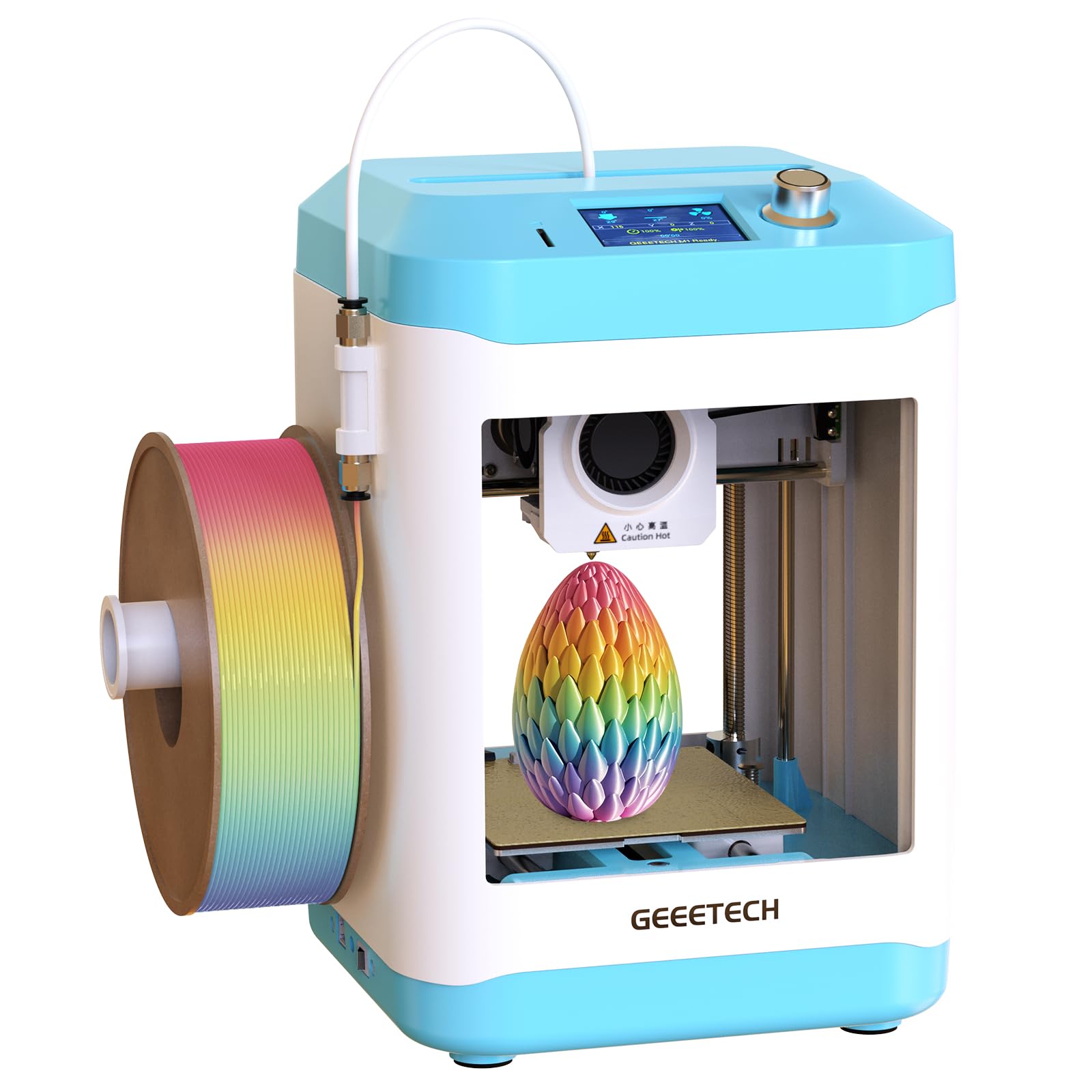
4. Geeetech M1

The Geeetech M1 is a fully enclosed mini printer that prioritizes safety and simplicity. The enclosure keeps the hot nozzle and moving belts away from curious fingers, and the bright internal LED lighting lets a child watch the print progress through the translucent panels. The 16-point full-auto leveling system runs a bed-mesh compensation before each print, which dramatically reduces first-layer failures compared to three-point leveling designs.
The direct-drive extruder with a 1:5 dual-metal gear ratio provides enough torque to handle TPU flexible filament in addition to standard PLA. This opens up the possibility of printing squishy toys and phone cases later on. The 2.4-inch color LCD screen with knob operation is intentionally simple — no touchscreen taps that are easy for small fingers to miss.
A few reviews mention that the included filament sample is only enough for one or two small prints, and some users experienced clogs when using larger 1 kg spools without printing the optional spool holder first. The build volume of roughly 100 mm cubed limits projects to smaller toys and keychains. For a child’s first printer that stays in a bedroom, the enclosed design alone makes this a compelling choice.
Why it’s great
- Fully enclosed chassis eliminates burn risk and contains print fumes around the work area
- 16-point auto leveling ensures consistent first-layer adhesion without manual tweaking
- Direct-drive extruder handles both PLA and flexible TPU materials for expanded project types
Good to know
- Small build volume limits project size to trinkets, keychains, and very small toys
- Filament spool holder position is low and may cause feeding issues with 1 kg spools without a printed adapter
5. HEPHi3D TINA2S
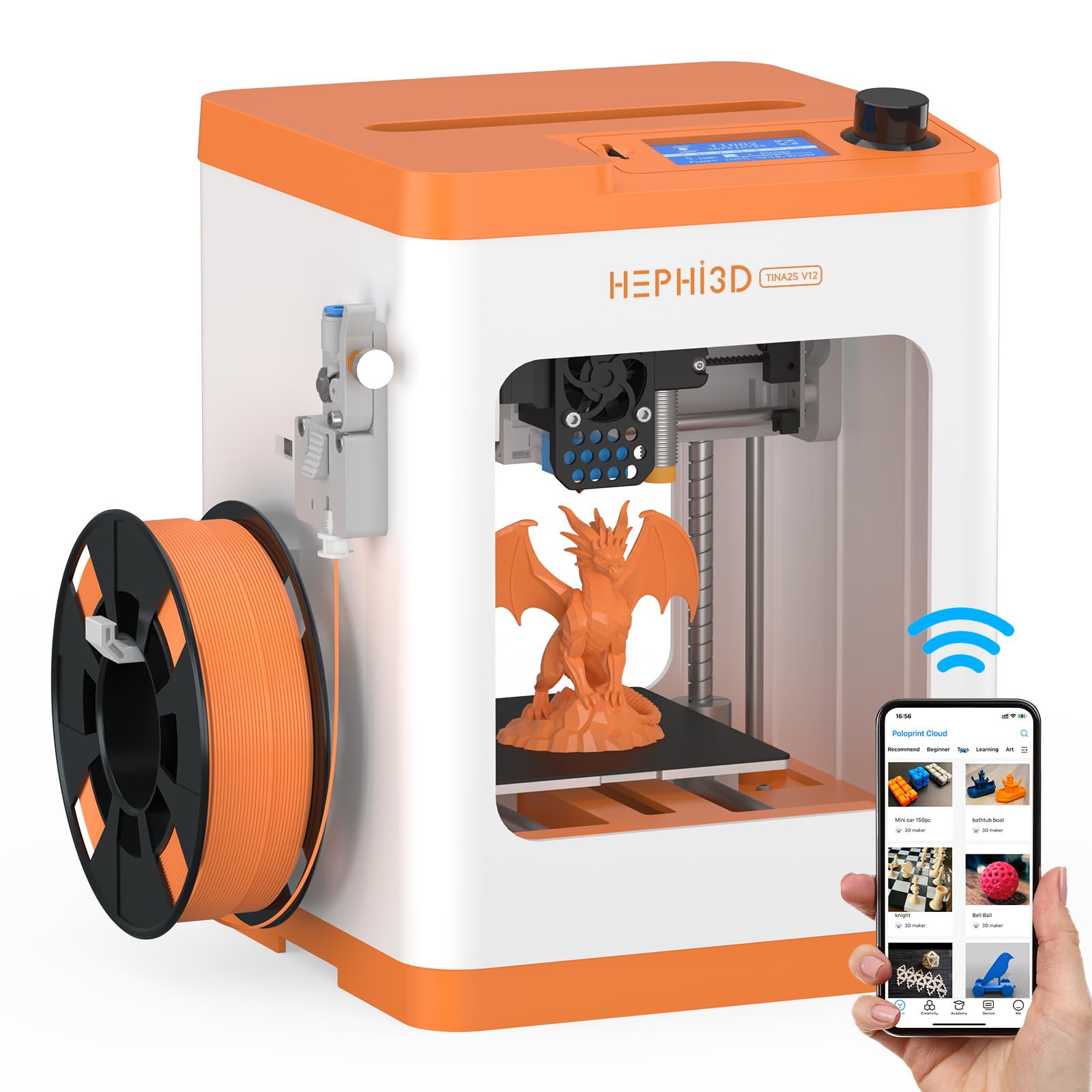
The HEPHi3D TINA2S is a semi-enclosed desktop printer that prioritizes quiet operation and app-based control. The manufacturer rates noise output between 40 and 50 dB, which puts it in the same league as a desktop fan or a quiet conversation. This makes it the best option for families who plan to run the printer overnight or in a shared learning space where constant whirring would be distracting.
The Poloprint Cloud app provides access to over 2,500 online models with weekly updates and monthly themed collections. Parents can start a print from their phone while the child is at school, so the model is ready when they get home. The printer supports WiFi, TF card, and USB transfer, and it is compatible with Cura, PrusaSlicer, and Kiri for users who eventually want to slice their own designs.
One review notes that a 9-year-old needed parental help to set up each print job, suggesting that the app interface is not quite intuitive enough for fully independent operation by a young child. The build volume of 100 x 105 x 100 mm is on the smaller side. Still, for a quiet, well-supported starter printer that grows with the user, the TINA2S is a reliable mid-range option.
Why it’s great
- Ultra-quiet operation at 40-50 dB allows overnight printing without noise complaints
- Poloprint Cloud app grants access to 2,500+ pre-sliced models updated weekly
- Open-source compatibility with multiple slicer programs for future skill development
Good to know
- The app interface is not fully intuitive — a 9-year-old typically requires adult assistance for each job
- Small 100 mm build volume limits print size to small toys and practical household items
6. Entina Tina2C

The Entina Tina2C is an upgraded version of the Tina2 Basic that adds guided app-based setup and a self-cleaning nozzle mechanism. The Poloprint Cloud app walks the user through leveling and first-print procedures in about eight minutes. The self-cleaning nozzle feature uses a purge cycle that clears debris before each print, reducing the clogs that frustrate young beginners.
The AI-powered search and photo-to-print features let a child take a picture of a toy and generate a printable model directly from the app. The 20+ creative modules include STEM learning courses that turn printing into an educational activity. The magnetic build plate with a quick-swap printhead simplifies maintenance — parents can clean the nozzle in under a minute without tools.
The build volume is only 100 mm cubed, which limits project scale. Some Amazon reviews mention that downloading custom models from third-party sites is slightly tricky for new users. For a family that wants the fastest possible time from unboxing to first successful print, the Tina2C delivers the most streamlined guided experience in this price tier.
Why it’s great
- Self-cleaning nozzle mechanism reduces clogs — a common failure point for beginners
- Guided app setup gets the first print running in roughly eight minutes from unboxing
- AI photo-to-print feature lets kids turn photographs into 3D models without CAD software
Good to know
- Small 100 mm build volume caps project size to very small toys and trinkets
- Downloading custom models from third-party libraries requires a learning curve for young users
7. XZN Mini 3D Printer
The XZN Mini 3D Printer combines a PEI-coated heated bed with a top print speed of 250 mm/s, delivering reliable first-layer adhesion and fast turnaround times. The PEI surface grips PLA firmly during printing and releases models easily once the bed cools, which eliminates the need for glue sticks or tape that other budget printers rely on. The auto-leveling system runs a quick calibration before each job.
The automatic nozzle cleaning cycle runs at the start of each print to purge residual material. One-button filament loading and unloading simplify material changes. The printer includes a TF card with pre-sliced model files, so a child can insert the card, select a file, and print without ever connecting to a computer. The 30-day return policy and lifetime technical support provide a safety net for families new to 3D printing.
Reviewers note that the sample filament included is only enough for one or two small prints, so ordering additional spools at the time of purchase is recommended. The build volume is on the smaller side, and the open frame means the print head is exposed during operation. For a mid-range printer that offers speed and adhesion performance well above its tier, the XZN is a strong contender.
Why it’s great
- PEI-coated heated bed provides excellent PLA adhesion and easy model removal without glue
- Automatic nozzle cleaning cycle reduces clogs and improves print consistency
- 250 mm/s print speed keeps project times short for impatient young makers
Good to know
- Included filament sample is minimal — budget for an extra spool at purchase time
- Open-frame design exposes the hot nozzle during operation, requiring adult supervision
8. Entina Tina2 Basic

The Entina Tina2 Basic is the most affordable fully assembled option in this roundup. It comes out of the box with a pre-installed TF card containing test models and slicing software, so the first print can start within five minutes of unboxing. The dual Z-axis rail design provides stable print head movement that improves layer alignment compared to single-rail alternatives at this price point.
The auto-leveling system uses an intelligent sensor to compensate for an uneven bed surface, which removes the most common point of frustration for first-time users. The magnetic build plate flexes slightly, allowing a child to pop off finished prints without scraping or using a spatula. The knob-based interface and one-button filament loading are intentionally simple.
Some reviews describe the build volume of 100 x 105 x 100 mm as limiting for anything beyond small figures and practical items. The 2.4-inch LCD screen is functional but small. A handful of users report that downloading custom models from third-party sites is slightly tricky for absolute beginners. For a budget-first introduction to 3D printing that still includes essential features like auto leveling and a magnetic plate, the Tina2 Basic delivers solid value.
Why it’s great
- Dual Z-axis rails improve print stability and layer alignment compared to single-rail budget printers
- Magnetic flexible build plate allows easy model removal without tools or scraping
- Fully assembled with pre-loaded test models — first print possible in under five minutes
Good to know
- Small build volume restricts projects to miniatures and small household items
- Downloading and slicing custom models from third-party sites has a learning curve for beginners
9. TINA2S (Wiiboox)

The TINA2S from Wiiboox is the most complete starter kit in the budget tier, including 10 meters of PLA filament, a microSD card with pre-loaded designs, and all necessary accessories. The printer arrives fully assembled with a 2.4-inch LCD screen and supports WiFi, USB, and TF card connectivity. The auto-leveling system with dual Z-axis rails produces consistent first-layer adhesion across the build platform.
The one-touch filament loading and retraction buttons make material changes simple enough for a child to manage independently. Compatibility with Cura, Simplify3D, and Slicr3d means the printer can grow with the user as they learn to slice their own models. The magnetic flexible build plate allows prints to pop off with a gentle bend, reducing the risk of damaging delicate models during removal.
A significant minority of reviews report that the printer is not as plug-and-play as advertised, with some users experiencing adhesion failures and rough surface finishes on early prints. The 10 meters of included filament is enough for roughly two small models. For a family on a tight budget who is willing to invest a few hours in learning the slicer settings, the TINA2S provides a usable entry point.
Why it’s great
- Complete starter kit includes 10 meters of PLA filament, SD card, and all necessary tools
- One-touch filament loading and retraction simplify material changes for young users
- Compatible with Cura, Simplify3D, and Slicr3d for future skill development
Good to know
- Mixed reviews on out-of-box reliability — some units require tweaking slicer settings for good adhesion
- 10 meters of included filament is very limited; additional spools are needed immediately for any real project volume
FAQ
Is PLA filament safe enough for a 10-year-old to handle unsupervised?
How long does it take a 10-year-old to learn the basics of 3D modeling?
Can a 10-year-old operate a 3D printer alone, or does a parent always need to be present?
Final Thoughts: The Verdict
For most users, the best 3d printer for 10 year old winner is the Bambu Lab A1 Combo because its full-auto calibration, multi-color capability, and quiet operation deliver the most frustration-free experience out of the box. If you want the most kid-independent app experience with a built-in camera and 8,000+ models, grab the AOSEED X-Maker Joy AI+. And for safety-conscious families on a tighter budget, nothing beats the enclosed frame and 16-point leveling of the Geeetech M1.

Mo Maruf
I created WellFizz to bridge the gap between vague wellness advice and actionable solutions. My mission is simple: to decode the research and give you practical tools you can actually use.
Beyond the data, I am a passionate traveler. I believe that stepping away from the screen to explore new environments is essential for mental clarity and physical vitality.