Our readers keep the lights on and my smoothie glass nicely filled. As an Amazon Associate, I earn from qualifying purchases.
A 38-inch monitor sits at a unique intersection in the display market — wider than a standard 27-inch or 32-inch panel, yet more manageable than the super-ultrawide 49-inch behemoths. This size delivers immense screen real estate without forcing users to constantly turn their heads to see the edges. The challenge is separating the few panels that offer genuine pixel density, color accuracy, and workflow utility from the many that just offer large bezels.
I’m Mohammad Maruf — the founder and writer behind WellFizz. I’ve spent years analyzing display hardware specifications, port configurations, and color performance data across hundreds of monitor SKUs to identify which large-format screens justify their footprint for both creative professionals and serious gamers.
After reviewing the technical specs, real-world user experiences, and ergonomic considerations, this guide breaks down the most compelling options available for the best 38 inch monitor that balances image quality, connectivity, and features for a premium desktop setup.
How To Choose The Best 38 Inch Monitor
A 38-inch monitor is a long-term investment in your desk setup. Choosing the wrong one means dealing with subpar pixel density, poor color rendering, or a missing USB-C hub that forces you to cable-manage multiple adapters. The following considerations will help you avoid those regrets.
Panel Technology: IPS, VA, or OLED
The panel type determines the monitor’s core visual character. IPS panels offer wide viewing angles and consistent color, making them the default for photo editing and team-based work where multiple people look at the screen. VA panels deliver superior contrast with deeper blacks, but they introduce color shift when viewed off-axis — a tradeoff acceptable for single-user gaming setups. OLED provides the deepest blacks, infinite contrast, and near-instant response times, but carries a price premium and requires burn-in management for static UI elements like toolbars.
Resolution and Pixel Density
At 38 inches, resolution choices come down to 3840 x 1600 (WQHD+) versus 3840 x 2160 (4K UHD). The WQHD+ resolution offers a 21:9 aspect ratio with approximately 110 pixels per inch, which delivers sharp text and generous horizontal workspace for code editors and video timelines. The 4K UHD option on a 37-inch panel pushes pixel density to about 120 PPI, producing crisper detail that benefits high-resolution photo work and 4K video scrubbing. Buyers should match the resolution to their primary software — spreadsheet-heavy workflows benefit from the extra vertical pixels in 4K, while cinematic editing favors the ultrawide 21:9 format.
Connectivity and USB-C Hub Capabilities
A single-cable workstation requires USB-C with power delivery — ideally 65W to 90W — to charge a laptop while carrying video and data. HDMI 2.1 is essential for console gamers targeting 4K at 120Hz, while DisplayPort 1.4 remains the standard for high-refresh PC connections. Integrated USB-A ports and an Ethernet (RJ45) jack transform the monitor into a true docking station, reducing desktop cable clutter.
Quick Comparison
On smaller screens, swipe sideways to see the full table.
| Model | Category | Best For | Key Spec | Amazon |
|---|---|---|---|---|
| LG 39GX900A-B | OLED Ultrawide | High-refresh gaming | 240Hz, 0.03ms, 800R curve | Amazon |
| Dell U3821DW | IPS Productivity | Professional workstations | USB-C 90W, RJ45, 9W speakers | Amazon |
| ViewSonic VP3881A | Color-Critical IPS | Graphic design & video | Pantone validated, ΔE<2 | Amazon |
| Alienware AW3425DW | QD-OLED | Competitive gaming | 240Hz, 0.03ms, QD-OLED | Amazon |
| Samsung Odyssey G7 (G75F) | VA 4K High Refresh | Console & PC gaming | 4K 165Hz, DisplayHDR 600 | Amazon |
| LG 37G800A-B | VA 4K Gaming | Balanced gaming & work | 4K 165Hz, USB-C 65W PD | Amazon |
| Dell U3818DW | IPS Ultrawide | Multitasking & productivity | WQHD+, KVM, USB-C | Amazon |
| Samsung Odyssey OLED G9 | Super Ultrawide OLED | Immersive sim racing | 49″ Dual QHD, 144Hz | Amazon |
| INNOCN 49Q1S | Super Ultrawide OLED | Flight sim & immersion | 240Hz, USB-C 90W, RJ45 | Amazon |
| CRUA 49″ DQHD | Budget Ultrawide VA | Sim racing on a budget | DQHD, 165Hz, HDMI 2.1 | Amazon |
| Amzfast 49″ | Value Ultrawide VA | Entry-level ultrawide gaming | 120Hz, PIP/PBP, height adjust | Amazon |
In‑Depth Reviews
1. LG Ultragear 39GX900A-B
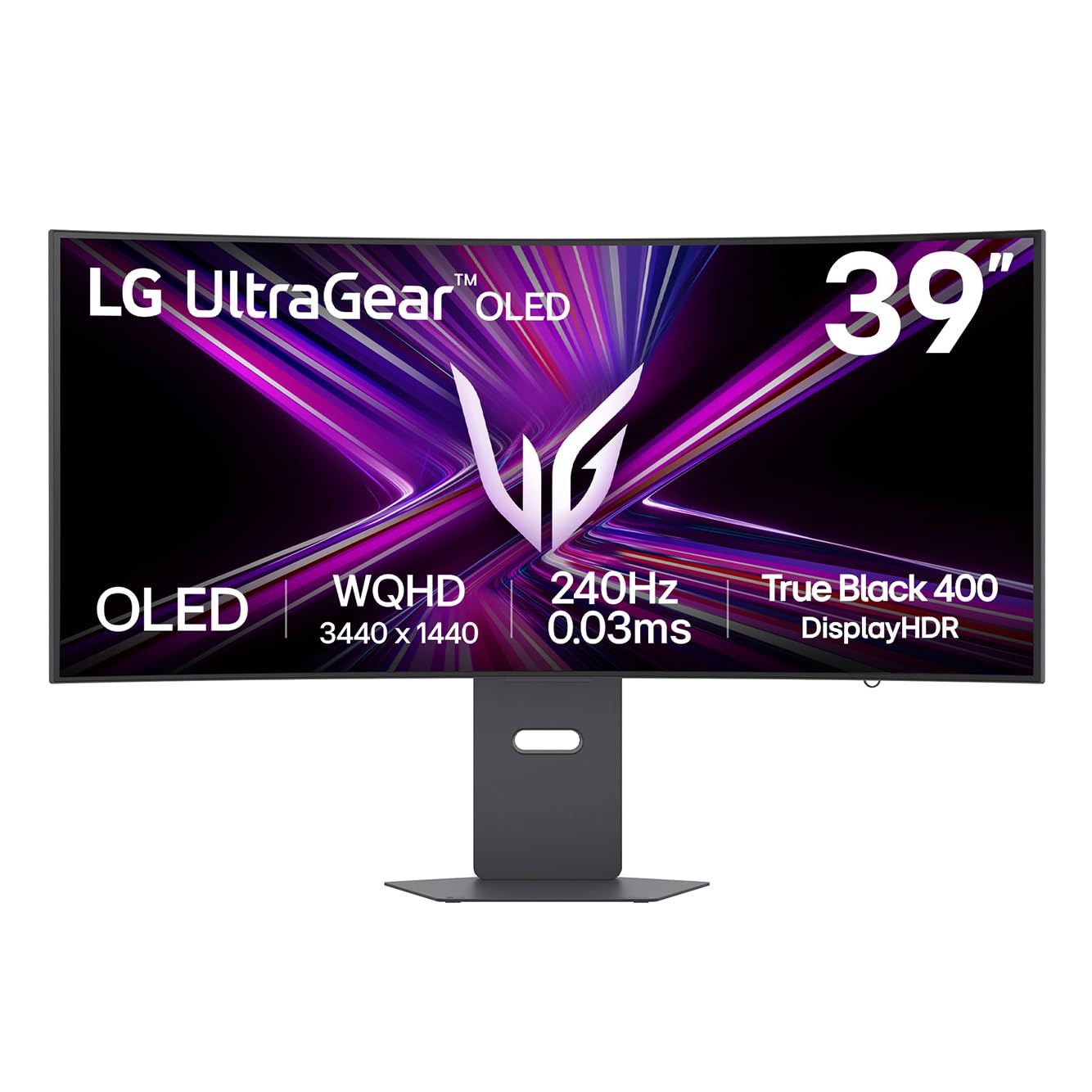
The LG 39GX900A-B uses a WQHD OLED panel with an aggressive 800R curvature that wraps tightly around your peripheral vision. With a 240Hz refresh rate and a 0.03ms gray-to-gray response time, motion clarity on this monitor is exceptional — fast vertical scrolling in dense code files stays perfectly readable, and competitive shooters exhibit zero detectable ghosting. The DisplayHDR True Black 400 certification, combined with a 1,500,000:1 contrast ratio, delivers inky blacks that make standard VA panels look gray by comparison.
Color coverage reaches 98.5% DCI-P3, which places it comfortably within the requirements for professional video color grading. The anti-glare OLED surface reduces reflections more effectively than glossy competitors, making it practical for brightly lit home offices. The stand supports height, tilt, and swivel adjustments, and the rear RGB hexagonal lighting syncs with LG’s software for a cohesive battlestation aesthetic.
Connectivity includes HDMI 2.1, DisplayPort 1.4, and USB Type-C with 65W power delivery — sufficient for driving a work laptop and peripherals through a single cable. The two-year limited warranty covering the OLED panel addresses burn-in concerns, and the built-in OLED Care tools (pixel cleaning) run automatically during standby. The menu joystick sits on the rear and takes some getting used to, but the overall package is hard to fault at this performance tier.
Why it’s great
- Infinite contrast and deep blacks from OLED technology
- 240Hz refresh eliminates motion blur entirely
- USB-C with 65W PD simplifies cable management
Good to know
- 800R curve may feel too aggressive for productivity-focused users
- Rear menu button is awkward to reach during setup
- Reported panel fault on early units — check warranty coverage
2. Dell U3821DW UltraSharp

The Dell U3821DW is designed for professionals who need a monitor that functions as a full docking station. The 37.5-inch WQHD+ IPS panel delivers 3840 x 1600 resolution with a 2300R curvature that reduces reflection without distorting straight lines — a critical feature for spreadsheet work and CAD applications. The 60Hz refresh rate is standard for this class, and the 8ms response time is perfectly adequate for productivity tasks though not intended for fast-paced gaming.
Color coverage hits 95% DCI-P3 and 100% sRGB, calibrated at the factory to Delta E < 2, ensuring consistent color across photo editing and design workflows. The integrated dual 9W speakers provide surprisingly robust audio for conference calls, eliminating the need for desktop speakers in a minimal setup. The Ethernet (RJ45) port supports MAC address pass-through and Wake-on-LAN, features IT departments value for managed deployments.
The USB-C connection delivers up to 90W of power, which can charge a 15-inch MacBook Pro at full speed while carrying video and connecting peripherals through the built-in USB-A ports. The auto KVM feature detects the last connected PC and switches keyboard and mouse control seamlessly between a desktop and a laptop. Three side bezels are nearly invisible, making this monitor ideal for multi-monitor arrays where bezel alignment matters.
Why it’s great
- Built-in KVM switch with auto-detection for dual-PC setups
- 90W USB-C power delivery charges high-performance laptops
- Solid 9W speakers eliminate need for external audio
Good to know
- 60Hz refresh rate is unsuitable for competitive gaming
- Premium price reflects the dock features, not raw panel speed
- Some units arrive with shipping damage — inspect packaging immediately
3. ViewSonic VP3881A ColorPro

The ViewSonic VP3881A targets creative professionals who require out-of-box color accuracy. The 38-inch WQHD+ IPS panel covers 100% sRGB, Rec. 709, and DCI-P3 color spaces, and is Pantone validated with Delta E < 2 accuracy. The 2300R curve is subtle enough to avoid distorting straight lines in design software while wrapping the edges into your natural field of view, reducing neck strain during long editing sessions.
The monitor includes a hardware calibration engine that works with ViewSonic’s Colorbration software, allowing you to calibrate the internal lookup table without relying on the graphics card. This ensures consistent color across different input sources — a feature that matters for studios where multiple workstations share a single monitor. The USB-C connection carries 90W power delivery, data, and video, plus an Ethernet port for stable network access.
The advanced ergonomic stand offers height adjustment, tilt, swivel, and portrait pivot for flexible positioning. HDR10 support adds dynamic range for video playback, though the 300 cd/m² brightness limits HDR punch compared to DisplayHDR 600 panels. The built-in speakers are adequate for system alerts but underpowered for critical audio monitoring. This monitor is the correct choice for a design studio where color precision is non-negotiable.
Why it’s great
- Pantone validated with factory Delta E < 2 calibration
- Hardware calibration via internal LUT for consistent color
- 90W USB-C with Ethernet for single-cable workstation
Good to know
- 300 cd/m² brightness limits HDR highlight impact
- 60Hz refresh rate rules out gaming use
- Built-in speakers lack volume for critical listening
4. Alienware 34 AW3425DW QD-OLED

The Alienware AW3425DW uses Samsung’s QD-OLED technology to combine the deep blacks of OLED with the color volume of quantum dots. The 34-inch WQHD panel runs at 240Hz with a 0.03ms response time, making it one of the fastest ultrawide monitors available. The 1800R curvature is less aggressive than LG’s 800R panel, striking a balance between immersion and productivity usability.
Color coverage reaches 99.3% DCI-P3 with Delta E < 2 accuracy, and the 1,500,000:1 contrast ratio produces blacks that appear absolute in a dim room. VESA DisplayHDR TrueBlack 400 certification ensures HDR content retains detail in shadows without blooming. The three-year burn-in warranty from Dell provides peace of mind that most OLED monitors lack, which is significant for users who keep static UI elements on screen for hours.
Connectivity includes HDMI, DisplayPort, and USB-C with data passthrough, though the monitor lacks power delivery — laptops will still need a separate charging cable. The stand offers height, tilt, and swivel adjustments, and the build quality is notably rigid with no panel wobble. The included microfiber cloth for cleaning the QD-OLED surface is a thoughtful inclusion, as fingerprints on the glossy coating are more visible than on matte finishes.
Why it’s great
- QD-OLED delivers industry-best color volume and deep blacks
- Three-year burn-in warranty covers the OLED panel
- 240Hz with 0.03ms response for competition-level gaming
Good to know
- No USB-C power delivery — laptop users need a separate charger
- Glossy coating requires careful cleaning to avoid scratches
- 34-inch diagonal is smaller than true 38-inch options
5. Samsung 37” Odyssey G7 (G75F)

The Samsung Odyssey G7 (G75F) delivers a 37-inch 4K UHD panel with a 1000R curvature that matches the natural curve of the human eye. The VA panel technology provides a 3000:1 static contrast ratio, which produces noticeably deeper blacks than IPS panels without the cost of OLED. The 165Hz refresh rate and 1ms MPRT response time make this monitor viable for competitive gaming, and the DisplayHDR 600 certification ensures brighter highlight peaks than entry-level HDR400 panels.
Color gamut covers 99% DCI-P3, and the 350 cd/m² typical brightness is sufficient for well-lit rooms. The 16:9 aspect ratio means this monitor handles console gaming natively without black bars, which is a practical advantage over 21:9 ultrawide panels when connected to a PS5 or Xbox Series X. The on-screen menu offers a Virtual Aim Point feature and Black Equalizer for adjusting shadow visibility in tactical shooters.
The stand provides height, tilt, and swivel adjustments, and the core lighting ring on the rear adds ambient bias lighting that matches other Samsung Odyssey peripherals. Some users report an occasional sleep/wake handshake issue that resolves with a system restart. At this price point, the G75F offers the best combination of 4K resolution, high refresh rate, and high contrast ratio available in the 38-inch class.
Why it’s great
- 4K UHD resolution maintains sharpness across 37 inches
- VA panel delivers 3000:1 contrast for deep blacks
- 165Hz refresh rate works with both PC and console gaming
Good to know
- Sleep/wake connectivity glitch reported by multiple users
- VA panel exhibits color shift at extreme viewing angles
- 16:9 format lacks horizontal space for timeline-based editing
6. LG 37G800A-B Ultragear

The LG 37G800A-B offers a 37-inch 4K VA panel with a 4000:1 contrast ratio — even higher than the Samsung G7 — and DisplayHDR 600 certification. The 165Hz refresh rate and 1ms GtG response time keep motion handling sharp, and AMD FreeSync Premium Pro eliminates screen tearing across a wide variable refresh range. The build quality is excellent, with a sturdy metal stand that supports height, tilt, and swivel.
Color coverage reaches up to 95% DCI-P3, and LG’s Dynamic Action Sync reduces input lag to imperceptible levels for competitive play. The Black Stabilizer function lifts shadow detail in dark game scenes without washing out the overall image, which is useful for games with variable lighting like Escape from Tarkov. The crosshair overlay offers six reticle options for FPS accuracy.
Connectivity is a differentiator here: dual HDMI 2.1 ports, DisplayPort 1.4, USB-C with 65W power delivery, plus USB upstream and two USB 3.0 downstream ports. The USB-C port’s power delivery is inconsistent — some units fail to deliver power, which has caused returns. The rear joystick for menu navigation requires memorizing the directional layout. When it works properly, however, this monitor is a strong contender for a combined gaming and productivity desk.
Why it’s great
- 4000:1 static contrast ratio exceeds most VA panels
- Dual HDMI 2.1 supports two 4K 120Hz consoles simultaneously
- USB-C 65W PD simplifies laptop integration
Good to know
- USB-C power delivery does not operate reliably on all units
- Menu joystick placement on rear is awkward for adjustments
- Panel weight makes it difficult to mount on monitor arms
7. Dell U3818DW

The Dell U3818DW is a well-established 38-inch IPS ultrawide that has proven its reliability in professional environments for years. The 3840 x 1600 resolution at 60Hz provides approximately 109 pixels per inch, which renders text crisply without requiring scaling on most operating systems. The 2300R curvature is subtle enough that it does not interfere with element alignment in design software or code fences in IDEs.
Color accuracy covers 99% sRGB and delivers consistent brightness across the entire panel, which is not always guaranteed on larger curved displays. The built-in KVM function allows control of two connected computers with a single keyboard and mouse, and the Picture-by-Picture mode splits the screen between two inputs at native 1080p each — useful for screen sharing in a hybrid work setup where one side shows your local desktop and the other displays a remote meeting.
USB-C connectivity carries video and data and can power a laptop, although the power delivery wattage is not specified in the official specs — early MacBook Pro users report it charges adequately but slower than dedicated 85W adapters. The stand is heavy and occupies significant desk footprint, but it provides excellent stability. Considering its age, the U3818DW remains a competent choice for anyone who prioritizes reliable IPS color and ultrawide workflow efficiency over gaming performance.
Why it’s great
- Proven longevity with consistent IPS color across the panel
- KVM switch handles two PCs with one keyboard and mouse
- PBP splits screen for dual-source productivity workflows
Good to know
- 60Hz refresh rate is strictly for office and creative use
- USB-C power delivery wattage is below modern 90W standards
- Stand is large and consumes substantial desk depth
8. Samsung Odyssey OLED G9 (G91SD)

The Samsung Odyssey OLED G9 pushes into super-ultrawide territory with a 49-inch Dual QHD (5120 x 1440) QD-OLED panel. The 32:9 aspect ratio effectively replaces two 27-inch 1440p monitors without a bezel gap, creating a continuous canvas that is ideal for sim racing, flight simulation, and sprawling spreadsheet dashboards. The 144Hz refresh rate with 0.03ms response time and FreeSync Premium Pro ensures fluid motion without tearing.
The QD-OLED panel delivers infinite contrast ratio with pure blacks, and Samsung’s Thermal Modulation System predicts surface temperature to automatically adjust brightness and reduce heat buildup. The Logo and Taskbar Detection feature automatically dims static UI elements to prevent burn-in — a critical safety net for a super-ultrawide OLED that displays toolbars across half the screen for hours. The 3-year warranty covers the OLED panel for additional peace of mind.
The ergonomic stand allows height, tilt, and swivel adjustments, and the Picture-in-Picture mode lets you view two inputs simultaneously. A single DisplayPort 1.4 input limits 144Hz connections — the HDMI 2.1 port cannot deliver full resolution at the maximum refresh rate. The 49-inch width demands a desk at least 60 inches wide. Early units have reported reliability issues requiring warranty service, though Samsung’s on-site repair support has been praised by affected customers.
Why it’s great
- 32:9 aspect ratio replaces dual monitors without a bezel gap
- QD-OLED delivers infinite contrast and vibrant color volume
- Burn-in mitigation features (logo detection, auto dimming) extend panel life
Good to know
- Single DisplayPort 1.4 input limits connection flexibility
- Very wide footprint requires a large desk or wall mount
- Reliability concerns reported; check warranty terms before purchase
9. INNOCN 49Q1S OLED

The INNOCN 49Q1S offers a 49-inch OLED panel at Dual QHD resolution with a 240Hz refresh rate, making it one of the few super-ultrawide monitors to break the 144Hz barrier. The 1800R curvature balances immersion and practicality, and the 1,000,000:1 contrast ratio produces the deep blacks expected from OLED technology. The 99% sRGB color coverage ensures accurate color for content creation tasks.
Connectivity is the headline feature: USB-C with 90W power delivery, two DisplayPort 1.4 inputs, HDMI 2.1, two USB-A 3.0 ports, USB-B, RJ45 Ethernet, and a 3.5mm audio jack. This port selection rivals dedicated Thunderbolt docks and creates a true single-cable workstation for laptop users. The built-in speakers offer moderate volume for casual use, and the height-adjustable stand supports tilt and swivel adjustments.
PIP/PBP split-screen functionality allows viewing content from two input sources simultaneously, which is useful for referencing documentation while coding. The 240Hz refresh rate ensures fluid motion in games that can drive Dual QHD resolution at high frame rates. Some users report the monitor stops working after three months, which is a worrying reliability signal. The glossy OLED screen produces excellent image quality but requires careful cleaning to maintain the anti-reflective coating.
Why it’s great
- 240Hz refresh is exceptionally rare at 49-inch Dual QHD
- USB-C 90W plus RJ45 creates a fully functional dock
- OLED contrast delivers immersive gaming visuals
Good to know
- Reliability concerns with units failing after a few months
- Glossy OLED screen attracts fingerprints and requires careful cleaning
- Some applications scale poorly at Dual QHD resolution
10. CRUA 49″ DQHD (5120×1440)
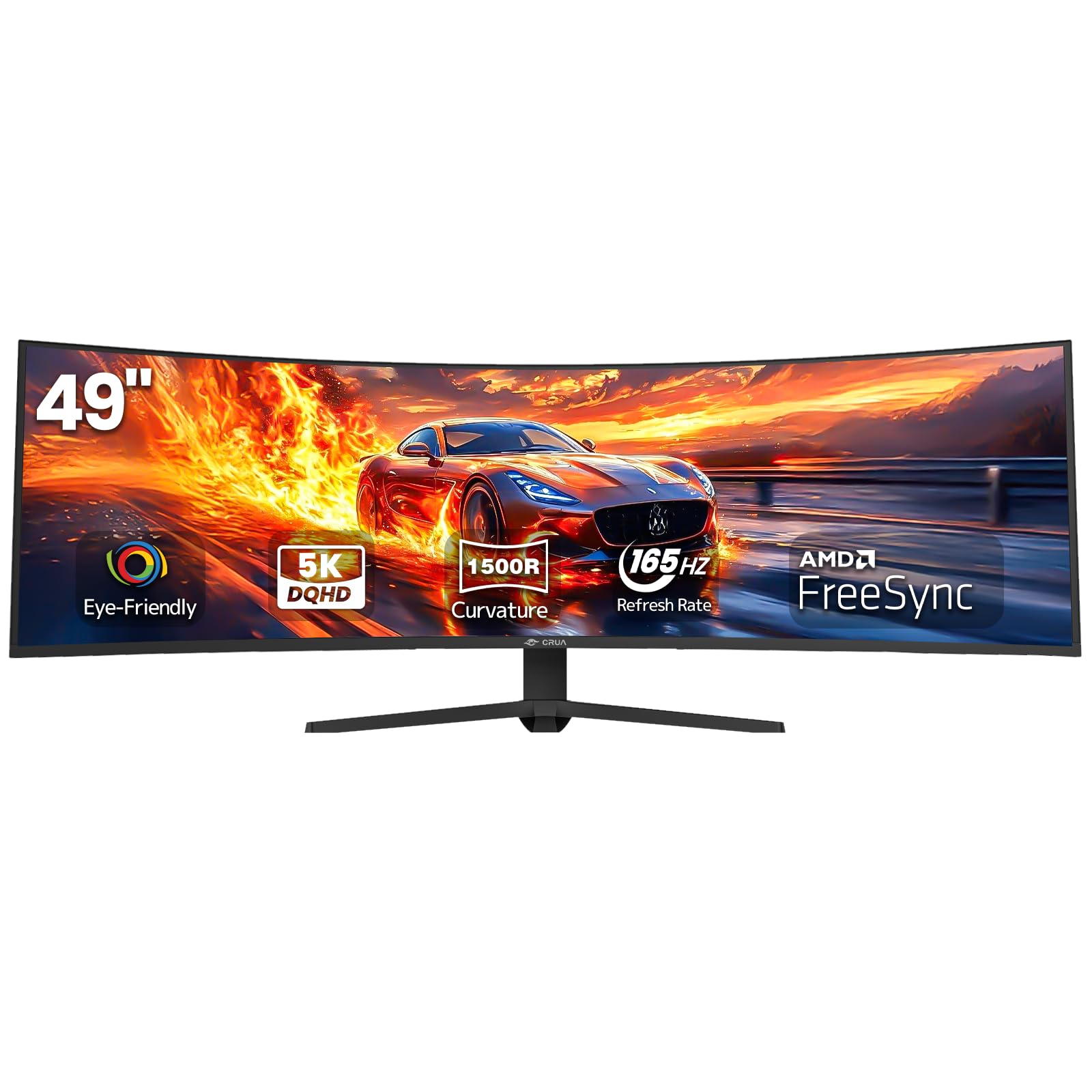
The CRUA 49-inch monitor delivers a Dual QHD 5120 x 1440 resolution on a VA panel with a 1500R curvature, offering an ultrawide 32:9 experience at a significantly lower price than OLED alternatives. The 165Hz refresh rate via DisplayPort 1.4 and AMD FreeSync support provide smooth gameplay in racing sims without breaking the bank. The 3000:1 contrast ratio from the VA panel produces respectable black levels for the category.
Color coverage reaches 120% sRGB, and the 330 cd/m² brightness is adequate for rooms without direct window glare. The stand offers height adjustment and tilt, although some units have reported minor instability at maximum height. The VESA mount pattern is 75x75mm, which is less common than the standard 100x100mm — verify your monitor arm’s compatibility before purchasing.
Connectivity includes HDMI 2.1 and DisplayPort 1.4, plus a 3.5mm audio jack for connecting external speakers since there are no built-in drivers. Some owners report a popping sound on the left side of the panel during warm-up, which may be thermal expansion of the plastic housing. The soft screw heads on the stand assembly require careful handling to avoid stripping. For sim racers on a tight budget, this monitor delivers the core ultrawide experience with some compromises in build refinement.
Why it’s great
- Dual QHD resolution at a price well below OLED competitors
- 165Hz refresh with FreeSync for smooth racing sims
- HDMI 2.1 compatibility for modern consoles
Good to know
- 75x75mm VESA pattern limits monitor arm compatibility
- No built-in speakers require external audio
- Occasional popping sound reported during warm-up cycles
11. Amzfast 49″ Curved Monitor
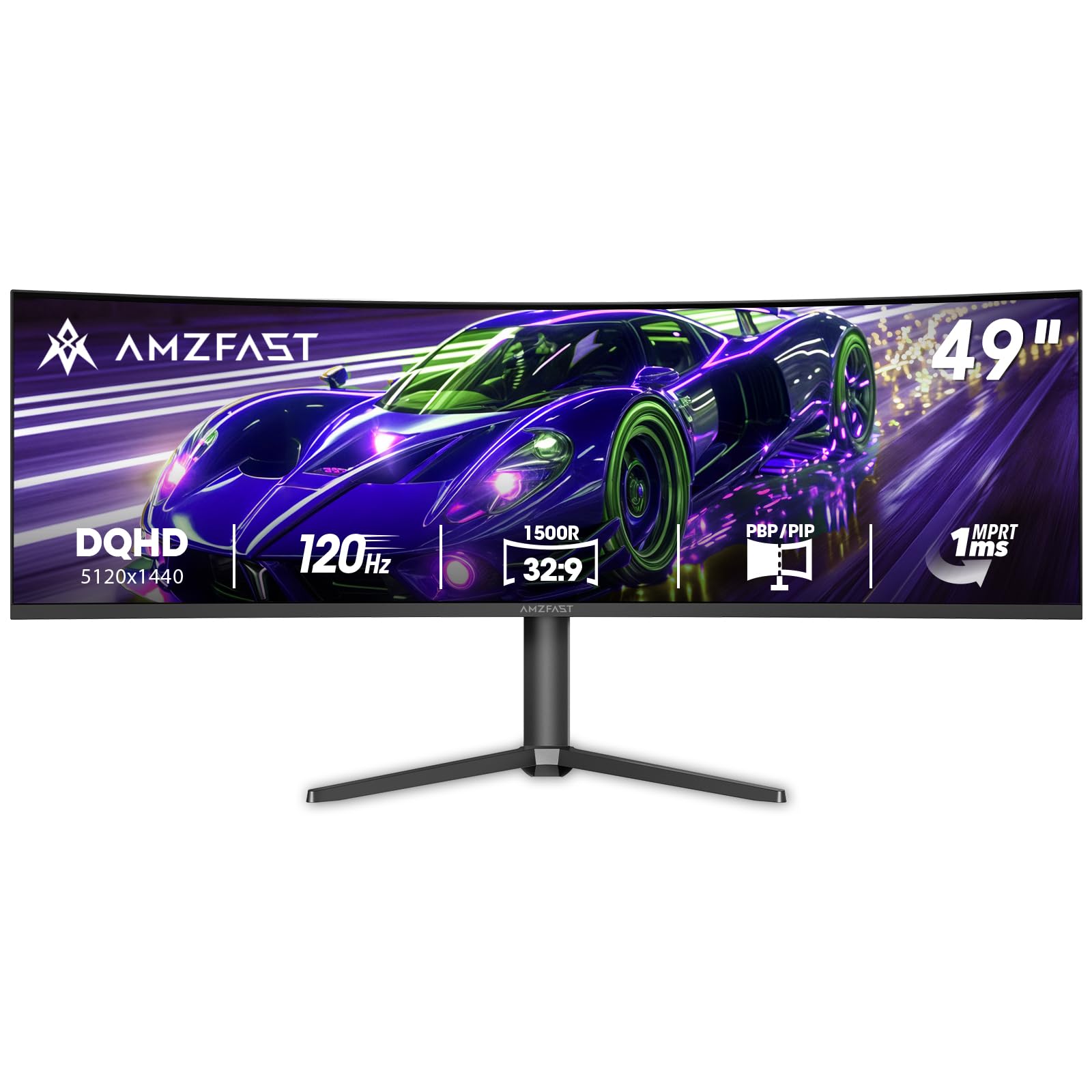
The Amzfast 49-inch monitor provides a dual QHD 5120 x 1440 VA panel with a 1500R curve and a 120Hz refresh rate over DisplayPort 1.4. The 3000:1 contrast ratio and 350 cd/m² brightness deliver solid performance for media consumption and general desktop use. The 120% sRGB color gamut ensures colors appear vivid in everyday applications, and AMD FreeSync compatibility reduces screen tearing in supported games.
PIP/PBP functionality lets you display content from two input sources side by side, which is useful for monitoring chat or stream overlays while gaming. The stand provides height adjustment up to 110mm, tilt from -5° to +20°, and swivel of ±20° for flexible positioning. VESA 75x75mm compatibility allows wall mounting, though the smaller pattern limits aftermarket arm options. The pre-set scene modes (Standard, Cinema, FPS, Office, Energy Saving) simplify switching between tasks.
Connectivity covers two HDMI 2.0 ports and two DisplayPort 1.4 inputs, which is generous for multi-device setups. The MPRT 1ms response time reduces ghosting, but enabling it can introduce reverse ghosting in fast-moving scenes. Some users report that the 165Hz mode feels less stable than the native 120Hz, so sticking to the lower refresh rate yields a more consistent experience. The stand’s build quality is the weakest link — the pivot mechanism can cause a rightward tilt over time.
Why it’s great
- Dual QHD resolution with 120Hz at a very accessible price point
- PIP/PBP supports dual input sources on a single screen
- Multiple scene modes optimize settings for different tasks
Good to know
- Stand quality is poor — pivot causes rightward tilt over time
- MPRT can introduce reverse ghosting in fast-paced games
- HDMI 2.0 limits bandwidth compared to HDMI 2.1
FAQ
Is a 38-inch monitor too big for a standard 60-inch desk?
Which panel type lasts the longest for 8+ hours of daily office use?
Final Thoughts: The Verdict
For most users, the best 38 inch monitor winner is the LG Ultragear 39GX900A-B because it combines OLED-level contrast and color with a 240Hz refresh rate and USB-C 65W connectivity in a 39-inch format that fits standard desks. If you need a dedicated productivity hub with integrated KVM and Ethernet, grab the Dell U3821DW. And for graphic designers and video editors who require factory-calibrated color with Pantone validation, nothing beats the ViewSonic VP3881A.

Mo Maruf
I created WellFizz to bridge the gap between vague wellness advice and actionable solutions. My mission is simple: to decode the research and give you practical tools you can actually use.
Beyond the data, I am a passionate traveler. I believe that stepping away from the screen to explore new environments is essential for mental clarity and physical vitality.