Our readers keep the lights on and my smoothie glass nicely filled. As an Amazon Associate, I earn from qualifying purchases.
A conference table is a difficult space to capture. Remote participants hear only the closest speaker, while in-room body language and side conversations vanish into a flat audio stream. A 360 conference camera solves this by placing a single device at the center of the table, capturing everyone in the room so hybrid meetings finally feel like a single conversation.
I’m Mohammad Maruf — the founder and writer behind WellFizz. My research for this guide focused on analyzing dozens of specifications, from microphone beamforming patterns to lens stitching algorithms, to separate marketing claims from real-world performance.
After evaluating nine of the top models on the market, the well-rounded winner of the best 360 conference camera award goes to a device that balances video clarity, audio pickup, and ease of deployment without requiring a dedicated IT budget.
How To Choose The Best 360 Conference Camera
Choosing a 360 conference camera means weighing how many microphones are on board, how the camera stitches its panoramic view, and whether the system can track a moving speaker without a jumpy transition. Here are the three specs that separate a smooth meeting from a frustrating one.
Microphone Count and Beamforming Range
A camera with only two microphones struggles to isolate a speaker six feet away against a noisy HVAC system. Look for at least four omnidirectional mics and a beamforming radius of 10 feet or more. Models with eight microphones, like the top-tier options, filter out echo and background chatter at larger table lengths.
Stitching Quality and Frame Rate
360-degree cameras use multiple lenses that must stitch images together in real time. Poor stitching creates visible lines where the lenses overlap. A 30fps capture rate is standard, but some cheaper implementations introduce a wobble effect when objects cross the stitch seam. Test reviews that mention “seamless” or “hollow” stitching to judge the processing quality.
Active Speaker Tracking vs. Full Room View
Two different AI modes exist. Active speaker tracking crops the frame to whoever is talking, which helps remote viewers see facial expressions. Full room view shows the entire table in a 360° panorama or a dual 180° split. Some cameras let you toggle between both, while others are locked into one mode. Choose based on whether your meetings are presentation-heavy or discussion-heavy.
Quick Comparison
On smaller screens, swipe sideways to see the full table.
| Model | Category | Best For | Key Spec | Amazon |
|---|---|---|---|---|
| Owl Labs Meeting Owl 3 | Premium All-in-One | Medium to large rooms with trusted branding | 18-foot mic pickup range | Amazon |
| NexiGo Meeting 360 Ultra (Gen 3) | Premium Multi-Cam System | Large or irregular-shaped rooms | 8K capture, multi-camera expansion | Amazon |
| COOLPO Camera 360 AI Huddle Pana | Premium Standalone AI | Edge-computed privacy and speaker tracking | 15-foot voice pickup, 8 mics | Amazon |
| v AV Access 4K AI PTZ Dual-Lens Kit | Mid-Range Combo Kit | Small to medium rooms needing PTZ + 360° mic | 4K PTZ + 1080p panoramic lens | Amazon |
| TOUCAN 360-Degree Camera | Mid-Range 360° Tabletop | Round tables with up to 10 people | 360° omni-directional shooting | Amazon |
| j5create 360 AI JVU368 | Mid-Range Portable 360 | Remote-controlled meetings and travel | Included remote control with digital zoom | Amazon |
| PANOCORE360 All-in-One | Mid-Range 360° USB | Entry-level 360° for small teams | Chip-level 4K capture, 1080p output | Amazon |
| NUROUM C20 (2nd Gen) | Budget Fixed Webcam | Desk-level 1080p calls for one to three people | 100° FOV, 13ft voice pickup | Amazon |
| Bose Professional VB-S | Budget Compact Soundbar | Small room with premium audio priority | 4K camera, 5x digital zoom | Amazon |
In‑Depth Reviews
1. Owl Labs Meeting Owl 3

The Meeting Owl 3 remains the benchmark for plug-and-play 360 conferencing. Its proprietary Owl Intelligence System uses visual and audio cues to automatically frame the active speaker, and the 360° panoramic view gives remote participants full context of the room. Setup takes roughly six minutes out of the box, and the 18-foot microphone array captures voices clearly across medium to large tables without external mics.
Build quality is rugged — user reviews report surviving multiple drops over two years of daily use. The device is certified for Microsoft Teams but works equally well with Zoom, Google Meet, and Webex. Pairing two Meeting Owls extends coverage for long, narrow rooms, and the ecosystem includes an Expansion Mic for even larger spaces.
The one limitation is 1080p output. At this premium price tier, competitors now offer 4K capture, though the Owl 3’s audio reliability and AI tracking accuracy still justify its position for most hybrid teams.
Why it’s great
- Proven speaker tracking with low latency
- 18-foot mic pickup covers large tables cleanly
- Durable build tested over years of daily handling
Good to know
- Video limited to 1080p at a premium price
- No built-in Bluetooth for wireless audio streaming
2. NexiGo Meeting 360 Ultra (Gen 3)

The NexiGo Meeting 360 Ultra breaks the single-device mold by allowing up to four cameras to operate in a unified system. Its built-in operating system means it can connect directly to a TV without a separate computer, running Zoom, Teams, or Google Meet natively. Dual 195-degree lenses capture 8K resolution internally, outputting crisp 1080p video that highlights individual faces even in a U-shaped conference room.
Eight omnidirectional microphones pick up audio up to 18 feet away, and Hi-Fi speakers deliver bi-directional clarity that fills a medium to large room. The included privacy cover protects the lenses when not in use, and the App Store allows IT administrators to deploy the camera with custom defaults.
The multi-camera setup requires the NexiGo Meeting Studio app to manage expansion units, which adds a software layer that some teams may find unnecessary if they only need a single 360° device.
Why it’s great
- Built-in OS eliminates need for a PC in the room
- Expansion to four cameras for very large spaces
- 8K sensor captures high detail even in 1080p output
Good to know
- Software required to manage multi-camera setups
- At a higher price point for a single-room use
3. COOLPO Camera 360 AI Huddle Pana

COOLPO’s AI Huddle Pana processes all tracking and framing locally on the device hardware using edge computing, meaning no video or audio data ever leaves the camera for external servers. Eight high-quality microphones capture voices within a 15-foot radius, and mechanical noise reduction keeps conversations clear even in rooms with projector fans or open windows.
The 360-degree all-in-one design requires no stitching, which eliminates the visible seam lines that lower-tier cameras can produce. Active speaker tracking uses AI that COOLPO trained in-house, and the system automatically zooms to frame the person talking while keeping the context of nearby participants visible.
Some users note that the microphone sensitivity triggers panning to non-speakers who clear their throat or shuffle papers, and the speaker distorts above 70% volume. The microUSB connection feels dated compared to USB-C competitors at a similar price point.
Why it’s great
- All AI processing stays on-device for maximum privacy
- Eight microphone array provides wide, even pickup
- No stitching required for the 360-degree view
Good to know
- MicroUSB port instead of modern USB-C
- Sensitive mic triggers on non-speaker sounds
4. v AV Access 4K AI PTZ Dual-Lens Kit
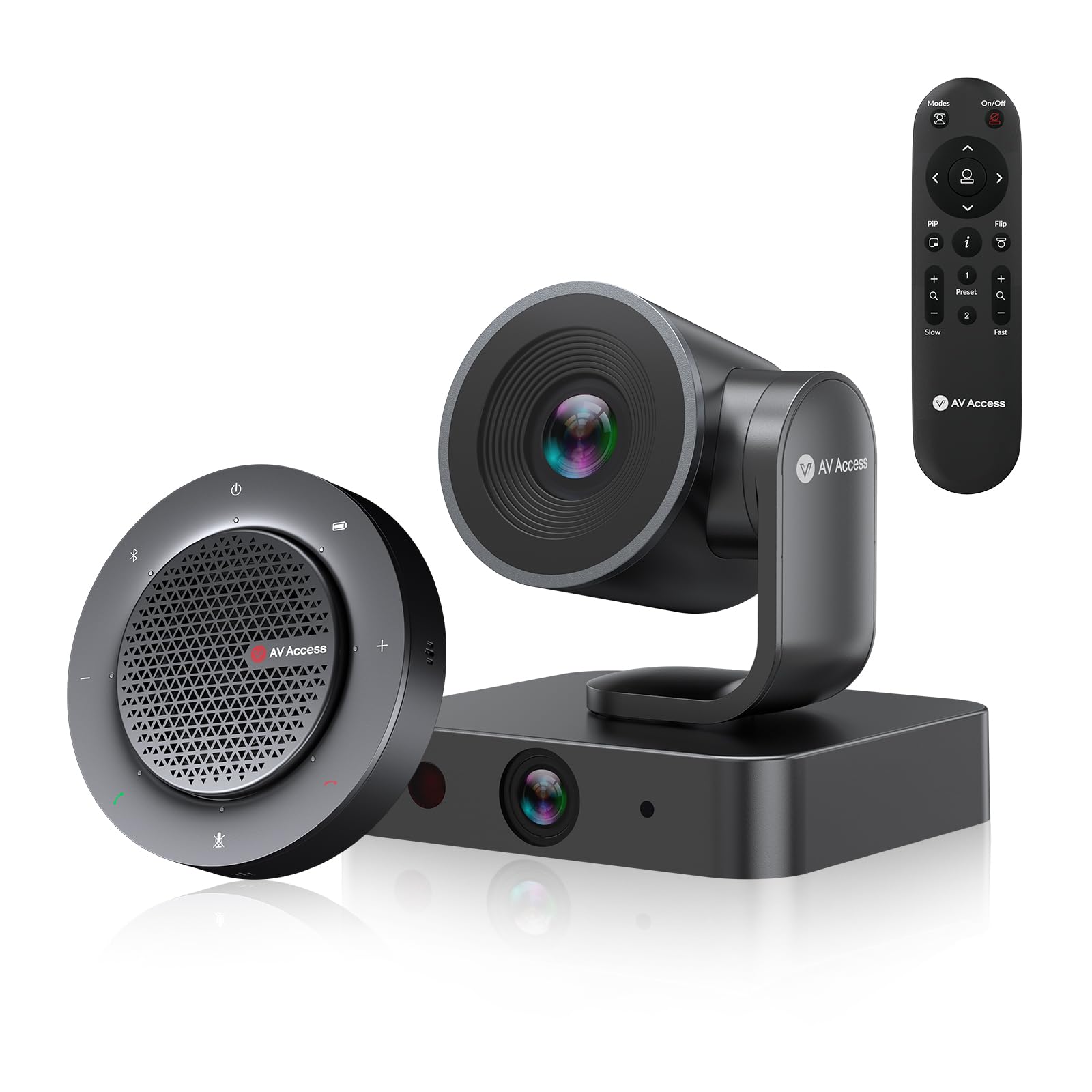
This kit combines a dedicated 4K PTZ camera (5x digital zoom, 3x optical zoom, 110° FoV) with a 1080p panoramic lens (120° FoV) for a dual-camera approach that separates tracking from room context. The AI Gallery Technology frames individual participants in separate boxes — up to four people — and switches to group framing for larger meetings. This is especially useful for training sessions where facial expressions matter.
The included wireless speakerphone uses Bluetooth and USB connectivity, offering four omnidirectional microphones with 360° audio capture, noise reduction, and echo cancellation. The speakerphone lasts up to 10 hours on battery, allowing it to be placed anywhere on the table without cable constraints.
The camera quality is strong, but the bundled speakerphone audio has received mixed feedback — some users recommend upgrading the audio module for larger rooms. The remote control and web UI allow saving up to nine camera presets for different meeting configurations.
Why it’s great
- Separate PTZ and panoramic lenses for detail + context
- Individual participant framing with AI Gallery mode
- Portable speakerphone with 10-hour battery life
Good to know
- Bundled speakerphone audio quality is average
- Requires two USB ports for camera and speakerphone
5. TOUCAN 360-Degree Video Conference Camera

The TOUCAN 360 is a straightforward tabletop device that shoots 360-degree video at 1080p and uses four noise-reduction microphones to capture voices around a round table. Setup is a simple USB plug-and-play experience with no driver installation required, making it a solid choice for teams that want 360 coverage without complex configuration.
Image quality is clear, and the 360° view provides good context for meetings of six to ten participants. The built-in speaker is acceptable for voice calls, though in noisy environments the maximum volume may not be sufficient. The device includes a lens cover for privacy when the camera is not in use.
Some compatibility issues have been reported with the Zoom Room app on Fire TV, and the microphone may not be recognized by all TV-based conferencing systems. For standard desktop or laptop use, the camera performs reliably.
Why it’s great
- True plug-and-play with no software needed
- Effective 360° coverage for round tables
- Integrated lens cover for privacy
Good to know
- Speaker volume may be low in loud rooms
- Compatibility issues with TV-based conferencing apps
6. j5create 360 All Around AI JVU368

The j5create JVU368 is a compact 360-degree conference camera designed for users who move between rooms. It comes with a detachable travel case, a remote control with digital zoom and pan functionality, and a tiltable camera mount that can be angled to capture tabletop activities like whiteboard work or podcast recording.
AI-powered auto framing tracks participants and adjusts the view automatically. The omnidirectional microphone and noise cancellation deliver clear audio in small to medium rooms, and users report effective AI cropping that keeps two to three people in frame during roundtable discussions or streaming sessions.
Build quality concerns have surfaced in longer-term reviews — specifically that the adhesive base may fail over time and that the lens cap magnet is fragile. The electronics and acoustics perform well, but physical durability could be improved for a device intended for frequent travel.
Why it’s great
- Portable design with dedicated travel case
- Included remote control for easy PTZ adjustments
- AI framing handles small group discussions well
Good to know
- Adhesive base and lens cap magnet reported as fragile
- Not designed for large rooms with more than 6 participants
7. PANOCORE360 All-in-One Meeting Camera
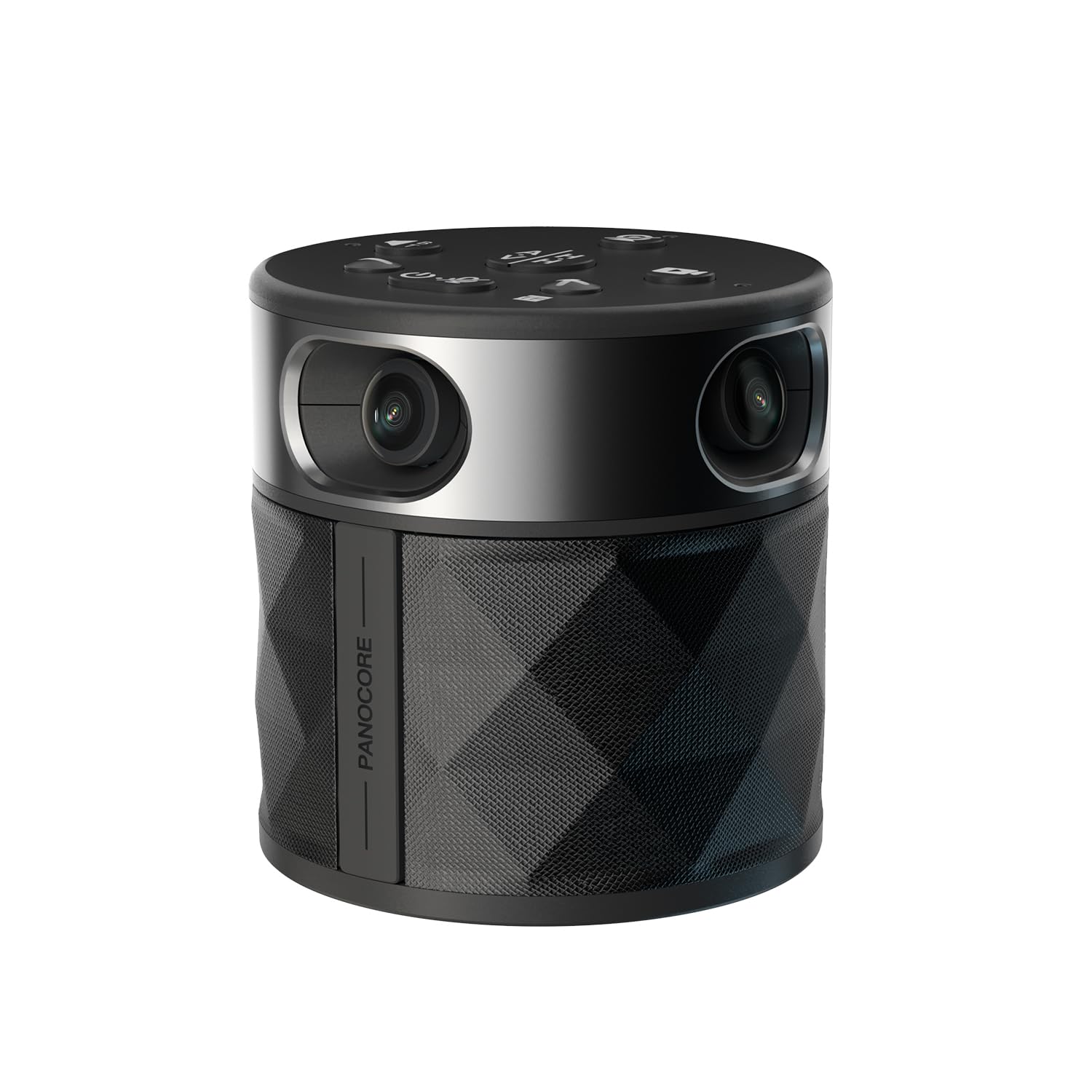
The PANOCORE360 uses a custom low-power vision chip that handles real-time video stitching and auto-framing directly on the device, reducing USB power draw. Four cameras capture a full 4K 360-degree image that merges into a 1080p output stream, making it suitable for small to medium rooms with up to twelve participants.
An included portable desktop tripod makes it easy to position the camera in the center of a table, and local recording to a MicroSD card is a useful feature for teams that want to archive meetings without a separate computer. Dual vision modes — full 360° panorama or dual 180° widescreen — provide flexibility for different meeting formats.
The 30fps frame rate is standard, but some users find the video movement less smooth than higher-end 60fps units. The speaker sound is described as “hollow” with limited bass, though it is adequate for voice calls. The camera is not compatible with mobile devices.
Why it’s great
- Chip-level processing keeps USB power usage low
- Local MicroSD recording without a host PC
- Affordable entry point into true 360° video
Good to know
- Speaker audio lacks fullness for music or rich voice
- No mobile device compatibility
8. NUROUM C20 (2nd Gen)
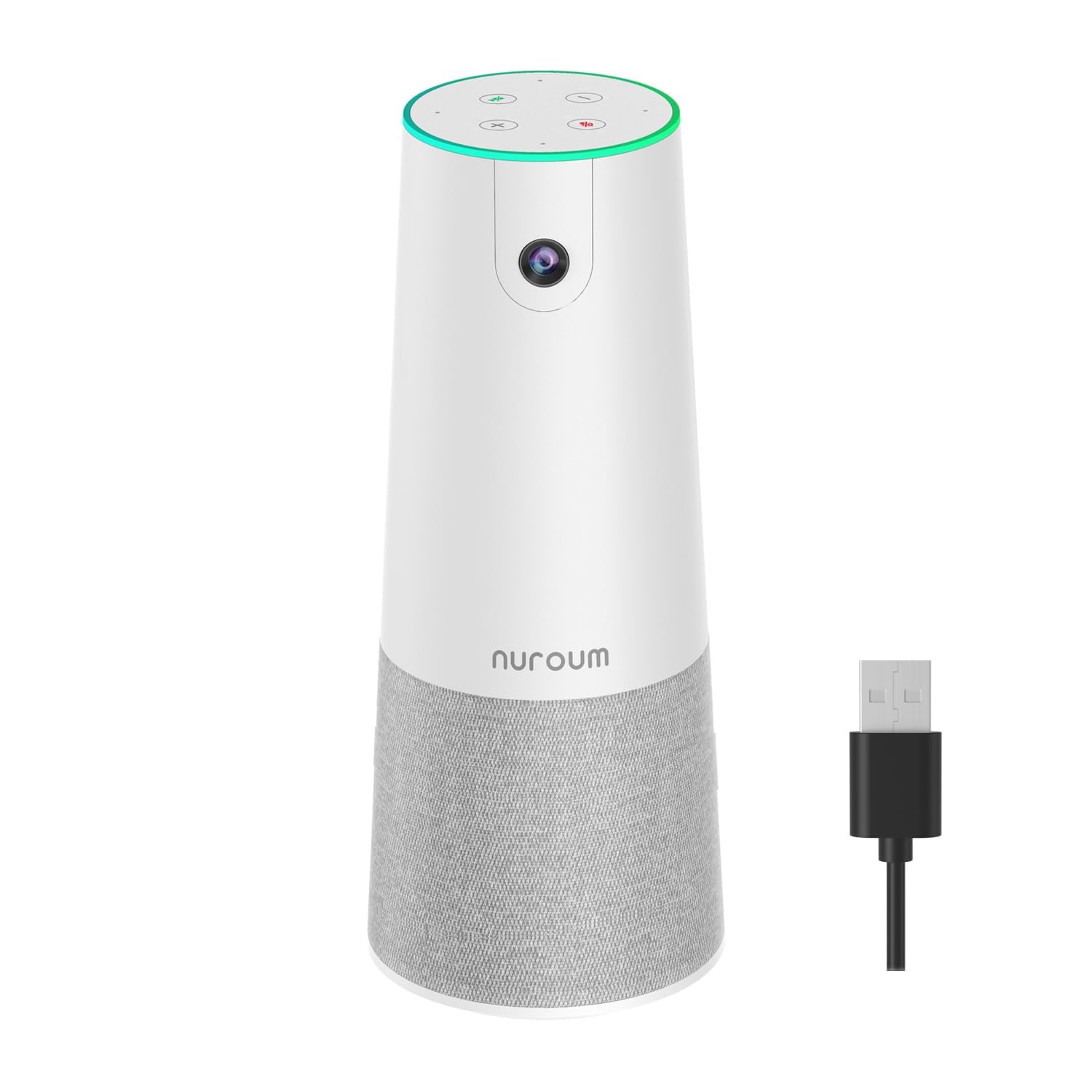
The NUROUM C20 is a compact all-in-one webcam that combines a 2MP CMOS sensor for 1080p video, four MEMS omnidirectional microphones, and a loudspeaker into a single desktop unit. The 100° field of view is wide enough to capture two to three people clustered around a small table or a single person with generous background context.
AI noise cancellation processes environmental sounds effectively, and the 13-foot voice pickup radius works well in quiet home offices or small meeting rooms. The device is USB-C plug-and-play with touch controls for muting, camera off, and volume, and the included NearSync software allows firmware updates and image parameter adjustments.
Low-light performance is a known weak point — the image becomes grainy in dim rooms. The autofocus also lags occasionally, making the C20 better suited for well-lit, stationary meetings rather than dynamic presentations with movement.
Why it’s great
- Compact all-in-one design saves desk space
- AI noise cancellation works well in home office environments
- Touch controls are intuitive and responsive
Good to know
- Image quality degrades noticeably in low light
- Autofocus can hesitate when subjects shift quickly
9. Bose Professional VB-S

The Bose Professional VB-S is a compact videobar that prioritizes audio quality above all else. Four beamforming microphones focus on voices and reject table echo, while a 4K Ultra-HD camera with 5x digital zoom covers a wide field of view for small rooms. Bluetooth support allows music streaming from a phone, turning the device into a speaker system when not in use.
Digital PTZ functionality works through the included IR remote, with customizable presets for different table layouts. Auto-framing modes keep groups in view, though the camera quality is not quite class-leading for 4K — the lens struggles in very low light compared to dedicated 4K webcams.
The compact form factor (10 x 3 x 2 inches) fits under a monitor or on a credenza, and mounting options include tabletop and wall placement. For users who prioritize crystal-clear voice and room-filling sound over absolute video sharpness, the VB-S delivers a premium audio experience at a budget-friendly price.
Why it’s great
- Best-in-class audio from Bose beamforming technology
- Bluetooth streaming doubles as a room speaker system
- Compact design with flexible mounting options
Good to know
- Camera is not 360° — wide angle but fixed orientation
- 4K sensor performance lags in dim environments
FAQ
What size room does a 360 conference camera work best in?
Can I use a 360 conference camera without a computer?
Why does my 360 camera show a line down the middle of the image?
Do I need separate microphones with a 360 conference camera?
Final Thoughts: The Verdict
For most teams, the 360 conference camera winner is the Owl Labs Meeting Owl 3 because it combines proven speaker tracking, 18-foot mic pickup, and a durable build that has been field-tested for years. If you need an independent operating system that runs conferencing apps without a host computer, grab the NexiGo Meeting 360 Ultra. And for small teams who want the best audio experience with a wide fixed field of view, nothing beats the Bose Professional VB-S at a budget-friendly entry point.

Mo Maruf
I created WellFizz to bridge the gap between vague wellness advice and actionable solutions. My mission is simple: to decode the research and give you practical tools you can actually use.
Beyond the data, I am a passionate traveler. I believe that stepping away from the screen to explore new environments is essential for mental clarity and physical vitality.