Our readers keep the lights on and my smoothie glass nicely filled. As an Amazon Associate, I earn from qualifying purchases.
That shoebox of faded 35mm slides holds decades of family history, but every year without digitizing them risks color shifts, mold, and physical damage. The right 35mm slide scanner turns those vulnerable positives into shareable, archivable digital files without sending them to a lab or spending hours on a flatbed.
I’m Mohammad Maruf — the founder and writer behind WellFizz. I’ve spent over a decade analyzing niche archival hardware, comparing sensor technologies, film transport mechanisms, and software ecosystems to separate real preservation tools from over-marketed consumer gadgets.
This guide breaks down the best options for at-home digitization, comparing resolution, sensor type, film format support, and workflow speed so you can confidently choose the best 35mm slide scanner for your collection.
How To Choose The Best 35mm Slide Scanner
Not every slide scanner delivers equal results. The difference between a soft, muddy digital copy and a sharp, color-accurate preservation file comes down to a few critical hardware and software decisions. Here’s what separates a capable scanner from a waste of time.
Optical Resolution vs. Interpolated Megapixels
Marketing teams love quoting interpolated megapixel numbers (22MP, 25MP), but the real benchmark is optical resolution measured in dpi. Entry-level standalone scanners typically capture around 1800–3200 dpi optically, which is fine for social sharing and small prints. For archival-grade scans that hold up at larger display sizes, you need true 7200 dpi optical capture — currently only found in dedicated computer-connected scanners like the Plustek line. Ignore the interpolated number and ask: what is the native optical resolution of the sensor?
Sensor Type: CMOS vs. CCD
Nearly every consumer slide scanner under uses a CMOS sensor, which is fast and power-efficient but can introduce more noise in shadow areas. CCD sensors, found in older high-end film scanners, offer better dynamic range and smoother tonal transitions — but they are slower and almost extinct in new home devices. For most family archiving, a well-engineered CMOS sensor with good software processing produces perfectly satisfying results. Only pixel-peepers scanning for exhibition prints need CCD-level fidelity.
Standalone Operation vs. Computer-Tethered
Standalone scanners with built-in screens let you sit on the couch, load slides, and preview results without a PC. This convenience dramatically increases your throughput — you might finish 100 slides in an hour instead of struggling through driver installs and software crashes. The trade-off is that standalone units cannot match the resolution or dynamic range of a tethered scanner. Decide whether speed and ease or maximum quality is your priority.
Dust and Scratch Removal
Slides accumulate dust, hair, and scratches over decades. The most effective scanners use infrared channel detection to map defects and automatically remove them in software — a feature called iSRD or Digital ICE. Dedicated film scanners like the Plustek 8200i SE include this, while standalone consumer units typically require you to clean slides manually before scanning. If you have a large collection, the time saved by infrared dust removal alone justifies the higher cost of a premium scanner.
Quick Comparison
On smaller screens, swipe sideways to see the full table.
| Model | Category | Best For | Key Spec | Amazon |
|---|---|---|---|---|
| Plustek OpticFilm 8200i SE | Dedicated Film | Archival-quality scans | 7200 dpi optical | Amazon |
| KODAK Slide N Scan Max | Standalone | High-volume family archiving | 7″ tiltable LCD | Amazon |
| HP Touch Screen Film Scanner | Standalone | Touchscreen workflow | 13MP CMOS + 22MP int. | Amazon |
| KODAK Slide N Scan | Standalone | Entry-level Kodak reliability | 22MP interpolated | Amazon |
| ClearClick Virtuoso 2.0 | Standalone | Ease of use + 2-year warranty | 5″ preview LCD | Amazon |
| PORTTA NS10 | Standalone | Couch-friendly digitizing | 16/22MP dual mode | Amazon |
| KEDOK 4-in-1 Scanner | Standalone | Multi-format (photo + slide) | 8GB SD card included | Amazon |
| Magnasonic FS70 | Standalone | Value + CCD sensor | 25MP, CCD sensor | Amazon |
| DigitPro C190 | Standalone | Absolute budget entry | 5″ LCD, 128MB built-in | Amazon |
In‑Depth Reviews
1. Plustek OpticFilm 8200i SE

The Plustek OpticFilm 8200i SE operates in a completely different league from standalone consumer scanners. Its true 7200 dpi optical resolution delivers 69-megapixel captures from a 35mm frame — enough resolution to produce exhibition-quality 16×20 inch prints without interpolation artifacts. The built-in infrared channel (iSRD) automatically detects and removes dust and scratches during the scan, saving you hours of manual clone-stamp work in Photoshop. This is a computer-tethered scanner, not a standalone device, which means it requires a Windows or Mac system running SilverFast SE Plus 9 or VueScan to operate.
Scan speed is the primary trade-off: a single 7200 dpi frame with multi-exposure and dust removal enabled can take upwards of 25-30 minutes. Most users find 3600 dpi to be the practical sweet spot, dropping scan times to around 3-5 minutes per frame while still yielding detail far beyond any standalone unit. The film carrier has a slight mechanical play that requires careful frame alignment, but once positioned, the results are consistently sharp and color-accurate. The 3.6 Dmax dynamic range handles dense slides and high-contrast negatives well, though Kodachrome users report needing some exposure compensation to avoid blocked shadows.
Software is both a strength and a hurdle. SilverFast SE Plus 9 is powerful — supporting multi-exposure, HDRi mode, and grain management — but its interface is dense and unintuitive for beginners. Many experienced users recommend bypassing SilverFast and using VueScan for a cleaner workflow, though SilverFast’s infrared dust removal remains the best in the business. The scanner connects via USB 2.0, and the lack of USB-C out of the box is a genuine annoyance for modern laptop users, though a simple adapter solves it. The Plustek is not fast, not casual, and not cheap — but it is the only sub- scanner capable of true archival-grade 35mm digitization.
Why it’s great
- True 7200 dpi optical resolution — best-in-class for 35mm
- Infrared dust and scratch removal saves enormous manual retouch time
- Bundled SilverFast SE Plus 9 offers professional-grade color management
- 3.6 Dmax dynamic range handles dense, contrasty slides well
Good to know
- Very slow: 25-30 minutes per high-res frame with all features enabled
- USB 2.0 only — requires adapter for modern USB-C laptops
- Steep learning curve with SilverFast software for beginners
- Film carrier has slight lateral play; careful alignment needed
2. KODAK Slide N Scan Max (7-Inch)

The KODAK Slide N Scan Max stands apart from every other standalone scanner on this list because of its 7-inch tiltable LCD screen, which dramatically improves ergonomics during long digitization sessions. The screen tilts to multiple angles, so you can sit back and preview frames without craning your neck — a small detail that matters when you are processing 100+ slides in a single sitting. The quick-feed tray technology allows continuous scanning action: you load the next slide while the previous one finishes, achieving a real-world throughput of around 150-175 slides per hour with a practiced workflow.
The 13MP CMOS sensor captures at a native 4320×2880 resolution, which interpolates to the 22MP output seen on the spec sheet. Image quality is solid for a consumer unit: color negative inversion is handled automatically and quite accurately, auto-exposure compensates well for under- and overexposed originals, and the built-in brightness and color adjustments give you real-time feedback on the tiltable screen. The main limitation is that the scanner crops about 2-3% off each frame edge — you lose the very border of the slide mount — and there is no over-scan mode to recover it. For typical family memories showing subjects centered in the frame, this cropping is rarely noticeable, but slide purists may find it frustrating.
Compatibility covers 135mm, 110mm, and 126mm formats, but support for non-standard sizes like 127 or half-frame is absent. The date-stamp function cannot be set before 1980, which limits metadata tagging for older collections. Build quality is good for the price point, though the plastic body feels light. USB-powered operation keeps the desk clean, and the included HDMI output lets you display scans on a TV for group viewing. After scanning thousands of slides over months, most owners report that the KODAK Slide N Scan Max delivers the best speed-to-quality ratio in the standalone category — it is not archival-grade, but it is fast, reliable, and genuinely easy to use.
Why it’s great
- 7-inch tiltable LCD reduces neck strain during long sessions
- Quick-feed tray enables 150+ slides per hour throughput
- Auto color inversion and exposure compensation work reliably
- USB-powered — no bulky AC adapter required
Good to know
- Crops ~2-3% off frame edges with no over-scan option
- Date cannot be set before 1980, limiting metadata
- 13MP sensor is fine for web/small prints, not archival
- No support for 127 or half-frame film formats
3. HP Touch Screen Film Scanner (HPFS500)

The HP Touch Screen Film Scanner brings a modern interface to the standalone scanner category with its 5-inch all-angle LCD touchscreen. Navigating menu options, adjusting brightness, and cropping frames feels natural and immediate — no fumbling with membrane buttons or toggling through nested menus. The touchscreen also supports a gallery mode that turns the device into a digital picture frame, making it easy to share scans with family without transferring files to another device. HP positioned this as a premium consumer product, and the refined interface reflects that intent.
Under the hood, a 13MP CMOS sensor handles capture with 22MP interpolation for final output. Color accuracy is notably better than many budget standalone units — red saturation runs slightly high, but this is easily corrected in post-processing. The quick-load tray accommodates 135, 126, and 110 film strips and mounted slides, and the USB-C power connection is forward-compatible with modern laptop chargers and power banks, giving you flexibility when scanning away from a desk. Real-world throughput is respectable at about 80-100 slides per hour, depending on how much time you spend previewing and adjusting each frame on the touchscreen.
The HPFS500 has received strong marks from users who digitized thousands of slides over extended periods — one owner completed over 2,000 slides in two afternoons. The build quality feels solid compared to the Kodak Slide N Scan base model, though the unit is still primarily plastic. Dust accumulation on the scanning window is a common issue that requires regular cleaning with the included brush, as any debris shows up clearly in scans. The lack of built-in memory means you must supply your own SD card, but given the SD slot supports up to 128GB, that is a minor inconvenience. The HP Touch Screen Scanner is the best choice if you value an intuitive, screen-driven workflow and plan to digitize a substantial collection over several sessions.
Why it’s great
- Responsive 5-inch touchscreen makes navigation and editing seamless
- USB-C powered — works with modern laptop chargers and power banks
- Color accuracy is above average for the standalone category
- Gallery mode doubles as a digital picture frame for sharing
Good to know
- 13MP sensor limits detail compared to dedicated film scanners
- Red saturation slightly high; requires post-processing correction
- No built-in memory — SD card required and not included
- Scanning window attracts dust; frequent cleaning needed
4. KODAK Slide N Scan (5-Inch)

The original KODAK Slide N Scan is the entry point into the Kodak standalone scanner ecosystem, and for good reason: it simplifies the digitization process down to loading a slide, pressing a button, and saving to an SD card. The 5-inch LCD is bright and offers a wide viewing angle, making it easy to preview scans before saving. The easy-load film inserts with continuous loading technology allow you to queue slides in sequence, reducing the downtime between scans. For first-time buyers who want a straightforward path from shoebox to digital album, this scanner delivers that without fuss.
Image quality is typical for the 22MP interpolated category — acceptable for social media, digital photo frames, and prints up to 5×7 inches, but detail falls apart under close inspection compared to higher-resolution options. The CMOS sensor leans toward warm color reproduction, which flatters vintage slides but occasionally oversaturates reds and yellows. You can adjust brightness and color balance via the on-screen menu, but the adjustments are coarse and lack the precision of software-based correction. A significant number of users report that the screen sometimes freezes after transferring photos to a computer, requiring a power cycle to resume scanning — a known firmware bug that KODAK has not fully resolved across all production batches.
The scanner supports 135, 126, and 110 formats via included adapters, and the USB-C connectivity is a welcome upgrade from the micro-USB found on older models. Build quality is acceptable for occasional use, but frequent users note that the plastic feels light and the button membrane has a spongy response. The unit is USB-powered, though no AC adapter is included in the box — a detail that surprises some buyers who expect a wall plug at this price tier. Despite these rough edges, the KODAK Slide N Scan remains a popular choice because it works reliably out of the box, requires no software installation, and produces results that satisfy most family archivists who are not chasing pixel-level perfection.
Why it’s great
- Dead-simple operation: load, preview, scan, save to SD card
- Continuous-load inserts speed up batch processing
- Bright 5-inch LCD with wide viewing angle
- USB-C powered for modern device compatibility
Good to know
- Screen freeze bug after file transfer; requires power cycle
- 22MP is interpolated — detail softens beyond 5×7 prints
- No AC adapter included in the box
- Coarse on-board color adjustments; external editing recommended
5. ClearClick Virtuoso 2.0

The ClearClick Virtuoso 2.0 is a second-generation standalone scanner that addresses many of the frustrations found in first-wave consumer digitizers. The 5-inch preview screen is responsive and bright, and the menu system is logically organized — you can switch between 35mm negatives, slides, 110, and 126 formats without digging through layers of settings. ClearClick, a USA-based small business, includes a full 2-year warranty that extends to 3 years with product registration, which is significantly better than the typical 1-year coverage offered by competitors. For buyers who value post-purchase support, this matters.
Scan quality is competitive with other 22MP interpolated units: images are clear enough for web sharing and small prints, but high-contrast slides — especially Kodachromes with deep shadows — tend to block up, losing detail in the darkest areas. The built-in brightness and RGB color adjustments help, but the saturation control is too aggressive even at its minimum setting, giving scans a slightly oversaturated, digital look. Most users report best results by scanning at default settings and adjusting color/exposure after transferring the JPEG files to a computer via the SD card. The one-at-a-time scanning workflow is manageable for collections under 500 slides, but throughput drops significantly compared to the quick-feed tray systems found on Kodak models.
The mini-HDMI output lets you display scans on a TV in real time, which is useful for family viewing sessions but the mini-HDMI cable is not included, so budget for a separate purchase. Build quality is mid-range — the buttons have a slightly cheap feel, but the overall chassis is sturdy enough for regular desktop use. The device handles 50mm mounted slides, 35mm negative strips, and 110/126 formats, but does not support Super 8 or 8mm film stills. ClearClick’s free tech support is actually responsive, with real humans answering the phone — a rarity in this product category. The Virtuoso 2.0 is the safe, low-frustration choice for buyers who want a known-good device with a warranty that does not expire the minute they open the box.
Why it’s great
- 2-year warranty (extends to 3 years with registration) — best in class
- Responsive US-based tech support via phone and email
- Large 5-inch preview screen with intuitive menu system
- HDMI output for real-time TV viewing during scanning
Good to know
- Saturation is too aggressive even at minimum setting
- High-contrast slides lose shadow detail
- Mini-HDMI cable not included in box
- Buttons feel cheap compared to the chassis build
6. PORTTA NS10 Film Scanner

The PORTTA NS10 is a compact standalone scanner designed for users who want to digitize negatives and slides while sitting on the couch, away from a computer desk. Its small footprint — roughly 5.3 inches square — fits easily on a side table or lap tray, and the standalone operation frees you from driver installations and software configurations. The 5-inch LCD provides real-time preview, allowing you to align frames and adjust brightness and color orientation before saving. The entire workflow is built around convenience rather than speed, which suits casual archiving sessions perfectly.
The scanner offers two resolution modes: 16MP standard and 22MP enhanced (interpolated). In practice, the visual difference between the two modes is subtle on a computer monitor, and most users default to 22MP for archiving. Color reproduction is faithful to the original slide — not artificially saturated, not muted — which reviewers consistently cite as a strength compared to other standalone units that push saturation too high. The device supports 135, 126, 110, and Super 8 film (photo stills only), covering most common family film formats. The included HDMI output allows you to display scans on a larger screen without transferring files first.
A notable limitation: the NS10 has no built-in memory and requires an SD card (up to 128GB). The base 8GB SD card included with some competing scanners is absent here, so budget for a separate card. Some users report that file naming repeats after transfer to a computer, making organization difficult — you may need to rename files manually or use batch-rename software to avoid overwrites. The build quality is adequate for occasional use, but the plastic chassis feels less substantial than the Kodak or HP alternatives. The PORTTA NS10 is best suited for someone with a modest collection who wants a simple, couch-based workflow and does not need high-speed batch processing.
Why it’s great
- Compact size fits easily on a side table or lap tray
- Natural color reproduction without excessive saturation
- Standalone operation — no computer required for scanning
- Supports 135, 126, 110, and Super 8 film formats
Good to know
- No built-in memory; SD card required and not included
- File naming repeats on transfer, causing organization issues
- Plastic build feels less robust than competitors
- Slow for large collections — individual frame-at-a-time workflow
7. KEDOK 4-in-1 Photo, NameCard, Slide & Negative Scanner

The KEDOK 4-in-1 scanner stands out because it does not stop at slides and negatives — it also digitizes printed photos up to 5×7 inches, business cards, and documents, making it a true multi-device for family archivists. The included photo holders (for 5R, 4R, and 3R prints) and the business card tray mean you can consolidate several digitization tasks into one device rather than juggling a slide scanner and a separate photo scanner. This versatility is especially useful for older family members who may have a mix of media types stored together in albums and boxes.
The 22MP interpolated output from the CMOS sensor produces usable scans for digital sharing, but image quality is not the KEDOK’s primary strength. The scanning glass scratches easily — multiple users report visible scratches appearing after moderate use, which then show up as artifacts in subsequent scans. The company does offer replacements under the 3-year warranty, but the fragility of the glass is a genuine concern for long-term reliability. The 5-inch LCD screen is bright and works well for previewing both slides and printed photos, and the built-in 128MB memory plus the included 8GB SD card means you can start scanning immediately without a separate purchase.
Setup is straightforward, but one quirk: the scanner requires removing a protective acetate sheet from the scanning surface before first use — a step easily missed that causes blank scans and frustration. The price includes a comprehensive accessory kit: cleaning cloth, cleaning brush, negative holders for 135 and 110, slide holders, and photo holders for multiple print sizes. The 3-year warranty is generous for a scanner at this price tier, though some users report difficulty reaching customer support for warranty claims. If your goal is to digitize a mixed collection of slides, negatives, and family photos with a single device and you are willing to handle the glass carefully, the KEDOK delivers impressive versatility for the investment.
Why it’s great
- Scans slides, negatives, printed photos, and business cards — true multi-device
- Includes 8GB SD card and comprehensive accessory kit out of the box
- 3-year warranty is better than most competitors
- Bright 5-inch LCD for previewing various media types
Good to know
- Scanning glass scratches easily; requires careful handling
- 22MP interpolated — fine for web, not archival quality
- Protective acetate sheet must be removed before first use
- Customer support response times for warranty claims can be slow
8. Magnasonic All-in-One 25MP Film Scanner (FS70)

The Magnasonic FS70 is notable in this comparison because it uses a CCD optical sensor — a rarity in the consumer standalone scanner market. CCD sensors traditionally offer better dynamic range and more accurate tonal reproduction than CMOS alternatives, and the FS70 delivers on that promise with clean, well-balanced scans that avoid the oversaturated look common to CMOS-based units. The 25MP output claim, like nearly all standalone scanners, is interpolated from a lower native resolution, but the CCD foundation gives it a slight edge in shadow detail and color depth compared to similarly priced CMOS competitors.
The 5-inch TFT LCD is bright and sufficiently sharp for previewing frames, and the HDMI output lets you display scans on a TV or monitor (HDMI cable not included). The fast-load multiple film inserts — for 35mm negatives, 110, 126, and Super 8/8mm — allow a scanning cadence of roughly 100 slides per hour once you get into a rhythm. The interface is simple to navigate: select your film type, adjust brightness and RGB color correction directly on the device, and save to the SD card. The built-in 64MB memory is almost comically small — it stores maybe a handful of scans — so an SD card (up to 128GB) is an immediate necessity, not an optional upgrade.
Build quality is solid for this price tier, with a weight of about 1 pound that gives it a reassuring heft on the desk. The included 1-year manufacturer warranty is standard, but Magnasonic’s direct support is reported to be responsive. The main criticism from users is that the difference between 13MP and 25MP output is barely perceptible — the sensor’s native resolution simply cannot resolve enough detail to justify the interpolation. Some also note that scan quality is comparable to a decent point-and-shoot camera photographing the slide on a light table, rather than true optical scanning. If you want slightly better tonal depth than typical CMOS standalone units but are not ready to invest in a Plustek, the Magnasonic FS70 is a solid middle-ground option.
Why it’s great
- CCD sensor provides better tonal depth and color accuracy than CMOS units
- Fast-load inserts support multiple film formats, including Super 8
- Clear, intuitive interface with on-device color and brightness adjustments
- HDMI output for TV viewing while scanning
Good to know
- 64MB built-in memory is nearly useless — SD card required immediately
- 13MP vs 25MP output is visually indistinguishable
- HDMI cable not included in the box
- Quality comparable to photographing slides on a light table
9. DigitPro C190 Film and Slide Scanner
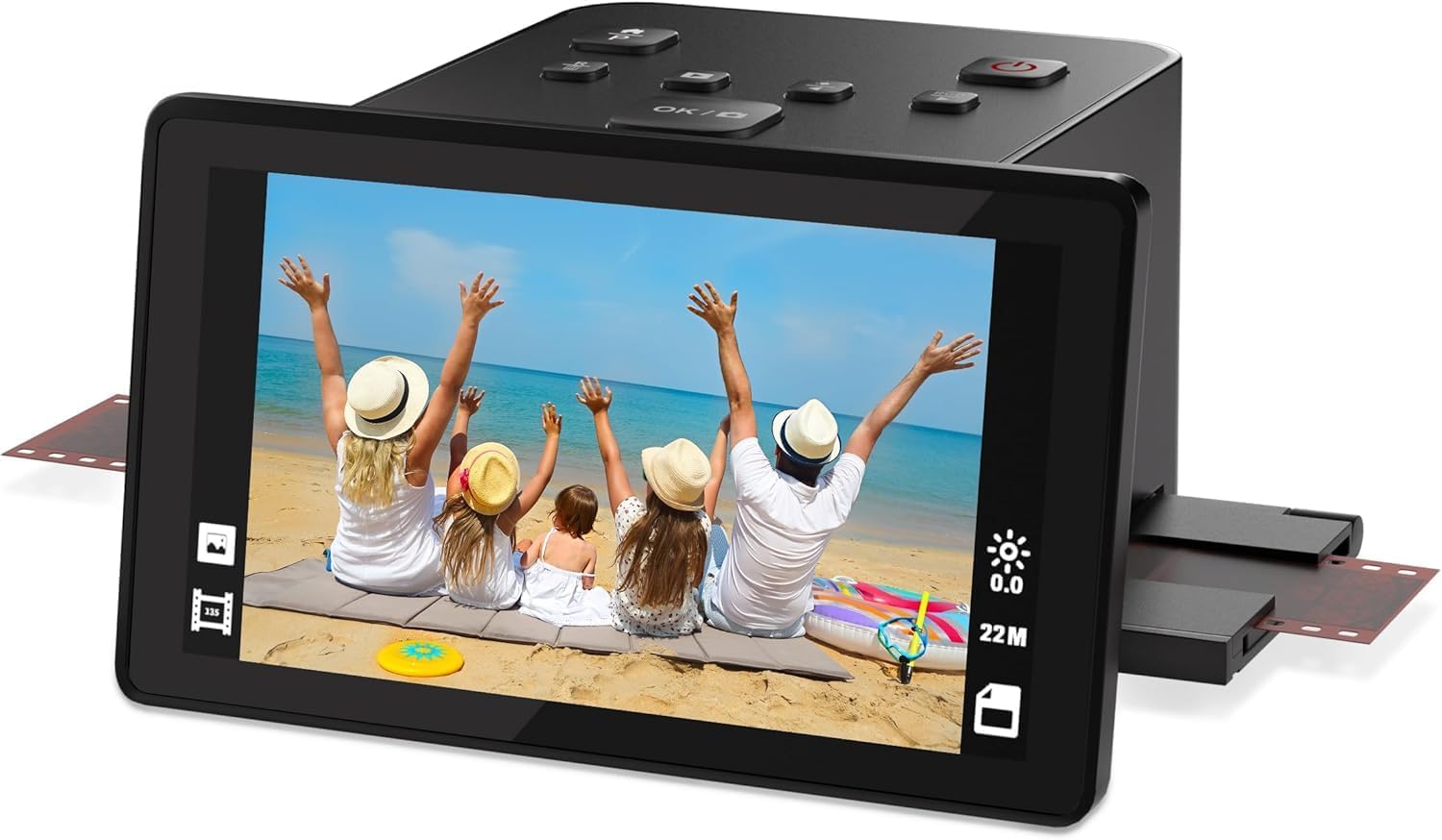
The DigitPro C190 is the most accessible entry point in this guide, designed for users who want to test the waters of slide digitization without committing significant funds. The 5-inch LCD display is bright and offers a wide viewing angle, making previewing frames easy even in less-than-ideal lighting. The one-touch scanning workflow is genuinely simple: load a slide or negative strip into the appropriate holder, press the scan button, and the image saves to the built-in 128MB memory or an external SD card (up to 64GB, FAT32/EXFAT). For someone with a single box of slides who just wants digital copies for Facebook or email, this simplicity is appealing.
Image quality is what you would expect at the entry-level tier: 1080P native resolution (the box lists 22MP interpolated, but that is marketing math, not optical reality). Scans are acceptable for small digital display — think phone screens and tablet sharing — but do not expect sharp 8×10 prints. The scanner supports color and black-and-white 35mm, 110, and 126 negatives, plus 50mm slides and Super 8 film, which is surprisingly broad format support for the price. The included HDMI and USB-C cables mean you can connect to a TV or computer immediately, though transferring images via the USB cable is slow compared to popping out an SD card.
The 12-month warranty is shorter than the 2-3 year coverage offered by ClearClick or KEDOK, and the plastic build feels appropriately lightweight for the price. The main workflow limitation is the one-at-a-time scanning process: there is no quick-feed tray or continuous loading mechanism, so processing a collection of 200 slides will take a significant time investment. Some users report that aligning slides properly takes practice — misaligned frames result in crooked scans. The DigitPro C190 is not the tool for serious archivists or large collections, but it is a perfectly functional entry point for someone who wants to try digitization on a limited budget before deciding whether to invest in a higher-tier scanner.
Why it’s great
- Lowest entry barrier for testing slide digitization without big commitment
- Surprisingly broad format support: 35mm, 110, 126, Super 8, and 50mm slides
- Includes HDMI and USB-C cables in the box
- Built-in 128MB memory allows immediate scanning without SD card
Good to know
- 1080P native resolution is low — not suitable for prints larger than 4×6
- One-at-a-time scanning is slow for collections over 100 slides
- Plastic build feels light and less durable than mid-range options
- Slide alignment takes practice; crooked scans are common at first
FAQ
What dpi do I need for good prints from a 35mm slide?
Can I scan Kodachrome slides with a consumer standalone scanner?
How long does it take to scan 100 slides?
Can I scan 110 and 126 film with a 35mm slide scanner?
Do I need a computer to use a standalone slide scanner?
Final Thoughts: The Verdict
For most users, the best 35mm slide scanner is the KODAK Slide N Scan Max because it balances speed, ease of use, and image quality for high-volume family archiving without requiring a computer. If you want maximum image quality with infrared dust removal for a precious collection, grab the Plustek OpticFilm 8200i SE. And for the best mix of touchscreen convenience and modern connectivity at a reasonable price, nothing beats the HP Touch Screen Film Scanner.

Mo Maruf
I created WellFizz to bridge the gap between vague wellness advice and actionable solutions. My mission is simple: to decode the research and give you practical tools you can actually use.
Beyond the data, I am a passionate traveler. I believe that stepping away from the screen to explore new environments is essential for mental clarity and physical vitality.