Our readers keep the lights on and my smoothie glass nicely filled. As an Amazon Associate, I earn from qualifying purchases.
Jumping to a 32-inch QHD panel locks in a pixel density that makes 1080p look blurry and cramped by comparison. The extra screen real estate and sharper image let you spot enemies at distance and read text without squinting — a genuine upgrade for both immersion and clarity.
I’m Mohammad Maruf — the founder and writer behind WellFizz. I have spent years digging into display hardware, analyzing everything from pixel response and color gamut coverage to adaptive sync behavior and panel uniformity across hundreds of gaming monitors.
After hours of research comparing contrast ratios, refresh rates, and real-world motion handling, I’ve sorted through the top contenders to bring you a clear ranking of the best 32 inch gaming monitor options for every kind of player.
How To Choose The Best 32 Inch Gaming Monitor
Not every big screen delivers the same level of performance. Before you pull the trigger, focus on these three deciding factors that separate a fluid gaming experience from a frustrating one.
Refresh Rate and Response Time
For competitive titles, aim for at least 165Hz to get visibly smooth motion. Response times under 1ms (MPRT or GtG) reduce ghosting and keep fast-moving objects sharp. VA panels tend to show some dark-level smearing even at high refresh rates, while IPS and OLED panels handle motion more cleanly.
Panel Technology: VA, IPS, or OLED
VA gives you deep blacks and high contrast for cinematic single-player games, but can suffer from slower dark transitions. IPS offers wide viewing angles and consistent color, making it versatile for both gaming and creative work. OLED delivers perfect blacks and instant pixel response, though at a significantly higher cost and with a risk of burn-in over time.
Resolution and Pixel Density
At 32 inches, QHD (2560×1440) hits the sharpness sweet spot without requiring an ultra-high-end GPU. 4K provides extra crispness for slower games and productivity but demands more graphics power. Stick to QHD unless you already own a card that handles 4K above 100 fps.
Quick Comparison
On smaller screens, swipe sideways to see the full table.
| Model | Category | Best For | Key Spec | Amazon |
|---|---|---|---|---|
| ASUS ROG Strix XG32UCG | Premium | High-refresh 4K & FHD dual-mode | 4K 160Hz / FHD 320Hz, 0.3ms | Amazon |
| LG 32GX850A-B UltraGear OLED | Premium | OLED contrast and motion clarity | 4K 165Hz / FHD 330Hz, 0.03ms OLED | Amazon |
| MSI MPG 321URX QD-OLED | Premium | Ultimate 4K QD-OLED visuals | 4K 240Hz, 0.03ms QD-OLED | Amazon |
| Samsung Odyssey G50D | Mid-Range | Versatile QHD with Fast IPS | QHD 180Hz, 1ms Fast IPS, HDR400 | Amazon |
| ASUS TUF VG32WQ3B | Mid-Range | Curved QHD with ELMB sync | QHD 180Hz, 0.5ms 1500R | Amazon |
| LG 32GS60QC-B UltraGear | Mid-Range | Aggressive 1000R curve immersion | QHD 180Hz, 1ms VA 1000R | Amazon |
| ViewSonic VX3228C-2K | Mid-Range | Budget-curved QHD entry | QHD 180Hz, 1ms VA 1500R | Amazon |
| Acer Nitro XZ320QU S3bmiiphx | Value | Budget QHD with height adjust | QHD 180Hz, 1ms VRB 1500R | Amazon |
| KOORUI 32-Inch Curved | Budget | Lowest-cost 1440p gaming | QHD 170Hz, 1ms VA 1500R | Amazon |
In‑Depth Reviews
1. ASUS ROG Strix 32” 4K HDR Gaming Monitor (XG32UCG)

The ASUS ROG Strix XG32UCG packs a dual-mode trick that flips between 4K at 160Hz and FHD at 320Hz, giving you sharp visuals for immersive titles and extreme speed for competitive shooters without swapping monitors. The Fast IPS panel delivers a 0.3ms response time, which eliminates ghosting in even the fastest motion.
Color accuracy stands out with 95% DCI-P3 coverage and ASUS gray-scale tracking that keeps gradients smooth during cinematic scenes. The 32-inch 4K resolution makes text razor-sharp for productivity, while 320Hz at 1080p provides a noticeable smoothness advantage in esports.
G-Sync compatibility and ELMB Sync work together to reduce tearing and motion blur simultaneously, a feature set that is rare at this price tier. The adjustable stand includes tilt, swivel, and height, and the USB-C port with DP Alt mode simplifies cable management.
Why it’s great
- Dual-mode flexibility for both high fidelity and high frame rates
- Fast IPS with 0.3ms virtually eliminates motion blur
- Wide color gamut with excellent factory calibration
Good to know
- No built-in speakers
- Requires a powerful GPU to drive 4K at 160Hz
2. LG 32GX850A-B UltraGear 4K OLED

The LG 32GX850A-B delivers OLED’s hallmark infinite contrast and perfect black levels on a 4K glossy panel that makes colors look punchy and lifelike. The 0.03ms GtG response time is instantaneous, eliminating any trace of ghosting or motion blur — a clear step ahead of any LCD panel.
Dual-mode support lets you run 4K at 165Hz for story-driven games or drop to FHD at 330Hz for ultra-smooth competitive play. The Micro Lens Array+ technology boosts typical brightness to 275 nits, and VESA DisplayHDR True Black 400 certification ensures HDR content looks rich without haloing.
Three UL certifications cover anti-glare, flicker-free, and low blue light, making extended sessions easier on the eyes. The stand offers full ergonomic adjustment including height, tilt, swivel, and pivot, although the glossy panel can pick up reflections in brightly lit rooms.
Why it’s great
- Perfect black levels and infinite contrast from WOLED panel
- Near-instant 0.03ms response for zero ghosting
- Full ergonomic stand and G-Sync compatible
Good to know
- Glossy coating reflects ambient light
- Text clarity not as sharp as high-end IPS
3. MSI MPG 321URX QD-OLED

The MSI MPG 321URX uses a QD-OLED panel that combines quantum dot color with OLED blacks, reaching 99% DCI-P3 coverage and a Delta E under 2 for factory-accurate color. At 240Hz with 0.03ms response, it offers the highest refresh rate of any 4K OLED in this roundup, making it ideal for both fast-paced gaming and color-sensitive creative work.
VESA DisplayHDR True Black 400 certification delivers deep, inky shadows with bright highlights that pop, while the 10-bit panel handles 1.07 billion colors without banding. The KVM function with PiP/PbP is a welcome addition for multi-device setups, and the 90W USB-C port charges a laptop while carrying video signal.
OLED Care 2.0 includes pixel refresh and screen shift tools to reduce burn-in risk. The stand offers height, tilt, swivel, and pivot adjustment, although some users note the stand lacks the premium feel of its competitors at this price point.
Why it’s great
- Best-in-class 240Hz QD-OLED motion clarity
- Out-of-box color accuracy for gaming and productivity
- KVM and 90W USB-C add real desk convenience
Good to know
- Potential purple tint in bright scenes common to QD-OLED
- Stand adjustment feels less robust than ASUS or LG options
4. SAMSUNG 32-Inch Odyssey G50D Series

The Samsung Odyssey G50D pairs a QHD Fast IPS panel with 180Hz refresh rate and 1ms response time, offering wide 178° viewing angles and clear, consistent color that works for both gaming and photo editing. VESA DisplayHDR 400 adds extra brightness and contrast for HDR games, revealing detail in dark scenes that standard panels wash out.
AMD FreeSync and G-Sync compatibility keep frame delivery smooth, and the stand swivels, tilts, and adjusts in height to fit any desk setup. The Eye Saver Mode reduces blue light and flicker, making longer sessions more comfortable without resorting to a separate filter.
Pixel density at 32-inch QHD sits around 93 PPI, which is close to a 24-inch 1080p screen — sharp enough for most gaming but not as crisp as a 27-inch QHD panel. Some units may require a manual calibration pass to correct oversaturated whites out of the box.
Why it’s great
- Fast IPS panel with excellent viewing angles and color reproduction
- Fully adjustable stand with height, swivel, and tilt
- HDR400 and dual sync support for tear-free gaming
Good to know
- Default color calibration can appear oversaturated
- 32-inch QHD pixel density not as sharp as 27-inch
5. ASUS TUF Gaming VG32WQ3B

The ASUS TUF VG32WQ3B wraps a 1500R curved QHD panel around a 180Hz refresh rate and claims an impressive 0.5ms GtG response time. ASUS Extreme Low Motion Blur syncs with variable refresh rate to cut both ghosting and tearing, a combination that makes fast-paced movement feel fluid and crisp.
Shadow Boost lifts dark-area detail without blowing out bright spots, which is especially useful in competitive shooters where hidden enemies blend into shadows. The 90% DCI-P3 coverage delivers vibrant color that looks punchy out of the box, making titles like Cyberpunk 2077 and Forza Horizon pop with saturated tones.
The stand only offers tilt adjustment with no height or swivel, which may require a separate VESA arm for ergonomic setups. Included DisplayPort cable and L-shaped screwdriver simplify assembly, and the 3-year warranty provides some peace of mind for long-term ownership.
Why it’s great
- Smooth 0.5ms response with ELMB sync for tear-free action
- Shadow Boost improves visibility in dark game scenes
- Wide color gamut at an accessible mid-range price
Good to know
- Stand only tilts — no height or swivel adjustment
- HDR performance is limited without local dimming
6. LG 32GS60QC-B UltraGear Curved

The LG 32GS60QC-B takes immersion seriously with a steep 1000R curve that wraps the display around your peripheral vision, making it feel like you are inside the game world. The VA panel delivers a 3000:1 native contrast ratio, producing deeper blacks and brighter highlights than IPS alternatives without relying on local dimming.
A 180Hz refresh rate and 1ms GtG response keep motion clean for most titles, though VA dark-level smearing can appear in scenes with rapid luminance transitions. The Black Stabilizer lifts shadow detail without washing out the image, and Dynamic Action Sync cuts input lag for real-time reactions.
The three-side borderless design minimizes bezel distraction, but the stand only offers tilt adjustment. The 99% sRGB coverage provides solid color reproduction, while HDR10 support adds extra pop for compatible content. This monitor shines brightest in dark-room single-player sessions where contrast matters most.
Why it’s great
- 1000R curve creates deep immersion for cinematic gaming
- High 3000:1 VA contrast for rich blacks
- Effective Black Stabilizer and Dynamic Action Sync features
Good to know
- VA dark-level smearing visible in some transition scenes
- Stand only tilts with no height or swivel adjustment
7. ViewSonic VX3228C-2K
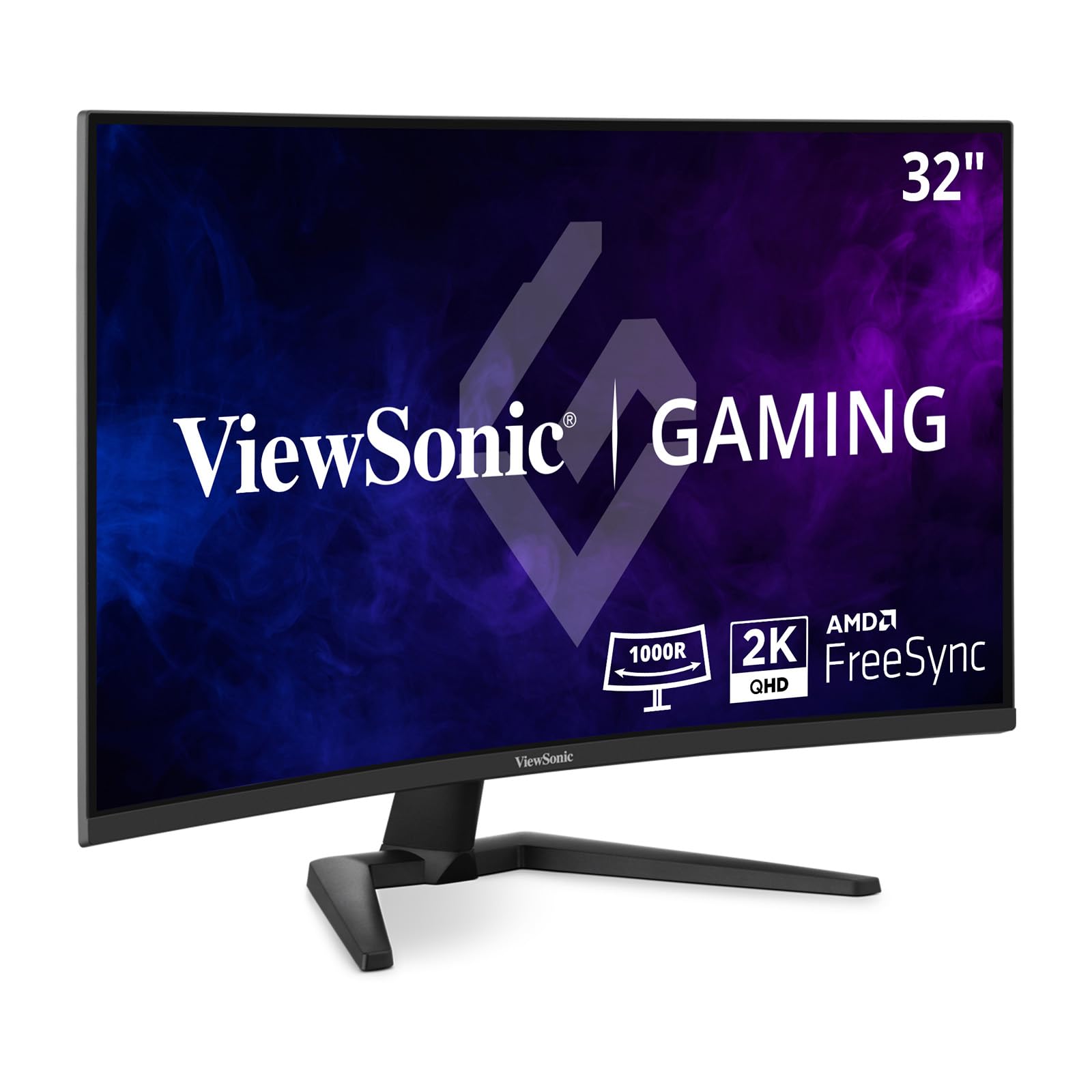
The ViewSonic VX3228C-2K offers an entry point into curved QHD gaming with a 1500R VA panel running at 180Hz and 1ms MPRT. AMD FreeSync keeps screen tearing at bay across the majority of the refresh range, and HDR10 support adds some dynamic range to compatible titles.
Color coverage hits 99% sRGB, delivering punchy reds and greens for games like Overwatch and Apex Legends. The 3000:1 contrast ratio produces deeper blacks than entry-level IPS panels, giving dark scenes more depth without looking washed out.
Connectivity includes dual HDMI 2.0 and a DisplayPort 1.2 input, which is sufficient for 1440p at 180Hz. Build quality feels solid for the price point, but some users have reported units failing within a year. The stand only tilts, and on-screen menu navigation uses a single joystick that can be fiddly in the dark.
Why it’s great
- Budget-friendly curved QHD with high 180Hz refresh
- Strong 3000:1 VA contrast for improved black depth
- FreeSync support for smooth variable refresh
Good to know
- Some units reported failure within the first year
- Minimal ergonomic adjustment — tilt only
8. Acer Nitro XZ320QU S3bmiiphx
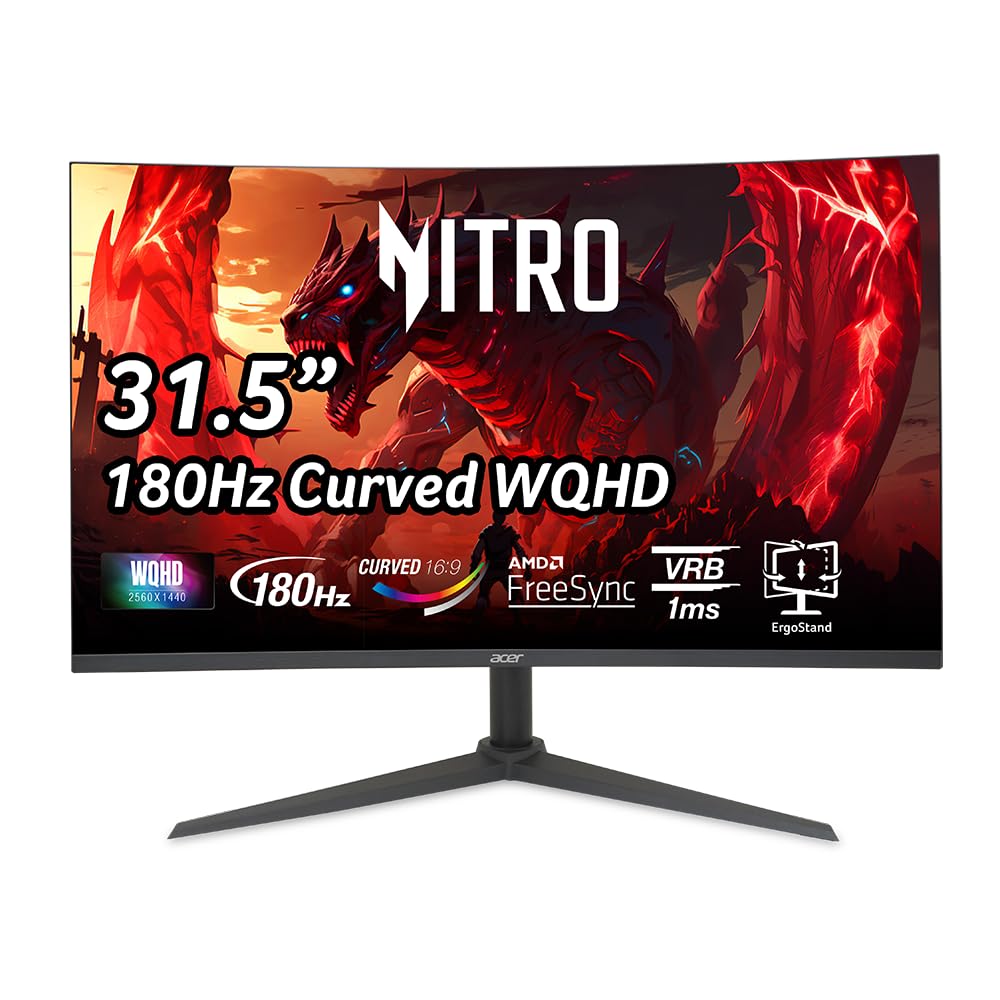
The Acer Nitro XZ320QU brings a rare feature to the budget tier: a full ergonomic stand with height adjustment, swivel, and tilt. The 1500R curved VA panel runs at 180Hz with 1ms VRB and covers WQHD resolution, delivering a noticeable clarity upgrade over 1080p without breaking the budget.
Two built-in 2W speakers provide audible game sound without needing external speakers, which is convenient for console gamers or those who prefer a clean desk. AMD FreeSync keeps tearing minimal across the refresh range, and the 100,000,000:1 dynamic contrast ratio enhances perceived black depth in dark scenes.
Port selection includes one DisplayPort 1.4 and two HDMI 2.0 inputs, plus a headphone out. Some users report the included DP 1.4 cable causes flickering at full 180Hz with HDR enabled and recommend swapping to a certified DP 2.1 cable for reliable performance.
Why it’s great
- Full ergonomic stand with height and swivel at entry-level price
- Built-in speakers reduce desk clutter
- Strong value with WQHD resolution and 180Hz refresh
Good to know
- Included DP cable may cause flickering at 180Hz HDR
- Speakers lack volume and bass for immersive audio
9. KOORUI 32 Inch Curved Gaming Monitor
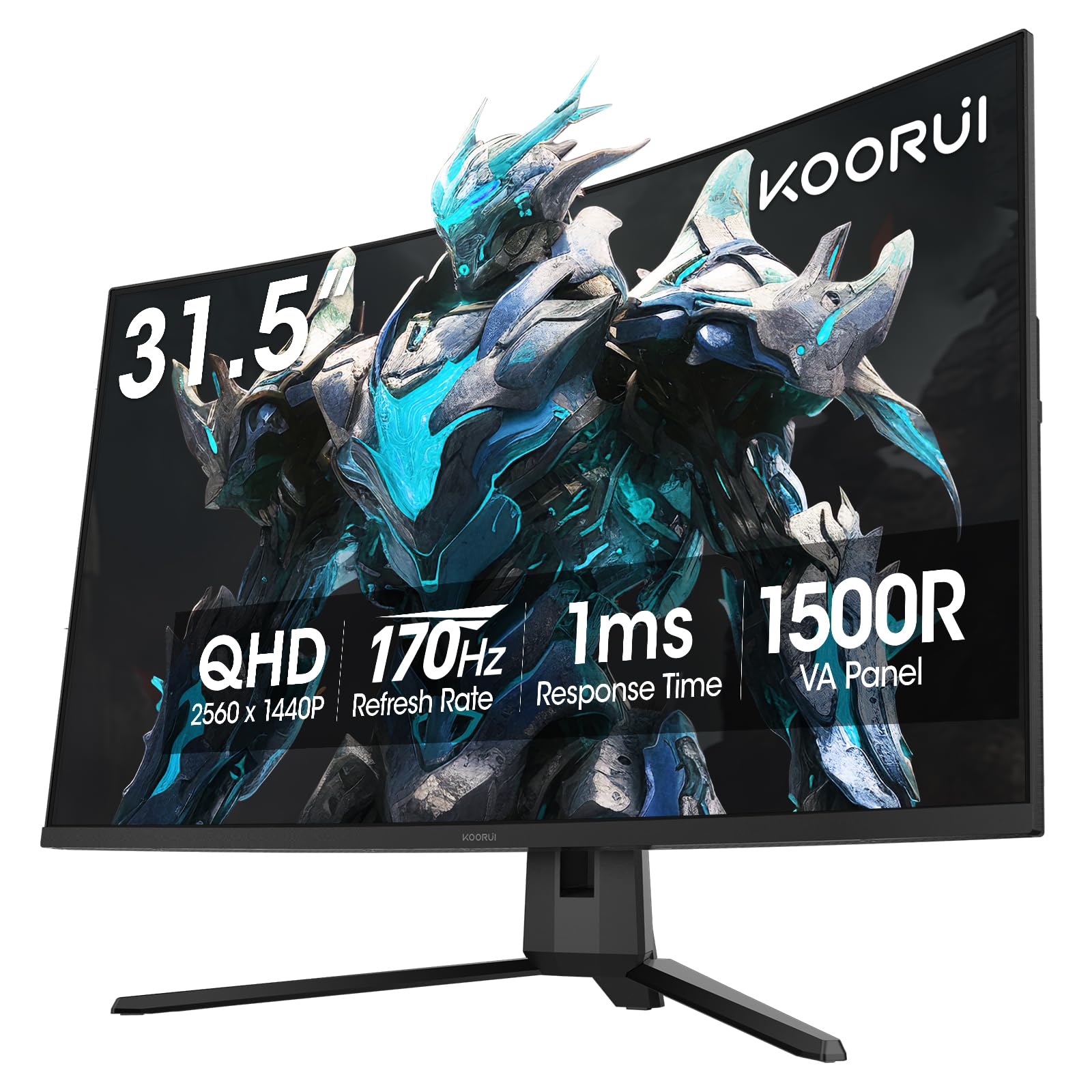
The KOORUI 32-inch curved gaming monitor sits at the entry-level price point while delivering a 1500R VA panel with 170Hz refresh and 1ms response. The 90% DCI-P3 color gamut produces vivid reds and greens that look richer than typical budget monitors, and HDR10 support adds some dynamic range to compatible games and movies.
Adaptive Sync works with both FreeSync and G-Sync compatible GPUs, reducing stutter and tearing in the most demanding titles. The 3000:1 contrast ratio gives black scenes some depth that entry-level IPS panels cannot match, making it a solid choice for immersive single-player experiences on a tight budget.
VESA 100×100 compatibility allows wall mounting, though the included stand only tilts. Ports include dual HDMI 2.0 and DisplayPort 1.2, which cover all the basics for PC and console gaming. No built-in speakers means you will need external audio, and the menu navigation button can be finicky to use without memorizing positions.
Why it’s great
- Excellent color gamut for the price range
- Adaptive Sync with both FreeSync and G-Sync compatibility
- Curved VA panel improves immersion and contrast
Good to know
- No built-in speakers
- Menu button requires trial and error to navigate
FAQ
Is QHD or 4K better for a 32-inch gaming monitor?
What panel type gives the lowest input lag for competitive FPS games?
Why does my 32-inch QHD monitor look less sharp than my old 24-inch 1080p screen?
Can I use a 32-inch 1440p monitor with a PS5 or Xbox Series X?
Final Thoughts: The Verdict
For most users, the best 32 inch gaming monitor winner is the ASUS ROG Strix XG32UCG because it delivers dual-mode versatility with 4K clarity and 320Hz speed in a single Fast IPS panel. If you want perfect blacks and instant pixel response for immersive HDR visuals, grab the LG 32GX850A-B UltraGear OLED. And for the tightest budget that still wants a curved QHD experience with solid color coverage, nothing beats the KOORUI 32-Inch Curved as an entry-level stepping stone into high-refresh gaming.

Mo Maruf
I created WellFizz to bridge the gap between vague wellness advice and actionable solutions. My mission is simple: to decode the research and give you practical tools you can actually use.
Beyond the data, I am a passionate traveler. I believe that stepping away from the screen to explore new environments is essential for mental clarity and physical vitality.