Our readers keep the lights on and my smoothie glass nicely filled. As an Amazon Associate, I earn from qualifying purchases.
A 32-inch screen sits right at the intersection of desk-friendly footprint and immersive home cinema. At 4K resolution, that compact panel packs over eight million pixels, delivering a level of fine detail and text clarity that 1080p simply cannot match, especially when you’re sitting a few feet away for work or console gaming. Finding a model that balances a true 4K panel, a responsive smart platform, and reliable build quality without hidden compromises is the real challenge.
I’m Mohammad Maruf — the founder and writer behind WellFizz. I analyze display technology, panel types, HDMI standards, and smart platform ecosystems to separate genuine value from marketing hype.
Whether you are upgrading a bedroom setup, building a dorm room entertainment hub, or adding a high-density productivity screen to your desk, the right option must hit the sweet spot of pixel density, connectivity, and software support. After parsing the spec sheets, customer feedback, and real-world performance data, this guide will point you to the best 32-inch 4k smart tv for your specific space and budget.
How To Choose The Best 32-Inch 4K Smart TV
Not every 32-inch monitor or TV labeled as 4K delivers the same experience. Understanding a few key specifications will help you avoid a purchase that looks good on paper but disappoints in daily use.
Panel Technology: VA vs. IPS
The panel type determines your viewing angles, black levels, and contrast. VA panels offer deeper blacks and higher contrast ratios (often 3000:1 or more), making them great for watching movies in a dim room. IPS panels provide wider viewing angles and more consistent color from the side, which is better for multi-person viewing or color-critical work at a desk.
Smart Platform & App Ecosystem
A 32-inch 4K TV is only as good as its operating system. Google TV offers extensive app support and voice search, Fire TV integrates tightly with Alexa and Amazon services, and Samsung’s Tizen provides a smooth interface with its own free channel lineup. Avoid models with outdated or sluggish platforms that will slow down after a year of updates.
Connectivity: HDMI 2.0 vs. 2.1
HDMI 2.0 handles 4K at 60Hz, which is sufficient for most streaming and console gaming. HDMI 2.1 is needed for 4K at 120Hz gaming on newer consoles and PCs. Also check for HDMI ARC/eARC if you plan to connect a soundbar to improve the TV’s built-in audio.
Quick Comparison
On smaller screens, swipe sideways to see the full table.
| Model | Category | Best For | Key Spec | Amazon |
|---|---|---|---|---|
| Samsung M8 (M80F) | Smart Monitor | All-in-one desk hub | 400-nit brightness, USB-C | Amazon |
| Samsung Q8F QLED | QLED TV | Cinematic living room | Quantum Dot, 4K 144Hz | Amazon |
| Dell S3225QS | Professional Monitor | Productivity & eye care | 120Hz, 1500:1 contrast | Amazon |
| LG 32UR500K-B | Standard Monitor | Budget productivity | 90% DCI-P3, MaxxAudio | Amazon |
| KTC A32Q8 | Smart Monitor | Streaming & multitasking | Google TV, 65W PD | Amazon |
| ASUS VP327Q | Professional Monitor | Photo editing & office | 99% sRGB, Adaptive-Sync | Amazon |
| Hisense 32S5QF | Deco TV | Bedroom décor & casual TV | Hi-QLED, Fire TV | Amazon |
| TCL 32S5K | QLED TV | Compact QLED entertainment | QLED, HDR10, Dolby Audio | Amazon |
| ZZA 32 4K Monitor | Budget Monitor | Entry-level workspace | IPS, 120% sRGB | Amazon |
In‑Depth Reviews
1. Samsung 32” Smart Monitor M8 (M80F)

The Samsung M80F is the ultimate hybrid device—it functions as a premium 32-inch 4K UHD monitor for work and a fully capable smart TV for entertainment. Its 400-nit brightness ensures vibrant visuals even in well-lit rooms, and the inclusion of Samsung Vision AI actively optimizes picture settings based on the content you’re viewing. The USB-C port with 65W power delivery allows you to charge a laptop while transmitting video and data through a single cable, which is a massive convenience for a tidy desk setup.
This model comes with the full Samsung Tizen smart platform, giving you access to Netflix, Prime Video, Disney+, and Samsung TV Plus for free live channels. The Samsung Gaming Hub also lets you stream games from services like Xbox Cloud Gaming without needing a console. The built-in speakers, while not soundbar-level, are more than adequate for news, YouTube, and casual viewing.
The adjustable stand provides height, tilt, and swivel adjustments for ergonomic comfort. Some users report that the text can appear small in non-HiDPI applications on Windows, which is a common trait of 4K displays at this size. The single HDMI input may also be limiting for users with multiple consoles or devices.
Why it’s great
- All-in-one smart TV and productivity monitor with a robust app ecosystem.
- USB-C 65W PD for single-cable laptop connection and charging.
- Height-adjustable ergonomic stand for comfortable long sessions.
Good to know
- Only one HDMI input, which limits multi-device setups.
- Text scaling in non-HiDPI apps can require manual adjustment on Windows.
2. Samsung 32-Inch QLED Q8F 4K UHD Smart TV

The Samsung Q8F is a true 4K QLED television, not a monitor posing as a TV. Its Quantum Dot technology delivers over a billion colors with 100% color volume, meaning the color stays accurate even at peak brightness. This makes a visible difference in HDR content—explosions in action movies and sunsets in nature documentaries look richer and more dynamic than on standard LED panels. The AirSlim design also allows the TV to sit flush against the wall for a clean, modern look.
For gamers, the Q8F supports 4K at 144Hz variable refresh rate, which is exceptionally high for a 32-inch TV. This makes it a viable option for PC gaming as well as console use. The Samsung Vision AI processor upscales lower-resolution content effectively, so old cable or YouTube videos look cleaner than you’d expect.
The built-in speakers are decent, though audiophiles will likely want a soundbar for fuller sound. The solar-powered remote is a thoughtful touch that reduces battery waste. The included stand legs on this model are reported as somewhat unstable, so wall-mounting or a sturdy tabletop is recommended for a wobble-free experience.
Why it’s great
- QLED panel offers exceptional color volume and brightness for HDR.
- 4K 144Hz VRR support for smooth PC and console gaming.
- Ultra-slim profile that looks great mounted on the wall.
Good to know
- Stock table legs can feel unstable; wall-mounting is a better option.
- Audio lacks depth and benefits from an external soundbar.
3. Dell 32 Plus 4K Monitor S3225QS

The Dell S3225QS is a sharp, professional-grade 4K monitor that also serves double duty as a smart TV. Its VA panel offers a 1500:1 contrast ratio, which delivers deep blacks that make text pop and images look more dimensional than typical IPS monitors. The 120Hz refresh rate provides noticeably smoother scrolling, cursor movement, and video playback than standard 60Hz models, making it a fantastic choice for both productivity and light gaming.
ComfortView Plus technology reduces blue light emissions to 35% without making the screen look overly warm or yellow, which is a significant advantage for anyone spending eight-plus hours in front of the screen. The stand offers full height, tilt, and swivel adjustments, plus VESA mount compatibility for multi-monitor arms. The ash white finish also distinguishes it from the sea of black displays on the market.
Customer feedback consistently praises the sharp matte display and the improved audio over previous Dell generations. Some users note that the speakers lack a remote control, which limits TV functionality, and that the speakers at minimum volume can still be quite loud for late-night use.
Why it’s great
- Superb contrast ratio (1500:1) for deep blacks and vivid detail.
- 120Hz refresh rate for fluid productivity and gaming.
- ComfortView Plus reduces eye strain without affecting color accuracy.
Good to know
- No remote control for easy TV-mode adjustments.
- Built-in speakers can be loud even at the lowest volume setting.
4. Hisense 32-Inch S5 DécoTV Hi-QLED FHD Smart Fire TV
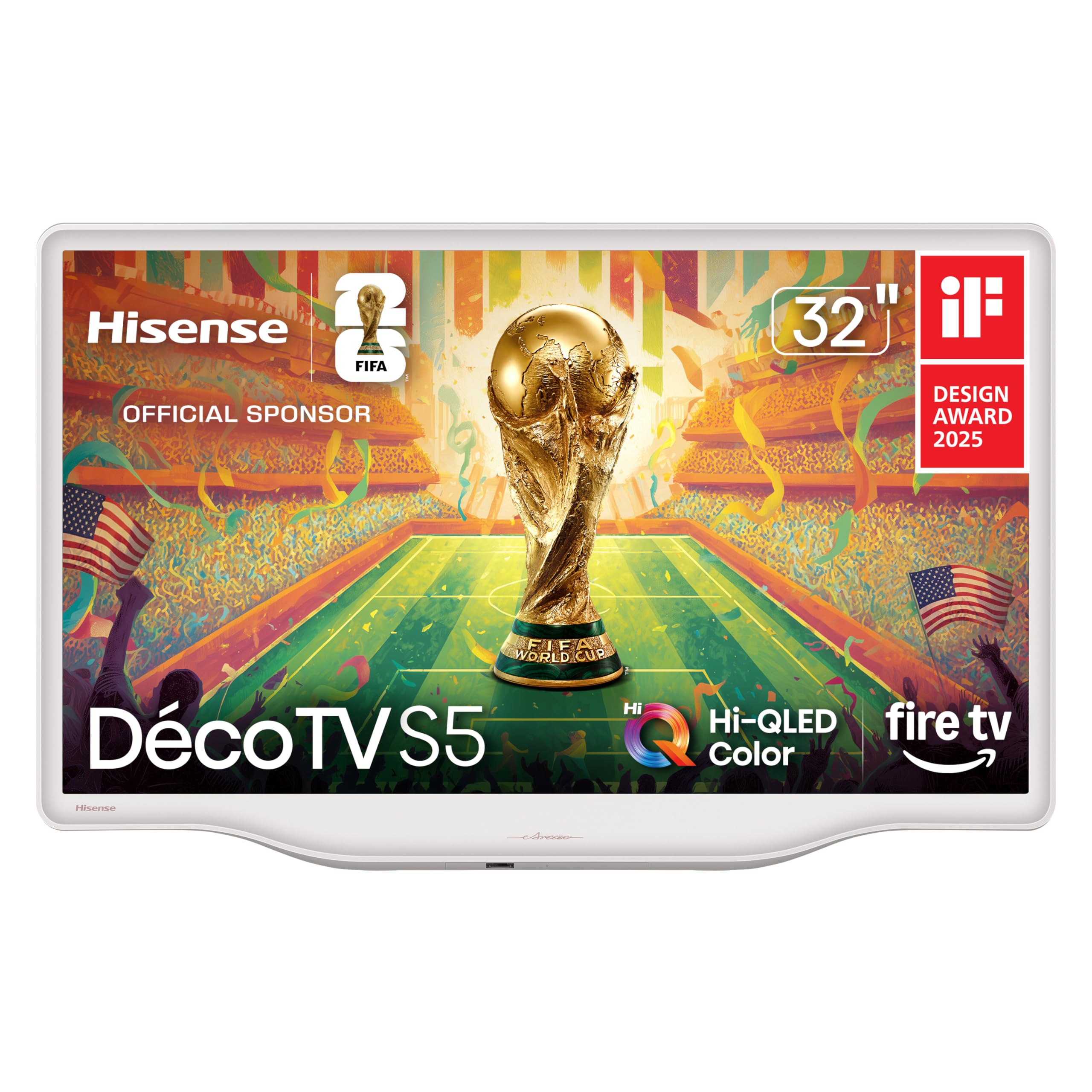
The Hisense S5 DécoTV breaks the mold of the typical black rectangle. Its Morandi white finish and fluid central stand make it look more like a piece of furniture than a television, perfectly suited for a bedroom or a living room corner where aesthetics matter. Despite its FHD resolution rather than true 4K, the Hi-QLED technology delivers vibrant, saturated colors that look impressive for its price tier. The 32-inch size resolution is adequate at a typical bedroom viewing distance.
Fire TV integration is a major plus, giving you access to thousands of apps and Alexa hands-free voice control. The DTS Virtual:X sound processing creates a wider, more immersive soundstage than you expect from a budget TV’s built-in speakers. Setup is quick, and the user interface is snappy and well-organized.
Being an FHD panel, it cannot display native 4K content, so you will not see the pixel-level detail of a true 4K screen. Some users reported minor screen reflections in bright rooms, which is typical of glossy-type finishes. The smart features and stylish design make it more of a lifestyle product than a performance display.
Why it’s great
- Unique Morandi white design that blends beautifully into home décor.
- Fire TV OS with Alexa voice control is smooth and feature-rich.
- DTS Virtual:X audio provides surprisingly wide sound for its size.
Good to know
- FHD (1080p) resolution, not 4K—lacks detailed sharpness.
- Screen surface can show noticeable reflections in brightly lit rooms.
5. ASUS 31.5” 4K HDR Eye Care Monitor (VP327Q)

The ASUS VP327Q is a solid 4K UHD monitor that prioritizes visual comfort for long working hours. Its TÜV-certified flicker-free and low blue light technology is genuinely effective at reducing eye fatigue during extended sessions. The 99% sRGB color gamut ensures that photos, design work, and videos appear accurate and vibrant, making it a strong contender for photo editing and creative tasks. The IPS panel provides wide 178-degree viewing angles, so the colors remain consistent even when looking from the side.
On the connectivity front, it features both DisplayPort and dual HDMI inputs, allowing you to switch between a desktop, laptop, and console without constantly swapping cables. The built-in speakers are adequate for system sounds and casual media, though they lack the bass and volume for a cinematic experience. The Adaptive-Sync technology is a welcome addition for minimizing screen tearing during casual gaming.
Some customers have reported an unintuitive on-screen display (OSD) menu that uses the power button as a joystick, which can be frustrating to navigate without the manual. There are also isolated reports of a short power cord, which may require an extension depending on your desk setup. For pure productivity with eye comfort features, this monitor is a worthy contender.
Why it’s great
- Excellent flicker-free and low blue light certification for eye comfort.
- 99% sRGB color gamut for accurate and vivid color reproduction.
- Wide 178-degree IPS viewing angles ideal for collaborative work.
Good to know
- OSD menu is controlled via a power-button joystick—hard to adjust.
- Power cord is unusually short, often requiring an extension cord.
6. KTC 32 Inch 4K Smart Monitor with Google TV (A32Q8)

The KTC A32Q8 is an ambitious product that combines a 32-inch 4K VA monitor with a full Google TV operating system. On paper, it offers a compelling feature set: a 3000:1 contrast ratio for deep blacks, a 123% sRGB color gamut for punchy colors, and a 65W USB-C Power Delivery port for charging a laptop. The inclusion of a Google TV remote with Google Assistant voice control effectively makes this a standalone smart TV without needing a separate streaming box.
The VA panel delivers a solid picture with good HDR support and the official Netflix license guarantees you can stream in high quality without compatibility issues. The dual 5W speakers with Dolby Audio produce enough volume for a small to medium room. The KVM switch functionality is a bonus for multitaskers who need to control two separate computers with one set of peripherals.
That said, customer feedback reveals significant quality control concerns. Several users reported units failing within a month—dead pixels, random shutdowns, and total power failure. Many had difficulty contacting customer support, and some units shipped with the wrong color. The known “power save mode” bug when switching inputs is a frustrating issue that may not be resolved.
Why it’s great
- Integrated Google TV with Netflix license for a true all-in-one experience.
- 65W USB-C PD for laptop charging and KVM functionality for productivity.
- VA panel provides excellent contrast (3000:1) and rich colors.
Good to know
- Multiple user reports of unit failures within weeks of purchase.
- Poor customer support and known input switching bugs.
7. LG 32UR500K-B Ultrafine 32-inch 4K UHD Computer Monitor

The LG 32UR500K-B is a no-nonsense 4K UHD monitor that gets the basics right without gimmicks. Its main appeal is reliable performance coupled with a 90% DCI-P3 color gamut, which provides excellent color accuracy for content consumption and light photo editing. The VA panel delivers a 1000:1 contrast ratio that is good enough for most lighting conditions. The borderless design makes it look modern on any desk, and the tool-free stand assembly is a welcome convenience.
LG equipped this monitor with Waves MaxxAudio on its built-in stereo speakers, which results in louder and clearer sound than most standard monitor speakers—good for YouTube and casual TV shows. Dynamic Action Sync and Black Stabilizer features enhance the gaming experience by reducing input lag and brightening dark scenes. The OnScreen Control software allows you to split the screen into multiple zones for improved multitasking.
The main trade-off is the brightness, which is rated at only 250 nits. This is adequate for indoor use but will look dim in a very sunny room. The stand only offers tilt adjustment, not height or swivel, so ergonomic flexibility is limited. It is an excellent choice for a dedicated work monitor that occasionally does double duty for media consumption.
Why it’s great
- 90% DCI-P3 color gamut for vivid and accurate media reproduction.
- Built-in MaxxAudio speakers are noticeably better than average monitor sound.
- Tool-free assembly and clean, borderless design for a tidy setup.
Good to know
- 250-nit peak brightness may be insufficient for very sunny rooms.
- Stand only offers tilt; no height or swivel adjustment included.
8. TCL 32S5K Television 32 Inch Smart TV QLED HDR 10 Google TV
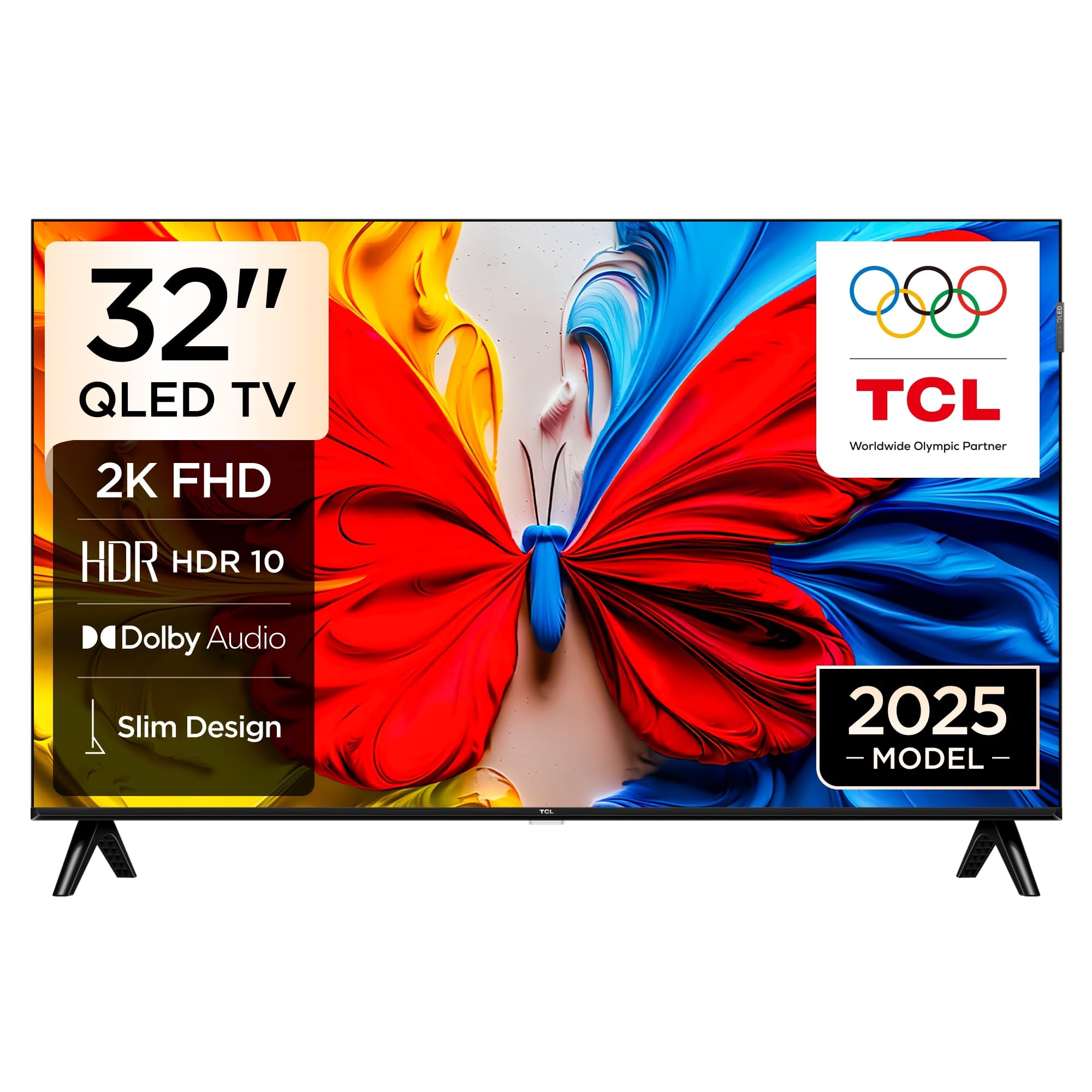
The TCL 32S5K is an entry-level QLED TV that brings the color-boosting benefits of Quantum Dot technology to the 32-inch form factor. While the panel is FHD (1080p) and not 4K, the QLED backlight delivers more saturated and vibrant colors compared to a standard LED TV at this price point. HDR10 support adds some extra dynamic range, though the limited brightness means the effect is subtle. Google TV provides a clean interface with access to all major streaming services.
The slim design with “QLED” side detailing gives it a more premium look than its price suggests. The Dolby Audio processing helps the built-in speakers produce clearer dialogue, which is helpful for news and talk shows. The Game Mode reduces input lag for a better experience when playing casual games on a console connected via HDMI.
Reviews are mixed, with some users praising the picture quality for a compact room, while others report significant lag and freezing when switching between apps. A notable software bug after an update caused YouTube to stop working for some owners. The FHD resolution is adequate for a bedroom but will lack the sharpness of a 4K panel.
Why it’s great
- QLED technology offers richer, more vivid colors than standard FHD TVs.
- Google TV platform provides a smooth, familiar smart experience.
- Slim profile and attractive detailing for a budget-friendly TV.
Good to know
- FHD (1080p) resolution—not 4K, so fine details are softer.
- Software bugs causing app freezes and YouTube issues reported by users.
9. ZZA 32 Inch 4K UHD Monitor (3840×2160)
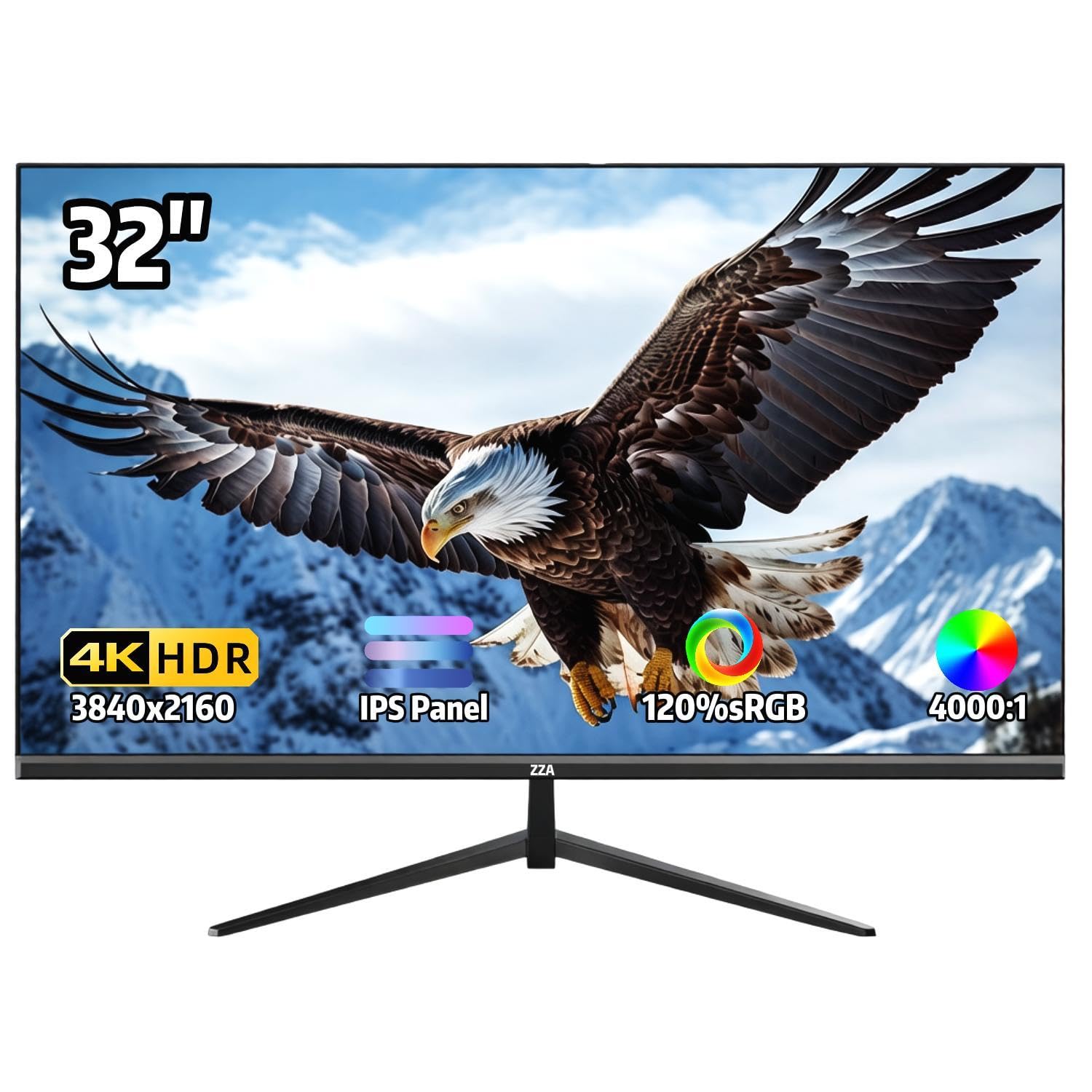
The ZZA 32 Inch 4K Monitor is the most budget-friendly entry point into a 32-inch 4K display. For a very low price, it offers a 3840×2160 IPS panel with a 120% sRGB color gamut, which makes text and images look remarkably sharp for the price. The 4000:1 contrast ratio is unusually high for an IPS display, providing decent black levels. The three-sided thin bezel also gives it a modern, minimalist look that works well in a multi-monitor setup.
The monitor includes both HDMI and DisplayPort inputs, offering basic connectivity for any modern laptop or desktop. The 178-degree viewing angle ensures colors look consistent from any position, and the VESA 100x100mm compatibility allows you to mount it on an arm or wall. The AMD FreeSync technology helps reduce screen tearing during casual gaming.
The main trade-offs are noticeable. The monitor has no built-in speakers, so you will need external speakers or headphones. A number of customer reviews highlight a cheap stand that takes up a lot of desk space and is not very stable—most recommend a separate monitor arm. There are also reports of blurry or grainy video from console users (particularly PS5), which suggests the HDMI port or scaler may not handle all sources well. It is a functional 4K workspace screen for the price, but not without notable compromises.
Why it’s great
- True 4K resolution with a 120% sRGB color gamut for a vibrant picture.
- IPS panel with excellent 178-degree viewing angles.
- Extremely budget-friendly price for the 4K feature set.
Good to know
- No built-in speakers; external audio is required.
- Cheap stand is wobbly and has a large footprint—plan for VESA mounting.
- Some console users report blurry video signal issues.
FAQ
Is a 32-inch 4K TV suitable for use as a computer monitor?
Why should I choose a QLED panel over a standard LED panel in this size?
Final Thoughts: The Verdict
For most users, the best 32-inch 4k smart tv winner is the Samsung M8 (M80F) because it seamlessly combines a premium 4K monitor and a full smart TV platform with superior ergonomics and single-cable USB-C connectivity. If you want Quantum Dot color volume and high refresh rate gaming, grab the Samsung Q8F QLED. And for a budget-conscious but reliable productivity screen, nothing beats the LG 32UR500K-B.

Mo Maruf
I created WellFizz to bridge the gap between vague wellness advice and actionable solutions. My mission is simple: to decode the research and give you practical tools you can actually use.
Beyond the data, I am a passionate traveler. I believe that stepping away from the screen to explore new environments is essential for mental clarity and physical vitality.