Our readers keep the lights on and my smoothie glass nicely filled. As an Amazon Associate, I earn from qualifying purchases.
The difference between a good session and a great one often comes down to the size and clarity of the canvas you’re playing on. A 32-inch 4K gaming monitor offers the sweet spot: enough screen real estate to feel fully immersed in sprawling RPG worlds, yet compact enough for fast-paced competitive titles where every millisecond counts. The hunt is for a panel that balances high refresh rates, deep contrast, and accurate color without forcing you to choose between work and play.
I’m Mohammad Maruf — the founder and writer behind WellFizz.
After digging through the specs, customer feedback, and real-world performance data of the most compelling models on the market, this guide is designed to help you find the best 32 inch 4k gaming monitor that matches your budget and expectations.
How To Choose The Best 32 Inch 4K Gaming Monitor
Selecting a 4K gaming monitor at this size involves balancing visual fidelity with raw speed. The panel’s underlying technology is the single biggest decision point, but you also need to weigh connectivity, ergonomics, and the type of games you play most often.
Panel Technology: IPS vs VA vs OLED
An IPS panel delivers excellent color accuracy and wide viewing angles, making it a strong all-rounder for both gaming and creative work. VA panels offer higher native contrast, producing deeper blacks, but can suffer from slower response times in dark transitions. OLED panels deliver perfect blacks, near-instantaneous response times, and exceptional HDR performance, but come at a higher cost and require some burn-in management over the long term.
Refresh Rate and Response Time
A 144Hz panel is the baseline for smooth 4K gameplay, providing a significant step up from standard 60Hz screens. The jump to 240Hz on 4K OLED models offers an even more fluid experience, especially if your GPU can push high frame rates. Response time, often quoted as 1ms or 0.03ms, indicates how quickly a pixel changes color; lower numbers mean less ghosting in fast-moving scenes.
HDR Performance and Brightness
HDR certification, such as VESA DisplayHDR 400 or DisplayHDR True Black 400, matters. Higher brightness levels (measured in nits) allow for more impactful highlights in explosive scenes. On OLED panels, the ability to achieve true black levels while maintaining bright highlights creates a more cinematic and immersive gaming experience than a standard IPS panel with lower contrast.
Quick Comparison
On smaller screens, swipe sideways to see the full table.
| Model | Category | Best For | Key Spec | Amazon |
|---|---|---|---|---|
| ASUS ROG Swift PG32UCDP | Premium OLED | High-End Dual-Mode Gaming | 4K 240Hz / FHD 480Hz, WOLED | Amazon |
| LG 32GX870A-B | Premium OLED | Bright Room Gaming | 1300 nits peak, 240Hz OLED | Amazon |
| Samsung Odyssey G8 G81SF | Premium OLED | QLED Color & Anti-Glare | QD-OLED, 240Hz, Glare Free | Amazon |
| MSI MPG 321URX QD-OLED | Premium QD-OLED | Vibrant HDR Gaming | QD-OLED, 240Hz, 99% DCI-P3 | Amazon |
| Acer Predator X32 | Curved OLED | Curved Immersion | 1700R QD-OLED, 240Hz | Amazon |
| ASUS ROG Strix XG32UCG | Mid-Range IPS | Flexible Dual Mode (160Hz/320Hz) | 4K 160Hz / FHD 320Hz, Fast IPS | Amazon |
| Samsung Odyssey G7 G70D | Mid-Range IPS | Smart Features & Gaming | 4K 144Hz, Smart TV Hub | Amazon |
| LG 32GQ750-B | Mid-Range VA | High Contrast vs Price | VA Panel, 144Hz, 1ms GtG | Amazon |
| KTC M32P10 | Value Mini-LED | Mini-LED HDR Value | 1152 Dimming Zones, HDR1000 | Amazon |
| MSI MAG 322URDF E16 | Value IPS | Entry-Level 4K with 320Hz | Rapid IPS, 320Hz Dual Mode | Amazon |
| CRUA 32″ Curved | Budget Curved | Budget Immersion | 240Hz, VA, 1500R Curved | Amazon |
In‑Depth Reviews
1. ASUS ROG Swift OLED PG32UCDP

The ASUS ROG Swift PG32UCDP is a top-tier WOLED monitor that sets a new standard for high-end 4K gaming. Its dual-mode capability allows you to run native 4K at 240Hz for visually rich single-player titles, then switch to Full HD at 480Hz for competitive shooters where raw speed is king. The 0.03ms response time is effectively instant, eliminating any perceptible ghosting or motion blur.
ASUS includes a custom heatsink for better thermal management, which helps mitigate temporary image retention on the OLED panel. The anti-flicker technology smooths out refresh rate fluctuations, a notable improvement over early OLED models. Color performance with its 99% DCI-P3 coverage is outstanding, offering rich, lifelike visuals straight out of the box.
The 3-year warranty with burn-in coverage provides peace of mind for a premium investment. The menu system is comprehensive but the on-screen display can be cumbersome at 4K resolution. For gamers wanting the absolute best in speed and contrast without compromise, this monitor is a formidable choice.
Why it’s great
- Exceptional dual-mode performance (240Hz vs 480Hz)
- Nearly instantaneous 0.03ms response time
- Deep blacks and vibrant HDR with anti-flicker tech
- Comes with a 3-year warranty including burn-in coverage
Good to know
- Premium price point places it at the top of the budget
- On-screen menu icons are small at 4K
- Some non-native resolutions can appear soft
2. LG 32GX870A-B Ultragear OLED

LG’s 32GX870A-B leverages Micro Lens Array+ (MLA+) technology to boost peak brightness to a staggering 1300 nits, making it one of the brightest OLED gaming monitors on the market. This is especially noticeable in well-lit rooms where standard OLEDs often struggle. Its dual-mode functionality allows you to toggle between 4K at 240Hz and Full HD at 480Hz via a hotkey.
The WOLED panel delivers true black levels with a 1.5M:1 contrast ratio, creating immense depth in dark scenes. The anti-glare and low-reflection coating is effective at minimizing distractions, and the built-in 5W speakers with DTS Headphone:X offer surprisingly decent audio for a monitor. The ergonomic stand provides height, tilt, swivel, and pivot adjustments for a comfortable setup.
Some users report a “dirty screen effect” from the matte coating on static bright pages, and the subpixel layout can make text appear slightly less sharp than on traditional IPS panels. However, for raw brightness and competitive speed, this LG model is a standout performer.
Why it’s great
- Exceptionally high peak brightness (1300 nits)
- Dual mode with 480Hz speed for competitive play
- Superb contrast with deep black levels
- Excellent ergonomic stand and build quality
Good to know
- Text clarity is not as sharp as IPS due to subpixel layout
- Matte coating can cause a slight grainy appearance
- Vertical banding can appear initially but often fades
3. Samsung Odyssey G8 G81SF

The Samsung Odyssey G8 G81SF uses a QD-OLED panel, which combines the perfect blacks of OLED with the vibrant color volume of quantum dot technology. The result is a noticeably brighter and more colorful image than standard WOLED panels, especially in high-brightness HDR scenes. The Glare Free technology is genuinely effective, reducing reflections by a significant margin compared to standard anti-reflection coatings.
With a 240Hz refresh rate and 0.03ms response time, gameplay is exceptionally smooth. The cooling system, featuring a pulsating heat pipe, is designed to prevent burn-in by managing heat more efficiently than graphite sheets. Features like CoreSync and Core Lighting+ allow the monitor to project game colors into the room via a built-in light strip.
Setup is minimal, and the picture quality right out of the box is stunning. Some users have reported issues with dead pixels appearing after a few months, so it’s wise to check the warranty details carefully. The matte screen may be slightly too grainy for some users, but for HDR gaming and media consumption, the colors are breathtaking.
Why it’s great
- Vivid QD-OLED colors with high brightness
- Glare Free screen is excellent for bright rooms
- 240Hz refresh rate with very low input lag
- Innovative cooling system for burn-in prevention
Good to know
- Fan can be audible when the cooling system is active
- Stand can be wobbly on some desks
- Warranty details should be confirmed before purchase
4. MSI MPG 321URX QD-OLED

The MSI MPG 321URX is a 32-inch QD-OLED panel that delivers a stellar combo of stunning visuals and practical connectivity for mixed use. Its 4K resolution and 240Hz refresh rate provide buttery smooth motion, while the DCI-P3 99% color gamut and ΔE≤2 accuracy make it suitable for photo and video editing alongside gaming. The VESA DisplayHDR True Black 400 certification ensures deep blacks and bright highlights.
A standout feature is the 90W USB-C port, which can power a laptop while transmitting a 4K signal, simplifying a desk setup significantly. The OLED Care 2.0 suite runs pixel refresh cycles to maintain panel health and prevent burn-in. The text clarity on this QD-OLED is notably better than some older WOLED models, reducing fringing on small fonts.
The stand offers solid stability but lacks the full range of swivel and tilt adjustments found on some competitors. For gamers who also need a reliable workstation monitor, the MPG 321URX offers a fantastic balance of speed, color accuracy, and convenience features.
Why it’s great
- Brilliant QD-OLED with excellent color accuracy
- 90W USB-C for one-cable laptop setups
- Great mix of gaming speed and productivity features
- Effective OLED Care tools for long-term durability
Good to know
- Stand lacks full ergonomic adjustment
- High price point
- Glossy screen can be reflective in bright, direct light
5. Acer Predator X32

The Acer Predator X32 is a 1700R curved QD-OLED monitor that wraps slightly around your periphery, enhancing immersion in open-world and racing games. The curvature is subtle enough not to distort lines for productivity but present enough to feel more engaging than a flat panel. Its 240Hz refresh rate and 0.03ms response time are at the top of the class and free from motion blur.
The DCI-P3 99% color gamut combined with VESA DisplayHDR True Black 400 provides a vibrant, high-contrast image. The image retention refresh feature is designed to keep pixels from sticking during long sessions. The monitor includes a robust array of ports: USB Type-C, two DisplayPort 1.4, and two HDMI 2.1 inputs.
The main point of frustration for some is the on-screen display, which has a cumbersome menu system and a persistent fan noise that can be audible in a quiet room. The stand is large and takes up considerable desk space. If you prefer a curved screen for gaming and can work around the menu quirks, the Predator X32 delivers brilliant visuals.
Why it’s great
- Immersive 1700R curve on a QD-OLED panel
- 240Hz speed with near-instant response
- Excellent HDR with true blacks
- Multiple HDMI 2.1 and DP 1.4 ports
Good to know
- Menu system is slow and confusing to navigate
- Fan noise can be distracting
- Large base footprint takes up desk space
6. ASUS ROG Strix XG32UCG

The ASUS ROG Strix XG32UCG is a highly versatile Fast IPS monitor that offers a dual-mode refresh rate: 4K UHD at 160Hz or Full HD at 320Hz. This makes it an excellent option for gamers who enjoy both cinematic single-player titles and fast-paced esports without wanting to buy two different monitors. The 0.3ms response time ensures sharp visuals during high-speed motion.
ASUS includes its Extreme Low Motion Blur Sync (ELMB SYNC) technology, which allows you to use backlight strobing alongside variable refresh rate to reduce ghosting and tearing simultaneously — a feature not often seen on monitors in this tier. The 95% DCI-P3 color gamut provides punchy, accurate colors for both gaming and content consumption. The monitor also features a tripod socket on top, a unique bonus for streamers who want to mount a webcam or microphone.
The included stand offers a full range of ergonomic adjustments, and the DisplayWidget Center software allows for easy settings control via mouse. The 3-year warranty adds value. This a strong mid-range pick that offers features usually found on more expensive models.
Why it’s great
- Dual mode for flexible gaming (4K 160Hz or FHD 320Hz)
- ELMB SYNC reduces blur with variable refresh rate
- Full ergonomic stand with height, tilt, swivel
- Good color accuracy with 95% DCI-P3 coverage
Good to know
- Fast IPS panel has lower contrast than VA or OLED
- HDR brightness is adequate but not class-leading
- On-screen menu navigation could be more intuitive
7. Samsung Odyssey G7 G70D

The Samsung Odyssey G7 G70D is a 32-inch 4K IPS monitor that distinguishes itself by integrating Samsung’s Gaming Hub and Smart TV platform. This means you can stream games from Xbox, NVIDIA GeForce NOW, or other services, and watch content from apps like Netflix and YouTube without connecting a PC. The IPS panel delivers a consistent 178-degree viewing angle with good color.
With a 144Hz refresh rate and 1ms response time (GtG), it handles fast-paced gaming smoothly. The DisplayHDR 400 certification and Dynamic Black Equalizer improve visibility in dark scenes without overexposing bright areas. The 4K AI Upscaling works well with lower-resolution content, making it a versatile option for mixed media.
The built-in remote control is a nice touch for navigating the Smart TV menus, though the interface can feel cluttered with ads. The stand provides height and tilt adjustments. For gamers who want a monitor that doubles as a secondary screen for streaming and television, the G70D is a good fit.
Why it’s great
- Built-in Samsung Gaming Hub for cloud gaming
- Good all-around 144Hz IPS performance
- Dynamic Black Equalizer enhances dark scenes
- 4K AI Upscaling for lower resolution sources
Good to know
- Smart TV UI can be slow and includes ads
- Image can appear less vibrant than OLED panels
- No USB-C port for laptop connectivity
8. LG 32GQ750-B Ultragear

The LG 32GQ750-B is a 32-inch VA panel that offers a high native contrast ratio of 2500:1, delivering deeper blacks and a more impactful HDR10 experience than typical IPS alternatives in this price range. The 144Hz refresh rate and 1ms GtG response time provide solid performance for fast-paced gaming, making it a strong contender for users who prioritize contrast over wider viewing angles.
The built-in 5W stereo speakers with Waves MaxxAudio are a practical addition for gamers who don’t want to wear a headset constantly. The ergonomic stand supports height, tilt, and pivot adjustments, allowing for flexible desk arrangements. The monitor’s virtually borderless design helps it blend into multi-monitor setups.
Some units have been reported with issues like dead pixels or adaptive brightness quirks on arrival, so it’s wise to check immediately. VA panel characteristics, such as minor black smearing in very dark transitions, are present. For a good balance of contrast and price, this monitor is a solid choice.
Why it’s great
- High 2500:1 contrast ratio for deep blacks
- Full ergonomic stand with pivot adjustment
- Decent built-in speakers with MaxxAudio
- Smooth 144Hz gaming performance
Good to know
- VA panel has more limited viewing angles than IPS
- Some units may have dead pixels on arrival
- HDR performance is adequate but not exceptional
9. KTC M32P10
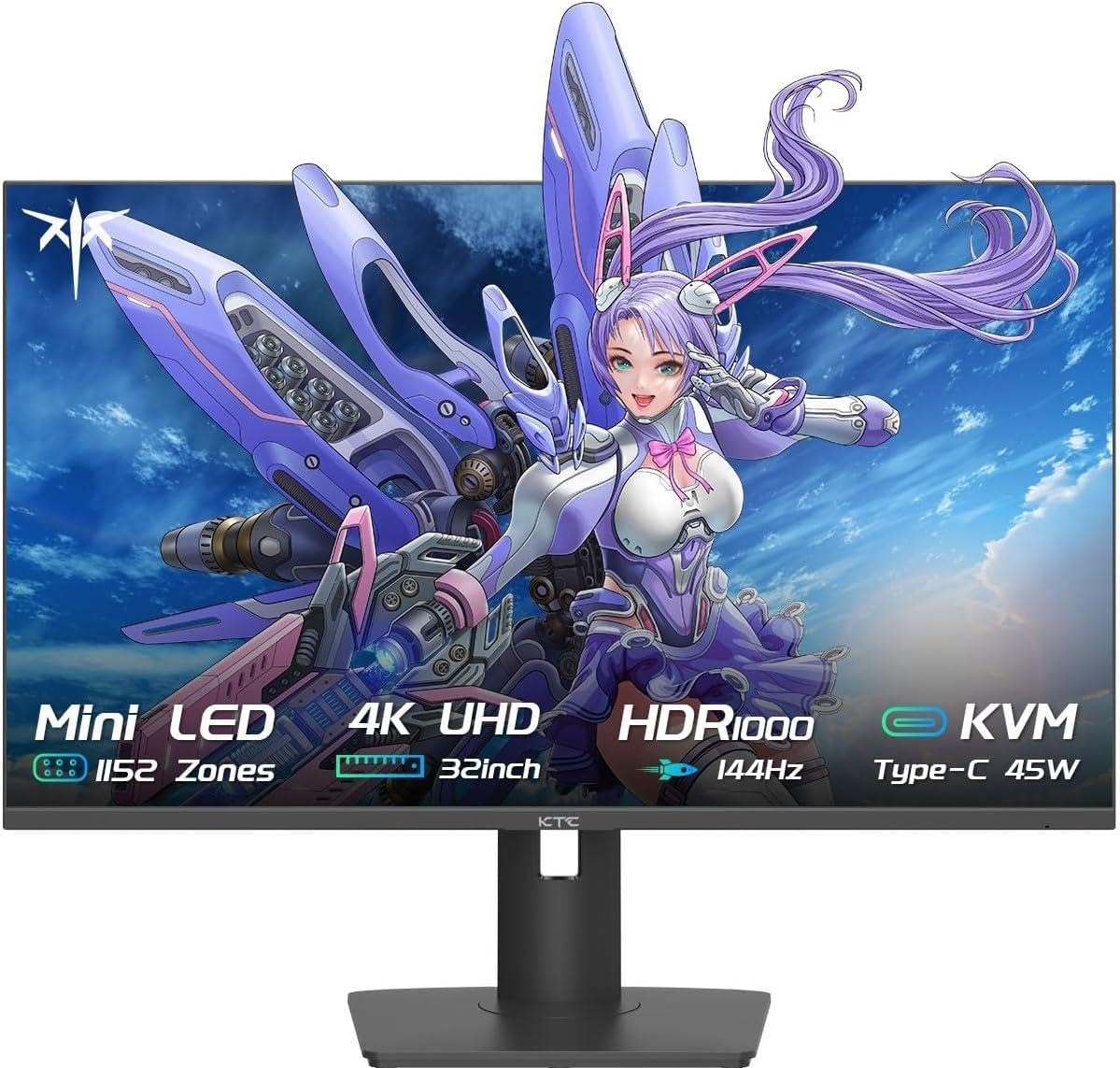
The KTC M32P10 is a 32-inch Fast IPS monitor that utilizes a Mini-LED backlight with 1152 full-array local dimming zones, providing a significant upgrade in HDR performance over standard IPS panels. The HDR1000 certification offers impressive peak brightness, making highlights pop in supported games. Its 144Hz refresh rate and 1ms MPRT response time keep motion smooth.
The inclusion of Quantum Dot technology delivers vibrant colors with wide coverage. Connectivity is a highlight, with two HDMI 2.1 ports, a DisplayPort 1.4, and a 45W USB-C port for laptop charging. The monitor supports both FreeSync and G-Sync compatibility, ensuring a tear-free experience regardless of your GPU brand.
The stand offers tilt, swivel, and height adjustments, though the build quality feels less premium than some competitors. Some users have noted that the menu system can be finicky after sleep mode. For the price, the local dimming performance is impressive and offers a glimpse of high-end HDR without an OLED price tag.
Why it’s great
- Excellent HDR1000 performance with Mini-LED zones
- Good connectivity with HDMI 2.1 and 45W USB-C
- Vibrant colors from Quantum Dot tech
- Strong value for Mini-LED features
Good to know
- Menu system can be unresponsive after sleep
- Build quality feels budget compared to big brands
- Only includes a DP cable, no HDMI cable
10. MSI MAG 322URDF E16
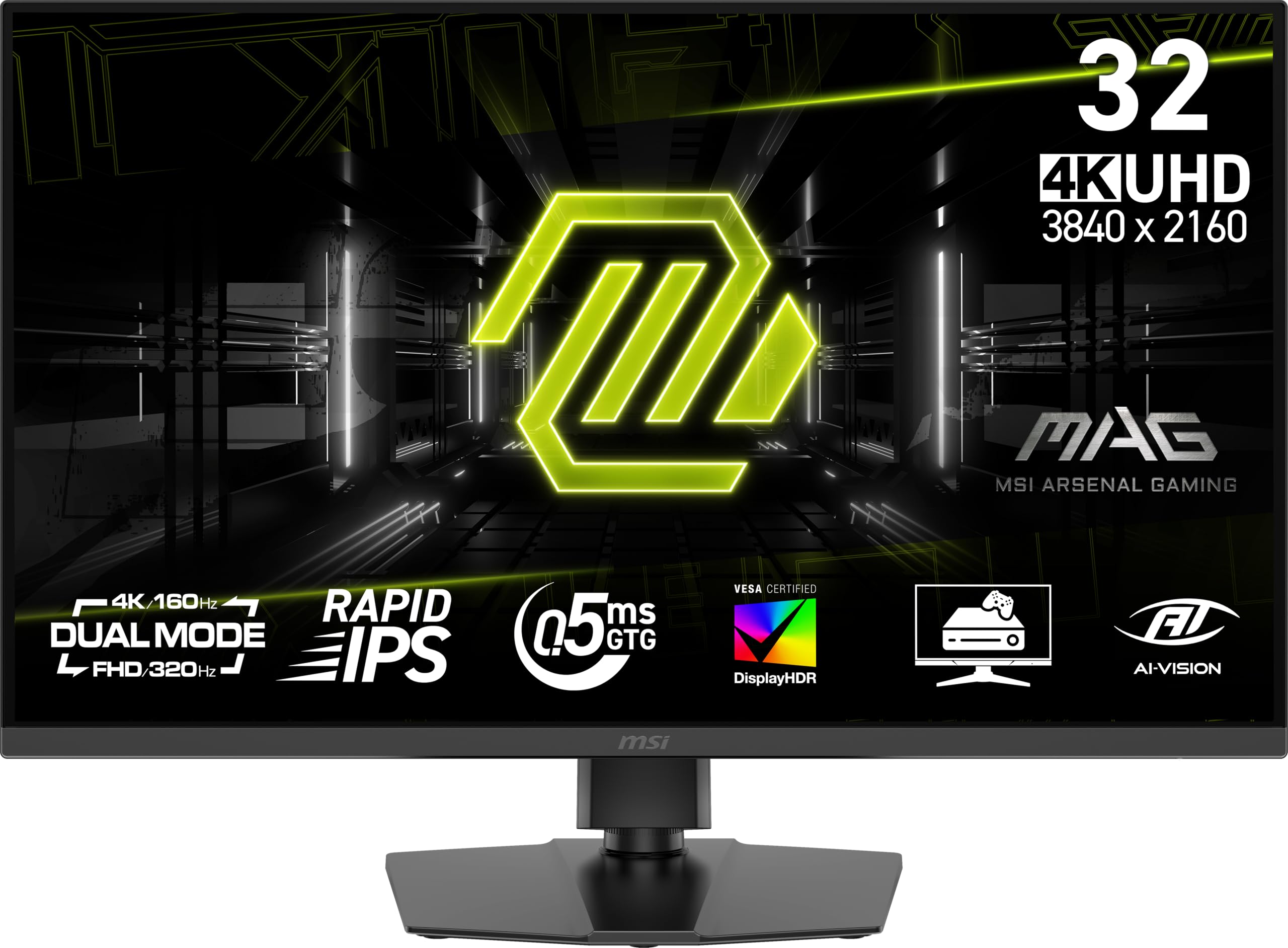
The MSI MAG 322URDF E16 brings a dual-mode capability to a more accessible price point, allowing you to switch between 4K UHD at 160Hz and FHD at 320Hz. This is a great feature for gamers who want visual fidelity in story modes but the high frame rates of esports titles on a single screen. The Rapid IPS panel ensures snappy 0.5ms response times (GtG).
The monitor is VESA DisplayHDR 400 certified, providing decent brightness for a more impactful HDR image than standard SDR displays. It includes a powerful 1370-lumen brightness rating for the backlight. The stand offers height and tilt adjustments, and the monitor supports AMD FreeSync Premium for tear-free gameplay.
Some users have reported reliability issues, with a small number of units failing within a few weeks. The contrast ratio is a standard 1000:1 for IPS, meaning blacks are more gray compared to VA or OLED panels. For the price, the dual-mode refresh rate is a standout feature that offers excellent flexibility.
Why it’s great
- Dual-mode refresh rate (4K 160Hz / FHD 320Hz)
- Very fast 0.5ms GtG response time
- High brightness backlight
- Affordable entry into dual-mode technology
Good to know
- Standard IPS contrast ratio with mediocre blacks
- Some concerns about long-term reliability
- Viewing angles not as good as advertised
11. CRUA 32″ Curved 4K

The CRUA 32″ Curved Gaming Monitor offers an eye-catching 1500R curvature and a 240Hz refresh rate at an entry-level price point. For gamers on a strict budget who want a large, immersive screen, this provides a compelling package. The VA panel delivers decent contrast at 3000:1, which gives dark scenes better depth than similarly priced flat IPS monitors.
The 4K UHD resolution is crisp, and the 120% sRGB color gamut (8-bit + FRC) ensures colors are vivid enough for most gaming and media consumption. It includes built-in speakers, HDMI 2.1, and DisplayPort 1.4 connectivity, as well as PIP/PBP support for multitasking. The white color option is a nice aesthetic change from the standard black.
The stand only offers tilt adjustment, and the on-screen menu is confusing to navigate without the included remote. Some users report that the built-in speakers are not functional despite being listed, so plan to use external audio. For the price, the combination of 4K, 240Hz, and a curved VA panel is hard to beat for budget-conscious gamers.
Why it’s great
- Impressive 240Hz refresh rate at a low price
- 1500R curve adds immersion without distortion
- Good VA contrast for deeper blacks
- Includes multiple ports including HDMI 2.1
Good to know
- Stand has limited tilt-only adjustment
- Menu system is awkward to use without remote
- Built-in speakers may not work as expected
FAQ
What is the ideal refresh rate for a 4K gaming monitor?
How does OLED differ from IPS and VA in a gaming monitor?
Final Thoughts: The Verdict
For most gamers seeking the pinnacle of visual fidelity and raw speed, the best 32 inch 4k gaming monitor winner is the ASUS ROG Swift OLED PG32UCDP because it offers a stunning WOLED panel with unmatched dual-mode flexibility and a comprehensive warranty. If you want the brightness of Mini-LED without the OLED price, grab the KTC M32P10. And for a perfect balance of speed and color for work and play on a tighter budget, the ASUS ROG Strix XG32UCG is a fantastic choice.

Mo Maruf
I created WellFizz to bridge the gap between vague wellness advice and actionable solutions. My mission is simple: to decode the research and give you practical tools you can actually use.
Beyond the data, I am a passionate traveler. I believe that stepping away from the screen to explore new environments is essential for mental clarity and physical vitality.