Our readers keep the lights on and my smoothie glass nicely filled. As an Amazon Associate, I earn from qualifying purchases.
If your old laptop takes minutes to boot or your desktop games stutter while loading maps, the bottleneck is almost certainly your spinning hard drive. Swapping to a 2.5-inch solid-state drive remains the single most cost-effective performance upgrade you can make — no new motherboard, no fresh Windows license, just one drive swap that cuts boot time from 90 seconds to under ten.
I’m Mohammad Maruf — the founder and writer behind WellFizz. I’ve spent years analyzing storage benchmarks, NAND flash endurance specs, and real-world user longevity reports to separate marketing claims from genuine value in the SATA SSD market.
Below, I break down the nine most compelling options to help you find the best 2tb sata ssd for your specific upgrade, whether you’re reviving an aging laptop or expanding a gaming console’s library.
How To Choose The Best 2TB SATA SSD
Not all SATA SSDs are built the same. The interface cap is 6Gb/s (about 560MB/s real-world read), so any drive claiming dramatically higher sequential speeds is inflating numbers. The real differentiators are controller architecture, NAND type, endurance rating, and warranty terms. Here’s what to watch for.
Controller Type: DRAM vs DRAMless
A DRAM-equipped controller uses a dedicated memory chip to store the flash translation layer, which speeds up random reads and reduces write amplification during heavy multitasking. DRAMless drives, which rely on the host system’s memory (HMB) or a small SLC cache, are cheaper but can suffer performance drops during sustained writes. For a primary OS drive, a DRAM design offers more consistent responsiveness.
NAND Flash: TLC vs QLC
TLC (Triple-Level Cell) NAND stores three bits per cell, offering a good mix of speed, endurance, and cost. QLC (Quad-Level Cell) stores four bits per cell, lowering the price per gigabyte but reducing write endurance and sustained write speed. A 2TB QLC drive typically has a TBW (TeraBytes Written) rating around 400–600TB, while TLC drives often exceed 1,000TB. Choose QLC for bulk game storage or media libraries; choose TLC for an OS boot drive or workload involving frequent rewrites.
TBW and Warranty
TBW tells you how many total terabytes you can write to the drive before it’s likely to fail. For a 2TB SATA SSD, look for at least 400TBW for light use and 600TBW or higher for daily OS writes. Warranty periods range from three to five years. A longer warranty doesn’t guarantee longer life, but it signals the manufacturer’s confidence in the flash and controller binning.
Quick Comparison
On smaller screens, swipe sideways to see the full table.
| Model | Category | Best For | Key Spec | Amazon |
|---|---|---|---|---|
| Samsung 870 EVO | Premium | Demanding workloads & 24/7 operation | 2,400 TBW endurance | Amazon |
| Western Digital WD Blue SA510 | Mid-Range | Reliable all-around desktop upgrade | 560 MB/s read, 520 MB/s write | Amazon |
| Crucial BX500 | Mid-Range | Budget-friendly primary drive upgrade | 540 MB/s read, DRAMless | Amazon |
| TEAMGROUP QX | Mid-Range | Cost-conscious gaming storage | 560/500 MB/s, 400 TBW | Amazon |
| Silicon Power A55 | Mid-Range | Slim ultrabook upgrades | 7mm slim, 3D NAND TLC | Amazon |
| fanxiang S101Q | Mid-Range | Speed-focused value choice | 560 MB/s read, SLC cache | Amazon |
| KingSpec OneBoom | Mid-Range | PS4 and old laptop revival | 550 MB/s read, 520 MB/s write | Amazon |
| Vansuny SATA III | Budget | Entry-level OS boot drive | 500/450 MB/s, ABS casing | Amazon |
| ADATA Ultimate SU650 | Budget | Security camera NVR storage | 520/450 MB/s, LDPC ECC | Amazon |
In‑Depth Reviews
1. Samsung 870 EVO 2TB

The Samsung 870 EVO has earned its reputation as the benchmark for SATA SSDs. With sequential reads topping 560MB/s and writes reaching 530MB/s, it saturates the SATA III bus more thoroughly than most competitors. Its 2,400 TBW endurance rating — more than twice that of typical QLC drives — means it can handle years of heavy daily writes without degradation.
This drive uses Samsung’s in-house MKX controller with a large variable SLC buffer, which maintains high write speeds even after the cache fills. The 7mm 2.5-inch form factor fits nearly every laptop and desktop bay. Users consistently report flawless operation after two years, with one user noting the 870 EVO runs 15°F cooler and draws 55–80% less power than a 2.5″ HDD.
The bundled Samsung Magician software provides firmware updates, drive health monitoring, and a reliable cloning tool. Some users experienced initial frustration with the download link, but once installed, Magician works cleanly. For a primary OS drive or any mission-critical storage, this is the safest investment on the list.
Why it’s great
- Industry-leading 2,400 TBW endurance for long service life
- Consistent 560/530 MB/s sequential speeds with SLC cache
- Free Samsung Magician monitoring and cloning software
- Proven reliability across years of use in servers and laptops
Good to know
- Premium pricing compared to QLC-based competitors
- Some users had trouble with the Acronis cloning link instead of Magician
2. Western Digital 2TB WD Blue SA510

Western Digital’s WD Blue SA510 brings the brand’s track record for reliability into a 2TB SATA III package. Sequential read speeds reach 560MB/s and writes hit 520MB/s, putting it right at the SATA ceiling. The drive uses 3D NAND TLC flash and includes WD’s own nCache 3.0 technology, which accelerates write bursts by combining a small SLC buffer with pSLC caching for sustained performance.
Customer reports show significant boot-time improvements — one user dropped from a multi-minute HDD boot to instant responsiveness on an 8-year-old PC. Some encountered issues with the bundled Acronis cloning software, which corrupted the boot record; those users successfully switched to Macrium Reflect for a clean migration. A firmware update via the WD Dashboard utility is strongly recommended after installation.
The 5-year limited warranty matches the length Samsung offers, though the endurance rating is lower than the 870 EVO. For a general-purpose desktop or laptop OS drive, the WD Blue SA510 delivers consistent everyday performance without the top-tier price premium. Just plan to use a third-party cloning tool for your initial migration.
Why it’s great
- Reliable TLC NAND from a trusted storage brand
- 560/520 MB/s sequential speeds saturate SATA III
- 5-year warranty provides solid long-term protection
- Free WD Dashboard for firmware updates and health checks
Good to know
- Bundled Acronis software may cause cloning issues
- Endurance rating lower than premium Samsung drives
3. Crucial BX500 2TB

The Crucial BX500 is a DRAMless SATA SSD that uses SLC caching and host memory buffer (HMB) to keep costs low while delivering read speeds up to 540MB/s. It’s built with Micron 3D NAND, and over the years it has become one of the top-selling budget SSDs on the market. For a secondary storage drive or a budget laptop revival project, it delivers surprising responsiveness.
Users report reviving 5- to 10-year-old laptops with Core i3 and Core 2 Duo processors — clone the old HDD to the BX500, swap it in, and boot times drop from minutes to seconds. The free Acronis cloning software is included, though the download link can be tricky to find via the Crucial support site.
The trade-off is endurance. The DRAMless architecture and QLC-grade endurance (around 360 TBW) make it less suitable for server logs, database writes, or any workload involving frequent large file rewrites. For a mass storage drive in a gaming desktop or a basic Windows boot drive, the BX500 punches well above its price point.
Why it’s great
- Excellent value for boot drive upgrades in older laptops
- 540 MB/s read speed keeps everyday tasks snappy
- Free Acronis cloning software included for easy migration
- Micron NAND provides solid reliability at a low price
Good to know
- DRAMless design slows sustained write speeds
- Lower endurance rating than TLC-based alternatives
4. TEAMGROUP QX 2TB

The TEAMGROUP QX is a 2.5-inch SATA III SSD using 3D NAND QLC flash with a large SLC cache buffer. Sequential speeds reach 560MB/s read and 500MB/s write — right at the interface limit for reads and slightly below for writes, typical of QLC drives once the pSLC cache fills. The drive carries a 400TBW endurance rating, which is acceptable for game library and media storage.
User reports show CrystalDiskMark speeds matching the full SATA bandwidth, with one user measuring 450 MB/s during a 160GB file transfer. Multiple buyers installed the QX as a secondary drive in gaming laptops or as a PS4 upgrade, noting significantly faster level loading and boot times. The drive runs cool — one user described temperatures just slightly above room ambient — and remains completely silent.
The main consideration is that QLC NAND, combined with a DRAMless controller, means sustained write performance drops after the SLC cache is exhausted. This doesn’t affect gaming load times (which are largely read-dependent), but large file copies or heavy write workloads will see speeds dip into the 100–200 MB/s range. For a cost-effective game storage drive, the QX delivers exactly what it promises.
Why it’s great
- Full SATA read speeds at a competitive price point
- Runs cool and silent in gaming rigs and consoles
- SLC cache delivers good burst write performance
- Easy swap into PS4 for faster game loading
Good to know
- QLC endurance limited to 400 TBW
- Sustained write speed drops after SLC cache fills
5. Silicon Power 2TB A55
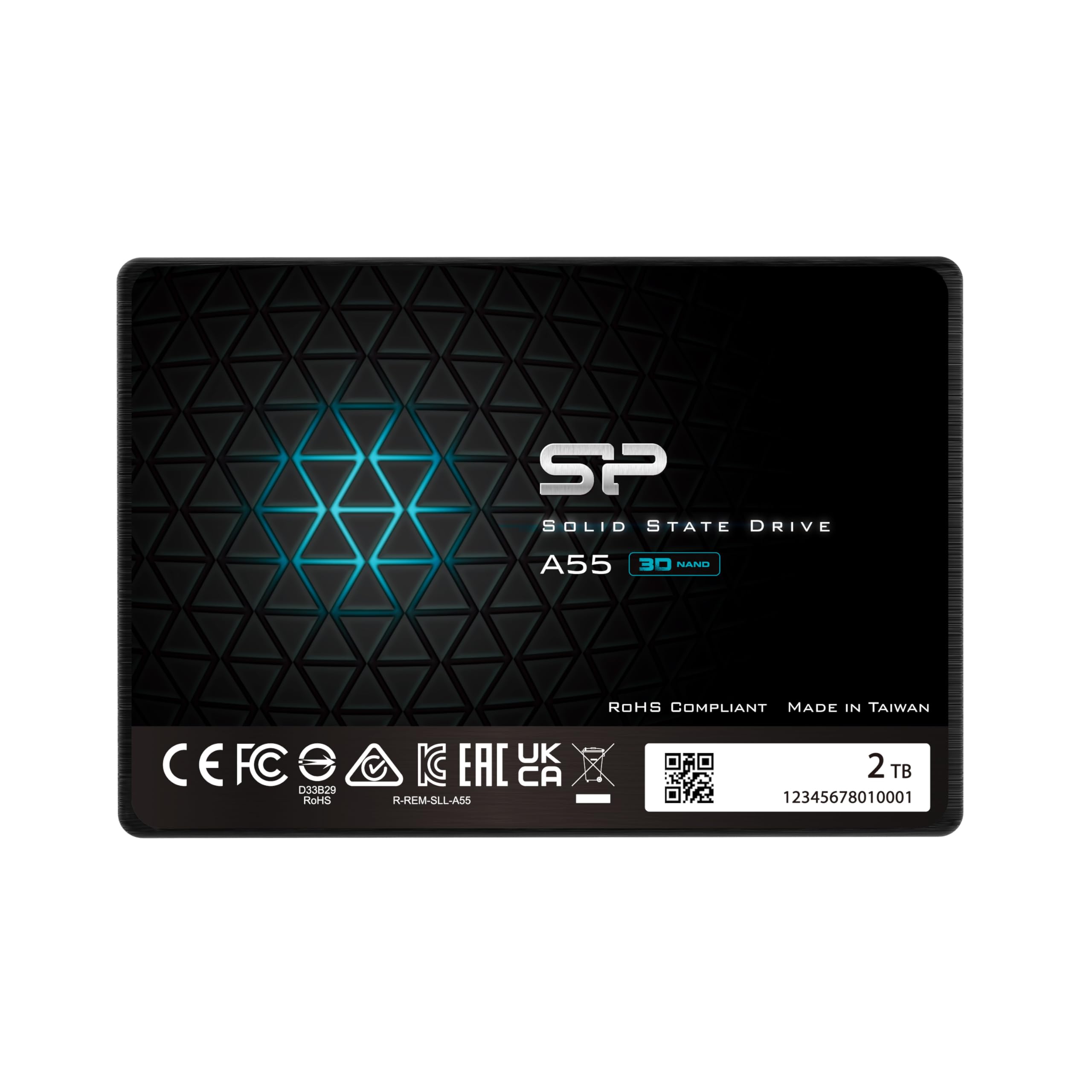
The Silicon Power A55 is a slim 7mm 2.5-inch SATA III SSD that uses 3D NAND flash with SLC cache technology. It delivers sequential read and write speeds around 500 MB/s, slightly below the 560MB/s ceiling but still a massive jump over any mechanical drive. Its slim profile makes it ideal for Ultrabooks and ultra-slim notebooks where drive bay clearance is tight.
Long-term users report consistent performance across years of use — one customer has been installing SP drives since 2016 and notes the A55’s reliable boot times and snappy program launches. A high-end gaming platform test showed impressive read and write speeds, with the drive operating very cool under load. Several buyers used it to clone Dell and HP All-in-One systems, transforming 5400 RPM HDDs into near-instant-booting machines.
The 3-year warranty is shorter than the 5-year terms offered by Samsung and WD, but the price per gigabyte is lower. The included SLC cache does boost burst performance, though sustained write speeds level off once the cache fills. For a slim laptop upgrade where every millimeter of clearance matters, the A55 is a reliable and compact option that won’t break the bank.
Why it’s great
- Ultra-slim 7mm design for tight laptop bays
- Stable performance across multiple years of use reported
- SLC cache improves burst write speeds
- Low operating temperatures under load
Good to know
- 3-year warranty is shorter than premium competitors
- Seek speeds slightly below the SATA III maximum
6. fanxiang 2TB S101Q

The fanxiang S101Q is a 2.5-inch SATA III SSD that takes full advantage of the interface with sequential read speeds up to 560MB/s and writes hitting 510MB/s. It uses 3D NAND flash with an advanced SLC cache algorithm to accelerate burst writes and maintain responsiveness during typical daily tasks. The drive supports TRIM, ECC, S.M.A.R.T., and garbage collection for long-term health.
Users who have installed the S101Q in failing HDD-based laptops report boot times dropping from over 10 minutes to under 30 seconds. A CrystalDiskMark comparison showed the fanxiang matching throughput against name-brand SSDs in the same price bracket, which matches the advertised specs. Several buyers noted the plastic enclosure feels lightweight but the drive worked immediately after a simple SATA connection and format.
The 3-year after-sales service is standard for budget-tier drives. Some early testers mention they haven’t accumulated enough hours to fully validate long-term endurance, so this is best suited as a secondary data drive or a media storage upgrade rather than a mission-critical OS drive. For the speed-to-dollar ratio, the S101Q delivers some of the highest sequential read numbers in its tier.
Why it’s great
- 560 MB/s read speed matches SATA III ceiling
- SLC cache keeps burst writes fast for daily use
- Excellent value for reviving old HDD-based laptops
- Supports TRIM and S.M.A.R.T. for drive health
Good to know
- Plastic enclosure feels less robust than metal housings
- Long-term endurance still unverified by extensive user testing
7. KingSpec OneBoom 2TB
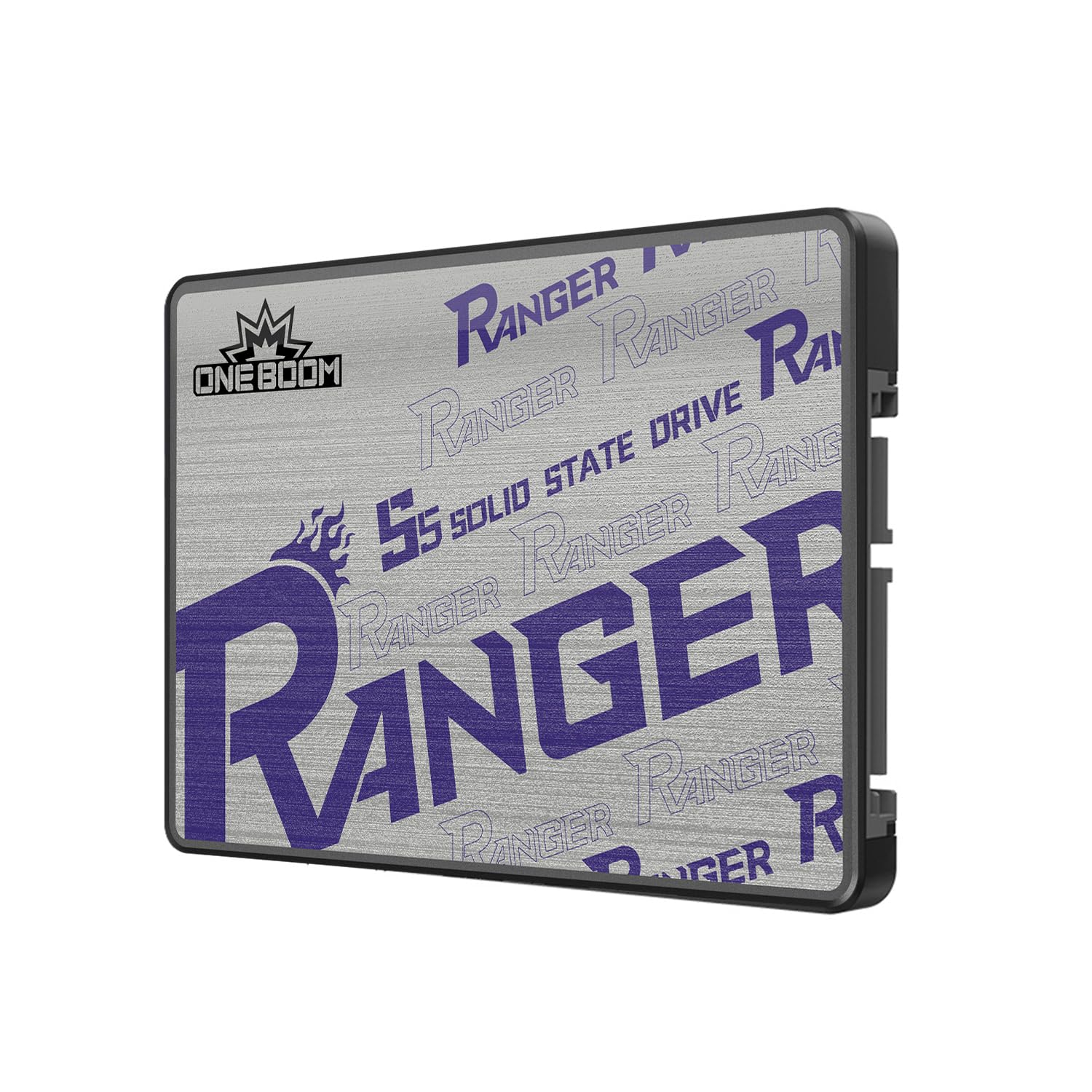
The KingSpec OneBoom 2TB SATA III SSD targets the budget-conscious console gamer and old-PC revivalist. Sequential speeds are rated at 550MB/s read and 520MB/s write, putting it close to the SATA III cap. It uses 3D NAND flash and includes a 3-year warranty, with features like bad block management, wear leveling, and Native Command Queuing to maintain data integrity.
Gamers have successfully dropped this drive into both Xbox One X and PS4 consoles, reporting faster boot times and snappier game loading compared to the original mechanical drives. One user noted it has been running flawlessly for six months in a PS4, with no delays or improper startups. The universal 2.5-inch form factor and SATA interface make it a literal plug-and-play swap with no additional adapters needed.
The plastic enclosure and less established brand name compared to Samsung or WD may give some buyers pause for a primary OS drive. While early reviews are strong, the long-term reliability data is thinner than the major brands. For a dedicated game drive in a console or as a secondary storage in a desktop, the OneBoom offers a compelling capacity-to-speed ratio at a competitive entry point.
Why it’s great
- 550/520 MB/s speeds deliver noticeable console load time reductions
- Fits Xbox One X and PS4 with no adapters needed
- 3-year warranty and 3D NAND provide decent reliability
- Plug-and-play installation takes under 10 minutes
Good to know
- Less brand recognition than major SATA SSD makers
- Plastic enclosure may offer less heat dissipation
8. Vansuny 2TB SATA III SSD

The Vansuny 2TB SATA III SSD is a straightforward budget offering with sequential read and write speeds rated at 500MB/s and 450MB/s respectively. It uses 3D NAND flash and a premium ABS casing for basic heat dissipation and shock resistance. The drive works with most desktops and laptops that accept a standard 2.5-inch SATA drive.
User feedback highlights its reliable performance as a boot drive upgrade for older PCs. Others appreciated the easy SATA installation and the immediate responsiveness improvement over a mechanical hard drive. The plastic housing keeps weight low but doesn’t offer the same thermal transfer as metal alternatives.
The key limitation is the 500 MB/s ceiling, which is 10–12% below the top-end SATA III competitors. In practice, the gap is barely noticeable during boot sequences and everyday application loading. For an entry-level upgrade where budget is the primary concern, the Vansuny delivers a solid speed boost without any compatibility headaches.
Why it’s great
- Reliable daily performance in older laptop and desktop systems
- Easy installation with no compatibility issues reported
- Lightweight ABS casing keeps weight minimal
- Great price-to-performance for budget builds
Good to know
- 500 MB/s peak read lower than the SATA III maximum
- Plastic housing lacks metal heat dissipation
9. ADATA Ultimate SU650 2TB

The ADATA Ultimate SU650 is a 2.5-inch SATA III SSD that prioritizes data integrity with Low Density Parity Check (LDPC) error correcting code, which reduces bit errors and extends the flash’s usable life. Sequential read speeds reach 520MB/s with writes at 450MB/s. The drive uses a 3D NAND flash controller and features ADATA’s free SSD ToolBox software for drive management and firmware updates.
Several users have deployed the SU650 in security camera NVR systems, where its low power consumption and reliable continuous write performance are valuable. One reviewer reported using it for a second CCTV setup with no issues. However, some users noted thermal concerns — one instance recorded the drive reaching 99°C after repeated Windows update cycles, suggesting that airflow in the system case matters more with this model than with cooler-running competitors.
The polycarbonate enclosure is lightweight but provides less thermal mass than metal-cased drives. This drive is best suited for light daily productivity, security recording, or as a secondary storage device where sustained write temperatures can be managed. For a budget-oriented build where error correction at the drive level is a priority, the SU650 offers a unique feature set at an accessible entry point.
Why it’s great
- LDPC ECC improves data integrity over the drive’s lifetime
- Works well in continuous-write NVR security camera setups
- Free SSD ToolBox for monitoring, optimization, and firmware
- Low power consumption benefits battery-powered laptops
Good to know
- Polycarbonate casing may lead to higher operating temperatures
- 450 MB/s write speed is among the lowest on this list
FAQ
Can I use a 2TB SATA SSD in a PS4 or Xbox One?
Does a DRAMless SSD slow down my computer for everyday use?
What does the 7mm form factor mean for laptop upgrades?
Is 400 TBW enough for a 2TB SSD used as a boot drive?
Will a 2TB SATA SSD work in a laptop that originally had an HDD?
Final Thoughts: The Verdict
For most users, the best 2tb sata ssd winner is the Samsung 870 EVO because its 2,400 TBW endurance and consistent full-SATA speeds make it the most reliable long-term investment. If you want a strong balance of price and reliability without the Samsung premium, grab the Western Digital WD Blue SA510. And for a budget-friendly console upgrade or secondary game library, nothing beats the value of the TEAMGROUP QX.

Mo Maruf
I created WellFizz to bridge the gap between vague wellness advice and actionable solutions. My mission is simple: to decode the research and give you practical tools you can actually use.
Beyond the data, I am a passionate traveler. I believe that stepping away from the screen to explore new environments is essential for mental clarity and physical vitality.