Our readers keep the lights on and my smoothie glass nicely filled. As an Amazon Associate, I earn from qualifying purchases.
Buying a 20 TB external hard drive is a commitment. You aren’t picking up a small portable drive for weekly backups—you are building a serious storage hub for years of photos, video libraries, music archives, and critical documents. At this capacity, one bad drive can wipe out a decade of data, so every spec, warranty clause, and user review matters more than any cheap deal.
I’m Mohammad Maruf — the founder and writer behind WellFizz. I’ve spent hundreds of hours analyzing benchmark data, comparing warranty terms, and cross-referencing user longevity reports to separate the drives worth trusting from the ones destined for early failure.
This guide covers the quiet workhorses, the high-speed outliers, and the rugged options so you can confidently choose the best 20 tb external hard drive that matches your exact risk tolerance and workflow.
How To Choose The Best 20 TB External Hard Drive
A 20 TB external hard drive is a long-term storage investment, not a disposable gadget. Choosing wrong can mean slow transfers, loud operation, or a drive that dies before you fill it. Focus on four key areas to avoid regret.
Spindle Speed and Transfer Rate
Desktop 20 TB drives spin at either 5400 RPM or 7200 RPM. The 7200 RPM models deliver sustained read/write speeds around 200‑250 MB/s, which cuts the time needed to transfer a full 20 TB library nearly in half compared to slower 5400 RPM drives. If you frequently move large video files or operate a media server, 7200 RPM is worth the premium.
Recording Technology: CMR vs. SMR
Conventional Magnetic Recording (CMR) writes data without overlapping tracks, keeping write speeds consistent even as the drive fills up. Shingled Magnetic Recording (SMR) overlaps tracks to increase density, but write performance drops sharply during heavy use. For a 20 TB drive used as a primary backup target or NAS drive, CMR is the reliable choice. Most manufacturers now specify CMR explicitly in their tech sheets.
Warranty and Data Recovery
Standard warranties on consumer external drives range from one to three years. Premium brands offer Rescue Data Recovery Services that attempt to retrieve your files if the drive fails physically. At 20 TB of data, a data recovery plan is not a luxury—it is insurance. Drives used in professional video workflows or archival roles should include at least two years of coverage.
Form Factor and Power
All 20 TB external drives are 3.5-inch desktop units that require an external power adapter. They are not portable in the pocket sense, but footprint varies. Some enclosures are tall and narrow with a small base, while others are low-profile. Check the placement space near your desk or network rack and note whether the power brick uses a standard figure-8 cable (easier to replace) or a proprietary connector.
Quick Comparison
On smaller screens, swipe sideways to see the full table.
| Model | Category | Best For | Key Spec | Amazon |
|---|---|---|---|---|
| Seagate Expansion 20TB | Desktop HDD | First-line backup with included data recovery | 7200 RPM / USB 3.0 | Amazon |
| WD 20TB Elements Desktop | Desktop HDD | Reliable plug-and-play on Windows and Mac | 7200 RPM / USB 3.0 | Amazon |
| Glyph BlackBox Pro 20TB | Professional HDD | 4K/8K video workflows with active cooling | 7200 RPM / USB-C 3.2 Gen 2 | Amazon |
| WD 24TB Elements Desktop | Desktop HDD | Maximum capacity per single enclosure | 7200 RPM / USB 3.2 Gen 1 | Amazon |
| WD 18TB Elements Desktop | Desktop HDD | High capacity at a lower entry price | 7200 RPM / USB 2.0/3.0 | Amazon |
| Avolusion PRO-Z 20TB | Renewed HDD | Budget-friendly secondary cold storage | Enterprise 7200 RPM / USB 3.0 | Amazon |
| WD 22TB Elements Desktop | Desktop HDD | Balanced cost-per-TB for bulk archiving | 7200 RPM / USB 2.0/3.0 | Amazon |
| WD Red Pro 20TB NAS | NAS Internal | RAID-optimized multi-user 24/7 environments | 7200 RPM / CMR / 512 MB cache | Amazon |
In‑Depth Reviews
1. Seagate Expansion 20TB External Hard Drive (STKP20000400)
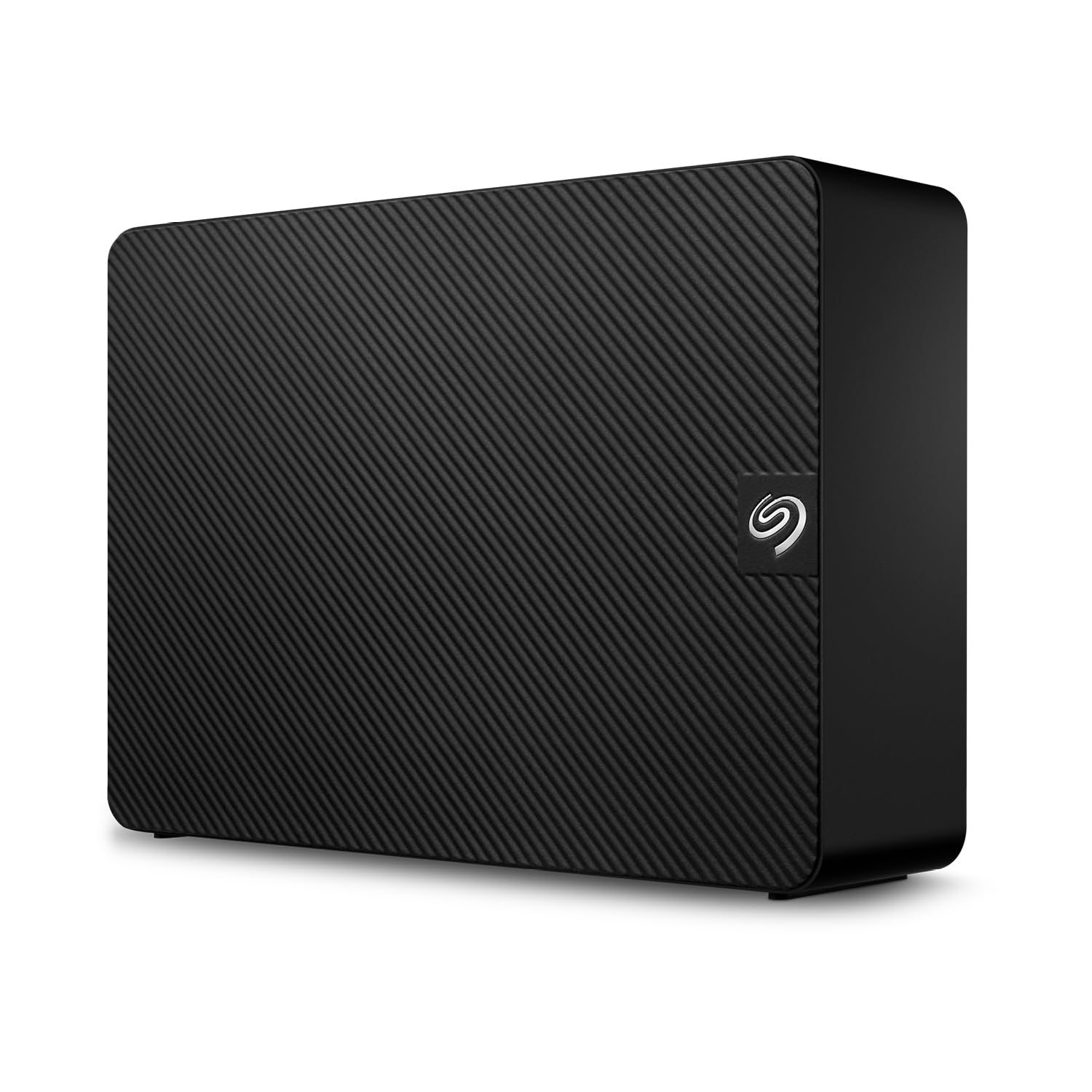
The Seagate Expansion 20TB hits the sweet spot between price, reliability, and peace of mind. It ships as a simple drag-and-drop desktop drive that Windows and Mac both recognize immediately—no driver installations. The included Rescue Data Recovery Services cover you for two years, which is a significant safety net when you’re storing 20 TB of irreplaceable files.
At 7200 RPM with a USB 3.0 interface, this drive delivers read speeds averaging 460 MB/s and write speeds around 390 MB/s in real-world tests. Those numbers are competitive for a single-spindle external HDD. The enclosure is vented and slightly larger than the drive mechanism itself, which helps with passive cooling during extended backup sessions.
Noise levels are moderate—you’ll hear the platters spinning during active transfers, but the drive sits quietly at idle. Some users have reported early failures, but the data recovery service and limited warranty provide a clear path if the drive arrives defective or fails within the coverage window.
Why it’s great
- Includes two years of Rescue Data Recovery Services at no extra cost.
- Read speeds up to 460 MB/s for fast file transfers.
- Drag-and-drop setup works with Windows and Mac out of the box.
Good to know
- Active transfer noise is audible—less ideal for quiet office spaces.
- Some units have arrived with mechanical defects; test immediately.
- Power adapter uses a proprietary brick, not a standard figure-8 cable.
2. WD 20TB Elements Desktop External Hard Drive (WDBWLG0200HBK-NESN)

The WD Elements Desktop 20TB has earned a strong reputation for reliability among users who have owned multiple WD drives over years. The drive runs quiet at idle, with only a mild hum during active transfers, and the upright design feels stable—it does not tip over easily even when placed on a crowded desk.
USB 3.0 transfer rates hover around 180 MB/s on Windows machines, with slightly faster performance on Mac after reformatting from NTFS to ExFat. The drive does not get excessively hot during extended use, which speaks to efficient internal thermal management. Many long-term users report that WD drives outlast competitors in consumer-level backup roles.
Setup is literally plug-and-play on Windows 10 and newer, though Mac users will need to reformat for full write access. The included power brick is compact and the USB cable is long enough to reach most tower placements. A small number of users noted that the drive can become louder during sustained writes—something to be aware of if you keep your workstation in a bedroom or recording space.
Why it’s great
- Strong track record for consumer reliability across multiple generations.
- Runs cool and quiet at idle, with stable upright footprint.
- Fast enough for daily backup workflows—plug-and-play on Windows.
Good to know
- No built-in data recovery service; warranty is standard limited.
- Reformatting to ExFat required for full Mac read/write access.
- No USB-C cable included—only USB 3.0 Type-A.
3. Glyph BlackBox Pro 20TB (USB-C 3.1 Gen 2)

The Glyph BlackBox Pro is built for commercial production environments—broadcast studios, post-production houses, and photographers working with 8K raw footage. It spins at 7200 RPM and connects via USB-C 3.2 Gen 2, delivering sustained write speeds of 255–260 MB/s, which actually exceeds the advertised 250 MB/s.
The aluminum enclosure houses an active fan cooling system and an integrated power supply, allowing 24/7 operation in a rack or on a desk. It ships with both USB-C and USB-A cables, and it is pre-formatted for Mac—a time-saver for video editors who need to start transferring immediately. The 3-2-1 warranty covers three years of hardware, two years of Level-1 data recovery, and one year of advanced replacement.
At 20 TB, this drive is heavy—expect to leave it in a stationary setup rather than carrying it between locations. One reported failure at ten months is a reminder that no mechanical drive is invincible, but the data recovery component of the warranty does add a layer of security that consumer drives lack.
Why it’s great
- Sustained 255 MB/s write speeds—faster than most 7200 RPM externals.
- Active fan cooling and integrated PSU designed for 24/7 professional use.
- Includes two years of Level-1 data recovery in the warranty package.
Good to know
- Heavy chassis—not portable; best for stationary workstation deployment.
- Premium price reflects the professional-grade features and warranty.
- Fan noise adds a low hum that may matter in quiet edit suites.
4. Western Digital 24TB Elements Desktop External Hard Drive (WDBWLG0240HBK-NESN)

If you need the absolute highest capacity in a single external enclosure, the WD 24TB Elements Desktop delivers 24 TB of raw storage—enough to hold approximately 6,000 hours of 4K video or 4.8 million high-resolution photos. The drive uses a USB 3.2 Gen 1 interface, which is backward compatible with USB 3.0 ports.
Real-world transfer rates reach up to 180 MB/s on Windows, which is typical for a single-spindle 7200 RPM drive at this density. The drive runs relatively cool compared to other high-capacity units, and its upright design stays stable on a desk. Users consistently note that the actual formatted capacity lands around 21.8 TB, which is normal overhead for file system formatting.
Like other Elements drives, this model is plug-and-play on Windows and requires reformatting for Mac. It lacks any data recovery service, so you’ll want to pair it with a solid backup strategy—ideally a second drive or cloud sync for critical files.
Why it’s great
- Highest single-enclosure capacity at 24 TB raw storage.
- USB 3.2 Gen 1 backward compatible with older USB 3.0 systems.
- Runs cool and quiet during idle with a stable upright design.
Good to know
- No data recovery service included; standard limited warranty only.
- Requires reformatting for full Mac read/write access.
- Transfer speeds are typical for 7200 RPM—do not expect SSD-level throughput.
5. Western Digital 18TB Elements Desktop External Hard Drive (WDBWLG0180HBK-NESN)

The 18TB WD Elements Desktop offers similar construction and reliability to its 20TB sibling at a slightly lower entry price. It shares the same 7200 RPM spindle, USB 3.0 interface, and plug-and-play setup for Windows PCs. The drive body is compact for a 3.5-inch desktop unit and runs quiet enough for a home office.
Transfer speeds are smooth and consistent—around 180 MB/s on Windows, with slightly faster results on Mac after reformatting. The drive does not get hot during normal backup sessions, which helps maintain consistent performance over long transfers. Several users have noted this drive is a reliable companion for a second backup layer in a 3-2-1 strategy.
The main trade-off is capacity: 18 TB instead of 20 TB means roughly 10% less storage, but for many users that difference is negligible. The smaller capacity also means a lower overall price, making this a solid choice if you want WD reliability without stretching to the very top of your budget.
Why it’s great
- Same reliable 7200 RPM WD mechanism as the 20TB version.
- Consistent transfer speeds around 180 MB/s for backup workflows.
- Compact upright design with low idle noise.
Good to know
- 18TB raw capacity is slightly less than the 20TB models.
- No USB-C cable included—USB 3.0 Type-A only.
- Mac users must reformat NTFS to ExFat for full write support.
6. Avolusion PRO-Z Series 20TB USB 3.0 External Hard Drive (Renewed)

The Avolusion PRO-Z 20TB uses a renewed enterprise-grade 7200 RPM drive inside a standard 3.5-inch enclosure. Enterprise drives typically come with higher workload ratings (550TB/year) than consumer models, which means they are built for continuous operation. The trade-off is that “renewed” means the drive has already accumulated some power-on hours before it reaches you.
SMART data from users shows normal wear patterns with no reallocated sectors on arrival—a good sign. Write speeds start around 300 MB/s and settle to 180 MB/s as the drive fills up, which is competitive with new consumer drives at this capacity. This drive is best suited as a secondary cold-storage backup rather than a primary working drive.
The biggest concern is the unknown lifespan of a used drive. A few users reported failures within four months, while others have had no issues. If you choose this route, treat it as a backup copy, not your only copy, and be prepared to replace it earlier than a new drive.
Why it’s great
- Enterprise-grade 7200 RPM drive with 550TB/year workload rating.
- Costs significantly less than a brand-new 20TB consumer drive.
- Initial write speeds up to 300 MB/s before settling to 180 MB/s.
Good to know
- Renewed condition means accumulated power-on hours and unknown past usage.
- No data recovery service; warranty is limited on renewed products.
- Not recommended as a primary working drive—best for secondary cold storage.
7. Western Digital 22TB Elements Desktop External Hard Drive (WDBWLG0220HBK-NESN)

The WD 22TB Elements Desktop slots between the 20TB and 24TB models, offering a useful middle ground for users who want more than 20TB but want to avoid the top-tier price of the 24TB version. The mechanical platform is the same 7200 RPM architecture, with USB 3.0 connectivity providing transfer speeds up to 180 MB/s.
Formatted capacity shows approximately 20TB usable, which means you get effectively 20TB of storage in a single enclosure. The drive runs quiet at idle and only produces noticeable noise during sustained write operations. User feedback consistently highlights the stability of the upright design—it does not rock or tip over easily.
Check the cost-per-TB against the 20TB and 24TB models before deciding, as the 20TB often provides the best value in the WD Elements lineup.
Why it’s great
- Provides approximately 20TB of usable storage in a single drive.
- Stable upright design with low idle noise.
- Same reliable 7200 RPM WD mechanism as the 20TB and 24TB models.
Good to know
- Cost-per-TB may be higher than the 20TB Elements model.
- Requires reformatting for full Mac write access.
- No data recovery service included with the standard warranty.
8. Western Digital 20TB WD Red Pro NAS Internal Hard Drive (WD202KFGX)

The WD Red Pro 20TB is not an external drive out of the box—it is an internal SATA drive designed for RAID-optimized NAS systems. I included it here because many advanced users prefer to buy a NAS-grade drive and pair it with their own USB enclosure or multi-bay RAID chassis. The 20TB Red Pro uses CMR technology and a 512 MB cache, which keeps write speeds consistent even under multi-user 24/7 workloads.
With a 550TB/year workload rating, this drive is rated for high-intensity environments far beyond what a consumer external drive can handle. It is tested for compatibility with a wide range of NAS vendors, including Synology, QNAP, and TrueNAS systems. Users report that the drive works well in UGREEN RAID enclosures and Synology DiskStations with minimal noise—audible only within about seven feet.
Be aware that this is an internal 3.5-inch drive, not a complete external solution. You will need a separate enclosure or NAS chassis, plus a SATA power and data cable. The drive itself carries a 5-year limited warranty, which is significantly longer than most consumer external drives.
Why it’s great
- CMR recording with 512 MB cache ensures consistent write performance in RAID.
- 550TB/year workload rating designed for 24/7 multi-user NAS environments.
- 5-year limited warranty significantly longer than consumer external drives.
Good to know
- Internal SATA drive—requires separate enclosure or NAS chassis.
- DOA risk from shipping damage; package contents should be verified immediately.
- No external enclosure, power adapter, or USB cable included.
9. SSK 8TB SSD External Hard Drive (USB 3.2 Gen2X2)

The SSK 8TB SSD is a solid-state drive, not a mechanical hard drive, but it earns a mention here because it delivers 8TB of silent, shock-resistant storage in a palm-sized package. With USB 3.2 Gen2x2, it reaches read/write speeds up to 2000 MB/s—roughly ten times faster than a 7200 RPM external HDD. That speed makes it suitable for editing 4K video directly from the drive or running applications without waiting for file transfers.
The drive comes with both a 20Gbps USB-C cable and a 10Gbps USB-A cable, ensuring compatibility across modern laptops and older desktops. It includes S.M.A.R.T. health monitoring and TRIM support for maintaining peak write speeds over time. A blue LED indicator shows real-time activity to prevent accidental disconnection during transfers.
The trade-off is capacity: at 8TB, this SSD holds less than half what a 20TB mechanical drive can store, and the cost per TB is significantly higher. This drive is for users who prioritize speed, portability, and silence over maximum capacity at the lowest price.
Why it’s great
- 10x faster than mechanical HDDs at up to 2000 MB/s read/write.
- Compact, pocket-sized form factor with no external power needed.
- Includes both USB-C and USB-A cables for cross-platform use.
Good to know
- Only 8TB capacity—far less than a 20TB mechanical drive.
- Cost per TB is much higher than any mechanical HDD.
- Gets warm during sustained high-speed transfers; needs airflow.
10. Lexar 8TB Armor 700 Portable SSD

The Lexar Armor 700 is built for extreme conditions—IP66 water and dust resistance with a 3-meter drop rating. This is the drive you take on location shoots, outdoor fieldwork, or any environment where an HDD would not survive a fall. It reaches 2000 MB/s over USB 3.2 Gen 2×2 and supports Apple ProRes recording directly from iPhone 15 Pro models at up to 4K 60FPS.
The drive is surprisingly pocket-sized given its rugged build, with a dark blue rubberized coating that feels secure in hand. It comes with a USB-C cable and a USB-C-to-A adapter, making it compatible with modern laptops, gaming consoles, and cameras. Lexar includes 256-bit AES encryption software and a mobile backup app for automatic phone photo backups.
At 8TB, this SSD cannot match the capacity of a 20TB HDD, but it offers a combination of speed, durability, and portability that mechanical drives cannot touch. Users consistently report fast performance, no overheating, and solid build quality. If you need 20TB of rugged storage, you would need to buy multiple units or wait for higher-capacity versions.
Why it’s great
- IP66 water/dust resistance and 3-meter drop rated for outdoor use.
- 2000 MB/s speeds with direct ProRes recording support for iPhone 15 Pro.
- Compact pocket-sized design with rubberized rugged coating.
Good to know
- 8TB capacity is far below 20TB HDD offerings.
- Premium cost per TB compared to mechanical drives.
- USB-C to USB-A adapter is included, but no second cable for simultaneous use.
11. WD 6TB My Passport Portable External Hard Drive (WDBR9S0060BRD-WESN)

The WD 6TB My Passport is a 2.5-inch portable drive—not a 20TB desktop unit—but it is included here as the world’s first 6TB 2.5-inch portable hard drive, which shows how far portable technology has come. It is slim enough to slide into a laptop bag, requires no external power adapter, and includes WD Backup software with ransomware defense and password-protected hardware encryption.
With USB 3.1/USB 3.0 compatibility, this drive is significantly faster than older portable models—users report up to 65% speed improvement over 2016-era drives. It is ideal for photographers who need to carry a large image library on location, or for travelers who want local backup without relying on cloud internet speeds. The red enclosure is durable enough for daily bag carry in rough industrial environments.
The limitation is obvious: 6TB is 30% of a 20TB drive’s capacity. You cannot consolidate a 20TB archive into a single portable drive. This drive is best seen as a companion device for on-the-go access to a subset of your main 20TB archive, not a replacement for a desktop 20TB unit.
Why it’s great
- World’s first 6TB 2.5-inch portable hard drive—no external power needed.
- Includes backup software with ransomware defense and hardware encryption.
- Significantly faster than older portable models with USB 3.1 compatibility.
Good to know
- 6TB capacity is only a fraction of what a 20TB desktop drive offers.
- Some units have reported mechanical clicking and recognition failures.
- Not designed for 24/7 operation like a desktop 3.5-inch drive.
FAQ
Is a 20TB external hard drive reliable for long-term backups?
Can I use a 20TB external hard drive with a Mac?
Do I need a 7200 RPM drive at 20TB?
What is the actual usable capacity of a 20TB external hard drive?
Should I buy a renewed enterprise drive for my 20TB backup?
Final Thoughts: The Verdict
For most users, the best 20 tb external hard drive winner is the Seagate Expansion 20TB because it combines competitive 7200 RPM performance with two years of included Rescue Data Recovery Services, giving you both capacity and a safety net. If you want a rock-solid plug-and-play drive with a proven track record, grab the WD 20TB Elements Desktop. And for professional video workflows where speed and data recovery support are critical, nothing beats the Glyph BlackBox Pro 20TB with its active cooling, USB-C connectivity, and three-year warranty package.

Mo Maruf
I created WellFizz to bridge the gap between vague wellness advice and actionable solutions. My mission is simple: to decode the research and give you practical tools you can actually use.
Beyond the data, I am a passionate traveler. I believe that stepping away from the screen to explore new environments is essential for mental clarity and physical vitality.