Our readers keep the lights on and my smoothie glass nicely filled. As an Amazon Associate, I earn from qualifying purchases.
The modern workspace demands a device that bends, twists, and transforms without missing a beat. The 2-in-1 computer isn’t just a laptop with a touchscreen; it’s a mobile workstation, a sketchpad, a presentation hub, and a media center, all housed in a single chassis. Choosing the right one means understanding how the hinge, processor, and display resolution will serve your specific daily workflow, not just spec-sheet scoreboards.
I’m Mohammad Maruf — the founder and writer behind WellFizz. I’ve spent years analyzing the market for hybrid computing devices, scrutinizing everything from hinge durability and active pen protocols to real-world battery drain under multi-tasking loads to find the machines that genuinely deliver on their promise of versatility.
Whether you are a student taking notes in class, a business professional presenting in boardrooms, or a creative sketching on the fly, finding the right 2-in-1 computer hinges on balancing raw processing power with the finesse of its convertible design — a trade-off we dissect in full detail here.
How To Choose The Best 2-in-1 Computer
The decision matrix for a convertible is wider than a traditional laptop. You’re not just buying processing power; you’re investing in a hinge mechanism, a digitizer layer, and a battery that must survive both active use in laptop mode and passive consumption in tablet mode. Understanding these core pillars will prevent a costly mismatch.
Processor & AI Capability
The CPU doesn’t just run your software; it dictates the device’s efficiency in tablet mode. Modern 2-in-1s are increasingly leveraging dedicated NPUs (Neural Processing Units), like those in Intel Core Ultra and AMD Ryzen AI series, to handle background AI tasks—from video call background blur to real-time photo editing—without draining the battery or spinning up the fan. An i7 from a previous generation will still handle multitasking, but a chip with a 47 TOPS NPU future-proofs your device for the next wave of Copilot+ features.
Display Quality & Touch Responsiveness
A 2-in-1’s screen is also its primary input surface. Look for an IPS or OLED panel with a minimum resolution of 1920×1200 to avoid looking at pixel grids in close-up tablet mode. Color accuracy (100% sRGB or DCI-P3) is critical for creative work, while brightness above 400 nits ensures visibility under office lights or near a window. The touch digitizer’s latency—measured in the speed at which an on-screen line follows your stylus—is the difference between a frustrating tool and a natural sketchpad.
Build Quality, Hinge & Portability
The 360° hinge is the most mechanically stressed component on a convertible. Look for a hinge that offers firm resistance with no wobble when you touch the screen. The chassis material, whether CNC aluminum or high-grade polycarbonate, dictates both weight and thermal management. A device that weighs over 4.5 pounds becomes cumbersome to hold in tablet mode for extended periods, making this a crucial trade-off against screen size and performance components.
Quick Comparison
On smaller screens, swipe sideways to see the full table.
| Model | Category | Best For | Key Spec | Amazon |
|---|---|---|---|---|
| ASUS Zenbook Duo | Dual-Screen | Multi-tasking & digital nomads | Dual 14″ 3K OLED 120Hz | Amazon |
| Samsung Galaxy Book5 Pro 360 | Premium Convertible | Ecosystem integration & media | 16″ 3K AMOLED touchscreen | Amazon |
| GIGABYTE AERO X16 | Creator/Gaming | High-performance gaming & AI | RTX 5070, 165Hz WQXGA | Amazon |
| Microsoft Surface Pro (2024) | Detachable | Portability & inking | Snapdragon X Plus, 13″ touch | Amazon |
| Lenovo Yoga 7i | Convertible | Versatile productivity | Core Ultra 7, 16″ 2K touch | Amazon |
| HP OmniBook 7 Flip | Business Convertible | Professional AI workloads | Intel Ultra 7 258V, Arc GPU | Amazon |
| HP OmniBook X Flip | AI Convertible | Long battery & AI tasks | AMD Ryzen AI 5, 16″ 2K touch | Amazon |
| HP 17.3” Touch Laptop | Large Display | Desktop replacement & browsing | 17.3” HD+ touch, Ryzen 5 | Amazon |
| Lenovo IdeaPad 5 Flex | Budget Convertible | Casual use & students | Intel Ultra 5, 8GB RAM | Amazon |
| Dell Latitude 5320 | Refurbished Business | Budget enterprise features | i7-1185G7, 32GB RAM | Amazon |
| Svikou 11” 2-in-1 | Ultra-Portable | Light travel & basic tasks | N100 CPU, 11″ FHD IPS | Amazon |
In‑Depth Reviews
1. ASUS Zenbook Duo

The ASUS Zenbook Duo redefines the 2-in-1 category with its dual 14-inch 3K OLED 120Hz touch displays. This isn’t just a convertible; it’s a full mobile workstation that can function with two screens stacked vertically or side-by-side, thanks to the detachable Bluetooth keyboard and integrated kickstand. The Intel Core Ultra 9 285H processor paired with 32GB of LPDDR5x RAM handles heavy multi-tasking, video editing, and even light gaming with the Intel Arc graphics without breaking a sweat.
The build quality is exceptional, meeting US MIL-STD 810H standards, and the 75Wh battery provides a full day of work, though dual-screen mode drains it faster. The included ASUS Pen 2.0 with MPP 2.0 support makes note-taking and sketching incredibly responsive on the OLED panels, with Pantone validated 100% DCI-P3 color accuracy that creators will appreciate. At just 3.64 pounds, it remains remarkably portable for a dual-screen device.
This machine is best described as a productivity powerhouse that sacrifices nothing in versatility. The only real trade-off is the reflective nature of glass screens in very bright environments, which is common across high-end OLED panels. If your workflow involves constant toggling between documents, code, and creative applications, the Zenbook Duo is the most capable hybrid you can buy.
Why it’s great
- Dual 3K OLED 120Hz screens offer unmatched multi-tasking flexibility.
- Intel Core Ultra 9 with 32GB RAM delivers elite raw performance.
- Detachable keyboard and kickstand allow for multiple ergonomic modes.
Good to know
- OLED panels are glossy and prone to reflections in bright light.
- Runs warm under sustained heavy load; fan curve adjustment helps.
- Battery life in dual-screen mode is substantially lower.
2. Samsung Galaxy Book5 Pro 360

The Samsung Galaxy Book5 Pro 360 is a masterclass in refined design, pairing a stunning 16-inch 3K AMOLED touchscreen with an incredibly slim 12.7mm chassis that weighs just 3.72 pounds. The display is the star here—its anti-reflective Corning Gorilla Glass with DX and Vision Booster technology keeps content vibrant and readable even in sunny conditions, a common pain point for other glossy OLEDs. The built-in S Pen with enhanced tilt sensitivity makes this a natural canvas for artists and note-takers.
Under the hood, the Intel Core Ultra 7 258V processor with a 47 TOPS NPU enables all the latest Copilot+ AI features while maintaining great thermal efficiency. The 32GB of RAM and 1TB SSD provide plenty of headroom for demanding workflows, and the AKG speakers with Dolby Atmos deliver impressive audio for a thin convertible. Integration with the Samsung ecosystem—using your phone as a webcam or controlling a Galaxy Tab with the laptop’s touchpad—adds a layer of seamless productivity that competitors struggle to match.
The only notable drawbacks are a battery life that, while good, doesn’t lead the category for a device this thin, and the premium price tag that puts it firmly in the high-end segment. For users deeply embedded in the Samsung ecosystem or anyone who prioritizes a stunning, portable display for media and creative work, this is the most elegant 2-in-1 on the market.
Why it’s great
- Gorgeous 3K AMOLED display with anti-reflective coating is best-in-class.
- Ultra-thin and light design makes it highly portable.
- Seamless S Pen integration and multi-control with Galaxy devices.
Good to know
- Premium price point places it in the high-end segment.
- No facial recognition; uses a fingerprint sensor.
- Copilot key is not removable, though it is remappable.
3. GIGABYTE AERO X16

The GIGABYTE AERO X16 breaks the mold of the typical 2-in-1 by packing a dedicated NVIDIA GeForce RTX 5070 GPU into a thin and light chassis. This is the machine for creators and gamers who need the versatility of a convertible but refuse to compromise on graphical horsepower. The 16-inch 165Hz WQXGA display is a pleasure to work on, offering smooth motion for both gaming and timeline scrubbing in video editing software.
Powered by the AMD Ryzen AI 9 HX 370 processor with a 50 TOPS NPU, this device handles AI-powered creative tasks—like LLM inference or image generation—with impressive speed. The 32GB of DDR5 RAM and 1TB SSD ensure that no project is too large, and the unit’s thermal management is exceptional, keeping the CPU and GPU around 65°C under load with a cooling pad. At only 4.18 pounds and 16.75mm thick, it’s remarkably portable for a machine with a discrete GPU.
The main trade-offs are a single USB-C port that necessitates a hub for peripheral-heavy setups and a fan that becomes audible under gaming load, which is expected. If your daily routine involves drawing in tablet mode, then switching to a competitive game or a 3D rendering session, the AERO X16 is the only true high-performance hybrid that can keep up without sacrificing visual fidelity.
Why it’s great
- Dedicated RTX 5070 GPU enables serious gaming and 3D rendering.
- AMD Ryzen AI 9 with 50 TOPS NPU is a powerhouse for local AI tasks.
- Fast 165Hz display provides an incredibly smooth visual experience.
Good to know
- Only one USB-C port; a hub is highly recommended.
- Fans can get loud under sustained gaming loads.
- Screen is good quality but not OLED-level for contrast.
4. Microsoft Surface Pro (2024)

The 2024 Microsoft Surface Pro represents a pivotal shift in the detachable 2-in-1 space by moving to the Snapdragon X Plus ARM-based processor. The immediate benefit is outstanding battery life—Microsoft claims 14 hours, and real-world usage confirms it easily lasts a full workday without needing a charge. The 13-inch touchscreen display is as gorgeous and responsive as ever, and the new AI-accelerated Copilot+ features run natively and efficiently on the powerful NPU.
Compared to its traditional Intel competitors, this Surface Pro runs cooler and quieter because there is no fan to spin up. The kickstand is robust and infinitely adjustable, making it genuinely comfortable to use on a lap or a desk. The shift to ARM does introduce software compatibility quirks—some legacy x86 applications may run slower or not at all—but the vast majority of modern apps, including Google Drive and DaVinci Resolve, run flawlessly after updates.
For users who prioritize portability and battery life above all else, the Surface Pro is the gold standard. It is best used with the Surface Pro Flex Keyboard (sold separately) which adds a stable typing experience. This is not a device for heavy gaming or video encoding, but for browsing, note-taking, and creative work, its efficiency and build quality are unmatched in the detachable form factor.
Why it’s great
- Exceptional all-day battery life that easily outlasts most Intel laptops.
- Completely silent, fanless operation for noise-sensitive environments.
- Premium, versatile design with a smooth kickstand and excellent build quality.
Good to know
- ARM processor may cause compatibility issues with older x86 software.
- Keyboard and pen are sold separately, raising the total cost.
- Screen glare can be significant; an anti-glare protector is useful.
5. Lenovo Yoga 7i

The Lenovo Yoga 7i is a well-rounded 16-inch convertible that hits a sweet spot between performance, display quality, and price. The 2K (1920×1200) IPS touchscreen offers excellent clarity and wide viewing angles, making it a joy for viewing documents or streaming movies in tent mode. Powered by the Intel Core Ultra 7 155U with 12 cores and 16GB of DDR5 RAM, it handles daily productivity tasks, video calls, and light photo editing without any lag.
Lenovo has refined the 360° hinge over years, and the Yoga 7i’s hinge feels firm and sturdy with minimal screen wobble. The inclusion of both USB-A and two USB-C (Thunderbolt 4) ports, alongside an HDMI port and a Micro SD card reader, means you rarely need a dongle. The 2TB of PCIe 4.0 SSD storage is generous, allowing you to store a large media library without external drives. The build quality is solid, though it is a bit on the heavier side, making extended tablet use a two-handed affair.
The main complaints from users revolve around Lenovo’s pre-installed Vantage software pushing ads, which is a minor inconvenience on an otherwise great machine. For a student or professional who needs a spacious, versatile laptop for work and media, the Yoga 7i provides a premium experience without reaching for the stratospheric price points of other models.
Why it’s great
- Sharp 2K touch display with a responsive digitizer for inking.
- Generous 2TB SSD and full port selection (HDMI, TB4, SD card).
- Solid, reliable hinge design from a trusted convertible brand.
Good to know
- Heavier than some competitors, less comfortable for single-hand tablet use.
- Lenovo Vantage software includes pushy ads for extra purchases.
- Battery life is solid but not class-leading for the chipset.
6. HP OmniBook 7 Flip

The HP OmniBook 7 Flip is the next generation of the Envy x360 and Spectre x360 lines, refined for the professional who demands a quiet, capable AI PC. Powered by the Intel Core Ultra 7 258V with a 47 TOPS NPU and the powerful Intel Arc 140V GPU (with access to 16GB of system memory), this 16-inch convertible can handle local AI models, video conferencing enhancements, and creative tools without breaking a sweat. The 16-inch WUXGA IPS touchscreen is bright at 400 nits and works perfectly with the included HP USB-C Rechargeable MPP2.0 stylus.
The build quality is premium, with a sleek, sturdy chassis that feels solid in the hand. Users praise the quiet operation, with the fan rarely kicking on during typical office tasks. The connectivity suite is future-proof, including Thunderbolt 4, Wi-Fi 7, and Bluetooth 5.4, ensuring fast file transfers and stable wireless connections. The battery life is rated at up to 10 hours, but in real-world mixed usage, you can expect a comfortable workday without searching for an outlet.
The main drawbacks are a keyboard that could benefit from more key travel and a dim backlight that some users find hard to see. There have also been some reported issues with touchpad failures on arrival, so purchasing from a vendor with a solid return policy is wise. For a consultant or remote worker who needs a reliable, quiet, and AI-ready companion, the OmniBook 7 Flip is a compelling choice.
Why it’s great
- Very quiet operation; rarely spins up fans during typical workloads.
- Powerful Intel Arc 140V GPU with 16GB memory for creative apps.
- Future-proof connections with Wi-Fi 7 and Thunderbolt 4.
Good to know
- Keyboard key travel is shallow and backlight is dim.
- Some quality control reports of touchpad issues on arrival.
- Screen is good IPS but not as high-contrast as an OLED.
7. HP OmniBook X Flip

The HP OmniBook X Flip is a strong contender for anyone who needs phenomenal battery life without sacrificing modern AI features. Powered by the AMD Ryzen AI 5 340 processor with a dedicated 50 TOPS NPU, this 16-inch convertible leverages the efficiency of the AMD architecture to deliver a claimed 21 hours of battery life. In real-world testing, users are seeing over 10 hours of mixed use, which is excellent for a large touchscreen device. The 2K (1920×1200) IPS display is bright and color-accurate, making it suitable for creative tasks.
The 360° hinge is smooth and sturdy, and the laptop feels well-constructed for daily commutes. The 16GB of LPDDR5x RAM ensures smooth multitasking, and the 512GB PCIe Gen4 SSD provides fast boot times and ample storage for documents and media. The HP 5MP IR camera with HDR and AI noise reduction produces excellent video quality for business calls, and the Poly Studio audio tuning ensures you are heard clearly. It is also a Copilot+ PC, so you get access to exclusive on-device AI experiences.
Users have praised its performance for both art (with large screens for drawing) and light gaming (running Fortnite lag-free). The main trade-off is the weight—at around 4.5 pounds, it is not the lightest convertible, but the battery and performance trade-off is worthwhile for many. If you need a full-day laptop that can handle any task you throw at it, the OmniBook X Flip is a safe, powerful bet.
Why it’s great
- Outstanding battery life that can last a full day of mixed use.
- Powerful AMD Ryzen AI 5 with 50 TOPS NPU for Copilot+ features.
- Excellent webcam and audio quality for professional video calls.
Good to know
- Slightly heavy on the scale, less comfortable as a pure tablet.
- Initial setup can be very slow due to Windows updates.
- IPS panel is great, but lacks the deep blacks of an OLED alternative.
8. HP 17.3” Touch Laptop
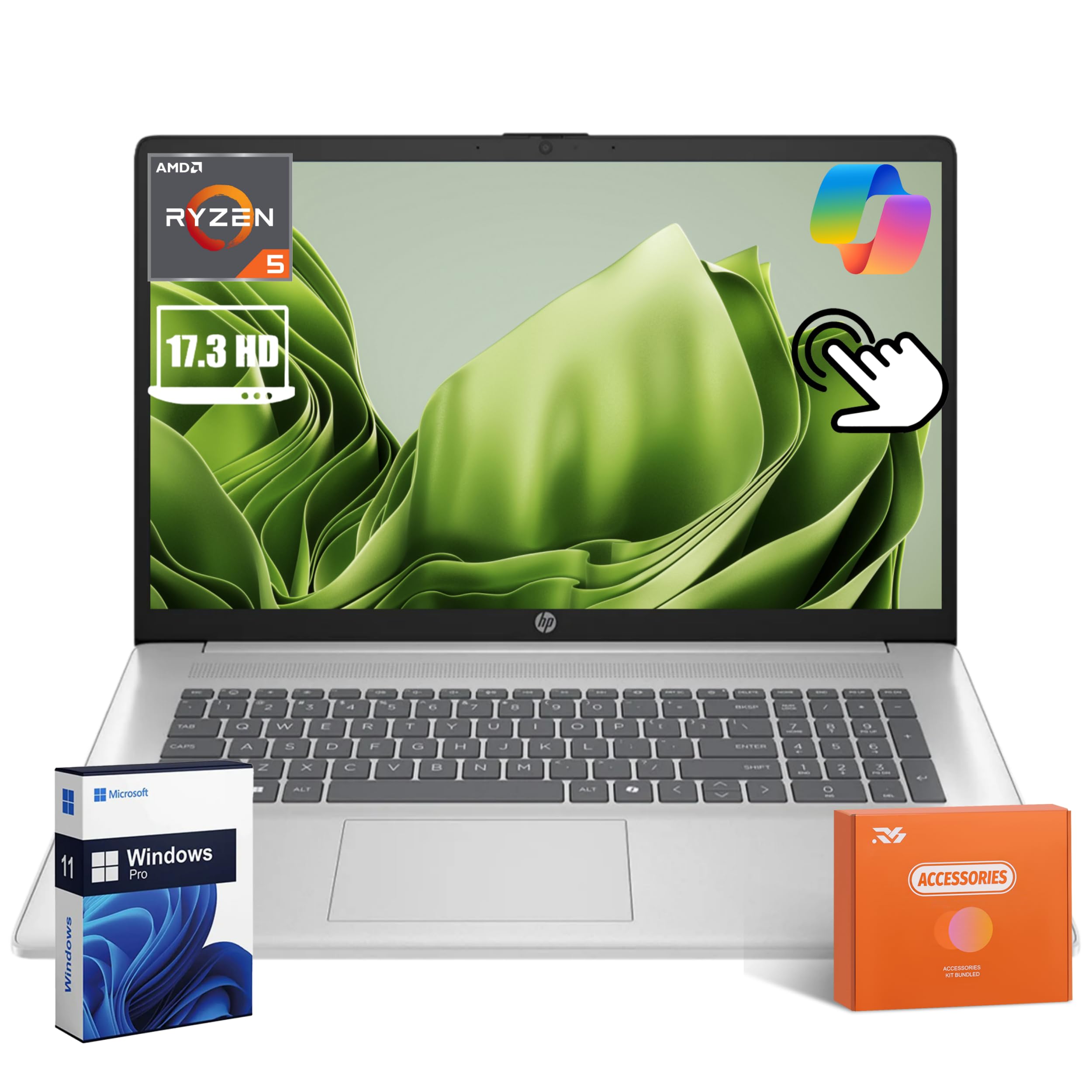
The HP Flagship 17.3-inch touchscreen laptop is designed for users who value screen real estate above all else. This is not a traditional 360° convertible, but rather a large touchscreen clamshell that offers a spacious HD+ display for productivity. Powered by an AMD Ryzen 5 7430U processor with 32GB of DDR4 RAM and a 1TB SSD, this machine is snappy for everyday office work, streaming, and web browsing. The 17.3-inch display makes split-screen multitasking genuinely practical, and the included number pad on the keyboard is a boon for data entry.
The build is lightweight for its size, making it easier to transport than you might expect from a 17-inch laptop. Connectivity is generous with Wi-Fi 6, Bluetooth 5.4, and multiple USB-A and USB-C ports. As a Copilot+ AI PC, it includes the AI key for Microsoft Copilot, helping with research and organization. The user experience is straightforward, with easy setup and a clean Windows 11 Pro interface.
The primary limitation is the HD+ (1600×900) resolution, which is lower than the Full HD (1920×1080) found on many smaller laptops. This results in a less sharp image, particularly noticeable when reading small text. This is a trade-off for the budget-friendly price point and massive screen size. If you need a large, responsive touchscreen for browsing and business tasks and can live with a lower pixel density, this HP is a solid, powerful workstation.
Why it’s great
- Massive 17.3-inch touchscreen provides excellent workspace for multitasking.
- Generous 32GB RAM and 1TB SSD for smooth, lag-free performance.
- Lightweight for its large size and equipped with a handy number pad.
Good to know
- Screen resolution is only HD+, not full HD, leading to less sharp visuals.
- Not a true 360° convertible; lacks tablet or tent mode flexibility.
- Battery life is average; not designed for long unplugged sessions.
9. Lenovo IdeaPad 5 Flex

The Lenovo IdeaPad 5 Flex offers one of the best value propositions in the budget-to-mid-range convertible market. It pairs the latest Intel Core Ultra 5 225U processor with 8GB of soldered LPDDR5x RAM and a 512GB SSD, offering snappy performance for browsing, document editing, and media consumption. The 14-inch 1920×1200 IPS touchscreen is bright and clear, making it a pleasant device for both work and entertainment in tent or stand mode.
The design is practical and portable, with the 360° hinge feeling smooth and durable for the price point. Users appreciate the fast boot times and responsive touchscreen for navigation. The lack of a backlit keyboard is a notable omission for a modern laptop, and the soldered RAM (not upgradeable) means the 8GB configuration is the ceiling for this model. The stylus support exists, but the 3mm offset before response can be frustrating for precise note-taking.
Battery life is decent for casual use but can dip under 2.5 hours under heavier loads like streaming or constant video calls. This is a great machine for a student on a budget who needs basic versatility—note-taking, web research, and light writing. It is not designed for intensive gaming or heavy multitasking, but for its core purpose, it delivers an impressive amount of flexibility for the money.
Why it’s great
- Latest Intel Core Ultra 5 processor offers great performance for the price.
- Sharp 14-inch Full HD+ touchscreen with a responsive 360° hinge.
- User-upgradable M.2 SSD allows for future storage expansion.
Good to know
- Only 8GB of soldered RAM is not upgradeable for future needs.
- No backlit keyboard, which is a downside for low-light use.
- Stylus response has a slight delay, not ideal for detailed drawing.
10. Dell Latitude 5320 (Renewed)
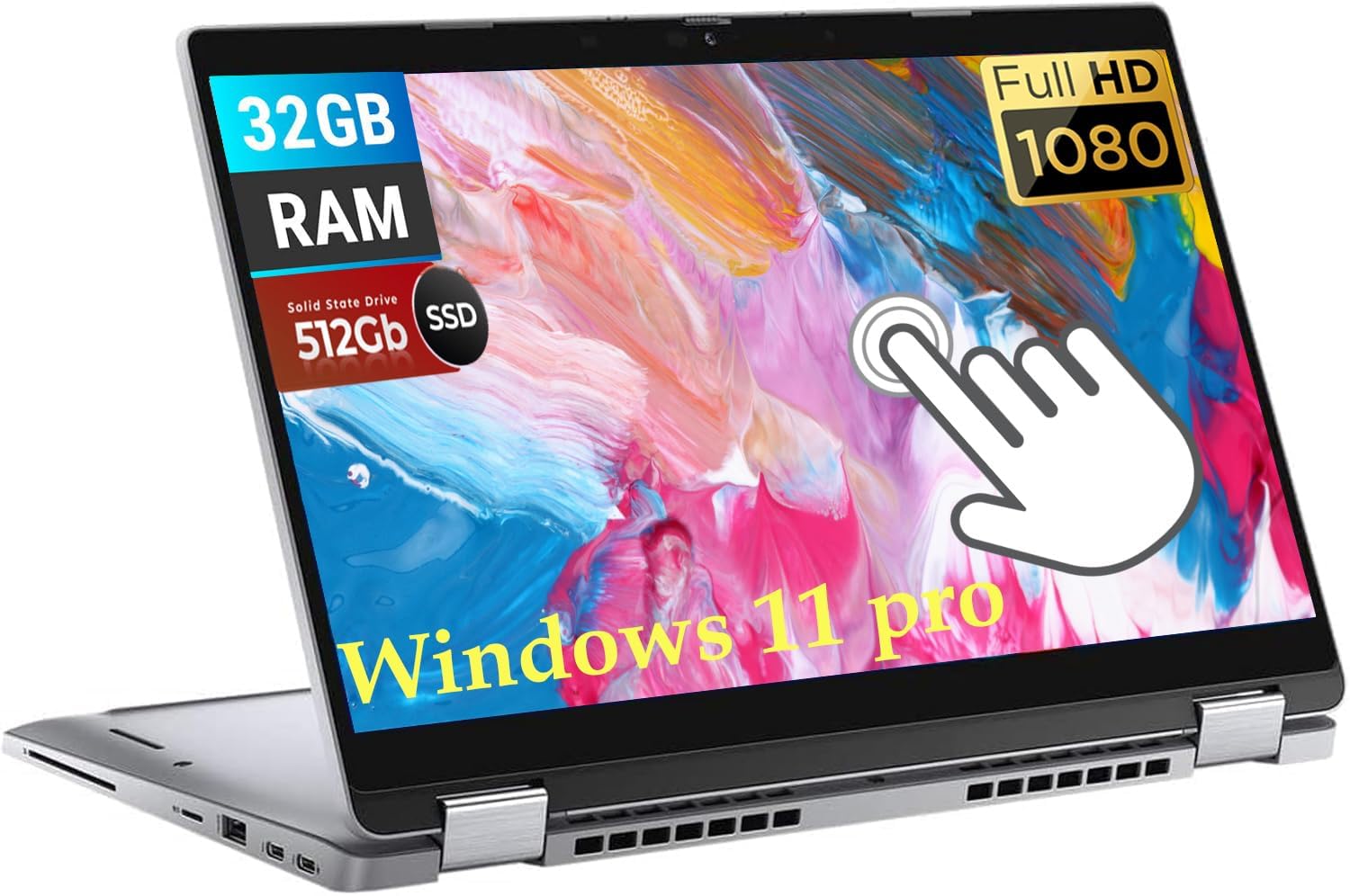
The Dell Latitude 5320 is a renewed enterprise-grade 13.3-inch convertible that offers incredible value for budget-conscious professionals. For the price of an entry-level consumer laptop, you get a business-class machine with an 11th Gen Intel i7-1185G7 processor and a massive 32GB of RAM. This combination makes it a multitasking monster for office work, easily handling dozens of browser tabs, spreadsheets, and video calls simultaneously without a hitch. The 512GB SSD provides ample fast storage.
The build quality is typical Dell Latitude—durable, professional, and designed for the rigors of daily business use. The 1920×1080 touchscreen is crisp, and the backlit keyboard is comfortable for long typing sessions. This is a used or refurbished model, but sellers like this one have a track record of shipping units that are like new. The buyer should manage expectations regarding modern features like a high screen brightness or an NPU for AI tasks, as this is an older chipset.
The main risk with any renewed electronics is battery health and longevity. One user noted the fan kicks in immediately, which is a noise and longevity concern. However, for the price, the sheer RAM count and processor class make this an unbeatable option for running heavy business software without breaking the bank. It is perfect for office workers or IT administrators who need a reliable, powerful secondary machine.
Why it’s great
- Exceptional value with an i7 and 32GB RAM at a budget-friendly price.
- Enterprise-grade build quality from Dell’s Latitude business line.
- Crisp 13.3-inch FHD touchscreen with a durable, professional design.
Good to know
- It is a renewed/used product; battery health and longevity can vary.
- Generational gap means no NPU or modern AI accelerator.
- Some units may have aggressive fan behavior from the start.
11. Svikou 11” 2-in-1
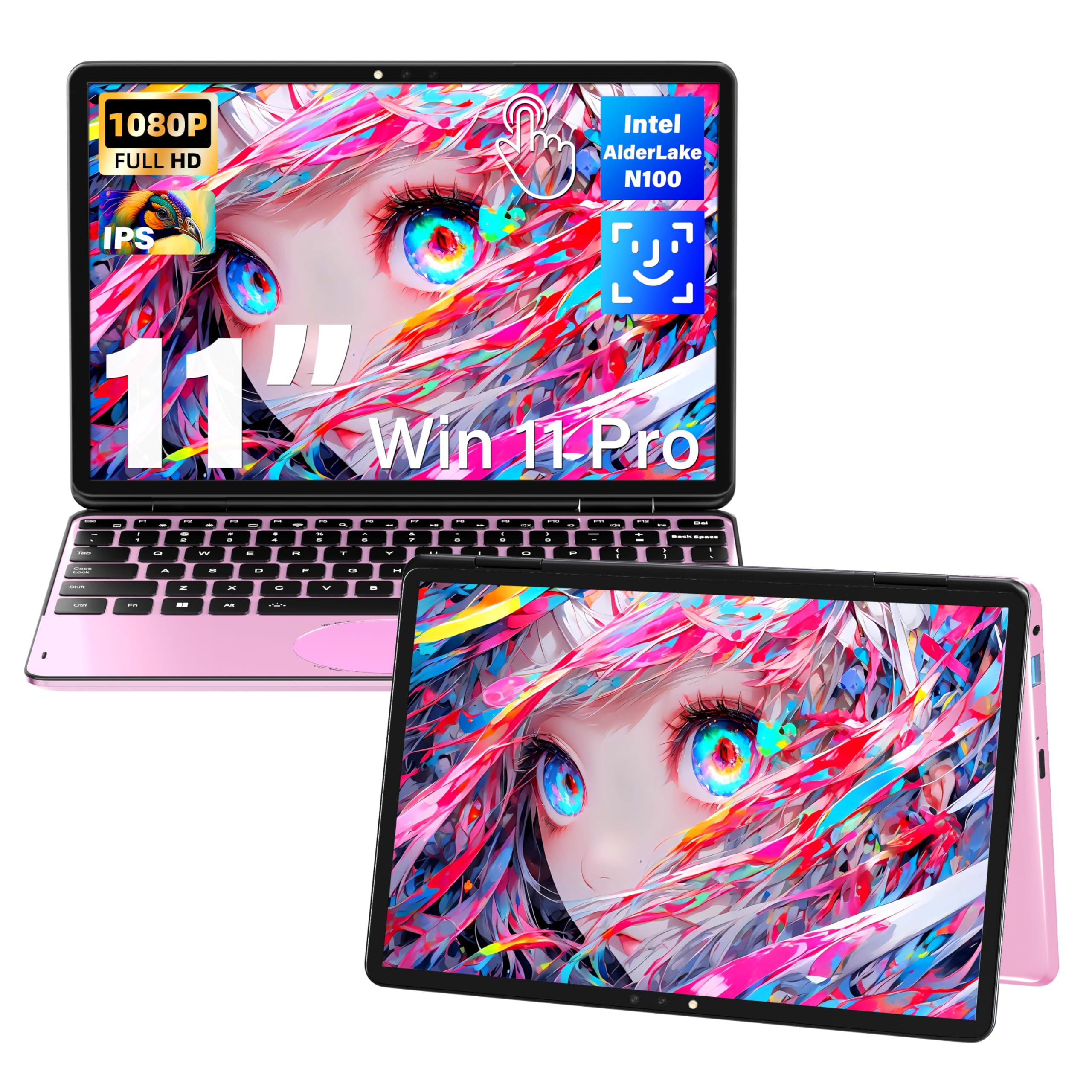
The Svikou 11-inch 2-in-1 is an ultra-portable convertible designed for maximum mobility. Its small 11-inch 1920×1200 IPS display and compact form factor make it incredibly easy to slip into a bag for travel or daily commutes. Powered by an Intel Celeron N100 processor, this is not a powerhouse, but it handles basic web browsing, email, document editing, and media streaming with acceptable smoothness. The 16GB of DDR4 RAM and 512GB SSD are generous for this class, providing speedy boot times and enough storage for work files.
The unique selling point is its vibrant pink color, a fun aesthetic choice that stands out in a sea of silver and gray. It includes a stylus, a mouse, and a screen protector in the box, adding exceptional value. The 360° hinge allows for laptop, tent, stand, and tablet modes, and the backlit keyboard is a welcome feature on such a small device. The oval trackpad with gesture controls for volume and brightness is a clever touch for productivity on the go.
The main limitations are the N100 processor’s inability to handle heavy multitasking or any modern gaming, and the most significant drawback is the very poor battery life—around 1.5 hours of real-world use before needing a charge. This makes it a device that is always tethered to a power source, undermining its portability. If you need a highly portable, affordable machine for simple tasks and love the pink aesthetic, it is a fun choice, but battery anxiety is a constant companion.
Why it’s great
- Extremely portable 11-inch size is ideal for travel and small bags.
- Included stylus, mouse, and screen protector provide great unboxing value.
- Vibrant pink color and backlit keyboard add personality and usability.
Good to know
- Very poor battery life, often under 2 hours of active use.
- Intel N100 chip is only suitable for basic, single-task workloads.
- Can overheat and cause browser crashes under moderate load.
FAQ
What is the difference between a 360° hinge and a detachable keyboard 2-in-1?
How much RAM do I need in a 2-in-1 computer?
Can I play games on a 2-in-1 laptop?
What is Copilot+ and why does it matter for my 2-in-1?
Final Thoughts: The Verdict
For most users, the 2-in-1 computer winner is the ASUS Zenbook Duo because its dual-OLED screen setup offers unmatched flexibility for productivity, creativity, and media consumption in a single device. If you want a seamless, premium portable experience with the best stylus and screen for creative work, grab the Samsung Galaxy Book5 Pro 360. And for a budget-friendly workhorse that delivers business-class RAM and performance, nothing beats the value of the Dell Latitude 5320 (Renewed).

Mo Maruf
I created WellFizz to bridge the gap between vague wellness advice and actionable solutions. My mission is simple: to decode the research and give you practical tools you can actually use.
Beyond the data, I am a passionate traveler. I believe that stepping away from the screen to explore new environments is essential for mental clarity and physical vitality.