Our readers keep the lights on and my smoothie glass nicely filled. As an Amazon Associate, I earn from qualifying purchases.
Nothing kills momentum in a multiplayer match like a loading screen that drags on. Upgrading your console or older PC with a 2.5-inch SATA SSD cuts those waits from minutes to seconds, delivering snappy level transitions and faster texture streaming — all without swapping out your motherboard or power supply.
I’m Mohammad Maruf — the founder and writer behind WellFizz. I analyze thousands of user reports, hardware reviews, and endurance benchmarks to separate drives that merely advertise speed from those that actually sustain it under real gaming workloads.
Whether you are upgrading a PS4, reviving an aging laptop, or expanding a desktop’s game library, this guide focuses on the best 2.5 ssd for gaming across every performance tier and budget.
How To Choose The Best 2.5 SSD For Gaming
Picking the right SATA SSD for your game rig isn’t about chasing the highest advertised number. It’s about matching the drive’s real-world sustained read speeds, endurance rating, and capacity to your specific console or PC setup. Below are the key specs that separate a good gaming SSD from a frustrating one.
Sequential Read Speed vs. Random IOPS
Game loading is a sequential read operation — the drive reads large, contiguous chunks of data. For SATA III drives, any model delivering 520–560 MB/s sequential reads will feel nearly identical in load times. Random IOPS matters more for operating system responsiveness, not for pulling the next level from storage.
Capacity: 500GB vs. 1TB vs. 2TB
Modern AAA titles weigh 80–150 GB each. A 500GB drive holds 3–5 games comfortably. If you rotate multiple titles or keep an always-on library, target 1TB or higher. Higher capacities also tend to offer better write endurance (measured in TBW) per dollar.
DRAM and Controller Architecture
DRAM-less SSDs use your system’s RAM (Host Memory Buffer) to manage the flash translation layer. They are cheaper and consume less power, but under sustained writes — like installing a large game patch — they can slow down. Drives with onboard DRAM maintain consistent speed over long transfer sessions.
Quick Comparison
On smaller screens, swipe sideways to see the full table.
| Model | Category | Best For | Key Spec | Amazon |
|---|---|---|---|---|
| Samsung 870 EVO 500GB | Premium | High-end PC and PS4 Pro upgrades | 560 MB/s Seq. Read | Amazon |
| Crucial MX500 500GB | Mid-Range | Reliable daily gaming with DRAM cache | 560 MB/s Seq. Read | Amazon |
| Crucial BX500 500GB | Mid-Range | Energy-efficient secondary game storage | 550 MB/s Seq. Read | Amazon |
| SanDisk SSD Plus 500GB | Mid-Range | Shock-resistant upgrade for laptops | 545 MB/s Seq. Read | Amazon |
| PNY CS900 500GB | Mid-Range | Versatile SATA III for consoles and PCs | 550 MB/s Seq. Read | Amazon |
| TEAMGROUP AX2 512GB | Budget | Entry-level gaming with 3D NAND | 530 MB/s Seq. Read | Amazon |
| Kingston A400 240GB | Budget | Affordable boot drive for light gaming | 500 MB/s Seq. Read | Amazon |
In‑Depth Reviews
1. Samsung 870 EVO 500GB

The Samsung 870 EVO sits at the performance ceiling of the SATA III interface, hitting 560 MB/s sequential reads and 530 MB/s writes. Its in-house controller and 512 MB Low Power DDR4 DRAM cache mean you won’t see hiccups during large game installations or simultaneous OS background actions. For a gaming rig where every second of load time counts, this drive consistently delivers the fastest level transitions among all SATA options.
User-reported real-world tests show sustained write speeds around 520 MB/s even after filling the variable buffer — behavior that DRAM-less drives cannot match. The drive runs 15°C cooler than many competitors and draws significantly less power, which is critical if you are installing it in a slim laptop or a PS4 Pro with limited airflow.
Samsung Magician software adds firmware updates, health monitoring, and performance optimization directly from your desktop. The 5-year or 600 TBW warranty (for the 500GB model) is the strongest in this roundup, giving you confidence that the drive will outlast your current console generation.
Why it’s great
- Full SATA III saturation with stable sustained writes
- Onboard DRAM prevents slowdowns during big patches
- Industry-leading 5-year warranty and Samsung Magician software
Good to know
- Premium price compared to DRAM-less alternatives
- Limited to SATA speeds — no upgrade path for NVMe
2. Crucial MX500 500GB

The Crucial MX500 is the closest mid-range competitor to the Samsung 870 EVO, featuring a Micron-manufactured 3D NAND and a dedicated 256MB DRAM cache. Sequential reads hit the same 560 MB/s ceiling, and writes land at 510 MB/s. In real gaming use — loading a 40GB title like Call of Duty or Cyberpunk 2077 — the MX500 trails the Samsung by less than two seconds on average.
Over nearly five years of user-reported deployments, the MX500 has shown zero failure patterns in desktop and laptop builds, while some budget-oriented SSDs from other brands have failed within three years. The drive includes Acronis True Image cloning software, making migration from a mechanical hard drive a straightforward one-step process.
One small trade-off: the 500GB model offers a 256MB cache versus the 870 EVO’s 512MB, which can lead to slight dips during very long sustained writes. For most gamers who install a title once and then play it repeatedly, this difference is negligible. The 5-year warranty matches Samsung’s coverage, but the TBW rating (180 TBW for 500GB) is lower.
Why it’s great
- Excellent real-world load times nearly matching premium drives
- Dedicated DRAM cache ensures consistent performance
- Includes free cloning software for easy HDD migration
Good to know
- Smaller DRAM cache than the top-tier Samsung option
- Lower TBW endurance rating than the 870 EVO
3. Crucial BX500 500GB

The Crucial BX500 is a DRAM-less SATA drive that leans on your system’s Host Memory Buffer to manage its NAND. Sequential reads top out at 550 MB/s, and writes hit 500 MB/s — very close to the MX500 on paper. In practice, the BX500 is an excellent choice for a secondary game storage drive or for reviving an older PC where the budget is tight.
Users report using the BX500 to replace Fusion Drives in iMacs and HDDs in 2012-era Mac Minis with great results. The drive’s low power draw makes it a good fit for external enclosures or security camera NVRs where heat buildup is a concern. The 500GB capacity holds 3–4 modern games without issue.
The catch is that sustained write performance drops significantly after the SLC cache fills — a factor during large file transfers or day-one game patches. For loading games that are already installed, the read speed stays consistently high. Crucial backs it with a 3-year warranty, which is standard for DRAM-less SSDs.
Why it’s great
- Near-premium read speeds for game loading at a lower cost
- Very efficient power draw ideal for older laptops and enclosures
- Easy plug-and-play installation with no driver hassles
Good to know
- Slows down during large sustained writes when SLC cache fills
- 3-year warranty is shorter than the MX500’s 5-year coverage
4. SanDisk SSD Plus 500GB
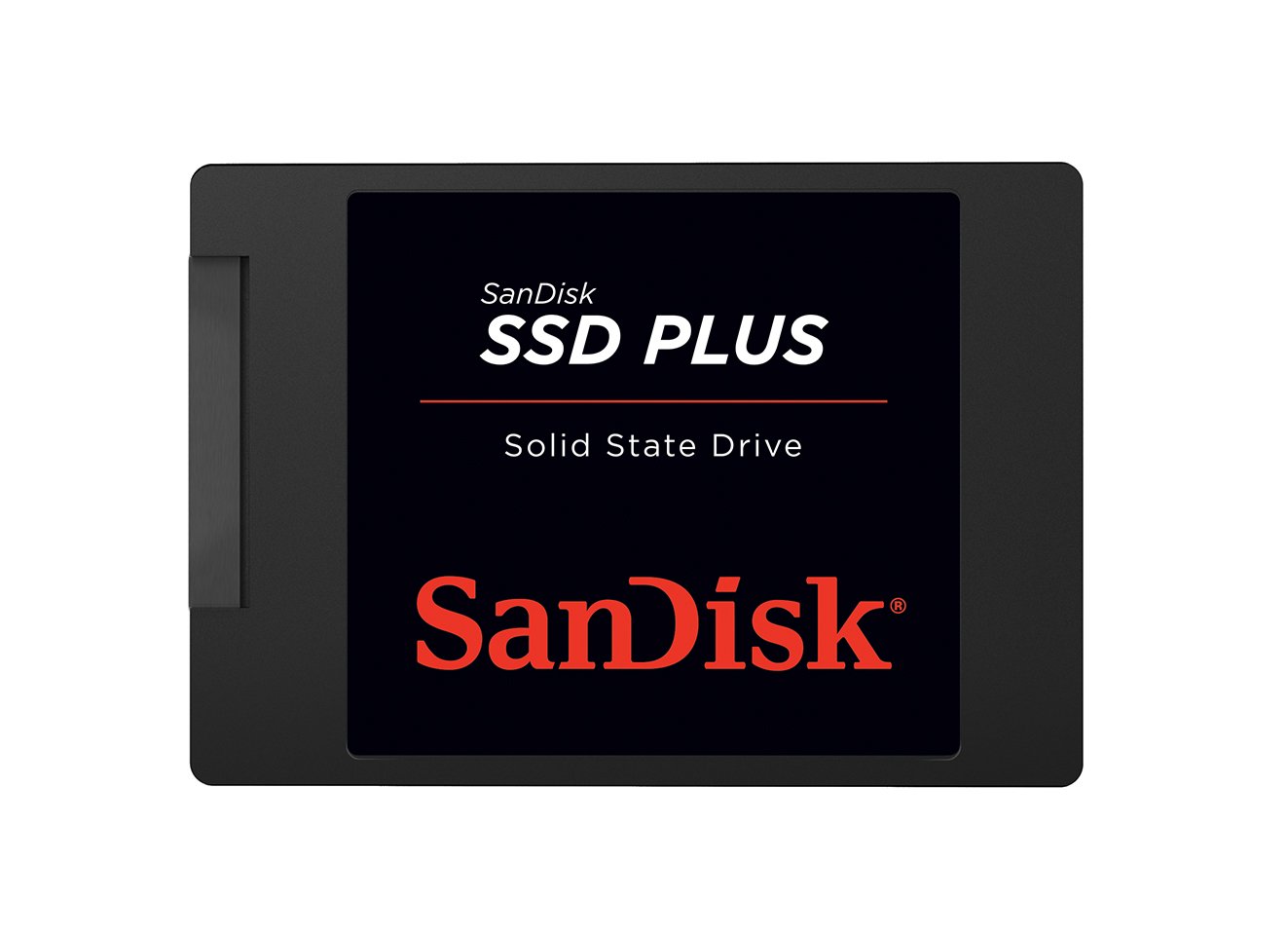
The SanDisk SSD Plus delivers sequential reads up to 545 MB/s and writes up to 515 MB/s, putting it in the same performance tier as most DRAM-less SATA drives. Its standout feature is shock resistance — SanDisk builds these with a durable enclosure that survives drops, making it a solid pick for a laptop that moves between rooms or for a modded retro console that gets bumped around.
Users have successfully installed the 500GB version in modded PS2s for silent, fast loading of full game libraries, and in security camera NVR systems where 24/7 write cycles demand reliability. The drive runs cool and quiet, with no heat issues even in tight chassis with limited ventilation.
One nuance: the SSD Plus uses a DRAM-less controller, so sustained write speeds can dip after the initial burst. For gaming use, which is primarily read-heavy, this is rarely noticeable. The 3-year warranty is adequate, though some users wish for the longer coverage that Crucial’s MX line offers.
Why it’s great
- Shock-resistant build ideal for portable laptops and consoles
- Consistent read performance for game loading
- Runs cool with zero noise in tight chassis
Good to know
- DRAM-less design may slow during heavy installs
- 3-year warranty is average for this price tier
5. PNY CS900 500GB

The PNY CS900 offers up to 550 MB/s sequential reads and 500 MB/s sequential writes, landing squarely in the effective range for SATA III game loading. Its 3D NAND design and ultra-low power consumption make it a versatile pick for both PS4 upgrades and older desktop PCs where the PSU may already be taxed by a graphics card and CPU.
Users note that the 500GB drive works plug-and-play after initialization on PS5 as a game storage drive, handling transfers via USB 3.0 without overheating. On PC, it delivers near-instant boot times and faster app launching compared to any mechanical hard drive. The built-in Data Recovery Service offers an extra layer of security that few budget SSDs provide.
The drive is slightly thinner than standard 2.5-inch models, which can cause a loose fit in some drive bays — a spacer or adhesive foam pad solves this quickly. Some users report that endurance ratings are lower than premium options, so this is best suited for regular gaming use rather than constant file overwrites or video editing.
Why it’s great
- Very low power consumption ideal for older systems and consoles
- Includes Data Recovery Service for extra peace of mind
- Plug-and-play compatibility with PS4, PS5, and desktops
Good to know
- Thinner form factor may need a spacer for a snug fit
- Lower endurance rating than premium DRAM drives
6. TEAMGROUP AX2 512GB

The TEAMGROUP AX2 is a DRAM-less SATA drive that caps out at 530 MB/s sequential reads and 490 MB/s writes. While it does not hit the absolute ceiling of the SATA III interface, its 3D NAND TLC flash provides reliable everyday performance for gamers on a strict budget. It is best thought of as a system drive for a secondary gaming laptop or a light-use desktop.
Users confirm the drive achieves real-world speeds around 500 MB/s in CrystalDiskMark, which translates to noticeably faster game loading from an HDD. The Amazon Special Edition 512GB version is widely praised for being a “great value” in a market where storage prices fluctuate. It works with PS4, laptops, and desktops without any driver issues.
The AX2 includes wear-leveling, ECC, and TRIM support to maintain longevity, but its endurance is limited — the 3-year warranty and TBW cap (details vary by capacity) suggest it is best for moderate, read-heavy use. If you plan to download, delete, and reinstall large titles daily, a drive with a DRAM cache and higher TBW rating will serve you longer.
Why it’s great
- Good price-to-capacity ratio for budget builds
- Full SATA III performance for everyday gaming loads
- Works out of the box with consoles and older laptops
Good to know
- DRAM-less design can stutter during large file writes
- 3-year warranty with limited TBW for heavy users
7. Kingston A400 240GB

The Kingston A400 is the most affordable entry here, offering up to 500 MB/s sequential reads and 350 MB/s writes. It is a DRAM-less drive with a stainless steel enclosure that feels surprisingly sturdy for the price. The 240GB capacity is very tight for modern games — you can fit one AAA title like Call of Duty plus the operating system before running out of room.
User reviews highlight the A400 as a fantastic tool for reviving old laptops. A 2013 HP Pavilion equipped with the 240GB A400 went from unusably slow to a snappy web browsing and Office machine. For a dedicated gaming system, this drive works best as a boot drive for the OS and one or two small indie titles, while larger games live on a secondary drive.
The low write endurance (80 TBW for the 240GB model) means you should avoid heavy download-and-delete cycles. That said, for its price point, the A400 delivers the single biggest performance jump you can give an old machine — turning a minutes-long boot into a 20-second experience. It is an excellent entry-level gateway to SSD gaming.
Why it’s great
- Most affordable way to experience SSD speeds
- Durable stainless steel enclosure lasts through years of use
- Dramatically improves responsiveness in older laptops
Good to know
- 240GB capacity fills very quickly with modern games
- Low TBW rating not suited for heavy write workloads
FAQ
Will a 2.5 SATA SSD work in a PS5 for playing PS4 games?
What is the boot time difference between a 520 MB/s and a 560 MB/s SSD?
Final Thoughts: The Verdict
For most users, the best 2.5 ssd for gaming winner is the Samsung 870 EVO 500GB because it saturates the SATA III interface with rock-solid sustained speeds and a class-leading warranty. If you want a dedicated DRAM cache at a smarter price point, grab the Crucial MX500 500GB. And for an ultra-budget boot drive that still delivers a massive upgrade from an HDD, nothing beats the Kingston A400 240GB.

Mo Maruf
I created WellFizz to bridge the gap between vague wellness advice and actionable solutions. My mission is simple: to decode the research and give you practical tools you can actually use.
Beyond the data, I am a passionate traveler. I believe that stepping away from the screen to explore new environments is essential for mental clarity and physical vitality.