Our readers keep the lights on and my smoothie glass nicely filled. As an Amazon Associate, I earn from qualifying purchases.
Fifteen inches is the sweet spot for a digital photo frame—large enough to command attention on a wall or tabletop, yet compact enough to fit comfortably in most rooms. But with so many models claiming to be the best, finding one that delivers sharp image quality, reliable sharing, and easy setup can feel overwhelming. That’s where this guide comes in.
I’m Mohammad Maruf — the founder and writer behind WellFizz. I spend hundreds of hours analyzing customer reviews, technical specs, and market trends to identify the frames that truly perform.
After evaluating dozens of models, I’ve narrowed the field to the 11 most compelling options that deserve your attention. This is your definitive resource for finding the best 15 inch digital photo frame for your home, your family, and your budget.
How To Choose The Best 15‑Inch Digital Photo Frame
Not all 15‑inch frames are created equal. Here are the key factors to weigh before you buy.
Display Quality
Look for a minimum resolution of 1280×800, though 1920×1080 Full HD is ideal for sharp, vibrant images. IPS panels offer wider viewing angles and better color accuracy than standard TN screens. Anti‑glare coatings also help reduce reflections in bright rooms.
Connectivity & Sharing
Wi‑Fi is essential for modern frames—it lets you and your family upload photos from anywhere via a companion app or email. Some frames support both 2.4GHz and 5GHz bands for faster transfers. Also check if the frame works with Google Photos, iCloud, or social media.
Storage
Internal storage typically ranges from 8GB to 64GB. If you plan to display thousands of photos, choose a model with at least 32GB or one that accepts SD cards or USB drives for expansion. Unlimited cloud storage is a huge bonus, especially for gifting.
Extra Features
Touchscreens make navigation intuitive, auto‑rotate lets you switch between portrait and landscape, and motion sensors save power by turning off the display when no one is nearby. Some frames also include weather, clock, or calendar functions.
Quick Comparison
On smaller screens, swipe sideways to see the full table.
| Model | Type | Best For | Key Feature | Amazon |
|---|---|---|---|---|
| Aura Walden 15″ | Wi‑Fi, Touch | Premium gifting & daily use | Unlimited cloud storage, auto brightness | Amazon |
| PixStar 15″ | Wi‑Fi, Remote | Offline use & motion sensor | Free unlimited cloud, motion detection | Amazon |
| Skylight 15″ | Wi‑Fi, Touch | Easiest setup for non‑tech users | Gift Mode preload, offline viewing | Amazon |
| Frameo 21.5″ (YENOCK) | Wi‑Fi, Touch | Extra‑large screen on a budget | 21.5″ FHD, 32GB storage, wood frame | Amazon |
| Cozyla 17″ | Wi‑Fi, Touch | 4:3 ratio & voice captions | Unlimited free storage, voice‑to‑photo | Amazon |
| Euphro 15.6″ | Wi‑Fi, Touch | Full HD & large touchscreen | 1920×1080 IPS, 32GB, microSD slot | Amazon |
| Akimart 21.5″ | Wi‑Fi, Touch | Value with Frameo app | 21.5″ FHD, dual‑WiFi, auto‑rotate | Amazon |
| Skyrhyme 15.6″ | Wi‑Fi, Touch | Frameo app & weather display | 32GB, 1080p IPS, “Reaction” feature | Amazon |
| Pexar Starlight 15.6″ | Wi‑Fi, Touch | Gallery lighting & anti‑glare | 64GB storage, built‑in backlight | Amazon |
| NexFoto 32″ | Wi‑Fi, Remote | Extra‑large wall‑mounted gallery | 32″ FHD matte screen, 64GB + USB drive | Amazon |
| Frameo 32″ (BIGASUO) | Wi‑Fi, Touch | Massive display with touch | 32″ FHD IPS, 64GB, dual‑WiFi | Amazon |
In‑Depth Reviews
1. Aura Walden 15″ Digital Picture Frame

The Aura Walden is the gold standard for 15‑inch frames, earning top recommendations from Wirecutter and Oprah. Its matte anti‑glare display and color‑calibrated screen make every photo look like a professional print. Setup takes minutes through the Aura app, and you can invite unlimited family members to send photos directly from their phones.
Free unlimited cloud storage means you never have to worry about running out of space or paying subscription fees. The frame automatically adjusts brightness based on ambient light and even dims at night. Dual orientation allows you to hang it vertically or horizontally, and the included wall mount and stand give you flexible placement options.
While it’s priced higher than many competitors, the combination of premium build, intuitive app, and Wirecutter‑backed reliability makes it the best choice for most households. A few users note the lack of a full touchscreen (it uses a touch bar), but the trade‑off is a cleaner design.
Why it’s great
- Effortless sharing with unlimited cloud storage
- Stunning anti‑glare Full HD display
- Automatic brightness and night mode
- Dual orientation for wall or table
Good to know
- Premium price point
- Touch bar instead of full touchscreen
- No SD card slot
2. PixStar 15″ Digital Photo Frame

PixStar has been a trusted name in digital frames for years, and the 15‑inch model continues that legacy. Its standout feature is a built‑in motion sensor that turns the display off when no one is in the room, saving energy and reducing screen burn‑in. The 4:3 aspect ratio preserves your original photo composition without cropping.
Unlimited free cloud storage comes standard—no subscription fees ever. You can upload photos via email, the PixStar app, or even sync directly from Google Photos. The frame also includes web radio, weather forecasts, and a calendar, making it a functional hub for any room. It works without Wi‑Fi for locally stored photos, perfect for cabins or vacation homes.
Setup is straightforward, though the remote control and on‑screen menus take a bit of getting used to. Some users mention the manual is outdated, but customer service is highly responsive. If you want a frame that’s feature‑rich and doesn’t require a touchscreen, the PixStar is a solid choice.
Why it’s great
- Motion sensor saves power
- Unlimited free cloud storage
- 4:3 ratio preserves photo composition
- Works offline with USB/SD
Good to know
- No touchscreen (remote only)
- Menus can be confusing
- Cannot wall‑mount without extra kit
3. Skylight 15″ Digital Picture Frame
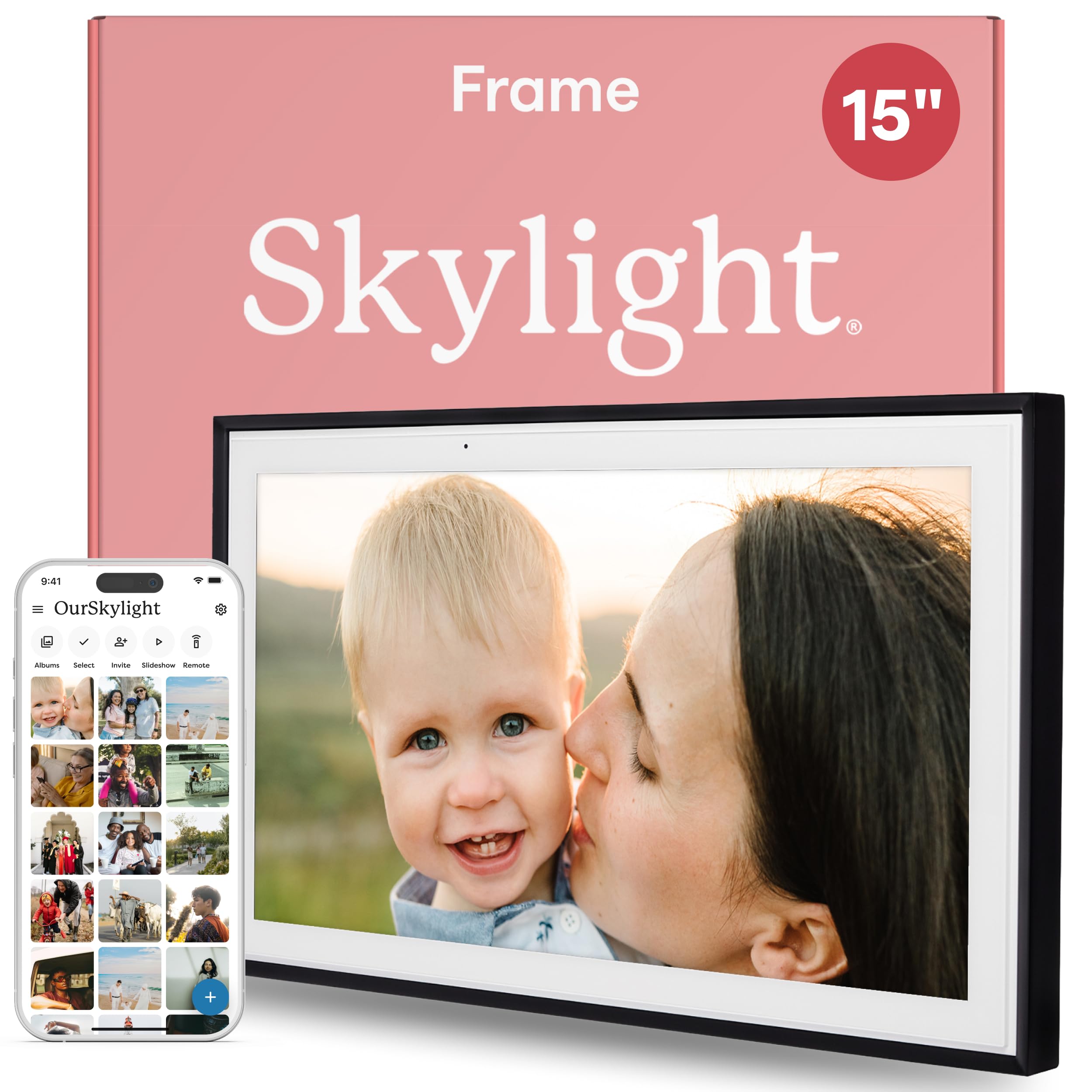
Skylight’s 15‑inch frame is designed with gifting in mind. Its unique Gift Mode lets you preload photos and personalize the frame before giving it, so the recipient sees a slideshow right out of the box. Setup is genuinely plug‑and‑play—just connect to Wi‑Fi and you’re ready to receive photos via email or the Skylight app.
The 1280×800 display is crisp and bright, with a responsive touchscreen that makes scrolling through photos a joy. Family members can be invited to send photos directly, making it a living connection for distant relatives. Offline mode allows you to view already‑loaded photos without an internet connection, which is handy for travel.
Storage is cloud‑based, so you never run out of space. The frame’s design is sleek and modern, fitting well with most decor. The only drawback is the lack of expandable local storage—everything relies on the cloud. But for simplicity and thoughtfulness, Skylight is hard to beat.
Why it’s great
- Gift Mode for preloading before giving
- Super easy setup and app
- Offline viewing of stored photos
- Invite multiple family members to share
Good to know
- No SD card or USB slot
- Cloud‑dependent for new photos
- Resolution not Full HD
4. Frameo 21.5″ (YENOCK) Digital Photo Frame

If you want a larger canvas without breaking the bank, the YENOCK Frameo offers a 21.5‑inch Full HD IPS touchscreen at a price that undercuts many 15‑inch competitors. The coffee wood frame gives it a classic, furniture‑like appearance that blends into living rooms or offices. Setup is simple via the Frameo app, and you can send photos from anywhere in the world.
With 32GB of internal storage, it can hold tens of thousands of photos. Expandability via USB and SD card is a welcome addition. The touchscreen is responsive, and the auto‑rotate feature works well when switching between portrait and landscape orientations. Customers consistently praise the display quality and ease of use for seniors.
The only trade‑off is that video playback is limited to 15‑second clips through the app (longer via USB). Also, the frame is quite large—make sure you have enough table or wall space. For the price, it delivers an enormous screen that feels much more expensive than it is.
Why it’s great
- 21.5″ FHD IPS display at a low price
- Wood frame looks like real furniture
- 32GB internal + USB/SD expansion
- Frameo app is simple and reliable
Good to know
- Video limited to 15s via app
- Large footprint
- No cloud storage (local only)
5. Cozyla 17″ Digital Picture Frame
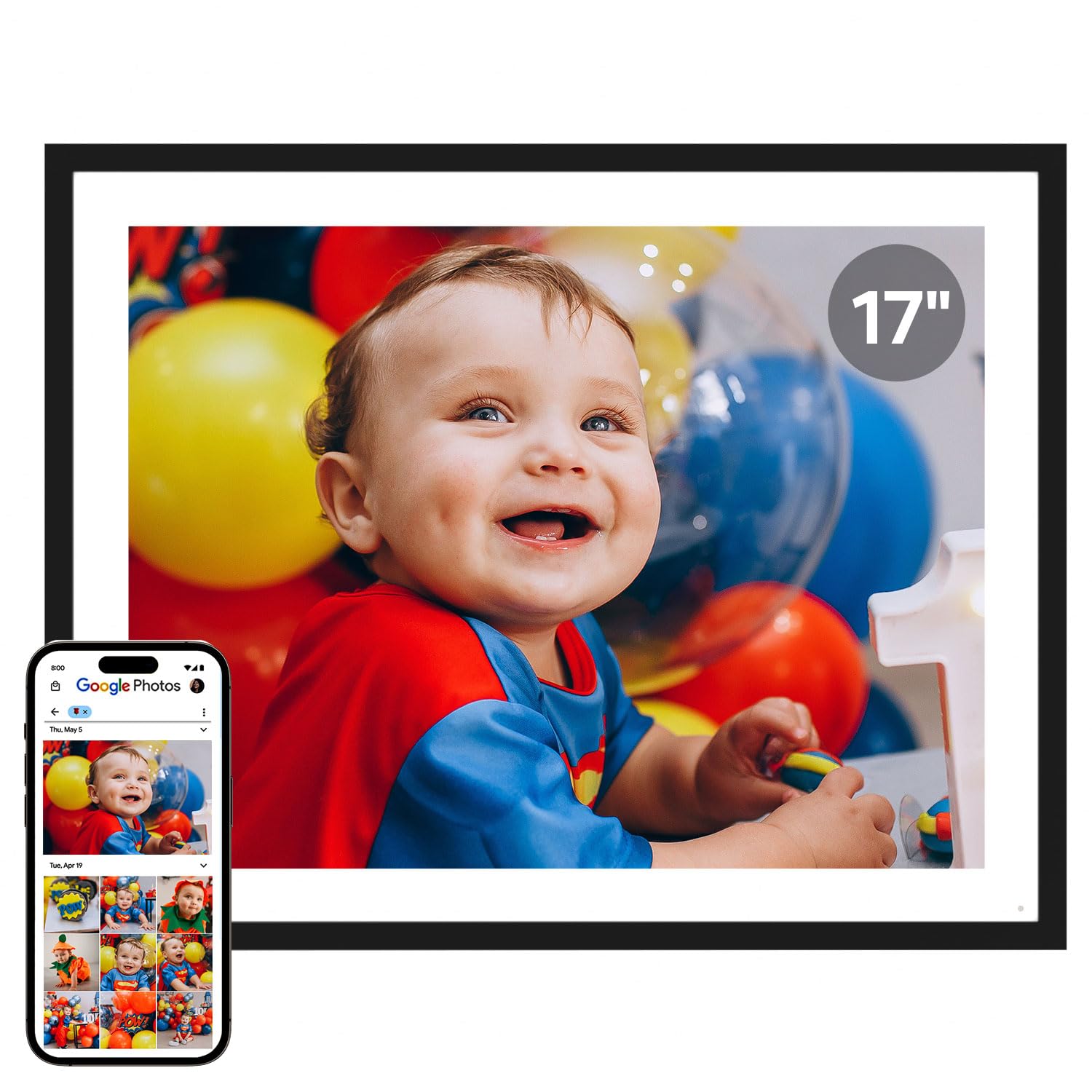
The Cozyla 17‑inch frame stands out with its 4:3 aspect ratio, which mirrors the shape of traditional prints and avoids black bars on standard smartphone photos. The display is bright and sharp, and the touchscreen is very responsive. Unlimited free cloud storage is included, and you can upload photos via the Cozyla app, Google Photos, email, or even Instagram.
One unique feature is the ability to add voice captions to your photos—tap a photo and hear the story behind it. This makes it especially meaningful for grandparents or long‑distance families. The frame also supports video playback with sound. Customers rave about the customer service, with one user receiving a free replacement stand after an accident.
The main downsides are the price (it’s on the higher end) and the lack of expandable local storage (though the cloud is unlimited). Also, bulk uploading is capped at 50 photos at a time via the web interface. Still, for those who value image composition and voice storytelling, this is a unique and thoughtful choice.
Why it’s great
- 4:3 ratio eliminates cropping
- Voice captions add personal touch
- Unlimited free cloud storage
- Excellent customer support
Good to know
-
<
Fifteen inches is the sweet spot for a digital photo frame—large enough to command attention on a wall or tabletop, yet compact enough to fit comfortably in most rooms. But with so many models claiming to be the best, finding one that delivers sharp image quality, reliable sharing, and easy setup can feel overwhelming. That’s where this guide comes in.
I’m Mohammad Maruf — the founder and writer behind WellFizz. I spend hundreds of hours analyzing customer reviews, technical specs, and market trends to identify the frames that truly perform.
After evaluating dozens of models, I’ve narrowed the field to the 11 most compelling options that deserve your attention. This is your definitive resource for finding the best 15 inch digital photo frame for your home, your family, and your budget.
How To Choose The Best 15‑Inch Digital Photo Frame
Not all 15‑inch frames are created equal. Here are the key factors to weigh before you buy.
Display Quality
Look for a minimum resolution of 1280×800, though 1920×1080 Full HD is ideal for sharp, vibrant images. IPS panels offer wider viewing angles and better color accuracy than standard TN screens. Anti‑glare coatings also help reduce reflections in bright rooms.
Connectivity & Sharing
Wi‑Fi is essential for modern frames—it lets you and your family upload photos from anywhere via a companion app or email. Some frames support both 2.4GHz and 5GHz bands for faster transfers. Also check if the frame works with Google Photos, iCloud, or social media.
Storage
Internal storage typically ranges from 8GB to 64GB. If you plan to display thousands of photos, choose a model with at least 32GB or one that accepts SD cards or USB drives for expansion. Unlimited cloud storage is a huge bonus, especially for gifting.
Extra Features
Touchscreens make navigation intuitive, auto‑rotate lets you switch between portrait and landscape, and motion sensors save power by turning off the display when no one is nearby. Some frames also include weather, clock, or calendar functions.
Quick Comparison
On smaller screens, swipe sideways to see the full table.
In‑Depth Reviews
Understanding the Specs
Resolution & Panel Type
Resolution determines how sharp your photos appear. At 15 inches, 1280×800 is acceptable, but 1920×1080 Full HD provides noticeably crisper images. IPS panels offer superior color accuracy and wider viewing angles compared to standard TN screens. Anti-glare coatings are also valuable for reducing reflections in bright rooms.
Storage & Expandability
Internal storage ranges from 8GB to 64GB. Cloud storage is convenient but requires an ongoing internet connection. Frames with SD card or USB slots give you the flexibility to load photos locally without Wi-Fi. Consider how many photos you plan to display—32GB typically holds 60,000–80,000 images at standard resolutions.
Wi-Fi & App Support
Most modern frames use Wi-Fi for remote photo sharing. Dual-band (2.4GHz + 5GHz) support is ideal for faster uploads. Apps like Frameo, Aura, and Skylight are designed to be intuitive for all ages. Some frames also allow sharing via email, Google Photos, or social media, which can be convenient for less tech-savvy family members.
Extra Features
Touchscreens make navigation easier, especially for older users. Motion sensors save energy by turning off the display when no one is in the room. Auto-rotate allows you to switch between portrait and landscape orientations. Built-in speakers enable video playback with sound. Weather, clock, and calendar functions add utility beyond photo display.
FAQ
Can I send photos to a digital frame without Wi-Fi?
Do I need a subscription for cloud storage?
Can multiple family members send photos to the same frame?
How many photos can a 15-inch digital frame hold?
Can I play videos on a digital photo frame?
Final Thoughts: The Verdict
For most people, the best 15 inch digital photo frame winner is the Aura Walden 15″ because it combines premium build quality, unlimited cloud storage, and the easiest sharing experience. If you want a motion sensor and offline capabilities, grab the PixStar 15″. And for the best value in a larger screen, nothing beats the Frameo 21.5″ (YENOCK).
1. Aura Walden 15″ Digital Picture Frame
The Aura Walden is the gold standard for 15‑inch frames, earning top recommendations from Wirecutter and Oprah. Its matte anti‑glare display and color‑calibrated screen make every photo look like a professional print. Setup takes minutes through the Aura app, and you can invite unlimited family members to send photos directly from their phones.
Free unlimited cloud storage means you never have to worry about running out of space or paying subscription fees. The frame automatically adjusts brightness based on ambient light and even dims at night. Dual orientation allows you to hang it vertically or horizontally, and the included wall mount and stand give you flexible placement options.
While it’s priced higher than many competitors, the combination of premium build, intuitive app, and Wirecutter‑backed reliability makes it the best choice for most households. A few users note the lack of a full touchscreen (it uses a touch bar), but the trade‑off is a cleaner design.
Why it’s great
- Effortless sharing with unlimited cloud storage
- Stunning anti‑glare Full HD display
- Automatic brightness and night mode
- Dual orientation for wall or table
Good to know
- Premium price point
- Touch bar instead of full touchscreen
- No SD card slot
2. PixStar 15″ Digital Photo Frame
PixStar has been a trusted name in digital frames for years, and the 15‑inch model continues that legacy. Its standout feature is a built‑in motion sensor that turns the display off when no one is in the room, saving energy and reducing screen burn‑in. The 4:3 aspect ratio preserves your original photo composition without cropping.
Unlimited free cloud storage comes standard—no subscription fees ever. You can upload photos via email, the PixStar app, or even sync directly from Google Photos. The frame also includes web radio, weather forecasts, and a calendar, making it a functional hub for any room. It works without Wi‑Fi for locally stored photos, perfect for cabins or vacation homes.
Setup is straightforward, though the remote control and on‑screen menus take a bit of getting used to. Some users mention the manual is outdated, but customer service is highly responsive. If you want a frame that’s feature‑rich and doesn’t require a touchscreen, the PixStar is a solid choice.
Why it’s great
- Motion sensor saves power
- Unlimited free cloud storage
- 4:3 ratio preserves photo composition
- Works offline with USB/SD
Good to know
- No touchscreen (remote only)
- Menus can be confusing
- Cannot wall‑mount without extra kit
3. Skylight 15″ Digital Picture Frame
Skylight’s 15‑inch frame is designed with gifting in mind. Its unique Gift Mode lets you preload photos and personalize the frame before giving it, so the recipient sees a slideshow right out of the box. Setup is genuinely plug‑and‑play—just connect to Wi‑Fi and you’re ready to receive photos via email or the Skylight app.
The 1280×800 display is crisp and bright, with a responsive touchscreen that makes scrolling through photos a joy. Family members can be invited to send photos directly, making it a living connection for distant relatives. Offline mode allows you to view already‑loaded photos without an internet connection, which is handy for travel.
Storage is cloud‑based, so you never run out of space. The frame’s design is sleek and modern, fitting well with most decor. The only drawback is the lack of expandable local storage—everything relies on the cloud. But for simplicity and thoughtfulness, Skylight is hard to beat.
Why it’s great
- Gift Mode for preloading before giving
- Super easy setup and app
- Offline viewing of stored photos
- Invite multiple family members to share
Good to know
- No SD card or USB slot
- Cloud‑dependent for new photos
- Resolution not Full HD
4. Frameo 21.5″ (YENOCK) Digital Photo Frame
If you want a larger canvas without breaking the bank, the YENOCK Frameo offers a 21.5‑inch Full HD IPS touchscreen at a price that undercuts many 15‑inch competitors. The coffee wood frame gives it a classic, furniture‑like appearance that blends into living rooms or offices. Setup is simple via the Frameo app, and you can send photos from anywhere in the world.
With 32GB of internal storage, it can hold tens of thousands of photos. Expandability via USB and SD card is a welcome addition. The touchscreen is responsive, and the auto‑rotate feature works well when switching between portrait and landscape orientations. Customers consistently praise the display quality and ease of use for seniors.
The only trade‑off is that video playback is limited to 15‑second clips through the app (longer via USB). Also, the frame is quite large—make sure you have enough table or wall space. For the price, it delivers an enormous screen that feels much more expensive than it is.
Why it’s great
- 21.5″ FHD IPS display at a low price
- Wood frame looks like real furniture
- 32GB internal + USB/SD expansion
- Frameo app is simple and reliable
Good to know
- Video limited to 15s via app
- Large footprint
- No cloud storage (local only)
5. Cozyla 17″ Digital Picture Frame
The Cozyla 17‑inch frame stands out with its 4:3 aspect ratio, which mirrors the shape of traditional prints and avoids black bars on standard smartphone photos. The display is bright and sharp, and the touchscreen is very responsive. Unlimited free cloud storage is included, and you can upload photos via the Cozyla app, Google Photos, email, or even Instagram.
One unique feature is the ability to add voice captions to your photos—tap a photo and hear the story behind it. This makes it especially meaningful for grandparents or long‑distance families. The frame also supports video playback with sound. Customers rave about the customer service, with one user receiving a free replacement stand after an accident.
The main downsides are the price (it’s on the higher end) and the lack of expandable local storage (though the cloud is unlimited). Also, bulk uploading is capped at 50 photos at a time via the web interface. Still, for those who value image composition and voice storytelling, this is a unique and thoughtful choice.
Why it’s great
- 4:3 ratio eliminates cropping
- Voice captions add personal touch
- Unlimited free cloud storage
- Excellent customer support
Good to know
- Premium price
- No local storage expansion
- Bulk upload limited to 50 photos
6. Euphro 15.6″ Digital Picture Frame

The Euphro 15.6‑inch frame delivers a true 1920×1080 IPS touchscreen at a mid‑range price point. Its thin bezel and lightweight design make it easy to place on a desk or mount on a wall. The “Uhale” app (compatible with iOS and Android) lets you share photos and videos instantly, and the 32GB internal storage can hold roughly 60,000 photos.
Users consistently praise the picture quality—colors are vibrant and viewing angles are wide. The touchscreen is responsive, allowing guests to swipe through albums. You can also insert a microSD card for additional storage. Customization options include slideshow speed, transition effects, and sleep mode.
One minor frustration is that the app’s name differs from the brand (Uhale), which can cause confusion during setup. Additionally, some users reported that family members had trouble creating accounts. But overall, the Euphro offers excellent value for those who want Full HD resolution without paying a premium.
Why it’s great
- 1920×1080 IPS display
- 32GB internal + microSD expansion
- Thin, lightweight design
- Responsive touchscreen
Good to know
- App name differs from brand
- Account setup can be tricky for some
- No cloud storage
7. Akimart 21.5″ Digital Photo Frame
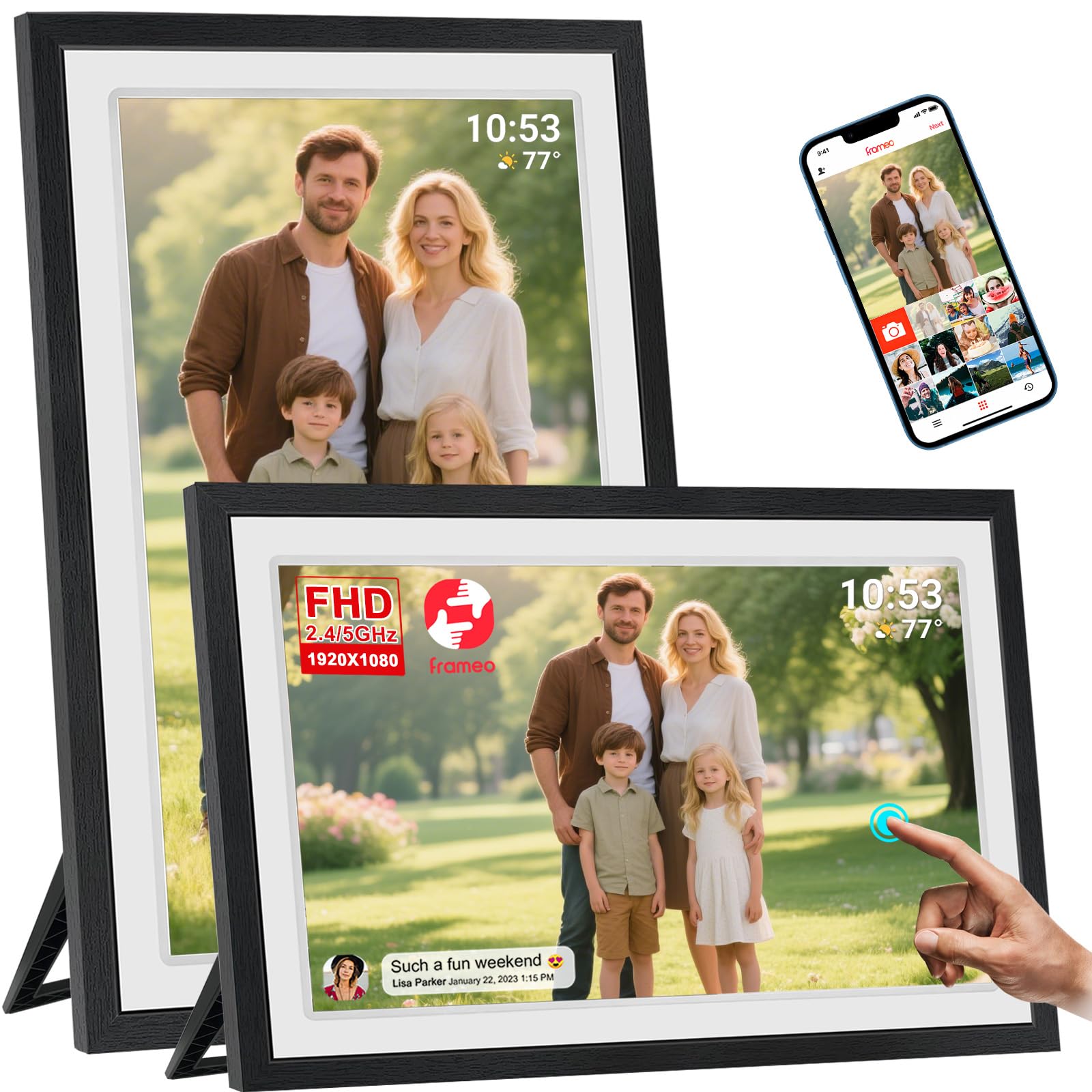
The Akimart 21.5‑inch frame offers a massive screen with a 1920×1080 IPS touch panel at a surprisingly accessible price. It uses the popular Frameo app, which is well‑known for its simplicity and cross‑platform compatibility. Dual‑band Wi‑Fi (2.4GHz and 5GHz) ensures fast photo transfers even in crowded networks.
Built‑in 32GB storage is ample, and you can expand via USB or SD card. The auto‑rotate feature works seamlessly when you switch the frame between landscape and portrait. A detachable stand and VESA wall mount give you flexible placement. Customers love the large, bright display and how easy it is for family members to send photos.
The main drawback is that the resolution is listed as 1280p in some specs, though the display still looks sharp for most photos. Also, the frame material is plastic, which may feel less premium than wood options. But for a 21.5‑inch touchscreen with Frameo, the value is undeniable.
Why it’s great
- 21.5″ IPS touchscreen
- Dual‑band Wi‑Fi for fast sharing
- Frameo app is simple and reliable
- Auto‑rotate and VESA mount
Good to know
- Plastic frame material
- Resolution slightly below true FHD
- Video limited to 15s via app
8. Skyrhyme 15.6″ Digital Picture Frame
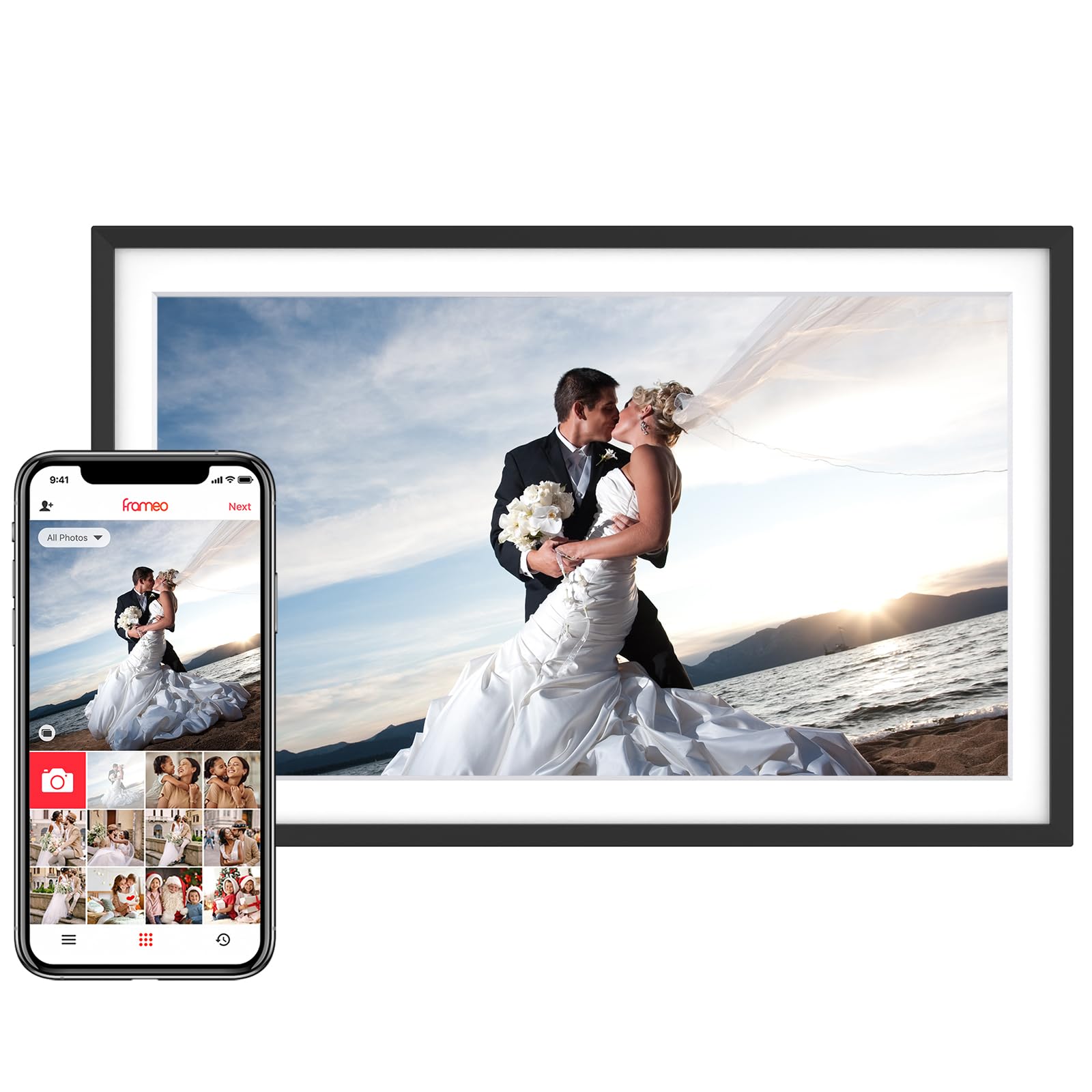
The Skyrhyme 15.6‑inch frame combines a sharp 1920×1080 IPS touchscreen with the popular Frameo ecosystem. It comes with 32GB of internal storage, enough for over 30,000 photos. You can also insert a microSD card or USB drive for additional storage. The frame supports video playback with sound.
One unique feature is the “Reaction” function—family members can send emoji reactions to photos, adding a fun, interactive element. The frame also displays time and weather during slideshows. Setup is quick, and the touchscreen is responsive. Customers highlight the vibrant colors and the ease of use for elderly relatives.
Note that the Frameo app only supports 2.4GHz Wi‑Fi, so you’ll need to ensure your network is compatible. Also, the app limits uploads to 10 photos at a time unless you purchase a subscription. Despite these small issues, the Skyrhyme offers a great balance of features and performance.
Why it’s great
- 1080p IPS touchscreen
- 32GB internal + expandable storage
- Reaction feature for family fun
- Weather and clock display
Good to know
- 2.4GHz Wi‑Fi only
- App limits uploads to 10 photos
- No cloud storage
9. Pexar Starlight 15.6″ Digital Picture Frame
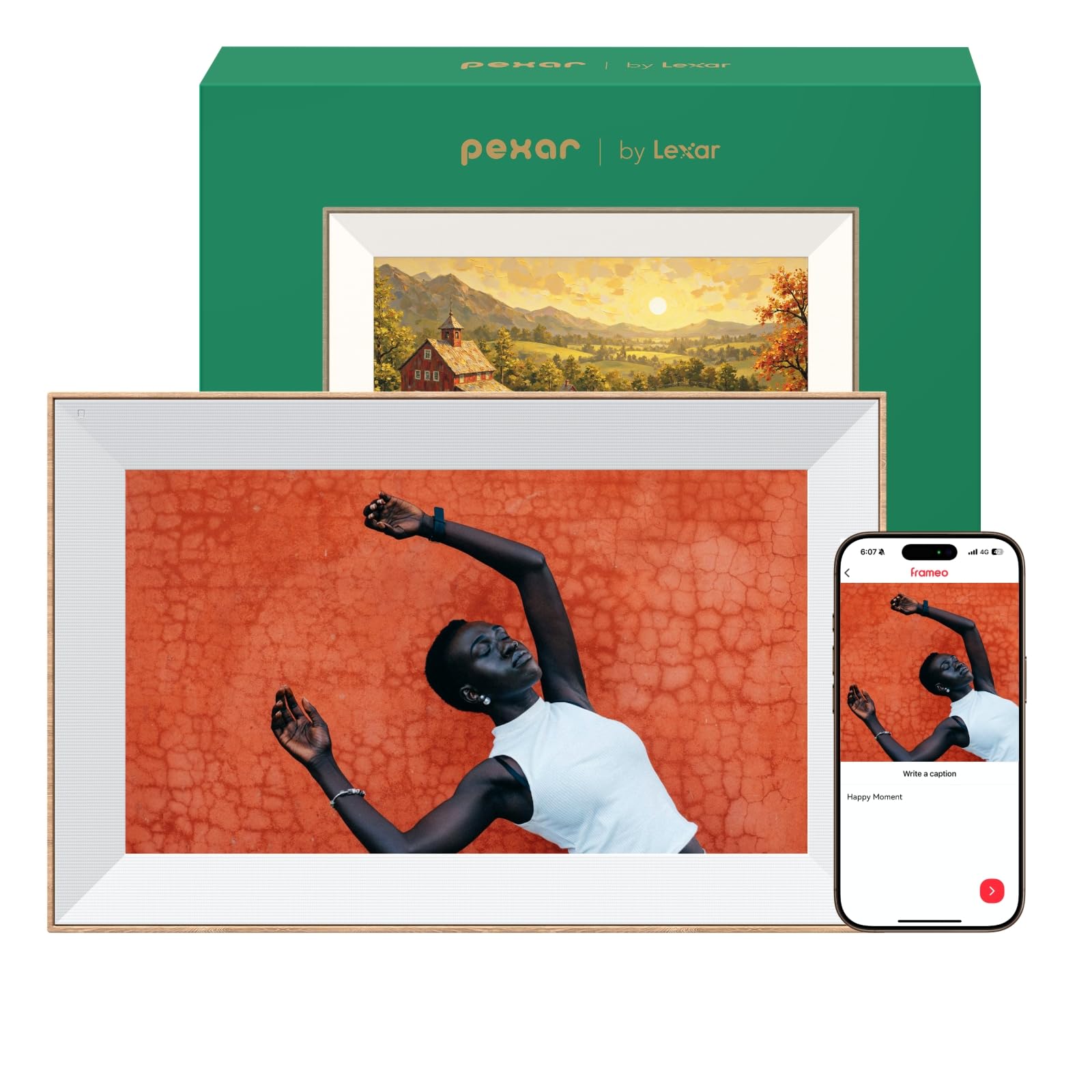
The Pexar Starlight (powered by Lexar) is a premium frame that goes beyond basic slideshows. Its standout feature is built‑in gallery lighting that backlights the frame from behind, adding warmth and depth to your display. The 1920×1080 anti‑glare touchscreen is stunning, with vibrant colors and wide viewing angles. The thin bezel and metal stand give it a high‑end, gallery‑worthy look.
With 64GB of internal storage, you can store over 80,000 photos. Expandable via SD card or USB drive. The Frameo app (rebranded for Pexar) allows easy sharing, and you can even send photos to multiple frames simultaneously. The frame supports both portrait and landscape orientation, and includes weather updates, a clock, and sleep mode.
One quirk: the frame nags about Wi‑Fi disconnection if you go offline, but this can be silenced by disabling notifications. Also, there’s no motion sensor, so the display stays on continuously. Overall, the Pexar Starlight is for those who want a frame that looks like a piece of art even when it’s off.
Why it’s great
- Gallery backlighting adds depth
- 64GB huge internal storage
- Anti‑glare Full HD display
- Premium build with metal stand
Good to know
- Wi‑Fi disconnect notification can’t be fully disabled
- No motion sensor
- Premium price
10. NexFoto 32″ Digital Picture Frame
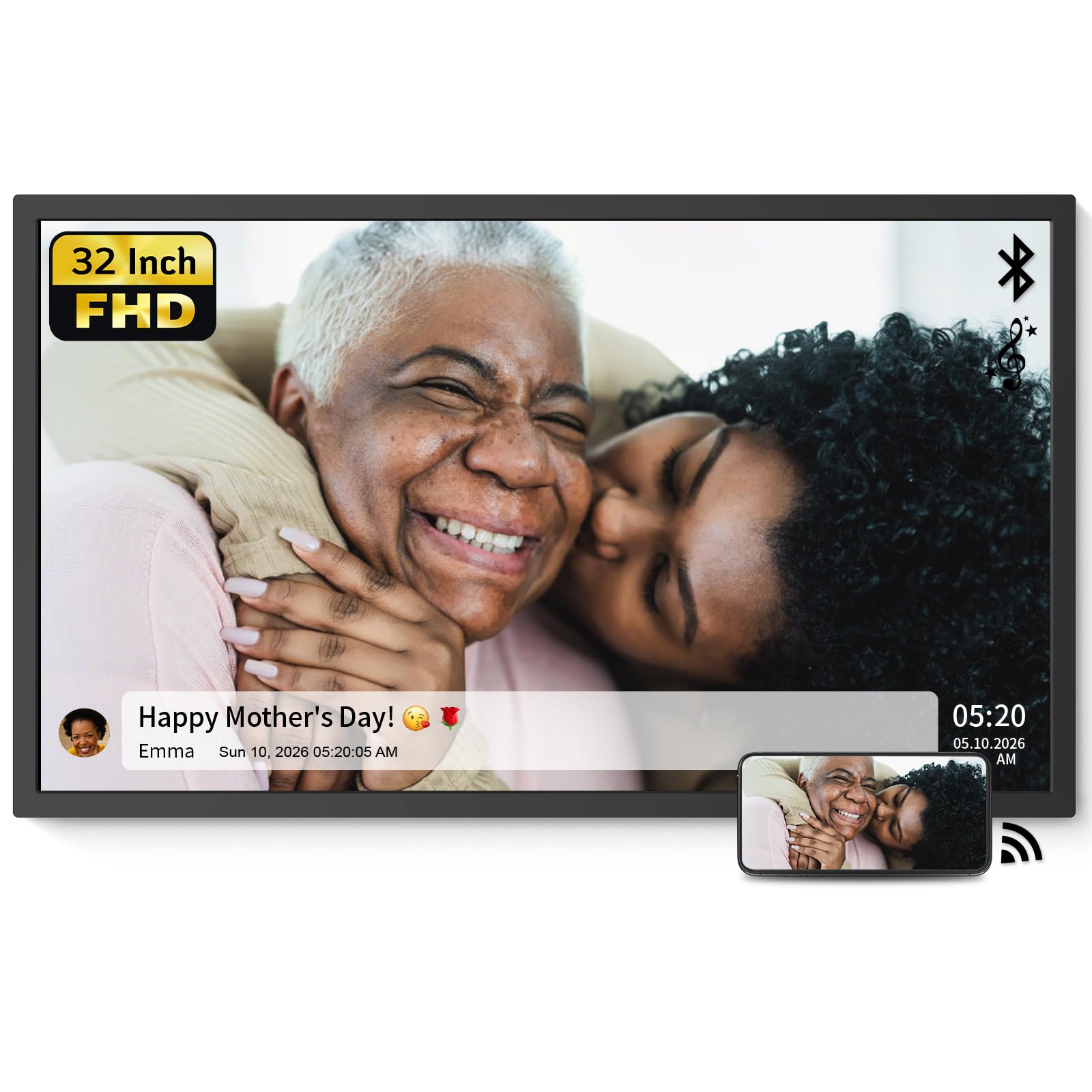
The NexFoto 32‑inch frame is designed to be a statement piece. Its matte FHD display reduces glare, and the included swivel wall mount makes it easy to switch between portrait and landscape. With 64GB of internal storage (plus an included 64GB USB drive), you can store up to 16,000 photos. The remote control allows easy navigation from across the room.
This frame is ideal for creating a gallery wall or displaying art. It supports 2.4GHz and 5GHz Wi‑Fi, so you can upload photos via the app or email. Additional features include weather, calendar, clock, and alarm functions. The minimalist modern design fits well with contemporary decor.
Some users report that the operating system can feel slow, and there have been occasional reliability issues. Customer service is responsive, but it’s worth noting that the frame doesn’t have a touchscreen—everything is done via remote. If you need a massive display and don’t mind sacrificing touch input, the NexFoto delivers incredible size for the money.
Why it’s great
- 32″ matte FHD display
- 64GB internal + extra USB drive
- Swivel wall mount included
- Weather and calendar features
Good to know
- No touchscreen (remote only)
- OS can be slow
- Some reliability concerns
11. Frameo 32″ (BIGASU
11. Frameo 32″ (BIGASUO) Digital Picture Frame
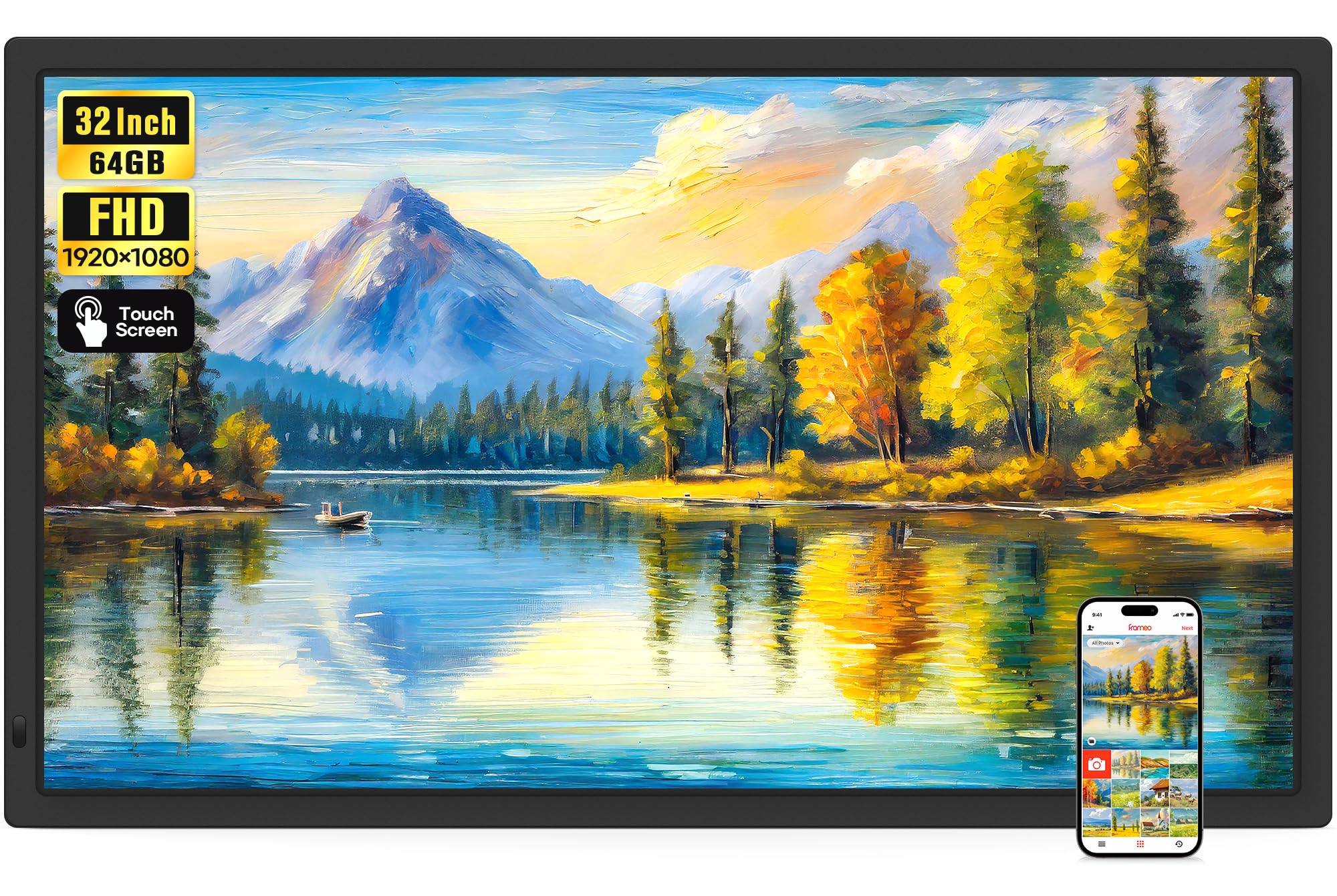
The BIGASUO 32-inch Frameo is the ultimate large-format frame with a true touchscreen interface. Unlike many oversized frames that rely on remote controls, this one lets you swipe, tap, and scroll directly on the display. The 1920×1080 IPS panel delivers vivid colors and excellent viewing angles, making every photo feel immersive.
With 64GB of internal storage, you can hold over 160,000 photos. Dual-band Wi-Fi (2.4GHz and 5GHz) ensures fast uploads via the Frameo app. The frame supports videos with sound (up to 15 seconds via app, unlimited via USB/SD). Additional features include auto-rotation, weather display, and a “React” function that lets family send emojis to the frame.
Customers consistently praise the massive screen, responsive touch controls, and how easy it is to invite family members to contribute photos. The main considerations are its large size—you’ll need substantial wall or table space—and the price point. For those who want the biggest possible touchscreen Frameo experience, this is the definitive choice.
Why it’s great
- 32″ IPS touchscreen display
- 64GB internal storage
- Dual-band Wi-Fi for fast transfers
- Touch interface is intuitive
Good to know
- Very large footprint
- Premium price
- Video limited to 15s via app

Mo Maruf
I created WellFizz to bridge the gap between vague wellness advice and actionable solutions. My mission is simple: to decode the research and give you practical tools you can actually use.
Beyond the data, I am a passionate traveler. I believe that stepping away from the screen to explore new environments is essential for mental clarity and physical vitality.