Our readers keep the lights on and my smoothie glass nicely filled. As an Amazon Associate, I earn from qualifying purchases.
Choosing a 1440p monitor means balancing resolution, speed, and panel technology—three variables that directly determine how clear your games look and how snappy they feel. Whether you’re building a competitive esports setup or upgrading for richer single-player visuals, the panel type and refresh rate you select will define your daily experience.
I’m Mohammad Maruf — the founder and writer behind WellFizz. I’ve spent hundreds of hours analyzing the latest generation of high-refresh rate monitors, comparing IPS glow, OLED contrast, color gamut coverage, and motion clarity across dozens of models to separate genuine upgrades from marketing noise.
After extensive research into panel types, refresh rates, and color accuracy, I’ve compiled this guide to help you find the absolute best 1440p monitor for your specific needs and budget.
How To Choose The Best 1440P Monitor
Finding the right 1440p monitor comes down to understanding what matters most for your use case—whether that’s high refresh rate gaming, color-critical creative work, or a versatile daily driver for both. The three specs that define this category are panel type, refresh rate, and connectivity.
Panel Technology: IPS vs VA vs OLED
IPS panels offer wide viewing angles and strong color accuracy, making them reliable for both gaming and productivity. VA panels deliver deeper native contrast ratios (3000:1 and up), which gives richer dark scenes but can introduce slower pixel response in some transitions. OLED panels produce true blacks with infinite contrast and sub-millisecond response times, but they require burn-in management and cost more. For a general-purpose 1440p monitor, fast IPS is the safe all-rounder; for immersive single-player visuals, OLED is transformative.
Refresh Rate and Response Time
A 144Hz baseline is the entry point for smooth 1440p gaming, but 180Hz to 240Hz options are now widely available and dramatically reduce motion blur in fast-paced titles. Response time (measured in GtG or MPRT) indicates how quickly a pixel changes color—look for 1ms GtG on IPS or 0.03ms on OLED for the crispest motion. Adaptive Sync (FreeSync Premium or G-Sync Compatible) eliminates screen tearing and is a must for any gaming setup.
Connectivity and Ergonomics
HDMI 2.1 supports full bandwidth for high refresh rates on both PC and consoles. USB-C with power delivery (65W or 90W) lets you charge a laptop and drive the display with a single cable—a huge convenience for hybrid work setups. An ergonomic stand with height, tilt, swivel, and pivot adjustment reduces neck strain and keeps your workspace tidy, especially if you plan to run a multi-monitor configuration.
Quick Comparison
On smaller screens, swipe sideways to see the full table.
| Model | Category | Best For | Key Spec | Amazon |
|---|---|---|---|---|
| LG 27G640A-B | Mid-Range IPS | High-FPS Competitive Gaming | 300Hz / 1ms GtG / HDMI 2.1 | Amazon |
| ASUS ProArt PA278CV | Mid-Range IPS | Color-Accurate Creative Work | ΔE < 2 / 100% sRGB / USB-C 65W | Amazon |
| ViewSonic VX3418C-2K | Budget Ultrawide | Widescreen Productivity & Light Gaming | 34″ 3440×1440 / 180Hz / 1500R Curve | Amazon |
| Samsung Odyssey G5 G50F | Mid-Range IPS | Budget 1440p Gaming | 32″ / 180Hz / 1ms GtG / HDR10 | Amazon |
| BenQ PD2706QN | Premium Creative | Mac-Compatible Design & Photo Editing | 95% P3 / 90W USB-C / Nano Matte | Amazon |
| AOC Q27GAZDV | Premium OLED | Entry-Level OLED Gaming | QD-OLED / 240Hz / 0.03ms / HDR | Amazon |
| Dell S3425DW | Premium Ultrawide | Productivity & Casual Gaming | 34″ VA / 120Hz / 3000:1 / USB-C 65W | Amazon |
| LG 27GS93QE | Premium OLED | High-End Competitive & Immersive Gaming | WOLED / 240Hz / 0.03ms / True Black 400 | Amazon |
| ASUS ROG Strix XG27AQDMG | Premium OLED | Top-Tier Visual Quality & Burn-In Protection | Glossy WOLED / 240Hz / Custom Heatsink | Amazon |
In‑Depth Reviews
1. LG 27G640A-B 27″ Ultragear QHD IPS

The LG 27G640A-B combines a fast IPS panel with a 300Hz refresh rate and 1ms GtG response time, making it one of the quickest 1440p displays in its tier. The 27-inch QHD resolution hits the sweet spot for pixel density—sharp enough for detailed textures but easy to drive at high frame rates. HDMI 2.1 support ensures full bandwidth with modern consoles and GPUs, and the included USB-C port with 15W charging adds basic device convenience.
Color performance is solid with 95% DCI-P3 coverage and VESA DisplayHDR 400 certification, which provides noticeable highlight punch in supported games. The ergonomic stand offers height, tilt, swivel, and pivot adjustments, so finding a comfortable viewing angle is effortless. G-Sync Compatible and FreeSync Premium certification guarantee tear-free gameplay across both NVIDIA and AMD systems.
Built-in speakers are weak—plan for external audio. A few users report aggressive sleep mode behavior, and the included DisplayPort cable can be finicky, but at this spec level the value proposition is undeniable. For competitive players who prioritize fluid motion over absolute color accuracy, this is a serious contender.
Why it’s great
- 300Hz refresh rate with 1ms GtG eliminates motion blur
- HDMI 2.1 supports full-bandwidth 1440p at high refresh
- Fully adjustable stand with pivot and swivel
Good to know
- Onboard speakers are very weak
- Sleep mode can be overly aggressive
- Included DP cable may need replacement
2. ASUS ProArt Display PA278CV

The ASUS ProArt PA278CV is built for color-critical workflows, not twitch shooters. It ships factory-calibrated to a Delta E of less than 2 with 100% sRGB and 100% Rec. 709 coverage, and it’s Calman Verified—meaning the color accuracy is measurable and trustworthy straight out of the box. The 27-inch QHD IPS panel delivers consistent wide-angle color, making it a strong choice for photo editing, graphic design, and video production.
Connectivity is a standout feature: USB-C with 65W power delivery lets you drive the display and charge a laptop through a single cable. DisplayPort daisy-chaining supports multi-monitor setups with minimal cable clutter. The ergonomic stand includes height, tilt, swivel, and 90-degree pivot for vertical coding or document reading. The 75Hz refresh rate with Adaptive-Sync smooths scrolling and casual video playback without the power draw of a high-Hz gaming panel.
USB-C power delivery at 65W may not fully charge power-hungry workstations under heavy load. The slower refresh rate makes it unsuitable for competitive gaming above 60-75 FPS, but for its intended audience—creatives who need reliable color—this monitor delivers professional-grade performance at a mid-range price.
Why it’s great
- Factory-calibrated Delta E < 2 with Calman Verification
- USB-C with 65W power delivery for single-cable laptop setup
- DisplayPort daisy-chaining for multi-monitor workflows
Good to know
- 65W USB-C may not fully charge high-power laptops
- 75Hz refresh rate limits competitive gaming potential
- No built-in speakers
3. ViewSonic VX3418C-2K 34″ Ultrawide Curved
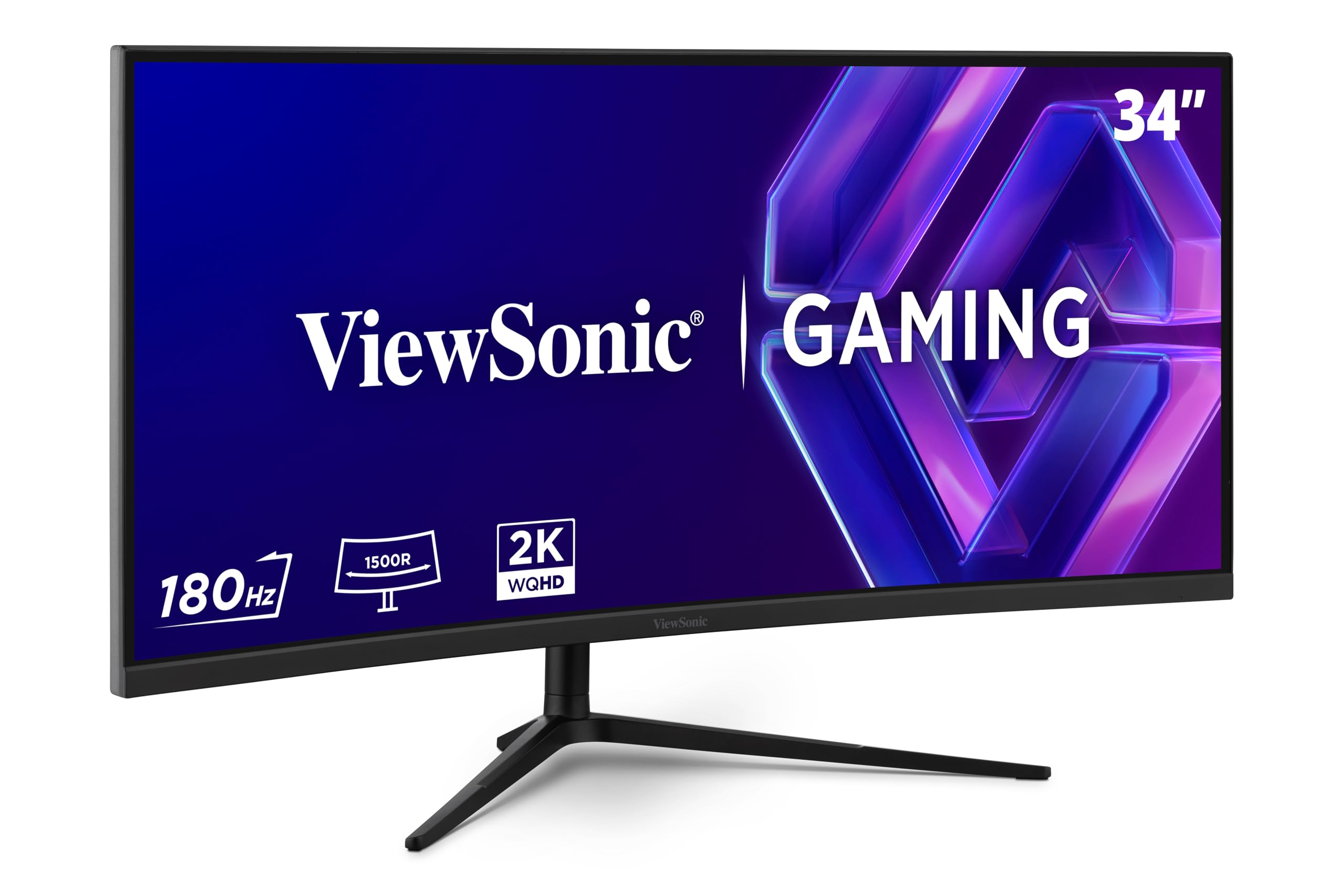
The ViewSonic VX3418C-2K offers a 34-inch ultrawide 21:9 panel with 3440×1440 resolution and a 1500R curve, giving you nearly 30 percent more horizontal screen space than a standard 27-inch 16:9 display. The VA panel delivers a 4000:1 native contrast ratio, which produces noticeably deeper black levels than typical IPS monitors for darker game environments and movies. At 180Hz with 1ms MPRT and FreeSync Premium, motion handling is smooth for its class.
Color gamut sits at 72% NTSC, which is acceptable for general use but falls short of the DCI-P3 coverage found on high-end IPS and OLED panels. The bundled stand is functional but basic—most users will want a VESA mount or monitor arm to dial in ergonomics. Port selection includes HDMI and DisplayPort but notably lacks USB-C, so connecting modern laptops requires an adapter or docking station.
Built-in speakers are widely criticized as nearly unusable, and the stand’s limited adjustability makes desk setup less flexible. But if your priority is an immersive ultrawide format for productivity spreadsheets or cinematic single-player games at a budget-friendly price, this display delivers solid core performance where it counts.
Why it’s great
- 34-inch ultrawide 3440×1440 with deep 4000:1 VA contrast
- 180Hz refresh rate with FreeSync Premium for smooth gaming
- 1500R curve enhances immersion for work and play
Good to know
- No USB-C connectivity
- Stand is basic and lacks full ergonomic adjustment
- Built-in speakers are very poor
4. Samsung Odyssey G5 G50F 32″ QHD

The Samsung Odyssey G5 G50F brings a 32-inch QHD Fast IPS panel with a 180Hz refresh rate and 1ms GtG response time to the value-focused gamer. The larger 32-inch screen size provides a more immersive field of view than 27-inch models while maintaining the sharpness of 2560×1440 resolution. Color reproduction is strong at 99% sRGB, and the wide 178-degree viewing angle keeps image quality consistent from off-center positions.
Adaptive Sync support includes both G-Sync Compatible and FreeSync, covering the full range of modern GPUs. The ergonomic stand offers height, tilt, swivel, and pivot adjustments, which is uncommon at this price point. Black Equalizer and Virtual Aim Point provide in-game visibility and targeting advantages, and the Auto Source Switch+ feature automatically detects active inputs for easy device swapping.
Port selection is limited to one HDMI 2.0 and one DisplayPort 1.2, so running HDR10 at the full 180Hz requires careful cable choice. The menu joystick is positioned on the back, which can be awkward during initial setup. At its effective price, though, the combination of size, refresh rate, and IPS color quality makes this one of the strongest value plays in the 1440p space.
Why it’s great
- 32-inch QHD IPS with 180Hz and 1ms GtG for smooth gaming
- Full ergonomic stand with height, tilt, swivel, and pivot
- G-Sync Compatible and FreeSync for tear-free gameplay
Good to know
- Only one HDMI 2.0 and one DP 1.2 port
- HDR10 capability is limited at higher refresh rates
- Menu joystick placement on back is less convenient
5. BenQ PD2706QN 27″ 2K QHD
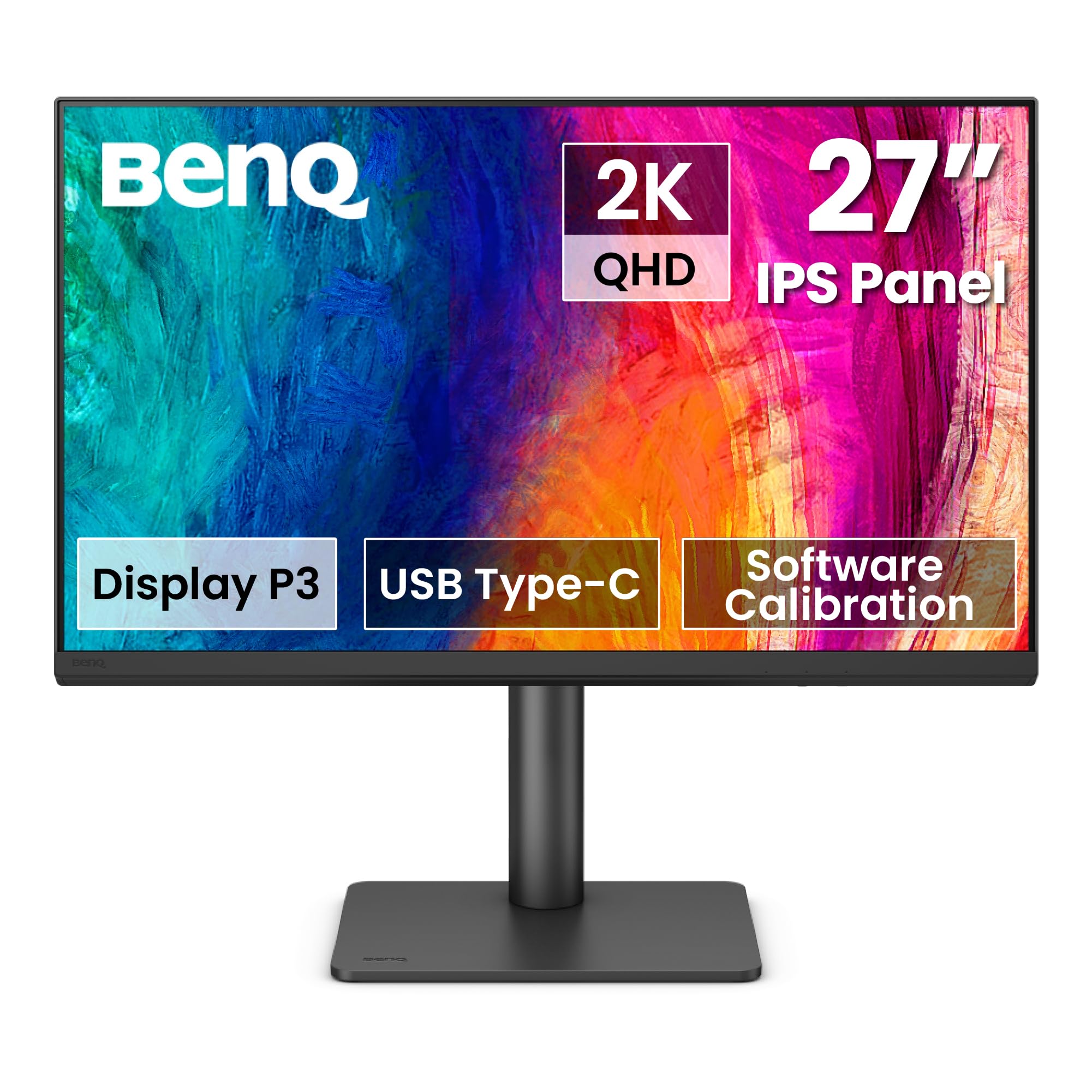
The BenQ PD2706QN is purpose-built for Mac users and creative professionals who need consistent color across displays. It covers 95% DCI-P3 and 100% sRGB/Rec. 709 with a factory-calibrated Delta E of ≤2, and the ICCsync feature automatically matches ICC profiles between your Mac and the monitor when you switch color modes—no manual hunting through settings. The Nano Matte panel diffuses ambient light without washing out contrast, which is a real advantage for desks near windows.
USB-C with 90W power delivery handles both video signal and laptop charging through a single cable, keeping the workspace clean. DisplayPort daisy-chaining (MST) allows linking multiple monitors for a seamless multi-screen setup. The ergonomic stand includes height, tilt, swivel, and pivot adjustments, and the 100Hz refresh rate with Adaptive-Sync provides smoother scrolling than standard 60Hz office displays.
Daisy-chaining does not work with MacBooks, so multi-monitor Mac users need to plan their cabling separately. The 100Hz limit means this is not a competitive gaming display, but for design, photo editing, and coding sessions that last all day, the eye comfort and color fidelity are excellent. The 90W power delivery is sufficient for most MacBook Pro models under sustained load.
Why it’s great
- 95% P3 and 100% sRGB with factory calibration
- 90W USB-C power delivery for single-cable Mac setup
- Nano Matte panel reduces glare while preserving color
Good to know
- Daisy-chaining not supported on MacBooks
- 100Hz refresh rate limits competitive gaming potential
- No built-in speakers
6. AOC 27″ Q27GAZDV QD-OLED

The AOC Q27GAZDV brings QD-OLED technology to a 27-inch 1440p format at a price that undercuts most OLED competitors. The panel delivers infinite contrast, 147% sRGB and 110% DCI-P3 color volume, and true blacks that no IPS or VA display can match. With a 240Hz refresh rate and 0.03ms response time, motion clarity is effectively instantaneous—ghosting and motion blur are eliminated even in the fastest competitive shooters.
G-Sync Compatible certification ensures tear-free gameplay across NVIDIA GPUs, and HDMI 2.1 supports high refresh rates on PS5 and Xbox Series X. The ergonomic stand provides height, tilt, swivel, and pivot adjustment, and the USB 3.2 hub adds convenient peripheral connectivity. VESA mount compatibility gives you flexibility for arm mounting.
Peak brightness on this QD-OLED panel is lower than high-end Mini LED monitors, so HDR pop in very bright scenes is moderate. Text clarity can appear slightly less sharp than a high-PPI IPS panel due to the OLED subpixel layout—worth noting if you do heavy word processing. Early users report needing to tweak color settings out of the box for optimal saturation. For the price, this is a fantastic entry point into OLED gaming.
Why it’s great
- QD-OLED delivers infinite contrast and vibrant 110% P3 color
- 240Hz and 0.03ms response time for instant motion clarity
- Full ergonomic stand with height, tilt, swivel, and pivot
Good to know
- Peak HDR brightness is moderate compared to Mini LED
- Text clarity may be softer than IPS due to OLED subpixel layout
- No built-in speakers
7. Dell 34 Plus S3425DW USB-C Curved

The Dell S3425DW is a 34-inch ultrawide VA monitor with 3440×1440 resolution, a 120Hz refresh rate, and a 3000:1 native contrast ratio. The VA panel produces noticeably deeper blacks than IPS alternatives, making it well-suited for movies and darker game environments. Dell’s ComfortView Plus reduces blue light emissions to ≤35% without shifting colors to a warm tint, which is a genuine advantage for all-day productivity.
Color coverage reaches 99% sRGB and 95% DCI-P3, which is strong for a non-professional display. The built-in speakers are notably improved over the previous generation, with greater output power and deeper frequency response—they are actually usable for casual media and video calls. USB-C with 65W power delivery keeps desk clutter low, and FreeSync Premium ensures smooth scrolling and casual gaming.
Port selection is limited to HDMI, USB-C, and USB-A—there is no DisplayPort input, which may be a dealbreaker for some PC setups. The VESA mount area is recessed about a quarter-inch, requiring longer screws or a bracket adapter for flush mounting. The 120Hz ceiling is fine for general use and casual gaming but will not satisfy competitive players chasing higher frame rates.
Why it’s great
- VA panel with 3000:1 contrast for deep blacks and rich visuals
- ComfortView Plus reduces blue light without color shift
- Improved built-in speakers for media and calls
Good to know
- No DisplayPort input; limited to HDMI and USB-C
- VESA mount is recessed, requiring bracket adapter
- 120Hz refresh rate limits high-FPS gaming
8. LG 27GS93QE 27″ Ultragear OLED

The LG 27GS93QE uses a WOLED panel (white OLED with color filters) that achieves true 1.5M:1 contrast ratio with VESA DisplayHDR True Black 400 certification. The 27-inch QHD display operates at 240Hz with 0.03ms GtG response time, making it equally suited for competitive twitch shooters and atmospheric single-player titles. Color coverage reaches 98.5% DCI-P3, and the anti-glare/low-reflection coating minimizes distracting reflections without the grainy look of heavy matte finishes.
NVIDIA G-Sync Compatible and AMD FreeSync Premium Pro certification ensure adaptive sync works perfectly across both ecosystems. HDMI 2.1 and DisplayPort 1.4 support full 240Hz bandwidth. The ergonomic stand includes height, tilt, and pivot adjustments, and the virtually borderless bezel design maximizes screen real estate. LG includes a two-year OLED panel warranty, covering burn-in and internal components.
The WOLED panel has lower peak brightness than QD-OLED competitors in bright HDR scenes, so it performs best in controlled lighting. Pixel maintenance (picture scrubbing) runs periodically to prevent image retention—this is normal OLED behavior but new users should be aware of it. For users who prioritize consistent black levels and motion clarity over raw brightness, this is one of the most refined OLED options available.
Why it’s great
- WOLED panel with true blacks and DisplayHDR True Black 400
- 240Hz with 0.03ms response time for flawless motion
- Two-year OLED panel warranty for peace of mind
Good to know
- Peak HDR brightness is lower than QD-OLED options
- Periodic pixel maintenance runs automatically
- Best image quality in darker room environments
9. ASUS ROG Strix XG27AQDMG 27″ OLED

The ASUS ROG Strix XG27AQDMG is a glossy WOLED 27-inch 1440p display that prioritizes image quality above all else. The glossy finish enhances perceived contrast and color saturation, making games and media look punchier than matte-coated OLED alternatives. It runs at 240Hz with 0.03ms response time, and ASUS’s custom heatsink and advanced airflow design work to reduce burn-in risk over long-term use.
ROG-exclusive OLED Anti-flicker technology minimizes visible flicker during frame rate fluctuations, which is a common issue with VRR on OLED panels. Uniform brightness mode keeps luminance consistent across the screen, preventing dimming in small bright windows during HDR content. The third-generation WOLED panel provides brighter full-screen whites and clearer text rendering than earlier OLED generations, addressing two common complaints about OLED monitors.
The burn-in coverage included in the three-year warranty is a significant confidence booster for daily drivers. However, the glossy panel is more reflective in brightly lit rooms, so lighting control matters. A few users experienced flickering at 240Hz that was resolved by swapping the included DisplayPort cable. For users who want the absolute best visual quality from a 1440p monitor and are willing to manage lighting, this is the top-tier pick.
Why it’s great
- Glossy WOLED panel delivers stunning contrast and color vibrance
- Custom heatsink and Anti-flicker tech reduce OLED concerns
- Three-year warranty includes burn-in coverage
Good to know
- Glossy finish reflects ambient light in bright rooms
- 240Hz flicker issue may require DP cable replacement
- No built-in speakers
FAQ
Is 1440p worth it over 1080p for gaming?
Can I use a 1440p monitor with a PS5 or Xbox Series X?
What GPU do I need for a 1440p 240Hz monitor?
Should I worry about OLED burn-in on a gaming monitor?
Final Thoughts: The Verdict
For most users, the best 1440p monitor winner is the LG 27G640A-B because it combines a 300Hz fast IPS panel, HDMI 2.1, and a fully adjustable stand at a price that undercuts most competitors with similar specs. If you want the absolute best visual quality with true blacks and infinite contrast, grab the ASUS ROG Strix XG27AQDMG. And for color-accurate creative work with single-cable Mac setup, nothing beats the BenQ PD2706QN.

Mo Maruf
I created WellFizz to bridge the gap between vague wellness advice and actionable solutions. My mission is simple: to decode the research and give you practical tools you can actually use.
Beyond the data, I am a passionate traveler. I believe that stepping away from the screen to explore new environments is essential for mental clarity and physical vitality.