Our readers keep the lights on and my smoothie glass nicely filled. As an Amazon Associate, I earn from qualifying purchases.
A 13-inch tablet sits at a unique intersection—large enough to replace a laptop for note-taking, document editing, and split-screen multitasking, yet still portable enough to carry from the coffee shop to the couch. The challenge isn’t finding a big screen; it’s finding one with the right pixel density, processor grunt, and accessory ecosystem for how you actually work or play.
I’m Mohammad Maruf — the founder and writer behind WellFizz. I’ve spent years analyzing mobile hardware specifications, from display color gamut coverage to sustained thermal performance, so you know exactly which specs separate a capable large-format tablet from a frustrating one.
After evaluating build materials, display resolutions, processor benchmarks, and real-world battery results across more than a dozen models, I’ve assembled this guide to the best 13 inch tablet to help you confidently choose the right screen size for your daily workflow.
How To Choose The Best 13 Inch Tablet
Choosing a large-format tablet isn’t just about screen size. You need to consider display technology, processor capability, stylus support, and how well the device handles productivity tasks that smaller tablets struggle with.
Display Resolution & Refresh Rate
A 13-inch screen spreads pixels over a larger area, so resolution directly affects sharpness. Look for a panel with at least 2K (2560×1600) resolution. Refresh rate also matters: 90Hz or 120Hz makes scrolling through documents and web pages noticeably smoother than standard 60Hz.
Processor & RAM for Multitasking
Large tablets are often used for split-screen workflows, creative apps, or light gaming. An Apple M-series chip, Snapdragon X, or MediaTek Dimensity 8300-class processor paired with 8GB or more RAM ensures smooth performance. Entry-level chips can cause stutter when multiple apps are open.
Stylus & Accessory Ecosystem
If you plan to take notes, draw, or annotate PDFs, the stylus experience is critical. Active pens with low latency (like the Apple Pencil Pro or Samsung S Pen) feel far more precise than capacitive knockoffs. Check whether the tablet includes a pen in the box or requires a separate purchase.
Quick Comparison
On smaller screens, swipe sideways to see the full table.
| Model | Category | Best For | Key Spec | Amazon |
|---|---|---|---|---|
| Apple iPad Pro 13″ (M5) | Premium | Pro creative work & media | Ultra Retina XDR, 120Hz ProMotion | Amazon |
| Samsung Galaxy Tab S10+ | Premium | Android power users & artists | AMOLED 2X, S Pen included | Amazon |
| Microsoft Surface Pro (2024) | Premium | Full Windows laptop replacement | Snapdragon X Plus, 14h battery | Amazon |
| Apple iPad Air 13″ (M3) | Mid-Range | Students & everyday productivity | Liquid Retina, Apple M3 chip | Amazon |
| Samsung Galaxy Tab S10 FE+ | Mid-Range | College note-taking & media | 13.1″ display, IP68 water resistant | Amazon |
| Lenovo Idea Tab Pro | Mid-Range | Students on a budget | 12.7″ 3K LCD, Pen included | Amazon |
| Apple iPad Air 13″ (M2) | Mid-Range | Refurbished value with iOS | Liquid Retina, M2 chip | Amazon |
| TABWEE 13.4″ Android 16 | Budget | All-in-one bundle value | 120Hz IPS, 24GB RAM | Amazon |
| Lenovo Idea Tab Plus | Budget | Budget-friendly media consumption | 12.1″ 2.5K, Dolby Atmos quad speakers | Amazon |
In‑Depth Reviews
1. Apple iPad Pro 13-inch (M5)

The Apple iPad Pro with the M5 chip sets the benchmark for what a 13-inch tablet can do. The Ultra Retina XDR display delivers extreme brightness, precise contrast, and a silky 120Hz ProMotion refresh rate that makes every scroll feel fluid. At just 1.28 pounds and 0.2 inches thick, it’s remarkably light for a screen this large—roughly the thickness of a stack of 50 sheets of paper.
Performance is extraordinary thanks to the M5’s neural accelerators and 16GB of memory, handling 4K video editing, complex 3D modeling, and split-screen productivity without any thermal throttling. The four-speaker audio system actually sounds fuller than the speakers on many laptops, making it a genuine media powerhouse.
Battery life easily stretches two to three days under moderate use, and the 35W fast charging brings the battery from 50% to 80% in under an hour. Face ID, Wi-Fi 7, and the landscape 12MP Center Stage camera round out a package that leaves little room for compromise.
Why it’s great
- Best-in-class Ultra Retina XDR display with 120Hz ProMotion
- M5 chip delivers desktop-class performance for creative workflows
- Remarkably thin and light for a 13-inch screen
Good to know
- High entry cost, especially for the 1TB storage tier
- Apple Pencil Pro and Magic Keyboard sold separately
2. Samsung Galaxy Tab S10+ Plus 12.4″

The Galaxy Tab S10+ offers the only AMOLED 2X display in this roundup, delivering deep blacks, vibrant colors, and infinite contrast that make movies and photos pop. The 12.4-inch screen is slightly smaller than true 13-inch models, but the superior panel quality more than compensates—especially for creative professionals who need accurate color reproduction.
At the heart is the MediaTek Dimensity 9300+ processor, a chip that handles demanding multitasking and gaming with ease. The included S Pen is one of the best stylus experiences available, with near-zero latency for note-taking and sketching. Samsung’s Galaxy AI tools, like Sketch to Image and Note Assist, add genuine productivity value that goes beyond gimmicks.
Battery life is excellent, with users reporting 8 to 10 hours of mixed use. The IP68 water resistance rating is a unique bonus—no other tablet at this size can survive accidental submersion. The 512GB storage option provides ample space for apps, media, and documents.
Why it’s great
- Stunning AMOLED 2X display with perfect blacks
- S Pen included with excellent palm rejection and low latency
- IP68 water resistance is rare in large tablets
Good to know
- Display is 12.4 inches, not true 13 inches
- Camera quality is mediocre for a premium device
3. Microsoft Surface Pro 2-in-1 (2024)

The Microsoft Surface Pro is not a traditional tablet—it’s a full Windows 11 Copilot+ PC that happens to have a 13-inch touchscreen display. Powered by the Snapdragon X Plus processor with a 10-core CPU and a powerful NPU, it runs desktop applications like Adobe Creative Suite, Microsoft Office, and even some games natively.
The built-in kickstand offers flexibility at any angle, transforming the device from a laptop (with the Flex Keyboard, sold separately) to a tablet to a sketchbook. The 13-inch touchscreen is responsive and supports the Surface Slim Pen 2 for precise input. With 16GB of RAM and 512GB of storage, it handles heavy multitasking without hesitation.
Battery life is a standout feature—up to 14 hours of real-world use, which is exceptional for a Windows device at this size. The Snapdragon X architecture also runs cool and quiet, with no fan noise even under load. The only catch is that some legacy x86 applications may have compatibility issues with the ARM-based processor, though most modern apps work fine.
Why it’s great
- Full Windows 11 experience with desktop app support
- 14-hour battery life is excellent for a 2-in-1
- Runs cool and silent under heavy workloads
Good to know
- Keyboard and pen sold separately, adding to total cost
- Some older x86 software may have ARM compatibility issues
4. Apple iPad Air 13-inch (M3) Renewed
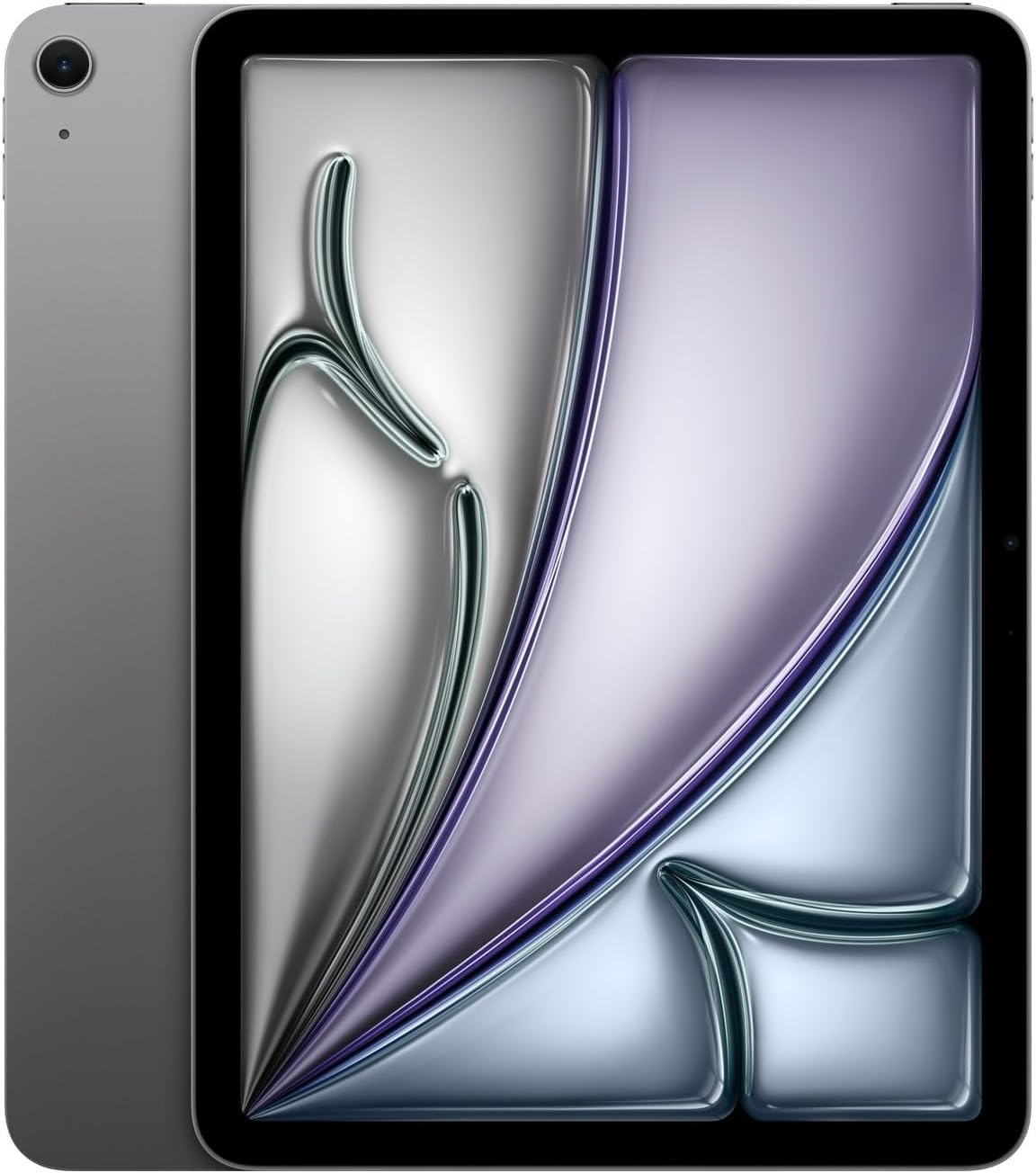
The iPad Air with the M3 chip brings near-Pro-level performance to a more accessible price point, especially in this renewed premium condition. The 13-inch Liquid Retina display with 2732×2048 resolution and P3 wide color delivers crisp text and rich visuals, though it lacks the 120Hz ProMotion of the Pro model.
The M3 chip is no slouch—it handles video editing, multitasking, and graphic-intensive games with ease. The inclusion of Wi-Fi + 5G cellular means you can stay connected anywhere, which is a significant advantage for students or professionals who work on the go. The 128GB storage is sufficient for most users, though creative professionals may want to consider higher capacity.
Buying renewed gives you access to a premium device at a reduced cost, but check the battery health and warranty terms. User reviews report units arriving in excellent condition with OEM chargers and minimal cycle counts on the battery.
Why it’s great
- M3 chip provides excellent performance for the price
- Wi-Fi + 5G cellular ensures connectivity anywhere
- High-resolution 13-inch Liquid Retina display
Good to know
- Refurbished unit quality depends on the seller
- No ProMotion 120Hz refresh rate
5. Samsung Galaxy Tab S10 FE+ 13.1″

The Galaxy Tab S10 FE+ is designed with students in mind, offering a true 13.1-inch display at a more accessible price point than the flagship Tab S10+. The Exynos 1580 processor provides smooth performance for note-taking, web browsing, and media consumption, while the 90Hz refresh rate ensures scrolling feels responsive.
The included S Pen supports features like Handwriting Assist, which straightens messy notes, and Math Solver for equations—both genuinely useful for academic work. The IP68 water resistance means the tablet can survive accidental drops in the sink or rain, a practical benefit for campus life. Battery life is impressive, with users reporting up to 21 hours of video playback.
The 256GB storage is generous for this price tier, and the microSD expansion adds flexibility. The dual speakers deliver decent audio for lectures and streaming. The camera is mediocre, but that’s typical for this category.
Why it’s great
- 13.1-inch display is one of the largest at this price tier
- S Pen included with useful AI note-taking features
- IP68 water resistance offers peace of mind
Good to know
- LCD display lacks OLED contrast and blacks
- Camera quality is below average
6. Lenovo Idea Tab Pro 12.7″

The Lenovo Idea Tab Pro is a strong contender for students who want a large-screen experience without spending premium money. The 12.7-inch 3K LCD display with 2944×1840 resolution offers sharp text and vibrant colors, and the 90Hz refresh rate makes navigation feel smooth. The MediaTek Dimensity 8300 processor provides snappy performance for multitasking and casual gaming.
Lenovo includes the Tab Pen Plus and a folio case in the box, adding significant value. The pen supports Google’s Circle to Search feature, which is handy for research and note-taking. The quad JBL speakers tuned by Dolby Atmos deliver rich, clear audio that surpasses most competitors in this price range.
Battery life is rated at 11 hours of video streaming, and the 45W fast charging (with the correct PD charger) means you can top up quickly. The main drawback is the 16:10 aspect ratio, which makes the tablet feel more like a laptop monitor in portrait mode—great for landscape media but less comfortable for reading in portrait.
Why it’s great
- 3K resolution display is exceptionally sharp for the price
- Pen and folio case included in the box
- Quad JBL Dolby Atmos speakers sound excellent
Good to know
- 16:10 aspect ratio limits portrait usability
- Requires specific 45W PD charger for fast charging
7. Apple iPad Air 13-inch (M2) Renewed Premium
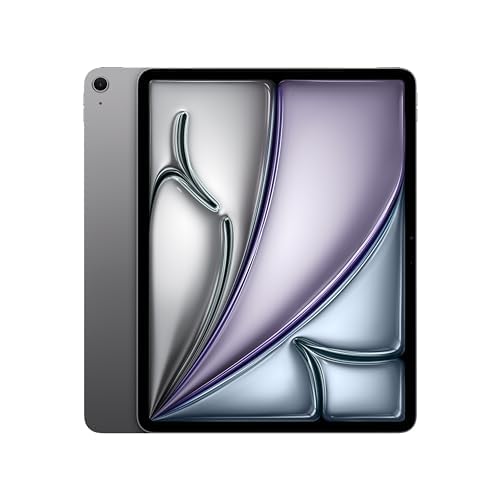
The previous-generation iPad Air with the M2 chip is still a highly capable device, and this renewed premium option makes it accessible at a lower cost. The 13-inch Liquid Retina display with True Tone and P3 wide color delivers excellent color accuracy, and the M2 chip handles professional apps like Photoshop and LumaFusion with ease.
Touch ID is built into the top button, providing fast and secure authentication. The USB-C connector supports fast data transfer and external display output. With all-day battery life and access to the full iPadOS app ecosystem, this tablet works well for students, creative hobbyists, and professionals on a budget.
The renewed premium unit comes with OEM charger and cable, and user reviews consistently report near-new condition with low battery cycles. It’s a smart way to get a premium 13-inch tablet experience without paying the full retail price. Just verify the seller’s return policy and warranty coverage before purchasing.
Why it’s great
- M2 chip still offers excellent performance
- Renewed premium condition saves significant cost
- Supports Apple Pencil Pro and Magic Keyboard
Good to know
- M2 is one generation behind current M3/M5 chips
- Refurbished warranty may be shorter than new
8. TABWEE 13.4″ Android 16 Tablet Bundle

The TABWEE 13.4-inch Android tablet is an all-in-one bundle that includes a keyboard, mouse, stylus, case, screen protector, and stand—everything you need for a laptop-like experience right out of the box. The IPS display runs at 120Hz, making scrolling and animations feel smooth, and the 1920×1200 resolution (125% sharper than 1280×800) is adequate for media consumption and document work.
With 8GB of physical RAM plus 16GB of virtual RAM expansion, the tablet handles multitasking reasonably well for its tier. The 10,000mAh battery provides long runtime, and Android 16 with Gemini AI brings useful features like document summarization and email drafting. The 256GB internal storage is generous, and microSD expansion adds versatility.
Be aware that performance can feel laggy under heavy multitasking or fast-paced tasks like stock trading, as noted by some users. The weight and size can cause arm fatigue during extended handheld use. However, for the price of the complete bundle, it represents strong value for basic productivity and media consumption.
Why it’s great
- Complete bundle with keyboard, mouse, stylus, and case
- 120Hz refresh rate for smooth scrolling
- Large 10,000mAh battery for all-day use
Good to know
- Performance lags under heavy multitasking loads
- Size and weight cause arm fatigue during handheld use
9. Lenovo Idea Tab Plus 12.1″

The Lenovo Idea Tab Plus is a lightweight, budget-friendly option that punches above its weight in media playback. The 12.1-inch 2.5K IPS display with 800 nits brightness and TÜV Rheinland Low Blue Light certification is bright and easy on the eyes. The MediaTek Dimensity 6400 processor paired with 8GB of RAM handles everyday tasks like streaming, web browsing, and light gaming without hiccups.
The quad Dolby Atmos-tuned speakers are the standout feature—they deliver immersive, room-filling sound that rivals tablets costing twice as much. The included Lenovo Tab Pen supports Circle to Search, and the folio case provides basic protection. At just over a pound, it’s easy to carry all day, and the 13-hour battery life ensures it won’t die mid-flight.
For users who primarily want a large screen for Netflix, YouTube, and light productivity, the Idea Tab Plus delivers excellent value. The 90Hz refresh rate is a nice bonus, making the UI feel more responsive than standard 60Hz panels. Storage is 128GB, which is adequate for most users, and microSD expansion is available.
Why it’s great
- Excellent quad Dolby Atmos speakers for media consumption
- Bright 2.5K display with 800 nits and eye comfort
- Includes pen and folio case at an affordable price
Good to know
- 12.1-inch display is smaller than true 13-inch panels
- Processor is adequate but not for heavy multitasking
10. Apple iPad Pro 13-inch (M5) 1TB
The 1TB variant of the iPad Pro with M5 is designed for professionals who need maximum storage for large project files, video libraries, and complex applications. The 16GB of RAM ensures that even the most demanding creative workflows—like 8K video editing, 3D rendering, or running multiple pro apps simultaneously—run without slowdown.
The Ultra Retina XDR display remains the best in the business, with extreme brightness, precise contrast, and 120Hz ProMotion. The 1TB configuration also unlocks the option for nano-texture display glass, which reduces glare significantly for users working in bright environments. The M5 chip’s neural accelerators enable on-device AI tasks that make photo editing and object recognition feel instantaneous.
For creative professionals who work with large media files, the 1TB storage is a practical necessity—256GB fills up fast with 4K video projects. The iPad Pro also supports Wi-Fi 7, ensuring fast file transfers to network storage or cloud services. The high cost is justified for users who will fully utilize the storage and RAM capabilities.
Why it’s great
- 1TB storage for large creative project files
- 16GB RAM handles the most demanding workflows
- Nano-texture glass option reduces glare for professionals
Good to know
- Very high price point, overkill for casual users
- Nano-texture glass only available at 1TB and 2TB configurations
FAQ
Is a 13-inch tablet too large for portable use?
Can a 13-inch tablet replace my laptop?
What stylus works best for taking notes on a 13-inch tablet?
Final Thoughts: The Verdict
For most users, the best 13 inch tablet winner is the Apple iPad Pro 13-inch (M5) because it combines the best display, highest sustained performance, and longest software support in a remarkably thin and light chassis. If you want a full Windows desktop experience, grab the Microsoft Surface Pro (2024). And for an Android-focused workflow with an included S Pen and IP68 water resistance, nothing beats the Samsung Galaxy Tab S10+.

Mo Maruf
I created WellFizz to bridge the gap between vague wellness advice and actionable solutions. My mission is simple: to decode the research and give you practical tools you can actually use.
Beyond the data, I am a passionate traveler. I believe that stepping away from the screen to explore new environments is essential for mental clarity and physical vitality.