Our readers keep the lights on and my smoothie glass nicely filled. As an Amazon Associate, I earn from qualifying purchases.
Choosing a 12-inch tablet means trading portability for a canvas that rivals a sheet of paper. The best ones manage that trade-off with displays bright enough for outdoor reading, batteries that last a full workday, and processors that handle split-screen multitasking without stutter.
I’m Mohammad Maruf — the founder and writer behind WellFizz. Over the years I’ve tracked the specs and real-world performance of dozens of large-screened tablets, from the pixel density of their LCDs to the sustained wattage of their fast-charging circuits.
Whether you need a dedicated drawing surface, a study companion with AI tools, or a laptop replacement running full Windows, this buying guide cuts through the noise to help you find the perfect 12 inch tablet for your budget and workflow.
How To Choose The Best 12 Inch Tablet
Not every large tablet serves the same master. Artists need low parallax and high pressure sensitivity. Students want all-day battery and a responsive stylus for notes. Professionals on the go need a full desktop OS or a powerful enough OS to run complex apps. Here are the factors that separate a smart buy from a regret.
Display: Resolution, Panel Type, and Brightness
A 12-inch screen is only as good as its resolution and panel. Look for a resolution of at least 2000 x 1400 pixels to avoid visible pixelation when reading small text. IPS panels offer wide viewing angles and good color accuracy for most users, while AMOLED and OLED panels deliver deeper blacks and higher contrast for movies and photo editing. Brightness matters if you work near a window — a minimum of 500 nits ensures usable visibility outdoors. Some premium tablets also carry TÜV Rheinland Low Blue Light certification for reduced eye strain during long reading sessions.
Processor, RAM, and Storage
The processor dictates how smoothly the tablet handles multitasking, streaming, and creative work. Mid-range tablets often use MediaTek Dimensity or Qualcomm Snapdragon 7-series chips, which handle most productivity apps well. Premium tablets step up to Apple’s M-series, the Snapdragon 8-series, or MediaTek Dimensity 8300/9300+ for gaming and video editing. Pair this with at least 8GB of RAM for lag-free split-screen use. Storage should start at 128GB, with microSD expansion a welcome bonus for media libraries.
Stylus Experience and Pressure Sensitivity
If you draw, take handwritten notes, or annotate documents, the stylus is the most important peripheral. Pressure sensitivity levels (4096, 8192, 16384, or even 16384) determine how finely the tablet registers stroke weight. Tilt support and palm rejection are non-negotiable for natural sketching. Some tablets bundle a pen in the box, while others treat it as a separate purchase — check before you add to cart.
Battery Capacity and Charging Speed
Battery life in large tablets ranges from 7 to 16 hours depending on screen brightness and processor efficiency. A capacity of 8000mAh to 10200mAh is typical for this size class. Equally important is the charging speed — 30W to 45W fast charging can refill a depleted battery in under two hours, while a standard 15W charger means an overnight affair. Look for USB-C Power Delivery support for maximum compatibility.
Operating System: Android, iPadOS, or Windows
Your workflow determines the OS. Android offers flexibility, app sideloading, and broad stylus support, but app optimization for large screens can be uneven. iPadOS (Apple iPad Air/Pro) provides a refined app ecosystem and unmatched creative tools like ProCreate, but at a premium price. Windows 11 on the Surface Pro gives you full desktop software compatibility—ideal for professionals who need Excel, Photoshop, or coding tools in a portable form factor.
Quick Comparison
On smaller screens, swipe sideways to see the full table.
| Model | Category | Best For | Key Spec | Amazon |
|---|---|---|---|---|
| Lenovo Idea Tab Pro | Android / Mid-Range | Students & Entertainment | 12.7″ 3K LCD, Dimensity 8300 | Amazon |
| XP-Pen Magic Drawing Pad | Android / Drawing | Artists & Illustrators | 16K Pressure, 12.2″ 2160×1440 | Amazon |
| Apple iPad Air M3 (2025) | iOS / Premium | Creative Pros & Students | 13″ Liquid Retina, M3 Chip | Amazon |
| Apple iPad Pro M4 (2024) | iOS / Ultra-Premium | Power Users & Designers | 13″ OLED, M4 Chip | Amazon |
| Samsung Galaxy Tab S10+ | Android / Premium | Note-Taking & Media | 12.4″ AMOLED, S Pen Included | Amazon |
| Microsoft Surface Pro (2025) | Windows 11 / 2-in-1 | Laptop Replacement | 12″ PixelSense, Snapdragon X Plus | Amazon |
| Lenovo Idea Tab Plus | Android / Value | Budget-Conscious Users | 12.1″ 2.5K 90Hz, Dimensity 6400 | Amazon |
| TECLAST Artpad Pro | Android / Value | Media & General Use | 12.7″ 2176×1600, 10000mAh | Amazon |
| HUION Kamvas 13 Gen 3 | Pen Display / External | Digital Artists (tethered) | 13.3″ Full-Laminated, 16384 Pressure | Amazon |
In‑Depth Reviews
1. Lenovo Idea Tab Pro

The Lenovo Idea Tab Pro hits the sweet spot between performance and price. Its 12.7-inch 3K LCD display (2944 x 1840 pixels) is crisp enough for reading dense textbooks and vibrant enough for 4K streaming, while the 90Hz refresh rate makes scrolling feel fluid. The MediaTek Dimensity 8300 processor handles heavy multitasking with ease — splitting the screen between Chrome, a note-taking app, and a video stream produces zero lag.
Battery life is a standout feature: the 10200mAh cell delivers a full 11 hours of continuous video playback, and the 45W fast charging refills it quickly when you need a top-up. The bundled Lenovo Tab Pen Plus supports pressure sensitivity for handwritten notes and light sketching, and the included folio case adds protection right out of the box.
It runs Android 14 with Lenovo’s light customization, plus access to Google Gemini AI for summarizing lecture recordings. The quad JBL speakers tuned by Dolby Atmos produce clear, room-filling audio. The biggest trade-off is the weight — at over 600g it’s not a one-handed reader — but for a productivity-focused tablet, the trade-off is well worth it.
Why it’s great
- Crisp 3K resolution with 90Hz refresh rate
- Long 11-hour battery life plus 45W fast charging
- Includes high-quality stylus and folio case
- Google Gemini AI tools for students
Good to know
- Heavy for extended one-handed use
- No built-in GPS for location services
- LCD panel lacks deep blacks of OLED
2. XP-Pen Magic Drawing Pad

The XP-Pen Magic Drawing Pad is a standalone Android tablet built specifically for digital artists. Its 12.2-inch screen uses AG-etched glass to create a paper-like texture that reduces glare and provides natural pencil resistance. The 2160 x 1440 resolution and 115% sRGB color gamut deliver accurate, vibrant colors for illustration work, and the 3:2 aspect ratio closely mimics a standard sketchbook.
The X3 Pro Slim stylus is the star here — it offers an industry-leading 16384 pressure sensitivity levels and 60 degrees of tilt recognition. It requires no charging or pairing, and the pressure curve is smooth enough for ultra-fine line work in Clip Studio Paint. The 8GB of RAM and 256GB of storage (expandable via microSD) keep multi-layer files loading quickly.
Battery life is rated at 13 hours on a full charge, and the tablet also works as a standard Android device for web browsing and email. The TÜV Rheinland eye comfort certification reduces blue light for long studio sessions. On the downside, Android’s lack of a ProCreate-level drawing app means you’ll work with Krita, Sketchbook, or Concepts, which have steeper learning curves.
Why it’s great
- Paper-like matte screen texture reduces glare
- Stylus needs no charging, 16K pressure levels
- Long 13-hour battery life for untethered work
- Expandable storage up to 1TB
Good to know
- Android drawing apps lack iPadOS polish
- No official OS upgrade path beyond Android 14
- Keyboard case sold separately is mediocre
3. Apple iPad Air M3 (13-inch, Renewed)
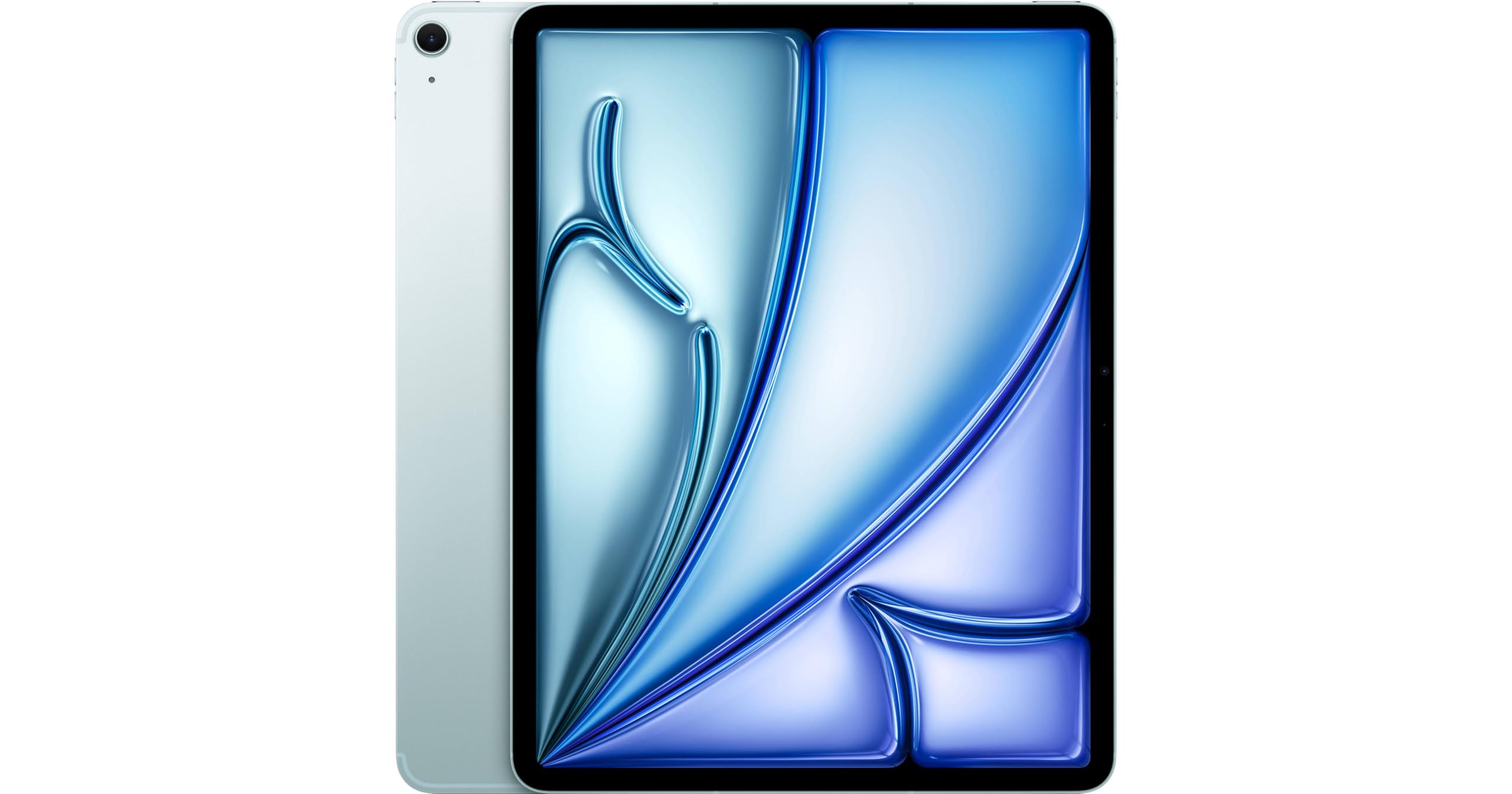
The 13-inch iPad Air with the M3 chip delivers desktop-class performance in a thin, portable package. The Liquid Retina display (2360 x 1640 pixels) supports P3 wide color and True Tone, providing accurate color reproduction for photo editing and design work. The M3 processor’s 8-core CPU and 9-core GPU handle demanding apps like Affinity Designer and LumaFusion without breaking a sweat.
This renewed model includes 5G cellular connectivity, making it ideal for professionals who need internet access on the go. The 128GB of storage is sufficient for most creative projects, and the iPadOS ecosystem offers the best tablet-optimized apps available. The Apple Pencil (sold separately) attaches magnetically and pairs instantly for note-taking and drawing.
Battery life is rated at 9 to 10 hours of mixed use, and the USB-C port supports fast charging and external display output. Renewed units are professionally inspected and typically include a new battery, making this a much more affordable entry point to the iPad Air lineup. The main compromise is the lack of a 120Hz ProMotion display, which some artists may notice when sketching at speed.
Why it’s great
- M3 chip delivers genuine desktop-level performance
- Excellent app optimization for creative workflows
- 5G connectivity for on-the-go productivity
- Professional refurbishing with new battery
Good to know
- Apple Pencil and keyboard sold separately
- 60Hz display, not 120Hz ProMotion
- Renewed unit may have minor cosmetic blemishes
4. Apple iPad Pro M4 (13-inch, Renewed)

The iPad Pro M4 represents the absolute pinnacle of tablet hardware. Its 13-inch Ultra Retina XDR OLED display (2752 x 2064 pixels) delivers perfect blacks, 1000 nits of full-screen brightness, and 1600 nits peak for HDR content — making it the best screen available on any tablet today. The M4 chip with its next-generation GPU enables real-time 3D rendering, 4K video editing, and complex 3D modeling apps.
The renewed model still includes Thunderbolt 4 / USB 4 connectivity, allowing speeds up to 40Gbps for external storage and high-resolution displays. The 256GB of internal storage is enough for large creative files, and the 10-hour battery life ensures a full day of work. Face ID, quad speakers, and five studio-quality microphones complete the premium package.
The OLED panel makes this the best tablet for watching movies and editing photos — the contrast ratio is essentially infinite, and the color accuracy is reference-grade. The renewed unit is professionally tested with a battery exceeding 80% capacity, offering a significant discount over new models. The main downsides are the high entry price even refurbished, and the need to purchase the Apple Pencil Pro and Magic Keyboard separately.
Why it’s great
- Best-in-class OLED display with 1600 nits peak
- M4 chip handles 3D rendering and 4K video
- Thunderbolt 4 for fast data transfer
- Professional audio and mic system
Good to know
- Still costly even in renewed condition
- Apple Pencil and keyboard are extra purchases
- Accessories may not be original Apple items
5. Samsung Galaxy Tab S10+

The Galaxy Tab S10+ is Samsung’s flagship Android tablet, and its 12.4-inch AMOLED 2X display is simply stunning. Colors pop with deep, inky blacks and a high contrast ratio that makes movies and photos look dimensional. The MediaTek Dimensity 9300+ processor provides flagship-level performance, easily handling split-screen multitasking and demanding games.
The included S Pen — stored magnetically on the back — is the best stylus for note-taking on Android. It supports 4096 pressure levels, low latency, and palm rejection, making it feel responsive and natural. Samsung Notes allows you to record audio while writing, with Galaxy AI automatically syncing your notes to the recording timeline — a killer feature for students and meeting-takers.
The 10090mAh battery provides 8 to 10 hours of continuous use, and the design is impressively thin (5.6mm) and light for its size. It also works as a secondary wireless display for Samsung laptops. The main drawbacks are the high price and Samsung’s heavy One UI skin, which comes with some pre-installed apps you may want to remove.
Why it’s great
- Vibrant AMOLED display with perfect blacks
- Best-in-class S Pen for note-taking and sketching
- Audio-to-note syncing via Galaxy AI
- Premium, thin build at just 5.6mm
Good to know
- Expensive initial investment
- One UI has noticeable bloatware
- Too large and heavy for small hands
6. Microsoft Surface Pro (2025)

The Surface Pro is a full Windows 11 laptop that transforms into a tablet — the most versatile option for professionals. The 12-inch PixelSense touchscreen display delivers sharp text and vibrant colors at a portable size, and the built-in kickstand allows you to prop it up at any angle. The Snapdragon X Plus processor provides excellent performance for Office apps, web browsing, and most productivity software.
The battery life is exceptional for a Windows device: up to 16 hours of video playback means it lasts through a full day of work and a commute. The Copilot+ AI features can summarize meetings, generate text, and organize files directly on the device. The 16GB of RAM and 512GB SSD provide plenty of headroom for multitasking and local storage.
The Surface Pro runs full desktop software — Excel, Photoshop, and Visual Studio run natively, not in emulation. The front-facing camera supports Windows Hello facial recognition for instant login. The primary downsides are the lack of included keyboard and stylus, which adds to the overall cost, and the sealed chassis that prevents user upgrades.
Why it’s great
- Full Windows 11 with desktop software support
- Outstanding 16-hour battery life
- Built-in kickstand for flexible positioning
- Copilot+ AI features for productivity
Good to know
- Keyboard and stylus sold separately
- No microSD card expansion slot
- Not powerful enough for heavy 3D rendering
7. Lenovo Idea Tab Plus

The Lenovo Idea Tab Plus proves you don’t need to spend a fortune for a good large-screen tablet. Its 12.1-inch 2.5K IPS display (2560 x 1600 pixels) with a 90Hz refresh rate provides smooth scrolling and sharp text at a budget-friendly price point. The media-centric package includes quad speakers tuned by Dolby Atmos and up to 800 nits peak brightness for comfortable outdoor use.
The MediaTek Dimensity 6400 processor is not a flagship chip, but it handles everyday tasks — streaming, web browsing, email, and casual gaming — without noticeable lag. The 8GB of RAM keeps apps running smoothly when switching between several open programs. Battery life is rated at 13 hours of YouTube streaming, which translates to a full day of mixed use in practice.
The tablet comes with a Lenovo Tab Pen and folio case in the box, adding genuine value for note-takers and casual doodlers. It also supports Circle to Search with Google, making research faster. The main limitations are the lower-resolution rear camera and the lack of high-end gaming performance, but for its intended use as a media and study device, it’s hard to beat.
Why it’s great
- Sharp 2.5K display with smooth 90Hz refresh
- Includes stylus pen and folio case
- Long 13-hour battery life for media
- Excellent value for the features offered
Good to know
- Dimensity 6400 lacks high-end gaming power
- Cameras are basic quality
- No cellular connectivity option
8. TECLAST Artpad Pro

The TECLAST Artpad Pro offers one of the largest screens in this roundup at 12.7 inches, with a 2176 x 1600 resolution that provides excellent clarity for reading and video. The near-4:3 aspect ratio is a standout feature — it creates a square-like canvas that’s ideal for drawing, note-taking, and reading PDFs without excessive vertical scrolling. The metal body and narrow bezels give it a premium feel that defies its price tier.
Inside, the tablet runs Android 15 with a customized ArtOS interface. The 8GB of physical RAM (marketed as 20GB with virtual expansion) and 256GB of UFS storage are generous for the category. The 10000mAh battery supports 30W fast charging, and the four-speaker Sound Chamber System delivers loud, clear audio for movies and music. The included T-Pen stylus offers 4096 pressure levels for basic sketching and note-taking.
The tablet also supports 4G LTE cellular connectivity, giving you internet access without Wi-Fi. The Widevine L1 certification ensures you can stream HD content from Netflix and Prime Video. The primary weaknesses are the mediocre pen accuracy (some users report premature tip registration) and the lack of guaranteed software updates. The cameras are functional but not impressive.
Why it’s great
- Large 12.7″ screen with 4:3 aspect ratio
- Premium metal build with narrow bezels
- 4G LTE support for mobile connectivity
- 10000mAh battery with fast charging
Good to know
- Included stylus has inconsistent pressure tracking
- No guaranteed OS update path
- Not suitable for heavy 3D gaming
9. HUION Kamvas 13 (Gen 3)

The HUION Kamvas 13 (Gen 3) is a professional pen display, not a standalone tablet — it must be connected to a computer to function. Its 13.3-inch full-laminated screen uses Canvas Glass 2.0, an anti-sparkle surface that reduces glare and provides a paper-like drawing feel. The 99% sRGB color coverage and factory calibration report ensure color accuracy for serious illustrators and designers.
The PenTech 4.0 stylus delivers an impressive 16384 levels of pressure sensitivity with a 2-gram initial activation force, making it sensitive enough for the lightest pencil strokes. The 5 programmable shortcut keys and two dials on the side allow you to customize shortcuts for brush size, zoom, and undo without reaching for the keyboard. The included ST300 adjustable stand supports multiple working angles for ergonomic comfort.
Setup requires either a 3-in-1 cable (HDMI + USB + power) or a separate full-featured USB-C cable. It’s compatible with Windows, macOS, Android (USB 3.1 DP1.2), and Linux. The screen brightness is rated at 200 nits, which is acceptable for indoor studio use but not bright enough for brightly lit environments. Some units may also experience warming on the port side during extended use.
Why it’s great
- Professional color accuracy with factory calibration
- Paper-like screen texture with anti-glare coating
- 16384 pressure levels for ultra-fine control
- Customizable shortcut keys and dials
Good to know
- Requires a computer to function (not standalone)
- Screen brightness is limited to 200 nits
- 3-in-1 cable can be cumbersome for some setups
- Some units may run warm during extended use
FAQ
Can I use a 12-inch tablet as my primary computer?
What is the difference between a drawing tablet and a regular tablet with a stylus?
How do I know if a tablet supports cellular data?
Does a higher refresh rate (90Hz vs 120Hz) matter for a tablet?
Final Thoughts: The Verdict
For most users, the best 12 inch tablet winner is the Lenovo Idea Tab Pro because it combines a crisp 3K display, fast MediaTek Dimensity 8300 processor, long battery life, and an included pen and case at a mid-range price that offers genuine value. If you need the absolute best display for photo editing and movies, grab the Apple iPad Pro M4. And for full desktop software in a tablet form factor, nothing beats the Microsoft Surface Pro.

Mo Maruf
I created WellFizz to bridge the gap between vague wellness advice and actionable solutions. My mission is simple: to decode the research and give you practical tools you can actually use.
Beyond the data, I am a passionate traveler. I believe that stepping away from the screen to explore new environments is essential for mental clarity and physical vitality.