Our readers keep the lights on and my smoothie glass nicely filled. As an Amazon Associate, I earn from qualifying purchases.
Choosing a 1080p webcam feels simple until you’re staring at dozens of nearly identical options. The difference between a blurry, frustrating video call and a crisp, professional presence often comes down to a few key specifications that most people overlook. Getting the right one means understanding what features actually matter for your specific setup.
I’m Mohammad Maruf — the founder and writer behind WellFizz. My process involves deep market research and analyzing thousands of data points and specifications to filter out marketing hype from genuine performance.
This guide cuts through the noise, comparing the top models based on lens quality, microphone performance, and build design to find the perfect match for your meetings, classes, or streams. The goal is to find the best 1080p webcam that delivers reliable, clear video without overcomplicating your setup.
How To Choose The Best 1080P Webcam
Not all 1080p webcams are created equal. The resolution is just the starting point. To get a clear, reliable image, you need to consider how the camera handles light, sound, and your specific environment.
Focus Type: Fixed vs. Autofocus
A fixed focus lens is set to be sharp within a specific range (often from about 2 feet to infinity). It’s simple and reliable, with no hunting or blurring as you move. Autofocus adjusts continuously to keep you sharp, which is great if you move around or hold objects up to the camera, but lower-quality systems can sometimes struggle and cause a distracting “pulsing” effect.
Microphone Setup
Built-in mics are convenient. Look for models with dual or noise-canceling microphones, as they do a better job of isolating your voice from keyboard clicks or ambient room noise. For critical audio, however, an external microphone will always be superior.
Field of View (FOV)
A wider field of view (like 90° or 95°) can capture more of your background or fit multiple people into the frame, which is great for team meetings or streaming with a green screen. A narrower FOV (around 70°) provides a more traditional, framed look that’s ideal for solo calls, mimicking a professional headshot.
Essential Build Features
A physical privacy shutter is a must-have for security and peace of mind. Also, check the mounting mechanism—a sturdy, adjustable clip that fits various monitor thicknesses and includes a standard tripod thread offers the most flexibility for positioning.
Quick Comparison
On smaller screens, swipe sideways to see the full table.
| Model | Type | Best For | Key Feature | Amazon |
|---|---|---|---|---|
| Logitech C920x HD Pro | Premium | Streamers & Pro Calls | Legendary reliability, autofocus | Amazon |
| Logitech Brio 301 | Mid-Range | Secure Home Office | RightLight 2, privacy shutter | Amazon |
| EMEET C960 | Mid-Range | Low-Light Environments | Dual mics, auto low-light correction | Amazon |
| Lenovo 510 FHD | Premium | Flexible Positioning | 360° pan/tilt, 4x digital zoom | Amazon |
| Logitech C920e | Mid-Range | Content Creators | Dual stereo mics, plug-and-play | Amazon |
| NexiGo N60 | Budget | Everyday Video Calls | Wide 110° FOV, software control | Amazon |
| HP 320 FHD | Mid-Range | Chromebook Users | Chromebook-optimized, compact | Amazon |
| Amcrest AWC2198 | Budget | Noisy Home Offices | Dual noise-canceling mics | Amazon |
| Logitech HD Pro C920 | Premium | Long-Term Reliability | Proven track record, full HD | Amazon |
| Tewiky Full HD | Budget | Students & Casual Use | Includes rotatable tripod | Amazon |
| NIVEOLI 1080P | Budget | Absolute Essentials | Entry-level with privacy cover | Amazon |
In‑Depth Reviews
1. Logitech C920x HD Pro Webcam

The Logitech C920x stands as the benchmark in the 1080p category for good reason. It delivers consistently sharp, well-balanced video that just works, meeting the needs of professionals, streamers, and remote workers alike. Its autofocus is quick and reliable, and the automatic light correction handles challenging backlighting better than most competitors in its class.
Audio performance is another strong suit, with dual built-in microphones providing clear, natural-sounding stereo audio that surpasses typical laptop mics. The build quality feels solid, and the universal clip provides a secure fit on monitors or laptops. Its widespread certification for platforms like Zoom, Teams, and Google Meet guarantees hassle-free compatibility.
While it lacks a physical privacy shutter—relying instead on a trusted indicator light—its overall package of video fidelity, audio clarity, and plug-and-play reliability is hard to beat. For anyone seeking a no-compromise webcam that will perform day in and day out, the C920x remains a top-tier choice.
Why it’s great
- Exceptionally reliable autofocus and light correction.
- Superior stereo microphone audio for a built-in solution.
- Universally certified and compatible with all major platforms.
- Proven, durable build quality from a leading brand.
Good to know
- Does not include a physical privacy shutter.
- Low-light performance, while good, can show some grain.
2. Logitech Brio 301 Webcam

The Logitech Brio 301 is a thoughtfully designed webcam that prioritizes security and consistent performance. Its standout feature is the integrated privacy shutter, which you can spin to physically block the lens—a simple, effective solution for peace of mind. Coupled with a clear “in-use” LED, it leaves no doubt about your camera’s status.
Video quality is solid for the category, powered by Logitech’s RightLight 2 technology which does an admirable job of balancing exposure in uneven lighting. The fixed-focus lens provides a sharp image without any autofocus hunting, which many users prefer for a stable, predictable picture during long calls.
It also features a noise-reducing microphone that effectively minimizes background sounds. The compact, modern design takes up minimal space on your monitor. For home office workers who value security and a clean, dependable video feed, the Brio 301 is an excellent mid-range option.
Why it’s great
- Excellent integrated physical privacy shutter.
- Reliable fixed focus and good light correction.
- Compact, modern design with USB-C connectivity.
- Effective noise-reducing mono microphone.
Good to know
- Fixed focus limits close-up object demonstration.
- Field of view is narrower than some wide-angle models.
3. EMEET C960 Webcam

The EMEET C960 is a feature-packed mid-range contender that excels in suboptimal lighting. Its automatic low-light correction technology actively brightens the image in dim environments, ensuring you remain clearly visible without appearing overly grainy or artificial. This is a significant advantage for home offices without perfect studio lighting.
It backs this up with a capable audio system, featuring two built-in omnidirectional noise reduction microphones. Users report that voice pickup is clear and does a good job of minimizing ambient sounds. The webcam also includes a removable privacy cover and a versatile clip that allows for foldable portability.
With a fixed focus optimized for a range of about 1 to 10 feet and a standard 90-degree field of view, it’s a practical choice for solo callers or small group meetings. For those who frequently take calls in rooms with variable or poor lighting, the C960’s performance is notably strong.
Why it’s great
- Effective automatic correction for dim lighting conditions.
- Dual noise-reduction microphones provide clear audio.
- Includes a removable privacy cover for security.
- Foldable design and long cable for easy portability.
Good to know
- Fixed focus, not autofocus.
- Some users note the need to manually select it as the audio input device upon first use.
4. Lenovo 510 FHD Webcam

The Lenovo 510 FHD stands out with its exceptional physical adjustability. The head of the webcam offers 360-degree rotation and tilt, allowing you to perfectly frame your shot without constantly repositioning the entire unit or your monitor. This is incredibly useful for shared workspaces or for pointing the camera at a whiteboard or document.
It adds further versatility with a 4x digital zoom and a wide 95-degree field of view. The dual integrated microphones are designed to pick up voice from up to two meters away, making it suitable for capturing multiple speakers. It also includes a premium sliding privacy shutter and supports Windows Hello facial recognition for secure login.
Video quality is crisp for mainstream use, and the long cable provides ample setup flexibility. If your priority is having maximum control over the camera’s angle and composition, the Lenovo 510’s mechanical adjustments are a significant advantage over static models.
Why it’s great
- Unmatched 360° pan and tilt for precise framing.
- Useful 4x digital zoom and wide 95° field of view.
- Includes a sliding privacy shutter and supports Windows Hello.
- Long cable for flexible placement options.
Good to know
- Digital zoom can reduce image quality when used heavily.
- Some users report the clip can be tight on very thick monitors.
5. Logitech C920e Webcam

The Logitech C920e is essentially the business-oriented sibling of the popular C920 series, offering the same core video quality in a more compact, environmentally friendly package. It’s a fantastic tool for content creators, tutors, or anyone who records videos, thanks to its full HD 1080p resolution at 30fps.
Its two-microphone system captures natural stereo sound, which adds depth and clarity to recordings and calls, effectively filtering out consistent background noise. The autofocus is smooth and reliable, ensuring you stay in sharp focus even if you lean in or move slightly.
Setup is famously simple—true plug-and-play across Windows, Mac, and Chrome OS. It also comes with a snap-on privacy cover. For users who prioritize rich stereo audio alongside excellent video for recording YouTube demos, streaming, or professional presentations, the C920e is a compelling choice.
Why it’s great
- Excellent stereo audio capture from dual mics.
- Smooth, reliable autofocus for dynamic presentations.
- True plug-and-play simplicity with wide compatibility.
- Includes a snap-on privacy cover.
Good to know
- The stand is better suited for monitor mounting than sitting flat on a desk.
- Packaging is minimal (a pro for some, a con for others).
6. NexiGo N60 Webcam

The NexiGo N60 offers an exceptionally wide 110-degree field of view, making it ideal for situations where you need to capture more of the scene. Whether it’s showing a physical product alongside yourself, fitting multiple people into a frame, or streaming with a dynamic background, the extra width is a tangible benefit.
It operates with a fixed-focus lens, optimized for a broad range, which provides a consistently sharp image without any focus lag. The built-in noise-canceling microphone handles audio adequately for calls, and the webcam includes a physical privacy cover for security.
A notable advantage is the availability of companion software (NexiGo Camera) for those who want finer control over settings like brightness, contrast, and saturation. This blend of an ultra-wide lens, simple operation, and optional software tweaking offers great value for budget-conscious users who need that expansive view.
Why it’s great
- Very wide 110-degree field of view for capturing more content.
- Fixed focus ensures a stable, always-sharp image.
- Includes a privacy cover and optional control software.
- Strong plug-and-play compatibility.
Good to know
- The wide angle can produce a slight fisheye effect at the edges.
- Microphone quality is considered average; suitable for voice but not premium audio.
7. HP 320 FHD Webcam
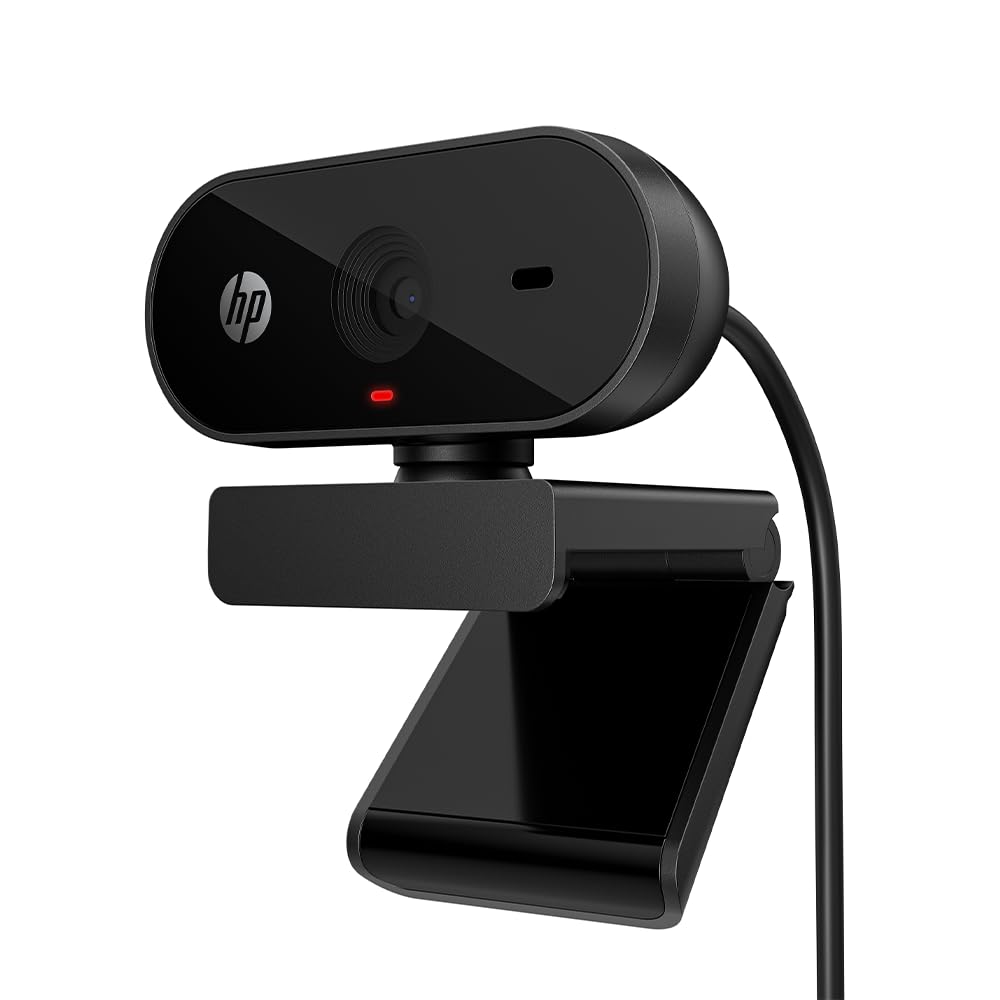
The HP 320 FHD is a no-nonsense, compact webcam explicitly optimized for Chrome OS devices, making it a perfect match for Chromebook users who need a reliable external camera. Its plug-and-go functionality works seamlessly, and its 66-degree field of view provides a natural, conversational frame that isn’t overly wide.
It features automatic light adjustment to handle different room conditions and includes both a manual privacy cover and a red LED activity indicator for clear visual confirmation. The build is lightweight and portable, with a clip that fits most laptops and monitors securely, plus a standard tripod thread.
Video quality is crisp and clear for standard video conferencing. While it uses a fixed-focus system, it’s well-suited for the typical distance of a user from their screen. For students, remote workers on Chromebooks, or anyone needing a simple, trustworthy camera that works without drivers, the HP 320 is a focused and effective solution.
Why it’s great
- Officially optimized and reliable for Chromebooks and Chrome OS.
- Extremely compact, lightweight, and portable design.
- Includes both a privacy cover and an activity LED.
- Simple plug-and-play with a natural 66° field of view.
Good to know
- Fixed focus lens (not autofocus).
- Very basic feature set focused purely on core functionality.
8. Amcrest AWC2198 Webcam

The Amcrest AWC2198 punches above its weight class in the audio department. It features two embedded microphones with a 3D noise reduction algorithm, making it a standout choice for budget-conscious users working in potentially noisy environments like shared homes or busy offices. Callers report voice clarity is noticeably good.
Video is solid 1080p with a 90-degree wide-angle lens and automatic white balance. It performs adequately in lower light, though it benefits from some ambient lighting like most webcams. The build is a bit more substantial than some ultra-budget models, and it includes both a mounting clip and a privacy cover that attaches via adhesive.
For its category, it offers a balanced package with a particular emphasis on clear audio capture. If you need to be heard clearly on calls but have a strict budget, the Amcrest provides a compelling audio-focused solution.
Why it’s great
- Exceptional microphone clarity and noise reduction for the price.
- Wide 90-degree viewing angle.
- Includes a mounting clip, tripod thread, and adhesive privacy cover.
- Reliable plug-and-play performance.
Good to know
- Privacy cover attaches with adhesive, not integrated mechanically.
- Can exhibit a slight fisheye effect at the edges of the wide frame.
9. Logitech HD Pro Webcam C920

The original Logitech C920 is a legend for a reason. This model set the standard for consumer webcams years ago and continues to be a top seller due to its proven reliability and excellent video quality. Its full HD 1080p sensor with autofocus and automatic low-light correction produces a sharp, vibrant image that remains competitive.
It features dual stereo mics with noise reduction and a wide 78-degree field of view. The build quality is robust, and its longevity is attested to by many users who report units functioning flawlessly for five years or more. It works with a vast array of software and operating systems without issue.
While it lacks a physical privacy shutter (relying on a trusted indicator light), its track record of durability and consistent performance is almost unmatched. If you value a time-tested workhorse that you can install and forget about, the classic C920 remains a premium and reliable choice.
Why it’s great
- Proven, long-term reliability and build quality.
- Excellent autofocus and color reproduction.
- Dual stereo microphones with noise reduction.
- Extremely wide software and OS compatibility.
Good to know
- No physical privacy shutter included.
- Design is older than newer models in the lineup.
10. Tewiky Full HD Webcam
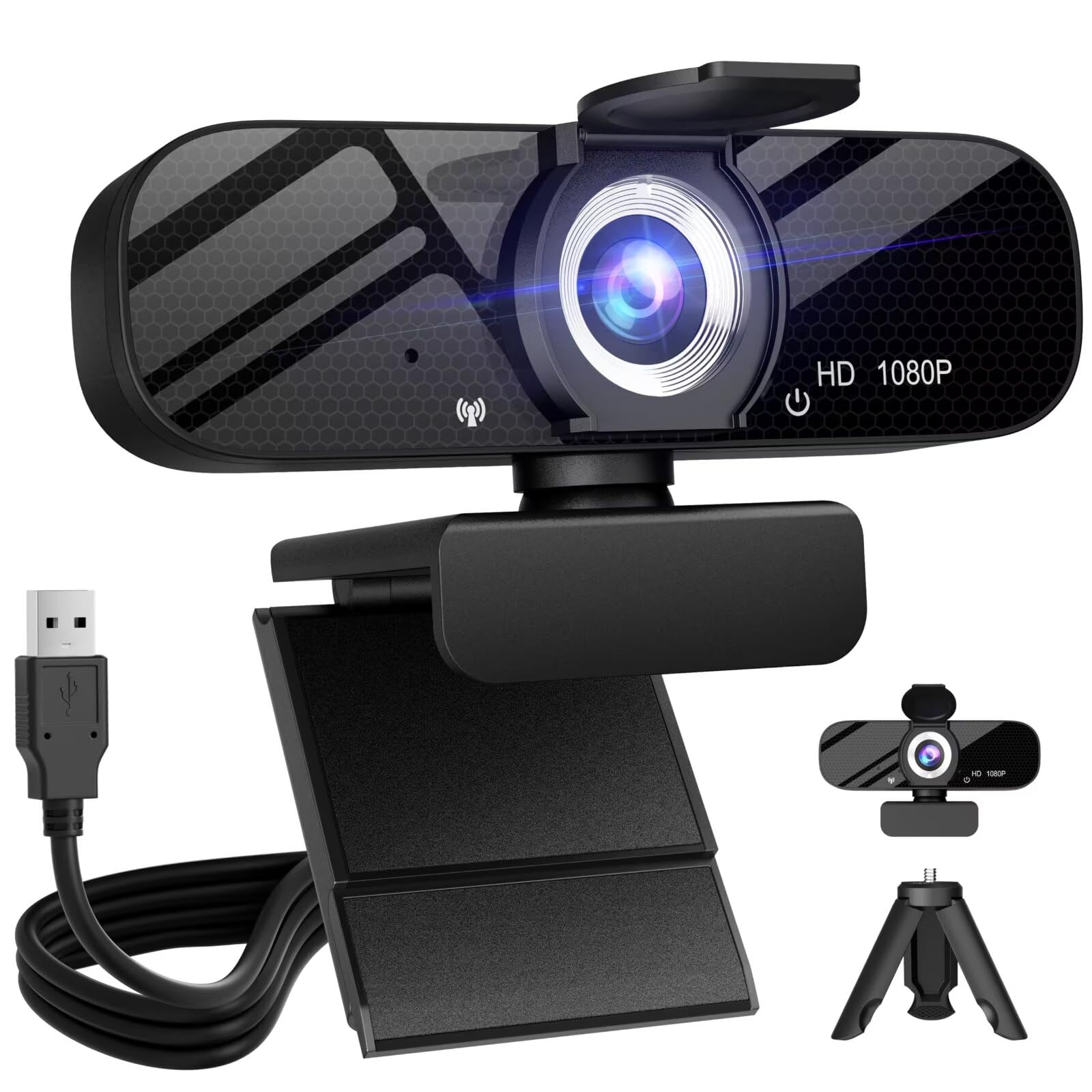
The Tewiky webcam is a strong entry-level option that adds exceptional mounting flexibility right out of the box. Its key differentiator is the inclusion of a detachable, rotatable mini tripod. This allows you to position the camera away from your monitor—on your desk, a shelf, or anywhere with a stable surface—for creative angles or better eye-line alignment.
The camera itself provides 1080p video with automatic light correction and a wide-angle lens. The built-in noise-cancelling microphone is sufficient for clear conversations. It also includes a sliding privacy cover for the lens. Setup is truly plug-and-play across multiple operating systems.
For users who want to avoid clipping a camera to a thin monitor lid or who need placement options beyond the top of a screen, theincluded tripod is a game-changer. It’s a fantastic value for students, casual users, or anyone setting up a temporary workstation.
Why it’s great
- Includes a versatile, detachable mini tripod for flexible placement.
- Wide-angle lens and automatic light correction.
- Built-in privacy cover and noise-cancelling microphone.
- True plug-and-play operation with broad compatibility.
Good to know
- The included tripod is lightweight and can be a bit wobbly.
- Monitor clip may not grip ultra-thin bezels as securely.
11. NIVEOLI 1080P Webcam
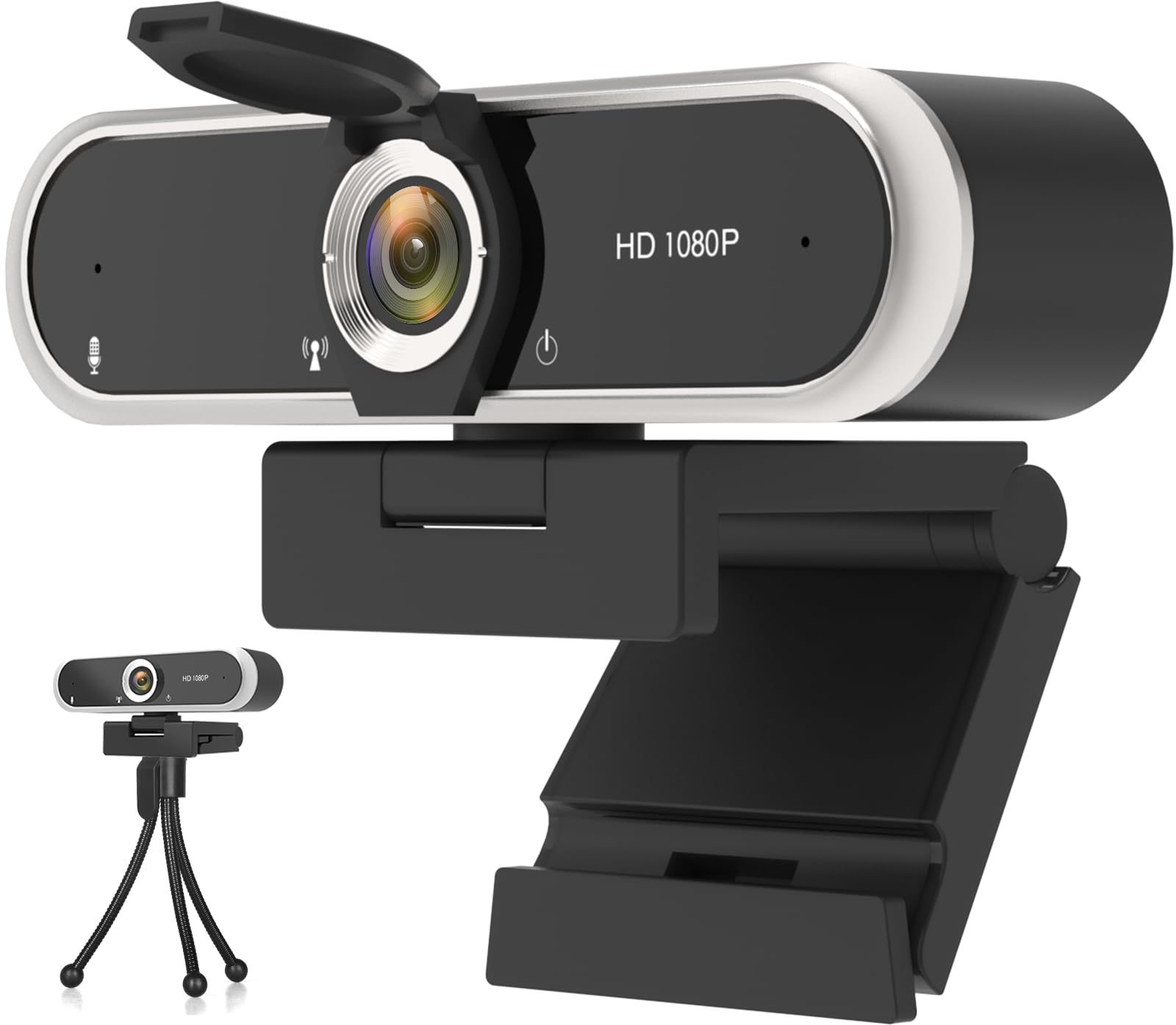
For those needing absolute basics without any frills, the NIVEOLI webcam delivers functional 1080p video and a privacy cover at an entry-level point. It’s a straightforward plug-and-play device that works instantly with USB 2.0, making it a viable solution for infrequent calls or as a spare.
Video quality is acceptable for well-lit environments, and it includes automatic light correction to help in less-than-ideal conditions. The built-in noise-canceling microphone handles voice capture adequately. The adjustable clip fits most monitors and the 360-degree rotating head allows for easy angle adjustment.
While it won’t match the performance of mid-range or premium models in challenging lighting or for detailed streaming, it fulfills the core requirement of providing a clear video feed for meetings, online classes, and casual chats. For budget-focused buyers, it represents a functional starting point.
Why it’s great
- Extremely budget-friendly with core 1080p functionality.
- Includes a built-in sliding privacy cover.
- Simple plug-and-play with a wide range of devices and OS.
- Comes with both a monitor clip and a small tripod stand.
Good to know
- Video quality significantly depends on good lighting.
- Fixed focus lens; not suitable for close-up detail.
Understanding the Specs
Field of View (FOV)
Measured in degrees, FOV determines how much of the scene the camera captures. A narrow FOV (65-78°) frames you like a traditional portrait, minimizing background distraction. A wide FOV (90-110°) is better for showing multiple people, a whiteboard, or a streaming setup, but can introduce a slight fisheye distortion at the edges.
Focus Type
Fixed Focus lenses are sharp within a pre-set range (e.g., 2 ft to infinity). They’re reliable and never “hunt” for focus. Autofocus lenses continuously adjust to keep your face sharp, which is great if you move around, but lower-quality implementations can be slow or cause a distracting pulsing effect in low light.
Microphone Array
Most built-in mics are mono. Models with dual or stereo microphones use beamforming and noise-canceling algorithms to better isolate your voice from background noise like keyboards or fans. For critical audio, an external USB microphone is still recommended.
Low-Light Correction
This refers to software or sensor technology that brightens the image in dim settings. Look for terms like “RightLight” (Logitech) or “automatic low-light correction.” Effective correction reduces grain and maintains color accuracy, but nothing replaces adequate ambient light for the best image.
FAQ
Do I need a 4K webcam instead of 1080p?
Why does my webcam look blurry or dark?
Can I use a webcam with both a desktop and a laptop?
Is a privacy shutter really necessary?
Final Thoughts: The Verdict
For most people, the best 1080p webcam winner is the Logitech C920x HD Pro because it delivers proven, reliable performance with excellent autofocus and stereo audio. If you want top-tier security and a physical shutter, grab the Logitech Brio 301. And for maximum positioning flexibility with pan and tilt, nothing beats the Lenovo 510 FHD.

Mo Maruf
I created WellFizz to bridge the gap between vague wellness advice and actionable solutions. My mission is simple: to decode the research and give you practical tools you can actually use.
Beyond the data, I am a passionate traveler. I believe that stepping away from the screen to explore new environments is essential for mental clarity and physical vitality.