Our readers keep the lights on and my smoothie glass nicely filled. As an Amazon Associate, I earn from qualifying purchases.
Choosing the right display can transform your gaming from a choppy struggle into a seamless extension of your reflexes. The wrong specs mean missed frames, eye strain, and a constant feeling that your hardware is holding you back.
I’m Mohammad Maruf — the founder and writer behind WellFizz. My process involves deep market research, analyzing thousands of data points and specification sheets to cut through marketing hype and identify the true performance leaders in gaming hardware.
This guide is the result of that analysis, comparing critical metrics like panel technology, adaptive sync implementation, and motion clarity to pinpoint the displays that deliver real value. After scrutinizing dozens of models, I’ve identified the key specs that separate mediocre displays from the best 1080p gaming monitor for competitive play and immersive experiences.
How To Choose The Best 1080P Gaming Monitor
Selecting a monitor isn’t just about the highest number. It’s about balancing specs with your specific gaming habits, desk space, and hardware capabilities. Focus on these core aspects to make a confident decision.
Refresh Rate: The Foundation of Smoothness
Measured in Hertz (Hz), this is how many times per second the screen updates. For fast-paced games, 144Hz is the modern entry point, with 165Hz, 180Hz, and 240Hz offering progressively smoother motion. A high refresh rate makes tracking targets and panning cameras feel fluid and connected.
Panel Technology: Color vs. Speed
IPS panels offer the best color accuracy and wide viewing angles, ideal for games with rich visuals. VA panels provide deeper contrast and are often used in curved designs for immersion, but can have slower pixel transition times. Prioritize IPS for color fidelity and VA for contrast and curve immersion.
Adaptive Sync: Eliminating Tearing and Stutter
Technologies like AMD FreeSync and NVIDIA G-Sync match the monitor’s refresh rate to your GPU’s output. This eliminates screen tearing and minimizes stutter, creating a buttery-smooth experience even when frame rates fluctuate. Look for “FreeSync Premium” or “G-Sync Compatible” labels for validated performance.
Response Time & Motion Clarity
Advertised response times (like 1ms) often refer to specific modes. Real-world motion blur is managed by a combination of native panel speed and overdrive settings. A lower response time helps reduce ghosting, ensuring fast-moving objects remain sharp and defined.
Quick Comparison
On smaller screens, swipe sideways to see the full table.
| Model | Type | Best For | Key Feature | Amazon |
|---|---|---|---|---|
| Sceptre Curved 24.5″ | Curved VA | High Refresh Rate Gaming | 240Hz, AMD FreeSync Premium | Amazon |
| AOC C24G1A | Curved VA | Ergonomic Setup | 165Hz, Fully Adjustable Stand | Amazon |
| Samsung Odyssey G4 | Flat IPS | Competitive Esports | 240Hz, G-Sync Compatible | Amazon |
| Acer Nitro KG241Y | Flat VA | Balanced Performance | 165Hz, FreeSync Premium | Amazon |
| LG 24U411A-B | Flat IPS | Color-Accurate Work & Play | 120Hz, HDR10, IPS Panel | Amazon |
| Acer Nitro 27″ Curved | Curved VA | Immersive Curved Display | 165Hz, 1500R Curve, Speakers | Amazon |
| Samsung Odyssey G3 32″ | Flat LED | Large Screen Real Estate | 180Hz, Black Equalizer | Amazon |
| Acer 27″ KB272 | Flat IPS | Big Screen on a Budget | 27-inch, 120Hz, 99% sRGB | Amazon |
| Sceptre Curved 24″ | Curved VA | Entry-Level Immersion | 75Hz, Curved Design, Built-in Speakers | Amazon |
| Philips 221V8LB | Flat VA | Eye Comfort & Value | 100Hz, LowBlue Mode, 4-Year Warranty | Amazon |
| Sceptre New 22″ | Flat LED | Ultra-Budget Secondary Screen | 144Hz, Built-in Speakers | Amazon |
In‑Depth Reviews
1. Sceptre Curved 24.5-inch Prime Gaming Monitor

The Sceptre Curved 24.5-inch monitor delivers exceptional high-frame-rate performance that feels responsive and immersive. The 240Hz refresh rate is its standout feature, making fast-paced gameplay remarkably smooth and giving you a tangible edge in competitive titles where every millisecond counts.
Its 1500R curvature pulls you into the action, and the AMD FreeSync Premium certification ensures that this smoothness remains consistent without tearing, even when your graphics card’s output fluctuates. The inclusion of built-in speakers is a practical touch for a clutter-free desk, though dedicated headphones or external speakers are recommended for serious audio.
This model represents a strategic balance, offering a refresh rate typically found in more expensive monitors while maintaining a design that’s functional for everyday use. It’s a compelling choice for gamers who want top-tier motion clarity without venturing into the premium tier.
Why it’s great
- Extremely high 240Hz refresh rate for ultra-smooth gameplay.
- AMD FreeSync Premium ensures tear-free performance.
- Curved design enhances immersion for gaming and media.
- Includes practical features like built-in speakers and blue light shift.
Good to know
- As a VA panel, some ghosting may be noticeable at lower frame rates.
- The stand offers tilt but lacks height or swivel adjustment.
- Color calibration out of the box may require minor tweaking for accuracy.
2. AOC C24G1A 24″ Curved Frameless Gaming Monitor

The AOC C24G1A is a feature-complete package that doesn’t ask you to compromise on ergonomics. Its fully adjustable stand—allowing for height, swivel, tilt, and pivot adjustments—is a rarity in this category and lets you dial in the perfect viewing position for long gaming sessions.
Performance is anchored by a solid 165Hz refresh rate and 1ms MPRT response time, supported by AMD FreeSync Premium for smooth, adaptive sync gameplay. The 1500R curved VA panel offers deep contrast and an engaging level of immersion, while the three-sided frameless design makes it an excellent candidate for a multi-monitor setup.
This monitor feels robust and well-built, justifying its position in the upper mid-range. It’s for the gamer who values a customizable, comfortable setup as much as they do in-game performance.
Why it’s great
- Superior ergonomics with full height, swivel, tilt, and pivot adjustment.
- 165Hz refresh rate with FreeSync Premium for reliable smoothness.
- Frameless design on three sides is ideal for multi-monitor arrays.
- Sturdy build quality and a pronounced, immersive curve.
Good to know
- The 1080p resolution on a 24-inch screen may show slight pixelation if viewed very closely.
- VA panel typical: excellent contrast, but potential for ghosting in dark scenes.
- Glossy screen finish can be reflective in brightly lit rooms.
3. SAMSUNG 25″ Odyssey G4 Series FHD Gaming Monitor

Samsung’s Odyssey G4 is engineered for competitive players who demand speed and clarity. The combination of a 240Hz refresh rate and a 1ms GTG response time on an IPS panel is significant—it delivers the motion clarity of high refresh rates alongside the vibrant colors and wide viewing angles IPS is known for.
Features like Ultrawide Game View (adjustable aspect ratio) and virtual aim point crosshairs are tailored for tactical advantages in-game. Its full ergonomic stand provides extensive adjustability, and the auto source switch+ feature adds convenience for multi-device setups. Being both G-Sync Compatible and AMD FreeSync Premium supported means it works flawlessly with all modern graphics cards.
This monitor sits at the intersection of esports performance and premium build quality, making it a top-tier choice for serious gamers who won’t compromise on responsiveness or image quality.
Why it’s great
- Blazing-fast 240Hz IPS panel offers both speed and excellent color.
- Official G-Sync Compatibility and FreeSync Premium support for universal VRR.
- Gaming-centric features like Ultrawide Game View and virtual crosshairs.
- Fully adjustable, sturdy ergonomic stand.
Good to know
- Premium positioning reflects its feature set and brand reputation.
- 25-inch size is a sweet spot for 1080p, but some may prefer larger displays.
- No built-in speakers, requiring external audio solution.
4. Acer Nitro KG241Y Sbiip 23.8” Gaming Monitor
let-pacing. The 165Hz refresh rate and 1ms VRB response time provide a substantial upgrade over basic 60Hz displays, making fast motion appreciably smoother. AMD FreeSync Premium technology is included, which is noteworthy at this price point, as it ensures smooth gameplay without tearing even during frame rate dips.
Its ZeroFrame design gives it a modern look and minimizes bezels for better focus on the screen. The inclusion of two HDMI ports and one DisplayPort offers good connectivity flexibility for consoles and PCs. For a mid-range monitor focused purely on gaming performance, it delivers excellent core specs without unnecessary extras.
Why it’s great
- High 165Hz refresh rate with 1ms response for smooth, responsive gameplay.
- AMD FreeSync Premium ensures a tear-free visual experience.
- Clean, frameless design and multiple connectivity options (HDMI x2, DP).
- Strong value proposition for a dedicated gaming monitor.
Good to know
- Stand only offers tilt adjustment, lacking height or swivel.
- VA panel may exhibit some ghosting compared to faster IPS types.
- No built-in speakers, so external audio is required.
5. LG 24U411A-B 24-inch Full HD Computer Monitor

The LG 24U411A-B is a versatile IPS monitor that bridges the gap between productivity and casual gaming. Its 120Hz refresh rate provides a noticeably smoother experience than standard office monitors, while the IPS panel delivers consistent, accurate colors and wide viewing angles—key for content creation or shared viewing.
Features like HDR10 support and 99% sRGB coverage enhance media consumption and light creative work. LG includes helpful gaming utilities like Dynamic Action Sync (to reduce input lag) and Black Stabilizer, alongside comfort features like Reader Mode for reduced blue light. The three-sided virtually borderless design gives it a sleek, modern aesthetic.
This monitor is ideal for users who need a single display for work, content consumption, and occasional gaming. It offers a quality step up from basic 60Hz office monitors by adding smoother motion and better color fidelity.
Why it’s great
- IPS panel provides excellent color accuracy and wide viewing angles.
- 120Hz refresh rate offers a smooth upgrade for both work and play.
- Useful features like HDR10, Reader Mode, and gaming utilities.
- Slim, borderless design is perfect for multi-monitor setups.
Good to know
- Refresh rate is lower than dedicated gaming monitors (120Hz vs. 144Hz+).
- The stand is basic, offering only tilt adjustment.
- HDR implementation is basic, not comparable to premium HDR displays.
6. acer Nitro 27″ Full HD 1500R Curve PC Gaming Monitor
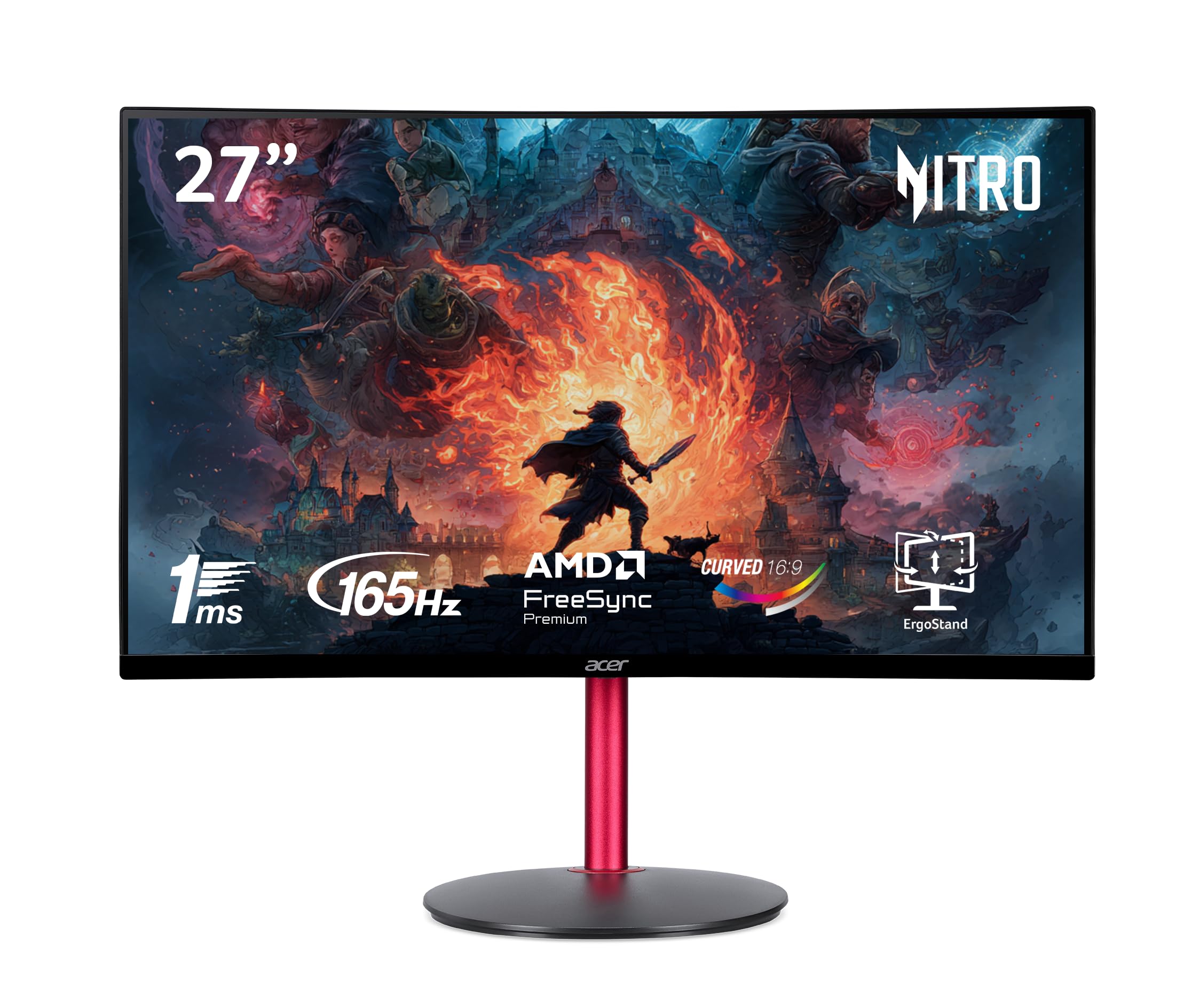
This Acer Nitro curved monitor offers a large, enveloping 27-inch screen with a pronounced 1500R curvature, pulling you into the game world. The 165Hz refresh rate and 1ms response time ensure the experience remains fast and responsive, suitable for a wide range of games from immersive RPGs to faster-paced titles.
It stands out by including built-in speakers and a more adjustable stand than many rivals, with height and tilt adjustment. The combination of a large curved VA panel, high refresh rate, and practical features like speakers makes it a compelling all-in-one solution for a dedicated gaming station where immersion is the goal.
While 1080p on a 27-inch screen means a slightly lower pixel density than a 24-inch model, the trade-off is worthwhile for the wraparound effect and greater screen real estate, especially when sitting at a typical viewing distance.
Why it’s great
- 27-inch 1500R curved display offers a highly immersive experience.
- 165Hz and 1ms response provide solid gaming performance.
- Includes convenient built-in speakers and a height-adjustable stand.
- AMD FreeSync Premium support for smooth variable refresh rate.
Good to know
- Pixel density is lower at 27-inch 1080p; individual pixels may be more noticeable.
- As a VA panel, motion handling may not be as crisp as the fastest IPS panels.
- The stand’s feet can be quite wide, consuming more desk space.
7. Samsung 32-Inch Odyssey G3 (G30D) Series FHD Gaming Monitor

For gamers who prioritize sheer screen size and desktop real estate, the Samsung Odyssey G3 32-inch model is a compelling choice. Its 180Hz refresh rate and 1ms response time ensure that the large display doesn’t come at the cost of sluggish performance, keeping gameplay smooth.
Gaming-focused features like Black Equalizer (to brighten dark scenes) and a virtual aim point crosshair are included. The stand is fully ergonomic, offering height, tilt, swivel, and pivot adjustments—a significant benefit for such a large monitor. The three-sided borderless design also makes it visually appealing.
It’s important to note that at 32 inches, 1080p resolution means the pixel density is quite low. This is best suited for users who sit a reasonable distance back from the screen or who value immersion and size over ultra-sharp detail.
Why it’s great
- Massive 32-inch screen provides an expansive, immersive field of view.
- High 180Hz refresh rate keeps motion smooth on the big display.
- Fully adjustable ergonomic stand for optimal positioning.
- Useful gaming features like Black Equalizer and Virtual Aim Point.
Good to know
- 1080p resolution on a 32-inch screen results in low pixel density (PPI).
- Requires more desk depth and space due to its size.
- Best viewed from a slightly greater distance to minimize pixel visibility.
8. acer 27 Inch Monitor- KB272

The Acer KB272 is a straightforward, value-oriented 27-inch IPS monitor that offers a great blend of size, image quality, and smoother-than-basic performance. Its 120Hz refresh rate is a tangible upgrade for general use and casual gaming, while the IPS panel ensures good color reproduction and viewing angles.
With 99% sRGB coverage, it’s also suitable for everyday photo editing or content creation. The inclusion of Adaptive-Sync (FreeSync compatible) helps maintain smooth visuals during gaming or video playback. It represents a sensible step up for someone moving from a basic 60Hz office monitor to something larger and more responsive without focusing on extreme refresh rates.
This monitor excels as a primary display for mixed-use scenarios or as a large secondary screen in a dual-monitor setup, offering more workspace and a quality visual experience.
Why it’s great
- 27-inch IPS panel offers great size and color quality for the cost.
- 120Hz refresh rate provides a smooth experience for work and play.
- Wide color gamut (99% sRGB) is good for casual creative tasks.
- Includes Adaptive-Sync for tear-free gaming and video.
Good to know
- 1080p resolution at 27 inches is less sharp than on smaller displays.
- The stand is basic, offering tilt only.
- Response time is not as fast as dedicated gaming monitors.
9. Sceptre Curved 24-inch Gaming Monitor

This Sceptre curved monitor is the most accessible entry point into a curved gaming display. Its 1800R curvature provides a subtle immersive effect, and the 75Hz refresh rate offers a slight but noticeable improvement in smoothness over standard 60Hz monitors.
It includes practical features often omitted at this price, such as built-in speakers and two HDMI ports. The VA panel delivers good contrast for deeper blacks. This monitor is ideal for someone who wants the aesthetic and feel of a curved screen for general gaming and media consumption without requiring high frame-rate performance.
It serves well as a secondary monitor in a gaming setup or as a primary display for a budget-conscious builder who values immersion over competitive specs.
Why it’s great
- Very affordable entry into curved monitor immersion.
- 75Hz is a step up from basic 60Hz for smoother visuals.
- Includes handy built-in speakers and multiple HDMI ports.
- VA panel provides good contrast ratio for deeper blacks.
Good to know
- 75Hz refresh rate is low for serious fast-paced gaming.
- Response time is slower than gaming-focused models.
- Limited adjustability; stand only provides tilt.
10. Philips 221V8LB 22 inch Class Thin Full HD Monitor

The Philips 221V8LB emphasizes value, reliability, and viewing comfort. Its 100Hz refresh rate offers a smoother experience than standard office monitors, and Adaptive-Sync technology helps maintain fluidity. The VA panel delivers a high 3000:1 contrast ratio for rich images.
Where it truly stands out is its commitment to eye care with LowBlue Mode and flicker-free technology, and its exceptional 4-year advance replacement warranty—far longer than the typical 1-year coverage. This makes it a supremely sensible choice for long work or study sessions, with the added benefit of smoother performance for light gaming.
It’s a monitor built for longevity and comfort, perfect as a dependable secondary screen or a primary display for users who prioritize eye health and warranty peace of mind.
Why it’s great
- Outstanding 4-year warranty provides long-term peace of mind.
- Excellent eye comfort features with LowBlue Mode and flicker-free backlight.
- 100Hz refresh rate with Adaptive-Sync for decent smoothness.
- High contrast VA panel delivers deep blacks.
Good to know
- Smaller 21.5-inch screen size may feel cramped for some.
- No built-in speakers or USB ports.
- Stand only tilts, with no height adjustment.
11. Sceptre New 22-Inch Gaming Monitor
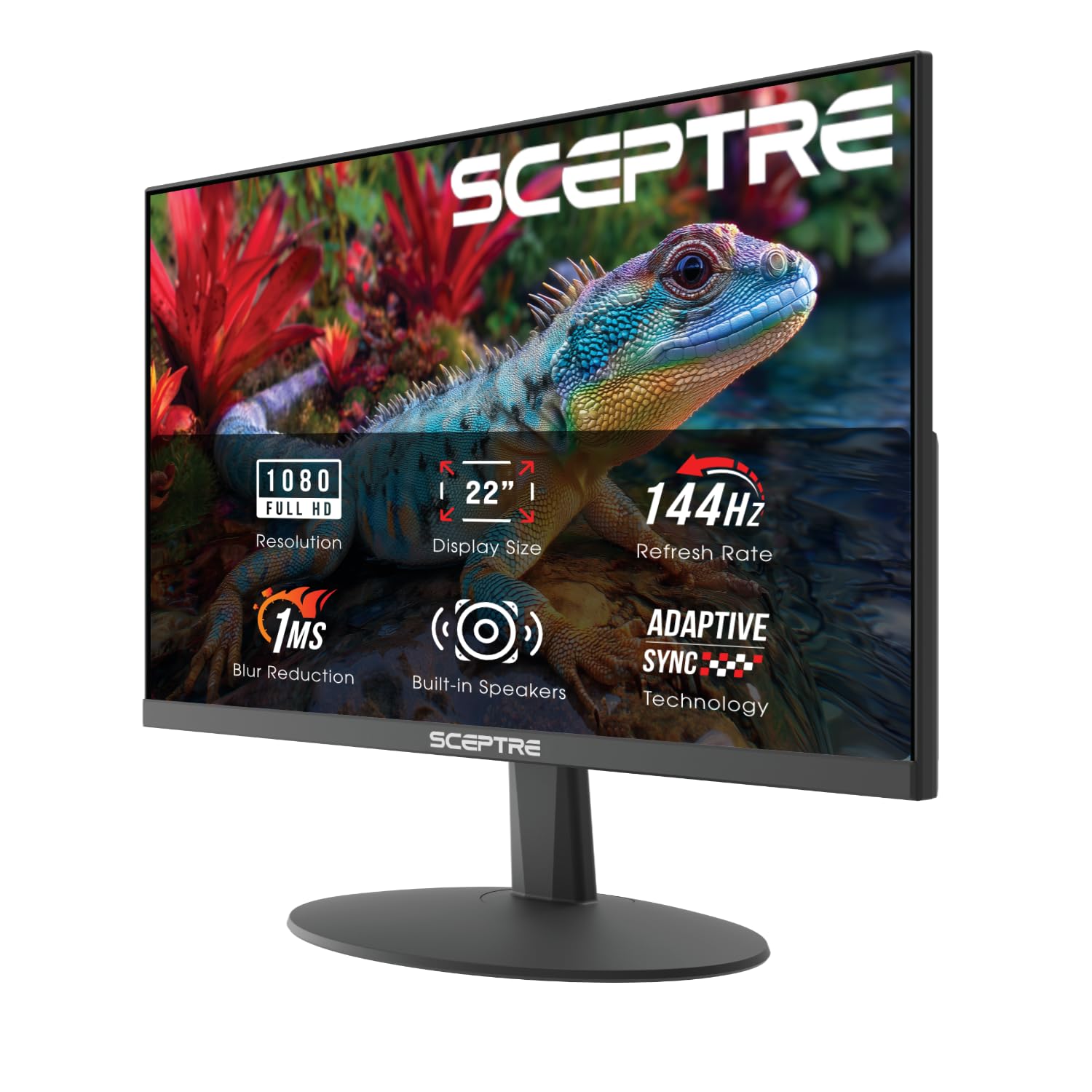
This Sceptre 22-inch monitor is the definition of budget-conscious performance. It packs a surprisingly high 144Hz refresh rate into an incredibly affordable package, making high-frame-rate gaming accessible to everyone. The inclusion of built-in speakers and Blue-Light Shift technology adds practical value for everyday use.
Its minimal bezel design makes it a great candidate for a secondary monitor in a multi-display setup. While you make compromises in terms of adjustability, port selection, and ultimate color accuracy, you gain where it matters most for entry-level gaming: smooth motion.
For a first-time gaming monitor, a secondary screen for Discord and guides, or an ultra-budget build, this model delivers core gaming performance that far exceeds its cost of entry.
Why it’s great
- Extremely affordable access to a 144Hz refresh rate.
- Includes useful built-in speakers and blue light reduction.
- Thin bezels are ideal for multi-monitor setups.
- Compact 22-inch size saves desk space.
Good to know
- Build quality and stand are very basic.
- Color accuracy and viewing angles are limited.
- Only one HDMI port and one DisplayPort, limiting connectivity.
Understanding the Specs
Refresh Rate (Hz)
This is how many times per second the image updates. 60Hz is standard, but for gaming, 144Hz or higher is recommended. A higher refresh rate makes motion look smoother and can reduce perceived input lag, giving you a more responsive feel in fast-paced games.
Response Time (ms)
Measures how quickly a pixel can change color. Lower numbers (1ms, 4ms) mean less motion blur and ghosting behind fast-moving objects. Note that manufacturers often list “MPRT” or “VRB” figures which are achieved with specific backlight strobing, not the native “GTG” (Grey-to-Grey) response.
Adaptive Sync (FreeSync/G-Sync)
This technology synchronizes the monitor’s refresh rate with your graphics card’s frame output. This eliminates screen tearing (horizontal lines) and minimizes stutter, providing a consistently smooth visual experience even when frame rates vary. FreeSync is AMD’s standard, G-Sync is NVIDIA’s; many monitors are now “G-Sync Compatible.”
Panel Type: IPS vs. VA
IPS panels offer superior color accuracy and wide viewing angles but may have lower contrast. VA panels provide much higher contrast (deeper blacks) and are commonly used in curved monitors, but can have slower pixel response leading to ghosting. Choose IPS for color fidelity and VA for contrast and immersion.
FAQ
Is 1080p still good for gaming in 2025?
What is more important, refresh rate or resolution?
Do I need a special cable for high refresh rates?
Can I use a gaming monitor for work and productivity?
Final Thoughts: The Verdict
For most people, the best 1080p gaming monitor winner is the Sceptre Curved 24.5-inch Prime because it delivers elite 240Hz performance and AMD FreeSync Premium at a mid-range point, offering incredible smoothness for both competitive and immersive gaming. If you want superior adjustability and build quality, grab the AOC C24G1A. And for esports-level speed with excellent IPS colors, nothing beats the Samsung Odyssey G4.

Mo Maruf
I created WellFizz to bridge the gap between vague wellness advice and actionable solutions. My mission is simple: to decode the research and give you practical tools you can actually use.
Beyond the data, I am a passionate traveler. I believe that stepping away from the screen to explore new environments is essential for mental clarity and physical vitality.