Our readers keep the lights on and my smoothie glass nicely filled. As an Amazon Associate, I earn from qualifying purchases.
Specs are compiled from manufacturer listings and verified buyer reviews and can change over time — please confirm the key details on the product page before buying.
When you shop for a dedicated e-reader for manga, the screen decides everything. A 6-inch black-and-white display makes you squint at tiny sound effects and dulls the art, so this list only includes models with a 7-inch screen or larger, and most now show color. That means double-page spreads, speed lines, and subtle shading stay crisp and true to the original art.
I’m Mohammad Maruf — the founder and writer behind WellFizz. This guide is built by comparing the manufacturers’ published specifications and the patterns across verified customer reviews, so you get each pick’s real strengths and trade-offs instead of marketing spin.
Every pick here meets a 7-inch-or-larger display, and since color matters for covers and panels, the top choices blend that size with paper-like E Ink color. Use this breakdown to find the best e-reader for manga that fits how you actually read, from binge sessions to page-turner marathons.
Our Picks at a Glance

How To Choose The Best E-Reader For Manga
Manga is a visual medium, so the screen does all the heavy lifting. Before you compare storage or battery life, you need to decide how important color is to you, because that single choice shapes every other spec on this list.
Screen Size and Resolution
Stick to 7 inches or larger, as panels with fine linework get cramped and unreadable on smaller displays. The two premium picks here go much bigger at 10.2 and 10.3 inches, which turns a page into a near-print experience.
Color vs Black and White
Color E Ink brings covers and full-color pages to life, but the technology produces softer, more muted tones than a backlit tablet. If you read mostly black-and-white manga, a monochrome screen gives you sharper text and contrast for less money.
Storage for a Growing Library
A single manga volume can run 200 to 300 MB, so 16 GB fills up faster than you might expect. The 32 GB models on this list let you carry a serious collection without constantly shuffling files.
Quick Comparison
| Model | Best For | Screen Size | Storage | Battery Life | Amazon |
|---|---|---|---|---|---|
| Kindle Colorsoft Signature Bundle★ Best Overall | Color + accessories | 7″ | 32 GB | Up to 10 weeks | Amazon |
| PocketBook Era LiteBest Value | Format flexibility | 7″ | 16 GB | Up to 2 months | Amazon |
| Kindle Colorsoft 16 GBBest Entry Color | Color on a budget | 7″ | 16 GB | Up to 8 weeks | Amazon |
| Kobo Libra Colour | Buttons + color | 7″ | 32 GB | Up to 4 weeks | Amazon |
| Kindle Colorsoft Signature 32GB | Auto light + wireless charging | 7″ | 32 GB | Up to 8 weeks | Amazon |
| Kindle Scribe 16 GB | Big-screen note-taking | 10.2″ | 16 GB | Weeks | Amazon |
| Kobo Elipsa 2E | PDFs + stylus | 10.3″ | 32 GB | Several weeks | Amazon |
In-Depth Reviews
1. Amazon Kindle Colorsoft Signature Edition Essentials Bundle
Our pick — over 4.5★ from 400+ verified ratings; the strongest balance of quality and price.
The complete color package that turns your manga shelf into a pocket library.
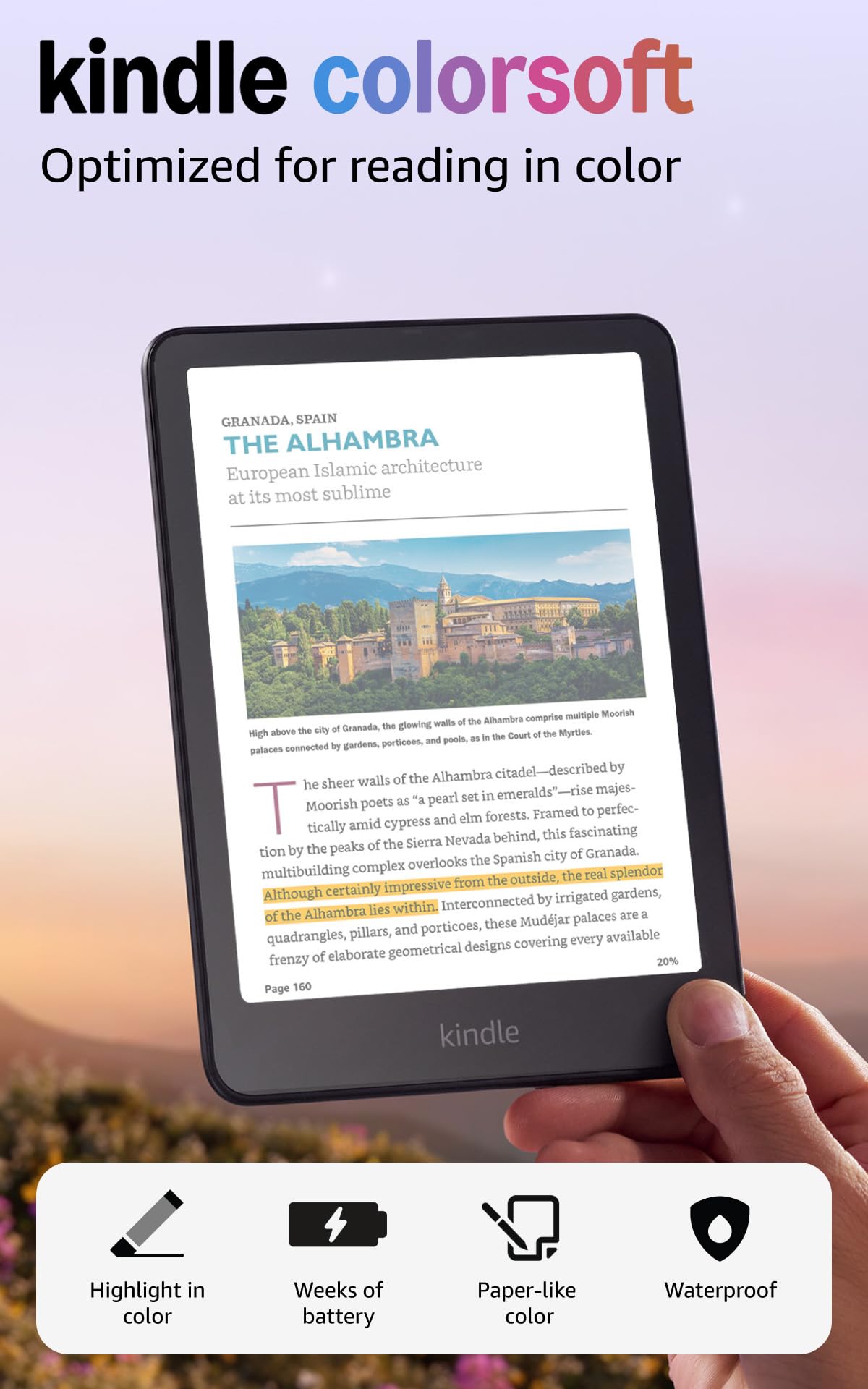
The 7-inch Colorsoft display is the star here, and it delivers exactly what manga fans have been waiting for: high-contrast, paper-like color that makes covers and action panels pop. You get 32 GB of storage — double the base model — which matters when a single volume can eat up a few hundred megabytes. The bundle sweetens the deal with a plant-based leather cover in Jade and a wireless charging dock, so everything arrives ready to go.
The glare-free display with an auto-adjusting front light means you can read poolside or in bed without hunting for the right angle. Owners highlight the color highlighting feature in yellow, orange, blue, and pink, which makes it far easier to mark up and distinguish between passages.
The only real friction found in feedback is that the bundled cover can block the wireless charging dock, so you may need to pop the device out to top it up. That is a minor workflow hiccup, not a reason to pass. As one satisfied reader put it after half a year of daily use: “Six months, no complaints.” The 32 GB storage, color display, and bundled cover and dock make this the most complete pick on the list.
What Wins People Over
- Color highlighting in four shades for easy scene marking
- 32 GB holds a serious manga collection
- Up to 10 weeks on a single charge
- Waterproof for pool or bath reading
Worth Knowing
- Cover can block the wireless dock’s charging
- Color is softer than a tablet screen
Reach for this if: you want the most complete color manga setup with storage, cover, and dock included.
Look elsewhere if: you prefer buying just the device and choosing your own accessories.
2. PocketBook Era Lite
The format-agnostic workhorse for readers who refuse to be locked into one store.
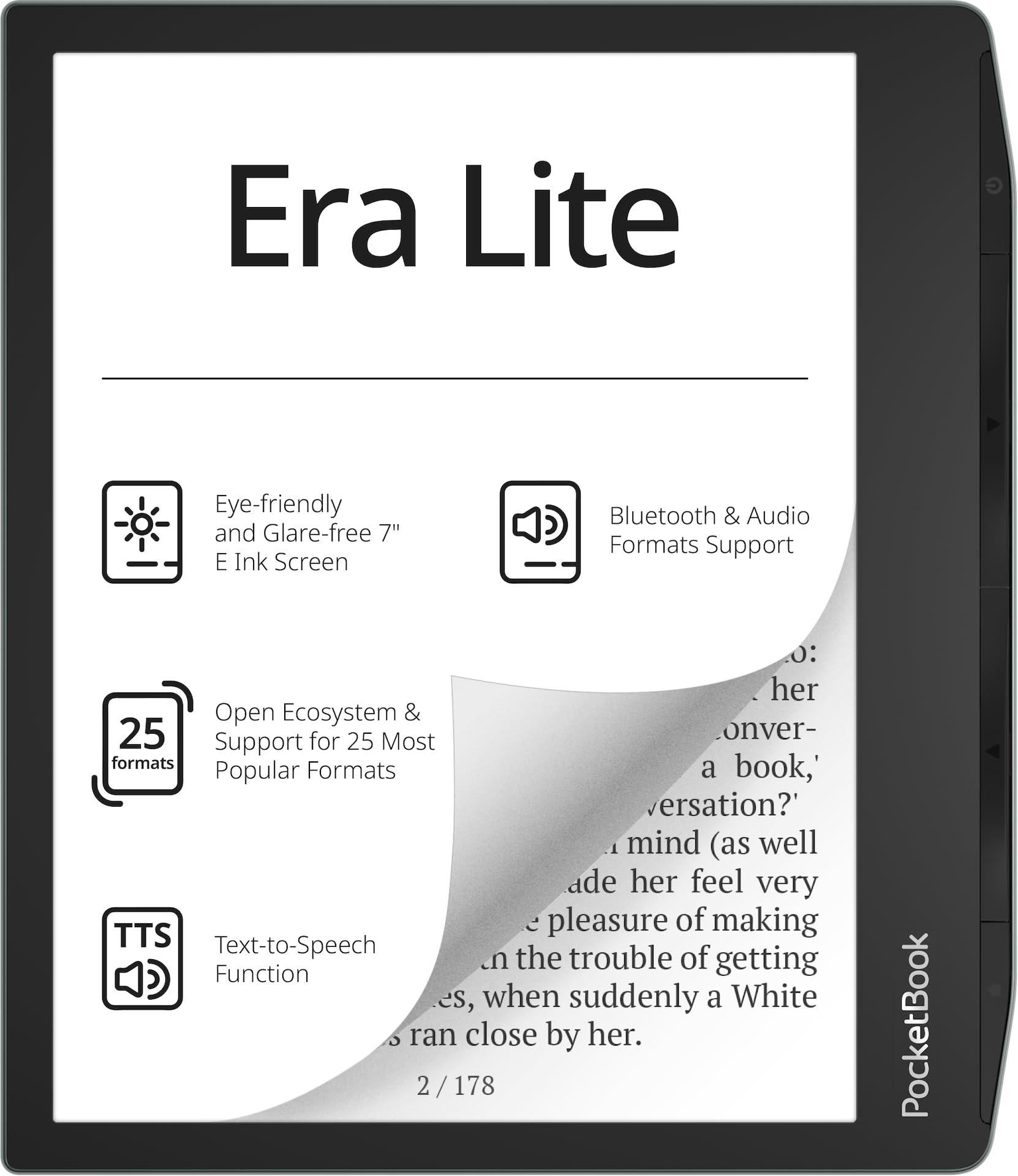
The PocketBook Era Lite is built around a 7-inch E Ink Carta 1300 screen with a native resolution of 1264×1680, delivering sharp contrast and that paper-like feel. Where it truly stands apart is the open ecosystem: it supports 25 formats including CBR and CBZ, which are the standard for comic and manga files, so you are never tied to a single storefront. You can load books from anywhere, and the pre-installed Libby app even connects to your local library.
Physical page-turn buttons and an adaptive SMARTlight for warmer or cooler screen tones make long sessions comfortable, and the IPX4 rating protects against splashes. Battery life stretches up to 2 months on a single charge, and Bluetooth plus text-to-speech means you can switch to audiobooks if you want. The 16 GB storage is half the capacity of the top pick — a 2.0x gap — so plan to manage your library if you go this route.
The candid truth is that feedback here is more divided than on the Kindles. Some owners find it glitchy, reporting slow or erratic page turns, random freezes, and occasional skips of about 15 pages, though others suspect a defective unit. Tech-savvy readers who sideload KOReader absolutely love it for multilingual and multi-format flexibility. This is the pick for readers who prioritize format freedom over a polished interface.
Its Superpower: near-universal format support means your existing manga files just work, with no conversion hassle.
The Trade-off: the software experience is less polished than rivals, and a few units seem to suffer from glitches.
3. Amazon Kindle Colorsoft 16 GB
The most affordable route into color manga on a 7-inch E Ink panel.
The base Kindle Colorsoft gives you the same 7-inch high-contrast display as the Signature model, delivering paper-like color for covers and content. The difference is storage: at 16 GB, you get exactly half the space of the 32 GB Signature Edition, a 2.0x gap that you will feel as your manga library grows. For casual readers who rotate a few series at a time, that is plenty.
Battery life runs up to 8 weeks on a single USB-C charge, and the display adjusts from white to amber so you can read in bright sunlight or in the dark. Dark Mode flips the background to black with white text while keeping your highlights in color, which is a comfort feature for late-night binge sessions. The no-ads version keeps your lockscreen clean.
Owners consistently note that text is slightly less sharp than the Paperwhite, and colors come across muted — like newsprint rather than glossy print. But for comics and graphic novels, the panel view is excellent, and the color covers make navigating your library instantly easier. One convert summed it up honestly: they actually read now, thanks to the sunlight readability and adjustable font size, with battery that lasts weeks.
Why It Earns a Spot
- Color highlighting in yellow, orange, blue, and pink
- Dark Mode keeps highlights colorful
- Waterproof for low-maintenance reading anywhere
The Compromise
- 16 GB fills faster with large manga files
- Colors are muted compared to a tablet
Best for: curious readers who want to test color manga without the premium price tag.
skip it if: you plan to store hundreds of volumes and need the 32 GB headroom.
4. Kobo Libra Colour

A 7-inch color screen with tactile page-turn buttons that manga readers love.
The Kobo Libra Colour runs a 7-inch E Ink Kaleido 3 color display, and it earns its place with physical page-turn buttons — a feature that manga fans consistently rave about for one-handed reading. The ergonomic design supports left and right screen rotation, so you can hold it in either hand and still hit the button naturally. It is also lighter than you would expect at 7.05 ounces, which makes long sessions comfortable.
Storage sits at 32 GB, which owners say is enough for a substantial library, and the battery stretches up to 4 weeks between charges. The IPX8 rating means it is fully waterproof for up to 60 minutes in up to 2 meters of water — a step above the splash protection on some rivals. Kobo’s open approach works with Google Drive, Dropbox, and OverDrive, so you can pull books from multiple sources without a single-store lock-in.
Where it trails the Kindle is library access: you cannot read Kindle-exclusive titles, and the color is good but not comic-book vivid. Some owners find the screen size small for comfortable reading and note the plastic body can feel slightly slippery, though a case fixes that. Owners say the page-turn buttons and 4-week battery beat the Kindle Colorsoft on tactile feel and stamina.
What Wins Fans: responsive page-turn buttons and battery life that outlasts the Kindle Colorsoft, according to owners who compared both.
Who Should Pass: readers deeply invested in Kindle-exclusive titles, since those will not transfer.
5. Amazon Kindle Colorsoft Signature Edition 32GB
The signature step-up with auto light and wireless charging for a friction-free reading life.
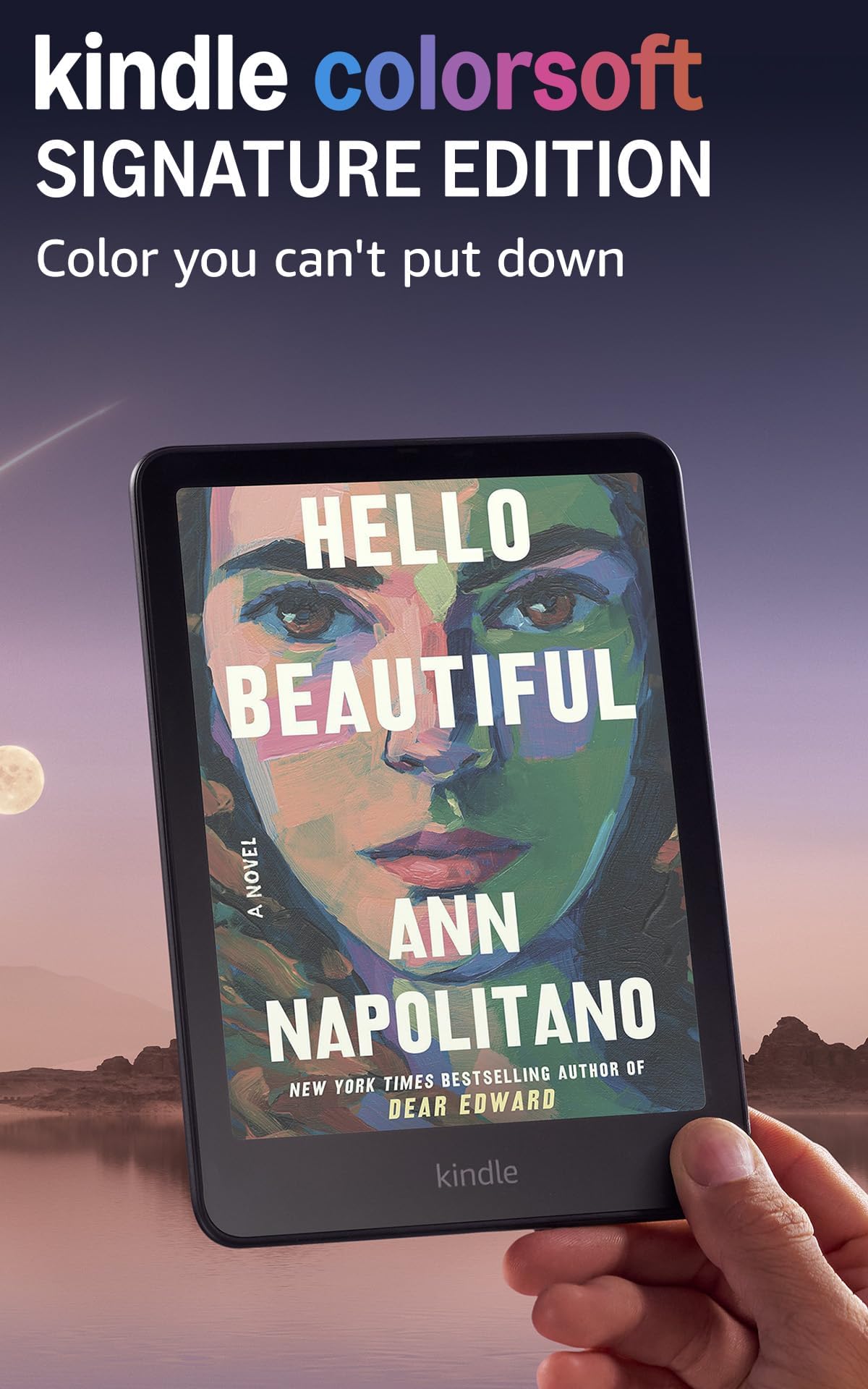
The Signature Edition takes the 7-inch Colorsoft display and adds two quality-of-life upgrades: an auto-adjusting front light that adapts to your surroundings, and wireless charging capability. That means the screen stays comfortable whether you are in full sun or a dark room, and you can top up the battery by setting the device on a dock instead of hunting for a cable. Storage sits at 32 GB, doubling the base model’s 16 GB.
Battery life runs up to 8 weeks on a single USB-C charge, and the waterproof build lets you read by the pool or in the bath. The color display brings covers to life, and owners say the color saturation exceeded expectations — lovely even with the light off, and noticeably faster than the Paperwhite Signature. Dark Mode is now system-wide thanks to a firmware update, which owners praise for late-night reading.
Buyers report the battery drains faster than monochrome Kindles, and the 32 GB storage can fill quickly if you download entire manga series at once. A few units shipped with a faint yellow band at the bottom of the screen, though replacements fixed it. For cookbooks, art books, or graphic novels, this balances price with premium features like auto light and wireless charging.
Its Edge: the auto-adjusting front light and wireless charging remove the two daily annoyances of e-reader life.
The Fine Print: faster battery drain than black-and-white Kindles, and heavy collectors may still fill 32 GB.
6. Like-New Amazon Kindle Scribe 16 GB

A 10.2-inch monochrome canvas that makes double-page manga spreads feel like print.
The Kindle Scribe trades color for sheer size, and for black-and-white manga that is a winning bet. The 10.2-inch 300 ppi Paperwhite display is glare-free and front-lit, giving you a reading surface that owners describe as the closest thing to holding a physical book. At this size, a full manga page renders at near-print scale, so fine linework and background details stay crisp and legible.
It is also a full notebook: the included Premium Pen requires no charging, writes naturally on the page, and converts handwritten notes to text. Battery life runs for months of reading and weeks of writing on a single charge, which owners consistently call incredible — one noted about 6% loss per 1.5 hours of sketching. This is a refurbished Like-New unit, tested and certified to work like new with the same limited warranty, so you get the big-screen experience at a lower entry point.
The catch is storage: at 16 GB, you will manage your manga library more carefully than you would on a 32 GB model. Some owners also hit occasional page flips and lockups that require a quick workaround, though the writing feel and speed more than compensate. If you read text-heavy books and want a notebook in the same device, this is the pick.
The Big Wins
- 10.2-inch screen for print-like manga pages
- Premium Pen with no charging required
- Months of reading on a single charge
Consider This
- 16 GB fills faster than 32 GB rivals
- Occasional page-flip hiccups reported
Reach for this if: you read black-and-white manga and want the largest, sharpest page possible.
Think twice if: color covers and full-color panels are non-negotiable for you.
7. Kobo Elipsa 2E

A 10.3-inch writing surface for readers who annotate every page as they go.
The Kobo Elipsa 2E pairs a 10.3-inch E Ink Carta 1200 touchscreen with the bundled Kobo Stylus 2, making it a powerhouse for anyone who reads and writes in the margins. The display uses ComfortLight PRO, which lets you adjust both brightness and color temperature to reduce blue light before bed. At 13.62 ounces and 0.3 inches thick, it is lighter than the Kindle Scribe, which owners appreciate for bedtime reading.
Storage is a generous 32 GB, enough for up to 24,000 eBooks, and the battery lasts several weeks on a single charge. The built-in browser lets you download EPUBs directly to the device, and the stylus tracks handwriting without lag for notes and annotations. Kobo’s eco-conscious build uses recycled and ocean-bound plastic, which is a thoughtful bonus.
Feedback splits on the stylus and PDF handling. Some owners mention the 10-inch screen is ideal for PDFs and academic papers, with pen tracking that feels natural. Others found the stylus confused by palm input while writing, with no option to disable touch, and the writing experience lagging behind rivals. PDF contrast is also weaker than a dedicated tablet like the Remarkable 2. This is a niche pick for Kobo loyalists who want a big annotated-reading experience.
Its Strength: a huge glare-free canvas for PDFs, notes, and long-form reading with a bundled stylus.
Its Quirk: palm rejection is not adjustable, so some owners find writing finicky.
Understanding the Specs
E Ink Color Technology
Color E Ink screens layer a color filter over the black-and-white e-ink panel, which is why colors look muted and paper-like rather than vivid like a tablet. The trade-off is what you gain: no glare in sunlight, no eye strain over long sessions, and battery life measured in weeks instead of hours. For manga, this means covers and full-color pages look lovely, while black-and-white panels stay sharp and readable.
Screen Size and Resolution
Manga panels are dense with detail, so screen size matters more here than in any other reading category. A 7-inch display is the practical minimum for comfortable reading, while 10-inch-plus models like the Scribe and Elipsa render pages at near-print scale. Resolution, measured in pixels per inch (ppi), determines how crisp that linework appears — higher ppi means cleaner edges on speed lines and small sound effects.
FAQ
Will a 6-inch e-reader work for manga?
Do I need a color e-reader for manga?
How much storage do I need for a manga collection?
Can I read Kindle books on a Kobo e-reader?
Does water resistance matter for an e-reader?
Is a 10-inch e-reader too big for manga?
How long does a battery last on a color e-reader?
What file formats do manga files come in?
Final Thoughts: The Verdict
If you want one dependable pick, the e-reader for manga winner is the Kindle Colorsoft Signature Bundle because it delivers 32 GB of storage, up to 10 weeks of battery, and the complete accessory kit in one box. If you want the tactile feel of page-turn buttons with strong battery life, grab the Kobo Libra Colour. And for the most rich color manga experience on the biggest canvas, the Kindle Scribe Colorsoft 64GB is the one to reach for, even if it carries the highest price tag.
How We Picked
We do not accept paid placement. Every pick is matched to a real buyer and a real use-case; we do not hands-on test units.
Sources & Methodology
Specifications: manufacturer listings and product documentation. Review insights: verified customer reviews, as of August 2026. Pricing: not shown on this page (it changes often); check the current price via the retailer link.
As an Amazon Associate, WellFizz earns from qualifying purchases. This does not affect which products we feature.
Related Guides

Mo Maruf
I created WellFizz to bridge the gap between vague wellness advice and actionable solutions. My mission is simple: to decode the research and give you practical tools you can actually use.
Beyond the data, I am a passionate traveler. I believe that stepping away from the screen to explore new environments is essential for mental clarity and physical vitality.