Our readers keep the lights on and my smoothie glass nicely filled. As an Amazon Associate, I earn from qualifying purchases.
Specs are compiled from manufacturer listings and verified buyer reviews and can change over time — please confirm the key details on the product page before buying.
Editing photos on a tablet is about trust — trusting that the colors you see are the colors your client will see on their screen. The right tablet for photographers balances a color-accurate display, a precise stylus, and enough battery for long editing sessions. This guide focuses on the display, stylus, and performance specs that matter most for photo editing.
I’m Mohammad Maruf — the founder and writer behind WellFizz. This guide is built by comparing the manufacturers’ published specifications and the patterns across verified customer reviews, so you get each pick’s real strengths and trade-offs instead of marketing spin.
You’ll see how each tablet handles the two things photo editors care about most — color accuracy and stylus precision — so you can find the best editing tablet for photographers for your workflow and your budget.
Our Picks at a Glance



How To Choose The Best Editing Tablet For Photographers
Before you sort through the models below, there are four things that separate a good tablet from a great photo-editing tool. Getting these right ensures your edits look consistent across devices, while getting them wrong leads to frustrating color shifts.
Display Quality is Everything
Look for a P3 wide color gamut, which is the wider color space used by modern cameras and displays, and True Tone, which adjusts the screen to match the light in your room. A display that covers these will show you the true colors in your raw files without surprises.
Stylus Precision and Feel
The stylus is your primary tool for precise edits. Pressure levels determine how fine your control is — a stylus with thousands of pressure levels can tell the difference between a feather-light touch and a firm press, crucial for subtle edits like dodging and masking. Choose a stylus that doesn’t need charging so it’s always ready to use.
Performance and Storage
Editing requires moving large RAW files, so processing power and RAM are critical. A powerful processor with plenty of RAM keeps the experience fluid when you’re zooming into a 50-megapixel raw file. Ample storage prevents constant offloading of work-in-progress files.
Quick Comparison
| Model | Best For | Display | Stylus | Battery | Amazon |
|---|---|---|---|---|---|
| Apple iPad Pro 13-inch (M5)★ Best Overall | Peak color accuracy | Ultra Retina XDR (13″) | Apple Pencil Pro | All-day | Amazon |
| TCL NXTPAPER 11 PlusBest Value | Budget-friendly value | 11.5″ 2.2K 120Hz | T-PEN (4096 levels) | 8000mAh | Amazon |
| Lenovo Idea Tab ProLarge Canvas | Large canvas for less | 12.7″ 3K LCD | Tab Pen Plus | 11 hours | Amazon |
| XPPen Magic Drawing Pad | Dedicated drawing | 12.2″ 2160×1440 | X3 Pro (16384 levels) | 8000mAh | Amazon |
| Samsung Galaxy Tab S11 | AMOLED color pop | 11″ AMOLED 2X | S Pen | 18 hours | Amazon |
| Apple iPad Air 13-inch (M4) | Apple ecosystem value | Liquid Retina (13″) | Apple Pencil Pro | All-day | Amazon |
| Samsung Galaxy Tab S11 Ultra | Maximum screen size | 14.6″ AMOLED 2X 120Hz | S Pen | 11600mAh | Amazon |
| Samsung Galaxy Tab S11 Ultra WiFi | Ultra-large viewing | 14.6″ AMOLED 2X 120Hz | S Pen | 11600mAh | Amazon |
| Samsung Galaxy Tab S10+ Plus | Note-taking pro | 12.4″ AMOLED 2X 120Hz | S Pen | — | Amazon |
In-Depth Reviews
1. Apple iPad Pro 13-inch (M5)
Our pick — over 4.5★ from 700+ verified ratings; the strongest balance of quality and price.
The gold standard for color work — a display that sets the bar for everyone else.
The 13-inch Ultra Retina XDR display is the defining feature here, built for extreme brightness, precise contrast, ProMotion, P3 wide color, and True Tone. That combination is exactly what makes it a trustworthy editing canvas — you can push a sunset’s saturation or recover shadow detail with confidence that what you see is what you’ll get. The M5 chip powers serious photo editing, with Neural Accelerators for AI that can speed up masking and selection tasks you’d normally do on a desktop.
Buyers report the battery lasts a surprising 2-3 days on normal use, which means you’re not hunting for a charger mid-edit. It’s also remarkably light for a 13-inch device, so it slips in a bag for location work without weighing you down. The included Face ID makes it quick to open up and secure for business.
One honest trade-off: at this size, one-hand use gets fatiguing. It also commands a premium price, and the screen is so big that some find it too large for casual lap use. At 1.28 pounds, it’s a serious tool rather than a casual companion.
Color confidence: Without seeing specs, owners describe a crisp, sharp image that makes photo editing a joy. It performs excellently across the board, and the display is widely praised.
Your pick if: You’re a working photographer who needs the most accurate screen and top-tier power for final edits.
Think twice if: You need a light, one-handed device for casual browsing; this is a serious piece of kit.
2. TCL NXTPAPER 11 Plus
It’s a different way to view your work — a paper-like screen that cuts glare at a budget price.
The star here is the NXTPAPER 4.0 display, which uses an anti-glare coating and DC dimming to mimic real paper. For shooting in bright outdoor locations, that means no more fighting reflections to check your histogram. It has a 120Hz refresh rate, so scrolling through a shoot is smooth, and the TÜV-certified low blue light helps when you’re editing into the evening. The included T-PEN stylus claims 4096 pressure levels for precise sketching and note-taking.
Owners consistently mention this matte screen and say the tablet performs well with no delays or lag. The Value for money is a common praise point, alongside stellar battery life and a stylus that has a built-in eraser — a nice touch for quick retouching. A long plane ride can go by as you read a book, watch a movie, and sketch, all on a single charge from the 8000mAh battery.
The catch is the software: a few report the YouTube app acting up, and the included magnetic case is weak, leaving the camera lens vulnerable to scratches. Android 15 runs on it, but this is more about value than absolute peak performance.
Eye comfort: This is the pick for photographers who spend hours staring at a screen and want a paper-like feel that’s easier on the eyes.
Reach for it: If budget is the top priority and you want a massive, glare-free screen for basic edits.
Look elsewhere: If you need the most color-accurate display and don’t mind paying more; this is an LCD, not OLED.
3. Lenovo Idea Tab Pro
A 12.7-inch screen provides ample space to view edits in context, not just pixel-by-pixel.
You get a canvas nearly the size of a printed magazine with the 12.7-inch 3K LCD display (a high-resolution screen with over 3,000 pixels across), so reviewing a sequence or showing a client a layout feels rich. The MediaTek Dimensity 8300 processor (a mid-range chip that handles everyday tasks smoothly) keeps things snappy, and the 90Hz refresh rate (the screen updates 90 times per second) makes scrolling through a long contact sheet feel fluid rather than sticky. It also carries a low blue light certification (a guarantee that the screen reduces eye-straining blue light), so you can edit for hours without your eyes tiring.
Buyers repeatedly note the excellent value, calling it a high-quality device with a large crisp screen. The included pen and case are a bonus. The battery is a key differentiator — the 11-hour video streaming estimate (how long it lasts playing video) means it can outlast a day of shooting and editing. The 45W quick charge (a fast charger that tops up the battery quickly) also gets you back in action fast when you finally hit the wall.
The main gripe is battery life is mixed in real use, with some finding it impressive and others reporting it drains quickly under load. It’s also heavy, and to get the fastest charging you’ll likely need a higher-wattage charger than the standard ones you have lying around.
Screen size: The big display is what owners are buying, and they’re mostly thrilled — one even called it perfect for drawing on the go.
Best for: A versatile, large-screen tablet for photographers who also want a great entertainment device.
Not for: Those who want a feather-light device for long plane rides; the heft is noticeable.
4. XPPen Magic Drawing Pad

A drawing canvas that feels like paper, with a stylus that never needs charging.
The headline spec is the X3 Pro slim stylus’s industry-leading 16K pressure levels (that’s 16384 to be exact), which gives you an insane range of response for fine, hyper-nuanced edits. The 12.2-inch screen uses AG-etched technology to feel like paper, reducing glare and giving you that familiar tooth of a drawing surface. It also covers 115% sRGB, so the colors are vivid and accurate for your edits. The stylus itself needs no charging and has 60° tilt recognition, so it’s always ready to pick up and draw.
Owners say it’s the best standalone option, with a soft, paper-like screen texture that mimics traditional paper. The battery life is a major plus, rated for 13 hours of non-stop creation, and it’s easy to use right from the start. It runs Android 14, so you can load apps from Google Play, and it includes a 3-month membership for both Clip Studio Paint and ibis Paint X to get you started.
The trade-offs are in the details: some find the tilt function poorly implemented and disable it, and Android OS updates are not a guarantee — it’s stuck at version 14. A few also note that palm rejection isn’t perfect without a drawing glove. But for the price, it’s a serious drawing-focused machine.
Editor’s Take
- 16K pressure stylus for hyper-fine control
- 13-hour battery for long sessions
Buyer’s Note
- Android OS can lag on updates
- Palm rejection can be finicky
Made for: Illustrators and artists-first photographers who want a dedicated drawing tool, not a general-purpose tablet.
Skip if: You rely on a full iPadOS or Windows app ecosystem; the Android app selection is a limitation.
5. Samsung Galaxy Tab S11

A vibrant 11″ AMOLED that makes your photos pop with color and contrast.
The 11-inch Dynamic AMOLED 2X display with Vision Booster is the centerpiece, offering the inky blacks and rich colors that make photos look their best. For photographers, seeing true blacks and vibrant colors is crucial for judging contrast and saturation. This screen earns a lot of praise for being sharp and clear. Inside, it runs on a blazing-fast 3nm MediaTek processor with 12GB of RAM, which owners say makes it a top-tier performer for everyday use.
The S Pen is included and uses Drawing Assist with Galaxy AI to turn rough sketches into shareable mock-ups. The battery is a standout, rated at 18 hours, and owners confirm it lasts all day and then some. The sound quality also gets positive feedback, with one buyer specifically highlighting the Dolby Atmos feature. At 5.5mm thin with an IP68 rating, it’s also built to survive spills and dust on location.
The display refresh rate is 60Hz, which is lower than some competitors but hardly a dealbreaker for photo work. The 128GB storage is expandable via microSD, so you can keep more files offline. One buyer did note it’s slippery without a cover, so you’ll want a case.
Display love: Owners rave about the display, calling it awesome and sharp, and appreciate its fast, functional performance for everyday tasks.
Choose it if: You want a premium Android tablet with a stunning AMOLED screen and all-day battery in a portable 11-inch size.
Pass on it if: You need the absolute fastest refresh rate for gaming; 60Hz is fine for editing but not for high-frame-rate games.
6. Apple iPad Air 13-inch (M4)
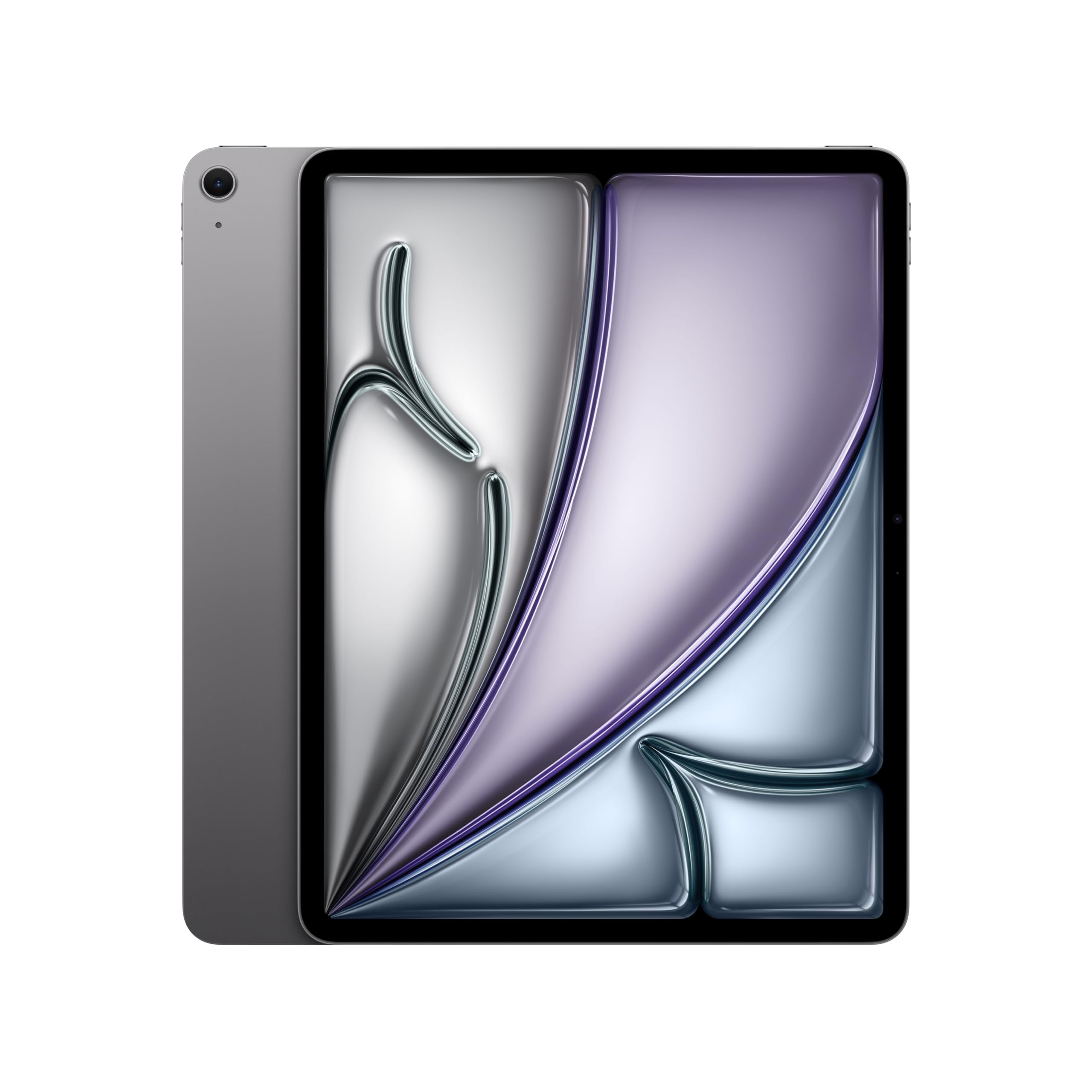
Get the big-screen Apple experience with the M4 chip at a more approachable price than the Pro.
You get accurate edits on the 13-inch Liquid Retina display (a high-resolution screen that shows colors vividly), which supports P3 wide color (a broader color range for truer hues) and True Tone (auto-adjusts white balance to match your lighting). It works with the Apple Pencil Pro, and the M4 chip (Apple’s latest processor) delivers powerful performance that owners describe as a real step up from older versions. This is a balance for Apple users who want the big canvas and the pro-level power without committing to the Ultra Retina XDR’s price tag. It packs the same all-day battery life, and Wi-Fi 7 with Apple N1 (the latest wireless standard for faster speeds) keeps your large file transfers fast.
Owners find its performance excellent and appreciate the clear, crisp display. The size is a big improvement, with one noting it’s particularly good for zoom art classes. They also praise the lightweight design and fast charging. It pairs nicely with a Logitech keyboard folio for a laptop-like editing kit, and the Touch ID is a simple, secure way to open up and pay.
At 1.36 pounds, it’s a little heavier than the 11-inch Pro, but the extra screen real estate is worth it for many. This is a top-tier choice for those who want a big Apple screen for photo editing without the absolute peak performance of the M5 Pro model.
Performance: The M4 chip is a workhorse, handling split-screen multitasking smoothly for photo and video work.
Your pick if: You’re an Apple fan who wants a large editing canvas and a great value over the Pro lineup.
Consider the Pro if: You demand the absolute best in display brightness and contrast for HDR photo editing.
7. Samsung Galaxy Tab S11 Ultra
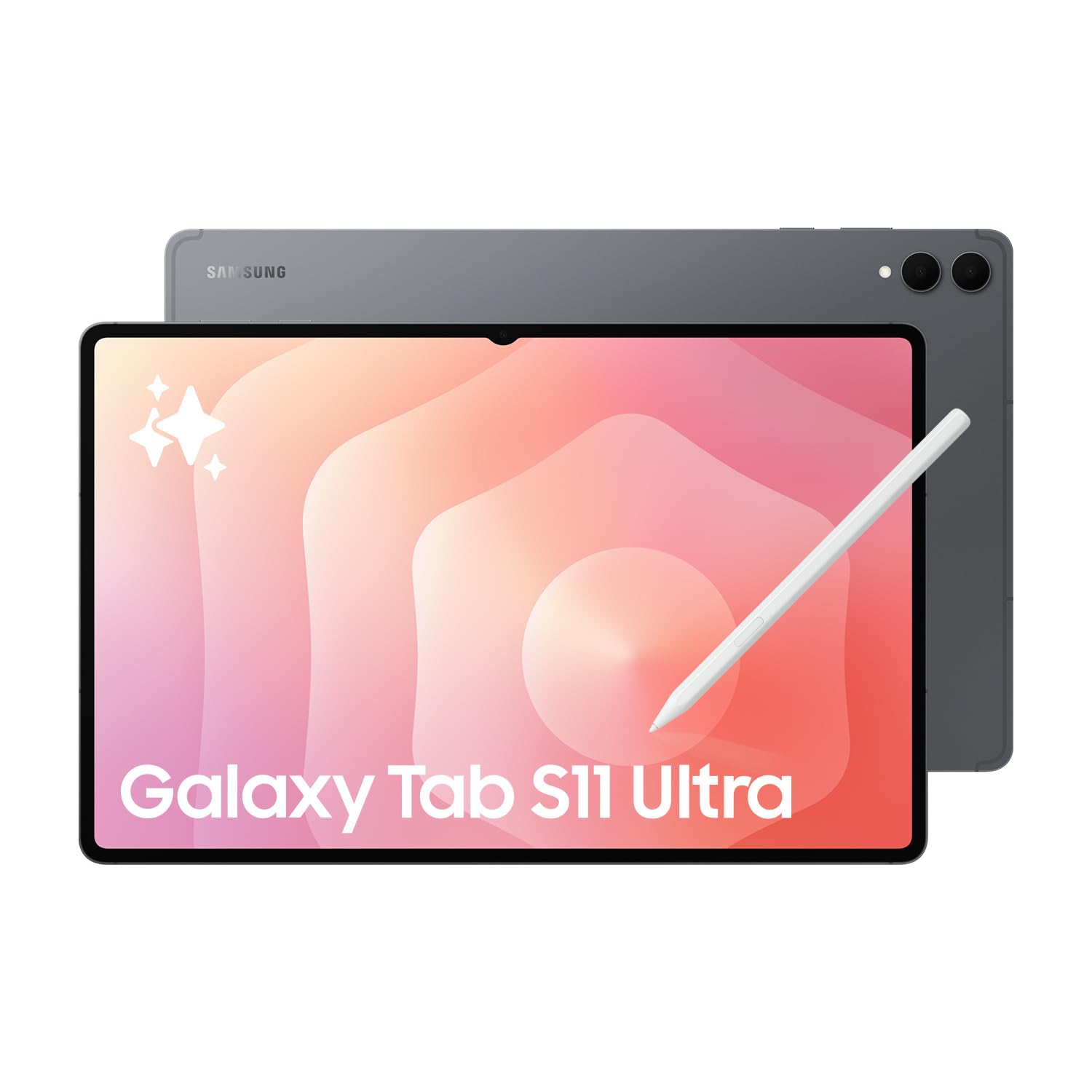
A monster 14.6″ display that gives you a true desktop-class editing canvas.
This is the one for photographers who are tired of cramped editing spaces. The 14.6-inch Dynamic AMOLED 2X display with a 120Hz refresh rate and HDR10+ support is massive, and owners describe it as “HUGE” and “monster sized.” It’s perfect for seeing your images in near-print size without constant zooming. The included S Pen and a 25W Samsung Super Fast Charger are a great bonus. Under the hood, the 12GB of RAM and the Mediatek Dimensity 9400+ (3nm) chipset keep performance fast and efficient, as owners confirm.
The 11,600mAh battery is big enough to keep this giant screen running, and the 256GB storage is expandable via microSD. The 13MP rear and dual 12MP front cameras are solid for capturing reference shots. It comes with Android 16 and One UI 8 from the start.
This is a Wi-Fi only model and an international version, so there is no US domestic warranty. It’s a big, heavy device, so portability is less of a focus. Buyers love it for the sheer screen size and the expandable memory, making it a strong pick for those who want a mobile editing suite that compares to a laptop screen.
Why It’s a Pro
- Massive 120Hz AMOLED for detailed edits
- 12GB RAM for smooth multitasking
The Caveat
- International model: no US warranty
- Wi-Fi only, no cellular option
Best for: A fixed-location editing hub where a giant screen matters more than portability.
But not: For photographers on the go or those who need a US-backed warranty.
8. Samsung Galaxy Tab S11 Ultra WiFi
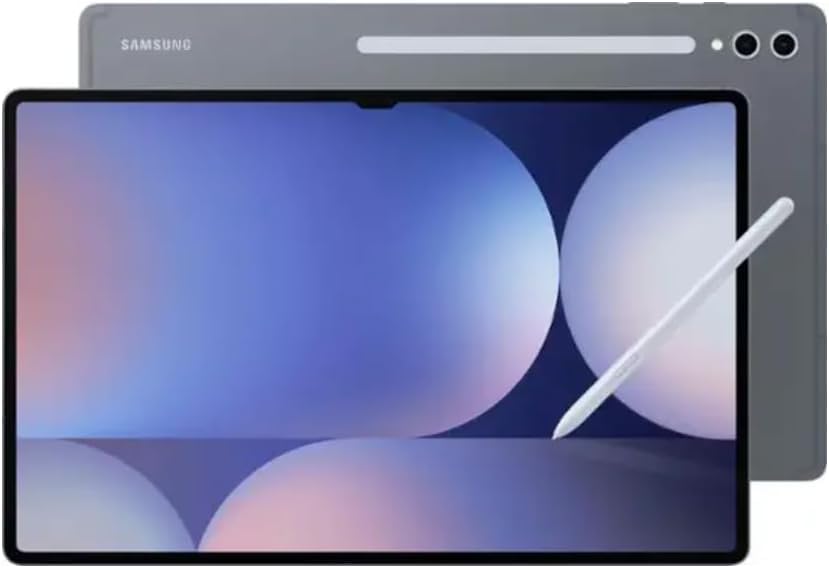
A massive, vibrant screen for editing — just mind the region-locking before you buy.
Similar to the other S11 Ultra, this model shines with its 14.6-inch Dynamic AMOLED 2X display, a 120Hz anti-reflective screen with a crisp 2960 x 1848 resolution. For photographers, the anti-reflective coating is a huge win — it makes outdoor editing more feasible by cutting down on glare. It also boasts Wi-Fi 7 for lightning-fast wireless transfers of large photo files. Owners love the larger screen size and find it a great device for reading and viewing.
You get a substantial 11,600mAh battery (a large capacity that lasts through long editing sessions), and the MediaTek Dimensity 9400+ processor (a high-end chip for demanding tasks) handles heavy workloads. It has a sturdy camera setup with a 12MP front (for video calls) and 13MP + 8MP rear cameras (for scanning documents or capturing reference shots). The S Pen is included, of course, and the dedicated microSD slot (a memory card slot) lets you expand the storage.
Here’s the catch: owners mention this model is region-locked, with some finding it locked to South America. It’s an international model without US warranty, and reports say it might not let you select the US during setup. This is a fantastic piece of hardware that could be perfect for photographers, but the region-lock issue makes it a risky buy unless you’re outside North America. The 16-hour battery life estimate is a plus if you can get it set up.
Screen love: The large screen size is a huge plus, and buyers find the device quality excellent.
Reach for it: If you’re outside the US and want a massive AMOLED for editing without cellular.
Avoid if: You’re buying in North America; the region lock is a real, documented headache.
9. Samsung Galaxy Tab S10+ Plus
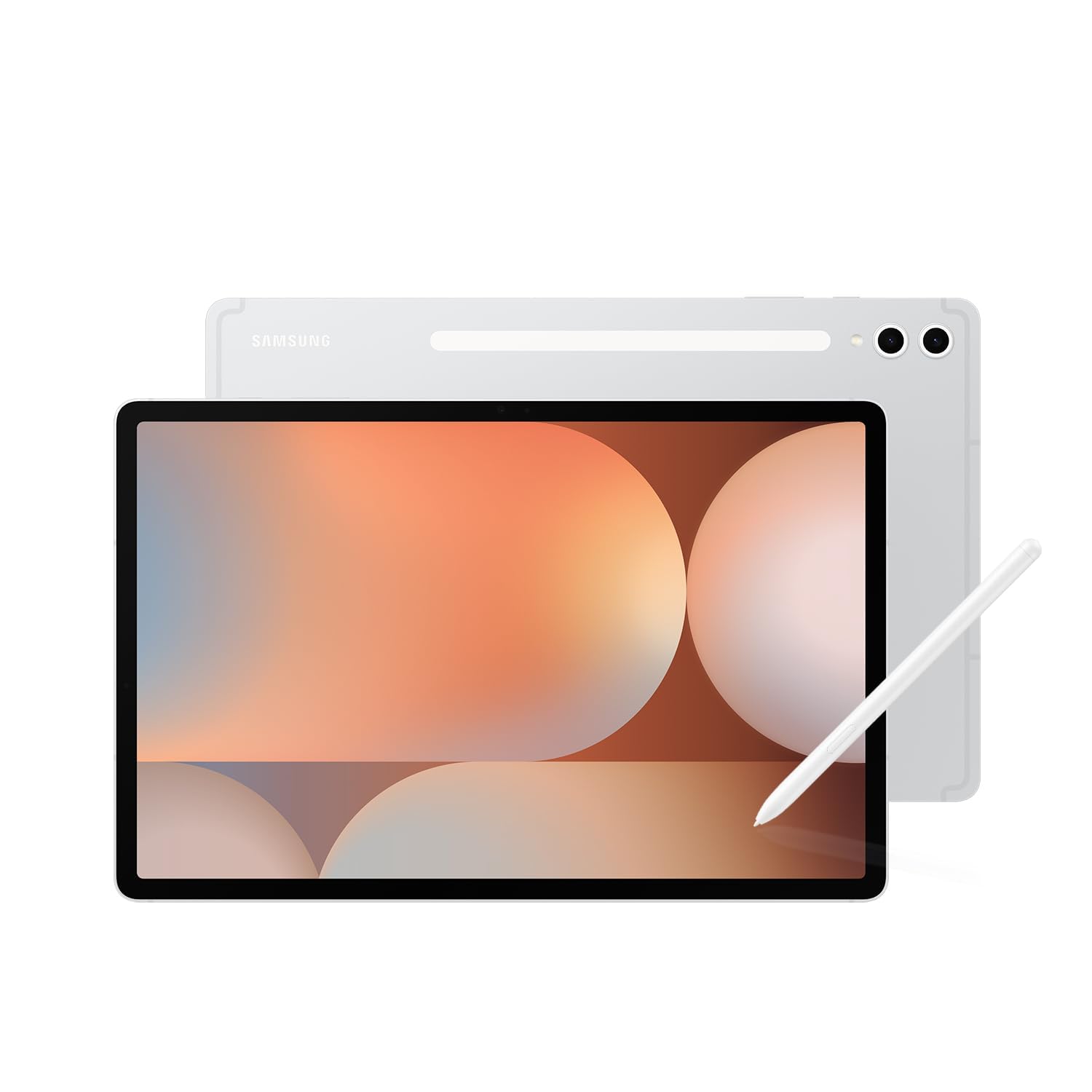
A 12.4″ AMOLED with a 120Hz screen and Galaxy AI tools that turn sketches into polished ideas.
The 12.4-inch AMOLED 2X display with a 120Hz refresh rate is a beautiful canvas for editing, delivering sharp, vibrant colors. It’s a hit with owners who praise its resolution and picture quality. The S Pen is accurate and responsive, making it great for note-taking in client meetings or for more granular retouching on the go. The Galaxy AI tools, like Sketch to Image and Note Assist, are clever additions that can summarize your meeting notes after a briefing or turn simple sketches into shareable mock-ups.
Performance is top-tier, with owners praising the quality and responsiveness. The battery life is outstanding, with one person clocking 8-10 hours of continuous use on a single charge. It has 512GB of storage, which is a massive amount of space for a working photographer’s portfolio. The user interface is easy to use, and the fingerprint and pattern open up are quick and secure. It also doubles as a second screen for a laptop, which is incredibly useful.
The main criticism is value for money — some find it pricey, though most agree it’s worth the cost for studies and creative work. It has a 4G and 5G cellular option (mobile data connectivity), which is great for editing on the road without hunting for Wi-Fi.
Quality praise: People love the high responsiveness and smooth operation, along with the sharp, vibrant display.
Best for: Photographers who also live in meetings and want a premium note-taking and editing device.
Maybe not: If you’re strictly budget-focused; this is a premium-priced machine.
Understanding the Specs
Display Tech: P3 & OLED vs LCD
P3 wide color is a wider color space that captures more of the colors you can actually see, and it’s the standard for modern photo work. OLED displays (like AMOLED) offer perfect blacks and high contrast, while LCDs are often brighter and cheaper but don’t have those inky blacks.
Stylus Pressure Levels
The number of pressure levels a stylus can detect determines how subtle your brush strokes can be. A higher number (like 16K) means you can make incredibly fine adjustments — perfect for dodging and masking without harsh lines.
FAQ
Is an iPad or Android tablet better for photo editing?
Can I edit RAW files on these tablets?
Do I need a stylus for photo editing?
Which tablet has the best battery life for all-day shoots?
What’s the difference between the Samsung Tab S10+ and Tab S11 Ultra?
Is the anti-reflective screen on the Galaxy Tab S11 Ultra good for outdoor editing?
I edit on my laptop. How can a tablet help?
Is a 60Hz refresh rate enough for editing?
Final Thoughts: The Verdict
For most working pros the editing tablet for photographers winner is the Apple iPad Pro 13-inch (M5) because it has the best combination of color-accurate display and raw power. If you’re deep in the Android ecosystem, the Samsung Galaxy Tab S11 offers a stunning AMOLED screen and all-day battery. And if budget is the main concern, the TCL NXTPAPER 11 Plus delivers solid value while staying affordable.
How We Picked
We do not accept paid placement. Every pick is matched to a real buyer and a real use-case; we do not hands-on test units.
Sources & Methodology
Specifications: manufacturer listings and product documentation. Review insights: verified customer reviews, as of August 2026. Pricing: not shown on this page (it changes often); check the current price via the retailer link.
As an Amazon Associate, WellFizz earns from qualifying purchases. This does not affect which products we feature.
Related Guides

Mo Maruf
I created WellFizz to bridge the gap between vague wellness advice and actionable solutions. My mission is simple: to decode the research and give you practical tools you can actually use.
Beyond the data, I am a passionate traveler. I believe that stepping away from the screen to explore new environments is essential for mental clarity and physical vitality.