Our readers keep the lights on and my smoothie glass nicely filled. As an Amazon Associate, I earn from qualifying purchases.
Specs are compiled from manufacturer listings and verified buyer reviews and can change over time — please confirm the key details on the product page before buying.
Your biggest fear when buying a DTF printer for shirts is that prints won’t survive the wash. That fear is well-founded, and the solution lies in the machine you choose. A direct-to-film (DTF) printer works by printing your design onto a special film, dusting it with a hot-melt adhesive powder, and then heat-pressing that film onto the fabric. The real battle is keeping white ink flowing and the printhead clear for consistent prints.
I’m Mohammad Maruf — the founder and writer behind WellFizz. This guide is built by comparing the manufacturers’ published specifications and the patterns across verified customer reviews, so you get each pick’s real strengths and trade-offs instead of marketing spin.
To find the machine that fits your shop, you have to weigh printhead type, print width, included accessories, and the quality of after-sales support that keeps you printing. This breakdown of the best dtf printer for shirts is built to simplify that decision for you.
Our Picks at a Glance

How To Choose The Best DTF Printer For Shirts
To keep your workflow smooth, you need a machine that matches your volume and your patience for setup. The printer is just one link; the oven, the software, the ink system, and the support team are what actually keep your business moving. Here’s what to weigh before you commit.
Printhead: The Engine of Your Output
The printhead is the component that sprays the ink, and it dictates both speed and detail. An XP600 head is a workhorse that balances quality and cost, while an L1800 head (as seen in the KOMHOW A3) is prized for color depth. For serious volume, an industrial i3200 head prints much faster—The MZK i3200 prints an A3 design in 2 minutes.. Your choice depends on weekly shirt volume—dozens or hundreds.
White Ink Management: The Real Make-or-Break
To get vibrant prints on dark shirts, you need a reliable white ink system. White ink is the foundation of DTF printing on dark shirts, but it is notoriously heavy and prone to settling, which leads to clogs and faded prints. The best machines combat this with a built-in stirring and circulation system that keeps the ink moving. Without it, you’ll spend more time cleaning and troubleshooting than actually printing. Prioritize this feature for consistent daily results.
Print Width and Media Handling
Your shirt size range determines the print width you need. Standard A4 printers (8.27-inch wide) are great for chest prints and small logos, while A3 models (up to 13 inches wide) open the door to larger back prints and bigger designs. A roll feeder is another convenience—it lets you load a 100-meter roll of film and print continuously without swapping sheets, which saves time and reduces film waste.
Quick Comparison
| Model | Best For | Print Width | Printhead | Max Resolution | Amazon |
|---|---|---|---|---|---|
| DXZ A4 L8058★ Best Overall | Beginners on a budget | 8.27″ | L8058 | 2800*1400 dpi | Amazon |
| Carbcolords A4 L8058Starter Bundle | Complete starter bundles | 8.27″ | XP600 | 2440 x 2440 dpi | Amazon |
| KOMHOW A3 L1800Pro Color | Color fidelity on A3 | 13″ | L1800 | 2880 dpi | Amazon |
| Senortian A3 L1800 | High-volume output | 13″ | L1800 | — | Amazon |
| WJTZXY A3+ XP600 | Speed vs L1800 models | 13″ | XP600 | — | Amazon |
| DXZ A3 F1080 | Automated workflow | 13″ | XP600 | 2800×1400 dpi | Amazon |
| MZK A3 Pro F1080 | Ease & anti-clog features | 13″ | F1080 | 1440 dpi | Amazon |
| Lancelot A3+ M1630 | All-in-one production | 13″ | Dual XP600 | 720 x 1440 dpi | Amazon |
| MZK A3 i3200 | Industrial speed | 13″ | i3200 | 2880×1440 dpi | Amazon |
In‑Depth Reviews
1. DXZ 2026 A4 DTF Printer with Roll Feeder
Our pick — 4.5★ from 50+ verified ratings; the strongest balance of quality and price.
The 8.27-inch-wide beginner machine covers your first two years of ink, so you can learn without constant supply costs.
This DXZ machine comes with a two-year ink supply that removes the biggest recurring expense of DTF printing. You get 5 bottles of 250ml ink and 500g of powder upfront, then a fresh set every two months for just the shipping cost. It’s a print-only machine, so you’ll need a heat press for the final transfer, but the bundle includes the oven, transfer film, and cleaning kits to get you running.
Setup feedback is genuinely mixed—some buyers found it easy, while others wrestled with the software. When things go wrong, the support team is the safety net: professional engineers are available within 24 hours, and the printhead carries a 6-month warranty while other parts get 1 year. The print quality is what wins people over, with reviewers consistently praising the “high quality” output and “vibrant, beautiful prints.” A few owners noted the white ink needed remote troubleshooting, though support resolved it via WhatsApp or TeamViewer.
Compared to the Carbcolords A4 below, this one is slightly deeper at 14.96 inches versus 14.17 inches—a small 6% difference—but offers the same entry-level A4 footprint. It handles rolls or sheets up to 8.27 inches wide, and the upgraded roller feeder is designed to minimize jamming, a common frustration with cheaper roll systems. The built-in cutter saves film, which is a thoughtful touch for keeping your consumable costs down.
What Wins Owners Over
- Two-year ink supply included, with refills every 2 months for shipping.
- Print quality is the top praised aspect, with 22 mentions of crisp output.
- Built-in cutter and upgraded roller feeder reduce film waste and jams.
The Trade-offs
- Setup is the most-mixed aspect; some buyers found software installation confusing.
- White ink performance got mixed feedback, sometimes requiring remote support.
- It’s A4-width only, so large back prints are off-limits.
Ideal first machine: Perfect for hobbyists and new small businesses who want a low-risk entry with support.
Consider the upgrade: If you plan to sell high volumes, the A4 width will feel limiting fast.
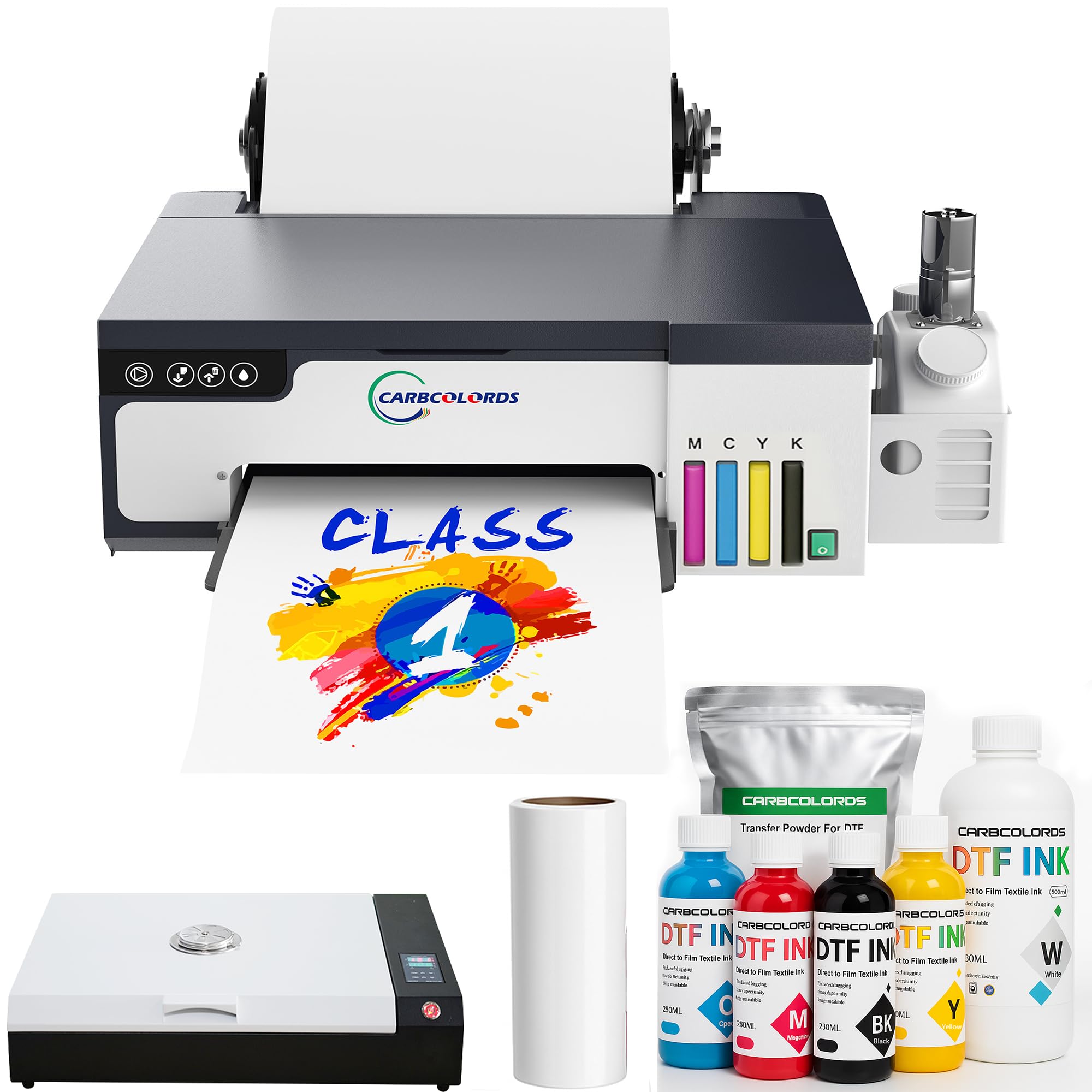
2. Carbcolords A4 DTF Printer with Oven Starter Bundle
A complete A4 bundle where the standout support team makes the intimidating setup feel manageable.
This Carbcolords package is engineered for the person who wants everything in one box. It ships with the printer, a curing oven, four 250ml color ink bottles, 500ml of white ink, roll film, and powder—a practical all-in-one for home studios and Etsy sellers. The XP600 printhead delivers “sharp, vibrant output” for detailed designs on shirts, hoodies, and bags, and the built-in white ink mixing system helps reduce ink settling so your white base stays consistent.
The real story here is the service. Time and again, owners highlight the support from “Jack,” who guided them through setup, answered questions, and even tracked packages through holiday delays. As one owner put it, the software is “a little more complicated but nothing that JACK couldn’t help me with.” This is a huge safety net for a first-time DTF buyer. Most find the printer itself “very easy to work with and set up,” though a minority found the process complicated.
Print quality earns the most praise, with 23 mentions of excellent output, and buyers are “surprised by quality despite low price.” That said, one long-term review warned that the print quality can degrade “after a WHILE,” and a damaged unit on arrival was blamed on the seller. The 1-year warranty on non-consumable parts and 6-month printhead warranty provide some cover, but it’s note the occasional bad experience exists alongside the many positive ones.
Why it stands out: The included oven and full consumables make this a true plug-and-play starter kit.
Keep in mind: The A4 roll feeder supports film up to 8.27 inches wide, which suits small-batch projects but not large back prints.
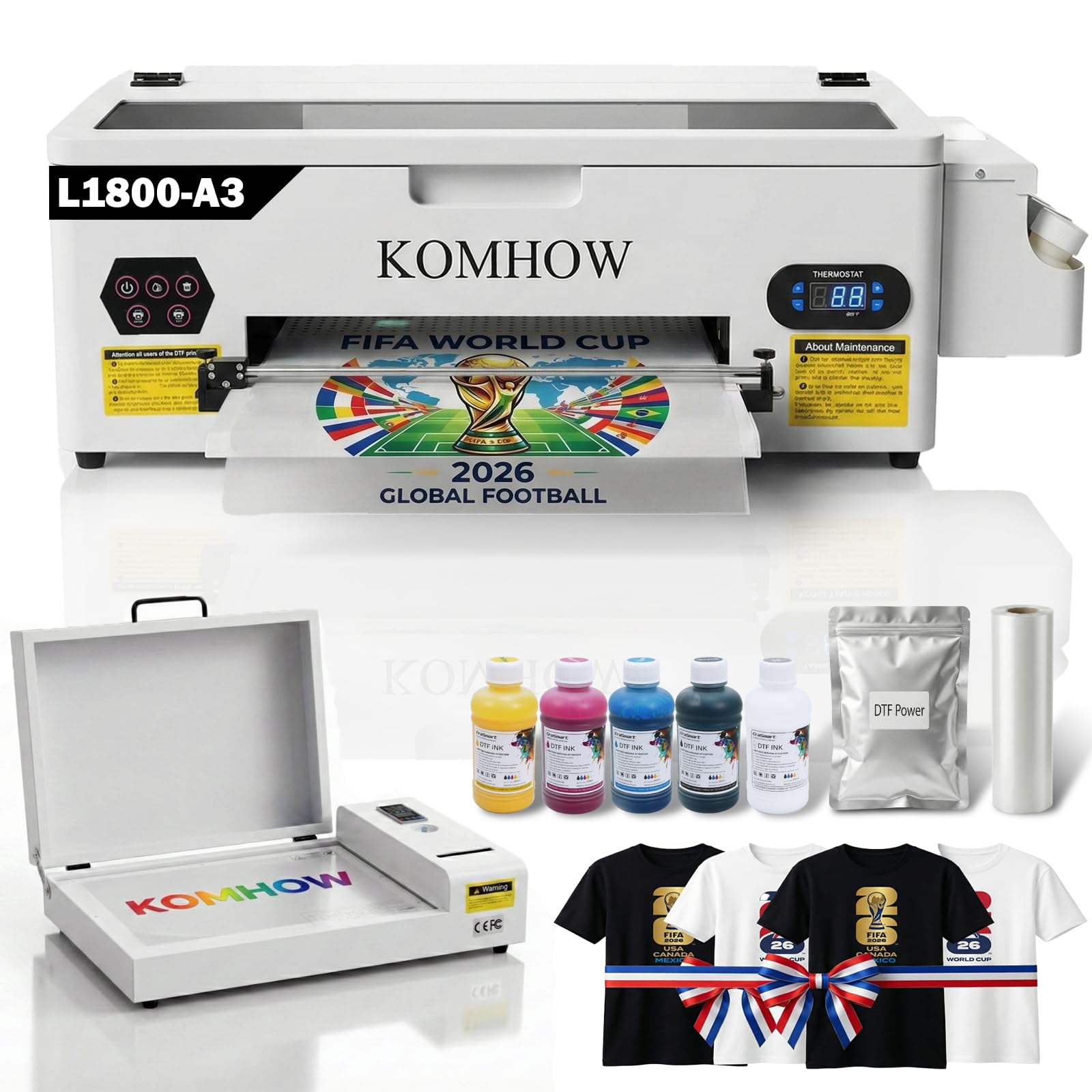
3. KOMHOW A3 L1800 DTF Transfer Printing Machine
The 13-inch-wide workhorse for color purists who want printhead reliability and don’t mind a learning curve.
KOMHOW steps up to A3 size with a professional-grade six-channel L1800 printhead, which is the same style of head used in high-end photo printers. It pushes an impressive 2880 dpi resolution, which translates to vivid, photo-realistic prints with precise color fidelity—even on dark garments where the white base layer is critical. The “automatic white ink circulation” system is a standout, handling ink agitation and printhead cleaning to prevent the clogs that plague less sophisticated machines.
This printer is built for people who want to focus on designs, not maintenance. The “low-maintenance” philosophy is backed by an automated 10-hour cleaning cycle that uses just 1ml of ink daily to keep the head clear. The air suction system is dual-function: it keeps the film perfectly flat to prevent wrinkles, and it improve the film to protect the printhead from scratches. It’s a smart design that addresses two common failure points in DTF printing.
Performance reviews are strong, with owners noting that after adjusting ink ratios and opacity, the prints come out “perfect.” Support from “Sam” is frequently cited as outstanding, with patient remote help for setup and maintenance tips. One caution: the printhead locking mechanism may detach during shipping, and a single defective unit was reported where a return wasn’t honored. The 6-month printhead warranty and 1-year coverage on other parts offer some protection, but check the unit immediately on arrival.
Owner Highlights
- 2880 dpi resolution for photo-realistic color and gradients.
- Auto cleaning uses just 1ml of ink daily to prevent clogs.
- Dual-function air suction keeps film flat and head safe.
Who Should Hesitate
- A few owners reported the printhead lock detaching in transit.
- First prints may fail until you dial in ink ratios and opacity settings.
- Self-installation requires following a detailed manual carefully.
For the detail-obsessed: If photo-realistic color on dark shirts is your priority, this L1800 delivers.
Not for the impatient: Expect a setup learning curve and inspect the printhead lock on delivery.
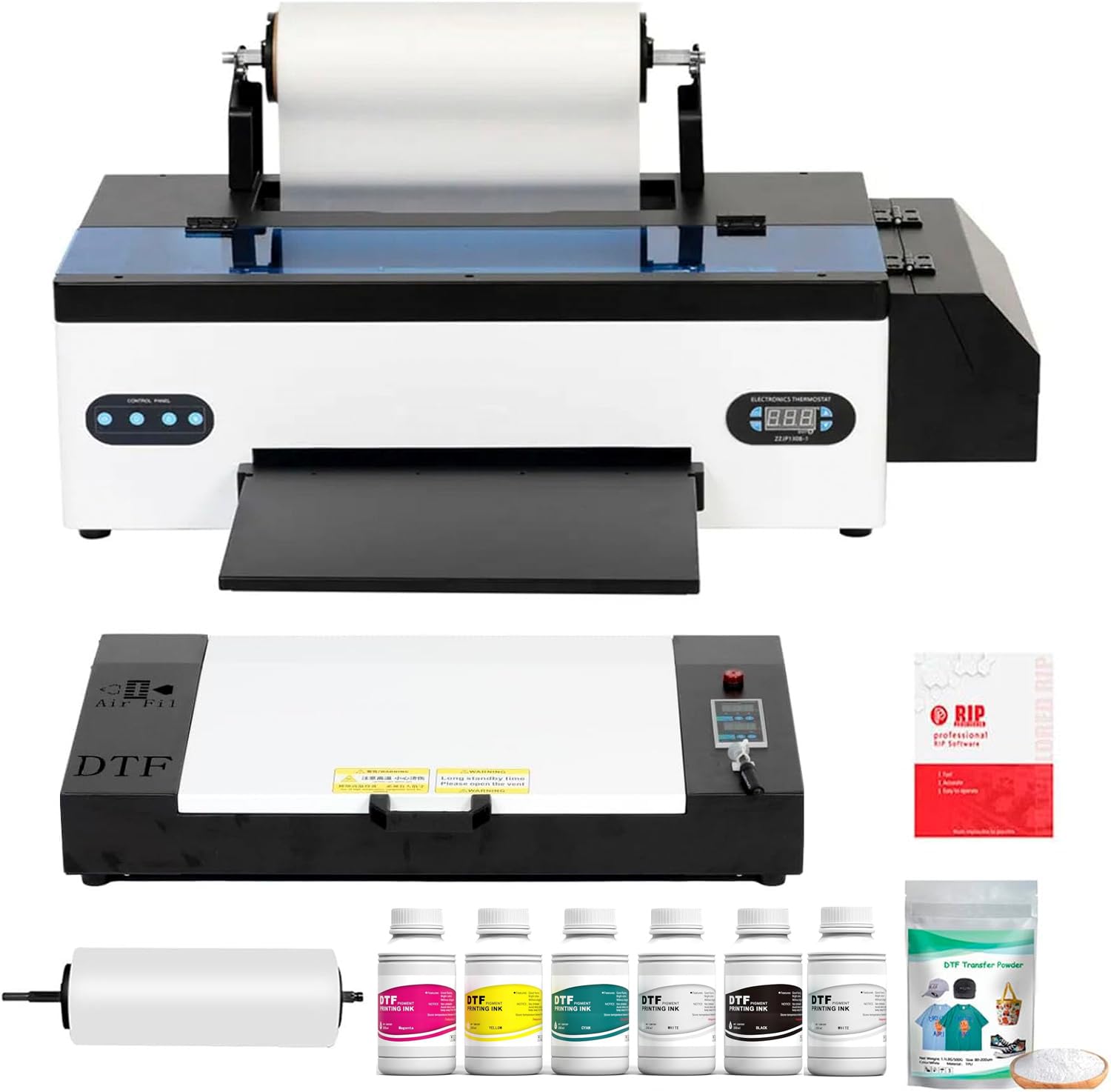
4. Senortian Upgraded A3 DTF Printer with Oven Bundle
A sturdy A3 system with a 20 ppm rating, built for small businesses moving serious volume.
Senortian positions this as a new-technology DTF machine that skips the pre-treatment headaches of DTG (direct-to-garment) and sublimation printing. It works across cotton, chemical fibers, and leather, delivering “excellent color reproduction and strong pattern adhesion.” The advanced white ink system uses both circulation and agitation to stop sedimentation, which means a more uniform white base on dark fabrics and fewer issues with color variation.
This printer is rated at 20 pages per minute, which is a significant step up from the 1-3 ppm of the A4 models, making it a genuine production tool. It’s a large unit at 33 inches deep, so it needs a dedicated workspace, and it supports only Windows computers—no Mac and no Bluetooth, which the manufacturer deliberately omits to keep image transmission stable. The color depth of 48 bpp (bits per pixel) allows for smooth gradients and rich tonal range.
Owner feedback is overwhelmingly positive on output, with “bright colors” and “consistent results” being common refrains. The ease of use is praised, with the RIP software noted as simple to navigate, and reliability gets good marks overall. The support team earns accolades for sending diagnostic videos and even a free cleaner, with one owner noting a failed pump was “normal for heavy use.” A single negative review called the circulation pump design flawed, but the broader consensus is that this is a capable, dependable machine for a growing apparel business.
Production power: The 20 ppm speed and A3 width make it a credible step toward commercial output.
Windows only: Mac users must look elsewhere; this machine explicitly does not support other systems.
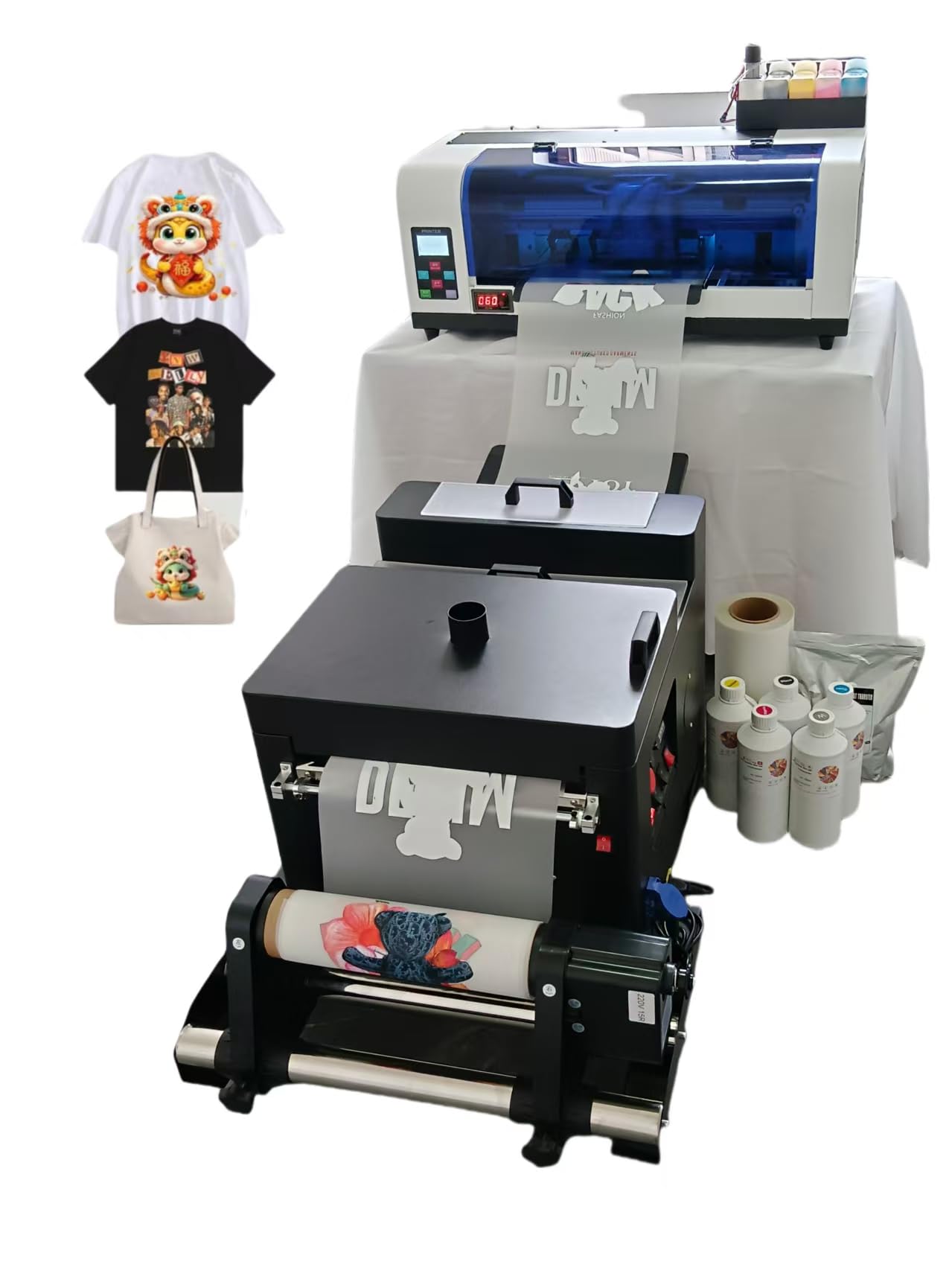
5. WJTZXY A3+ Plus XP600 DTF Printer with Shaking Dryer
The 13-inch speedster that claims double the output of L1800 models and bundles a shaking dryer.
WJTZXY builds this machine around one promise: speed. It claims double the speed of L1800/L805/R1390 models. and it backs that with an XP600 single head and the ability to load 13-inch film for a max print width of 13 inches. The bundle is generous—5x 500ml ink bottles (CMYK plus white), 1kg of hot melt powder, a 30cm x 100m roll of double-side film, and a shaking dryer with an auto-feed oven.
The software is RIIN Hosonsoft, which the seller argues is safer than RIP or Cadlink because it’s less likely to be flagged by antivirus software. It supports Windows 7/8/10/11. This is a factory-direct seller, which means spare parts are available directly, and the company emphasizes after-sales support as the key reason to buy from them—a point reinforced by owners who received thorough WhatsApp guidance through a setup that one described as “intimidating” but ultimately successful.
Print quality is the most-praised feature, with 32 mentions, and buyers report “no t-shirt color bleeding through the print.” That said, the reliability aspect is genuinely mixed, with 14 mentions and some owners reporting the printer “stops working.” Setup is also mixed—no printed instructions are included, so buyers rely on pictures and video calls, and one owner flagged that the software was only in kanji (Japanese characters). It’s a powerful tool, but it demands a hands-on owner who’s comfortable with tech support.
The Speed Advantage
- 2x the speed of L1800/L805 models for faster turnaround.
- Shaking dryer and oven included to automate powdering and curing.
- Print quality is the top praised aspect, with 32 mentions.
Setup Realities
- No physical instructions included; setup relies on video and chat support.
- Software language may not be English.
- Reliability and durability received mixed-to-negative feedback.
For the self-starter: If you’re comfortable troubleshooting with remote support, this delivers speed and value.
Look elsewhere if: You want a hands-off machine with printed manuals and zero setup friction.
6. DXZ A3 F1080 DTF Printer with Shaker Oven & Air Purifier
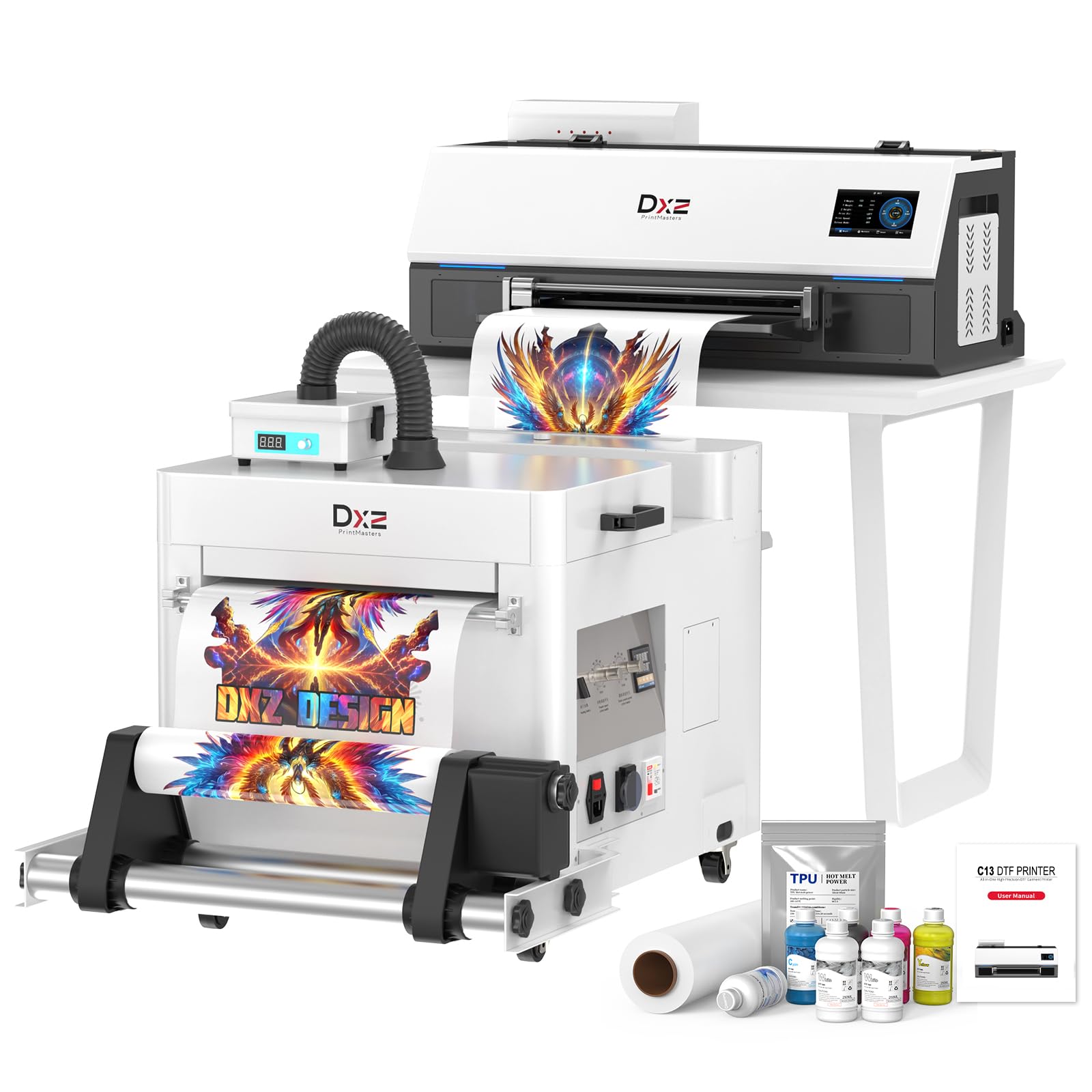
A premium A3 system that automates powdering and curing to cut labor and speed up your order flow.
The DXZ A3 takes the hassle out of the DTF workflow by integrating the automated powder shaker and dryer directly into the system. This means you print, and the machine handles the adhesive powder application and curing, producing consistent, vibrant prints with minimal manual intervention. It’s explicitly positioned as a “business-boosting” tool designed to help you handle more orders and cut labor expenses, and it’s built for 24-hour continuous operation with a heavy-duty motherboard and industrial-grade XP600 printhead.
Setup is where this machine shines for first-timers. The one-click ink loading is a genuine relief—no messy bottles, no spills, just a button press to prime the printer. The 4.5″ LED touch screen puts controls at your fingertips, and the included 100m DTF film, 5x 250ml inks, powder, and cleaning tools mean you have everything to start. The holiday mode and auto-maintenance features are designed to keep the printhead clear even when you’re not printing daily.
Owners are nearly unanimous in their praise. The print quality is described as “outstanding” and “superb,” with multiple reviewers noting the “customer service is always standing by.” One owner’s experience sums up the general sentiment: the setup was “overwhelming” at first, but excellent customer service resolved all questions. This premium investment suits a serious small business., and the support team’s 24-hour response time is a consistent theme.
Automation advantage: The integrated shaker and dryer streamline the most labor-intensive part of DTF printing.
Premium price: This is a top-tier investment; weigh it against your current order volume.
7. MZK A3 Pro F1080 DTF Printer with Touch Screen
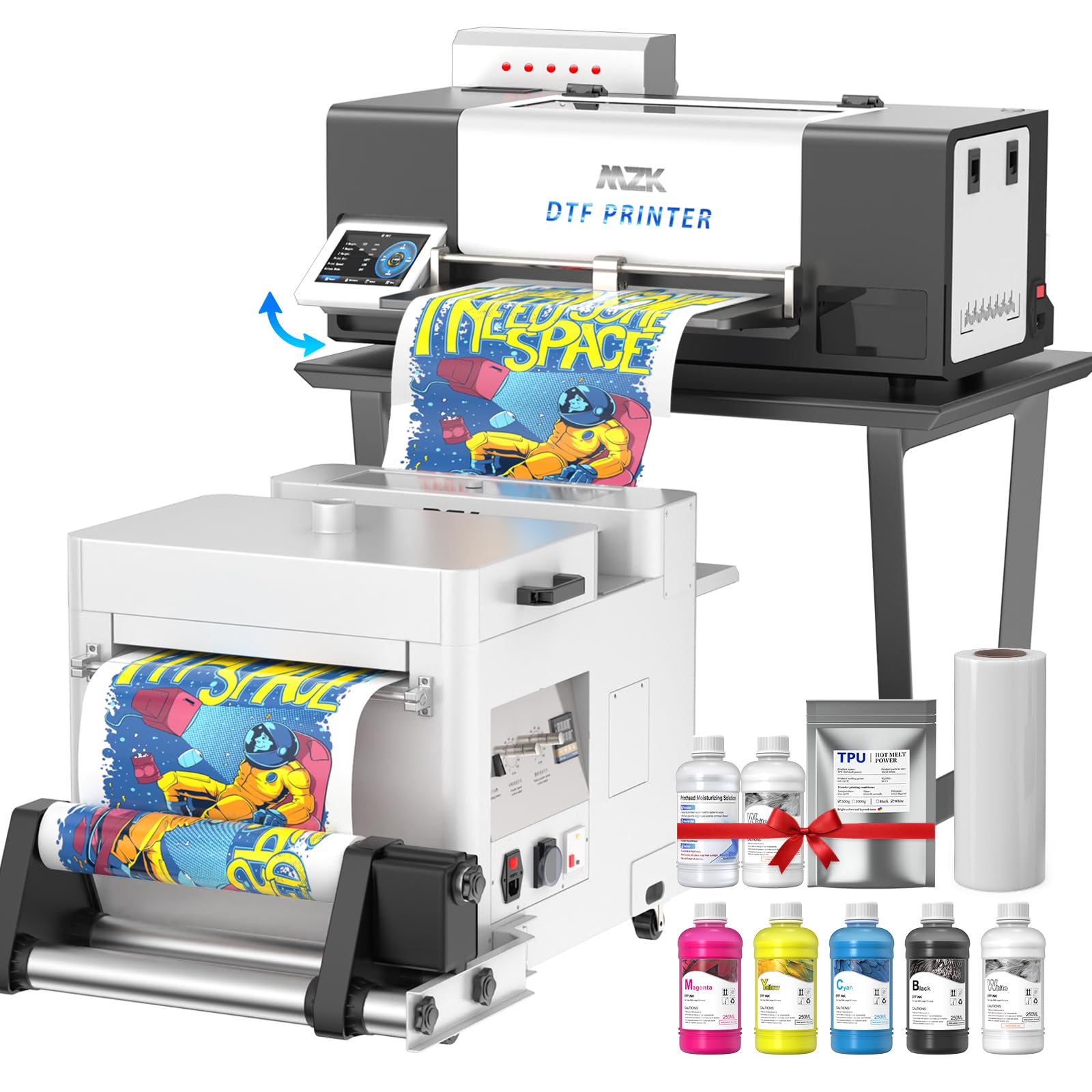
A user-centric A3 with a 5-inch touchscreen and smart anti-clogging that keeps printing simple.
The MZK A3 Pro is designed to remove the tech barriers that frustrate new DTF users. Its 5″ LED touch panel lets you check nozzles, clean heads, and adjust layouts without constantly switching to your computer, which saves significant time during production. It’s also equipped with a “three-in-one black and white ink system” that continuously cycles, mixes, and filters ink, and a holiday mode that auto-cleans during downtime—directly targeting the clogging that kills print quality.
The F1080 printhead (an upgraded XP600) is paired with A3 Plus (33cm) film, and the printer can complete an A3 film in just 3 minutes, It claims 2x the efficiency of L1800/R1390 models.. The dual ink level alarm system is a thoughtful touch: one alarm tells you exactly which ink cartridge is low before you run out mid-job, and the waste ink alarm prevents messy spills that can ruin a workspace.
Quality is the top praised aspect, with 13 mentions, and owners highlight “very vibrant colors along with easy maintenance.” The software is a mixed point—most find it easy to understand, but some experienced installation issues. The 2-year ink supply (5 bottles of 250ml + 500g powder every 2 months) sweetens the deal significantly, and the support team is described as “responsive across time zones.” The 151-pound weight means it’s a permanent fixture, not a portable unit.
Ease of Use
- 5″ touchscreen reduces reliance on computer software.
- Timed cleaning and holiday mode prevent nozzle clogs.
- Two years of free ink and powder included.
The Caveats
- Software gets mixed reviews, with some installation issues.
- It only supports Windows 7, 10, and 11; no macOS.
- At 151 pounds, you need a sturdy, dedicated table.
For the busy shop: The touchscreen and anti-clog features minimize downtime and computer work.
Check your OS: If you’re a Mac-based studio, this model is not compatible.
8. Lancelot M1630 Pro A3+ DTF Printer Bundle

The full production station—printer, shaker, dryer, laptop, and workstation—for a serious apparel business.
The Lancelot M1630 Pro is the most complete package in this lineup. It bundles the A3+ DTF printer, a powder shaker, dryer, a mobile workstation, and a Windows laptop with preloaded software, creating a dedicated production station that organizes the entire print-to-cure workflow in one place. This is for the seller who wants to skip the DIY desk setup and get straight to a functional, tidy work area.
Printing is handled by dual XP600 printheads, which produce up to 720 x 1440 dpi output for “clear details and color-rich transfers” on cotton, polyester, and blends. The dual-head design is a big reason this machine is praised as “2x faster” than single-head alternatives. It supports both roll and sheet film, giving you flexibility for individual designs, small batches, and growing orders.
Reviewers consistently call it a “standout,” noting “vibrant, high-quality prints” and “fast production.” One owner reported producing roughly 6.5 prints per hour on a 12×12 format. The criticisms are minor but real: the powder can be messy, the top reservoir on the oven is faulty, and the proprietary software limits you to its own RIP options. The machine is also notably loud and measures a substantial 48.43 inches deep, so it demands serious floor space.
Complete workflow: The included laptop and workstation make this the closest thing to a turnkey production setup.
Space and noise: This is a large, loud piece of equipment; plan your workspace accordingly.
9. MZK Industrial A3 i3200 DTF Printer with Shaker & Laptop
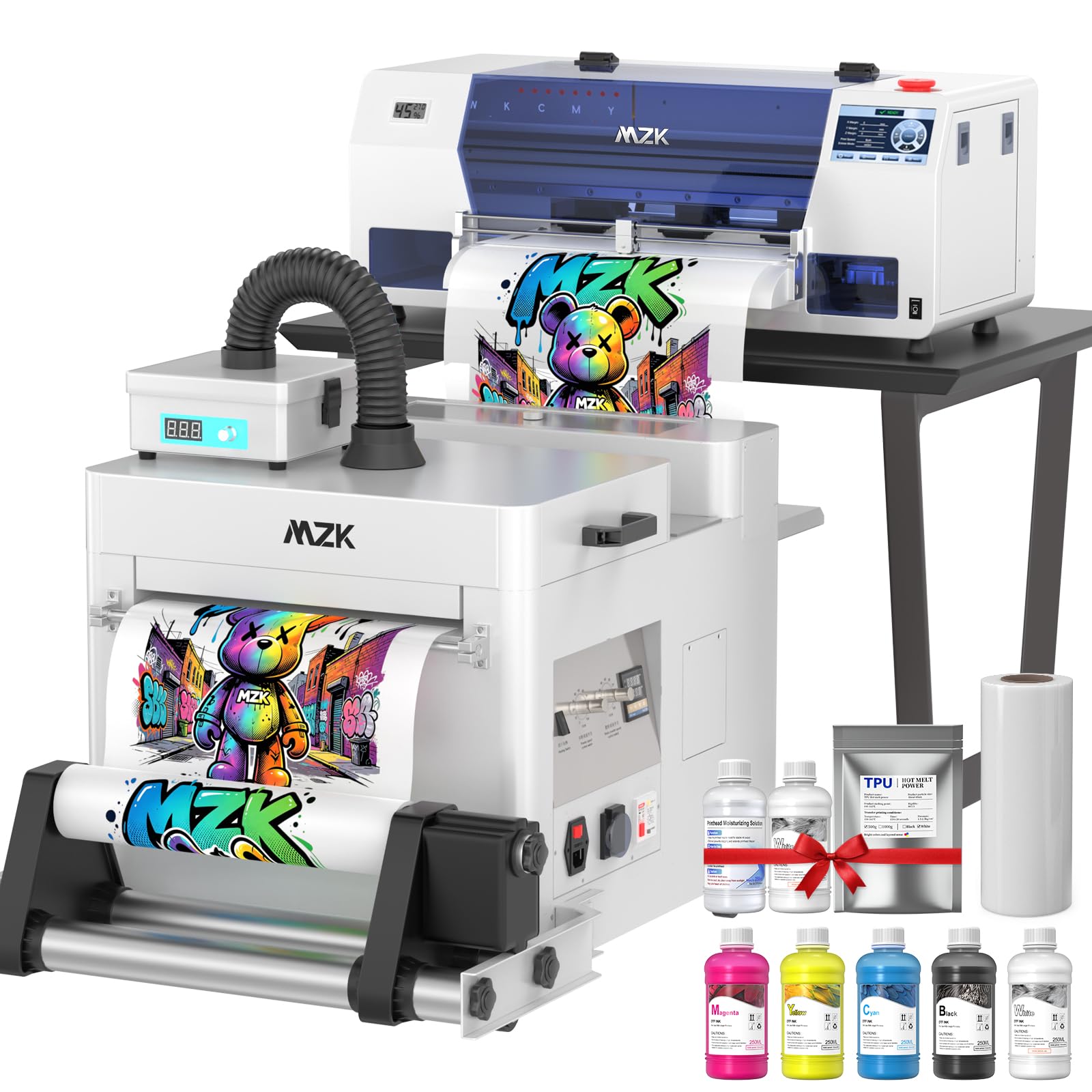
The industrial-grade speed demon that prints an A3 design in 2 minutes for high-demand shops.
At the top of the range sits the MZK i3200, a machine built for serious production volume. Its defining feature is the Epson i3200 industrial printhead, The maker claims 5x faster printing than standard models.. That translates to an A3 design in just 2 minutes or an A4 design in 1 minute—a pace that keeps a busy custom apparel shop moving without a bottleneck.
Resolution is equally impressive. With G7 color calibration and ICC curves, this printer achieves 2880×1440 dpi resolution, a spec that owners describe as “vivid” and “crisp.” The variable droplet technology dynamically adjusts ink drop size for ultra-smooth gradients, and the manufacturer claims a 25% improvement in overall image precision. The 13-inch wide printing capacity is praised by owners as “perfect” for a wide range of garment sizes.
Like its MZK sibling, this model features smart timed cleaning, holiday mode to prevent clogs during downtime, and continuous white ink stirring and circulation. The dual ink level alarm system is a practical daily tool, and the 5″ touchscreen simplifies maintenance. Owners consistently rate the print quality as excellent, with easy-to-use software, and the 2-year ink supply program (5x 250ml + 500g powder every 2 months) is a substantial ongoing value. The 1-year part warranty and 6-month printhead coverage add confidence for such a significant investment.
Production Powerhouse
- A3 print in 2 minutes; 5x faster than standard models.
- 2880×1440 dpi with G7 calibration for accurate color.
- Excellent support and 2-year ink supply included.
Investment Level
- This is the most expensive model here; it’s a real capital purchase.
- Setup has a learning curve, though support is responsive.
- Only supports Windows systems.
For the serious business: If your order volume justifies the cost, this is the fastest path to high-volume, high-quality output.
Not for starters: A hobbyist or brand-new shop won’t use the i3200’s speed and will find a more affordable entry point smarter.
Understanding the Specs
Printhead Technology
The printhead is the component that sprays ink onto the film, and its design determines your ceiling for speed and detail. The XP600 is a common, reliable choice that balances cost and quality, while the L1800 (seen in the KOMHOW) uses six channels for richer color depth. The industrial i3200 in the MZK is the speed king, claiming 5x faster output for high-volume shops.
Resolution (DPI)
Resolution measures how many dots of ink per inch the printer can lay down. Higher DPI generally means finer detail and smoother gradients—the KOMHOW’s 2880 dpi and the MZK’s 2880×1440 dpi are the sharpest here. But DPI isn’t everything; the quality of your white ink layer on dark shirts matters just as much for a professional finish.
FAQ
What is the difference between an A4 and an A3 DTF printer?
Will an A4 DTF printer work for a small t-shirt business?
What is a white ink circulation system and why does it matter?
How important is the curing oven or shaker in a DTF bundle?
Can I use a DTF printer with a Mac computer?
How long does a DTF print last on a shirt?
What else do I need to buy to start DTF printing?
Is it better to buy a cheaper DTF printer and upgrade later?
Final Thoughts: The Verdict
Choosing the right dtf printer for shirts depends on matching the machine to your volume and your comfort with setup. For a first-time buyer, the DXZ A4
Related Guides

Mo Maruf
I created WellFizz to bridge the gap between vague wellness advice and actionable solutions. My mission is simple: to decode the research and give you practical tools you can actually use.
Beyond the data, I am a passionate traveler. I believe that stepping away from the screen to explore new environments is essential for mental clarity and physical vitality.