Our readers keep the lights on and my smoothie glass nicely filled. As an Amazon Associate, I earn from qualifying purchases.
Specs are compiled from manufacturer listings and verified buyer reviews and can change over time — please confirm the key details on the product page before buying.
A standard flat mouse forces your forearm to twist so your palm faces the desk, and after hours of clicking, that twist turns into a dull ache that creeps up your wrist. An ergonomic vertical mouse tilts your hand into a relaxed handshake position, so your arm stays straight and your wrist stops bending. The right one for you depends mostly on your hand size, how you connect it, and how long you want it to last between charges.
I’m Mohammad Maruf — the founder and writer behind WellFizz. This guide is built by comparing the manufacturers’ published specifications and the patterns across verified customer reviews, so you get each pick’s real strengths and trade-offs instead of marketing spin.
From silent clicks to multi-device switching, we break down the models worth your desk space to find the best ergonomic vertical mouse for your grip, workflow, and budget.
Our Picks at a Glance

How To Choose The Best Ergonomic Vertical Mouse
Buying a vertical mouse is about matching the shape to your hand and the features to your daily routine. The angle, the buttons, and the battery all change how the mouse feels after hour three of a workday.
Match the Size to Your Hand
Vertical mice are not one-size-fits-all. Several models are explicitly shaped for small to medium hands, while others feel roomier for larger grips. A mouse that is too big forces your fingers to stretch; one that is too small leaves your pinky dangling. Check the hand-orientation notes before you order, because the fit decides whether the ergonomics actually work.
Decide Between Bluetooth and a USB Receiver
Bluetooth lets you switch between a laptop, tablet, and desktop without unplugging anything, which suits multi-device workers. A 2.4G USB receiver is plug-and-play and tends to feel more instantly responsive, with no pairing menu. Some mice offer both, so you can use Bluetooth for one device and the receiver for another.
Look at Battery Life and Charging
Rechargeable models save you from buying AAAs, but their stamina varies widely. Some last weeks on a charge; others stretch to months with light use. Check whether the mouse charges over USB-C and whether you can keep using it while it charges, since that matters if you forget to plug it in overnight.
Quick Comparison
| Model | Best For | Connectivity | Buttons | Battery Life | Amazon |
|---|---|---|---|---|---|
| Nulea MD280★ Best Overall | Multi-device wrist relief | Bluetooth & 2.4G | 5 | Up to 260 days | Amazon |
| Uineer 2.4GBest Value | Budget-friendly comfort | 2.4G USB-A | 6 | Rechargeable | Amazon |
| AOC 2.4GHzFeature-Rich Pick | Tech lovers & RGB fans | Bluetooth 5.4, 2.4G, Wired | 7 | Up to 200 hours | Amazon |
| Uineer 3-Mode | 3-device switching | Bluetooth 5.0/4.0 & 2.4G | 6 | Up to 168 hours | Amazon |
| PHILIPS SPK7628 | Small to medium hands | 2.4GHz USB | 6 | Auto-sleep | Amazon |
| Lekvey Ergonomic | Medium to large hands | 2.4G USB | 6 | Up to 150 hours | Amazon |
| Ergodriven Om | Customizable productivity | Bluetooth & 2.4G | 5 | Up to 5 weeks | Amazon |
| Logitech Lift (Renewed) | Small to medium hands | Bluetooth & Logi Bolt | 4 | Up to 2 years | Amazon |
| Evoluent VM4S | Serious wrist pain relief | Wired USB | 6 | Wired | Amazon |
In-Depth Reviews
1. Nulea MD280 Ergonomic Vertical Wireless Mouse
Our pick — 4.5★ from 750+ verified ratings; the strongest balance of quality and price.
The multi-device desk companion that glides between Bluetooth and receiver without a hiccup.
The Nulea MD280 earns the top spot because it nails the two things that matter most: comfort and connection. A dedicated pinky rest keeps your smallest finger from scraping the desk, which is the quiet annoyance that shows up after long sessions. It is a right-handed design, so lefties will want to look elsewhere.
You can pair this mouse with a laptop and a desktop and switch between them smoothly, thanks to both Bluetooth and 2.4G wireless (a USB dongle connection). Buyers report that the USB-C charge lasts roughly 8 months on a few charges, so you are not hunting for a cable every week. It also survived drops, though one owner’s scroll wheel turned sticky after a hard fall before they fixed it.
The 4 adjustable DPI levels (800, 1200, 1600, 2400) let you tune cursor speed for detailed design work or faster browsing. A full charge takes just 3.5 hours, and with about 2 hours of daily use, a single charge holds up to 260 days. The quiet-but-not-silent clicks keep libraries and shared offices peaceful.
What Wins People Over
- Dual-mode Bluetooth and 2.4G lets you switch across three devices
- Dedicated pinky rest reduces desk rubbing during long sessions
- Rechargeable with up to 260 days of life on light daily use
Where It Falls Short
- Bubble-shaped body feels less comfy than some rivals after hours
- Slight lag reported in some setups, though it clears up in gaming
The takeaway: Pick this if you juggle a laptop and desktop and want wrist relief without charging drama.
Think twice if: You have large hands and prefer a flatter, more contoured grip than the Nulea’s bubble shape.
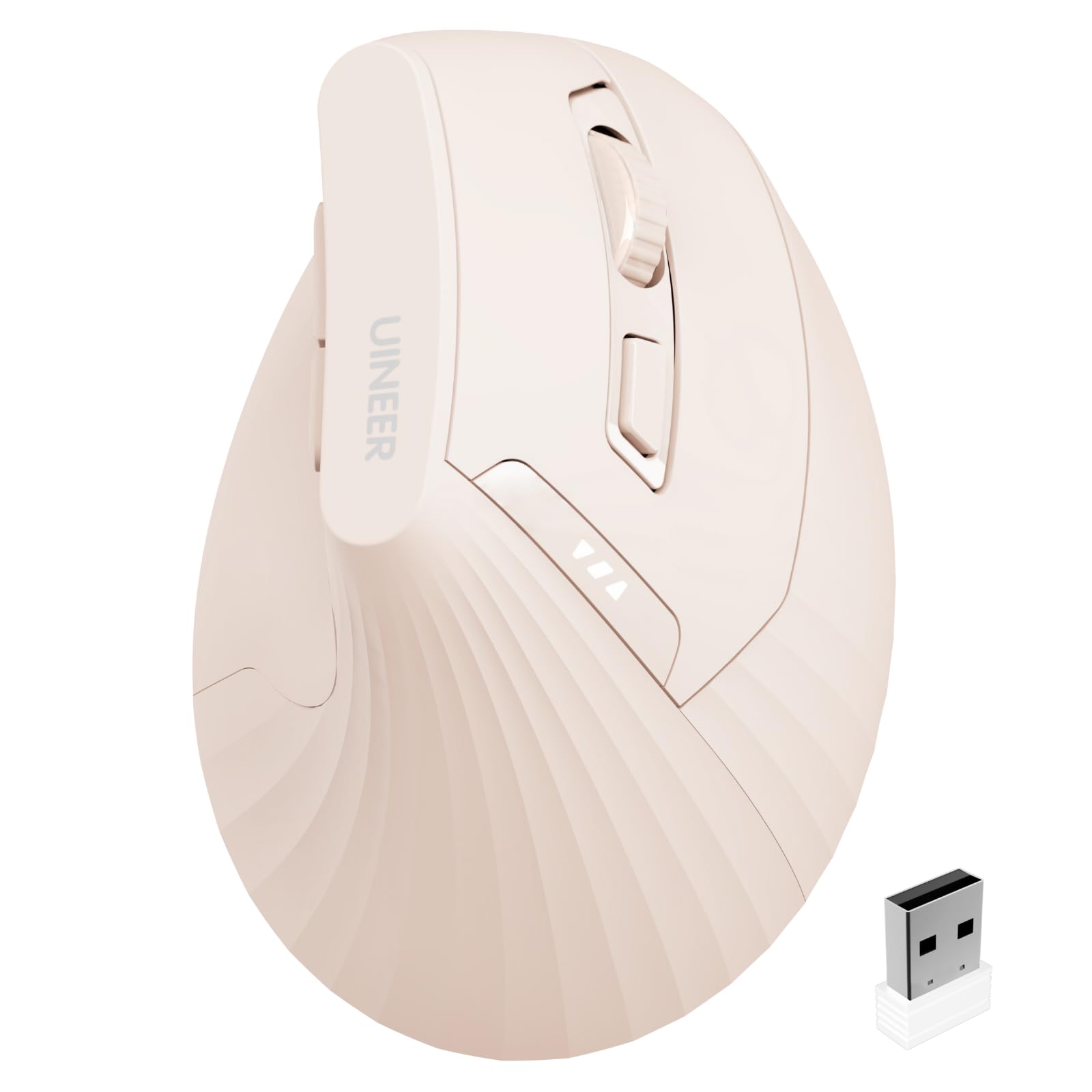
2. Uineer Ergonomic Vertical Mouse, 2.4G Wireless
The featherweight budget pick that proves wrist relief does not need a premium price tag.
The Uineer 2.4G is the crowd favorite for a simple reason: it is incredibly comfortable for the money. Owners consistently say their wrists stop hurting during long sessions, and the quality rubber grip earns high marks. The design positions your palm at a near-vertical angle, promoting better posture for all-day work.
It runs on a 2.4G USB-A receiver that is stored in the bottom of the mouse, and the one-to-one receiver avoids interference with a 10m transmission range. The battery is rechargeable, with one buyer charging it only twice in six months. A low-battery LED reminder helps you avoid sudden power cuts.
The 4-level adjustable DPI (800/1200/1600/2400) covers documents, design, and casual gaming. The main trade-off is the build: it feels light and hollow, as buyers put it, though it has worked perfectly for months on end. It is a solid dupe for pricier Logitech models at a fraction of the cost.
The Highlights
- Quality rubber grip gets the most praise from owners
- Rechargeable with rare charging stops, even with daily use
- Plug-and-play 2.4G receiver with 10m range
The Catch
- Plastic body feels light and hollow to some owners
- Reliability is mixed per some reports, so treat it gently
Best for: Budget-conscious buyers who want real comfort and do not mind a lighter build.
Reach for it if: You want a Logitech-style feel without the Logitech price, and you mainly work at one desk.
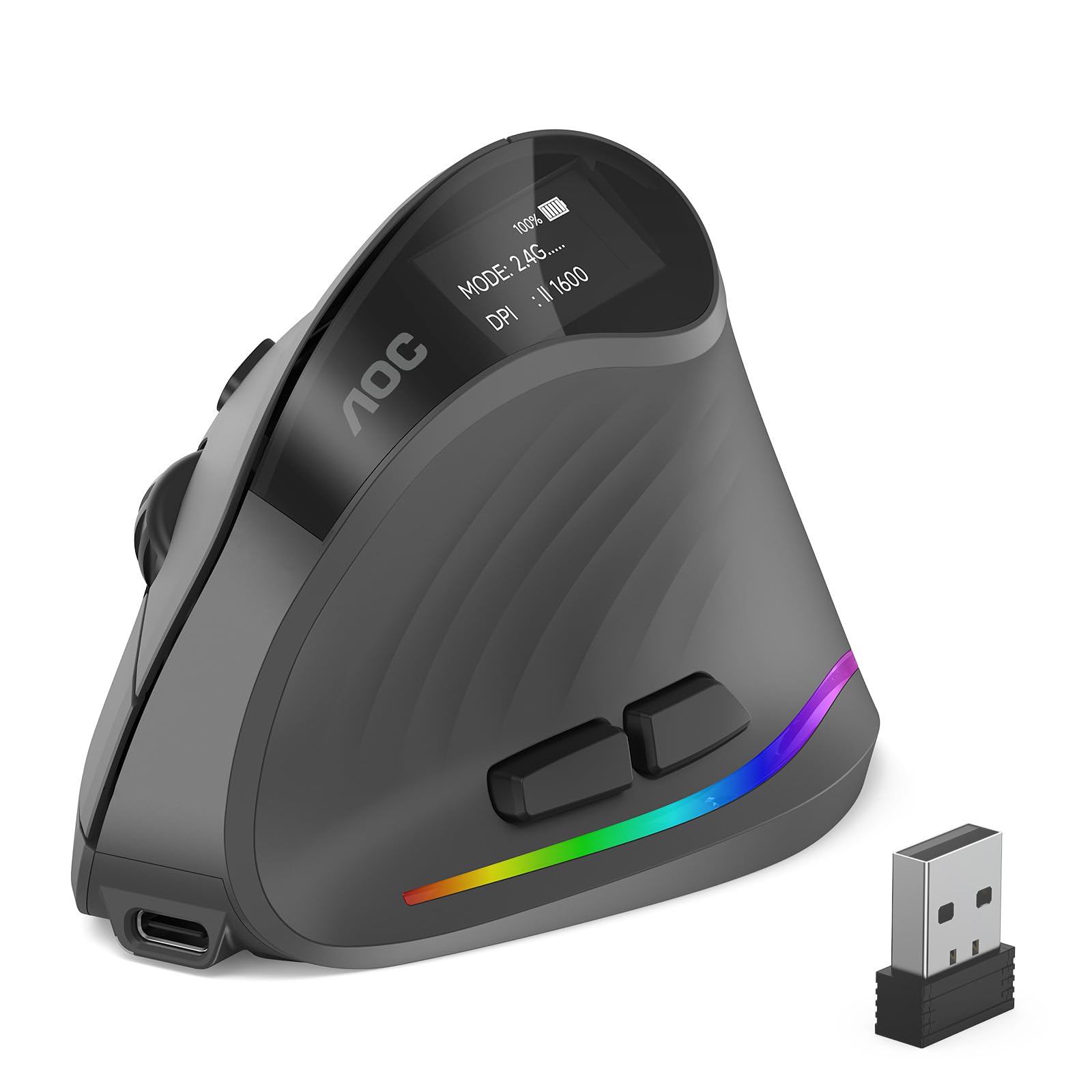
3. AOC 2.4GHz Wireless Ergonomic Vertical Mouse
The flashiest of the bunch, with an OLED-style battery screen and RGB that make desk time feel premium.
The AOC stands out with a 52° vertical angle that keeps your hand in a natural handshake position, reducing wrist twisting and forearm tension. It is tune for small to medium hands, so larger grips should look elsewhere. Comfort is the most-discussed strength, with owners praising the non-slip texture and smooth glide.
Precision goes up to 4800 DPI across five levels (1000/1600/2400/3200/4800), which is the highest ceiling in this lineup. The 800mAh rechargeable cell powers up to 200 hours without RGB and 40+ hours with RGB active. The built-in LED status screen shows battery percentage at a glance, so you are never caught off guard.
Connectivity is triple-mode: Bluetooth 5.4, 2.4GHz receiver, and USB wired, letting you switch freely across up to three devices. The left and right clicks are silent at under 35dB, though the other buttons make normal sounds. Battery life gets mixed reviews, with one owner reporting 5-7 business days of use per charge.
Why It Stands Out
- 4800 DPI max precision, highest among these picks
- Triple-mode connection for laptop, desktop, and tablet
- LED battery and DPI screen is genuinely useful
Before You Buy
- Small to medium hands only; large hands will not fit well
- Battery life is mixed, especially with RGB on
The call: Choose the AOC if you want the most feature-packed vertical mouse with a battery readout and RGB flair.
skip it if: You have large hands or you want a battery that lasts weeks without recharging.
4. Uineer Ergonomic Wireless Vertical Mouse, 3-Mode
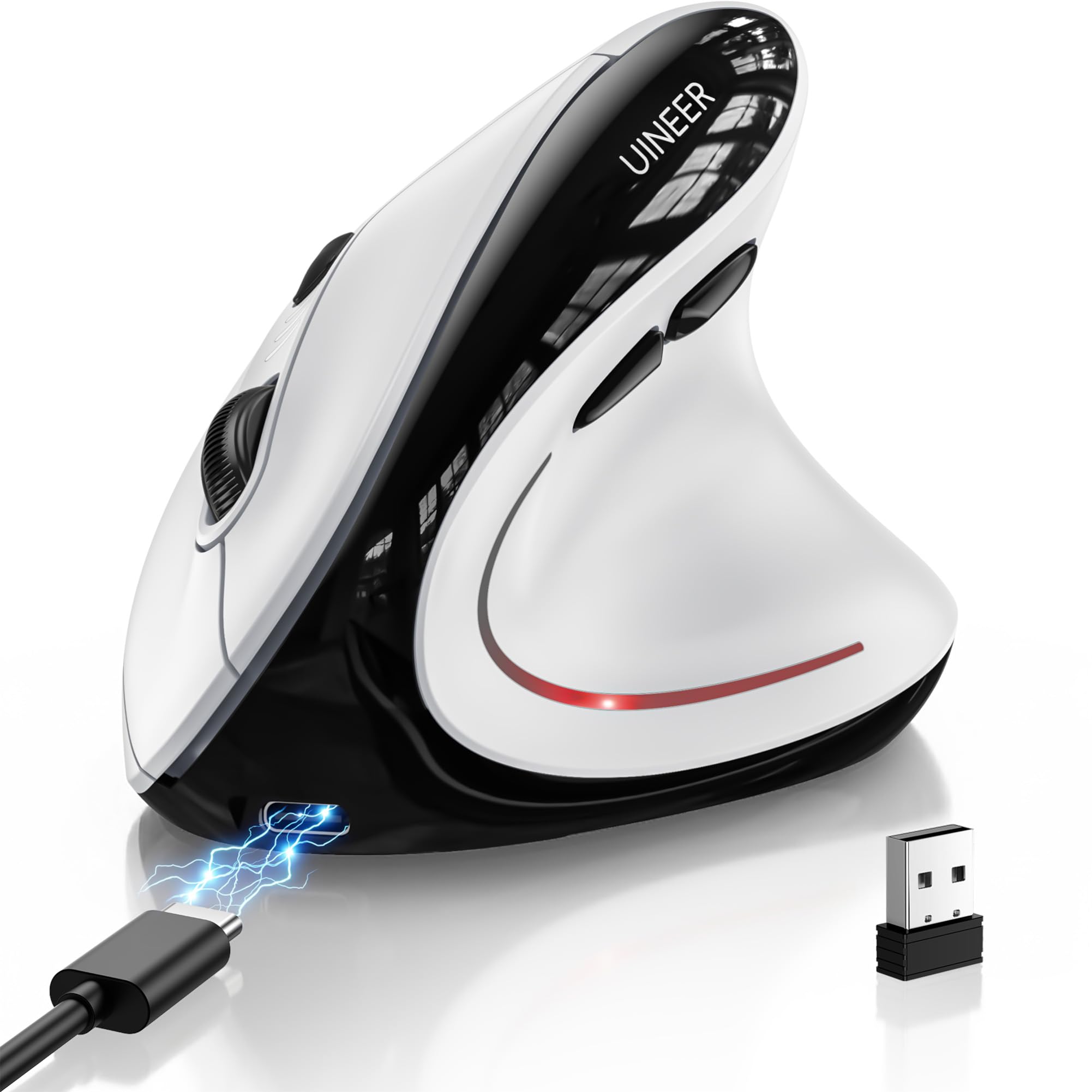
The three-device juggler with a side scroll wheel and RGB that adapts to any setup.
If you bounce between a work laptop, a personal desktop, and a tablet, the Uineer 3-Mode lets you switch between all three devices smoothly. It supports Bluetooth 5.0, Bluetooth 4.0, and 2.4G USB (a USB dongle connection). The ergonomics get the most praise, with owners noting a perfect fit for their hands and reduced wrist fatigue.
At 105 grams, it is featherlight, and the RGB ambient lighting adds a modern touch to your desk. A side scroll wheel enables smooth horizontal navigation, which is handy for spreadsheets and wide timelines. The 4-level DPI (800/1200/1600/2400) and silent left and right buttons cover office work and casual gaming.
The 500mAh battery lasts weeks on a full charge with typical 8-hour daily use, and it fully recharges in about 2 hours via USB-C. Some owners found the surface slippery, causing hand strain with dry hands, so a rubber grip mod helps. Battery life overall is mixed, with reports ranging from a month of daily use to just 10 days.
What Owners Love
- Switch across three devices without re-pairing
- Side scroll wheel for horizontal navigation
- Grippy scroll wheel and sturdy build
What to Know
- Slippery surface can strain dry hands without grip
- Battery life varies widely between owners
Pick this if: You work across multiple devices daily and want one mouse that follows you.
Look elsewhere if: You have dry hands and need a rubberized grip right from the start.
5. PHILIPS SPK7628 Ergonomic Mouse
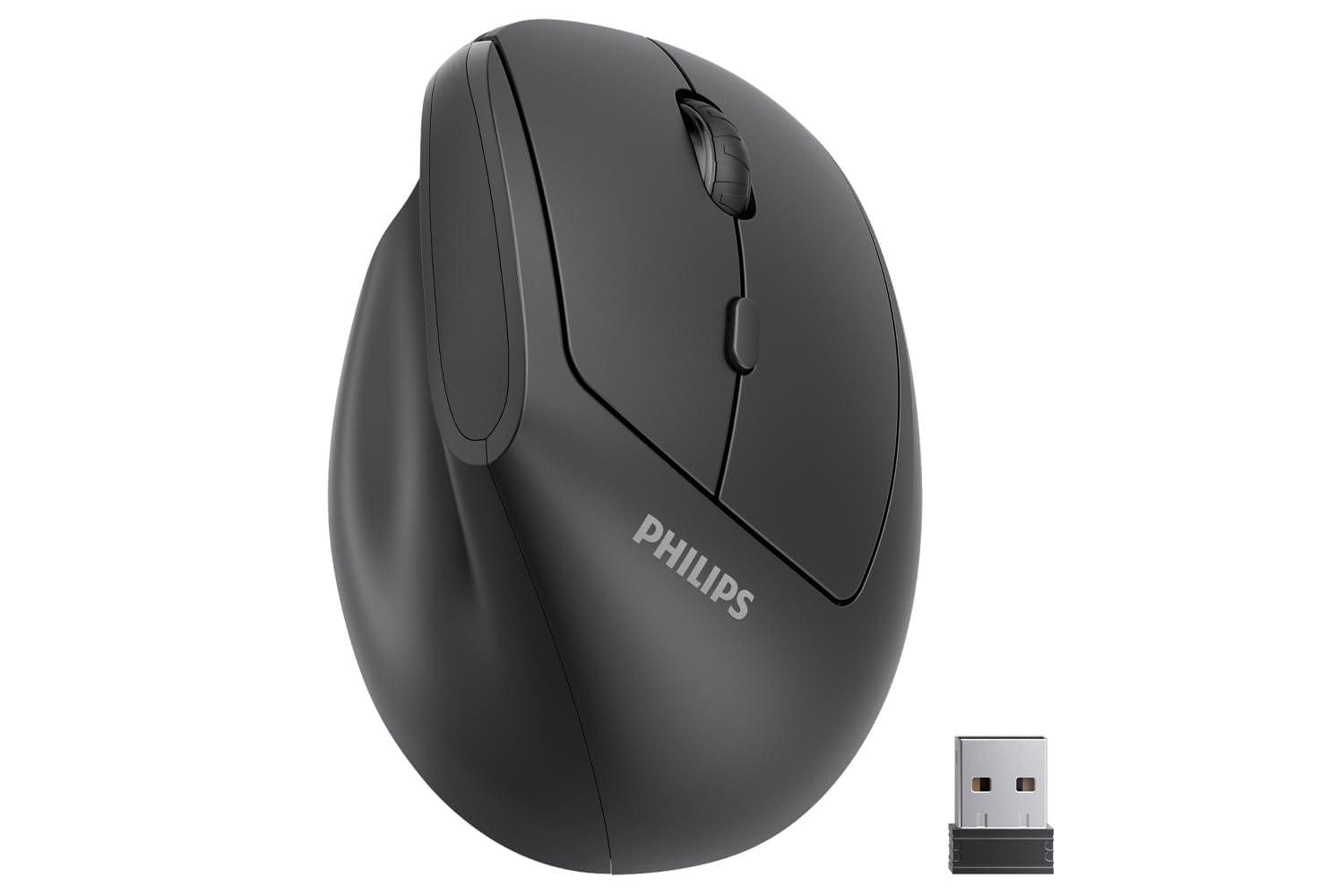
The travel-ready companion shaped for smaller hands, with a steep 57° angle for wrist comfort.
The PHILIPS SPK7628 targets a specific buyer: someone with small to medium hands, up to about 7 inches in length, who wants a secure grip without overstretching fingers. Its 57° vertical angle is among the steepest here, promoting a relaxed posture for long workdays. Owners praise the contoured design for excellent hand support and a stable, lag-free connection.
Connectivity is strictly 2.4GHz via a USB receiver stored in the mouse base, so it is plug-and-play with no drivers needed. It is not Bluetooth, so iPad or USB-C-only MacBook users will need an adapter. The three DPI levels (800, 1200, 1600) cover spreadsheets, browsing, and document editing.
The silent left and right buttons make it ideal for shared offices and late-night sessions. It is lightweight and compact for laptop bags, and auto-sleep extends battery life. Battery life gets mixed feedback, though, with some units arriving with dead batteries that need the plastic film removed first.
Why It Works
- 57° angle is one of the steepest for wrist relief
- Compact and light for commutes and travel
- Silent clicks keep shared spaces peaceful
Consider This
- Not Bluetooth, so USB-C devices need an adapter
- A few units arrive with connection hiccups
Reach for it if: You have smaller hands and want a cheap, no-fuss mouse for office or travel.
Think twice if: You need Bluetooth or have large hands that need a bigger footprint.
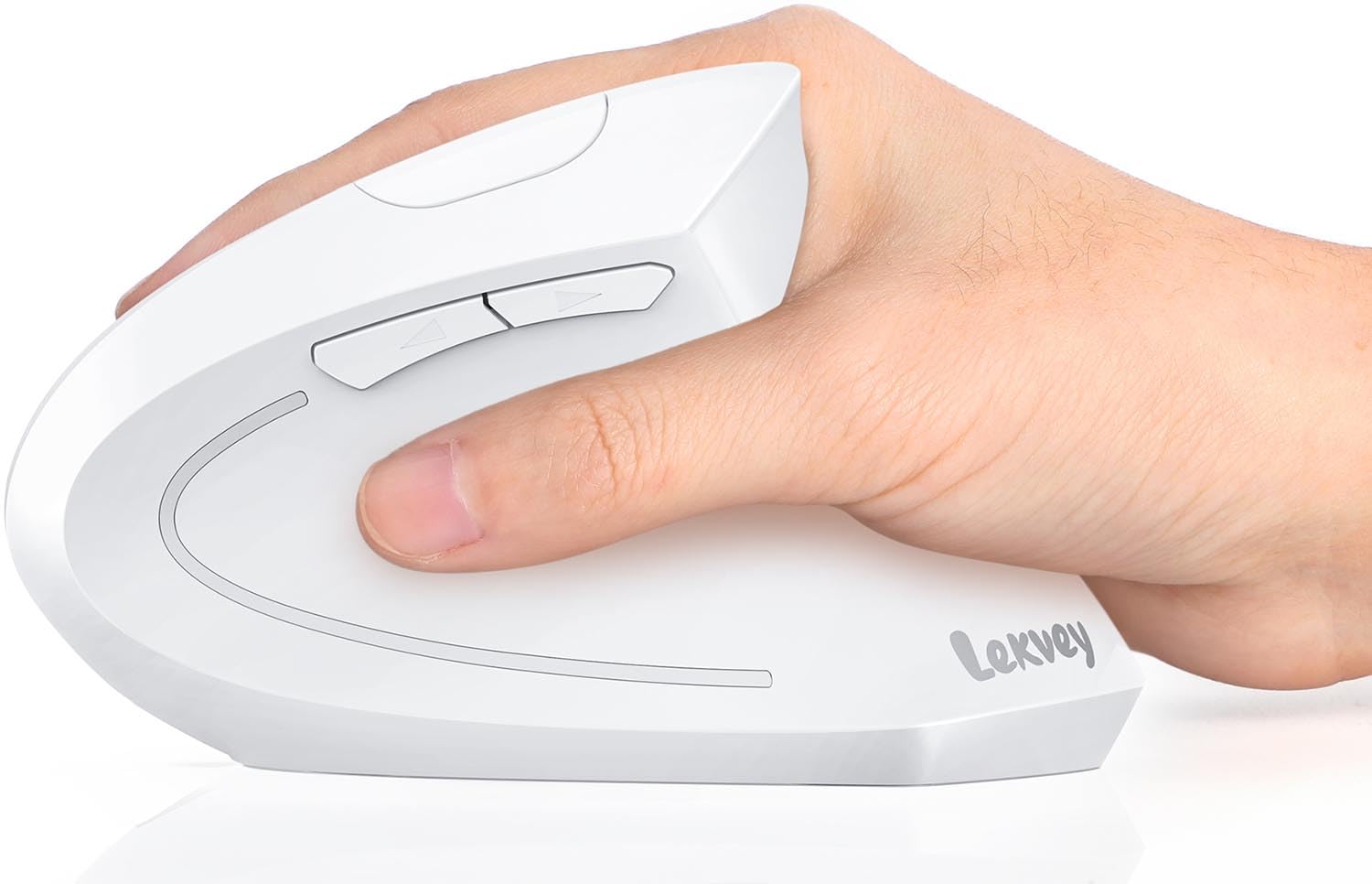
6. Lekvey Ergonomic Mouse, Rechargeable Vertical Wireless
The medium-to-large hand favorite that pairs a slim profile with a genuinely long battery life.
The Lekvey is designed for medium and large hands, measuring 5.0 x 3.0 x 2.5 inches, and it shows in the comfort. Ergonomics are the most-praised aspect, with owners reporting the mouse effectively relieves wrist pain and carpal tunnel issues. The sleek white design looks modern on any desk.
The built-in 600mAh Li-Ion battery delivers up to 150 hours of use and 120 days on standby from a 3-hour charge via the included 150 cm Type-C cable. It also has an auto-sleep mode after 20 minutes of inactivity. The 2.4GHz USB receiver provides a strong connection from up to 33 feet (10m) away.
Three DPI levels (1000/1200/1600) plus “Page Back” and “Page Forward” buttons make browsing efficient. The whisper-quiet left and right clicks are rated for 9 million clicks. The size gets mixed reviews, with some finding it perfect and others saying it runs small for average hands, so measure before ordering.
The Strengths
- 150 hours of use from a 3-hour charge
- Designed for medium and large hands
- Durability rated at 9 million clicks
The Trade-off
- Size is mixed; some average hands find it small
- MacBook users need a USB-C to USB-A adapter
Best for: Medium-to-large hand owners who want a long-lasting, sleek vertical mouse for all-day work.
pass on it if: You have petite hands or need Bluetooth connectivity for multiple devices.
7. Ergodriven Om Vertical Ergonomic Mouse

The productivity powerhouse with an onboard OLED screen and button remapping in under 10 seconds.
The Ergodriven Om is for the tinkerer who wants control without software bloat. Its onboard OLED screen shows battery and DPI, and you can assign custom functions like copy/paste, undo, or mute in under 10 seconds with no downloads. Quality and comfort are the most-praised aspects, with owners noting no wrist pain and intuitive button placement.
It offers 4 DPI settings (1200, 1600, 2000, 2400) and connects via both 2.4GHz dongle and Bluetooth, compatible with Mac and PC. The high-capacity rechargeable Li-ion battery ships with at least 50% charge, enough for weeks, and lasts up to 5 weeks on a full charge. The silent main clicks reduce tension.
You can customize all 5 buttons, though the assignments are preset rather than free-form keyboard remapping. Gamers note the sensor has a high lift-off distance (how far you must raise it before it stops tracking), fixable with tape, and the mouse is bottom-heavy. The 2-year warranty from an American ergonomics brand adds confidence.
The Appeal
- Onboard OLED screen for battery and DPI at a glance
- Customize buttons in seconds without software
- Dual Bluetooth and 2.4G connectivity
The Fine Print
- Limited preset button assignments, no keyboard remapping
- High lift-off distance and bottom-heavy feel
The verdict: If you want to remap buttons fast and love a battery readout, the Om delivers serious productivity.
Not for: Gamers who need a high-spec sensor or specific keyboard bindings.
8. Logitech Lift Vertical Ergonomic Mouse (Renewed)

The ergonomist-approved classic that blends a 57° angle with up to two years of battery life.
The Logitech Lift is the name most people recognize in vertical mice, and for good reason. It is ergo-certified, designed and tested according to criteria set by leading ergonomists. The 57° vertical shape promotes a natural forearm posture, and the softly textured grip with a snug thumb rest makes long desk days bearable. Owners mention reduced wrist and forearm stress, with one noting their chiropractor was pleased.
Battery life here is class-leading: up to 2 years on a single charge, which is remarkable for a wireless mouse. It connects via Bluetooth Low Energy or the Logi Bolt USB receiver, working with Windows, macOS, iPadOS, Chrome OS, and Linux. The SmartWheel delivers smooth scrolling, and the clicks are whisper-quiet.
It fits small to medium right hands, with 4 buttons that are customizable via Logitech software. This renewed unit comes at a friendlier price than retail, and customers note it works perfectly. The tall design can tip when you reach across the desk, and the size gets mixed feedback, so consider your grip.
The Highlights
- Up to 2 years of battery life on one charge
- Ergo-certified design refined by ergonomists
- Quiet clicks and smooth SmartWheel scrolling
The Considerations
- Tall design may tip when reaching across the desk
- Only 4 buttons, fewer than some rivals
Reach for it if: You want a trusted ergonomic brand with legendary battery stamina.
Look elsewhere if: You need more programmable buttons or have large hands.
9. Evoluent VM4S Ergonomic Vertical Mouse

The original vertical mouse from the inventor, still the gold standard for serious wrist pain relief.
The Evoluent VM4S is not just a mouse; it is the product that started the category. Jack Lo invented the Vertical Mouse in 1994 and introduced this design in 2002, and its ergonomics have been validated by decades of positive feedback. Wrist comfort is the most-praised aspect by a wide margin, with owners reporting swelling and inflammation gone within a week.
It is a wired USB mouse, which means no charging and no latency, and it supports any USB-compatible system. The small variant fits petite hands, with a wide pinky lip preventing your finger from rubbing the desk. Four pointer speeds are adjustable with top-mounted buttons and indicator lights, and the optional Evoluent Mouse Manager software for Windows enables deep customization.
This is the priciest pick here, and it is an investment in pain relief rather than desk fashion. Reviewers point out the traditional mouse feels uncomfortable after adapting to this one. The glossy finish and bright logo may not suit everyone’s taste, and a few users found the bottom thumb button poorly placed, but the comfort is class-leading.
Why It Endures
- Wrist comfort is the most-praised aspect, with pain relief in days
- Wired connection means zero battery anxiety
- Wide pinky lip keeps your finger off the desk
Before Committing
- Premium price reflects the specialist design
- Small size may not suit everyone; glossy finish shows wear
The final word: If wrist pain is seriously affecting your work, the Evoluent is the proven therapy — it beats every other pick on pure comfort.
it’s not for you if: You want wireless freedom or a budget-friendly price tag.
Understanding the Specs
DPI: Cursor Sensitivity
DPI stands for dots per inch, and it controls how far your cursor moves across the screen for each inch you move the mouse. A higher DPI means faster cursor travel, which is great for large monitors and gaming. A lower DPI gives finer control, which suits detailed design or spreadsheet work. Most vertical mice let you cycle through preset DPI levels with a button.
Rechargeable vs. Battery-Powered
Rechargeable mice save you money on AAAs but require planning around charging. Look for USB-C charging and the ability to use the mouse while it charges. Battery life ranges wildly, from 150 hours to 2 years, depending on the model and usage. Auto-sleep modes extend battery life by powering down after inactivity.
FAQ
Will a vertical mouse actually relieve my wrist pain?
How do I know if a vertical mouse fits my hand size?
Is Bluetooth or a 2.4G USB receiver better?
How long does a vertical mouse battery last per charge?
Do vertical mice work with MacBooks?
Are the clicks on vertical mice really silent?
Can I use a vertical mouse for gaming?
What does the DPI button on a vertical mouse do?
Is a wired or wireless vertical mouse better for me?
How many devices can a vertical mouse connect to at once?
Final Thoughts: The Verdict
If you want one dependable pick, the best ergonomic vertical mouse is the Nulea MD280 because it delivers smooth dual-mode connectivity, a dedicated pinky rest, and a rechargeable battery that lasts up to 260 days. If you want more customization and an OLED readout, grab the Ergodriven Om. And for serious wrist pain relief backed by decades of design expertise, the Evoluent VM4S is the one to reach for.
How We Picked
We do not accept paid placement. Every pick is matched to a real buyer and a real use-case; we do not hands-on test units.
Sources & Methodology
Specifications: manufacturer listings and product documentation. Review insights: verified customer reviews, as of August 2026. Pricing: not shown on this page (it changes often); check the current price via the retailer link.
As an Amazon Associate, WellFizz earns from qualifying purchases. This does not affect which products we feature.
Related Guides

Mo Maruf
I created WellFizz to bridge the gap between vague wellness advice and actionable solutions. My mission is simple: to decode the research and give you practical tools you can actually use.
Beyond the data, I am a passionate traveler. I believe that stepping away from the screen to explore new environments is essential for mental clarity and physical vitality.