Our readers keep the lights on and my smoothie glass nicely filled. As an Amazon Associate, I earn from qualifying purchases.
Specs are compiled from manufacturer listings and verified buyer reviews and can change over time — please confirm the key details on the product page before buying.
The single biggest surprise for anyone shopping for an external 4K Blu-ray drive for PC is that the hardware is only half the battle. You need the right drive, the right software, and a PC with specific security features — get any one wrong and that shiny new disc just won’t play. This guide cuts through the jargon so you know exactly what to check on your computer before you spend a cent.
I’m Mohammad Maruf — the founder and writer behind WellFizz. This guide is built by comparing the manufacturers’ published specifications and the patterns across verified customer reviews, so you get each pick’s real strengths and trade-offs instead of marketing spin.
If you want a drive that plays UHD movies on your computer without endless troubleshooting, this breakdown of the best external 4K blu-ray drive for PC tells you which hardware matches your setup.
Our Picks at a Glance
How To Choose The Best External 4K Blu-Ray Drive For PC
Choosing a 4K Blu-ray drive is different from picking any other external drive. The disc format itself forces your entire computer to meet a strict set of requirements before it will even think about playing a UHD movie. Understanding these few constraints up front saves you from a frustrating purchase.
The SGX Factor
For official 4K UHD playback on Windows, your processor and motherboard both need to support a security feature called SGX (Software Guard Extensions). This is a hardware-level data protection system. Newer desktop processors are dropping this support, which is why some modern PCs simply cannot play 4K Blu-rays through standard software, no matter which drive you buy.
Firmware and Ripping
Many buyers skip official playback entirely and use software like MakeMKV to rip their discs to digital files. This approach bypasses the SGX requirement, but it often needs a drive with compatible firmware. Some drives ship with “LibreDrive” mode already active, while others need a manual firmware flash to open up their full potential.
Quick Comparison
| Model | Best For | Speed | Ports | Interface | Amazon |
|---|---|---|---|---|---|
| LG BP60NB10 Portable 6X★ Best Overall | Reliable Burning | 6x BD | — | USB 2.0 | Amazon |
| Wbacon 4K External Blu Ray Drive | Best Overall | 6x BD | 4 USB + 2 SD/TF | USB 3.0 | Amazon |
| XRTFORE External 4k Blu Ray Drive | Ripping Value | — | 3 USB + 1 Type-C + 2 SD/TF | USB 3.0 | Amazon |
| Synteryx External blu ray player 4k | Travel Friendly | 8x DVD | — | USB 3.0 | Amazon |
In-Depth Reviews
1. LG BP60NB10 Portable 6X Ultra HD 4K Blu-ray Burner
Our pick — over 4★ from 50+ verified ratings; the strongest balance of quality and price.
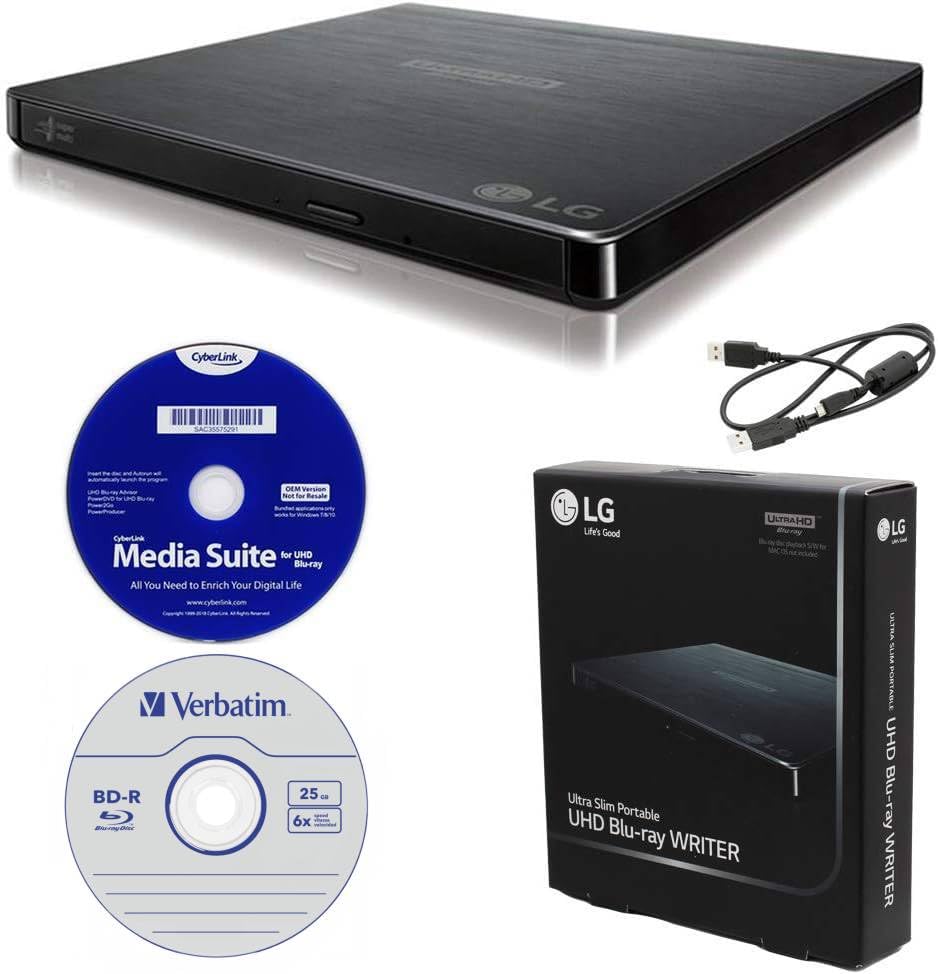
The no-drama burner for professionals who archive data to M-DISC for the long haul.
Unlike the hubs above, this LG is a focused tool for burning and playback rather than port expansion. It ships with a 25GB M-DISC BD-R, a CyberLink Media Suite, and a USB cable, so you have software and a test disc on day one. M-DISC is a special recordable disc with a super hard coat that resists scratches and fingerprints, making it a favorite for long-term data protection.
Owners rave about the burn quality and speed — “Using with laptop, very fast” is a common chorus, and customers note the plug-and-play setup needed no special configuration on a desktop. For watching, two LG technologies make the experience smoother: Silent Play reduces noise by adjusting playback speed to the disc type, and Jamless Play automatically skips past damaged parts of a scratched disc to keep the movie rolling.
BDXL support lets you record up to 100GB of files onto a triple-layer disc, and it’s fully compatible with BD-R/RE, DVD-R/-RW/+R/+RW, DVD-RAM, and CD-R/RW discs. The honest warning from owners is about the system requirements — this drive is picky about 4K playback because modern motherboards are dropping the SGX security feature. It’s a stellar burner, but verify your PC’s SGX support before you count on watching Ultra 4K discs.
What owners praise most
- Bundled CyberLink software works on Windows 10 right from the start
- Silent Play technology keeps the drive quiet during movie playback
- Compatible with M-DISC for scratch-resistant, long-term backups
What to check first
- 4K viewing needs your processor AND motherboard to support SGX
- It’s the priciest pick here, so weigh how often you’ll actually burn discs
- Runs on a USB 2.0 interface, which is slower than USB 3.0 peers
Best for archivers: the M-DISC bundle and BDXL support make it the top choice for backing up irreplaceable files.
Think twice if: you mainly want to watch 4K movies — the SGX requirement is a real barrier on newer PCs.
2. Wbacon 4K External Blu Ray Drive
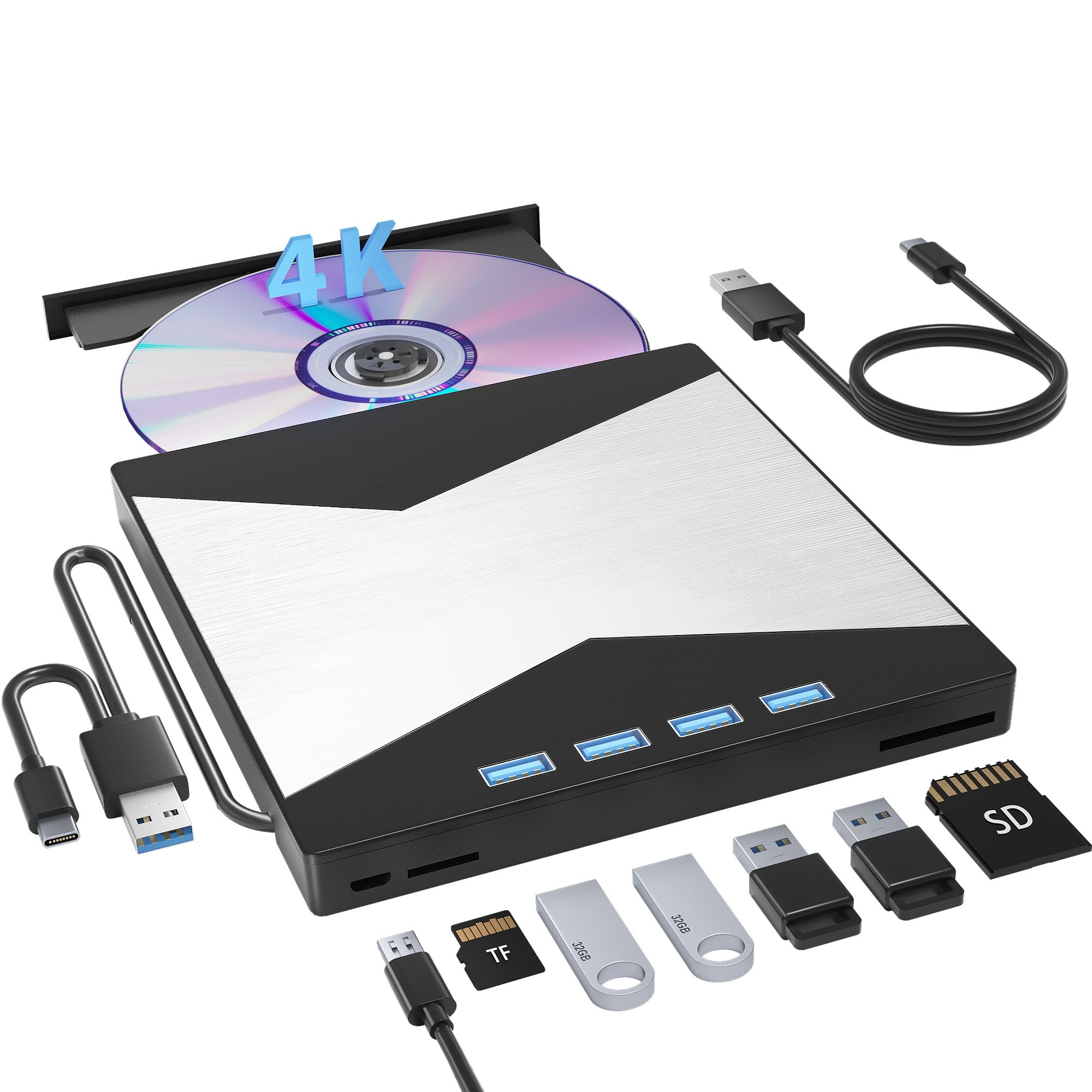
A 4K drive that doubles as a USB hub, turns one laptop port into seven.
The standout feature here is the sheer versatility. This Wbacon drive reads and burns CDs, DVDs, and Blu-rays, but it also acts as a 7-in-1 hub with 1 USB 3.0 port, 3 USB 2.0 ports, 1 TF slot, and 1 SD card slot. For a modern laptop that only has a couple of ports, this single device handles your movie nights and your photo transfers at the same time.
On the speed side, it uses USB 3.0, which moves data at up to 5 Gigabit/s (625MB/s) — roughly 10 times faster than older USB 2.0 connections. It tops out at 8x for DVDs, 24x for CDs, and 6x for BD read and burn speeds. The built-in data cable stays attached, and a non-slip rubber pad keeps the drive planted on your desk while you work.
Buyers report: “Works fine. I made 150 recordings and still going strong.” The caveat is a real one: some units ship with different brand-name drives inside, and more than one owner found that a quick firmware flash via MakeMKV open up the full 4K UHD ripping potential that the standard software doesn’t offer.
Why it wins the desk space battle
- Built-in SD and TF card slots let you pull photos straight from a camera
- 3 USB ports plus 1 USB 3.0 port keep your mouse, keyboard, and cooler plugged in
- Works with Windows 10, 11, XP, Vista, Linux, and all Mac OS 10 or higher
The honest trade-offs
- 4K playback often demands extra software installation to work properly
- Compatibility with 4K UHD discs is hit or miss straight from the start
- Plastic enclosure feels less premium than metal alternatives
Reach for it if: you’re short on ports and want one device that reads 4K discs and expands your laptop’s connectivity at once.
Look elsewhere if: you want guaranteed 4K playback from the very first click — this one may need setup time.
3. XRTFORE External 4k Blu Ray Drive
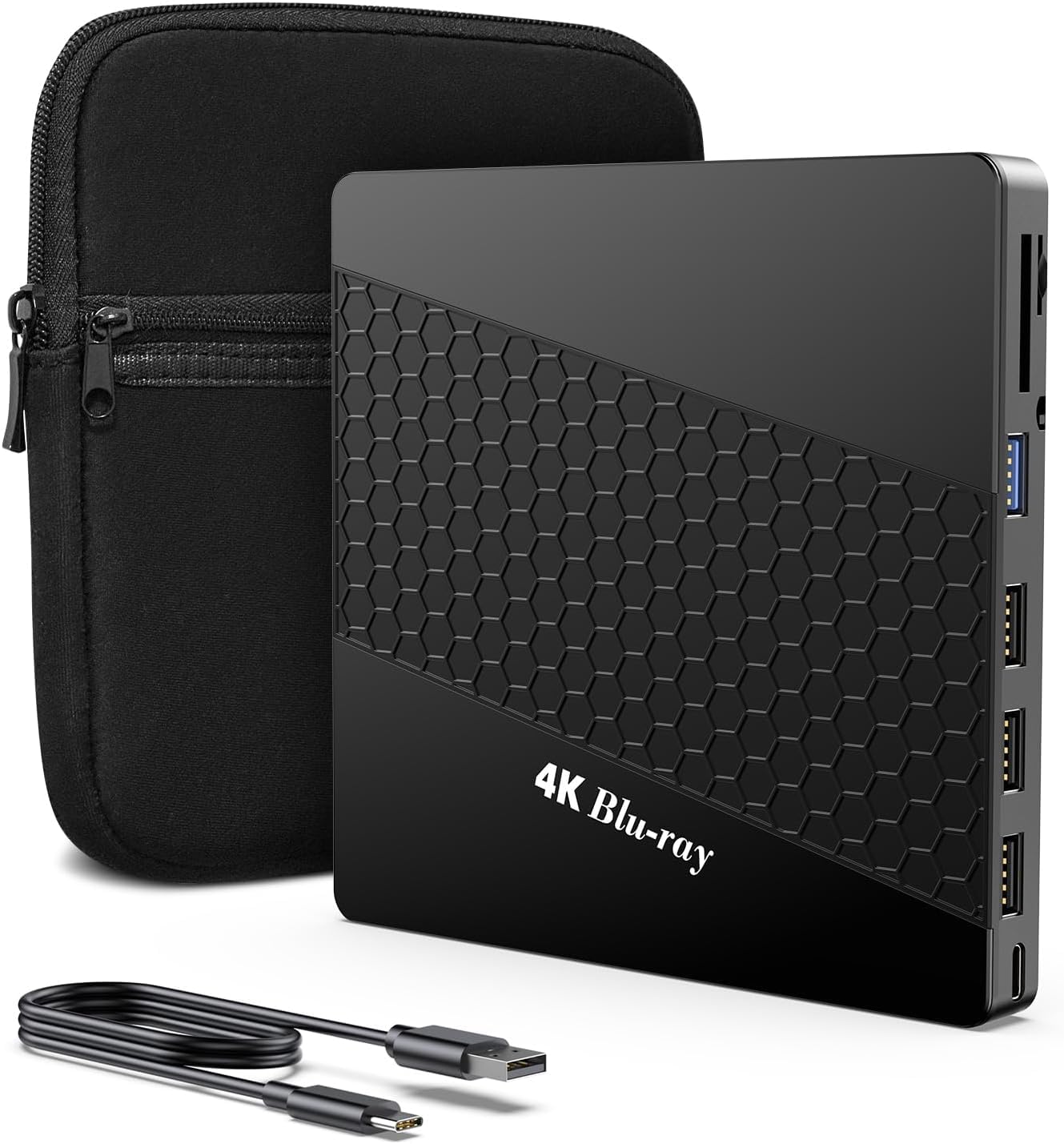
A ripping machine for hobbyists who want data freedom without the firmware fight.
What wins people over here is the drive’s compatibility with ripping software. Owners mention finding an HL-DT-ST BD-RE-BU40N mechanism inside — a drive known in the community for being “LibreDrive capable.” Some units arrive with Libre mode already active from the start, meaning you can skip the firmware flashing entirely and start ripping your 4K UHD collection with MakeMKV right away.
It’s not just a reader, either. This unit burns and rewrites Blu-rays, CDs, and DVDs, and it handled a 90+ GB BD-XL disc without complaints in testing. The 6-in-1 hub adds 3 USB ports, 1 Type-C port, and 2 TF/SD card slots, so your camera cards and accessories all have a home. A thicker protective carrying case is included, making it easy to slip into a laptop bag for work trips.
The recurring gripe is honest and worth sizing up: some owners found it won’t reliably play 4K UHD discs through standard player software, and a few even returned units they felt were falsely advertised. The path around this is the same one the happy owners used — pair the drive with MakeMKV, and you’re set; rely on official playback apps, and you may hit walls.
What the disc crowd loves: the native LibreDrive mode on many units removes the scariest part of 4K ripping — the firmware flash.
One thing to know: if you plan to watch discs directly instead of ripping them, budget time for software setup or a compatibility test.
4. Synteryx External blu ray player 4k
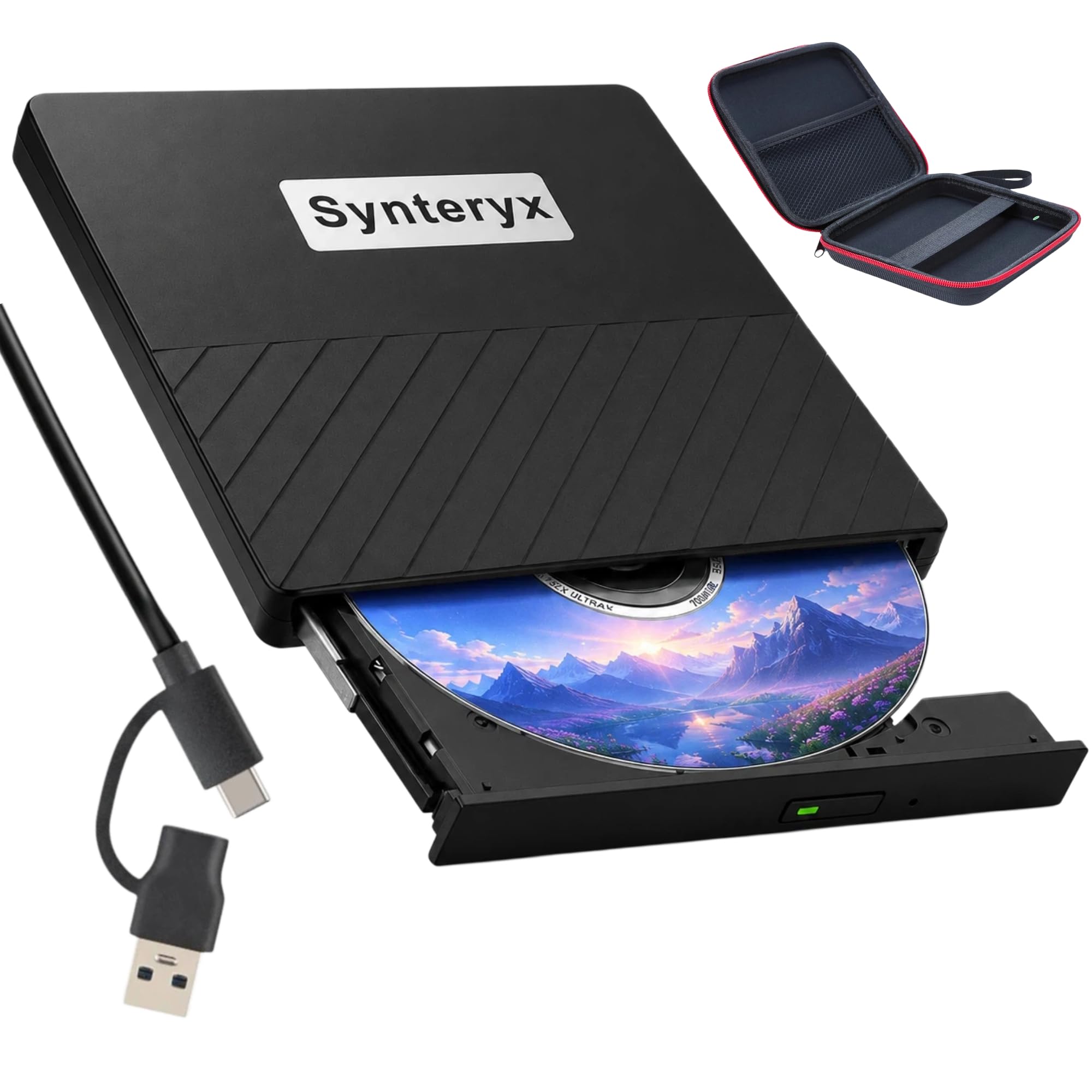
A slim, quiet companion for Mac users who want DVD and Blu-ray playback on the go.
MacBook Air owners in particular have found a home with this Synteryx drive. Reviewers point out it works flawlessly with macOS 15, ripping DVDs to MKV files and playing music through XLD without skipping. The included USB-C cable with a USB-A adapter means it slots straight into modern MacBooks and older Windows laptops alike, and it only needs one port to draw power.
The slim profile and scratch-resistant matte finish fit neatly into the included soft zipper case, which slides easily into a travel bag or laptop sleeve. Anti-skid rubber feet keep it secure on your desk during longer ripping sessions. With max read speeds of 24x for CDs and 8x for DVDs, it handles the 3D Blu-ray playback and disc burning tasks it’s marketed for.
There’s a trade-off in reliability that owners describe openly: some discs read smoothly while others stutter, and the drive has no eject button, so you must eject discs through your computer’s software. It works beautifully as a casual player for DVDs and CDs, and if you push it hard as a heavy-duty ripper, your mileage may vary. For the price, owners consistently say it does everything they need at a fraction of the cost of name-brand alternatives.
The traveler’s edge: a single USB-C port powers everything, and the soft case makes it disappear into a backpack.
Set expectations: this is a capable portable player, not a guaranteed 4K ripping workhorse — treat it as your everyday disc companion.
Understanding the Specs
What “4K Ready” Actually Means
Every drive in this list is a UHD Blu-ray drive, meaning it can physically read 4K discs with the right software. But “ready” is the key word — the drive is just one link in the chain. Your computer, your player app, and the disc’s copy protection all have to cooperate before you see that 4K picture. That’s why some drives ship with software like CyberLink or PowerDVD, while others assume you’ll bring your own player.
USB 3.0 vs USB-C
These are two different things. USB 3.0 is a speed standard that moves data at up to 5 Gigabits per second. USB-C is a physical connector shape. A drive can have a USB-C plug that only runs at USB 2.0 speeds, or a rectangular USB-A plug that runs at USB 3.0 speed. Check both the connector shape and the speed standard — a modern USB-C port is convenient, but the 3.0 speed rating is what prevents lag during ripping.
FAQ
Why won’t my 4K Blu-ray drive play 4K discs on my new PC?
What is the difference between a standard Blu-ray drive and a 4K UHD drive?
What is LibreDrive and do I need it?
Can I watch 4K Blu-ray movies without any extra software?
Will a 4K Blu-ray drive work with my MacBook?
What is BDXL and why does it matter?
What is M-DISC and is it worth using?
Do I need a separate power cable for these drives?
Can a 4K Blu-ray drive burn CDs and DVDs too?
Final Thoughts: The Verdict
For the majority of shoppers, the external 4k blu-ray drive for pc winner is the Wbacon 4K External Blu Ray Drive because it pairs solid 4K reading with a genuinely useful 7-in-1 hub that saves your laptop’s ports. If you want the smoothest ripping experience without fighting firmware, grab the XRTFORE External 4k Blu Ray Drive. And if your priority is burning reliable, long-term backups with included software, the LG BP60NB10 is the one to reach for.
How We Picked
We do not accept paid placement. Every pick is matched to a real buyer and a real use-case; we do not hands-on test units.
Sources & Methodology
Specifications: manufacturer listings and product documentation. Review insights: verified customer reviews, as of July 2026. Pricing: not shown on this page (it changes often); check the current price via the retailer link.
As an Amazon Associate, WellFizz earns from qualifying purchases. This does not affect which products we feature.
Related Guides

Mo Maruf
I created WellFizz to bridge the gap between vague wellness advice and actionable solutions. My mission is simple: to decode the research and give you practical tools you can actually use.
Beyond the data, I am a passionate traveler. I believe that stepping away from the screen to explore new environments is essential for mental clarity and physical vitality.