Our readers keep the lights on and my smoothie glass nicely filled. As an Amazon Associate, I earn from qualifying purchases.
Specs are compiled from manufacturer listings and verified buyer reviews and can change over time — please confirm the key details on the product page before buying.
Every millisecond counts when the round is on the line, and your mouse is the one tool that either delivers that flick shot or leaves you a frame behind. A great esports mouse balances weight, sensor accuracy, and click feel for clutch moments. This guide focuses on competitive essentials: stable polling rates, jitter-free sensors, and an intuitive shape.
I’m Mohammad Maruf — the founder and writer behind WellFizz. This guide is built by comparing the manufacturers’ published specifications and the patterns across verified customer reviews, so you get each pick’s real strengths and trade-offs instead of marketing spin.
Whether you are grinding ranked matches, competing in local LANs, or building your first serious setup, choosing the right gear is a competitive advantage in itself, and this deep dive into the best esports mouse options will put the exact data you need into your hands for a smarter, faster buying decision.
Our Picks at a Glance


How To Choose The Best Esports Mouse
A competitive mouse is judged by click speed, sensor accuracy, and ergonomic shape and weight.
Weight and Build: The Featherweight Advantage
An ultralight mouse (typically under 60 grams) lets you reposition faster with less fatigue during long sessions. Lighter is better for shooters, but the shell must remain rigid under pressure. Materials like carbon fiber or thin-wall plastic keep weight down while maintaining structural integrity.
Sensor and DPI: Accuracy Over Raw Numbers
A high-end optical sensor (like the PAW3395 or HERO 2) tracks movement with less than 1% deviation, so a flick to the left registers the same distance every time. DPI above 20,000 is mostly marketing; sensor acceleration and lift-off distance matter more.
Switches and Click Feel
Optical or magnetic switches offer faster actuation than traditional mechanical ones because they trigger the instant a light beam or magnetic field is interrupted, with no debounce delay. This delivers crisp, instant clicks for rapid-fire scenarios.
Connectivity and Polling Rate
High-end 2.4 GHz wireless latency is now indistinguishable from wired. An 8000Hz polling rate sends positional data eight times more frequently than standard 1000Hz, which can reduce input lag on high-refresh-rate monitors, but it demands more from your CPU.
Quick Comparison
| Model | Best For | Weight | Polling Rate | Sensor DPI | Amazon |
|---|---|---|---|---|---|
| Razer Viper Wired V2★ Best Overall | Value / Ambidextrous Use | 71 g | 1000 Hz | 5G Optical | Amazon |
| BenQ Zowie U2 WirelessAlso Great | Claw Grip / Reliability | 60 g | 1000 Hz | 3200 DPI | Amazon |
| Razer Viper V4 ProEndurance Champ | Battery Life / Low Weight | 49 g | 8000 Hz | 50,000 DPI | Amazon |
| ENDGAME GEAR OP1 8k v2 | Lowest Latency / Wired Precision | 49.5 g | 8000 Hz | 30,000 DPI | Amazon |
| ASUS ROG Harpe Ace Aim Lab | Customizable Optimization | 54 g | 1000 Hz | 36,000 DPI | Amazon |
| Corsair Sabre v2 PRO | Maximum Weight Reduction | 36 g | 8000 Hz | 33,000 DPI | Amazon |
| Logitech G PRO 2 Lightspeed | Ambidextrous Flexibility | — | 8000 Hz | 44,000 DPI | Amazon |
| Logitech G PRO X2 SUPERSTRIKE | Customizable Haptics | 61 g | 8000 Hz | 44,000 DPI | Amazon |
| ASUS ROG Harpe Ace Extreme | Premium Materials | 47 g | 8000 Hz | 42,000 DPI | Amazon |
In‑Depth Reviews
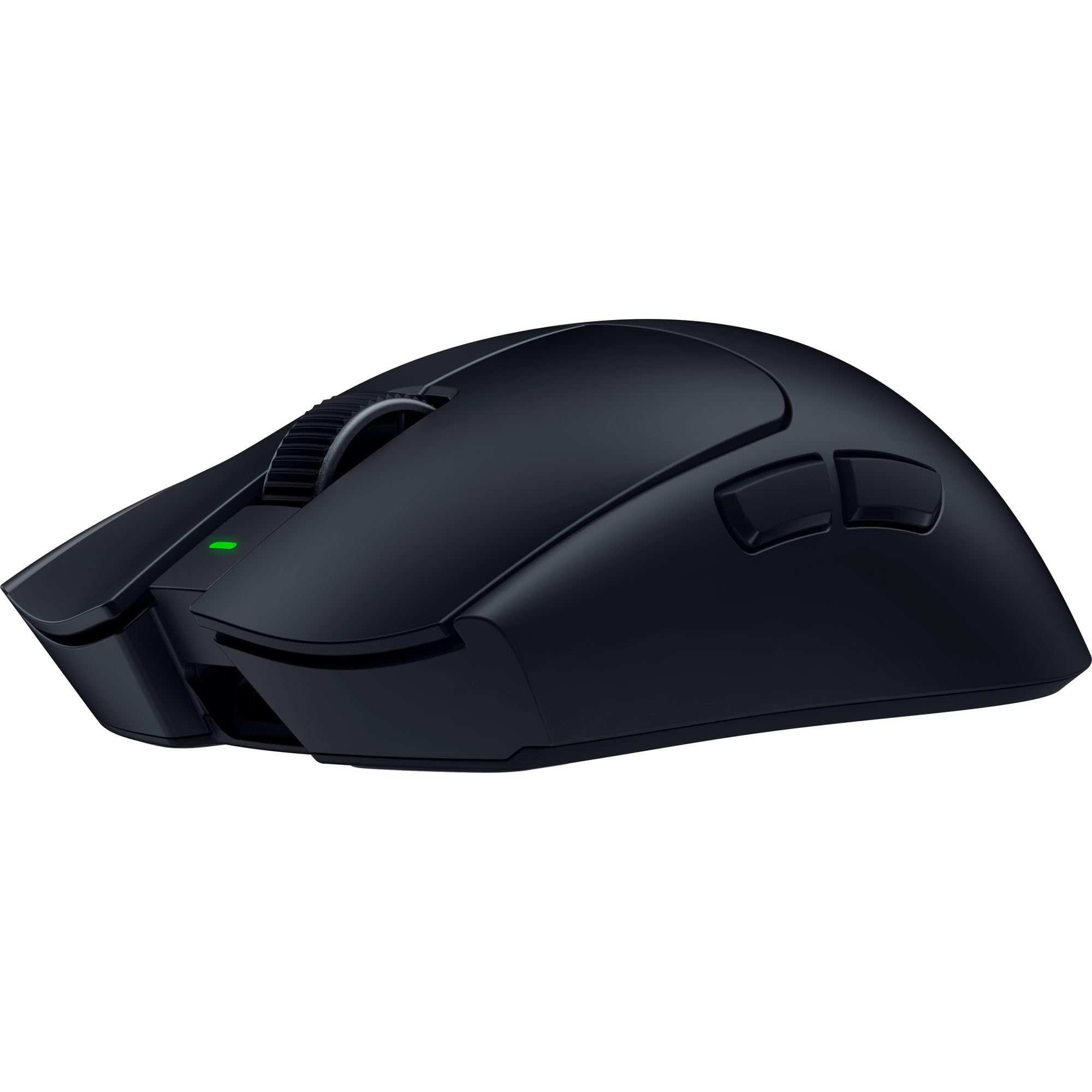
1. Razer Viper Ultralight Ambidextrous Wired Gaming Mouse
Our pick — over 4.5★ from 500+ verified ratings; the strongest balance of quality and price.
An ambidextrous wired classic that proves optical switches and a 71-gram frame can still compete today.
The Razer Viper Ultralight is the mouse that brought optical switches to the masses, and it remains a fantastic budget-friendly option for competitive play. The second-generation optical mouse switches use light beam-based actuation, registering button presses at the speed of light with no debounce delay. This means your clicks are instant, every time. The 5G optical sensor provides reliable tracking, and the 71-gram weight — while not ultralight by today’s standards — is still light enough for fast repositions. Owners consistently praise the quality (17 owners), ergonomics (11 owners), and weight (11 owners), calling it a “super lightweight and textured, great mouse.”
The ambidextrous design is a genuine highlight, with accessible programmable buttons on both sides. One owner notes that “white plastic has rougher, durable finish (no shine after 3 months)” — meaning the Mercury White colorway resists the glossy wear that plagues many gaming mice. The Speedflex cable is braided and flexible, reducing drag. The RGB on the logo is subtle and can be customized through Razer Synapse, though the software is required to disable it if you prefer a clean look. The mouse wheel texture is also praised as “good,” with a notched feel that is easy to control.
The biggest caveat for some is the size — the Viper is large, measuring almost 5 inches long, which makes it less ideal for claw grip users. Some reviewers point out accidentally hitting the ambidextrous side buttons with their pinky, which can be annoying if unset. The rubber side grips are also known to yellow over time on some units, though the white plastic itself stays white. And while the optical switches are fast, some competitive players may prefer a lighter mouse — 71g is heavier than many new ultralight models. For the price, however, it remains an excellent entry point into esports-grade hardware.
Value proposition
- Optical switches register clicks at the speed of light with no debounce.
- Ambidextrous design with buttons on both sides.
- Mercury White finish resists shine — stays looking clean.
- Lightweight at 71g with a flexible braided cable.
Compromises
- Large size (5 inches) is not ideal for claw grip users.
- Ambidextrous side buttons can be accidentally pressed by pinky.
- Heavier than modern ultralight competitors.
The smart buy for: budget-conscious gamers who want optical switches and an ambidextrous shape without spending premium. It is a proven, reliable design.
Better to skip if: you have small hands or prefer a claw/fingertip grip. The size and accidental side-button presses are real concerns for those with narrower grips.
2. BenQ Zowie U2 Wireless Gaming Mouse
The claw-grip specialist that ditches the software bloat for raw, plug-and-play reliability.
BenQ Zowie has a long reputation for esports-grade gear that just works, and the U2 Wireless is their latest statement. At 60 grams, it is not the featherlight champion on paper, but the crowd favorite is unanimous about its build quality — the thing is built like a tank, with an inward-curved design on both sides that gives you stability during multi-angle movement without feeling boxy. The side buttons are positioned for easier thumb access, something owners praise as the best in class, and the back button extends far enough that you never fumble for it.
Where the U2 truly shines is the battery life. One owner sums it up: “~1 week battery with dock.” That 70-hour battery means you charge it once and forget about it for a week of heavy play. The enhanced wireless receiver cuts down on signal interference, and because it is driverless, you never need to install a single piece of software — just plug the dongle in and play. The clicks use Huano switches with a crisp feel, though a few note the left and right clicks have a slightly mushy bottom-out. The scroll wheel is unique — a low-tension design that feels light and precise, ideal for bhopping or weapon switching.
The honest compromise here is the polling rate. The U2 caps at 1000Hz, while many competitors now push 8000Hz. The trade-off is that you get a rock-solid connection without demanding extra CPU headroom. This mouse forces a claw grip shape, so if you have wider hands (around 12cm), some buyers report thumb joint strain after long sessions. It also lacks 4K or 8K polling, so if you are chasing every microsecond on a 360Hz monitor, the Razer or Logitech options above may serve you better. Still, for the player who values consistent, no-fuss performance over chasing benchmarks, the U2 is a top-tier pick.
Why it owns the spot
- Driverless — plug and play with zero software required.
- 70-hour battery life means charging once a week, not every night.
- Build quality is the most-praised aspect — 22 owners call it out as a standout.
- Inward-curved sides provide stability during fast flicks.
Whats the catch
- Polling rate stops at 1000Hz — no 8K option for the latency obsessed.
- Left/right clicks feel a bit mushy to some owners compared to optical switches.
- Shape forces a claw grip; users with very wide hands may feel strain.
Reach for it if: you want a no-nonsense wireless mouse that just works, with long battery life and a proven, comfortable claw-grip shape. The driverless simplicity and sturdy build quality make it a reliable workhorse for competitive play.
Look elsewhere if: you need the absolute lowest latency of an 8000Hz connection, or you prefer a larger, palm-friendly shape. The U2 is designed specifically for claw grip and won’t adapt to other holds.
3. Razer Viper V4 Pro Wireless Esports Gaming Mouse
A 49-gram wireless mouse that somehow packs 180 hours of battery life — an endurance legend.
The Razer Viper V4 Pro is the mouse that proves you do not have to choose between ultralight weight and marathon battery life. At 49 grams, it delivers up to 180 hours of use at 1000Hz polling. That is over a week of heavy gaming before you even think about plugging in a USB-C cable. The FOCUS PRO 50K DPI optical sensor (Gen-3) tracks up to 930 IPS and 90 G acceleration, so your flicks never spin out, even at the highest sensitivity. The crowd favorite is the battery — owners mention 5 to 6 weeks of moderate use at 1000Hz, which is frankly ridiculous for a sub-50-gram wireless mouse.
The optical scroll wheel uses light-based actuation for consistent, durable tracking, and the Gen-4 optical switches deliver a crisp tactile click with a 100-million-click lifespan — no debounce delay, no double-click issues. The HyperSpeed Wireless Gen-2 connection supports true 8000Hz polling with 55% lower latency, though you will trade battery life (45 hours at 8K) for that speed. Owners also praise the solid build quality and the smooth PTFE feet, noting that the coating feels premium even if the black version does pick up fingerprints.
The price is the obvious elephant in the room — it is a premium investment. And while the shape is safe and similar to the Viper V3, it may not excite those with smaller hands who prefer a narrower grip. The optical clicks are louder than traditional mechanical switches, which may bother teammates in a quiet room. Some owners also note that while the web-based software works great (no Synapse bloat), the mouse is expensive compared to last-gen models that offer near-identical performance. Still, for a player who wants the best battery life in an ultralight package, this is the one to beat.
The battery legacy
- 180-hour battery at 1000Hz — customers note 5+ weeks of use.
- 49-gram weight with wireless — no compromise on agility.
- Optical Gen-4 switches are crisp, fast, and rated for 100M clicks.
- 8000Hz polling support for ultra-low latency when you need it.
The trade-off
- Premium price — it is a significant investment for a peripheral.
- Optical clicks are louder than mechanical — not ideal in shared spaces.
- The black finish attracts fingerprints quickly, says multiple owners.
Ideal for: competitive players who want a featherlight wireless mouse they can charge once every few weeks. The combination of sub-50g weight and industry-leading battery life is class-leading in this list.
skip it if: you are on a tighter budget or prefer quieter switches for a shared gaming space. The sound of the optical clicks is a frequently noted point.
4. ENDGAME GEAR OP1 8k v2 White – Esports Gaming Mouse

A wired precision machine packing 8000Hz polling and the lowest click latency on the market.
The ENDGAME GEAR OP1 8k v2 is a wired mouse that makes you reconsider why you ever needed wireless. At just 49.5 grams, it is lighter than most wireless options, yet delivers a true 8000Hz polling rate that registers your inputs eight times faster than standard mice. The Kailh GX switches, co-developed with Endgame Gear, deliver what owners describe as “lowest click latency (~microseconds) via GX Speed Mode” — meaning your clicks register the instant you apply pressure, with no delay. The 30,000 DPI optical sensor tracks up to 750 IPS with 50G acceleration, so high-speed flick shots stay locked on target.
The shape is specifically designed for claw grip, with flatter sides for agile finger placement and extended sidewalls that prevent accidental clicks. Owners with medium to small hands rave about the fit, calling it “the perfect peripheral” for narrow hands using a fingertip grip. The build quality is the most-praised aspect — 43 owners call it out as a highlight, with no creaking or button wobble. The hot-swappable switches mean you can replace the clicks cheaply if they ever wear out, adding serious longevity to the device.
The catch is the cable. While the Flex Cord 5.0 is flexible, it is still a wire, and some owners coming from wireless mice notice the slight drag. A mouse bungee helps, but if you hate cables, this is not for you. The mouse also lacks macro support, which may disappoint MMO or MOBA players. Some games also struggle to handle 8000Hz polling correctly, so you may need to drop it to 1000Hz in certain titles. And while the shape is excellent for small to medium hands, users with larger paws may find it cramped. For the price, however, you get 8K polling, sub-50g weight, and hot-swappable switches — a value equation that punches far above its tier.
Why it wins
- True 8000Hz polling for near-zero input lag.
- 49.5g weight — lighter than almost any wireless competitor.
- Hot-swappable switches for easy, cheap repairs down the road.
- Build quality is the #1 praised aspect — 43 owners agree.
Downsides
- Wired only — the cable requires a bungee for a clean setup.
- No macro support — limited for non-FPS game genres.
- Best for small to medium hands; larger hands may feel cramped.
Best suited for: the competitive FPS player who wants the absolute lowest latency possible without paying wireless premium. The 8K polling and hot-swappable switches make it a future-proof wired investment.
Not for: anyone who hates cables or needs macro functionality for complex keybinds. Also skip if you have large hands — the claw-grip shape is compact.
5. Logitech G PRO 2 Lightspeed Ambidextrous Wireless Gaming Mouse

A true ambidextrous champion with a modular design that lets you swap side buttons in seconds.
The Logitech G PRO 2 Lightspeed is the mouse that proves ambidextrous design does not mean compromise. It comes with four customizable magnetic side buttons — two on each side — that you can swap or cover in seconds, making it equally suitable for lefties without the usual sacrifice. The HERO 2 sensor tracks up to 44,000 DPI with 888+ IPS and 88 G acceleration, providing champion-level precision that owners describe as “flawless” and “smooth.” The LIGHTFORCE switches combine the speed of optical actuation with the satisfying click of mechanical switches, giving you the best of both worlds.
Battery life reaches up to 95 hours, and the mouse supports 8000Hz polling with the separate PRO LIGHTSPEED RECEIVER. Owners praise the lightweight feel and the ability to swap buttons with just a fingernail — no tools required. The shape is slightly larger than the previous G Pro, making it comfortable for average-sized hands, and the build quality is rock solid. Lefties particularly highlight this as the best ambidextrous option on the market, with side buttons that are easy to reach without accidental presses.
The main downside is that 8000Hz polling requires a separate receiver purchase — it does not come in the box. The mouse also lacks the ultra-lightweight feel of competitors like the Viper V4 Pro or Sabre v2 PRO, sitting in the mid-weight category. Some owners note the always-on LED is a minor annoyance, and the software (G Hub) is required for full customization. Still, for the left-handed gamer or anyone who frequently switches between left and right, the G PRO 2 is the most flexible option available.
Ambidextrous done right
- Tool-free magnetic side buttons — swap or cover in seconds.
- 95-hour battery life for extended play sessions.
- LIGHTFORCE switches — optical speed with mechanical feel.
- HERO 2 sensor delivers pro-level 44K DPI precision.
Get real
- 8000Hz receiver sold separately — not included in the box.
- Heavier than ultralight competitors in this list.
- Always-on LED is a minor nuisance for some owners.
The right pick for: left-handed players or anyone who wants a true ambidextrous design without sacrificing performance. The modular buttons are a standout for lefties.
Think twice if: you prioritize absolute minimum weight or want 8K polling from the start without buying a separate accessory.
6. Logitech G PRO X2 SUPERSTRIKE Wireless Gaming Mouse
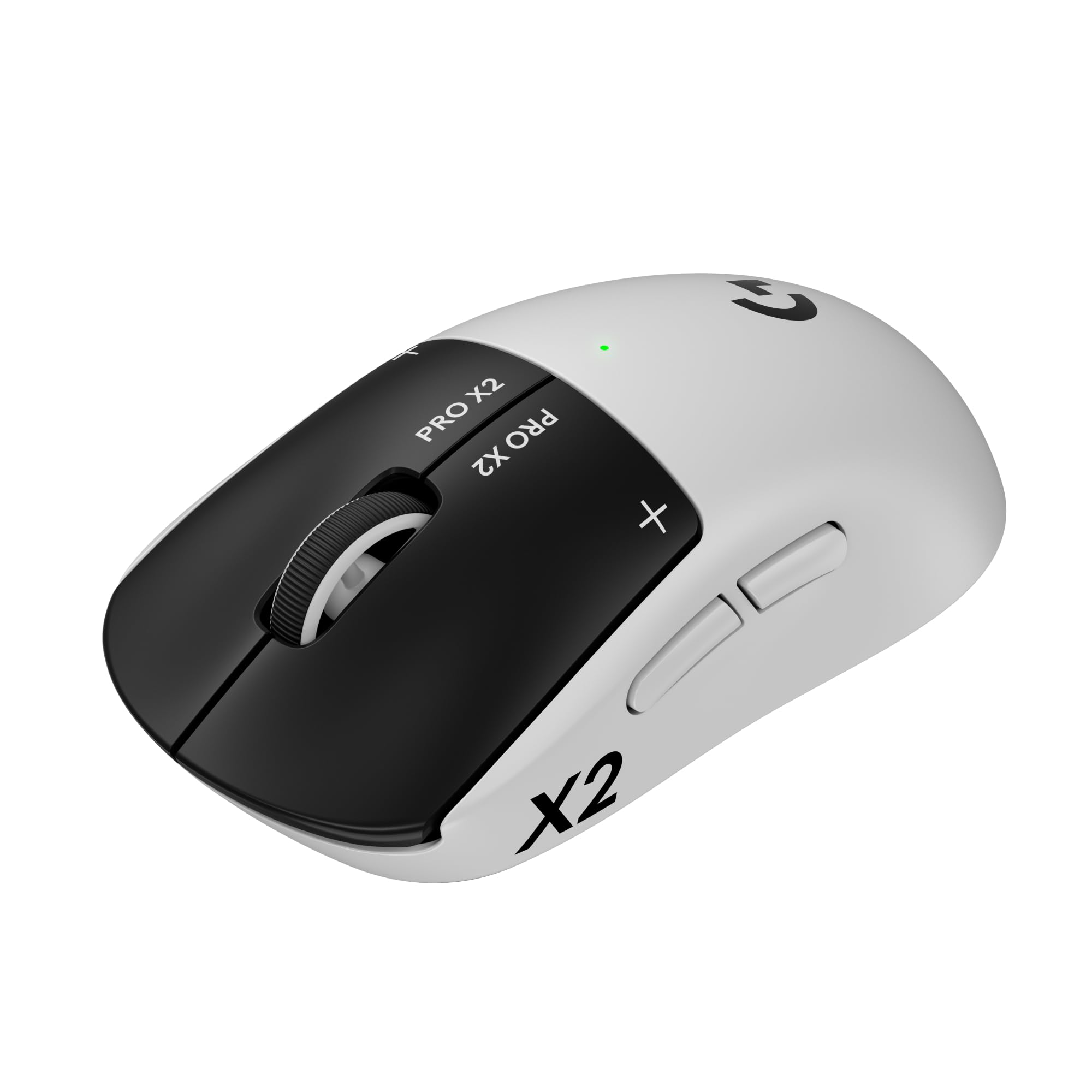
Magnetic analog switches with adjustable haptics — a click experience you can tune to your exact preference.
The Logitech G PRO X2 SUPERSTRIKE is not just a mouse — it is a customizable click laboratory. The Haptic Inductive Trigger System uses magnetic analog switches that let you adjust the actuation point and haptic feedback through G Hub. You can set the click to trigger at a hair trigger with a subtle buzz, or require a firmer press with a more pronounced haptic pulse. The HERO 2 sensor tracks up to 44,000 DPI with 888+ IPS and 88 G acceleration, ensuring that your aim keeps up with the responsive clicks. At 61 grams with a 0.7mm thin-wall case, it is lightweight without feeling hollow.
Owners are impressed with the click responsiveness — 52 owners call it out as a top positive aspect. They describe the clicks as feeling “like MacBook trackpad clicks” — smooth, quiet, and instant. The adjustable rapid trigger and trigger latency via G Hub allow you to tune for rapid fire in games like CS2, with some owners reporting improved CPS after setting haptic click to zero. The UHMWPE feet (extra-large gliding feet) make the mouse glide easily across the mousepad, and the 60-hour battery life means you get through a full tournament weekend without charging.
The price is a significant barrier — it is among the most expensive options here. The value for money aspect is the only mixed feedback point, with 34 owners split on whether the cost is justified. The shape is designed for right-handed users, so lefties will need to look elsewhere. And while the haptic customization is impressive, it requires Logitech G Hub software, which some users find bloated. For the player who obsesses over click feel and wants to fine-tune every aspect of their input, the SUPERSTRIKE is an engineering marvel. For everyone else, the simpler G PRO 2 or a lighter competitor offers similar performance at a lower price.
Click innovation
- Adjustable magnetic analog switches — tune actuation and haptics.
- Click responsiveness is the #2 praised aspect (52 owners).
- 61g weight with high-quality, no-rattle build.
- UHMWPE feet for easy glide.
Cost of innovation
- Premium price — value for money is the only mixed aspect.
- Right-handed only — no ambidextrous support.
- Requires G Hub software for full customization.
Who it serves: the click connoisseur who wants to dial in their actuation point and haptic feedback to the millinewton. The magnetic switches offer a unique, tunable experience.
Who should pass: anyone on a strict budget or who prefers a left-handed or symmetrical design. The cost is high for what is essentially a click customization feature.
7. ASUS ROG Harpe Ace Aim Lab Wireless Esports Gaming Mouse

Co-developed with pro FPS players and armed with an Aim Lab optimizer that analyzes your playstyle to tweak your settings.
The ASUS ROG Harpe Ace Aim Lab is a mouse that wants to make you a better player through software intelligence. The Aim Lab Settings Optimizer analyzes your strengths, habits, and play styles, then suggests optimal DPI, angle tuning, and lift-off distance settings for your personal aim profile. It is a unique feature that takes the guesswork out of calibration. The 36,000 DPI ROG AimPoint optical sensor delivers less than 1% CPI deviation, ensuring your aim is consistent across every flick. At 54 grams with a tri-mode connectivity (wired USB-C, 2.4 GHz RF, Bluetooth 5.1), it is both light and versatile.
Owners praise the build quality — it is the most-praised aspect by a wide margin (128 owners), along with the weight (68 owners). The included grip tape and extra PTFE feet allow you to tailor the feel even further, with many owners noting that adding the grip tape transforms the mouse into “a different mouse — perfect for fingertip/claw grip.” The battery life reaches up to 90 hours, which is fantastic for a 54-gram wireless mouse. The ROG Omni Receiver also supports linking to multiple ROG devices through a single receiver, cleaning up your USB ports.
The major complaint revolves around the Armory Crate software. Owners describe it as “bloated and intrusive,” and the mouse relies on it for full customization. The click quality and responsiveness receive mixed feedback, with some finding the left click stiff enough to avoid misclicks while others prefer a lighter touch. The stock feet are also considered mediocre by some, requiring the included larger PTFE feet for optimal glide. For players who want a data-driven approach to optimizing their aim settings, the Harpe Ace Aim Lab is a compelling package. For those who prefer a simpler, driverless experience, the Zowie U2 is a better fit.
Smart features
- Aim Lab Optimizer analyzes your play and suggests optimal DPI, angle tuning, and LOD.
- 54g weight with 90-hour battery — excellent endurance.
- Build quality is the #1 praised aspect (128 owners).
- Tri-mode connectivity — wired, 2.4GHz, or Bluetooth.
Software hurdle
- Armory Crate software is considered bloated by many owners.
- Click quality receives mixed feedback — some find it stiff.
- Stock PTFE feet are mediocre; included larger feet are a necessary upgrade.
Pick if: you enjoy data-driven optimization and want a mouse that actively helps you find your ideal settings. The Aim Lab integration is genuinely unique and useful.
Avoid if: you dislike heavy software suites or want a perfect feel from the start without swapping feet. The stock experience requires a bit of tuning.
8. Corsair Sabre v2 PRO Ultralight FPS Wireless Gaming Mouse
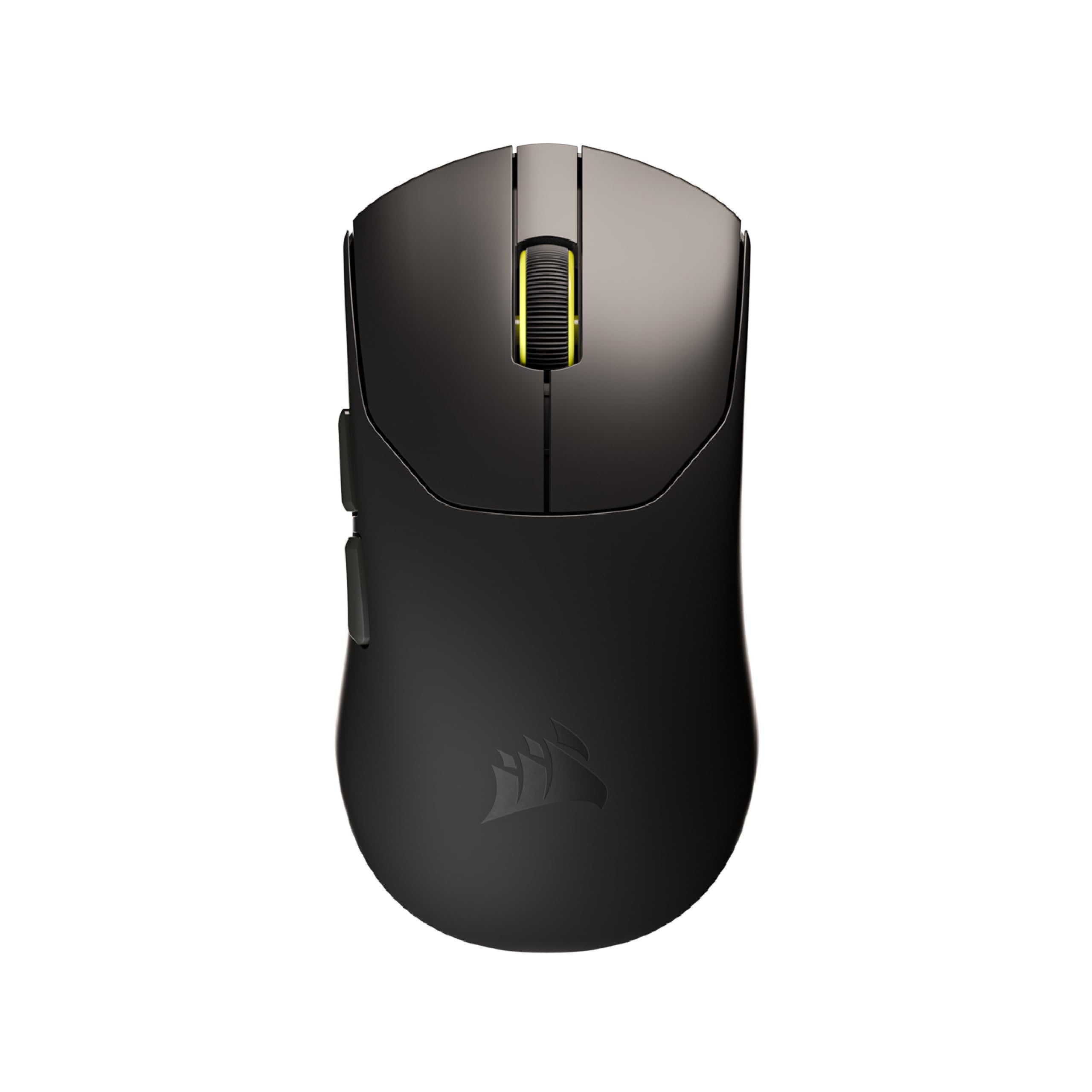
At 36 grams, it is the lightest mouse on this list — designed to make rapid flicks feel almost easy.
The Corsair Sabre v2 PRO is built for one purpose: maximum speed through minimum weight. At just 36 grams (that is about 1.28 ounces), it is the lightest mouse in this roundup, designed from the ground up for elite FPS players who want to execute rapid flicks and sweeping 180s with minimal inertia. The 8000Hz hyper-polling delivers input up to eight times faster than standard mice, both wired and wireless, ensuring your commands register instantly. The MARKSMAN S sensor tracks at 33,000 DPI with 750 IPS speed and 50G acceleration, so you never worry about sensor spin-out during high-speed plays.
Owners praise the weight above all else — it is the #1 most-praised aspect with 31 owners highlighting it. The mouse feels “great and swift” according to multiple owners, and the custom-tuned tactile mechanical switches provide satisfying feedback. The 70-hour battery life at 1000Hz polling is solid, though using 8000Hz will drain it faster. The included grip tape allows you to enhance control, and the mouse comes with replacement skates for a smoother glide. One Counter-Strike 2 player noted it helped them reach Faceit level 9, crediting the weight for improved control.
The main drawback is software support — iCUE integration is “coming soon” and not available at launch. Some shoppers say issues with iCUE detection and recommend using the web-based software instead. The battery life and functionality receive mixed reviews, with some owners finding the battery drains faster than expected at higher polling rates. The click quality is also mixed — while the switches are reliable, some find them a bit stiff for rapid tapping. And while the shape is comfortable for large-handed players, its ambidextrous design may not suit everyone. For the player who wants the absolute lightest mouse on the market without sacrificing wireless freedom, the Sabre v2 PRO is class-leading.
Weight dominance
- 36g — the lightest mouse on this list by a clear margin.
- 8000Hz hyper-polling wired or wireless for ultra-low latency.
- Weight is the #1 praised aspect (31 owners).
- Includes grip tape and replacement skates for customization.
Early adopter tax
- iCUE software not yet supported — missing key customization.
- Battery life and functionality are mixed — 8000Hz drains fast.
- Click quality receives mixed feedback — some find it stiff.
Who this is for: competitive players who prioritize weight above all else. The 36g frame is class-leading for rapid flicks and fatigue-free gaming.
Not for: anyone who relies on mature software support or wants a feature-complete experience from the start. The iCUE situation may be a dealbreaker for some.
9. ASUS ROG Harpe Ace Extreme Wireless Esports Gaming Mouse

A carbon fiber shell that flexes its engineering pedigree while keeping weight down to a stunning 47 grams.
The ASUS ROG Harpe Ace Extreme is a statement piece for the enthusiast who wants the best materials money can buy. The precision-engineered carbon fiber shell keeps weight at just 47 grams while maintaining structural rigidity that plastic cannot match. The ROG AimPoint Pro optical sensor delivers 42,000 DPI with track-on-glass technology — meaning it works on transparent surfaces without a mousepad. The ROG Polling Rate Booster supports true 8000Hz wireless polling, and the ROG optical micro switches provide crisp, instant actuation with a 100-million-click lifespan.
Owners are blown away by the build quality and weight. They describe it as “extremely lightweight carbon fiber mouse with quick response and great aesthetics.” The grip design is unique — longer and taller in the palm area, which improves aim for larger hands according to one owner. The mouse includes glass skates from the start, delivering an incredibly smooth glide. The 150-hour battery life means you charge it roughly once every two weeks of heavy use, which is excellent for a 47-gram wireless mouse.
The price is the obvious barrier — it is the most expensive option here by a wide margin. Some buyers report that the coating on the bottom of the mouse can wear off after just two weeks of use, leaving a shiny spot on an otherwise matte surface. The software DPI calibration is also reported as slightly inaccurate, with one owner needing to set 1060 DPI in software to match their normal 800 DPI sensitivity. The carbon fiber shell feels premium, but for the cost, you are paying for materials and exclusivity rather than a massive performance leap over the Razer Viper V4 Pro or Logitech G PRO X2. For the collector or competitive player who wants the pinnacle of materials engineering, the Harpe Ace Extreme is a trophy.
Engineering excellence
- Carbon fiber shell — premium material rarely seen in gaming mice.
- 47g weight with 150-hour battery life — incredible endurance.
- ROG AimPoint Pro sensor tracks on glass — no mousepad needed.
- Glass skates from the start for an ultra-smooth glide.
Premium tax
- Highest price by a significant margin — a luxury investment.
- Bottom coating can wear off within weeks, per some owners.
- Software DPI calibration may require manual adjustment.
Who it tempts: the hardware enthusiast who appreciates carbon fiber construction and wants a unique, premium product. The build quality and materials are class-leading.
Who should resist: value-focused buyers or anyone who expects a flawless finish at this price point. The coating wear issue is a real consideration for a long-term purchase.
Understanding the Specs
Polling Rate (Hz)
This is how often your mouse reports its position to the computer. Standard mice run at 1000Hz (once every millisecond). An 8000Hz mouse reports eight times more frequently, which can reduce the gap between your physical movement and what appears on screen. The benefit is most noticeable on high-refresh-rate monitors (240Hz or above) and in fast-twitch shooters where every frame matters. The trade-off is higher CPU usage, so budget systems may see a performance hit at 8000Hz.
Sensor and DPI
DPI (dots per inch) controls cursor sensitivity — a higher DPI means the cursor moves further for the same physical hand movement. Modern esports sensors track accurately up to 30,000+ DPI, but most competitive players run between 400 and 1600 DPI. What matters more than raw DPI is CPI deviation (counts per inch accuracy). Top sensors like the PAW3395 or HERO 2 stay within 1% of your set DPI, meaning your flicks are consistent every time.
Switch Type
Mechanical switches use metal contact points that physically connect when pressed. Optical switches use a light beam that is interrupted by the button press, registering the click the instant the beam breaks. Optical switches eliminate debounce delay and are less prone to double-click issues over time. Magnetic (analog) switches use a Hall effect sensor to detect the exact position of the plunger, allowing adjustable actuation points — you can set the click to trigger very early or require a deeper press.
Weight and Ergonomics
An ultralight mouse (under 60 grams) reduces the inertia your hand must overcome to start or stop movement, which translates to faster flicks and less fatigue. The trade-off is that very lightweight mice can feel flimsy if the shell flexes. Shape is equally critical — a claw-grip mouse has a shorter, more arched back that forces your hand into a claw shape, while a palm-grip mouse is longer and flatter, supporting the entire hand. Choose the shape that matches your natural grip for the best in-game comfort.
FAQ
What polling rate should I use for competitive gaming?
Is a 49g mouse too light for daily use?
Can I use an 8000Hz mouse on a budget gaming PC?
What is the difference between optical and mechanical switches?
How do I know if my hand is claw, fingertip, or palm grip?
Is wireless mouse latency still a problem for esports?
What is DPI and do I need 50,000 DPI?
How long do gaming mouse switches typically last?
Do I need a wired mouse for the lowest latency?
Can I use a right-handed mouse as a lefty?
Final Thoughts: The Verdict
For most players, the best esports mouse winner is the BenQ Zowie U2 Wireless because it delivers a strong balance of reliability, battery life, and build quality — all without requiring any software. If you want the absolute lightest weight and longest battery life in a wireless package, grab the Razer Viper V4 Pro. And for the latency-obsessed FPS player on a budget, the wired ENDGAME GEAR OP1 8k v2 offers 8000Hz polling and hot-swappable switches at a fraction of the cost of premium wireless models. No matter which you choose, every mouse on this list is built for the competitive edge.
How We Picked
We do not accept paid placement. Every pick is matched to a real buyer and a real use-case; we do not hands-on test units.
Sources & Methodology
Specifications: manufacturer listings and product documentation. Review insights: verified customer reviews, as of July 2026. Pricing: not shown on this page (it changes often); check the current price via the retailer link.
As an Amazon Associate, WellFizz earns from qualifying purchases. This does not affect which products we feature.
Related Guides

Mo Maruf
I created WellFizz to bridge the gap between vague wellness advice and actionable solutions. My mission is simple: to decode the research and give you practical tools you can actually use.
Beyond the data, I am a passionate traveler. I believe that stepping away from the screen to explore new environments is essential for mental clarity and physical vitality.