Our readers keep the lights on and my smoothie glass nicely filled. As an Amazon Associate, I earn from qualifying purchases.
Specs are compiled from manufacturer listings and verified buyer reviews and can change over time — please confirm the key details on the product page before buying.
Getting a live stream out of your camera and onto the internet without a powerful computer used to be a headache. You needed expensive gear, complex software, and a lot of patience. A dedicated hardware encoder changes that — it is a small box that takes your HDMI video signal and turns it into a network stream, sending it straight to YouTube, Facebook, or your own server with very little delay and no need to leave a PC running.
I’m Mohammad Maruf — the founder and writer behind WellFizz. This guide is built by comparing the manufacturers’ published specifications and the patterns across verified customer reviews, so you get each pick’s real strengths and trade-offs instead of marketing spin.
Whether you are setting up a church broadcast, streaming a live event, or building an IPTV system, picking the right hardware matters. Here is my complete breakdown of the best encoder for live streaming, covering nine models that handle everything from budget 1080p feeds to professional multi-platform 4K production.
Our Picks at a Glance

How To Choose The Best Encoder For Live Streaming
Picking a live streaming encoder is mostly about matching the video quality you need with the internet connection you have. A 4K encoder is useless on a slow upload, and a basic 1080p model will feel limiting if you plan to broadcast to multiple platforms at once. Start with your video source and your goal, then let these factors guide you.
Video Resolution and Frame Rate
This is the first question to answer. Most encoders accept an HDMI input and can stream at 1080p at 60 frames per second — smooth for sports and fast action. Some models handle 4K input at 30fps, which gives you extra detail if your camera supports it, but be aware that 4K streaming needs more upload bandwidth (typically 15-25 Mbps) compared to 1080p (4-8 Mbps). A good encoder also lets you adjust the bitrate, so you can trade some quality for stability if your network is unreliable.
Encoding Standard: H.264 vs H.265
H.264 is the older, widely compatible standard — every streaming platform accepts it, and it is easy on your network. H.265 (also called HEVC) is the newer standard that delivers the same visual quality at roughly half the bitrate, which means you can stream higher-quality video using less bandwidth. The trade-off is that some older encoders and platforms do not support H.265, so check your destination before you commit. Many modern encoders support both, giving you flexibility.
Streaming Protocols and Multi-Platform Output
RTMP and RTMPS are the most common protocols and are accepted by YouTube, Facebook, and Twitch. SRT is a more modern protocol that handles poor network conditions much better — it is the go-to choice for long-distance or cellular-based streaming. If you plan to send your feed to multiple platforms at once, look for an encoder that can output several simultaneous streams with different protocols. This lets you go live on YouTube and Facebook simultaneously from a single box.
Connectivity and Power Options
Think about where the encoder will sit. Is it near your camera? Then HDMI input length matters. Is it far from your router? Then Ethernet is more stable than Wi-Fi. Some premium encoders also offer Power over Ethernet (PoE), which eliminates a power cable, and cellular bonding for streaming from locations without wired internet — critical for outdoor events and weddings.
Quick Comparison
| Model | Best For | Max Resolution | Encoding | Streaming Protocols | Amazon |
|---|---|---|---|---|---|
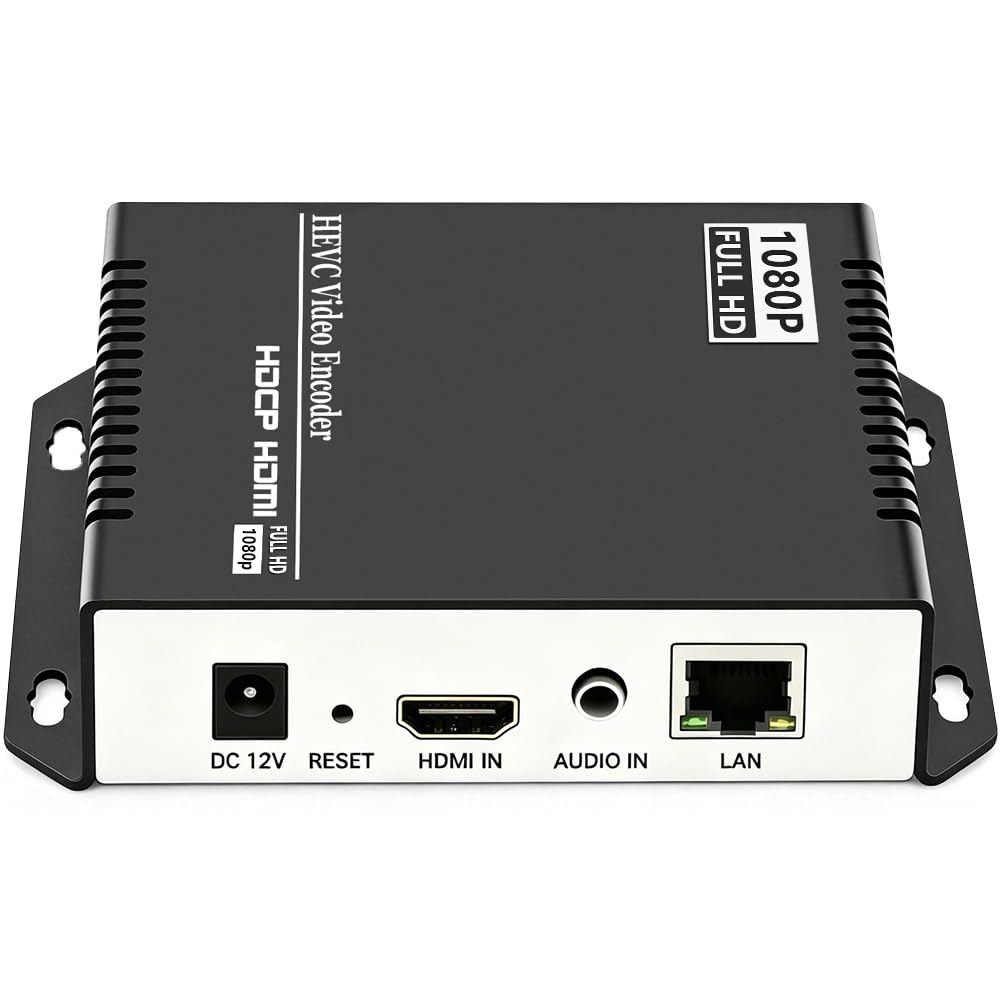
| URayCoder UHE265-1S (P1)★ Best Overall | Reliable 1080p workhorse | 1080p @ 60fps | H.264 & H.265 | RTMP, RTSP, SRT, HLS, UDP | Amazon |
| ZowieBox (P2)NDI Specialist | NDI conversion & gaming | 4K @ 30fps (capture) | NDI HX3/HX2/HX | SRT, RTMP, RTSP, NDI | Amazon |
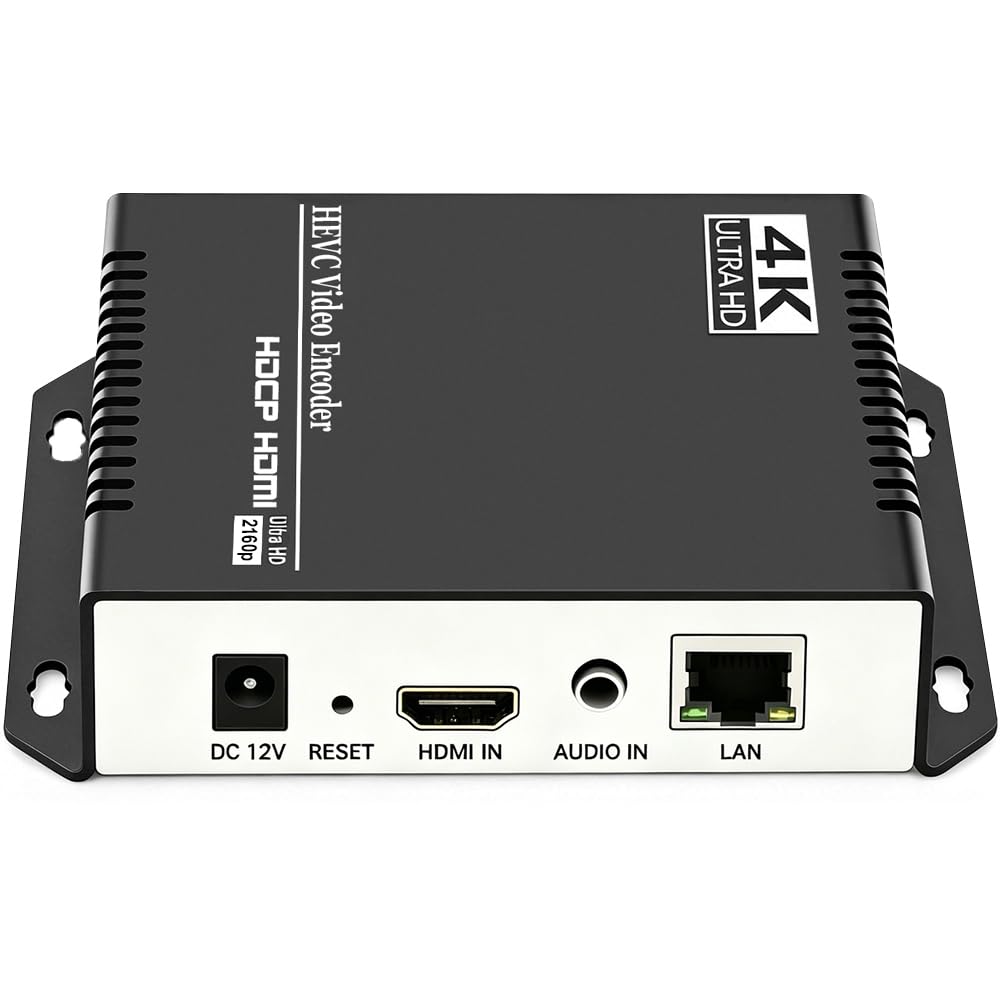
| URayCoder UHE265-1S-4K (P3)4K Value Pick | High-quality 4K input | 4K @ 30fps | H.264 & H.265 | RTMP, RTSP, SRT, HLS, WebRTC | Amazon |
| URayCoder UHE265-1L-4K (P4) | 4K streaming with high frame rates | 4K @ 30fps (120fps at 2K) | H.264 & H.265 | RTMP, RTSP, SRT, HLS, WebRTC | Amazon |
| URayCoder UHE265-1L-4K (P5) | Customizable settings & multi-stream | 4K @ 30fps (120fps at 2K) | H.264 & H.265 | RTMP, RTSP, SRT, HLS, WebRTC | Amazon |
| DDMALL HEV-2KW | Ultra-portable on-the-go streaming | 1080p @ 60fps | H.265 & H.264 | SRT, RTMP, RTSP, UDP, HLS | Amazon |
| URayCoder UHE265-4-4K | Multi-channel 4K production | 4K @ 30fps (120fps at 2K) | H.264 & H.265 | RTMP, RTSP, SRT, HLS, WebRTC | Amazon |
| YOLOLIV Instream | Vertical streaming for social media | 1080p @ 60fps | H.264 | RTMP, RTMPS | Amazon |
| YoloBox Ultra | All-in-one professional production | 4K | H.264 | RTMP, SRT, NDI HX3 | Amazon |
In‑Depth Reviews
1. URayCoder UHE265-1S
Our pick — 4.5★ from 150+ verified ratings; the strongest balance of quality and price.
The 1080P workhorse that owners run 24/7 for years without a single glitch.
This encoder hits the balance for reliability and value. It is equipped with an advanced H.265/H.264 dual encoding chip that handles 1920×1080 resolution at 60 frames per second, producing HD video with what buyers call “crisp” picture quality. You get a single HDMI input, and it can simultaneously push four different video streams using different protocols — so you can send the same feed to YouTube, Facebook, and Twitch all at once without extra gear.
What really stands out is the sheer consistency. Buyers report running four of these units for over 2.5 years to stream DVR feeds between locations, all without issues. Another owner notes that reliability is the most-praised aspect, mentioned over 30 times across reviews. The device also recovers automatically after a power outage and keeps a PC’s CPU under 20% load even while streaming 1080p to YouTube and an NVR simultaneously.
A fair trade-off: this unit uses L-PCM 2-channel stereo audio, so if your source sends Dolby 5.1 surround, you will need to down-mix it first. And, as owners put it, “the default static IP (192.168.1.1) is something to note” — you may need to adjust your network settings on first setup. The included lifetime free warranty and active tech support are a safety net that many competitors lack.
reliable long-range encoder
- Top-rated reliability (30 mentions from owners who run it 24/7)
- Four simultaneous streams at once to different platforms
- Easy setup with a web UI that works on any device
- Lifetime free warranty and responsive customer support
limited to 1080p
- Only supports stereo PCM audio (no Dolby 5.1 passthrough)
- Default IP requires a subnet adjustment for most home networks
- Can struggle with bandwidth fluctuations on slow internet
- No built-in recording feature
steady streamer: If you need a low-maintenance encoder for a 1080p broadcast, this is the one nearly 150 owners trust.
who needs 4K: If you require 4K output or need to handle multi-channel surround sound without extra steps, a 4K-ready model will serve you better.
2. ZowieBox
The tiny NDI bridge that turns any HDMI source into a network-ready feed.
ZowieBox is built for live production workflows that use NDI (Network Device Interface) — the professional standard for sending low-latency video over Ethernet. It is smaller than most phones and includes a tally light and an LCD screen that shows streaming status. You can capture console gameplay in 4K with zero-lag passthrough, then encode it to NDI HX3, HX2, or HX. The unit can switch between encoder and decoder modes, though it cannot do both simultaneously.
Thing is, while it supports 3 channels versus the single channel of a basic 1080p encoder, its wireless reception can be finicky — some owners note the antenna sits inside the metal housing, which can weaken the signal. Buyers praise the build quality as “rock solid” and find it to be good value for the NDI license it includes, saving them roughly in software costs compared to buying NDI separately. It also supports PoE (Power over Ethernet), so a single cable can deliver both data and power.
The most often discussed trade-off is the recording split — the ZowieBox cuts files at 45 minutes or 4GB, which can cause “freeze frames when joining” the clips back together. Also, a few owners who deployed multiple units in a Tricaster environment found it lacks uncompressed SHQ support and eventually had to upgrade. The support team can be slow to respond, with one buyer reporting no reply for two months. For live events where you only need to transmit, not record, this is a compact, capable NDI transmitter.
team-friendly NDI workflow
- Certified NDI HX3/HX2/HX conversion without extra software fees
- 4K capture with zero-lag passthrough for gaming
- Power over Ethernet and tripod mount for flexible rigging
- Works as both encoder and decoder (switchable, not simultaneous)
requires network setup
- Recording splits at 45min/4GB cause gaps when joining clips
- Internal antenna can make WiFi connection sensitive
- No full NDI (SHQ) encoding — only HX series
- Support response times can stretch for months
built for NDI networks: If your workflow already runs on NDI, this encoder adds a clean HDMI input at a very reasonable price point.
better to skip if: You need uncompressed SHQ NDI or rely on recording long continuous streams — the file split can frustrate post-production.
3. URayCoder UHE265-1S-4K
The 4K encoder that impressed owners enough to replace their pricey Teradek.
This is the 4K version of the same URayCoder platform, and it builds on everything the 1080p model does well. It accepts a 4K HDMI input (3840×2160) at up to 30fps and encodes it using H.265 or H.264. One owner who used it for 9 months at 2200 kbps using H.265 with 64 kbps AAC audio said it “exceeds expectations” and “surpasses pricier encoders” — they even bought a second unit. Like its 1080p sibling, it can output up to four simultaneous streams with different protocols.
The most common praise from the 64 people who rated it is the strong functionality (21 mentions) and easy setup (12 mentions). A buyer who replaced an aging Teradek to stream meetings to YouTube notes that “setup is simple, but many options are available to customize your streams.” The device also supports adding custom text, scrolling captions, brand logos, and timestamps to your video, which is helpful for branding a church or corporate stream.
The main catch is a simple packaging oversight — the unit does not include a power supply in the box, so you will need to provide your own, which can be annoying for a device at this price point. One owner had to spend 30 minutes hunting for a compatible adapter. Also, there is no remote control included, and for wide-area streaming you will need to set up port forwarding. On the plus side, URayCoder’s tech support is described as “awesome” and can deliver custom firmware updates within two days.
sharp 4K picture: For the price, this delivers 4K encoding quality that owners mention matches encoders costing significantly more.
4. URayCoder UHE265-1L-4K (P4)

The 4K encoder that can push 120fps at 2K for slow-motion streaming.
What sets this model apart from the previous 4K URayCoder is its frame rate capability. At 4K it matches the 30fps ceiling, but at 2K and lower resolutions it can hit up to 120fps — a meaningful benefit if you stream fast-moving sports or want to capture smooth slow-motion replays. It is equipped with an advanced H.265/H.264 dual encoding chip and supports HDCP 1.4 decryption (a technology that lets it decode copy-protected HDMI sources from Blu-ray players or cable boxes).
Buyers consistently highlight how easy this is to set up, with 20 mentions of straightforward installation in the reviews. One owner calls it “an amazing little stream encoder” after using it to send video “around the world.” The device also supports multicast for IPTV distribution — you can send a single stream out to many receivers on the same local network without overloading your router. A reviewer who needed help with a gray output got a firmware fix from URayCoder support and says “the stream quality is great.”
One recurring real-world observation is that the unit lacks an on/off switch. Several owners note that it would be nice to let the circuit cool down between sessions, but they acknowledge the device is otherwise reliable. The body is a matte aluminum shell that feels sturdy, and the web-based management interface works from your phone or laptop so you do not need special software.
smooth motion streaming: If you need higher frame rates for sports or action and want the capacity to handle 120fps at 2K, this encoder gives you that headroom.
not the best fit: For a permanent 24/7 installation where you want a physical power switch to cycle the hardware, the lack of one may be a minor daily annoyance.
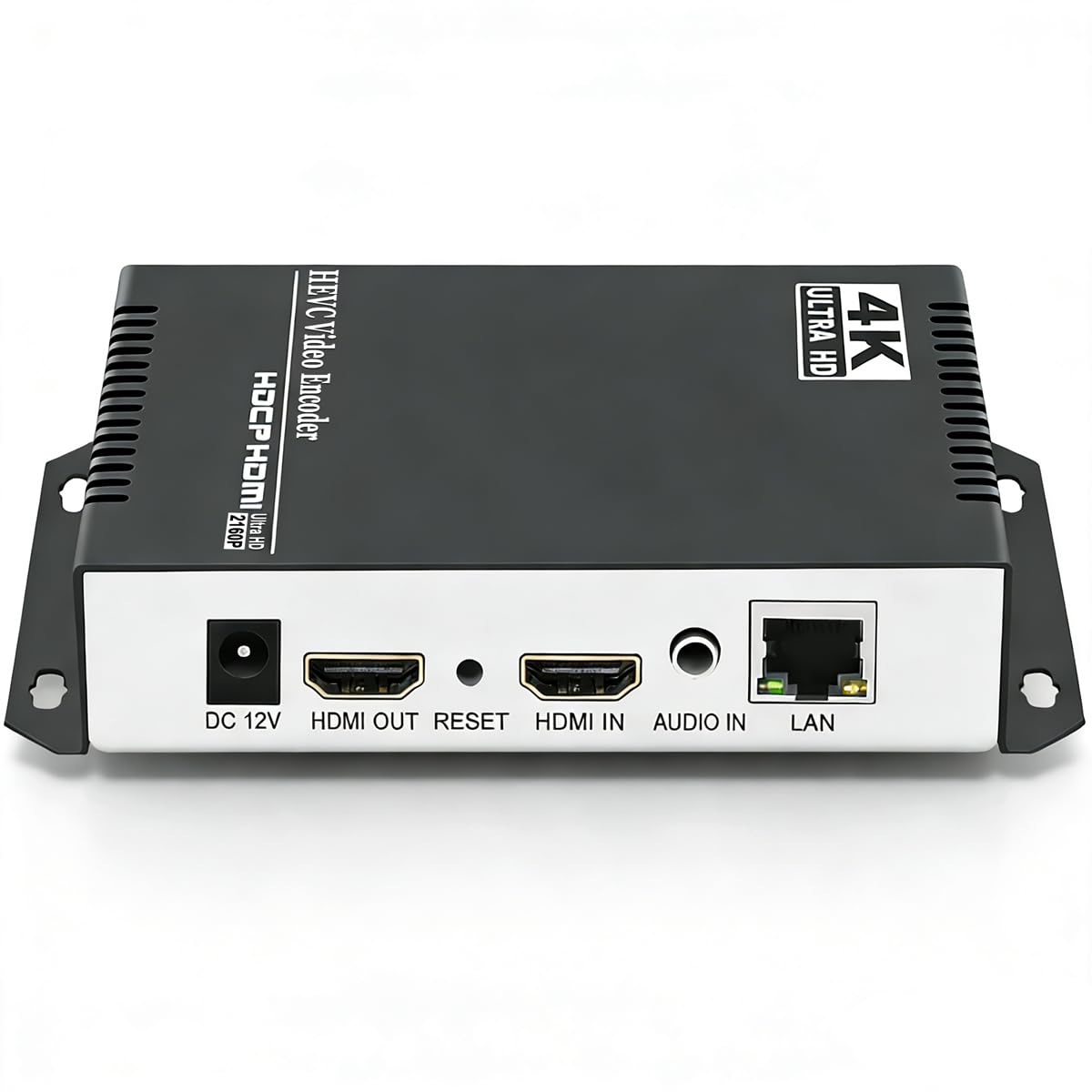
5. URayCoder UHE265-1L-4K (P5)
All the features a technical streamer could ask for, with a deep settings menu to match.
This is essentially the same hardware platform as the previous 4K encoder, but the buyer feedback paints it as the choice for people who enjoy tweaking every parameter. It supports the same 4K input and 120fps at 2K, but what owners highlight is the extensive customization: you can adjust resolution, frame rate, bitrate, add watermarks, crop, rotate, and flip the video. One owner, a self-described “skeptic turned believer,” notes the image is “crisp” and the delay is minimal enough for live TV on digital signage.
The build quality earns 27 positive mentions from buyers, with many noting the aluminum housing runs very cool even after months of continuous use. A reviewer who has run the encoder flawlessly for nearly a year reports “near-zero latency using H.265 encoding” while also supporting multiple simultaneous formats. The device works with WebRTC and ICECAST protocols in addition to the standard RTMP, RTSP, and SRT — making it a flexible choice for non-mainstream streaming servers.
The trade-off is that setup is not plug-and-play for everyone — 22 mentions describe the setup as “mixed,” and the hard-coded IP address (192.168.1.168) means you may need to directly connect a PC to configure DHCP. Owners also report that H.265 introduces more lag than H.264, so if latency is your top priority, you may want to stick with the older codec. A few also note that HDCP only works for standard HD, not 4K sources. The support team, however, responds within minutes in some cases.
customizable encoder settings: If you like having full control over every streaming parameter and are comfortable with some initial network configuration, this encoder gives you the deepest settings menu in this price range.
6. DDMALL HEV-2KW
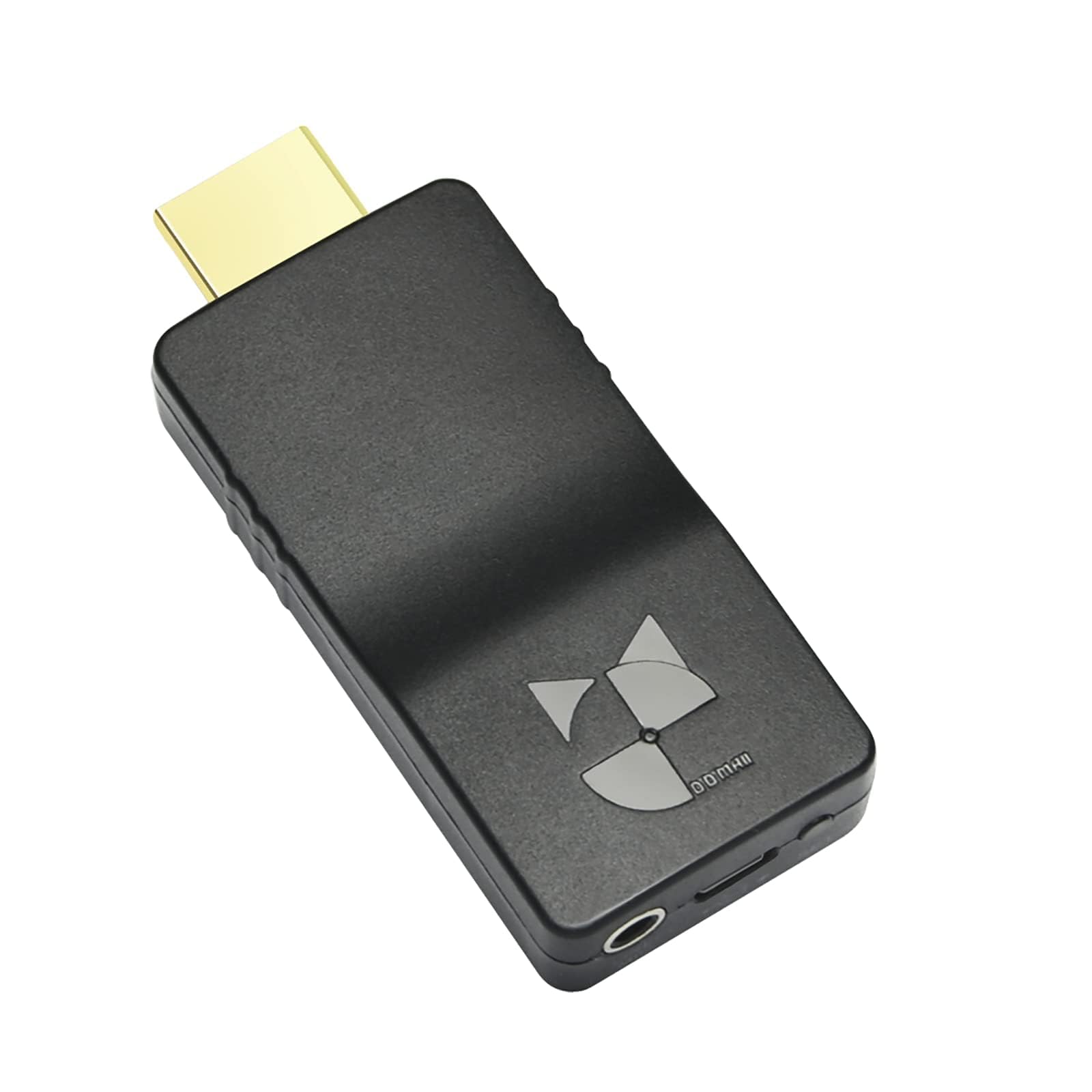
A streaming encoder so small it sticks to the back of your camera like a dongle.
Measuring just 2.95 x 1.26 x 0.59 inches and weighing only 0.88 ounces (25 grams), the DDMALL HEV-2KW is the most portable encoder in this lineup. It is powered by USB with an ultra-low 2.6W power draw, so you can run it from a power bank or a phone hotspot. Despite its size, it supports 1080p at 60fps using H.265 or H.264 hardware encoding, and it can stream out to four platforms simultaneously. A physical button on the device lets you start or stop your live feed with one press.
There is a professional feature here you do not usually see at this size: NTP (Network Time Protocol) support for millisecond-level time synchronization across multiple encoders. This is critical if you are running a multi-camera setup and need all feeds to stay perfectly in sync. The device also works with DDMALL’s LinkCloud for remote management from anywhere in the world.
The consistency is the concern. Out of 22 total ratings, the verdict is split — some customers note it works “flawlessly” once configured, while others find it gets stuck on “connecting” and needs to be unplugged and re-plugged. This encoder rewards patience and technical savvy; you will need to tweak the bitrate to match your internet speed. When it works, the image is “clean and pristine,” but setting it up can require reaching out to the support team (a contact named Olivia is mentioned multiple times for helping with the configuration).
best for backpack streamers: If you need to go live from remote locations with minimal gear and are comfortable working through a technical setup, this is the smallest reliable option at 1080p.
not for plug-and-play: If you need a consistent connection without tinkering, the variable performance and occasional “connecting” hang make this a risky choice for critical live events.
7. URayCoder UHE265-4-4K
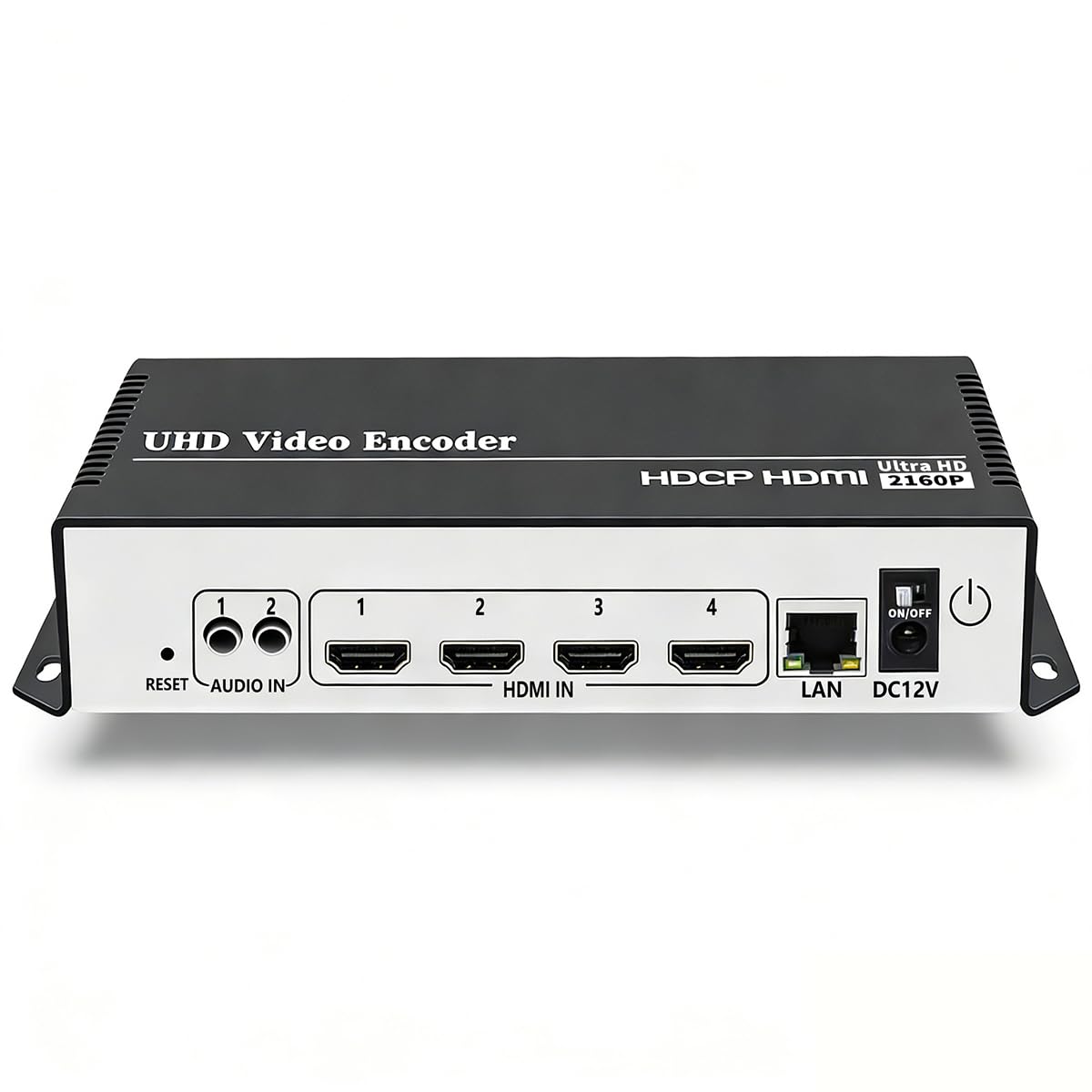
The 4-channel encoder for production teams that need to stream multiple cameras at once.
This is not just a single-input encoder — it is a multi-channel device built for more complex productions. The model number (UHE265-4-4K) hints at its capability: it can handle multiple simultaneous HDMI inputs, making it suitable for switching between several cameras or streaming different angles to different platforms. It uses the same H.265/H.264 encoding chipset as the other URayCoder models, supports 4K at 30fps and 120fps at lower resolutions, and can output four concurrent streams.
Buyers who use it with OBS and Blue Iris surveillance software report “solid” performance after the latest firmware update. One owner has two units and says “Linda at tech support was very helpful.” The device also supports a developer API for custom integrations, which adds flexibility for advanced users who want to control the encoder programmatically. The functionality earns 8 positive mentions for its core role, and build quality adds another 5.
The main downside is that this is not a “set up on the fly” device. As one owner puts it, “once you get it set up it works great,” but there is no way to stop a stream without unplugging it, making it a better fit for 24/7/365 continuous streaming than for live events that change throughout the day. The instructions are poorly translated, and DHCP is off by default. For a permanent installation like a church broadcast or a surveillance system, those quirks are manageable after the initial configuration.
built for fixed installations: If you run a multi-camera system that streams around the clock, the extra inputs and reliability make this a strong choice despite the clunky setup process.
skip for on-location gigs: If you need to change streams throughout an event or frequently move the encoder between locations, the lack of an on-the-fly control is a real limitation.
8. YOLOLIV Instream

The all-in-one vertical studio for TikTok and Instagram creators who want to go live without a laptop.
YOLOLIV Instream is not just an encoder — it is a complete portable studio that combines a 7-inch touchscreen monitor, a multi-camera switcher, a recorder, and an encoder into one device. It is designed specifically for vertical video, making it a natural fit for Instagram and TikTok live streams. You can connect up to two HDMI sources and one USB source, apply picture-in-picture overlays, chroma key (green screen) effects, and custom graphics, then stream directly via Wi-Fi, Ethernet, or a 4G LTE nano-SIM card. The built-in 10,000 mAh battery gives you hours of operation without a power outlet.
Creators who use it for vertical content call it “an excellent device” and appreciate that no computer or capture card is needed — you just plug in your professional cameras and an audio mixer. It records to an SD card while streaming, so you have a local backup of every broadcast. The RTMP and RTMPS protocols make it compatible with essentially every streaming platform.
The catch is reliability. While some reviewers point out it works great with proper bandwidth, a significant number of reviews describe problems. One buyer received a unit with a defective screen, others found that after a firmware update no audio inputs worked at all — line-in, microphone, USB, and HDMI audio all stopped functioning. There is also a persistent 0.5 to 0.75-second audio delay through the headphone port, which makes interactive lives very difficult. YOLOLIV’s support is helpful when you can reach them, but the company’s website contact form has been reported as broken, and QR codes in the packaging link to nothing. It is a fantastic concept with execution that still feels early.
ideal for vertical social medi: If you only stream to TikTok and Instagram and want a single device that switches cameras and adds effects, the Instream is a creative and portable solution.
not reliable enough for paid: The audio delay and occasional complete audio failure make it a risk for professional client work where you cannot have a mute stream.
9. YoloBox Ultra

The do-everything live production hub that replaces a rack of equipment with a single tablet.
YoloBox Ultra is the flagship of this entire list — a device that packs a 4K encoder, a multi-camera switcher, a recorder, and an 8-inch 650-nit touchscreen monitor into a single battery-powered unit. It runs on a Snapdragon 865 processor, supports up to 4 HDMI inputs plus USB-C and USB-A for more than 10 sources, and can stream to 3 horizontal platforms (like YouTube and Facebook) and 2 vertical platforms (TikTok and Instagram) all at the same time. The most-discussed feature is network bonding — it can combine up to 5 connections (2 USB modems, 4G LTE, Wi-Fi, and Ethernet) into a single stable stream. This is a lifeline for streaming from locations where wired internet is weak.
Signal quality is the single most-praised aspect, with 42 owners mentioning it. Broadcast quality earns another 10 mentions. One owner who upgraded from the older YoloBox Pro says the Ultra is faster, adds an extra HDMI input, and has an improved UI for source setup. The device also supports NDI HX3 and SRT for low-latency remote production, and it can record each camera input separately (ISO recording) for post-production. The battery lasts between 6 to 9 hours, and you can extend it further with a power bank.
Reliability gets mixed feedback among the 211 owners — 24 mentions of it as a mixed aspect. The audio input quality is described as “not as good as I would like” for professional use but “okay for normal use.” There are no stinger transitions (fancy animated cuts between sources), no macro automation, and the device can only hold 5 local videos at a time with no folder structure for organizing them. YOLOLIV covers this with a 1-year warranty and responsive support, but at a premium price point, you want everything polished. For churches, schools, and sports teams that need a single portable device to produce a professional-looking stream, the YoloBox Ultra is the complete package.
all-in-one professional tool: For anyone running a regular live production — whether for a church service, a sports event, or a corporate broadcast — the YoloBox Ultra eliminates the need for a laptop, capture cards, and a separate switcher. It is the most capable single device on this list, and the network bonding alone justifies the investment for mobile streamers.
Understanding the Specs
H.264 vs H.265 (HEVC) Encoding
Think of these as two different languages your encoder uses to compress video into a stream. H.264 is the older, universal language — every platform and player speaks it, so it is the safest choice. H.265 (HEVC) is the newer, more efficient language — it can deliver the same video quality using about half the data. If your internet upload speed is limited (under 5 Mbps), an encoder that supports H.265 can be the difference between a smooth stream and a pixelated mess. The trade-off is that H.265 requires more processing power inside the encoder, and some older streaming platforms do not accept it. A dual-encoding chip like the one in the URayCoder models lets you switch between the two as needed.
NDI (Network Device Interface)
NDI is a professional video standard that sends high-quality, low-latency video over a standard Ethernet network without the bulky cables of traditional video connections. If you run a multi-camera production with a video switcher (like OBS or vMix), NDI lets you connect sources across the building using the same network cable that provides internet. NDI HX3 is the latest compressed version that works well over Wi-Fi and regular home networks, while full NDI needs a dedicated high-speed network. ZowieBox supports NDI HX3, HX2, and HX, but not full NDI — a distinction that matters if your production relies on uncompressed video.
Streaming Protocols: RTMP, SRT, and HLS
These are the “address labels” your encoder puts on the video stream so the destination server knows how to receive it. RTMP is the oldest and most widely accepted — YouTube, Facebook, and Twitch all use it. SRT is a newer protocol that handles packet loss much better; if your stream goes over a long distance or a cellular connection, SRT will keep the video smooth when RTMP would stutter. HLS is the standard Apple devices use and is great for on-demand playback. A good encoder supports multiple protocols so you can route the same stream to different platforms using different labels. Models that output four simultaneous streams (like the URayCoder lineup) let you send RTMP to YouTube, SRT to your private server, and HLS for mobile viewers all at once.
Network Bonding and Cellular Connectivity
Network bonding combines the bandwidth of multiple internet connections (Ethernet, Wi-Fi, and cellular) into a single logical stream. This is a standout for mobile streaming from sports events or outdoor venues where no single connection is reliable. The YoloBox Ultra can bond up to 5 sources — two USB modems, a built-in 4G LTE modem, Wi-Fi, and Ethernet. An encoder without bonding will drop the stream whenever the Wi-Fi signal weakens, while a bonding encoder smoothly switches between links. For permanent indoor installations, bonding is overkill. For roving broadcasters, it is the single most valuable feature you can have.
FAQ
Can I use a live streaming encoder without a computer?
What internet speed do I need for live streaming?
What is the difference between RTMP and SRT?
Can I stream to YouTube and Facebook at the same time?
What is HDCP and why does it matter?
How do I control a live streaming encoder?
Can I record locally while streaming?
What is Power over Ethernet (PoE)?
Will a 4K encoder work with a 1080p camera?
How long do live streaming encoders last?
Final Thoughts: The Verdict
Across the board, the best encoder for live streaming winner is the URayCoder UHE265-1S because it delivers a strong balance of reliability, ease of use, and feature set at a price that makes sense for both beginners and experienced streamers. If you want 4K input capability with the same reliable platform, grab the URayCoder UHE265-1S-4K. And for a complete mobile production studio that streams to multiple platforms using network bonding, the YoloBox Ultra is the one to reach for.
How We Picked
We do not accept paid placement. Every pick is matched to a real buyer and a real use-case; we do not hands-on test units.
Sources & Methodology
Specifications: manufacturer listings and product documentation. Review insights: verified customer reviews, as of July 2026. Pricing: not shown on this page (it changes often); check the current price via the retailer link.
As an Amazon Associate, WellFizz earns from qualifying purchases. This does not affect which products we feature.
Related Guides

Mo Maruf
I created WellFizz to bridge the gap between vague wellness advice and actionable solutions. My mission is simple: to decode the research and give you practical tools you can actually use.
Beyond the data, I am a passionate traveler. I believe that stepping away from the screen to explore new environments is essential for mental clarity and physical vitality.