Our readers keep the lights on and my smoothie glass nicely filled. As an Amazon Associate, I earn from qualifying purchases.
Specs are compiled from manufacturer listings and verified buyer reviews and can change over time — please confirm the key details on the product page before buying.
If you are staring at a screen all day, the last thing you want is another glowing rectangle straining your eyes in your free time. That is where an e-ink display flips the script — it looks, feels, and reads like real paper, with zero backlight glare and a battery that lasts for weeks, not hours. The trick is matching the device to your use case: a pocketable reader, a writing-first notebook, or a full-size color canvas.
I’m Mohammad Maruf — the founder and writer behind WellFizz. This guide is built by comparing the manufacturers’ published specifications and the patterns across verified customer reviews, so you get each pick’s real strengths and trade-offs instead of marketing spin.
if you need distraction-free reading, a digital notebook for meetings, or a large-format screen for textbooks, this breakdown of the best e-ink display devices covers the top options across every size, feature set, and budget tier.
Our Picks at a Glance



How To Choose The Best E-Ink Display
A great e-ink device starts with one question: will you mostly read, mostly write, or do both equally? That answer dictates screen size, resolution, front lighting, and stylus support.
Screen Size and Portability
Smaller displays (6 to 7.8 inches) slip into a jacket pocket or a small bag, making them ideal for commuting and travel. Larger screens (10.3 to 11.8 inches) give you a full-page view of PDFs, textbooks, and documents without constant zooming and scrolling. The trade-off is weight and bulk — a larger screen is harder to hold one-handed for long periods.
Display Technology: Carta vs. Kaleido
E-ink screens are not all the same. Carta 1200 and Carta 1300 are the latest monochrome standards — they deliver crisp black text on a white background with fast refresh rates and high contrast. If you want color, Kaleido 3 technology adds a color filter array, but it makes the screen slightly darker and reduces the resolution to 150 PPI for color content. For pure reading, monochrome Carta screens deliver the sharpest text and highest contrast.
Front Light and Warmth Control
Unlike a phone or tablet, an e-ink display uses a front light (not a backlight) that illuminates the screen from the edges. Look for adjustable brightness levels and color temperature (warm to cool) so you can read comfortably in pitch-dark without harsh blue light. Higher-end models offer auto-brightness that adjusts to your environment.
Note-Taking and Stylus Support
If you plan to write on the screen, the stylus technology matters. Some devices use an active stylus (needs charging, offers more pressure levels like 4,096 or 8,192), while others use an EMR stylus (no battery, lower pressure sensitivity but simpler). Devices with a capacitive touch layer allow finger input, but some remove that layer entirely to place the text closer to the surface for a more paper-like feel — great for writing but you lose touch navigation.
Quick Comparison
| Model | Best For | Display Size | Storage | Weight | Amazon |
|---|---|---|---|---|---|
| Amazon Kindle Scribe (newest model)★ Best Overall | Reading & digital notebooks | 11″ | 32 GB | 400 g | Amazon |
| VIWOODS AiPaper ReaderUltra Portable | Pocket-sized, multi-app reading | 6.13″ | 128 GB | 138 g | Amazon |
| BOOX Go Color 7 Gen IIColor Canvas | Color e-ink with Android apps | 7″ | 64 GB | 195 g | Amazon |
| PocketBook InkPad 4 | Open-ecosystem reading | 7.8″ | 32 GB | 0.46 kg | Amazon |
| iFLYTEK AINOTE Air 2 | Voice-to-text meeting notes | 8.2″ | — | — | Amazon |
| Penstar eNote2 | Paper-like writing for students | 10.3″ | 128 GB | — | Amazon |
| reMarkable Paper Pro Move | Ultraportable color notebook | 7.3″ | — | 248.4 g | Amazon |
| reMarkable Paper Pro (Full Size) | Full-size color notebook & reader | 11.8″ | — | 1.2 pounds | Amazon |
In‑Depth Reviews
1. Amazon Kindle Scribe 32GB (newest model)
Our pick — 4.5★ from 350+ verified ratings; the strongest balance of quality and price.
The 11-inch e-ink powerhouse that finally nails both reading and serious writing.
The newest Kindle Scribe packs an 11-inch glare-free display into a body just 5.4mm thin — barely thicker than a smartphone — and at 400g it is lighter than many hardback novels. That large canvas makes textbooks, PDFs, and single-column articles feel roomy without constant zooming, and the textured surface with ultra-fast responsiveness gives you a writing experience buyers consistently praise as “paper-like” and natural. The Premium Pen requires no charging and attaches magnetically, so it is always ready when an idea strikes.
What really sets this apart is the built-in notebook with AI tools. You can generate summaries of your handwritten notes, convert them to typed text, and even ask questions about your notes to uncover insights. Active Canvas creates space for your writing as you read Kindle books, and you can import documents from Google Drive and Microsoft OneDrive directly for markup. The crowd favorite verdict is clear: the black-and-white Scribe earns a 5/5 against the color model for its crisper screen, better lighting, and more paper-like feel. The writing speed and page turns are 40% faster than the prior generation, and battery life stretches for weeks.
One honest trade-off: the front lighting is not perfectly uniform on every unit — a few buyers report uneven distribution, so inspect yours early. It also lacks waterproofing, which is a miss for a device at this price.
What owners love
- Exceptional build quality and device feel — the most-praised aspect by a wide margin
- Writing experience with the Premium Pen feels fluid and natural, with no perceivable lag
- Auto-adjusting front light and warmth control make it comfortable in any lighting
- AI-powered note summarization and handwriting-to-text conversion work accurately
The honest caveats
- No waterproof rating, so beach or bath reading carries risk
- A small number of units have uneven front lighting; check your unit early
- Amazon’s locked ecosystem limits file format support compared to open Android readers
Reach for this if: you want the best all-around e-reader and digital notebook combo, with a large screen, AI note tools, and weeks of battery life — all in a design that the community overwhelmingly endorses.
Look elsewhere if: you need waterproofing, color e-ink, or the freedom to install random Android apps from the Play Store — the Scribe is a focused, closed ecosystem.
2. VIWOODS 6.13” AiPaper Reader
A phone-sized e-ink reader that slips into any pocket and runs your favorite reading apps.
Its 6.13-inch Carta 1300 display delivers the latest generation of e-ink technology, meaning faster refresh rates, punchier black-on-white contrast, and reduced glare. At 300 PPI, text is sharp enough that a few owners with “old eyes” specifically praised its readability. Unlike the Kindle Scribe which is 400g and nearly three times heavier, this device disappears into a jacket or even women’s pockets.
What makes this unusual is the Android operating system with pre-installed Kindle, Kobo, and Readera apps — and the ability to enable the Google Play Store. That means you are not locked into any one bookstore; you can read from Libby, Blinkist, Headway, or any app you already use. A dedicated AI button on the side lets you long-press for voice queries or short-press for text-based help, and the device stores those interactions in a personal knowledge bank you can search later. The 128GB of internal storage is massive for an e-reader, holding thousands of books plus PDFs and documents.
The honest catch is battery life. Owners note that while the screen is great, the battery drains faster than a Kindle — about 89% remaining after 4 hours of reading, and idle drain is higher than dedicated readers. The front light offers 20 levels of cool light but no warm tone adjustment, and several owners mention the lowest brightness setting is still too bright for pitch-dark rooms.
Who it fits best: Commuters, travelers, and readers who want one device for every book app — the combination of 138g weight, 128GB storage, and 4G connectivity (no phone hotspot needed) is unique. The readability and screen quality are the top praises, with over a dozen owners calling it out specifically.
The one hitch: Battery life is merely “okay” compared to dedicated readers, and the cool-only front light is not ideal for bedtime reading if you prefer warm tones.
Grab it for: pocket-sized access to Kindle, Kobo, Libby, and any Android reading app in a single 138g device with a crisp Carta 1300 screen.
skip it if: you need all-day battery life measured in weeks or want warm-toned front lighting for reading in the dark.
3. BOOX Go Color 7 Gen II
A seven-inch color e-reader that opens the Android app store — if you are willing to tinker.
The BOOX Go Color 7 Gen II uses a 7-inch Kaleido 3 display to render 4,096 colors at 150 PPI for color content and a sharper 300 PPI for black-and-white text. That means magazines, comics with color panels, and cross-stitch patterns (as one owner uses it for) gain a whole new dimension compared to a grayscale reader. It runs Android 13 from the start, so you can install Kindle, Libby, Spotify, or any Android app — no ecosystem lock-in. The device includes physical page-turn buttons on the side, a microSD slot for expandable storage, and a built-in speaker and microphone for audiobooks.
Owners love the lightweight design at 195g and the highly customizable refresh settings. The E-Ink Center lets you tweak HD, Balanced, Fast, and Ultrafast modes to minimize ghosting (a faint afterimage) for different types of content. The device also supports an active stylus (not included) for note-taking, making it a hybrid reader-and-writer if you add the pen. The screen is good enough for manga reading via the Viz app, and the Android flexibility means you are not tied to one bookstore.
The most discussed downsides are battery life (1-3 weeks with aggressive shutdown, but drains faster than a pure Kindle) and the inherent limitation of color e-ink. Kaleido 3 screens are noticeably darker and grayer than monochrome Carta displays, and the BOOX listing itself warns buyers upfront about this. A few owners also report glitchy Kindle app behavior and page-turn buttons that do not always work as expected in third-party apps.
What wins people over
- Full Android 13 with Google Play access — install any app you want
- Physical page-turn buttons are a genuine convenience for one-handed reading
- Color e-ink open up magazine layouts, comics, and color-coded notes
- Lightweight at 195g with a premium, comfortable feel in hand
What holds it back
- Color screen is inherently darker and less contrasty than monochrome e-ink — a trade-off of the technology
- Battery life is shorter than dedicated e-readers; expect closer to weeks than months
- Some third-party apps (Kindle, Viz) have button mapping issues or glitches
Best for: readers who want color content (magazines, comics, maps) and full Android app compatibility in a portable 7-inch form factor — and are comfortable tweaking settings.
Think twice if: you want a turnkey, low-maintenance device with the highest-contrast screen. For pure black-and-white reading, a monochrome Carta reader will look sharper.
4. PocketBook InkPad 4
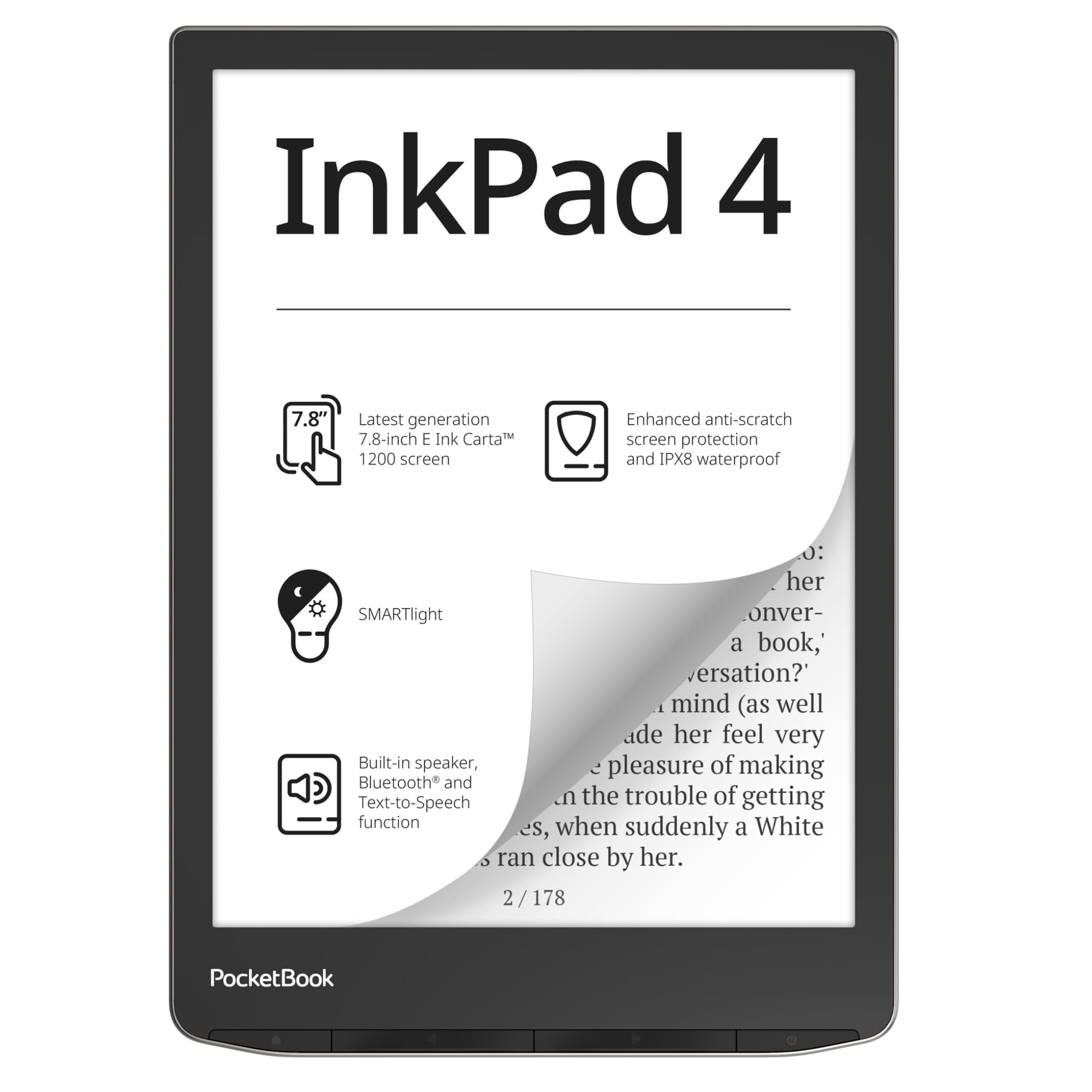
The 7.8-inch waterproof e-reader that refuses to lock you into any single bookstore.
With a 7.8-inch E-Ink Carta 1200 display at 300 PPI (1404 × 1872 resolution), the InkPad 4 sits in a balance between pocket-sized readers and full-size tablets — large enough for PDFs and magazines without being too heavy for one-handed use. The real draw here is its freedom: it supports 25 file formats natively (EPUB, FB2, DOC, DJVU, PDF with DRM, CBR, CBZ, and more) with no conversion required. You can load books from any source, use DropBox sync or Calibre, and never create an account to use the device — a rare thing in this category. It is also IPX8 waterproof, meaning it survives submersion up to 2 meters for 60 minutes, so reading by the pool or in the bath is safe.
The SMARTlight system lets you adjust both brightness and color temperature (warm to cool), which makes reading comfortable in any environment from direct sunlight to total darkness. Built-in speakers and Bluetooth support text-to-speech and audiobook playback from any file. Physical page-turn buttons are responsive — that is the second most-praised aspect after readability — and the anti-scratch screen protection helps it stay pristine in a bag. Owners who value the open ecosystem call it “the best e-reader for technical users wanting open ecosystem” and praise the ability to install KOReader for even more customization.
The honest downsides: the UI is slightly sluggish compared to a modern Kindle, it lacks WPA3 Wi-Fi security, and the default reader app has limited font and margin controls. A few owners found the interface cumbersome enough to return it for a Kindle. It is not a device for buyers who want a snappy, app-filled tablet — it is a focused reader first.
Where it shines: If format freedom, no account requirement, physical buttons, and waterproofing matter to you, this is one of the only readers that checks all those boxes. The 7.8-inch screen hits the ideal middle ground for PDF reading without the bulk of a 10-inch device.
Where it stumbles: The operating system is not as zippy as a Kindle or a modern Boox, and the out-of-box reading app is a bit bare-bones for customization lovers.
Choose this for: an open-ecosystem, high-contrast 7.8-inch reader that supports nearly every file format, works without an account, and handles poolside reading without worry.
Pass on it if: you want a fast, app-rich experience (this is a pure reader) or need tight integration with one specific bookstore ecosystem.
5. iFLYTEK AINOTE Air 2

An 8.2-inch e-ink tablet built around one superpower: turning voice into text.
The iFLYTEK AINOTE Air 2 is not just an e-reader — it is a purpose-built digital notebook for meetings, lectures, and study sessions. Its standout feature is real-time voice transcription in 17 languages (English, Spanish, Chinese, French, Vietnamese, Arabic, Korean, Russian, German, Japanese, and more), and it can convert handwritten notes to text in 83 languages. You record a meeting, write notes simultaneously, and the device auto-generates a meeting summary and to-do list from your handwritten stars, triangles, and circles. The E-Ink screen features 4,096 pressure levels for the stylus, delivering a paper-like writing feel that owners describe as “smooth with minimal lag.”
The 8.2-inch display has a resolution of 1440×1920 pixels and a dual-color front light with 24 adjustable brightness levels, so you can read PDFs and eBooks comfortably in any light. The battery is rated for an excellent 5 weeks of typical use. The handwriting recognition accuracy is a frequently praised strength — one owner called it “exactly what I needed for boosting productivity” — and the device is lightweight enough to fit in a handbag. It also includes 4G cellular connectivity, so transcription and cloud sync work without Wi-Fi.
The major trade-off: this is a locked-down device running Android 11 with no Google Play certification. You cannot install Gmail, the Play Store is blocked, ADB is disabled, and sideloading is severely limited. It is designed to work within iFLYTEK’s own app ecosystem, not as a general Android tablet. The handwriting-to-text and voice transcription also cannot run simultaneously — you must wait for one to finish before starting the other.
Core strengths
- Real-time voice transcription across 17 languages is genuinely powerful for professional note-taking
- Handwriting-to-text conversion covers 83 languages with good accuracy
- Auto-generated meeting summaries and to-do lists from handwritten markers
- Excellent battery life measured in weeks, not days
Key limitations
- Severely locked-down Android — no Google Play, no Gmail, no sideloading
- Voice transcription and handwriting conversion cannot work simultaneously
- App interface feels unpolished compared to mainstream tablets
- Relatively expensive for a dedicated note-taking device with limited app support
Best fit: Professionals, students, and journalists who attend meetings or lectures and need accurate, searchable voice-to-text notes — and are willing to work within a focused app ecosystem.
Not for: Anyone who wants a general-purpose Android tablet, needs Google apps, or wants to install third-party note apps like Evernote or Notion.
6. Penstar eNote2 Paper Tablet

A 10.3-inch paper tablet that removes the touch layer to get the text closer to the surface.
Most e-ink tablets sandwich a capacitive touch layer between the screen and the user, which introduces a tiny gap and a hint of haze. The Penstar eNote2 rips out that touch layer entirely. The result is a display where the text sits perceptibly closer to the surface, delivering whiter whites, punchier blacks, and what multiple owners describe as “a purely paper-like writing and reading experience.” With a 10.3-inch screen, 8192 levels of pressure sensitivity on the included B5 stylus, and a 6500mAh battery rated for approximately two weeks of use, this is built for students and professionals who take heavy handwritten notes daily.
The package is generous: two B5 pens with 4 replacement nibs each, plus an additional 10-nib spare kit, a magnetic folio cover, and a charging cable — everything you need from the start. The device supports EPUB, MOBI, PDF, and TXT files, and includes real-time AI voice-to-text and handwriting-to-text conversion. You can split the screen to read and take notes simultaneously, tag and organize documents with folders, and write directly on PDFs. Owners consistently praise it as “the best device for college” and “feels like writing in a notebook,” with particular appreciation for the lack of accidental touches since there is no capacitive layer.
The caveats: the non-touch screen means you rely entirely on the pen and physical controls for navigation — no finger swiping. The calendar does not sync with Google or Outlook, and split-screen notes cannot be moved between documents. A few owners mention the device is fragile, with one unit cracking from a 3-4 foot drop. The build quality is otherwise solid, and customer service has been praised for swapping a damaged unit quickly.
Its defining trait: The removed touch layer makes the e-ink surface look and feel more like a real printed page than almost any other tablet on this list. For pure writing immersion, it is a standout.
What to know: You navigate with the pen only — no finger touch. The device is not armored against drops, so a good case is essential.
Ideal for: Students and heavy note-takers who want a distraction-free, pen-only writing surface with excellent contrast and zero accidental touches — the included dual pens and nib kit are a bonus.
Not ideal if: You need touch navigation, want cloud calendar sync, or tend to be hard on your devices (it is not ruggedized).
7. reMarkable Paper Pro Move

A pocketable color e-ink notebook that slips into a jacket and prioritizes focus above all else.
The reMarkable Paper Pro Move is the smaller sibling of the flagship reMarkable Paper Pro, with a 7.3-inch Canvas Color display and a weight of just 248.4g — light and slim enough to fit in a jacket pocket like a paperback. It is built around the same philosophy: distraction-free by design. There are no notifications, no app stores, no web browser. You write, you sketch in color, you read PDFs and eBooks, and that is it. The Marker Plus (included) has a built-in eraser on the top, and the 6 included spare tips ensure you always have a fresh nib. The color display uses 9 pen types and colors, and owners appreciate the templates for daily journaling, meeting notes, and to-do lists.
The hardware wins consistent praise — it is the most positively mentioned aspect by a wide margin. The build quality is excellent, the magnetic pen attachment is strong (stronger than the original reMarkable), and rubber feet prevent it from sliding on a desk. Battery life is great, and the screen is crisp despite the smaller size. Owners call it a “new MUST have” and say it is “easy to use and worth the money.” The Connect subscription (/month) open up handwriting search, unlimited cloud sync, and mobile/desktop apps — without it, the device still works but lacks those features.
The honest limitation: at 7.3 inches, the screen is not large enough for comfortable PDF reading without frequent zooming and panning. The smaller size means more page navigation compared to the 11.8-inch version. There is also a slight writing-to-screen delay that some notice, and the color gamut is muted — this is not a vibrant screen like an iPad. A few owners find the size awkward: too big for a phone pocket, too small for a notebook.
What stands out
- Build quality is excellent — the most-praised aspect by owners
- Extremely portable at 248.4g and slim enough for a jacket pocket
- Color display with 9 pen colors and useful templates transforms note-taking
- Strong magnetic pen attachment and rubber case feet are thoughtful design touches
What to weigh
- 7.3-inch screen requires frequent navigation for PDFs and magazines
- Requires /month Connect subscription for full features (search, cloud sync)
- Slight display-to-pen lag; color is muted compared to LCD/LED screens
Reach for this if: you want the most portable, distraction-free color e-ink notebook for daily journaling, meeting notes, and sketching — and you value build quality and portability above all.
pass on it if: you need a large screen for PDFs, want a vibrant color display, or refuse to pay a monthly subscription for basic cloud features.
8. reMarkable Paper Pro (Full Size)

The full-size 11.8-inch color e-ink tablet for those who want a genuine paper notebook replacement.
The flagship reMarkable Paper Pro is designed for people who live in meetings, textbooks, and long-form documents. Its 11.8-inch Canvas Color display is the largest color e-ink screen on this list, giving you a true letter/A4-sized canvas for writing, sketching, and reading. The included Marker Plus offers precise control with a built-in eraser, and the Book Folio (made of premium black leather) provides stylish protection. The device is ultra-slim (0.22 inches thick) and weighs 1.2 pounds, which is heavy enough to notice but reasonable for a device this large. The adjustable reading light means you can work in the dark without eye strain, and the low-glare display reflects natural light like real paper.
Owner feedback on the writing experience is overwhelmingly positive — it is the second most-praised aspect after overall quality. Customers note that “the writing experience feels very natural, the screen is easy on the eyes, and the battery lasts a long time.” The device excels at organizing notes with folders and tags, converting handwriting to typed text with 8/10 accuracy, and annotating PDFs. The absence of apps, social media, and email means you cannot get distracted — users call it “no fluff” and praise its always-on, fast-boot nature.
The criticisms are real and worth considering. Value for money is the most negatively marked aspect, with some feeling the price is too high given the limited color accuracy and occasional reliability issues. A small number of reviewers point out units that stopped working within two weeks or developed lines across the screen. The colors are muted — “not vibrant” — and the device is slow when loading large files. Additionally, there is no direct ebook import from sellers and no basic drawing shapes for diagrams.
What makes it special
- 11.8-inch color e-ink display gives a true paper-notebook experience for notes, PDFs, and textbooks
- Build quality and writing feel are the top praise points — owners call it a “highly recommended” digital notebook
- Distraction-free, no ads, no subscriptions required for basic use (always-on, fast boot)
- Premium leather Book Folio and Marker Plus with eraser are included
Where it falls short
- Value for money is the biggest negative — many feel it should cost less for a limited-feature device
- Occasional reliability issues reported (dead units, screen lines), though this is not the majority experience
- Colors are muted and screen is noticeably slower than LCD tablets
- No direct ebook import from stores like Amazon or Google Books
Best for: writers, students, and professionals who want a large, distraction-free color e-ink notebook for note-taking, PDF annotation, and sketching — and value an uncluttered, focused tool over app versatility.
Think twice if: you are budget-conscious, need vibrant colors for art, or want a fast, app-capable tablet. Consider an iPad or a Boox if you need app flexibility.
Understanding the Specs
PPI — Pixels Per Inch
PPI measures how sharp text and images appear on the screen. Most modern e-readers offer 300 PPI for monochrome content, which is widely considered the threshold where individual pixels become invisible to the naked eye. Color e-ink screens drop to 150 PPI for color content because the color filter array sits on top of the pixels, effectively cutting resolution in half. For pure reading, 300 PPI gives you the crispest, most book-like text, while 150 PPI is still readable but noticeably softer for small fonts.
Front Light vs. Backlight
E-ink displays use a front light — LEDs embedded in the bezel that shine light sideways across the screen surface. This is different from a backlight (used on LCD/OLED), which shines light from behind the screen directly into your eyes. A front light makes reading possible in the dark without the eye strain associated with phones and tablets. Look for adjustable brightness and warm/cool color temperature (often called SMARTlight or CTM) so you can match the light to your environment, especially for nighttime reading.
FAQ
Is an e-ink display better for your eyes than a regular tablet or phone?
How long does an e-ink display battery last compared to a tablet?
Can I use any stylus on an e-ink tablet?
What is the difference between Carta 1200, Carta 1300, and Kaleido 3?
Can I read Kindle books on a non-Amazon e-ink device?
Do all e-ink devices have a front light?
What file formats are essential for an e-ink reader?
Are color e-ink screens worth it for reading?
How much storage do I need in an e-ink device?
What does “ghosting” mean on an e-ink display and how do I fix it?
Final Thoughts: The Verdict
If you want one dependable pick, the best e-ink display winner is the Amazon Kindle Scribe (newest model) because it combines an expansive 11-inch glare-free screen, a natural writing feel with the Premium Pen, weeks of battery life, and AI-powered note tools — all backed by the highest praise from owners for device quality and writing experience. If you want a pocket-sized multi-app reader that fits in any bag, grab the VIWOODS AiPaper Reader with its 138g weight, 128GB of storage, and 4G connectivity. And for a full-size, distraction-free color note-taking experience, the reMarkable Paper Pro (Full Size) with its 11.8-inch Canvas Color display and premium leather Book Folio is the one to reach for.
How We Picked
We do not accept paid placement. Every pick is matched to a real buyer and a real use-case; we do not hands-on test units.
Sources & Methodology
Specifications: manufacturer listings and product documentation. Review insights: verified customer reviews, as of July 2026. Pricing: not shown on this page (it changes often); check the current price via the retailer link.
As an Amazon Associate, WellFizz earns from qualifying purchases. This does not affect which products we feature.
Related Guides

Mo Maruf
I created WellFizz to bridge the gap between vague wellness advice and actionable solutions. My mission is simple: to decode the research and give you practical tools you can actually use.
Beyond the data, I am a passionate traveler. I believe that stepping away from the screen to explore new environments is essential for mental clarity and physical vitality.