Our readers keep the lights on and my smoothie glass nicely filled. As an Amazon Associate, I earn from qualifying purchases.
Specs are compiled from manufacturer listings and verified buyer reviews and can change over time — please confirm the key details on the product page before buying.
You have a powerful laptop, but staring at a single 13-inch screen while juggling spreadsheets, code, and Slack is a productivity killer. Whether you are a digital nomad, a stock trader, or a student burning the midnight oil, adding two extra screens on the road used to mean a heavy, tangled mess. This guide cuts through the clutter to find the lightest, sharpest, and most reliable dual portable monitors for your specific setup.
I’m Mohammad Maruf — the founder and writer behind WellFizz. This guide is built by comparing the manufacturers’ published specifications and the patterns across verified customer reviews, so you get each pick’s real strengths and trade-offs instead of marketing spin.
We have pored over hundreds of owner reports to bring you a curated list of the most travel-ready, bright, and easy-to-setup dual portable monitors for every kind of workflow and budget.
Our Picks at a Glance
How To Choose The Best Dual Portable Monitors
Most of these monitors are “plug-and-play” (you connect them and they work without extra software). But the details that affect your daily use are the type of USB-C port on your laptop, the brightness you need to see clearly in a coffee shop, and whether you prefer an ultralight 14-inch setup or a full-size 15.6-inch screen. Here is what to look for.
Check Your Laptop’s USB-C Ports
Your laptop needs at least one USB-C port that supports “DisplayPort Alt Mode” (often called a “full-featured USB-C” port). This port handles video and power through a single cable. If your laptop lacks this — or you own an M1, M2, or M3 MacBook — you will almost certainly need a special H5-T adapter cable or an HDMI connection for these extenders to work.
Brightness (Measured in Nits)
This determines how easily you can see the screen in a bright room or near a window. A brightness of 300 nits is the baseline for comfortable indoor use. If you plan to work outside or in very bright coffee shops, look for 300 nits or higher. Lower numbers like 250 nits will look washed out in direct sunlight.
Weight and Portability
Since you carry this thing in your bag, the weight of the entire unit matters. Lighter frames made of aluminum alloy are more durable and feel more premium. You will see weights ranging from about 3 lbs to 4 lbs — a single pound makes a noticeable difference in your backpack after a long day of walking.
Quick Comparison
| Model | Best For | Screen Size | Resolution | Weight | Amazon |
|---|---|---|---|---|---|
| ZUMWALT P7★ Best Overall | Best Overall | 15.6″ | 1920 x 1080 | 4 lbs | Amazon |
| Macsecor 14″Lighter Travel | Lighter Travel | 14″ | 1920 x 1080 | 3 lbs | Amazon |
| APILDELLA P7Premium Build | Premium Build | 15.6″ | 1920 x 1080 | 4 lbs | Amazon |
| Blackview DCM5 | Sturdy & Certified | 14″ | 1920 x 1080 | 3 lbs | Amazon |
| KYY X90D | Crowd Favorite | 15.6″ | 1920 x 1080 | — | Amazon |
| Pornitor 15.6″ Stacked | Vertical Stack | 15.6″ | 1920 x 1080 | 3.5 lbs | Amazon |
| SMISEACOW 15.6″ | Ultra-Slim | 15.6″ | 1920 x 1080 | 3.9 lbs | Amazon |
| Venraty S6 | Detachable Screens | 15.6″ | 1920 x 1080 | — | Amazon |
| Rizpak 15.6″ | One-Cable Setup | 15.6″ | 1920 x 1080 | 4 lbs | Amazon |
| Biakknoe U16 Pro | Touchscreen | 16″ | 1920 x 1200 | 3.96 lbs | Amazon |
| JSAUX FlipGo | Premium 2.5K | 16″ | 2560 x 1600 | — | Amazon |
In‑Depth Reviews
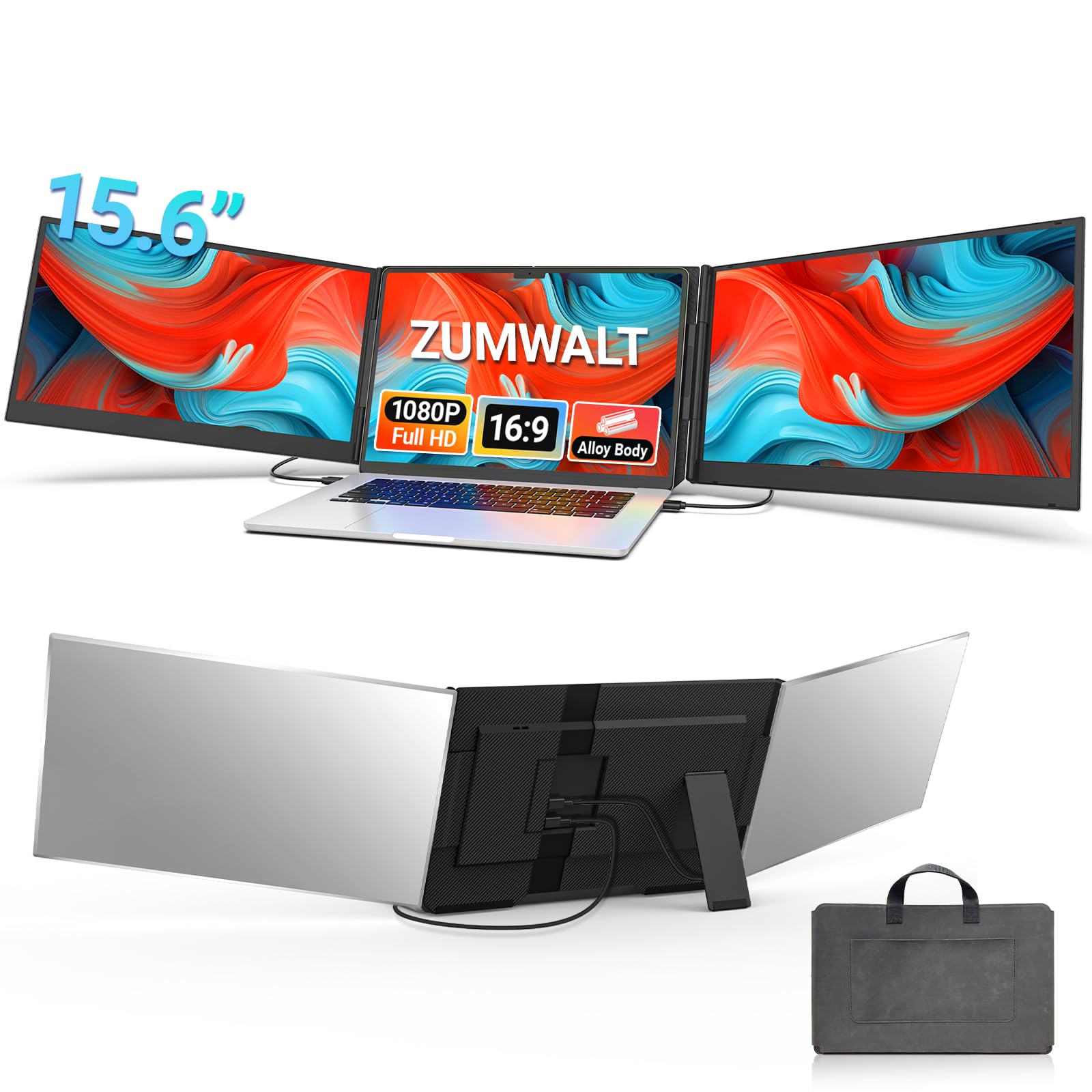
1. ZUMWALT P7 15.6″ Laptop Screen Extender
Our pick — 4.5★ from 250+ verified ratings; the strongest balance of quality and price.
The crowd-pleaser that nails the balance of big screens, build, and easy connection.
This is the unit you buy if you want two large 15.6-inch 1080P displays without sacrificing picture quality. At 280 nits of brightness and a 178° viewing angle, buyers report the colors are “vibrant and true-to-life” even when you are not looking dead-on. The real win here is the reduced cable mess — you only need two USB-C cables if your laptop has full-featured ports, getting rid of the rat’s nest of wires older extenders require.
At 4 lbs, it is not the lightest on this list, but the premium aluminum shell and the included leather carry bag make packing it feel more like bringing an expensive notebook than a piece of electronics. The “easy setup” is the most praised feature by a wide margin, with owners confirming it is genuinely plug-and-play with no driver downloads. It fits laptops from 13 inches to 17.3 inches securely without stressing your hinge.
What owners love
- Genuinely easy setup — the top-cited praise, with owners saying it works via simple USB-C connection.
- Excellent picture quality with bright, clear 1080P IPS displays that make multitasking a joy.
- Solid, lightweight build at 4 lbs with a sleek aluminum finish and a protective leather case.
One honest catch
- M1/M2/M3 MacBooks require an extra H5-T cable to function; this is not a true universal plug for those users.
- A few owners noted the picture quality doesn’t feel as sharp as a true desktop 1080P monitor, though most are very satisfied.
Smart money is on this if: you want the highest-rated, most reviewed combination of big 15.6-inch screens, easy connection, and premium build quality while staying affordable.
Think twice if: you need an absolute ultralight for backpacking or you own a newer MacBook and do not want to buy a separate adapter cable.
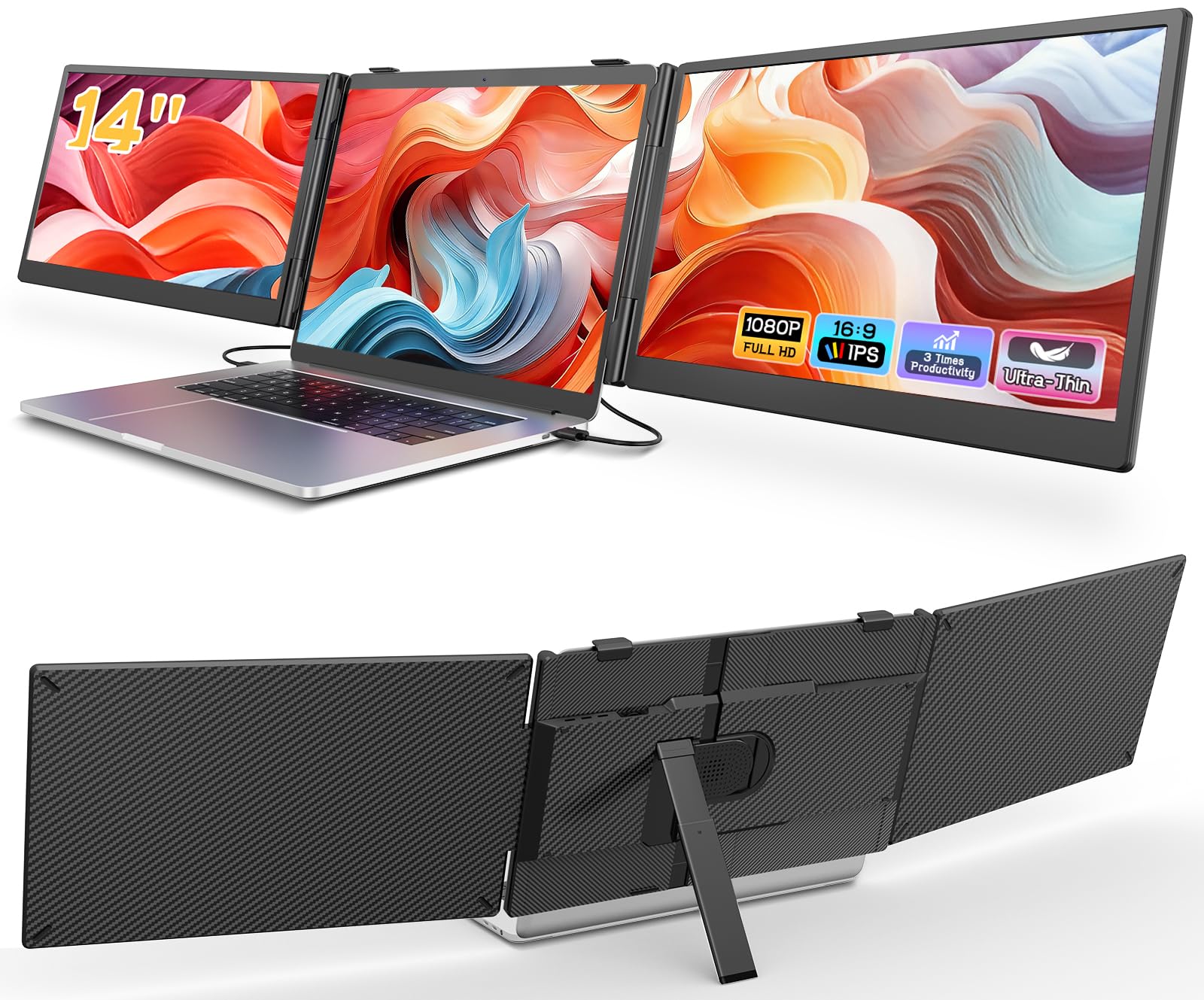
2. Macsecor 14″ Ultra-Slim Triple Portable Monitor
At just 3 pounds, this monitor hits the balance for a travel setup you can actually carry without back strain.
If the ZUMWALT is too heavy for your daypack, the Macsecor sheds a whole pound by using smaller 14-inch FHD 1080P IPS screens. It still delivers 300 nits of brightness and a 178° viewing angle — actually a touch brighter than the ZUMWALT. The built-in aluminum stand is adjustable up to 90°, and the monitor supports 180° rotation so you can share a screen with a colleague across the table.
Buyers love how slim it is at just 0.27 inches thick, slipping into a laptop sleeve alongside a 13-inch to 17-inch laptop. It includes HDR mode for better color in videos, and a built-in blue light filter reduces eye strain during long editing sessions. Do note that like many others, M1/M2/M3 MacBooks require a separate H5-T cable to get it working.
Distance from the ZUMWALT
- At 3 lbs vs 4 lbs — a genuine difference if you walk or fly frequently.
- Slightly brighter screen at 300 nits with HDR mode and blue light filter for eye comfort.
- Owners praise the “sharp, bright picture” and how quickly it sets up via USB-C.
What to watch
- Some units reportedly stop working after a few months; the seller has offered replacements/refunds for those cases.
- The clamp-on backplate can feel a bit insecure according to some reports, especially on thicker laptop lids.
Best suited for: the traveler who prioritizes shaving weight and bulk over getting the maximum screen real estate.
Pass on this if: you absolutely need the large 15.6-inch screen size or you want a bulletproof device with no reported reliability concerns.
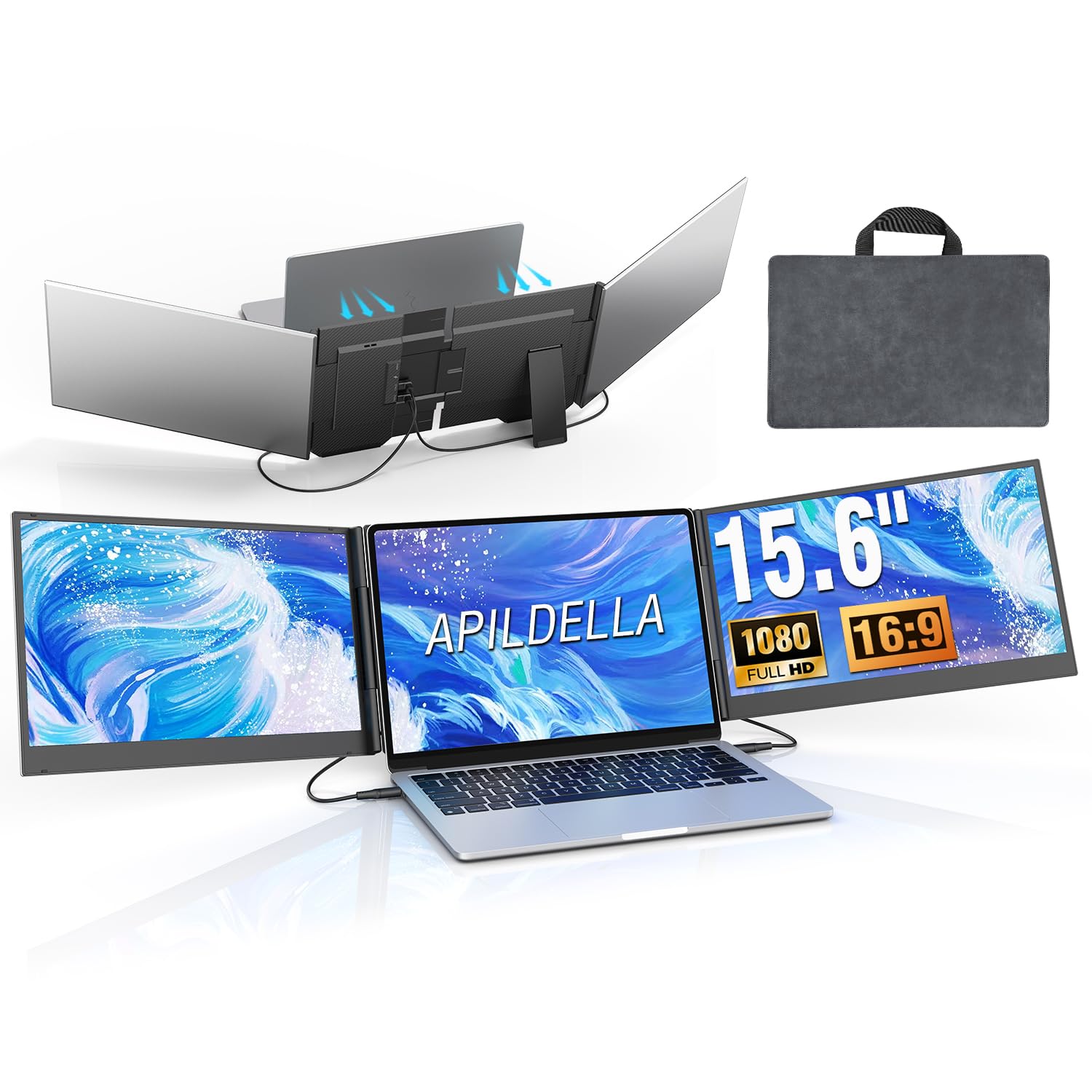
3. APILDELLA P7 15.6″ Triple Laptop Screen Extender
Aerospace-grade aluminum and a unique 1920×1200 resolution give it a visual edge over the 1080P pack.
The aerospace-grade aluminum alloy shell is only 0.16 inches thick — the slimmest in this list — and it comes with a travel bag for easy packing.
Owners mention the setup is straightforward (just two cables) and that the 1080P FHD IPS display (a 1920×1080 resolution screen with good color and viewing angles) looks “sharp and bright.” It fits laptops from 13 to 17.3 inches and folds 0-180°, so you can tilt it to your preferred viewing angle or angle it away from a neighbor in a public space. One trade-off: M1-M4 MacBooks require a separate H5-T adapter to work.
Premium feel, honest limit: The slightly higher resolution and ultra-slim profile make this feel like a more expensive unit. The catch is the built-in speakers are poor — fine for system alerts, but not for watching a movie without headphones.
Reach for this if: you want the thinnest possible 15.6-inch dual monitor with a touch more vertical resolution for document work.
Look elsewhere if: you rely on built-in speakers for videos or calls, as they are universally called disappointing.
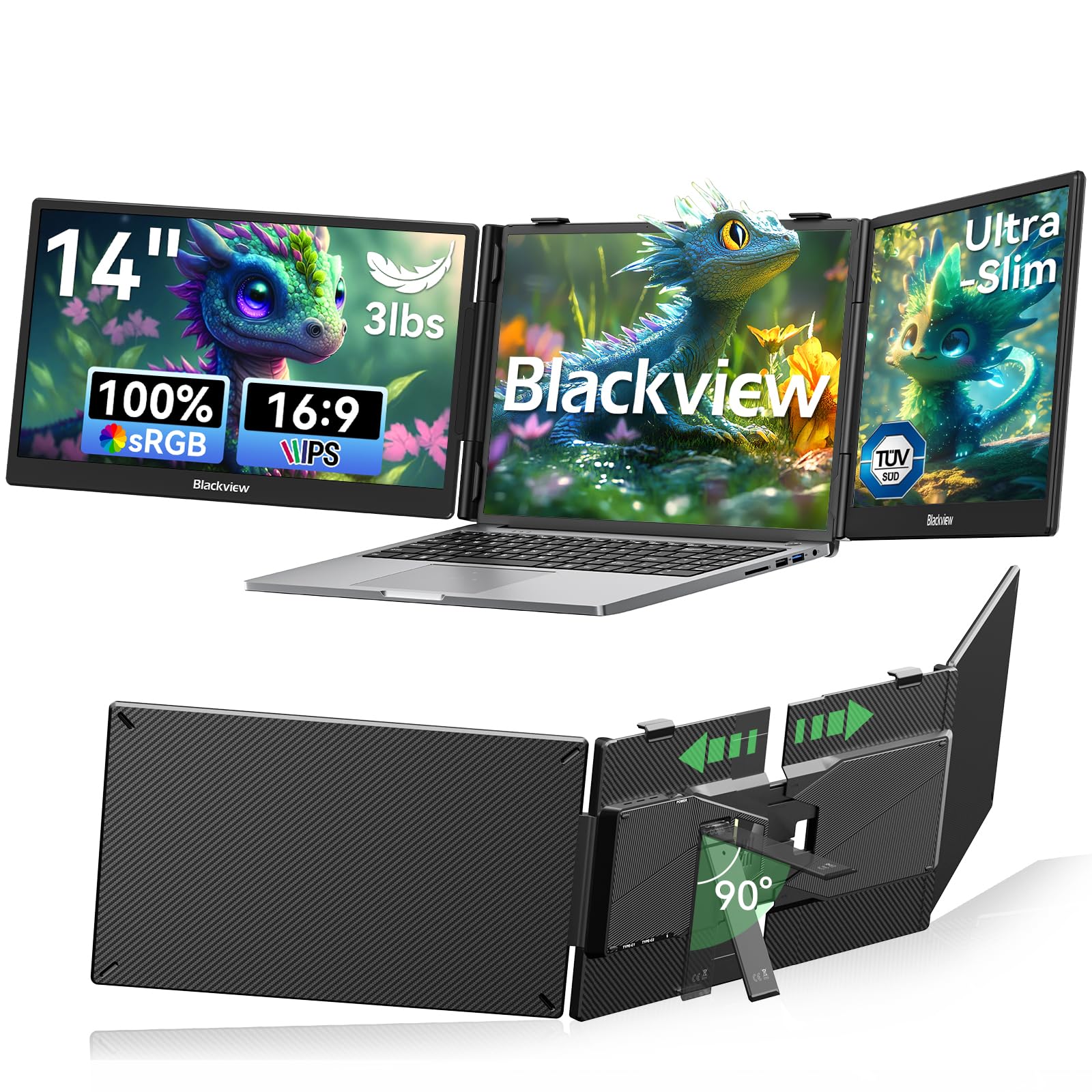
4. Blackview DCM5 14″ Portable Triple Monitor
TÜV SÜD certification for eye protection makes this the choice for marathon coding sessions.
The Blackview is unique on this list for its TÜV SÜD certification — an independent seal that confirms its low blue light and flicker-free technology meets strict eye-comfort standards. This matters if you stare at these screens for 8+ hours a day. The 1080P FHD IPS panels produce 300 nits of brightness with a 1200:1 contrast ratio, delivering deeper blacks than many rivals that top out at 1000:1.
It uses a premium galvanized steel shell instead of standard aluminum, which resists scratches and fingerprints. The 6-point mounting system and 90° adjustable stand keep everything wobble-free, even on a bumpy train table. At just 3 lbs, it is as light as the Macsecor but offers a wider 24-month warranty
Eye-care advantage, portability trade-off: The TÜV SÜD certification is a real selling point for heavy users, and the steel shell will likely survive more drops than a plastic alternative. That said, the included cables are strictly for connectivity; you may need to buy extra if you want more length or different adapters.
Best for: anyone who suffers from eye strain during long workdays and wants a professionally certified solution.
Skip if: you prefer the look of a brushed aluminum shell over the matte steel finish, or you need a larger 15.6-inch screen.
5. KYY X90D 15.6″ Travel Portable Monitor

With a vast owner community, this 15.6-incher is the most-tested triple-screen extender on the list.
The KYY X90D has been bought and reviewed by over 800 people, making its reputation the most established here. It uses a CNC aluminum alloy shell with a 96% screen-to-body ratio, meaning the bezels are tiny — just 0.2 inches thick. The two 1080P FHD IPS screens offer a 178° viewing angle and 300 nits brightness. A unique feature is the 360° rotatable screens, which allow you to flip one screen around to show a presentation to someone sitting opposite you.
While the ZUMWALT is plug-and-play, the KYY requires a driver installation (a small driver is stored on an included USB drive). Most owners say setup is still easy, and the unit works flawlessly on Windows and macOS. It also features an OSD (On-Screen Display) menu for adjusting brightness, contrast, and color temperature for each screen independently.
Why it has a following
- Massive owner base with thousands of reviews confirming reliability and strong customer service (companies have sent replacements within 3-4 days for issues).
- Small 0.2-inch bezels create a nearly smooth look when the two screens are side by side.
- 360° rotatable screens provide a collaboration mode not found on most competitors.
The barrier to entry
- Requires a driver installation for first-time use, which may be blocked by corporate IT policies on work laptops.
- Reports of poor performance (laggy, extremely laggy) on Linux systems like Ubuntu; it is really a Windows/macOS device.
Perfect for: Windows users who want the most reviewed and community-vetted 15.6-inch extender with excellent after-sales support.
Not for: Linux users, or anyone who cannot install drivers on their work-issued laptop.
6. Pornitor 15.6″ Folding Stacked Dual Monitor

A unique vertical stack layout that saves desk width — and the screen swivels 360° for sharing.
Instead of side-by-side screens that eat up your entire desk, the Pornitor stacks its two 15.6-inch 1080P IPS panels vertically. This is perfect if you work in a tight space like a coffee shop table or an airplane seat tray. The upper screen rotates 360°, letting you flip it around to show a client what you are working on without moving the whole setup.
The panels deliver 300 nits of brightness with a 100% sRGB color gamut, so photos and videos look punchy. It works as a “single big screen” (30Hz) or two independent screens (60Hz) depending on your OS. It can even passthrough-charge your laptop at 60W via its second USB-C port, meaning one plug powers both screens and your computer.
Innovative layout, reliability warning: The vertical design is genuinely clever for tight spaces, and the 60W pass-through charging is rare at this price. The catch is that “functionality” gets mixed reviews — a number of customers note it simply does not work with their laptops, so careful compatibility checking is essential before buying.
Best for: minimal-desk travelers who want a vertical stack and the convenience of laptop charging through a single outlet.
Proceed with caution if: your laptop is picky about USB-C displays, as a few owners found it completely non-functional.
7. SMISEACOW 15.6″ Triple Portable Monitor
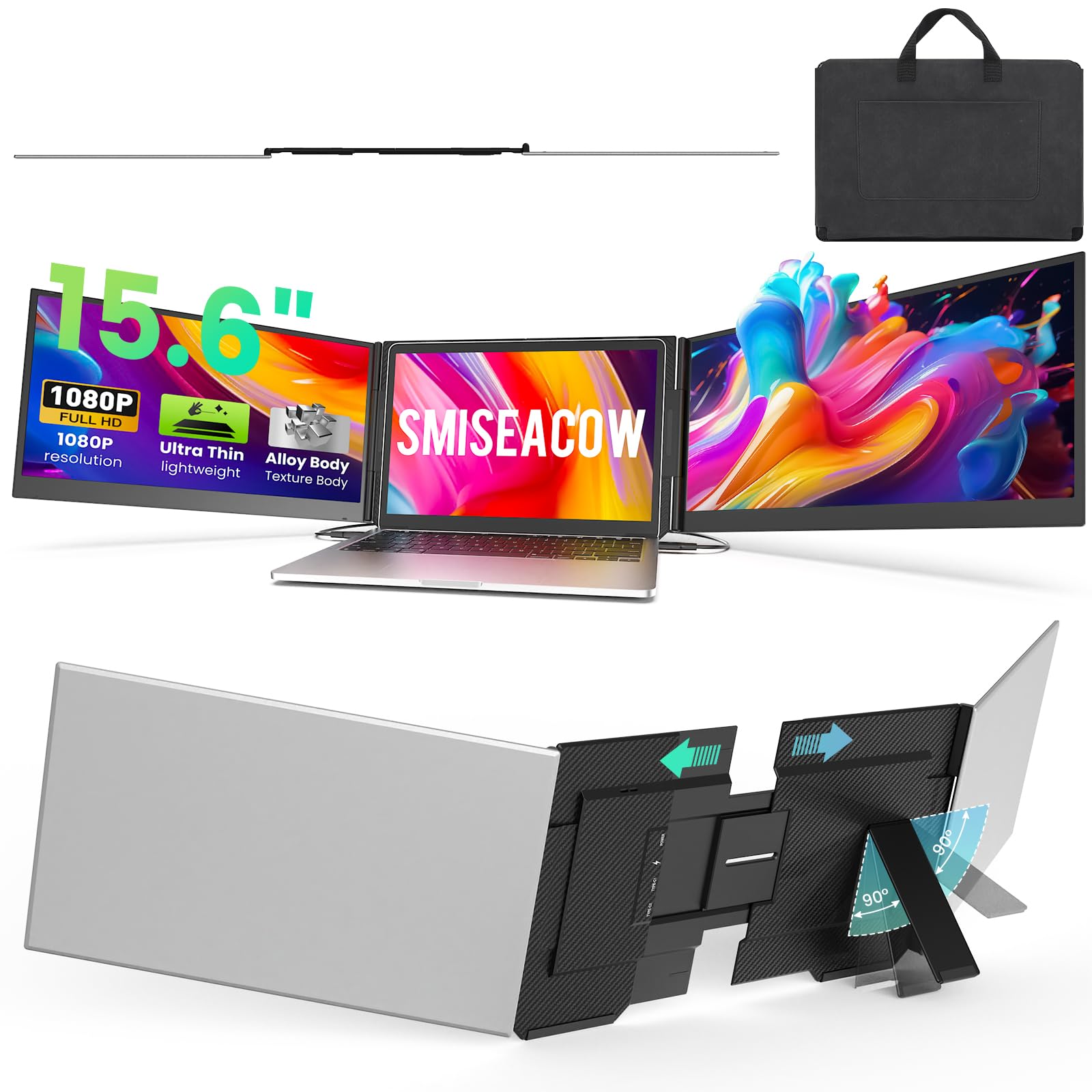
The thinnest 15.6-inch contender at 0.18 inches — it folds down to the size of a file folder.
If you want the full 15.6-inch canvas but hate bulk, the SMISEACOW is your answer. It is only 0.18 inches thick and weighs 3.9 lbs. The aerospace-grade aluminum alloy body keeps things durable while the included soft leather carry bag makes it feel like you are carrying a premium tablet. The 1080P IPS displays offer 300 nits of brightness and a 1000:1 contrast ratio, which owners call “sharp for work tasks.”
A clever design choice: the free-standing bracket does not attach to your laptop lid, so there is zero stress on your laptop’s hinge. Each screen can be folded 0-180° for flexible viewing. It also includes built-in low blue light mode to reduce eye strain. The main connectivity note is that it needs two USB-C cables or one USB-C plus one HDMI cable, depending on your laptop.
The standout appeal
- Extremely slim and folds compactly — reviewers point out it fits in a backpack like a file folder.
- Hinge-friendly design means no clamp on your laptop lid, so no added stress on the display.
- High praise for display quality (24 mentions) and portability (20 mentions) in positive reviews.
Mixed notes
- Weight gets a “mixed” verdict — some find it light, others note it is heavier than expected for its thin profile.
- Connectivity also gets mixed reviews; some users find it requires a dock or adapter, especially on MacBooks.
Go for it if: you want a full-size 15.6-inch triple screen that packs down ultra-thin for air travel.
Pause if: you have limited USB-C ports and do not want to carry an extra dongle or hub.
8. Venraty S6 15.6″ Detachable Triple Monitor
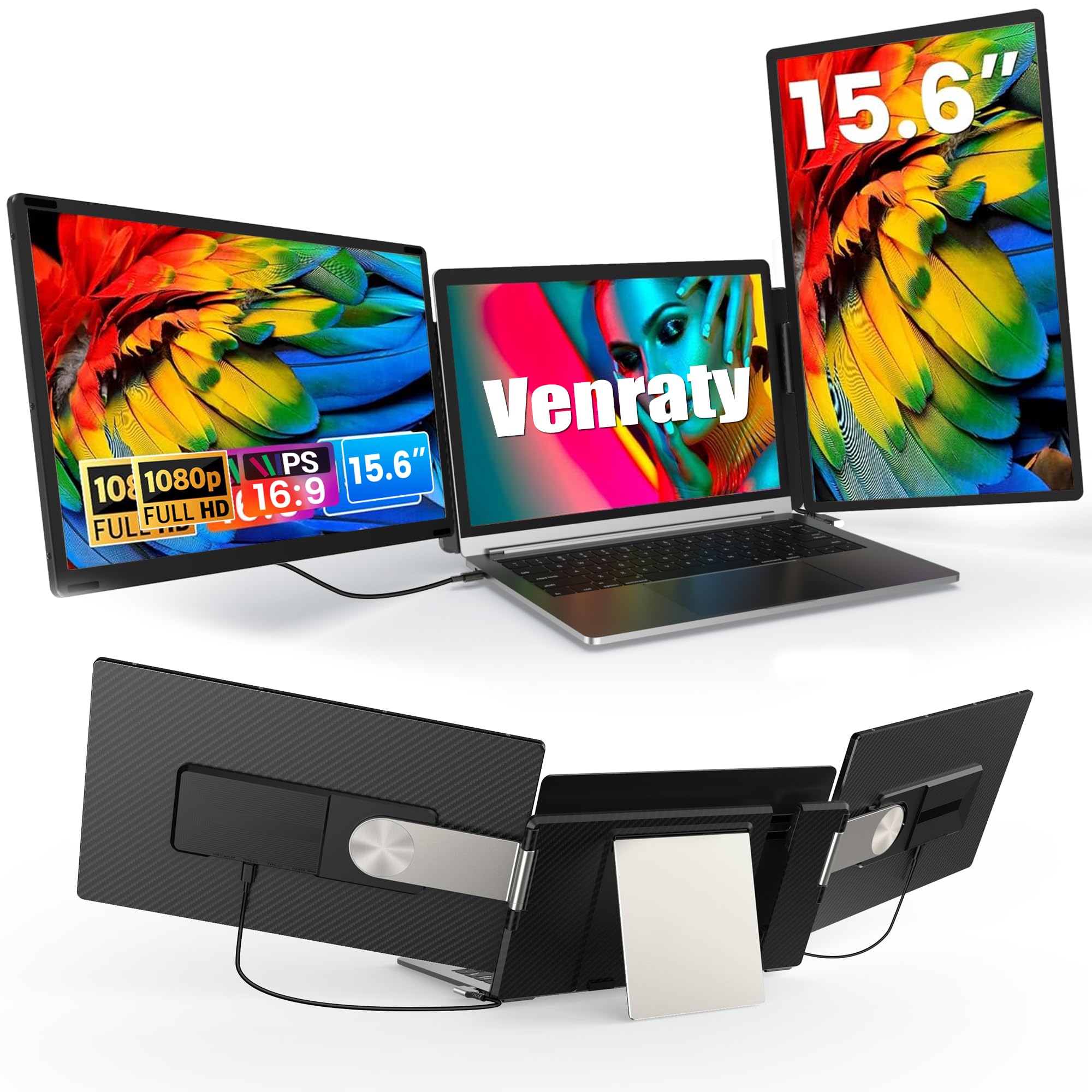
The two side screens detach magnetically — you can use one, both, or none.
The Venraty S6 introduces a magnetic detachment system: each of the two 15.6-inch screens can be removed from the main frame. This flexibility means you could leave one screen in your bag for a lighter coffee-shop session, or attach both for a full workstation. The screens support 90°, 235°, and 360° rotation on a single stand, giving you portrait, landscape, or mirror modes.
The 1080P FHD IPS panels deliver 300 nits of brightness with a 72% NTSC color gamut and a 1000:1 contrast ratio. Owners call the image “crisp and clean” and say the metal kickstand feels “premium and sturdy.” It includes built-in speakers and a low-blue-light design for eye protection. The setup is truly driver-free, working via USB-C, USB-A, or HDMI.
Versatility is the name of the game: the magnetic detachable screens mean you can customize your carry weight to the task. The big trade-off is that it does not support M1/M2/M3 MacBooks, locking out Apple Silicon owners.
Perfect for: the user who wants the flexibility to use just one extra screen on short trips and both on long work sessions.
Not for: anyone with an M1, M2, or M3 MacBook — those chips are explicitly not supported.
9. Rizpak 15.6″ One Cable Triple Portable Monitor
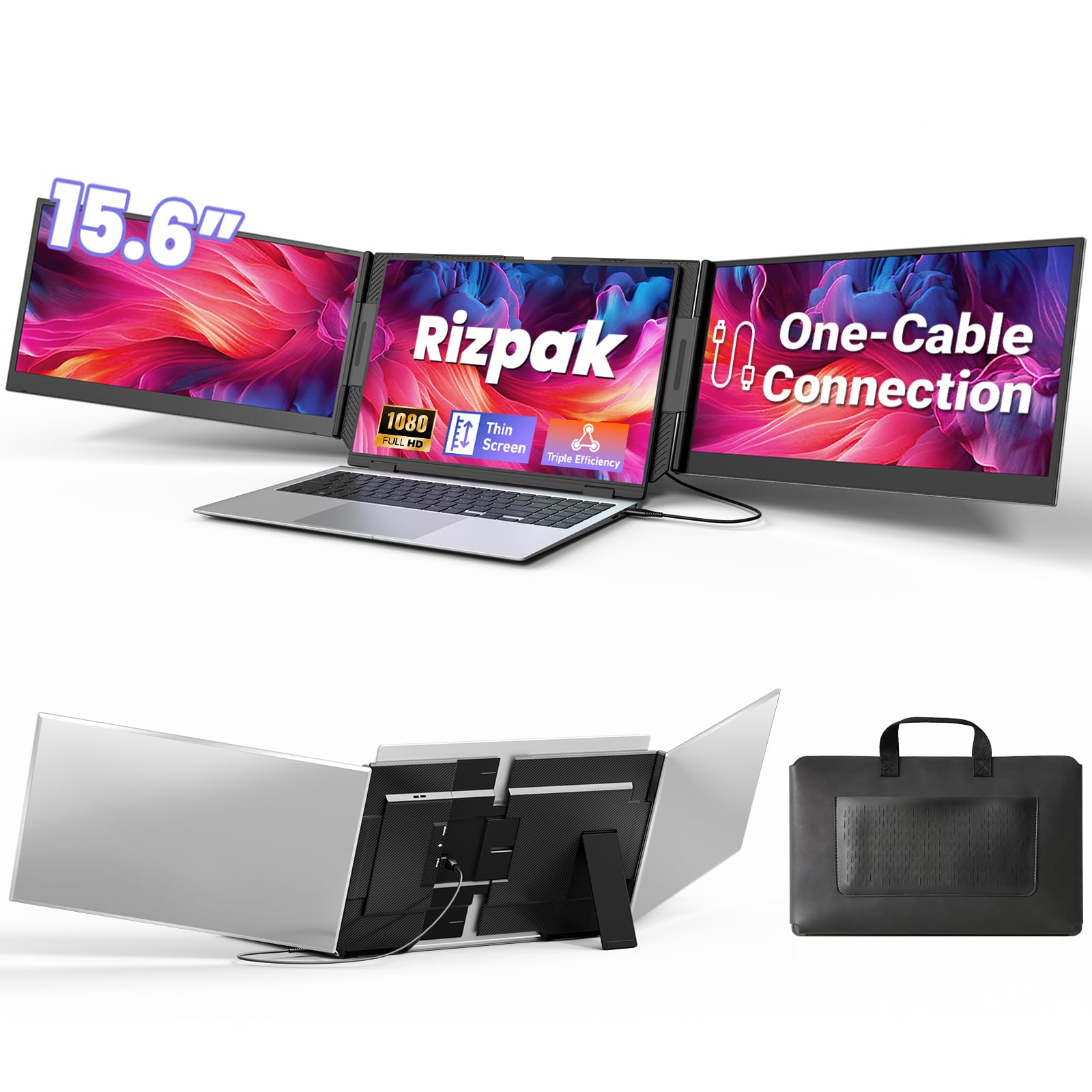
The closest you get to a single-cable dream — one USB-C runs both screens, but needs a driver.
The Rizpak is designed for minimal cabling: after a one-time driver install, a single USB-C or USB-A cable connects both screens to your laptop. The 100% sRGB color gamut produces accurate colors, making it a strong choice for photo editing on the road. The 178° wide viewing angle means consistent image quality when a colleague leans over to look.
It uses a reinforced metal stand and an independent design — meaning it does not hang from your laptop screen, so there is zero hinge stress. The aerospace-grade aluminum body measures just 0.2 inches thick and weighs 4 lbs. For optimal brightness, the manufacturer recommends plugging the power adapter into the monitor’s PD port, otherwise it might not hit full brightness from the laptop’s USB-C port alone.
Clean desk appeal: the single-cable connection is genuinely tidy once the driver is installed. The caveat is that the driver requirement makes this a no-go for corporate laptops that block software installs. Owners also note that the 1080P resolution is best for the screens; running them at higher settings can cause lag.
Ideal for: remote workers and freelancers who own their laptops and value a clutter-free single-cable connection.
Avoid if: you use a work laptop with locked-down admin rights, or you do not want to bother with a driver installation.
10. Biakknoe U16 Pro Dual Portable Touchscreen Monitor
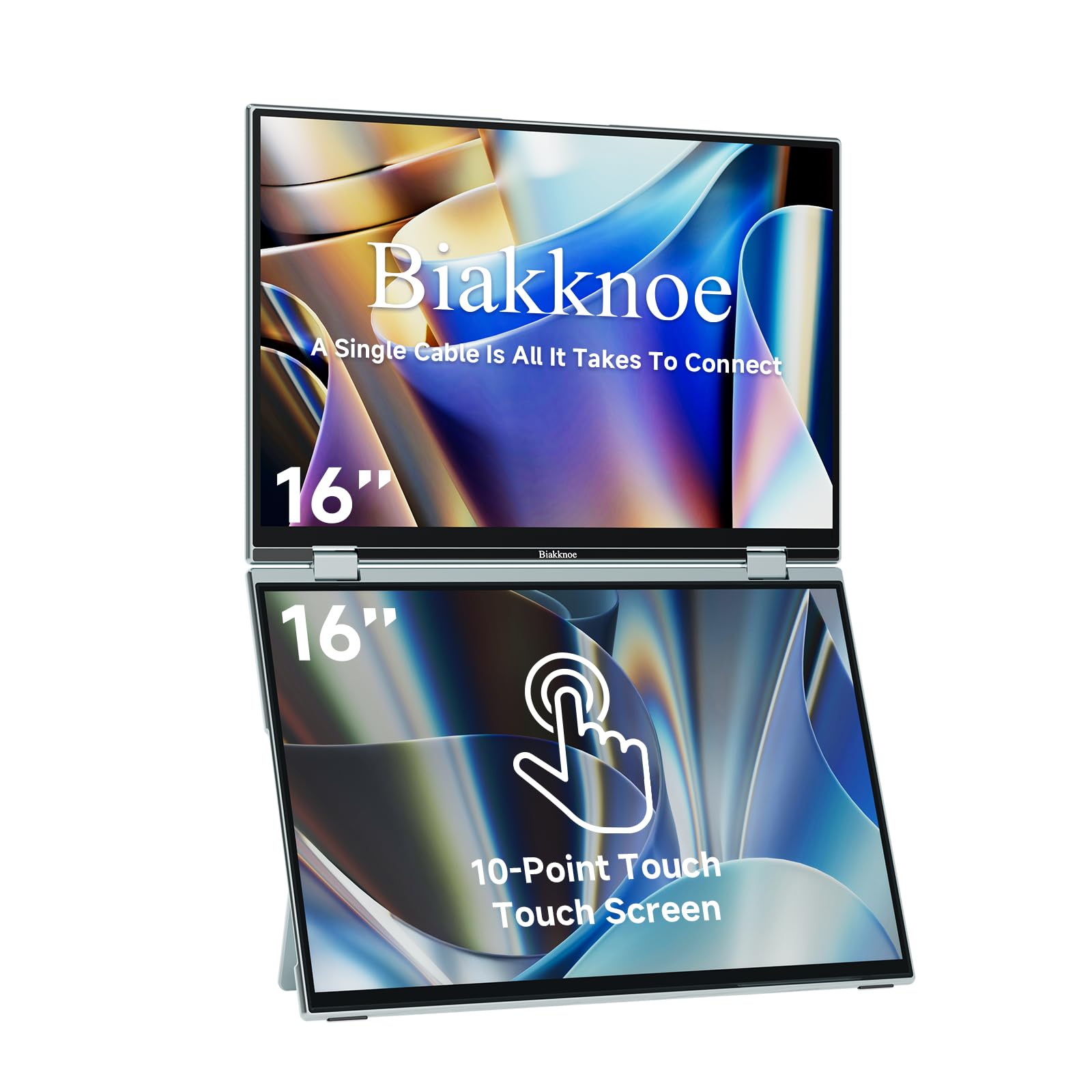
Two 16-inch touchscreens that let you pinch, zoom, and swipe — just like a giant tablet.
The U16 Pro is the only touchscreen dual monitor on this list, supporting 10 simultaneous contact points. This means you can pinch-zoom on a CAD model, swipe through trading charts, or annotate a PDF directly on the screen. It uses a Mac-authorized DisplayLink chip that enables a single-cable connection for both screens on any macOS system, as well as Windows and Mini PCs.
The twin 16-inch IPS panels have a 1920 x 1200 resolution with a 16:10 aspect ratio, giving you 1200 pixels of vertical space compared to 1080 pixels on a standard 1080P monitor. The full aluminum alloy body is VESA mountable, and the device includes a smart memory function that remembers your last screen layout after reconnection. At 3.96 lbs, it is surprisingly portable for a dual-touch-screen device.
The touch advantage
- 10-point multi-touch is highly praised for fluency, with owners noting solid build quality comparable to a high-end laptop.
- Wider 16:10 aspect ratio provides extra vertical workspace for reading documents.
- Single-cable support for both screens via DisplayLink chip (driver needed for macOS).
Considerations
- No built-in speakers — the volume slider in the menu is non-functional, which is a disappointment for media users.
- Reliability is mixed; some work perfectly from the start while others have had issues with setup or durability.
Best for: creative professionals and traders who want to directly manipulate content on screen with touch gestures.
Not for: anyone who needs speakers or a completely carefree “it just works” experience.
11. JSAUX FlipGo Touchscreen 16″ Dual 2.5K Monitor

The highest resolution and brightest screen on the list — true 2.5K for people who hate seeing pixels.
The JSAUX FlipGo is in a different league visually. Each of its two 16-inch IPS panels delivers a 2560 x 1600 resolution (2.5K), making text and fine details razor-sharp. With 500 nits of brightness and a 100% sRGB color gamut, this is the only monitor on this list that can comfortably work in direct sunlight or very bright rooms. It also supports 10-point touch and gesture controls.
It features a magnetic back with four N52 magnets for secure attachment of its included Folio case and stand. A built-in hub provides two USB-A 2.0 ports, a USB-C 2.0 port, and two mini HDMI ports. One single USB-C cable powers both screens from your laptop. However, there are some serious caveats: it is only compatible with Windows and Linux systems (no macOS support for touch or extended desktop mode). Many owners also report that the included stand is unstable and the device is heavy enough to defeat its purpose of portability.
The visual masterpiece
- Exceptional 2.5K resolution and 500-nit brightness blow every other 1080P option out of the water.
- 10-point touchscreen with gesture support and magnetic N52 magnet attachment system.
- Includes a full hub (USB-A 2.0, USB-C 2.0, dual mini HDMI) for connecting peripherals.
Serious trade-offs
- No macOS support for extended mode; Windows and Linux only.
- Heavy weight and reported instability of the included stand are common gripes; some call it a dealbreaker.
- Touchscreen reliability is mixed, with reports of mis-hits and devices failing after a few months.
Only for: die-hard Windows users who prioritize jaw-dropping screen clarity above all else and are not carrying it far.
Hard pass if: you use a MacBook or need a truly portable, stable companion for your daily commute.
Understanding the Specs
Resolution
This is how many tiny dots (pixels) make up the image on each screen. A higher number means a sharper picture. 1920 x 1080 (1080P) is the standard for these portable monitors — it is crisp enough for most office work, coding, and streaming. The JSAUX and U16 Pro go higher to 2560 x 1600 (2.5K) and 1920 x 1200, which gives you more room to see finer details in photos or complex spreadsheets.
USB-C Full-Featured Port
This is a specific type of USB-C port on your laptop that can carry both a video signal and power through a single cable. It is often labeled with a “D” (for DisplayPort) or a lightning bolt icon next to it. If your laptop does not have this, you will need to use an HDMI port for video plus a separate USB-A cable for power — which adds more cables to your setup.
FAQ
Will a dual portable monitor work with my M1, M2, or M3 MacBook?
What is the difference between extend, mirror, and portrait mode?
Can I use these monitors with a desktop PC or a gaming console?
How do I know if my laptop has a “full-featured USB-C” port?
Is a driver required, or is it truly plug-and-play?
How does the brightness (nits) affect my daily use?
Do the built-in speakers work well for video calls?
How does the 180° or 360° rotation help during work?
What happens if one screen goes dead or flickers?
Does the monitor add pressure to my laptop screen or hinge?
Final Thoughts: The Verdict
Across the board, the dual portable monitors winner is the ZUMWALT P7 because it delivers the ideal mix of large 15.6-inch FHD screens, slim aluminum build, and universally praised ease of setup for a reasonable investment. If you want to save weight for constant travel, grab the Macsecor 14″. And for true creative work where color and clarity matter most, the JSAUX FlipGo is the one to reach for — if your operating system and budget allow for it.
How We Picked
We do not accept paid placement. Every pick is matched to a real buyer and a real use-case; we do not hands-on test units.
Sources & Methodology
Specifications: manufacturer listings and product documentation. Review insights: verified customer reviews, as of July 2026. Pricing: not shown on this page (it changes often); check the current price via the retailer link.
As an Amazon Associate, WellFizz earns from qualifying purchases. This does not affect which products we feature.
Related Guides

Mo Maruf
I created WellFizz to bridge the gap between vague wellness advice and actionable solutions. My mission is simple: to decode the research and give you practical tools you can actually use.
Beyond the data, I am a passionate traveler. I believe that stepping away from the screen to explore new environments is essential for mental clarity and physical vitality.