Our readers keep the lights on and my smoothie glass nicely filled. As an Amazon Associate, I earn from qualifying purchases.
Specs are compiled from manufacturer listings and verified buyer reviews and can change over time — please confirm the key details on the product page before buying.
Finding an economical printer usually feels like a trap — the hardware price is low, but the ink cartridges drain your wallet month after month. This guide cuts through that cycle by focusing on the machines owners actually vouch for, the ones where the real-world running cost matches the promise on the box. You will see which models deliver low per-page costs, which ones jam less, and which features (like auto-duplex or a touchscreen) are worth paying for if you print regularly.
I’m Mohammad Maruf — the founder and writer behind WellFizz. This guide is built by comparing the manufacturers’ published specifications and the patterns across verified customer reviews, so you get each pick’s real strengths and trade-offs instead of marketing spin.
Whether you are printing homework, household documents, or light office work, the right economical printer keeps upfront costs low without hiding surprise expenses in the ink aisle.
Our Picks at a Glance


How To Choose The Best Economical Printer
A cheap printer can become expensive fast if the ink costs more than the machine. Look past the sticker price and check three things: ink cartridge yield, generic ink compatibility, and subscription service cost. A printer that prints at 14 pages per minute (ppm) in black may cost slightly more upfront but saves you time every single day.
Check the ink math first
The biggest surprise for new buyers is that the “setup” cartridge inside the box is often a starter cartridge with a lower page yield than the standard retail cartridge. When comparing models, look for the page yield of a standard cartridge (like the HP 68 or Brother LC501) — that number tells you your real cost per page. A printer like the Brother MFC-J1360DW, which uses LC501 series inks, has a strong reputation among owners for affordable refills.
Auto duplex and the paper tray size
Automatic two-sided printing (auto duplex) cuts your paper bill in half for multi-page documents. Auto duplex pays for itself quickly in paper savings. Paper tray size matters: a 60-sheet tray empties fast on multi-page jobs, while a 150-sheet tray handles a full day of home-office work without reloading. If you print regularly, aim for at least a 100-sheet input tray.
Wireless reliability and app support
A printer that drops Wi-Fi mid-job is a frustration you do not need. Look for dual-band Wi-Fi (2.4GHz and 5GHz), which helps the printer stay connected even in crowded homes. The HP Smart App and Brother Mobile Connect App both allow printing from your phone without needing a computer, which is convenient for quick tasks — but make sure the setup process doesn’t require you to create an account if you prefer offline printing.
Quick Comparison
| Model | Best For | Speed (B&W) | Duplex | Paper Tray | Amazon |
|---|---|---|---|---|---|
| Canon PIXMA TR7120★ Best Overall | Best Overall | 14 ppm | Automatic | Small (size noted) | Amazon |
| Brother MFC-J1360DWBest Value | Volume printing | 16 ppm | Automatic | 150-sheet | Amazon |
| HP DeskJet 4327 | Budget basic | 8.5 ppm | Manual | 60-sheet | Amazon |
| HP Envy 6555e | Renewed value | 10 ppm | Automatic | — | Amazon |
| HP DeskJet 2855e | Entry price | 7.5 ppm | Manual | 60-sheet | Amazon |
| Brother MFC-J1410DW | Touchscreen ease | 16 ppm | Automatic | 150-sheet | Amazon |
| HP Envy 6155 | Photo prints | 10 ppm | Automatic | 100-sheet | Amazon |
In‑Depth Reviews
1. Canon PIXMA TR7120 Wireless Color Inkjet Printer
Our pick — over 4★ from 350+ verified ratings; the strongest balance of quality and price.
The smart all-in-one that prints fast, sets up in minutes, and keeps the ink costs honest.
With a black-and-white print speed of 14 pages per minute (ppm) and 9 ppm in color, the Canon PIXMA TR7120 is noticeably quicker than most budget all-in-ones — the HP DeskJet 4327, for example, manages 8.5 ppm in black and 5.5 ppm in color. That pace matters when printing a multi-page document before a meeting. Automatic duplex (two-sided printing) cuts paper usage without any extra effort.
Owners most praise the print quality — it earns the most praise by a wide margin. The hybrid 2-cartridge ink system delivers sharp black text alongside vivid color for photos and graphics. Setup is the second-biggest reason people are happy, as the printer connects quickly over dual-band Wi-Fi (2.4GHz or 5GHz) and the Canon PRINT App gets you printing from your phone almost immediately. One owner noted their original cartridge was still performing perfectly after four months of light use, which hints at decent page yield for a starter cartridge.
The only consistent trade-off is the small paper tray — a few owners mention it runs out fast for longer print jobs. For light home use or a home office that prints a few pages a day, it is not a dealbreaker, but high-volume homes may want the 150-sheet tray of the Brother models below.
Canon PIXMA compact
- Fast print speeds at 14 ppm black and 9 ppm color
- Automatic duplex printing saves paper
- Sharp print quality and vibrant color output
- Easy Wi-Fi setup and reliable dual-band connectivity
High ink cost
- Paper tray is small for high-volume jobs
- No duplex scanning support
- Moderate ink consumption noted by some owners
budget color: You want a fast, reliable all-in-one for daily home or home-office printing without the confusion of complex setup.
ink hog: You regularly print stacks of documents and need a large paper tray — prepare to reload often.
2. Brother Work Smart MFC-J1360DW Wireless Inkjet All-in-One
The volume-friendly workhorse with a huge paper tray and genuinely affordable ink refills.
At 16 pages per minute in black and 9 in color, the Brother MFC-J1360DW is the fastest printer on this list. It also packs a 150-sheet paper tray, meaning you can load it once and forget about reloading for days. The automatic duplex printing is standard, and the 20-sheet Automatic Document Feeder (ADF) makes scanning multi-page stacks easy — something the Canon PIXMA TR7120 lacks entirely.
The deciding factor for many owners is the ink cost. The LC501 series cartridges that this printer uses are genuinely affordable to replace, and owners consistently say the price per page is low. A few report it even works with generic ink cartridges, which drops the cost further. The Brother Mobile Connect App also gives you real-time ink monitoring and lets you print directly from cloud services like Google Drive and Dropbox. That said, setup can be fussy on a laptop — the full driver package is required, and the printer refuses to even copy until setup is complete. Most owners find it easier via the phone app.
Brother low cost: The build uses some cheaper plastic, and the screen is small. It is better suited for occasional home-office use than a busy small office that prints hundreds of pages a day. But for the price, the page speed and ink savings are tough to top.
value inkjet: Anyone who prints in bursts — students, home-office workers, families — and wants the lowest cost per page without sacrificing speed.
speed need: You need a printer that works immediately from the start without any driver-downloading or phone-app trickery.
3. Brother Work Smart MFC-J1410DW Wireless Inkjet All-in-One

The step-up Brother that adds a sharp touchscreen, fax capability, and the same fast engine.
At its core, the MFC-J1410DW shares the same printing engine as the J1360DW above — 16 ppm black, 9 ppm color, a 150-sheet tray, and auto duplex. What you get for the step up in budget is a 2.7-inch color touchscreen display that makes navigating Cloud apps and settings much more pleasant than the smaller screen on the 1360. It also includes fax capability, which still matters for some home offices or medical practices.
Print quality is the aspect owners praise most — 30 owners single it out. Setup is also broadly seen as straightforward, and owners are happy that it works with generic ink cartridges (a huge long-term savings). One owner described it as “much better than HP printers by a landslide,” specifically for the freedom to use third-party ink. The catch is reliability: it is the most-discussed concern, and while many owners have trouble-free units, a few report jams or failures after a few weeks. The print speed also earns mixed feedback — not because it is slow, but because some expected even faster output from a 16 ppm rated machine.
office basic: You want the fastest printing in this price tier, a big touchscreen, and the ability to use generic ink without the printer blocking it.
quiet seek: You are risk-averse about hardware reliability — there is a small but real chance of early failure, and Brother’s customer service can be slow to respond.
4. HP DeskJet 4327 Wireless All-in-One Color Inkjet Printer
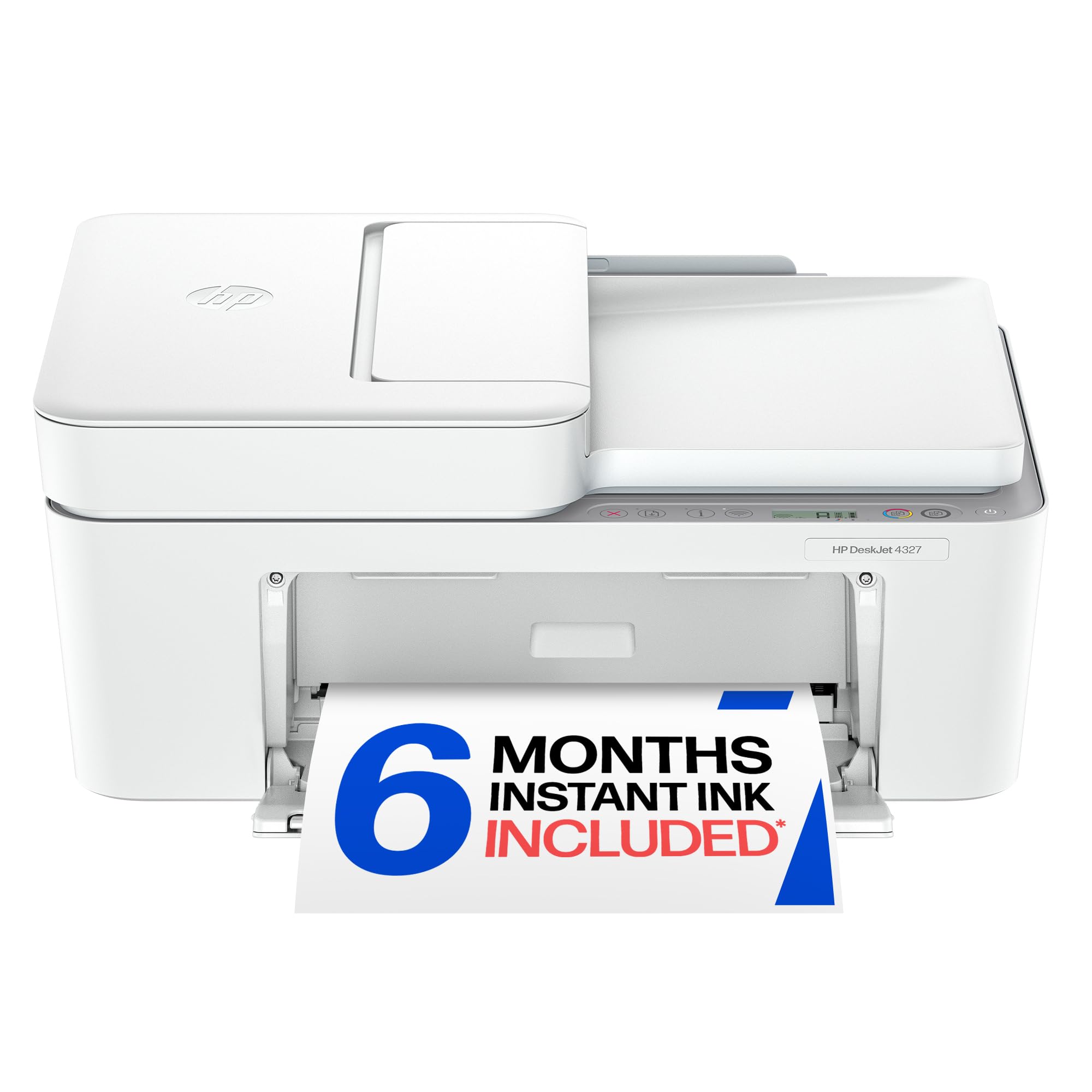
A very affordable entry point for basic printing, with a scanner and copier in one box.
If your printing needs are light — to-do lists, letters, a recipe here and there — the HP DeskJet 4327 does the job for less. It prints at 8.5 ppm in black and 5.5 ppm in color, which is noticeably slower than the Canon TR7120 (14 ppm black and 9 ppm color), but fast enough for a page or two. The 35-sheet auto document feeder is a nice touch at this price for scanning or copying small stacks. It also includes a 6-month trial of Instant Ink, which can save you cartridge runs if you stick with the subscription.
Print quality and ease of setup are the two biggest sources of praise. Owners say it prints clearly and works reliably for both business and personal projects. The catch is that setup can be confusing if you rely on wireless — a few owners found the wireless setup difficult and note that no USB cable is included. If you hit a snag, connecting via USB is more straightforward. Manual duplex is also a small inconvenience: you flip the paper yourself for two-sided printing, whereas the Canon TR7120 does it automatically.
simple use: You need the absolute lowest upfront cost and plan to use the Instant Ink subscription to keep running costs predictable.
advanced need: You print more than a few pages a day — the slower speed and manual duplex will frustrate you over time.
5. HP DeskJet 2855e Wireless All-in-One Color Inkjet Printer

The rock-bottom entry that prints well when it works, but demands patience for setup.
At 7.5 ppm black and 5.5 ppm color, the HP DeskJet 2855e is the slowest printer here. It also only supports 2.4GHz Wi-Fi, not the faster 5GHz band, which can cause connectivity dropouts in homes with congested 2.4GHz channels. That said, many owners find it works beautifully once the initial setup is complete — especially through the HP Smart App on a smartphone. The print quality is good for documents and color prints, and the 60-sheet input tray is fine for light use. The three-month Instant Ink trial is included.
The biggest divide among owners is reliability. A large group finds it “perfect for a college student” or a “great budget printer for home.” A vocal minority, however, report that the HP software is frustrating: wireless connections that fail repeatedly, forced account registration, and difficulty printing from third-party apps. The printer is also designed to reject generic ink cartridges, which means you are locked into HP 67 cartridges — a significant long-term cost consideration that the Brother models above do not impose.
light use: A student or occasional user who prints a few pages a week and is comfortable with smartphone-based setup and HP’s ecosystem.
heavy print: You want a printer that works without an account, accepts affordable generic ink, or has reliable dual-band Wi-Fi.
6. HP Envy 6555e Wireless All-in-One Color Inkjet Printer (Renewed)

A renewed printer that delivers near-new performance at a noticeably lower price.
The HP Envy 6555e prints at 10 ppm in black and 7 ppm in color, placing it between the budget DeskJets and the faster Brother models. It comes with automatic duplex printing, a three-month Instant Ink trial, and AI-enabled formatting that trims web pages and emails before printing — saving paper and ink. The touchscreen display makes navigation easier than button-only models.
Performance and print quality are the top two things owners are happy with. They describe the print quality as “excellent for documents and photos” and note that the printer is compact and reliable for a home office. Setup is a mixed bag: some find it “super simple” while others struggle with poor directions. The most notable limitation is that it does not support legal-size paper, so anyone printing legal documents will need a different machine. Being a renewed unit, the condition can vary, but most buyers report it arrives in perfect working order. Ink consumption through the Instant Ink trial is manageable, and you can upgrade to XL cartridges for better value.
creative print: You want a good all-around printer with a touchscreen and auto duplex at a discount, and you are comfortable buying renewed.
volume jobs: You need legal-size paper printing or want a printer with absolutely straightforward setup instructions.
7. HP Envy 6155 Wireless All-in-One Color Inkjet Printer

The photo-friendly HP with P3 color technology and the most reliable dual-band Wi-Fi in the lineup.
The HP Envy 6155 prints at 10 ppm black and 7 ppm color, with a 100-sheet input tray and automatic duplex printing. what separates it is P3 color technology, which makes photos printed at home look closer to what you see on your screen. The 2.4-inch touchscreen is HP’s most intuitive interface, and the dual-band Wi-Fi automatically detects and resolves connection issues — a feature sorely missing from the simpler DeskJet 2855e. A three-month Instant Ink trial is included.
Setup is the highest-praised aspect of this printer, with 28 owners noting it is easy and straightforward — even a 91-year-old owner found it usable. Print quality also scores high. The biggest caveat is that the setup process itself can be a nightmare if you hit the HP app’s sign-in loop — some owners recommend following the printer’s on-screen instructions and skipping location requests. Also note that this printer will block non-HP ink cartridges, so you are locked into HP 68 cartridges. A single bad unit is possible, but the vast majority of owners are satisfied.
home all-in-one: You want the best color photo quality from a home inkjet, with a touchscreen and reliable dual-band Wi-Fi.
fast scan: You want to use generic ink cartridges — HP’s firmware actively blocks them, increasing your long-term costs.
Understanding the Specs
Print Speed (pages per minute)
This tells you how many pages the printer can push out in a minute — 14 ppm is fast enough for a small office, while 7.5 ppm suits occasional home use. The real-world speed is always a bit slower for color prints. If you print multi-page documents daily, a higher ppm number (like 16 from the Brother models) saves you minutes every day.
Duplex Printing (automatic vs manual)
Automatic duplex (two-sided printing) flips the paper for you, cutting your paper usage in half with one click. Manual duplex means you flip the paper yourself. This is a small feature that makes a huge difference in paper cost and convenience over the life of the printer.
Paper Tray Capacity
A 60-sheet tray runs out fast — you will reload every couple of print jobs. A 150-sheet tray can hold a full ream’s third, which lasts a heavy printing day. For home use, 100 sheets is a comfortable minimum; for home office, aim for 150.
Instant Ink and Subscription Ink
This is HP’s ink delivery service: it monitors your ink levels and sends new cartridges before you run out. It can save you up to 50% on ink compared to store-bought cartridges, but after the trial period, a monthly fee applies. If you print irregularly, a subscription may cost more than buying cartridges as needed.
FAQ
Can I use generic or third-party ink cartridges with these printers?
What is the difference between a starter cartridge and a standard cartridge?
Is automatic duplex printing worth paying extra for?
How do I know if a printer will work with my Wi-Fi network?
What is Instant Ink and does it save money?
Which printer has the lowest cost per page?
How important is the paper tray size for a home office?
Can I print photos directly from my phone without a computer?
What does “renewed” mean for the HP Envy 6555e?
Final Thoughts: The Verdict
For most buyers, the economical printer winner is the Canon PIXMA TR7120 because it combines fast print speeds (14 ppm black, 9 ppm color) with reliable setup, excellent print quality, and automatic duplex printing — all at a price that keeps ink costs manageable. If you print in volume and want the lowest cost per page, grab the Brother Work Smart MFC-J1360DW for its 16 ppm speed and huge 150-sheet tray. And for the best photo prints at home, the HP Envy 6155 with P3 color technology and that easy-to-use touchscreen is the one to reach for.
How We Picked
We do not accept paid placement. Every pick is matched to a real buyer and a real use-case; we do not hands-on test units.
Sources & Methodology
Specifications: manufacturer listings and product documentation. Review insights: verified customer reviews, as of July 2026. Pricing: not shown on this page (it changes often); check the current price via the retailer link.
As an Amazon Associate, WellFizz earns from qualifying purchases. This does not affect which products we feature.
Related Guides

Mo Maruf
I created WellFizz to bridge the gap between vague wellness advice and actionable solutions. My mission is simple: to decode the research and give you practical tools you can actually use.
Beyond the data, I am a passionate traveler. I believe that stepping away from the screen to explore new environments is essential for mental clarity and physical vitality.