Our readers keep the lights on and my smoothie glass nicely filled. As an Amazon Associate, I earn from qualifying purchases.
Specs are compiled from manufacturer listings and verified buyer reviews and can change over time — please confirm the key details on the product page before buying.
An e-writing pad sounds simple enough — a pressure-sensitive screen, a stylus, a button to clear it — but the real-world experience varies wildly. Some screens are so dim you have to squint under a desk lamp, some erase buttons stop working after weeks, and a few models actually deliver that crisp, paper-like feel without the glare. This guide cuts through the guesswork, comparing nine pads head-to-head on the specs that actually ruin or redeem the experience: screen brightness, line quality, build, and whether the darn stylus stays put.
I’m Mohammad Maruf — the founder and writer behind WellFizz. This guide is built by comparing the manufacturers’ published specifications and the patterns across verified customer reviews, so you get each pick’s real strengths and trade-offs instead of marketing spin.
Whether you are buying for a toddler to doodle on the go, a busy adult to replace sticky notes, or a professional seeking a focused digital notebook, here is a clear breakdown of the best e-writing pad options to match your actual use case and budget.
Our Picks at a Glance

How To Choose The Best E-Writing Pad
Every e-writing pad uses a version of the same basic LCD or e-ink technology, but the small differences — screen size, brightness, stylus security, and extra features like a lock switch — determine whether you will love using it or end up frustrated. Here is what to look for before clicking “add to cart.”
Screen Size and Portability
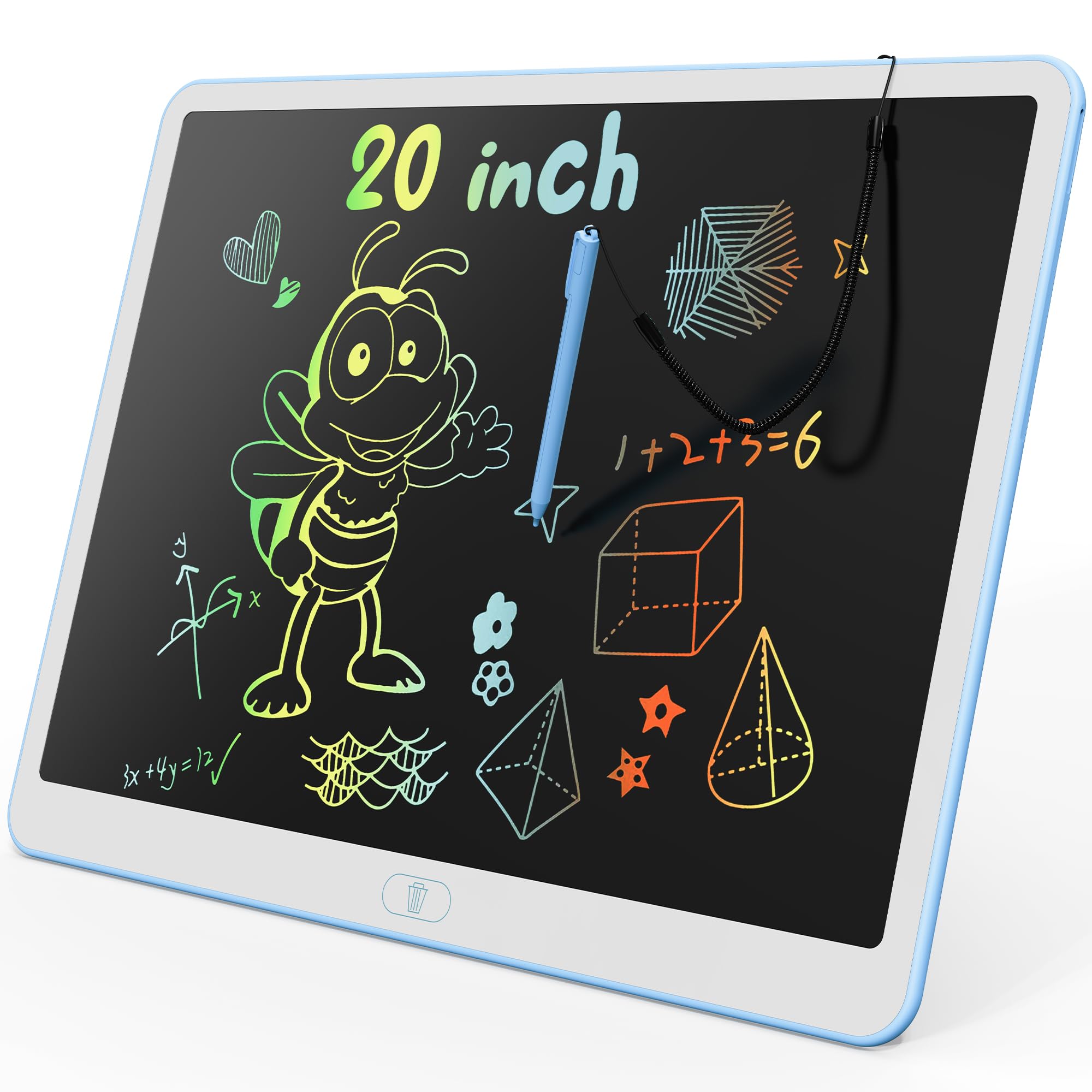
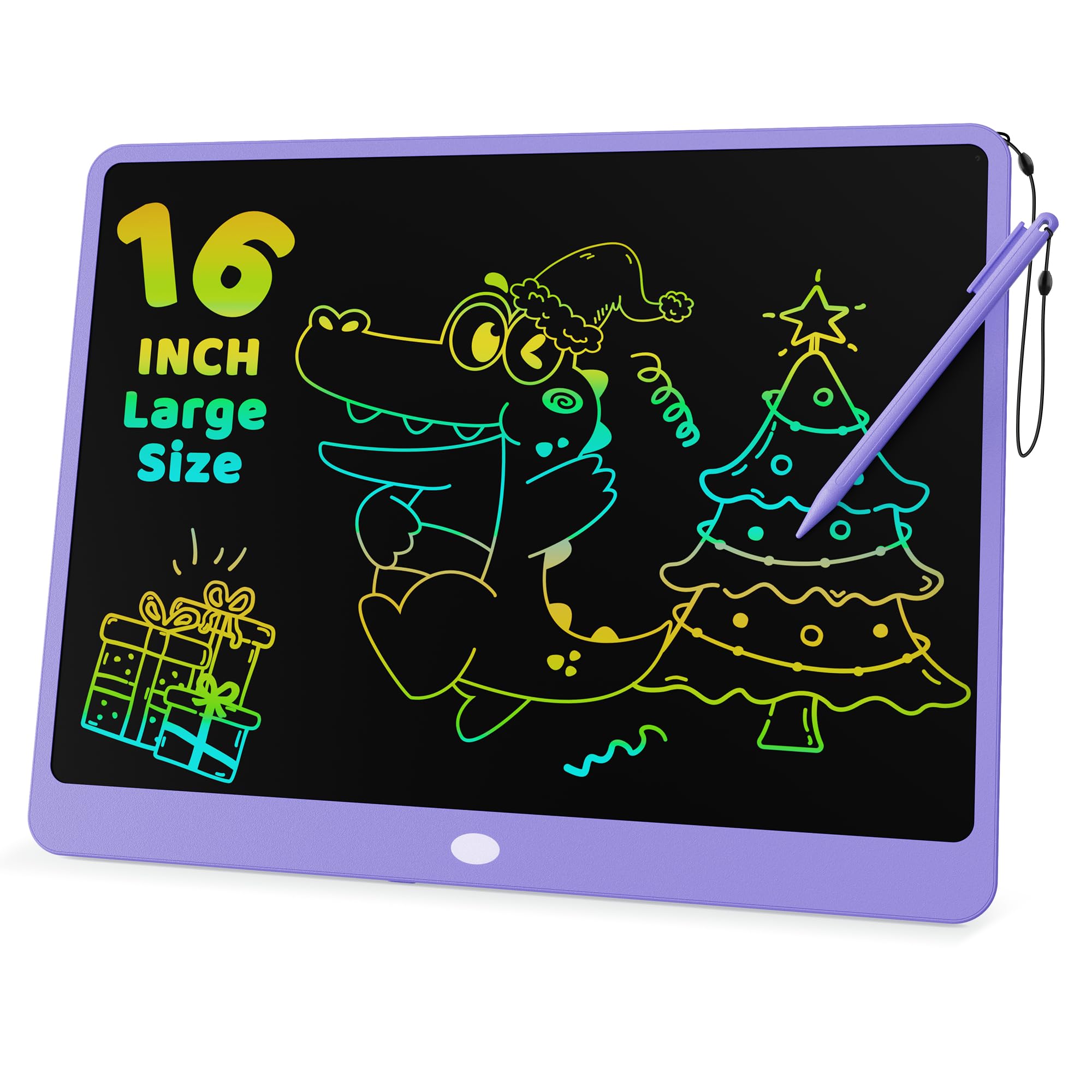
A bigger screen, like the 20 and 16-inch KOKODI models, gives a child room to draw big pictures, but it is less portable than a pad that folds in half or measures under 10 inches. If you want to slip the pad into a purse or backpack daily, prioritize a slimmer, lighter option under 0.4 kg or one that folds to roughly the size of a small tablet.
Line Quality and Brightness
Every e-writing pad’s screen varies in how bright and crisp the writing appears. Some produce a vivid, colorful line, while others — especially budget single-color screens — can be pale and difficult to read in normal room lighting. For adults using the pad for notes, you want a model with good contrast and a fine-point stylus that writes without chunky, blurry lines.
Stylus Storage and Attachment
Losing the stylus makes the pad useless. Look for a secure method: a built-in slot that grips the pen, a strong magnet that holds it firmly to the pad’s edge, or a tether. A weak magnetic attachment is a common complaint that leads to a lost pen and a frustrating experience.
Quick Comparison
| Model | Best For | Screen Size | Weight | Stylus Storage | Amazon |
|---|---|---|---|---|---|
| KOKODI 20 Inch★ Best Overall | Young kids, mess-free drawing | 20 inches | 0.63 kg | Attached stylus | Amazon |
| KOKODI 16 InchCompact Canvas | Toddlers, car travel | 16 inches | 0.39 kg | Attached stylus | Amazon |
| Amoretti Sonnet 9.5inFridge Workhorse | Fridge lists, simple reminders | 9.5 inches | 200 g | Magnetic stylus | Amazon |
| Ksequ 10.5in Double-Sided | Office notes, school scratch paper | 10.5 inches (each side) | 6.8 oz | Attached pen | Amazon |
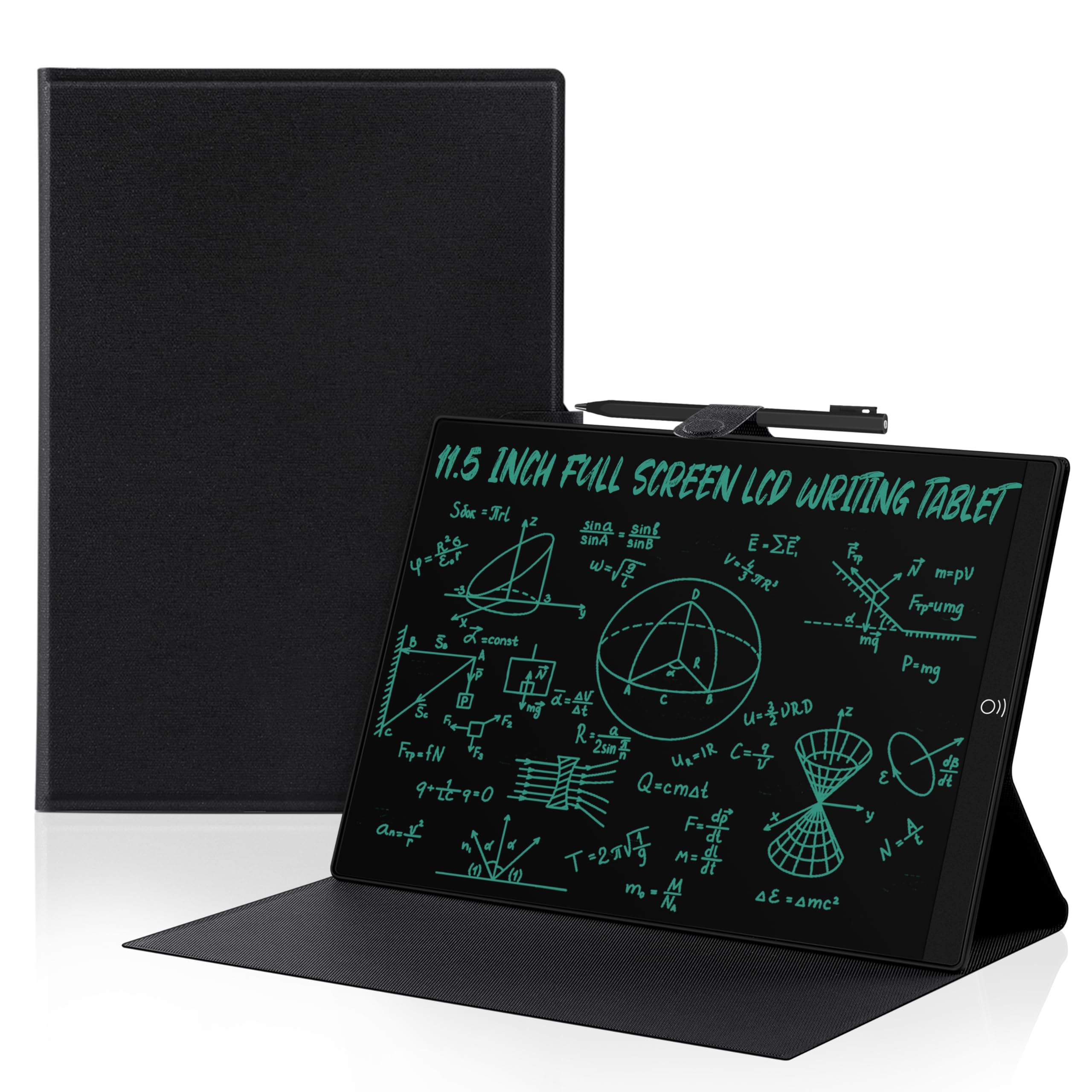
| YOLIPULI 11.5in with Case | Adults, general note-taking | 11.5 inches | 12.8 oz | Magnetic pen with leather case | Amazon |
| Amoretti Sonnet 14.3in Foldable | Detailed notes, diagrams | 14.3 inches (foldable) | 0.39 kg | Integrated edge channel | Amazon |
| Huion Ink EB1011 | Students, pro note-takers, artists | 10.3 inches | 0.99 lbs | Dedicated stylus slot in case | Amazon |
| reMarkable Paper Pro Move | Ultra-portable productivity | 7.3 inches | 248.4 g | Strong pen magnet | Amazon |
| reMarkable Paper Pro 11.8″ | Full-size reading and writing | 11.8 inches | 1.2 lbs | Book Folio slot | Amazon |
In‑Depth Reviews
1. KOKODI LCD Writing Tablet, 20 Inch
Our pick — 4.5★ from 35,000+ verified ratings; the strongest balance of quality and price.
The jumbo doodle board that a 2-year-old can throw around and it still works.
This 20-inch tablet is the most popular pick for a reason — over 1,400 review mentions specifically praise the quality, and the crowd loves how easy it is for very young children to use. The stylus stays attached, the one-button clear works instantly, and it is lightweight enough at 0.63 kg to toss in a diaper bag. As owners put it: “Used daily by 2-year-old for nearly a year; survives drops and throws.” The colorful multi-stroke lines are bright enough to keep kids engaged, though a few buyers report the colors can be faint in some lighting.
At 0.63 kg it is noticeably heavier than the compact 16-inch model (0.39 kg), but the extra drawing real estate is a win for toddlers who want to scribble big shapes and letters. The tablet runs on a rechargeable lithium-ion battery (included). It is also scratch resistant, according to the specs, which is a real boon for the inevitable drops on a tile floor.
The big takeaway from the 35,000+ owners is that this is the go-to mess-free toy. It replaces coloring books, chalk, and iPad screen time with a simple, durable slab. Just know that the erase button is a potential failure point over the long term — a few owners mention that after heavy daily use the screen stops clearing, though the company’s customer service reportedly steps up with replacements.
Why it wins over the 16-inch: the 20-inch gives a larger writing area than the 16-inch while still being portable — the 0.63 kg weight is a small trade for a much bigger canvas.
The honest caveat: the screen contrast depends on room lighting; it is not great in dim conditions, and the erase mechanism is the most fragile part.
Reach for this if: you have a toddler or preschooler who scribbles daily and you want the biggest, most durable canvas for the money.
Think twice if: you need a pad for professional note-taking or anything requiring fine lines and dim-light visibility — this is a toy, not a notepad.
2. KOKODI LCD Writing Tablet, 16 Inch
A travel-friendly doodle pad that tucks into any bag without the bulk.
Weighing just 0.39 kg, this 16-inch KOKODI is lighter than its 20-inch sibling (0.63 kg), making it the ideal pick for airplane trays, restaurant tables, and car rides. The reviews are clear: parents love how it keeps a 2.5-year-old occupied during dinner outings. The screen produces colorful lines based on pressure, and the one-click clear wipes it in a second. A lock switch prevents accidental erasure, which is a thoughtful touch for preserving a masterpiece.
It shares the same basic build as the larger model — plastic body, attached stylus, button battery — but the 16-inch size hits a balance of portability and drawing space. The battery compartment uses screws to keep coin cells secure from curious toddlers, a feature that gets consistent praise from safety-conscious parents. The maker claims the battery lasts three to six months and is replaceable, which lines up with owner reports of occasional need to swap it.
The main recurring feedback is that the writing could be a bit brighter, and some owners wish the pen had a dedicated tether rather than just being attached by a short cord. Still, as owners mention, it is “lightweight, affordable, and keeps the toddler occupied for 20-30 minutes” — a genuine sanity-saver for long waits.
Perfect travel companion: at 0.39 kg it is lighter than the 20-inch’s 0.63 kg, this one slips into a purse or backpack without complaint, and the secure battery gives confidence.
A small nit: the screen lines are not exceptionally bright; in a dim restaurant it can be a little harder to see.
Best for: families who take the pad out of the house — car trips, plane rides, restaurant waits — and want the bigger screen without the heavy load.
skip it if: you need a writing tablet for yourself; the line width and screen quality are tuned for toddlers, not detailed notes.
3. 9.5in LCD Writing Tablet with Magnetic Backing
A fridge-mounted memo pad that replaces scrap paper for daily reminders.
This is a niche product for a specific job: a reusable sticky note that lives on your refrigerator or filing cabinet. The 9.5-inch bezel-free screen is only 5mm thick and weighs just 200 grams, so it sticks to most metal doors via a built-in magnet (the kit also includes a slim adhesive metal plate for stainless steel doors with weak grip). The writing surface is pressure-sensitive and displays a single-color light blue line on a dark background — clean and professional, not a rainbow toy.
However, the reviews are a mixed bag. The magnet works well, and the fine-tip stylus produces thin, precise lines that resist stray smudges. But the display is noticeably dimmer than the product photos suggest, requiring good overhead light to read comfortably. Worse, several customers note that after months of use the clear button only dims the writing rather than fully erasing it, and a new battery does not fix the problem. This is a real reliability concern for a product that costs about the same as a decent takeout meal.
For simple to-do lists and grocery reminders that you glance at throughout the day, the magnetic convenience is excellent. Just be prepared for the caveat that the display brightness is underwhelming, and the long-term durability of the erase mechanism is questionable.
What works
- Sticks securely to fridge or desk with included metal plate
- Ultra-thin 5mm profile and only 200g — invisible on the door
- Fine-tip stylus produces clean, thin lines
What to watch for
- Display is pale blue and needs strong lighting to read
- Erase button is on the reverse side, awkward to press while mounted
- Some units fail after 10 months — the clear button stops clearing fully
Ideal for: a quick-reference family command center on the fridge for lists and reminders, not for serious writing or sketching.
Not for: anyone who needs bright, reliable visibility in a dim kitchen or who expects the erase mechanism to last years.
4. Ksequ 10.5″ LCD Writing Tablet Double-Sided

A two-sided writing slate that doubles your note capacity without doubling the size.
The Ksequ is built around a clever idea: a double-sided full-screen LCD that gives you a front and a back surface to write on, effectively multiplying your capacity. At just 0.2 inches thick and 6.8 ounces, it is ultra-slim and slips into a binder or laptop case easily. The fine-point stylus produces legible handwriting, and the one-click clear wipes either side fast. A lock switch prevents accidental erasure, a must-have for any working notepad.
The biggest complaint — and it is a serious one flagged by buyers repeatedly — is that the screen is dim. The seller’s own description warns: “Its brightness is very poor in weak light. If you mind, please don’t buy it.” In normal room lighting, many owners find the writing hard to see, and the contrast never lives up to the product images. This makes it tough to recommend as a daily driver for notes unless you are always working under a strong desk lamp.
The top positive aspects are functionality and erasability — it works as advertised for quick jots, and clearing the screen is easy. But the readability issue is the dominant theme, with over 30 reviewers singling it out as a negative. For the price, you get a dual-screen concept that is genuinely useful, but only if you accept the dim display as a trade-off.
The dual-sided design is smart: you effectively get two note-taking surfaces, which is great for meeting notes on one side and a to-do list on the other.
The honest truth: the screen is dim. If you have ever been annoyed by a phone screen that is hard to read in the shade, you will understand the pain.
Reach for this if: you want the novelty of two writing surfaces on one slim tablet and you always work in a well-lit room.
Look elsewhere if: you need a legible screen in average indoor lighting — many models on this list are much brighter.
5. YOLIPULI 11.5 Inch LCD Writing Tablet with Leather Case
A dressed-up writing slate that feels more like a professional notebook than a toy.
The YOLIPULI targets adults seeking a professional note-taking tool, not a child’s toy. The 11.5-inch full-screen display (93.5% of the body) is paired with a leather case that protects the screen and stores the magnetic pen. The case makes it feel substantial in hand — more like a Moleskine than a cheap tablet. The blue-green writing lines are clear and eye-catching, and because the screen is pressure-sensitive, line thickness varies naturally with how hard you press.
Two erase methods are available: a non-touch wave on the front and a push-erase button on the back. The lock switch works well to preserve notes. At 12.8 ounces, it is slightly heavier than the Ksequ but still very portable, and the built-in battery is replaceable, with the maker claiming over 100,000 uses. That is a lot of grocery lists.
The reviews are split on reliability. While many find it excellent for everyday scribbling and note-taking, a few reviewers point out problems: one says the letters started “bleeding” into fuzzy lines after two months, and another that the magnetic erase function stopped working. These are not universal experiences, but they are worth knowing — the reliability aspect is the most-discussed topic among reviewers, and the verdict is mixed rather than purely positive.
What stands out
- Premium leather case improve the feel and protects the screen
- Two ways to erase — front wave and back button
- Blue-green lines are clear and easy to read
Be aware
- Reliability is inconsistent — a minority of units develop line bleeding or erase failure
- Screen brightness is adequate in daylight but difficult to read at night without a lamp
Best suited for: adults who want a professional-looking digital notepad for daily lists, notes, and family messages, and who appreciate the leather case.
Not the pick if: you need 100% reliability from day one — the occasional defect means buying with a good return policy.
6. Amoretti Sonnet 14.3in Foldable LCD Writing Tablet

A giant writing surface that folds in half to slip into a regular backpack.
This 14.3-inch pad solves the biggest problem with large writing tablets: portability. It folds neatly, giving you a generous single-color green canvas for detailed notes, diagrams, or formulas when open, yet it stows in a bag easily. The bezel-free design boost the writing area, and the fine-tip stylus produces razor-sharp lines that are ideal for complex handwriting that other pads turn into chunky scribbles.
The build quality is the most-praised feature, with 31 reviewers calling it out positively. The integrated stylus channel on the edge holds the pen more securely than a weak magnet, and the stylus itself has an eraser function via a magnet on the reset button. A lock switch prevents accidental screen wipes, which is essential when you are carrying it in a bag. The battery is a single button cell that lasts months — no charging cables needed.
A few owners are disappointed that “14.3 inch” refers to the total diagonal when unfolded, not the size of each individual folding panel — when closed, it is roughly the size of a small tablet. And like all single-color LCD tablets, the green-on-dark display needs decent lighting to be legible; it is not backlit. For a portable, professional-grade doodle board that prioritizes line precision and build quality, this is a top contender.
The standout feature: the foldable design gives you a huge writing area that fits in a backpack — a clever form factor that no other pad here matches.
The catch: the “14.3 inch” is the total unfolded diagonal, not a single panel’s size; some buyers felt misled by the listed dimensions.
Ideal for: students, engineers, or note-takers who need a large canvas for detailed diagrams and formulas but also need to carry it daily.
pass on it if: you need two separate writing surfaces (like the Ksequ) or a backlit screen for low-light use.
7. Huion Ink EB1011 E Ink Tablet

An Android-powered e-ink tablet that writes like paper and runs apps.
This is where basic LCD doodle boards end and serious digital notebooks begin. The Huion EB1011 features a 10.3-inch e-ink display with a 1404×1872 resolution (227 PPI) and a fully laminated anti-glare glass that eliminates reflections — it is genuinely like writing on paper. The battery-free stylus requires no charging, offers 8192 levels of pressure sensitivity, and has a felt tip that provides authentic friction as you write. A tail eraser lets you flip the pen to delete, just like a pencil.
It runs on Android 11, meaning you can install note-taking apps, read PDFs and EPUBs, browse, or even use it as a secondary display for your computer. The dual-color front light (adjustable color temperature) lets you read comfortably in bed or outdoors, and the handwriting-to-text conversion is surprisingly accurate. Split-screen mode lets you read a PDF on one side and take notes on the other. With 64GB of internal storage (expandable up to 2TB) and a battery rated for up to 12 days, it is a full-featured productivity tool.
The reviews praise the build quality and the premium feel, with art students and professionals noting it works as well as much more expensive options. The main gripes involve the native note app: handwritten notes auto-sync in a format that cannot be read on other devices unless you manually export as PDF. Also, the stylus gestures are not always recognized perfectly. But for someone who wants a focused, paper-like writing experience with the flexibility of Android apps, this is the best value in the premium tier.
What makes it a pro tool
- Paper-feel e-ink display with anti-glare glass — no reflections
- Battery-free stylus with 8192 pressure levels and eraser tail
- Android 11 with app store and 64GB storage (expandable to 2TB)
- 12-day battery life on a single charge
What to know
- Notes auto-sync in a proprietary format; must manually save as PDF for cross-device access
- Stylus gesture recognition can be finicky — occasional page jumps during writing
Best for: students, creative professionals, and anyone who reads and annotates PDFs regularly — the e-ink screen is a standout for eye strain.
Not for: someone who just wants a basic scratch pad; this is a full computing device with a learning curve.
8. reMarkable Paper Pro Move with Marker Plus

A color e-ink notepad that slips into a jacket pocket — literally.
At 7.3 inches, the reMarkable Paper Pro Move is the smallest and most travel-friendly premium e-ink tablet on the list. It is the “Move” version — specifically designed to be carried everywhere, fitting easily in a jacket pocket or small purse. Despite the compact size, it features a Canvas Color display that looks, feels, and even sounds like paper when you write on it. The Marker Plus includes a built-in eraser on the top, and the pen magnet is notably strong so you will not lose it.
Distraction-free is the whole point here. There are no apps, no notifications, no web browser — just reading, writing, and annotating. The operating system is reMarkable’s own, tuned for instant wake and fluid note-taking. You can convert handwriting to typed text, search through your notes (with a Connect subscription), and sync all your work to the cloud for access on mobile and desktop apps. The 9 pen types and 9 colors give real creative flexibility for a monochrome-focused device.
The downside? The small 7.3-inch screen requires you to move the page around when reading PDFs or full-size documents, which can feel cramped. And the subscription model (around /month for full features like template import and cloud sync) frustrates some owners. But for daily meetings, journaling, and capturing ideas on the go, the portability and paper-like writing experience are genuinely top-tier. The hardware earns consistent praise from over 36 reviewers.
The defining spec: at 248.4 g and 7.3 inches, this is the lightest, most pocketable e-ink tablet that still offers a premium color writing surface.
The trade-off: the small screen is not ideal for reading full-page documents or PDFs without scrolling; the subscription is a hard pill for some.
Reach for this if: you are a mobile professional who needs to jot quick notes, doodles, and meeting takeaways on the go, and you value portability over screen real estate.
Consider the 11.8″ model instead if: you primarily take long-form notes or read academic papers and want a full-size page without scrolling.
9. reMarkable Paper Pro with Marker Plus and Leather Book Folio

The full-page reMarkable experience — a color paper tablet with the best writing feel money can buy.
For those who want the definitive reMarkable experience without the size compromise, the 11.8-inch Paper Pro delivers a genuine full-size page for reading, writing, and annotating. This is the model that feels closest to an actual notebook — the screen is large enough to view a full PDF page, the Canvas Color display brings depth to highlighting and sketching, and the adjustable reading light makes it usable in any lighting condition, from bright sunlight to a dark room. The Marker Plus with built-in eraser and 8192 pressure levels is identical to the Move version, but paired with the included premium black leather Book Folio, it feels absolutely solid.
The calling card is the paper-like writing experience — the friction and sound of the stylus on the screen are uncannily close to a fine pen on a quality notebook. There are no apps, no notifications, no distractions. You can organize notes with folders and tags, write directly on PDFs, and convert handwriting to typed text. The battery lasts for weeks, not hours (the most-praised feature among buyers), and the device boots instantly every time. It is a tool built for focus.
The value-for-money aspect is the most common criticism — at this price, the screen technology still has limitations compared to an iPad. Colors are muted (it is e-ink, not OLED), page transitions have a slight lag, and the software is intentionally limited. Some owners also report reliability issues, with units that stop working within weeks. However, the overall crowd of over 500 owners rate it highly (4.3 stars), and the writing experience is repeatedly called “excellent” and “natural.” If you want a dedicated, high-end device for thoughtful reading and writing, this is the gold standard.
Why it commands the premium
- 11.8-inch color e-ink display for full-page reading and note-taking
- Paper-like writing feel with zero glare, even in direct sunlight
- Long battery life measured in weeks, not days
- No apps, no notifications — pure focus for deep work
The premium’s catch
- Significant investment; a few owners find it not worth the price given the limited software
- Colors are muted compared to a tablet with an OLED screen
- Inconsistent reliability — a small number of units have failed within weeks
Best for: professionals, academics, and serious writers who want a distraction-free, paper-like digital notebook with a large, readable screen for both reading and writing.
Not for: anyone who expects app flexibility, vibrant colors, or a bargain — this is a single-purpose tool at a premium price.
Understanding the Specs
Screen Type and Brightness
The two main screen types are basic LCD and advanced e-ink. LCD screens (used in the KOKODI, Amoretti Sonnet, and Ksequ pads) are cheap, pressure-sensitive, and produce a colored or monochrome line — but they rely on ambient light to be readable. Some are much dimmer than others; the Ksequ double-sided model is notably poor in low light, while the KOKODI 20-inch is brighter. E-ink screens (Huion and reMarkable) have higher resolution and include a built-in front light, so you can write and read in the dark without eye strain. They also look like real paper, not a dark glass surface.
Stylus Type and Security
How you store the stylus determines whether you will still have it next week. Basic options include a tether (like the KOKODI 16-inch, where the pen is physically attached to the pad with a short cord), a magnetic strip (like the Amoretti Sonnet 9.5in, where the pen clicks onto the edge), or an integrated slot (like the Amoretti Sonnet foldable, where the pen nests inside an edge channel). The tether is the most secure for toddlers, but a strong magnet or slot is better for adults who want a clean look. A weak magnet — as some owners note with the fridge pad — is worse than no magnet because you think the pen is secure until it falls off.
Battery Life and Replaceability
All basic LCD pads run on a single coin cell battery (CR2025 or CR2016) that lasts months. The KOKODI 16-inch maker claims 3-6 months per battery. The premium e-ink tablets (Huion, reMarkable) have rechargeable lithium-ion batteries that last days or weeks — the Huion claims up to 12 days on a charge, and the reMarkable lasts weeks. A rechargeable battery means you never need to buy button cells, but if the battery eventually dies, the device becomes e-waste unless it is user-replaceable. The Huion is listed with a one-year availability of spare parts in the EU, which suggests some repairability support.
Lock Switch and Accidental Erase Prevention
A lock switch is a small but critical feature for anyone who writes notes they want to keep for more than a minute. Without it, pressing the erase button (or even a stray finger on the screen) wipes everything permanently. The KOKODI 16-inch, Ksequ double-sided, YOLIPULI, and both Amoretti Sonnet models include a lock switch. The basic fridge pad lacks one, which means your shopping list can vanish with one accidental touch. If you plan to use the pad for work notes or to-do lists, look for this feature specifically.
FAQ
Can I save my notes from an e-writing pad to my computer?
How long does a CR2025 battery last in a writing tablet?
Is an e-writing pad good for adults or only for kids?
Can I use any stylus with an e-writing pad, or do I need the one it comes with?
What is the difference between an e-writing pad and an e-reader like a Kindle?
Why is the screen on my e-writing pad so dim?
Can I write on an e-writing pad in the dark?
How many times can I write on a reusable writing tablet?
Final Thoughts: The Verdict
Across the board, the winning e-writing pad is the KOKODI 20 Inch because it hits a strong balance of screen size, durability, and ease of use for families — and it is backed by the largest crowd of happy owners on this list. If you want a dedicated professional note-taking tool with a paper-feel screen and app flexibility, the Huion Ink EB1011 is the best value in the premium tier. And for the ultimate distraction-free, full-page writing and reading experience, the reMarkable Paper Pro 11.8″ is the device to reach for.
How We Picked
We do not accept paid placement. Every pick is matched to a real buyer and a real use-case; we do not hands-on test units.
Sources & Methodology
Specifications: manufacturer listings and product documentation. Review insights: verified customer reviews, as of July 2026. Pricing: not shown on this page (it changes often); check the current price via the retailer link.
As an Amazon Associate, WellFizz earns from qualifying purchases. This does not affect which products we feature.
Related Guides

Mo Maruf
I created WellFizz to bridge the gap between vague wellness advice and actionable solutions. My mission is simple: to decode the research and give you practical tools you can actually use.
Beyond the data, I am a passionate traveler. I believe that stepping away from the screen to explore new environments is essential for mental clarity and physical vitality.