Our readers keep the lights on and my smoothie glass nicely filled. As an Amazon Associate, I earn from qualifying purchases.
Specs are compiled from manufacturer listings and verified buyer reviews and can change over time — please confirm the key details on the product page before buying.
Chasing a toddler around the living room while recording with a smartphone usually ends with a blurry floor shot and a dizzy viewer. A dedicated camcorder solves that, but the market splits into two worlds now: pocket-sized gimbal cameras that glide like a Steadicam and classic superzoom camcorders that pull your kid’s face from the back of the auditorium. This guide breaks down which style actually fits your family’s chaos, with real owner feedback and the specs that matter most.
I’m Mohammad Maruf — the founder and writer behind WellFizz. This guide is built by comparing the manufacturers’ published specifications and the patterns across verified customer reviews, so you get each pick’s real strengths and trade-offs instead of marketing spin.
Whether you are filming soccer games, dance recitals, or just everyday mayhem, finding the right family camcorder means weighing stabilization against zoom reach and battery life against portability — and knowing which trade-off makes the footage you will actually watch again.
Our Picks at a Glance


How To Choose The Best Family Camcorder
A family camcorder is a tool for capturing movement — kids running, pets jumping, sports in progress. The three specs that decide whether your video looks smooth or unwatchable are stabilization, zoom, and sensor size. Ignore the marketing hype about digital zoom numbers and focus on these three pillars.
Stabilization: The Difference Between Watchable and Wobbly
A camcorder with 3-axis gimbal stabilization uses tiny motors to physically float the lens, canceling out every footstep and hand tremor. Electronic stabilization (EIS) crops the image and uses software to steady it. The gimbal approach is significantly better — you get smooth footage while walking or running — but it adds bulk and cost. For typical family use around the house and backyard, decent EIS may be enough if you keep your elbows locked.
Optical Zoom vs Digital Zoom: A Hard Line
Optical zoom uses glass to magnify the image without losing quality. Digital zoom simply crops the picture and stretches it, turning a faraway face into a pixelated blur. A family camcorder with an optical zoom of 32x or 57x is the right tool for school plays and recitals — you stand in the back and still get a crisp close-up. Cameras with only digital zoom are for close-range use like selfie vlogs and living room clips.
Sensor Size and Low-Light Performance
Inside a camcorder, the sensor captures light. A larger 1-inch CMOS sensor pulls in significantly more light than the tiny sensors in budget camcorders, which means footage from a birthday party lit only by string lights stays bright and clean instead of grainy and dark. If you film indoors often, prioritize a 1-inch sensor over raw megapixel count.
Quick Comparison
| Model | Best For | Stabilization Type | Max Zoom | Effective Video Resolution | Amazon |
|---|---|---|---|---|---|
| DJI Osmo Pocket 3★ Best Overall | Ultra-smooth walking shots | 3-axis mechanical gimbal | 2x digital | 3840 pixels (4K) | Amazon |
| Xtra Muse 4KPremium Pick | DJI alternative at lower cost | 3-axis gimbal | Digital | 3840 pixels (4K) | Amazon |
| FlyFrost 8K (P2)Best Value Bundle | Full accessory bundle | Electronic | 18x digital | 7680 pixels (8K) | Amazon |
| FlyFrost 8K (P1) | Budget entry to 8K | Electronic (6-axis gyro) | 18x digital | 4320 pixels (8K) | Amazon |
| Yollner 8K | Highest owner rating | Electronic | 18x digital | 7680 pixels (8K) | Amazon |
| FJFJOPK 5K | Optical zoom + live streaming | 6-axis EIS electronic | 8x optical | 5120 pixels (5K) | Amazon |
| OPRKQEE 6K | Long battery + large screen | Electronic | 18x digital | 5760 pixels (6K) | Amazon |
| Canon VIXIA HF R800 | Classic long-zoom camcorder | SuperRange OIS | 57x advanced / 32x optical | FHD (1920×1080) | Amazon |
| Canon PowerShot V10 | Pocket-ready vlogging | Movie IS (3 modes) | 3x digital | 4K up to 30 fps | Amazon |
In‑Depth Reviews
1. DJI Osmo Pocket 3 Creator Combo
Our pick — 4.5★ from 6,500+ verified ratings; the strongest balance of quality and price.
The pocket-sized gimbal that makes every family walk look like a movie tracking shot.
You can chase a kid on a bike, run through the park, or spin in the living room — and the footage stays silky-smooth. That is the effect of the DJI Osmo Pocket 3’s advanced 3-axis mechanical stabilization, a motorized system that physically floats the camera lens to cancel out motion. It records in 4K resolution at 120fps (120 frames per second — more than enough for slow-motion replays of a goal or a first step). The 1-inch CMOS sensor pulls in so much light that evening birthday parties lit by string lights still look crisp and clean, without the grainy noise tiny sensors produce.
The rotating 2-inch touch screen flips between horizontal and vertical orientation, so you can film wide family scenes for a TV or tall clips for TikTok and Instagram without rotating the whole camera. It locks onto a subject using ActiveTrack 6.0 tracking — mount it on the included mini tripod and it follows you as you dance or move. The Creator Combo box adds the DJI Mic 2 transmitter (a wireless microphone that clips onto a shirt for clear audio) and a Battery Handle that extends runtime to 166 minutes total. Buyers report being “obsessed” with it after months of use, praising the instantly improved video quality over an iPhone with a gimbal.
The trade-off is that this is a close-to-medium-range camera. It has only a 2x digital zoom — no optical reach for a school play from the back row. If your family calendar is full of recitals and soccer games where you sit far from the action, a superzoom camcorder serves you better. But for everyday home life, trips, and walking vlogs, the stabilization here is the single best upgrade you can make to your footage.
What wins people over
- 3-axis gimbal delivers buttery-smooth walking shots — the thing everyone raves about
- 1-inch CMOS sensor keeps indoor and evening footage bright and clean
- Included DJI Mic 2 transmitter gives you crisp audio right from the start
- Rotating touch screen makes switching between horizontal and vertical recording easy
The honest limit
- Only 2x digital zoom — you cannot pull in distant subjects without losing quality
- Quality is the most-praised feature by a wide margin, but battery life draws mixed feedback from owners who film very long events
Reach for this if: you shoot mostly at home, on walks, during travels, or at family gatherings — anywhere you move while recording and want professional smoothness.
Look elsewhere if: you need to zoom in from a distance at recitals, games, or stage performances where you cannot get close to the action.
2. Xtra Muse Vlogging Camera
The DJI alternative that delivers near-identical gimbal smoothness for less money.
Xtra Muse packs the same core setup as the DJI — a 1-inch CMOS sensor, 4K resolution at 120fps (120 frames per second for smooth slow motion), and a 3-axis gimbal camera stabilizer that floats the lens mechanically. What you get here is the same butter-smooth walking footage you see in the top pick, but at a lower cost. The 2-inch touch screen flips easily between horizontal and vertical framing, and the Master Follow tracking function keeps a moving subject locked in the center of the frame while you dance, spin, or walk.
Where this camera carves its own space is the 10-bit X-Log color mode — a flat color profile that records up to one billion colors, giving you room to adjust the look in editing software later. That is a feature aspiring family filmmakers will enjoy. The standard bundle includes the pocket gimbal, a carrying bag, a handle with a 1/4-inch thread (the standard tripod mount size), and a USB-C cable. Owners describe the footage as crisp and clean, and the gimbal is praised for how smoothly it steadies action shots. The recurring positive is quality — the single most-mentioned aspect across reviews is the overall build and video output. Battery life runs about 161 minutes, close to the DJI’s runtime.
The catch is that, like the DJI, this is a close-range camera with no optical zoom. It also uses a micro SD card (memory card) of at least V60 speed class, which is fast but less common than standard SD cards. And while many owners find the battery adequate, some flag microphone connectivity as a mixed area — you may need to check compatibility if you already own an external mic.
Smooth operator: The 3-axis gimbal is the star here — it holds its own against the DJI and at a more accessible price. Quality is the top praise across the board, and owners consistently say the stabilization transforms handheld footage.
Best for: families who want gimbal-smooth footage without paying the DJI premium, especially if you plan to color-grade your videos for a more cinematic look.
skip it if: you need optical zoom for distant subjects or rely heavily on specific external microphones that may not pair smoothly.
3. FlyFrost 8K Video Camera (P2)
An everything-in-the-box starter kit for families who just want to start filming right away.
Pull the FlyFrost from the start and you get the camera, two batteries, a lens hood (a shade that blocks excess light from washing out your image), a handheld stabilizer (a simple frame that reduces shake), an external microphone, a 2.4G remote control that works from 60 feet away, a camera bag, and a cleaning cloth. That is a lot of gear for one purchase, and the smart inclusion is the remote — you can set the camera on a tripod and start or stop recording from across the room, which is perfect for capturing a birthday party or a family game without being stuck behind the camera.
It records at an advertised 8K resolution (7680 pixels wide — four times the detail of 4K), though real-world tests show that the 8K clip is processed at 7680 pixels while the 4K output from the DJI and Xtra Muse is 3840 pixels. The 18x digital zoom lets you get closer, but remember — digital zoom crops the image and loses detail the more you push it. Video quality is the most-praised feature, and owners consistently say the footage is sharp with vivid colors, the touchscreen is responsive, and the included microphone picks up clear sound with minimal background noise. The IR night vision (infrared — it uses invisible light to record black-and-white footage in total darkness) works well for low-light scenes.
The honest limit: this is a fixed-focus camera (no autofocus adjustment during video), and the 18x digital zoom degrades quality the further you push it. It also uses an older USB 2.0 connection, which means transferring large 8K files to a computer is slower than modern standards. But as a bundle that gets a family started with every accessory they might need, it is tough to top for the money.
What the bundle delivers
- Includes two batteries, external microphone, lens hood, stabilizer, remote, and carrying bag — buy once and start filming
- Video quality is the most-praised aspect, with owners calling the image sharp and the colors vivid
- IR night vision lets you record in pitch-dark rooms (black-and-white footage)
- WiFi and the iSmart DV2 app let you transfer clips to your phone wirelessly
Know before you buy
- Fixed-focus lens — no continuous autofocus; you must frame carefully
- Digital zoom loses detail quickly; the 18x number sounds bigger than it looks
- USB 2.0 means slower file transfers for large 8K clips
Perfect for: a family’s first camcorder — the bundle covers everything you need, and the image quality impresses for the price level.
Not ideal for: families who need continuous autofocus or who plan to zoom in heavily and expect the same sharpness as optical zoom cameras.
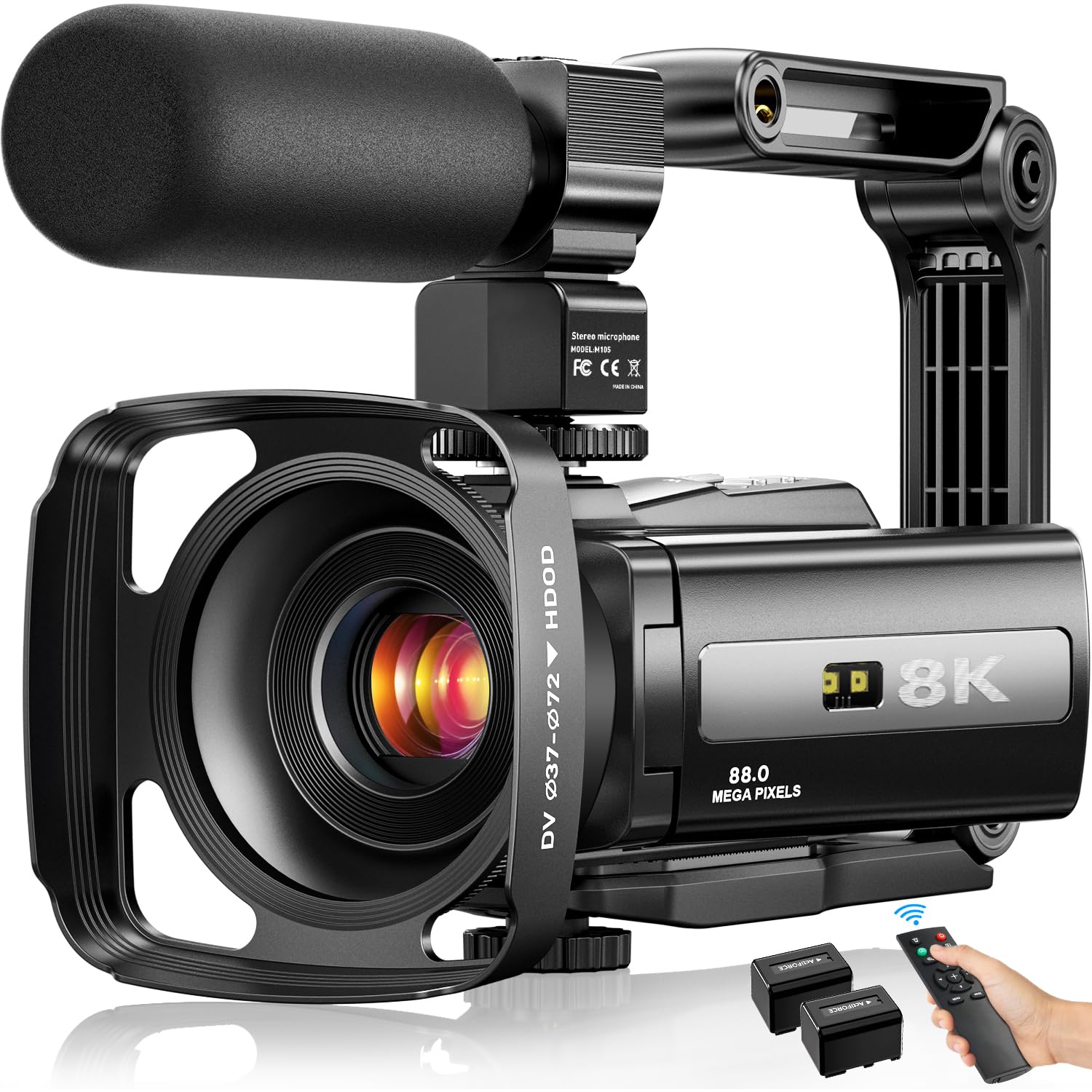
4. FlyFrost 8K UHD WiFi Camcorder (P1)

The lowest barrier to 8K resolution for families on a tight budget.
Like its sibling, this FlyFrost model records at an 8K resolution (4320 pixels wide — higher than 4K’s 3840 pixels) and captures 88MP still photos using a 6-axis gyroscope autofocus (a system that uses motion sensors to keep the image sharp). It comes with a 32GB SD card pre-installed, two batteries, a lens hood, a handheld stabilizer, an external microphone, and a 2.4G remote control. Image quality is the most-discussed strength — owners consistently call the picture “surprising clear and sharp,” and the flip-out 3-inch touch screen that rotates 270 degrees makes selfie-style filming easy for family vlogs.
The WiFi connection (using the iSmart DV2 app) lets you wirelessly transfer clips to your phone for quick sharing on social media. The IR night vision captures black-and-white footage in the dark, and the webcam function (USB connection to a computer) turns it into a high-quality webcam for video calls or live streaming. Ease of use and value for money are the next most-praised aspects, with several owners mentioning how straightforward the controls are for beginners.
The main caution: a small number of owners mention difficulty transferring files — the MSDC mode (Mass Storage Device Class — the mode that lets a computer see the camera as a drive) can crash, and the iSmart DV2 app has mixed reviews for connection reliability. The 8K recording runs at 15fps (15 frames per second), which looks choppy — you will likely use the 4K mode at 30fps for smoother video. The 88MP still resolution is interpolated, meaning the sensor captures a lower resolution and software stretches it to 88MP; real-world photo quality is decent but not comparable to a dedicated 88MP sensor.
Budget reality check: Image quality shines for the price — the thing owners praise most is how clear and sharp the footage looks for an entry-level camcorder. The included accessories and dual batteries make it ready to use immediately.
Best if: your budget is tight and you want the highest resolution number on the spec sheet with all the basic accessories in the box.
Think twice if: you need smooth 8K video (15fps is jerky), reliable app-based file transfer, or professional-level photo quality.
5. Yollner 8K 64MP Video Camera
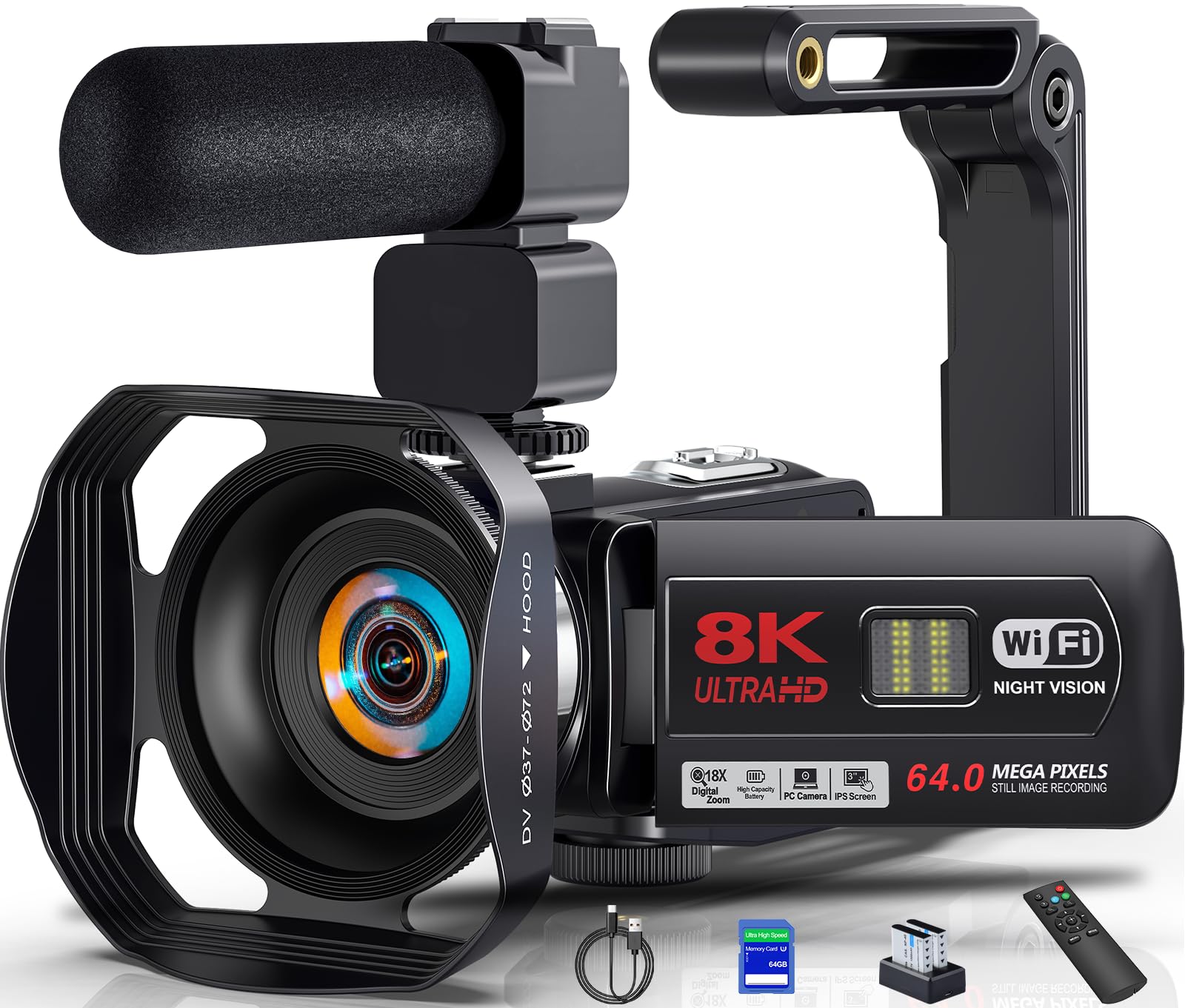
The one with the strongest owner satisfaction score in the budget zone.
This Yollner camcorder shares the same blueprint as the FlyFrost models — 8K resolution, an 18x digital zoom, a 3-inch IPS touch screen that rotates 270 degrees, IR night vision, and WiFi connectivity — but it adds a 64GB SD card instead of the usual 32GB and uses the “HDV Cam” app for wireless file transfer. The big differentiator here is the owner sentiment: the highest rating in this budget tier. Owners consistently say the picture quality is good, the touchscreen responds well (one describes it as “fun and easy to use”), and the WiFi connection makes transferring videos and photos easy. A 12-year-old aspiring blogger got this as a reward and loved it, suggesting the controls are genuinely kid-friendly.
The package includes two NP-40 lithium batteries, a charging cradle (so you can charge both batteries at once outside the camera), a lens hood, a handheld stabilizer, and a 2.4G remote that works up to 50 feet away. The external microphone uses X-Y stereo pickup technology — two mic capsules arranged in a cross pattern to capture a wide, natural stereo field. The camera also functions as a webcam via USB and connects to an HDTV through an HDMI cable (not included) for playback on the big screen.
Like other digital-zoom camcorders, the 18x zoom loses sharpness as you push it in. The 8K resolution runs at a lower frame rate, so you will mostly shoot in 4K for smooth motion. A few owners found the manual needed to learn the button functions, but the consensus is that the camera is easy to pick up and start using immediately.
Why owners love it
- Highest owner-satisfaction score in the budget tier — nearly all ratings are perfect
- Includes a 64GB SD card, two batteries, and a charging cradle for extended recording sessions
- External microphone and stabilizer improve the sound and smoothness noticeably
- WiFi and the HDV Cam app simplify sharing clips to a phone
The trade-off to know
- Digital zoom degrades image quality — use it sparingly
- 8K is lower frame rate; stick to 4K for smooth family video
- Controls require a read of the manual for full access to all functions
Best for: families who want the most accessories per dollar and value the highest owner-rating for reassurance that the camera works well from the start.
Less ideal for: anyone needing true optical zoom or expecting 8K footage at standard 30fps playback speed.
6. FJFJOPK 5K Video Camera
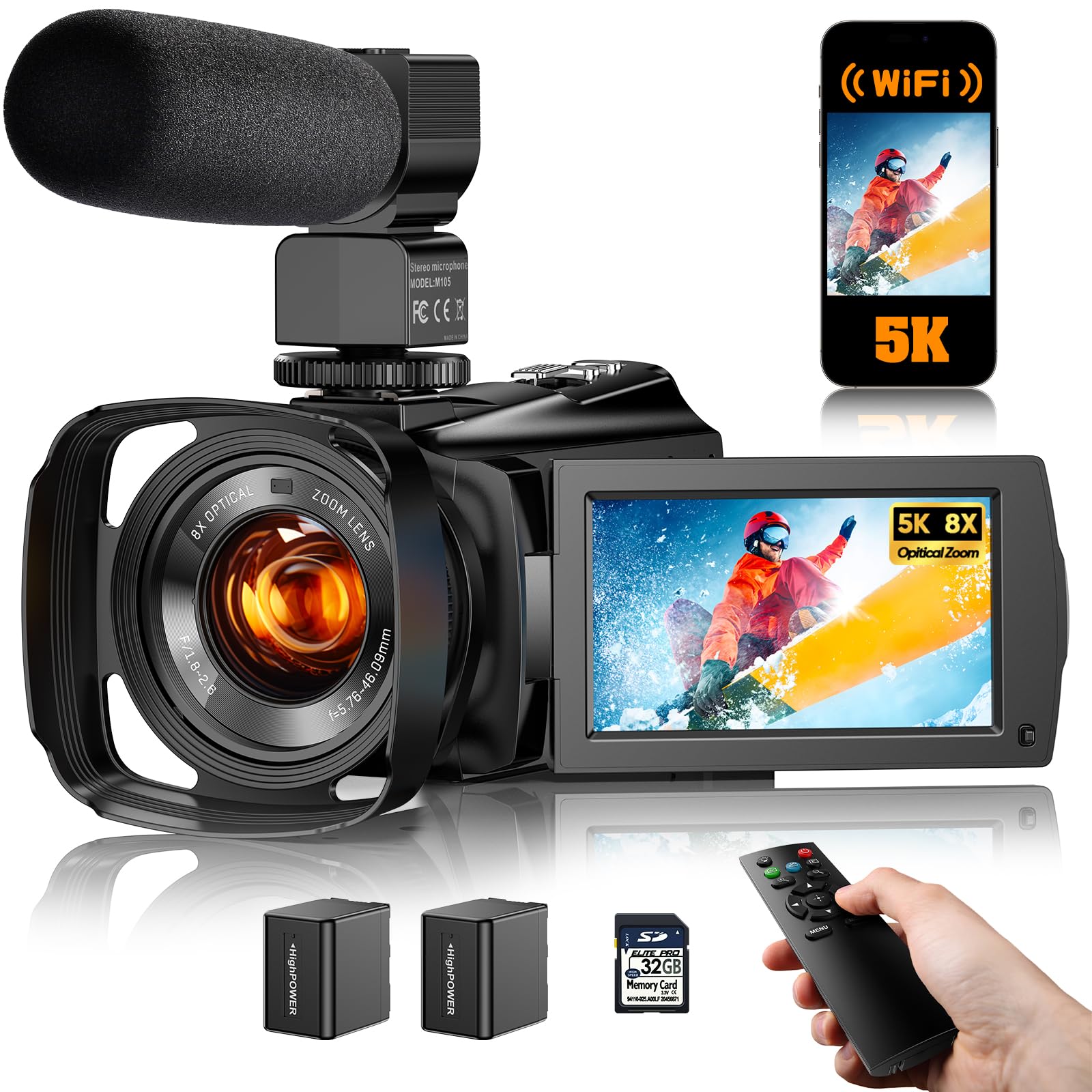
The only budget camcorder here with real optical zoom — glass that reaches without losing detail.
This is the most important distinction in the whole guide: the FJFJOPK has an 8x optical zoom, meaning glass elements physically move to magnify the scene. You can stand at the back of a school auditorium and get a clear, detailed close-up of your kid on stage because optical zoom preserves full resolution. Every other budget camera here uses digital zoom, which simply crops the picture and stretches the remaining pixels, causing blur. The 8x optical zoom is paired with a customizable zone autofocus — you can choose manual focus, single-shot focus, or continuous autofocus, and a TOF laser assist (Time of Flight — a laser beam measures distance to lock focus instantly) helps in low light.
It records at 5K resolution (5120 pixels wide) and captures 64MP still photos. The 3.6-inch IPS touch screen rotates 270 degrees, larger than the typical 3-inch screens on the budget competitors. The full-color night vision is another differentiator — unlike the black-and-white IR night vision on the FlyFrost and Yollner cameras, this one shows night scenes in full color using available ambient light. The included accessories are comprehensive: a microphone, a remote control, two rechargeable batteries, a 32GB SD card, a camera bag, and an HDMI cable. Owners describe the image quality as “incredible” and love the stabilization, but the feedback is mixed on audio sync — a few customers note that the sound does not sync properly when recording at higher resolutions, and one owner had issues transferring files to a Windows 11 laptop via USB-C.
The optical zoom gives this camcorder a real advantage for families who film performances or sports. The trade-off is that the brand is less established, and the mixed reviews on audio sync and file transfer mean you should test it thoroughly within the return window.
Why this one stands apart: The 8x optical zoom is a genuine feature the other budget camcorders lack. If you film recitals, games, or anything from a distance, this is the only affordable camcorder here that can deliver a sharp close-up.
Choose this if: your primary need is zooming in from a distance without pixelating the image — the optical reach makes it the most capable family camcorder for live events in this price tier.
pass on it if: you need smooth audio sync at all resolutions or rely on low-maintenance USB file transfer with a Windows laptop — test compatibility first.
7. OPRKQEE 6K Camcorder

Three hours of continuous recording from a single charge — enough for the whole family event.
The headline feature here is the 4500mAh lithium battery, which powers the camcorder for about 3 hours of 6K recording. That is a meaningful advantage over the FlyFrost and Yollner models, which come with two smaller NP-40 batteries that you swap when one dies. A single 3-hour charge means you can start recording a birthday party, a school play, or a long family outing and not worry about the camera dying halfway through. It runs at 6K resolution (5760x3240p at 30fps) and also shoots 4K at 60fps (60 frames per second — noticeably smoother than 30fps) with an 18x digital zoom.
The 4-inch Ultra HD touch screen is the largest in this budget-to-mid-range lineup — a full inch bigger than the standard 3-inch screens — which makes framing shots and navigating menus easier, especially for older users or anyone who finds small touchscreens fiddly. The camera supports WiFi and the “Hello Cam” app for wireless file transfer and remote control. It includes a 64GB SD card, a lens hood, a 2.4G remote with 20-meter range, an external microphone, and a handheld stabilizer. Owners call the image quality excellent and one parent mentioned it “captures super cute moments of my children” with easy operation.
The compromises here are that this is a fixed-focus camera (no autofocus during recording — you set the focus before you start), and the 18x digital zoom is standard digital cropping. The 6K resolution at 30fps is smooth enough for most family clips, but the true resolution advantage over 4K is subtle on a typical TV.
The battery advantage
- A single 4500mAh battery runs for 3 hours at 6K resolution — no mid-event swap needed
- Largest screen in this group at 4 inches, making operation easier for all ages
- Includes 64GB SD card, external microphone, remote, and stabilizer in the box
- Owners consistently praise the image quality and ease of use
Before you buy
- Fixed-focus lens — you must set the focus distance before recording
- Digital zoom loses quality quickly at the long end
- 6K footage at 30fps is smooth but the upgrade from 4K is modest on most screens
Best for: families who need extended recording time without juggling battery swaps — the 3-hour runtime is the best in its class.
Not for: shooters who rely on continuous autofocus during video or need to zoom in optically without losing detail.
8. Canon VIXIA HF R800 (Renewed)
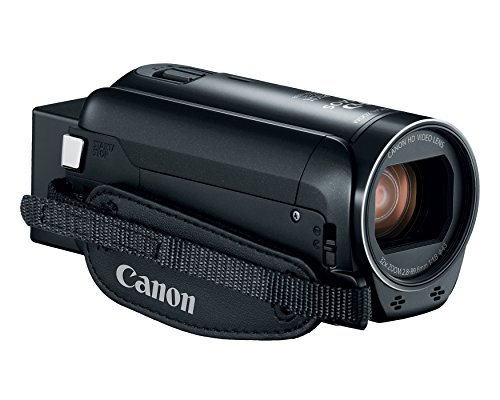
The traditional hand-held camcorder with a zoom range that reaches across the entire soccer field.
This is the camcorder your parents probably used — a classic hand-held shape with a lens that extends to 57x advanced zoom (32x optical plus digital boost) and a 32.5-1853mm focal length range. That means you can stand at the back of a soccer field or the last row of a theater and zoom in on one face with genuine optical clarity. The Canon 3.28 Megapixel full HD CMOS sensor and Digic DV 4 image processor are not cutting-edge by 2025 standards, but they produce warm, natural-looking footage that the “best family camcorder” category was built around. The SuperRange Optical Image Stabilizer corrects for hand shake even at full zoom, a real challenge on long lenses.
It records in full HD (1920×1080) — not 4K — which is the honest trade-off. For families who watch footage on a 50-inch TV or a phone, 1080p still looks great, and the massive zoom reach is a bigger practical advantage than pixel count for most sports and recital scenarios. Owners call it lightweight, straightforward to operate, and effective in low light. The menu system is simple and familiar to anyone who has used a Canon camcorder before. It records in MP4 format onto an SD card.
The “Renewed” label means this is a refurbished unit, not brand-new, which is why the price sits where it does. Some buyers find it slightly overpriced for a refurbished 1080p model, and the left-handed users among the reviews note the controls are oriented for right-hand operation. The zoom and autofocus are the standout features here — the recurring positive is quality and functionality — but the 1080p limit and the refurbished condition mean this pick serves a specific buyer who values zoom over resolution.
Zoom king — with a catch: A 32x optical zoom is class-leading in this guide — no gimbal camera comes close. But you trade 4K resolution and brand-new warranty for that reach. Owners appreciate the lightweight build and easy operation.
Choose this if: your main family use is filming distant action — soccer, baseball, theater, dance recitals — and 1080p video on a TV screen looks perfectly good to you.
Think twice if: you want 4K resolution, a brand-new unit with full warranty, or left-handed control placement.
9. Canon PowerShot V10

A pocket camera that stands on its own — no tripod needed for desk or tabletop filming.
The PowerShot V10 is built around a 15.2-megapixel 1-inch back-illuminated CMOS sensor (the same type of large sensor found in the DJI and Xtra Muse) and a fixed 19mm wide-angle lens (equivalent to 19mm on a full-frame camera — a wide field of view that fits multiple people in the frame). The unique trick is the built-in stand that folds out from the body — set the camera on a table, flip up the 2-inch flip touchscreen, and start recording hands-free. That makes it ideal for recording the family around the dinner table, capturing a conversation, or filming a cooking session without a separate tripod.
It records 4K video at up to 30fps (30 frames per second — standard smooth video) and full HD at up to 60fps, with three image stabilization modes (IS Off, IS On, and IS Enhanced) available after a firmware update (version 1.2.0 or later). The stereo microphone system uses three microphones — a pair for stereo capture plus a third in the middle to cancel background noise. The camera connects to your phone via WiFi and Bluetooth for file transfer and remote control using the Canon Camera Connect app. Owners praise the size — it fits in a fanny pack — and the video quality in both sun and low light. One buyer summed it up: the video and audio quality are great.
The major limitation is that there is no zoom at all during video recording — 3x digital zoom is available for still photos, but while filming you must rely on the fixed wide-angle lens. The battery lasts about 1 to 2.5 hours of recording, which owners describe as short compared to traditional camcorders, and the lens is exposed with no included lens cover, so fingerprints are a constant annoyance.
Why families like it
- Built-in folding stand lets you record hands-free anywhere — no tripod needed for tabletop shots
- 1-inch sensor delivers clean, bright low-light footage for indoor family events
- Pocket-sized design fits in a bag or fanny pack for easy carrying
- Three-image stabilization modes keep handheld footage reasonably smooth
The real compromises
- No zoom during video recording — you are locked to a wide-angle view
- Battery life draws the most negative feedback, with owners finding it insufficient for long events
- Exposed lens collects fingerprints and requires careful handling or a separate case
Perfect for: families who film close-up content around the house — cooking, conversations, desk vlogs, and travel clips where a small camera is more convenient than a full-sized camcorder.
Not for: filming from a distance, recording long events without a battery bank, or anyone who needs zoom flexibility during video.
Understanding the Specs
Gimbal vs Electronic Stabilization
Stabilization is the single biggest factor in whether family footage looks professional or shaky. A 3-axis gimbal uses tiny motors to physically float the camera lens — it cancels out footsteps, bumps, and panning jitter. Electronic stabilization (EIS) crops the image slightly and uses software to smooth it out. The gimbal is far more effective, especially when you are walking or running, but it adds size and cost to the camera. EIS is fine for static shots or slow pans, but you will see residual shakiness during active family moments.
Optical vs Digital Zoom
Optical zoom moves glass elements inside the lens to magnify the image without reducing quality. It is the only zoom that matters for school plays, recitals, and sports — you can stand at the back and still get a crisp close-up. Digital zoom simply crops the center of the picture and stretches the remaining pixels, creating a blurred, blocky image the more you push it. A camcorder with 8x optical zoom beats one with 100x digital zoom every time for distance shots. For close-range home and travel filming, you can get by without optical zoom entirely — the gimbal cameras prove that.
Sensor Size and Low-Light Performance
A larger sensor captures more light, which directly affects how your video looks indoors, at dusk, or in dim rooms. A 1-inch CMOS sensor (found in the DJI, Xtra Muse, and Canon V10) produces significantly cleaner, brighter, and less grainy footage in low light than the smaller sensors found in budget camcorders rated at 8K or 6K. When you are filming a birthday party in a living room with lamps instead of overhead lights, the 1-inch sensor is the difference between usable footage and a grainy mess. This is the spec that matters more than the megapixel count for typical family use.
Battery Life for All-Day Events
Battery life on a family camcorder determines whether you capture the whole event or miss the finale. The 3-hour runtime of the OPRKQEE is the standout in the budget tier. Most camcorders in the mid-range rely on removable batteries you swap — if the camera comes with two, you effectively double your recording time. The DJI and Xtra Muse manage around 160 minutes, enough for a full afternoon. The Canon PowerShot V10 has the shortest battery, at 1 to 2.5 hours, which owners note as its weakest point. If you regularly film events longer than 2 hours, prioritize a camera with a long internal battery or one that comes with two spares in the box.
FAQ
Should I get a camcorder or just use my smartphone?
What is the difference between optical zoom and digital zoom?
Do I need 8K resolution for family videos?
What is a 1-inch CMOS sensor and why does it matter?
How much zoom do I really need?
Can I use a family camcorder as a webcam?
Which camcorder is best for a beginner who has never used one?
What SD card speed do I need for 4K or 8K video?
Can I use an external microphone with these camcorders?
Do any of these camcorders have image stabilization while walking?
Final Thoughts: The Verdict
The honest truth about the family camcorder market today is that there is no single perfect camera — you choose which trade-off fits your filming style. For most families who shoot daily life at home, on walks, and during trips, the DJI Osmo Pocket 3 delivers the smoothest footage you can get in a pocket-sized package, and the gimbal stabilization transforms simple clips into something you actually want to watch. If your family calendar is packed with recitals and soccer games where you need to zoom in from a distance, grab the Canon VIXIA HF R800 for its class-leading 32x optical zoom. And for the budget-conscious family who wants a full bundle with everything in the box, the FlyFrost 8K offers solid video quality and the most accessories per dollar — just know you are trading away gimbal smoothness and optical zoom for the price. The camcorder you actually carry is the one that captures the moments. The DJI’s pocket-friendly design ensures it accompanies you to the park, making it the most-used camera for most families.
How We Picked
We do not accept paid placement. Every pick is matched to a real buyer and a real use-case; we do not hands-on test units.
Sources & Methodology
Specifications: manufacturer listings and product documentation. Review insights: verified customer reviews, as of July 2026. Pricing: not shown on this page (it changes often); check the current price via the retailer link.
As an Amazon Associate, WellFizz earns from qualifying purchases. This does not affect which products we feature.
Related Guides

Mo Maruf
I created WellFizz to bridge the gap between vague wellness advice and actionable solutions. My mission is simple: to decode the research and give you practical tools you can actually use.
Beyond the data, I am a passionate traveler. I believe that stepping away from the screen to explore new environments is essential for mental clarity and physical vitality.