Our readers keep the lights on and my smoothie glass nicely filled. As an Amazon Associate, I earn from qualifying purchases.
Specs are compiled from manufacturer listings and verified buyer reviews and can change over time — please confirm the key details on the product page before buying.
You worry the moment a senior parent or grandparent steps out of sight — a fall could happen and no one would know until it’s too late. The nine automatic fall detection devices below solve that fear. They range from simple pendants to full-home systems. Use this guide to match the right one to the person’s lifestyle and living situation without guesswork.
I’m Mohammad Maruf — the founder and writer behind WellFizz. This guide is built by comparing the manufacturers’ published specifications and the patterns across verified customer reviews, so you get each pick’s real strengths and trade-offs instead of marketing spin.
Picking the best fall detection devices for seniors depends on three things: detection reliability, battery endurance, and the speed of getting help.
Our Picks at a Glance

How To Choose The Best Fall Detection Devices For Seniors
Picking the right fall detection device is about the senior’s daily routine, how they live, and who they want notified in an emergency. Here is what you need to weigh before buying.
Type of Device: Pendant, Watch, or In-Home System
A pendant (a necklace-like device worn around the neck) is the most traditional and reliable form factor for fall detection — it stays on the body and includes a button for manual help. A watch offers more discreet protection and adds health tracking like heart rate and step count. An in-home system uses motion sensors placed around the house to detect falls and unusual activity. That works well for a senior who keeps a predictable daily routine and does not want to wear anything.
Subscription vs. No Monthly Fee
Most devices with a dedicated emergency call center charge a recurring monthly fee for monitoring services — usually between and. A few products let you skip the subscription entirely. Instead, they send alerts directly to family members’ phones through an app. This suits families who want to be the primary responders instead of using a third-party call center. You trade off professional 24/7 response for a cheaper or free ongoing price.
Battery Life and Reliability
A device that needs charging every 12 hours frustrates a senior who may forget. Look for a device that lasts at least two to three days between charges — the best in this roundup go up to about six days. Also check whether it uses a simple dock (just set it down to recharge) or a magnetic cable, which is easier for arthritic hands than a standard plug. A reliable device also needs strong cellular coverage — most run on AT&T or Verizon 4G LTE networks — so check which carrier has good service in the senior’s home and regular outdoor areas.
Optional Fall Detection and Customizable Alerts
Not all automatic fall detection is the same. Some devices detect falls and immediately call a monitoring center. Others just send an alert to family. A few let you adjust the detection sensitivity and set up geofencing (a virtual boundary on a map that sends an alert if the senior leaves a designated safe zone). For a senior with dementia who may wander, a geofence feature is arguably more important than fall detection itself. For a senior living alone with good mobility but at risk of a sudden fall, a device that automatically calls for help even when they cannot press a button is the priority.
Quick Comparison
| Model | Best For | Battery Life | Detection Type | Monthly Fee | Amazon |
|---|---|---|---|---|---|
| 321 Alert Mini X2★ Best Overall | Best Overall | 6 days | Auto Fall + SOS Button | /mo | Amazon |
| Family First Alert MG MiniSmart Value | Easiest Activation | 5 days | Optional Auto Fall + SOS | /mo + /mo for Fall | Amazon |
| Bay Alarm Medical SOS MobileTrusted Brand | Trusted Brand | ~6 days (144 hrs) | Optional Fall Detection | ~/mo | Amazon |
| Lively Mobile2 | Biggest User Base | Several days | Optional Auto Fall + SOS | /mo for Fall Detection | Amazon |
| Fajocru Smart Watch | No Monthly Fee | Days (600mAh) | Auto Fall + SOS | (1-yr data included) | Amazon |
| SecuLife Pendant | Family-First Alerts | Up to 6 days | Auto Fall + SOS Button | /mo | Amazon |
| SecuLife Smartwatch | Health + Safety Combo | ~12 hours | Auto Fall + SOS Button | /mo | Amazon |
| SureSafe Dementia Tracker | Wandering Alerts | 24-48 hrs (geofence on) | Auto Fall + SOS + Wandering | /mo (3 mos incl.) | Amazon |
| Nomo Smart Care | No Wearable Needed | Hub plugged in | Motion + Fall Sensor Tags | /mo (60-day trial) | Amazon |
In‑Depth Reviews
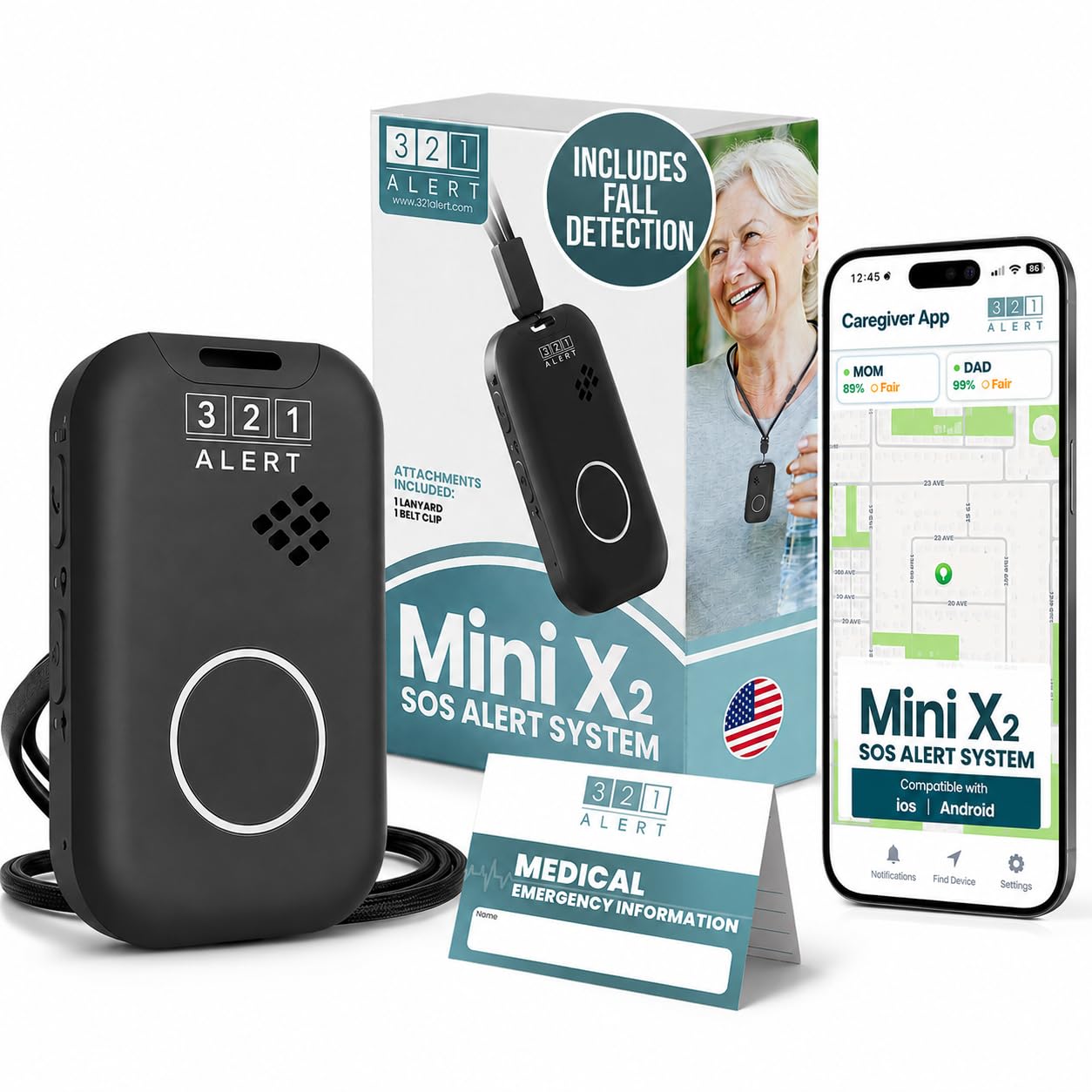
1. 321 Alert Mini X2 Medical Alert System
Our pick — over 4.5★ from 60+ verified ratings; the strongest balance of quality and price.
The pendant that balances battery longevity with a near-instant lifeline to live operators.
The biggest worry for a senior living alone — or the family watching from afar — is the gap between a fall and help arriving. The 321 Alert Mini X2 closes that gap with automatic fall detection. When it detects a fall, it triggers a 24/7 emergency response center even if the wearer cannot press the SOS button. The unit runs on 4G LTE cellular (no smartphone required) and includes GPS location. That way responders know exactly where to go, whether the user is in the garden, at the grocery store, or across town.
What wins people over is how simple the activation is. Setup draws the most praise from owners. The consensus is that setting up a 79-year-old parent takes minutes, not an hour. The battery average life of 6 days is the best in this roundup, and the dock makes recharging easy. At 4.6 stars across a smaller but devoted owner base, it beats the other pendants on confidence. The trade-off is the monthly monitoring fee to keep the service active. Most families find the price justified given the 1-year warranty and the fact that the call center talks to real people, not an automated tree.
The look is a traditional pendant on a lanyard, which feels reassuringly familiar to seniors who resist change. It is also water-resistant for showers and rain. The recurring downside from a few owners: occasional connectivity hiccups depending on local cellular signal, so check the carrier coverage map first.
Compact reliable alert
- 6-day battery life — best in this guide for a pendant
- Auto fall detection calls a live operator even if the wearer can’t press the button
- GPS and 4G LTE work coast-to-coast (USA only)
- Simple setup — most buyers report less than 10 minutes
Limited range indoors
- Monthly subscription required (starts at /mo)
- Relies on cellular coverage — not ideal for areas with weak signal
- Traditional lanyard style, not discreet for everyone
Small home user: you want a proven pendant with the longest battery life and automatic fall detection that connects directly to a 24/7 monitoring center.
Large space dweller: the family wants to be the sole responder (you prefer an app-based alert) or the senior lives in a cellular dead zone.
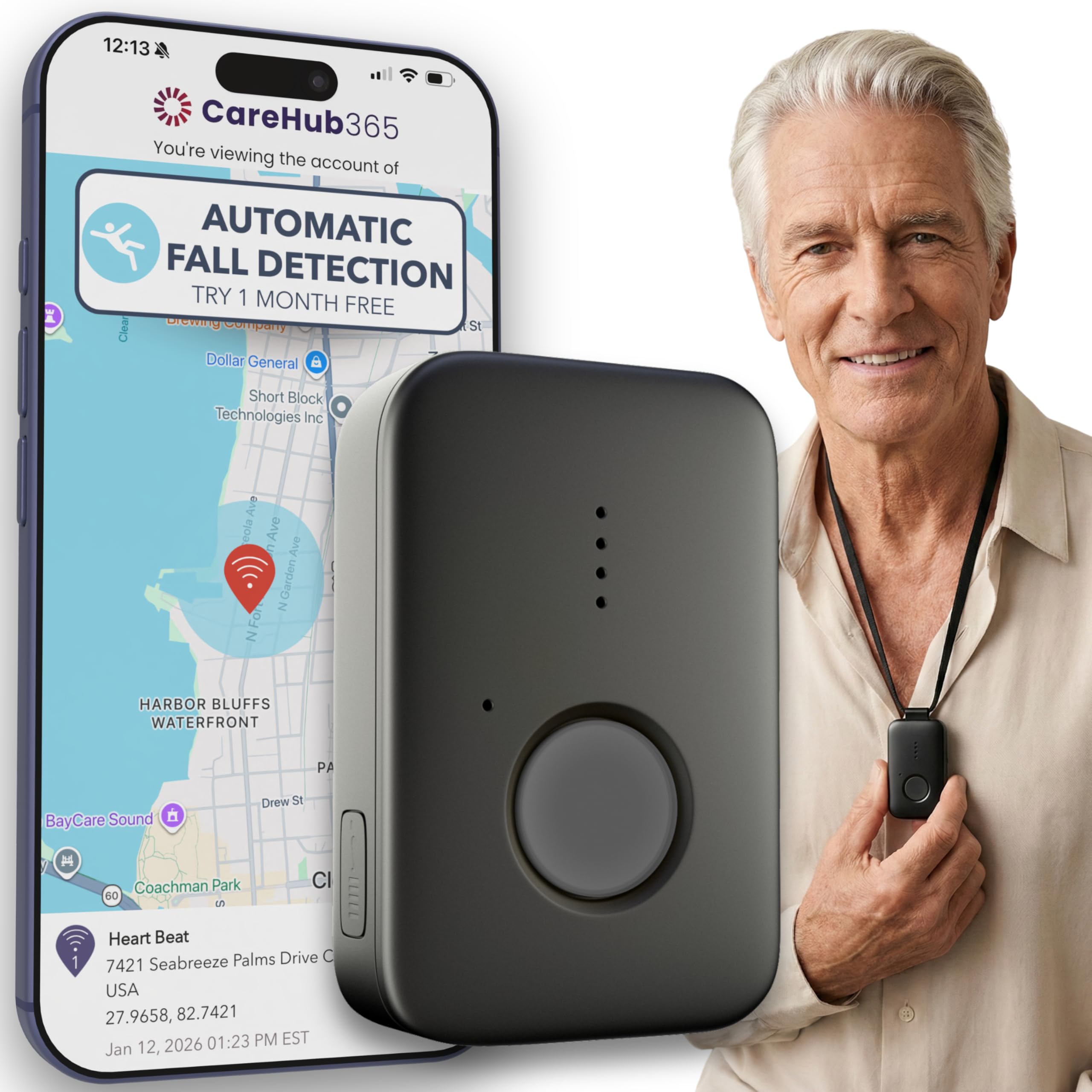
2. Family First Alert MG Mini
A straightforward pendant that dual-carrier coverage keeps connected almost everywhere.
Where some pendants lock into a single cellular network, the MG Mini runs on both Verizon and AT&T 4G LTE — that means a backup network if one carrier has weak signal in the senior’s home or usual outdoor spots. The device itself is compact (1.3 x 0.5 x 2.3 inches) and the two included lanyards plus a belt clip give options for how to wear it.
Fall detection is an optional add-on at per month on top of the monthly monitoring fee. That keeps the base cost lower for families who may only want the SOS button. The battery average life is 5 days — solid, though a day shorter than the top pick (the 321 Alert Mini X2). What families note most is the customer service: owners mention that a representative named Michael calls after activation to confirm everything works, which removes the “did I set this up right?” anxiety. Setup is described as very easy, and the unit is water-resistant for shower use.
The honest catch: at 17 ratings, the sample size is small, so the 4.4-star average is less battle-tested than Lively or Bay Alarm. Also, fall detection being optional rather than automatic at the base price means you need to remember to add it during activation.
Cost-conscious buyer: families who want the widest possible cellular coverage (dual-network) and a low base subscription cost, plus responsive customer support.
Fall risk senior: you want automatic fall detection included in the base fee without a monthly upcharge.
3. Bay Alarm Medical SOS Mobile GPS
A featherweight pendant from a known name, though battery life draws the most complaints.
Bay Alarm Medical is a well-recognized brand in the medical alert space. The SOS Mobile GPS device lives up to that reputation for the core function — connecting to a live operator with a single button push. The device weighs under 2 ounces and measures just 2.72 x 1.38 x 0.57 inches, making it one of the lightest pendants here. It includes a lanyard with a magnetic clasp (a safety feature that releases if the cord catches on something) and a belt clip.
Reliability is the top praise from owners — the device works consistently when tested and connects quickly. The free Caregiver app lets family check battery level and location. The battery is rated at 144 hours (about 6 days) in the specs, but the recurring theme from owners is that real-world battery life is closer to 2 days before the low battery warning appears. This is the biggest gap between spec and experience in this guide. The 4.1-star average across 95 ratings is solid but reflects that battery disappointment alongside the praise.
Fall detection is optional and available only with a subscription. The SOS button is one-touch and simple, and the device works as a standalone unit — no smartphone required. For a senior who needs the most reliable emergency button in the lightest possible package, this is a strong contender if you can live with more frequent charging than the spec sheet suggests.
Active senior: brand trust and a super-light pendant (under 2 oz) with a magnetic lanyard clasp are your top priorities, and you don’t mind charging every two days or so.
Low budget user: you need maximum battery endurance between charges — owners mention the real-world runtime falls well short of the 144-hour claim.
4. Lively Mobile2 Medical Alert Device

The most-reviewed device here, and the fastest call response time adds real reassurance.
With 251 ratings, the Lively Mobile2 has the largest owner base of any device in this guide. That real-world feedback gives it a level of proven reliability that newer products can’t match. The standout claim is the fastest call response time — one press of the Urgent Response button connects you to a live agent in seconds, not minutes. The device is fully waterproof (shower, pool, rain) rather than just water-resistant, which is a meaningful upgrade for seniors who don’t want to remove it for bathing.
Fall detection is available as an add-on for per month. It works automatically: if the sensor detects a fall, it connects to the care team even if the user can’t press the button. The device also sends automatic notifications to family via a smartphone app. It runs on cellular (no landline or base station needed) and is small and lightweight enough to clip onto a belt or slip into a pocket — it doesn’t have to be worn visibly around the neck.
The mixed feedback revolves around battery life: some customers note it holds a charge for very long periods, while others find it needs frequent charging. Also, the belt clip has been noted as fragile by a few users. At 4.2 stars, it’s a reliable middle-ground pick that benefits from a huge user community and responsive customer support.
Tech novice: you want the largest community-vetted device with the fastest emergency response time and a fully waterproof build for low-maintenance shower use.
Long trip user: battery life is inconsistent across units — some reviewers point out excellent endurance, others less so, and the belt clip can break with light force.
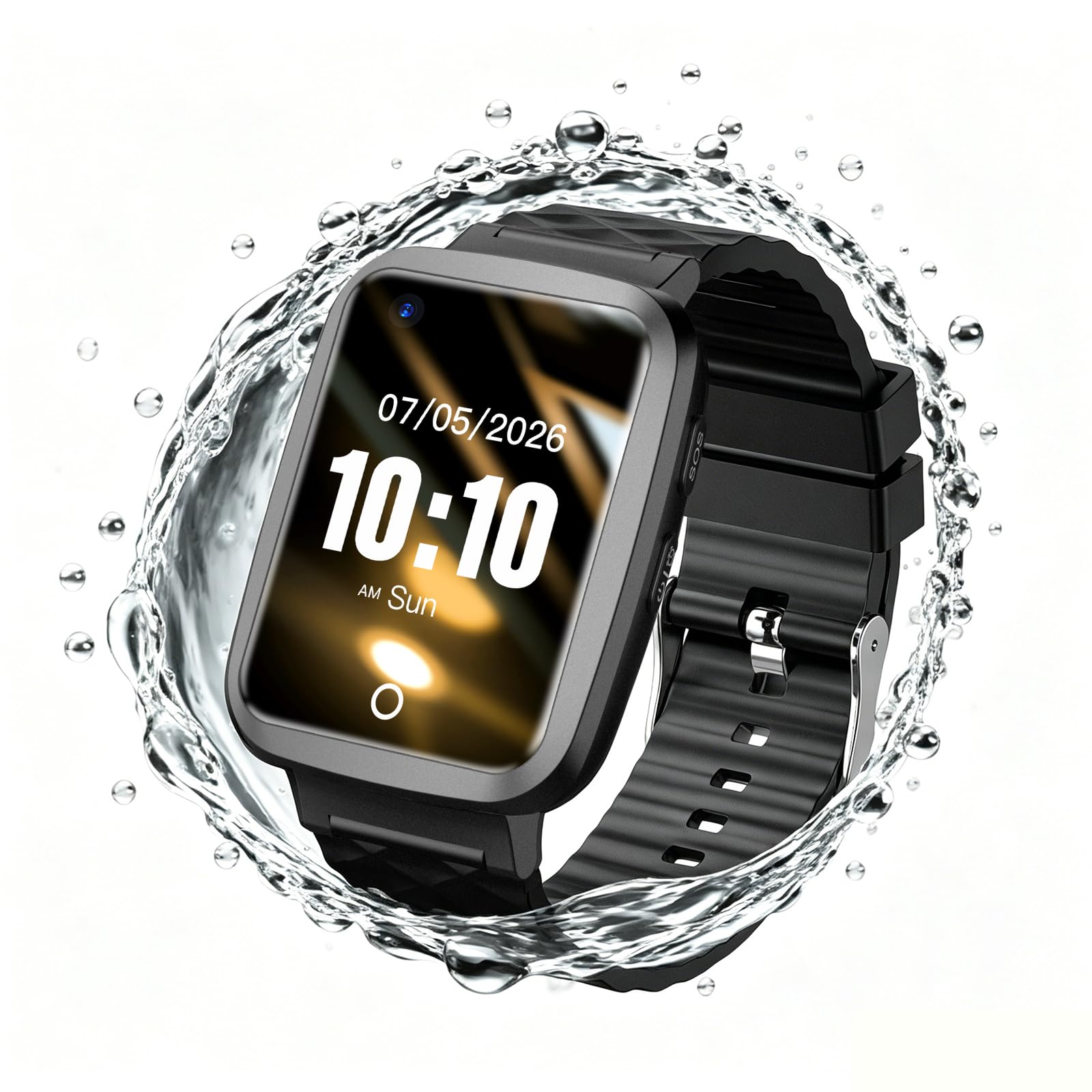
5. Fajocru Fall Detection Smart Watch
A smartwatch that cuts the monthly cord — automatic fall alerts to family with zero subscription fees.
This is the only device here that operates without any monthly subscription after a one-time charge, which makes it a radically different value proposition for budget-conscious families. The watch includes a pre-installed data-only SIM (Subscriber Identity Module — the card in a phone that connects to a cellular network) with one year of free service for fall alerts and GPS tracking. After that first year, you need to replace the SIM with a VoLTE-compatible card from a standard carrier. But there is no proprietary monitoring fee. The watch itself has a 600mAh battery that lasts for days, IP67 waterproofing for handwashing and rain, plus heart rate, blood pressure, and blood oxygen monitoring. Unlike the 321 Alert Mini X2, which alerts a call center, this watch sends alerts directly to family phones.
The automatic fall detection works by sensing a sudden fall and sending an SOS alert and a call to preset emergency contacts — no button press required. The GPS and geofencing features let caregivers set safe zones and receive alerts if the wearer wanders outside them. Two-way voice communication means the senior can answer calls directly from the watch without a smartphone. At 4.6 stars across 21 ratings, early owners are clearly satisfied, and the watch gets praised for being lightweight and comfortable.
The honest limitation: setup can be tricky. A few shoppers say difficulty activating the SIM, and the watch works best with a non-data SIM for voice calling (the pre-installed card is data-only). The customer service team is responsive and offers refunds for activation issues, but it’s not a “wear and forget” out-of-the-box experience.
Fashion-conscious user: families who want to avoid any recurring monthly fees and can navigate a slightly more complex initial setup for long-term savings.
Reliability seeker: the pre-installed SIM is data-only and may need replacing for full voice calling, and setup is not as smooth as a call-center pendant.
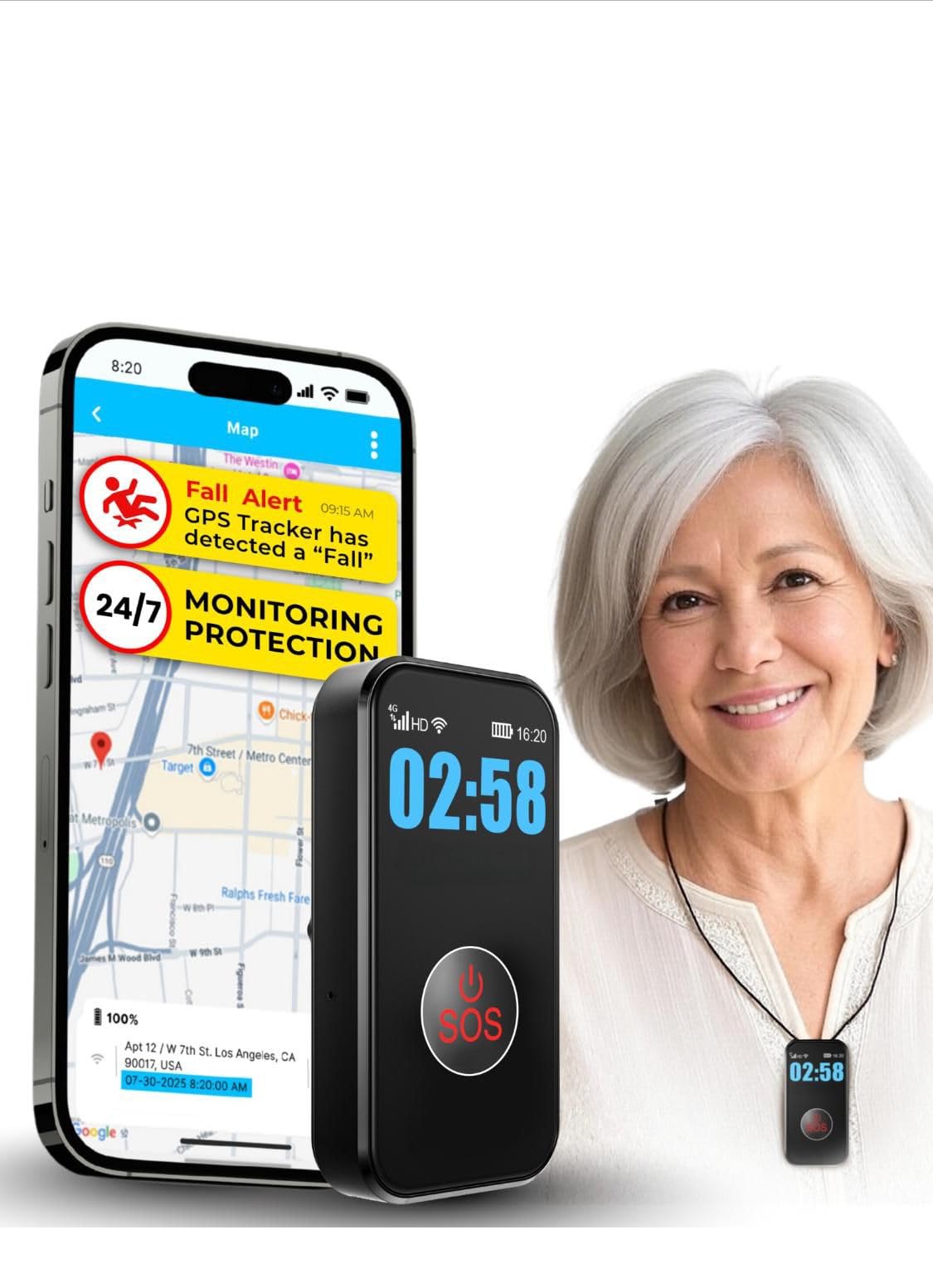
6. SecuLife Medical Alert Pendant
Alerts go directly to family instead of a call center, giving you real-time control over the response.
Most pendants in this guide route emergency calls through a third-party monitoring center. The SecuLife Pendant flips that model: when the automatic fall detection is triggered or the SOS button is pressed, it calls and texts the family contacts you have pre-programmed — not a distant call center. If you are the primary caregiver and want to decide the response (call a neighbor, go yourself, or dispatch emergency services), this gives you that direct control. The subscription is per month, which is on the lower end of the monthly fee scale.
The pendant includes a clear display showing time, battery level, and signal strength — unusual for a pendant and helpful for a senior who wants visual confirmation that the device is working. The battery lasts up to 6 days (with 1-hour interval tracking), and the device has a 1000mAh battery, which is larger than many rivals. Setup is rated very positively by owners — 57 mentions of easy setup — and the reliability of the GPS tracking is praised as accurate within a meter. Two-way calling works like a speakerphone, and the geo-fencing feature alerts you if the wearer leaves a designated safe zone.
The flip side: a small number of buyers report billing friction — repeated fraud alerts from banks during activation or a fee for early cancellation. While the product itself gets high marks, the backend billing process has room for improvement.
Shower user: direct-to-family alerts without a call center as middleman, and you value a clear on-screen display for the wearer.
Minimalist wearer: potential billing friction during activation — most owners have no issue, but a few encountered fraud flags with their bank.
7. SecuLife Cellular Medical Alert Smartwatch
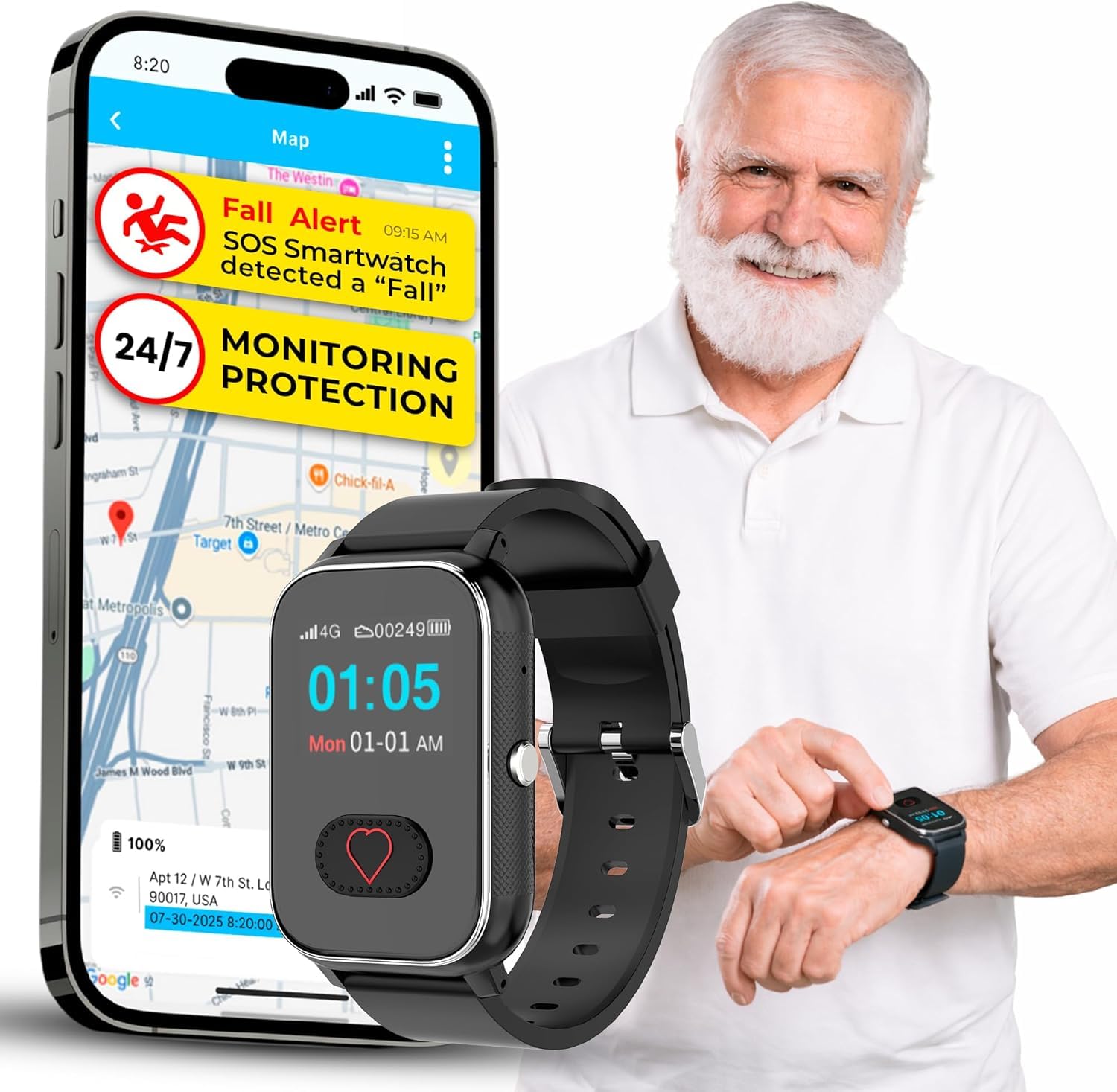
A smartwatch that tracks heart rate and blood oxygen alongside automatic fall alerts.
The same SecuLife platform as the pendant above, but in watch form — and that changes the use case significantly. This watch adds a heart rate monitor, blood pressure reference, blood oxygen sensor, and a pedometer (a step counter), making it a daily health companion as much as a safety device. The fall detection works the same way: hard falls trigger SOS alerts and calls to pre-set emergency contacts without a button press. The SOS button itself is activated by holding the heart button on the watch face for three seconds, which is easy even for arthritic hands.
The monthly fee is (higher than the pendant version), and like the SecuLife pendant, it routes alerts to your chosen contacts rather than a monitoring center. The watch runs on 4G/5G LTE networks for nationwide coverage. The design is more discreet than a pendant — it looks like a regular smartwatch — which may appeal to seniors who dislike the medical device look. It also includes medication reminders and call management (unknown numbers are blocked). The IP67 waterproof rating means it can handle handwashing and rain.
The honest trade-off: battery life is rated at 12 hours, which is dramatically shorter than every other device here. Owners confirm that a full charge lasts about one day. That means the wearer needs to charge it nightly, which could be forgotten. The average rating of 3.6 stars across 23 reviews is the lowest in this guide, with complaints about connectivity issues, a glitchy app, and the short battery. The health monitoring features are a bonus, not a clinical-grade tool.
Connected senior: you want a single device for both safety and basic health tracking, and you are willing to charge it every night.
Tech-averse user: reliable battery life for several days is non-negotiable — this watch needs daily charging to stay operational.
8. SureSafe Dementia Tracker
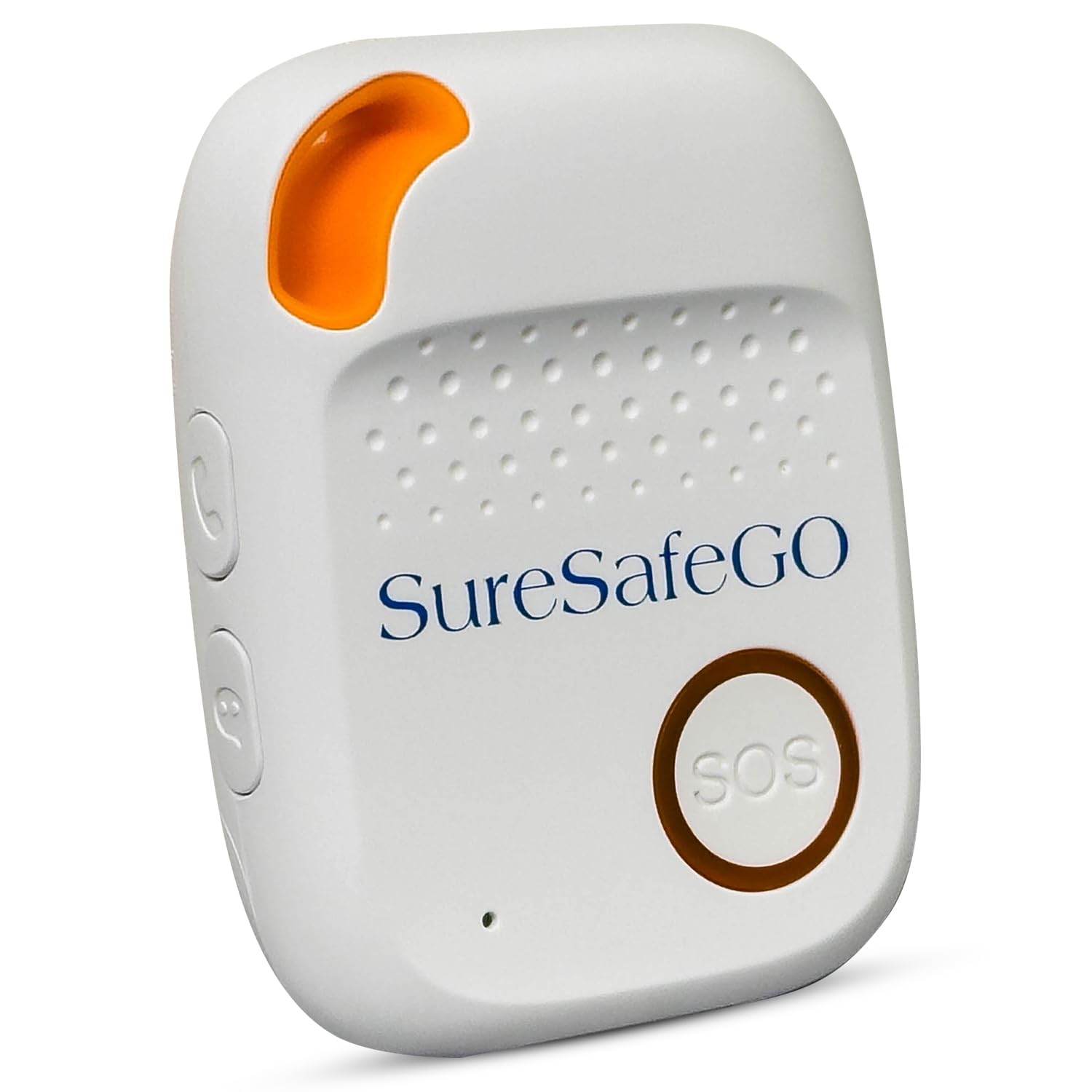
Built with dementia in mind — a pendant that tracks location and sends wandering alerts alongside fall detection.
For a senior with dementia or Alzheimer’s, the risk isn’t just falling — it’s wandering out of the home and getting lost. This device addresses that dual risk with GPS tracking that sends a wandering alarm to your phone if the wearer leaves a designated geo-fence zone. The fall detection automatically detects heavy falls and calls for help even without a button press. The SOS button itself contacts family and friends directly (not a monitoring center), which keeps the response within the family circle.
The first three months of service are included in the purchase price, with the subscription costing per month (billed quarterly) after that. The device uses AT&T’s 4G network for connectivity. It is designed as a necklace-style pendant, and the cord is adjustable. The customer service is praised as responsive, and the basic function of calling for help works reliably. The device is “small and efficient” according to one owner, and “perfect for our mother who lives on her own and tends to fall once in awhile.”
The recurring downsides from owners: battery life is significantly reduced with the geo-fence feature active — the spec notes it drops to 24-48 hours. A few owners mention the device won’t hold a charge well, with one stating it was “literally about 8 hours.” The pendant is described as heavy to wear by some, and the hardware is actually loaned, not owned — you must return it if you cancel service. The 3.4-star average is the lowest here, driven by battery complaints and the lack of hardware ownership.
Alzheimer’s caregiver: families caring for a senior with dementia who needs both fall detection and wandering alerts with geo-fencing.
Budget caregiver: battery life is poor with geo-fence active (24-48 hours reported), the device is heavy, and the hardware is loaned, not owned.
9. Nomo Smart Care In-Home System
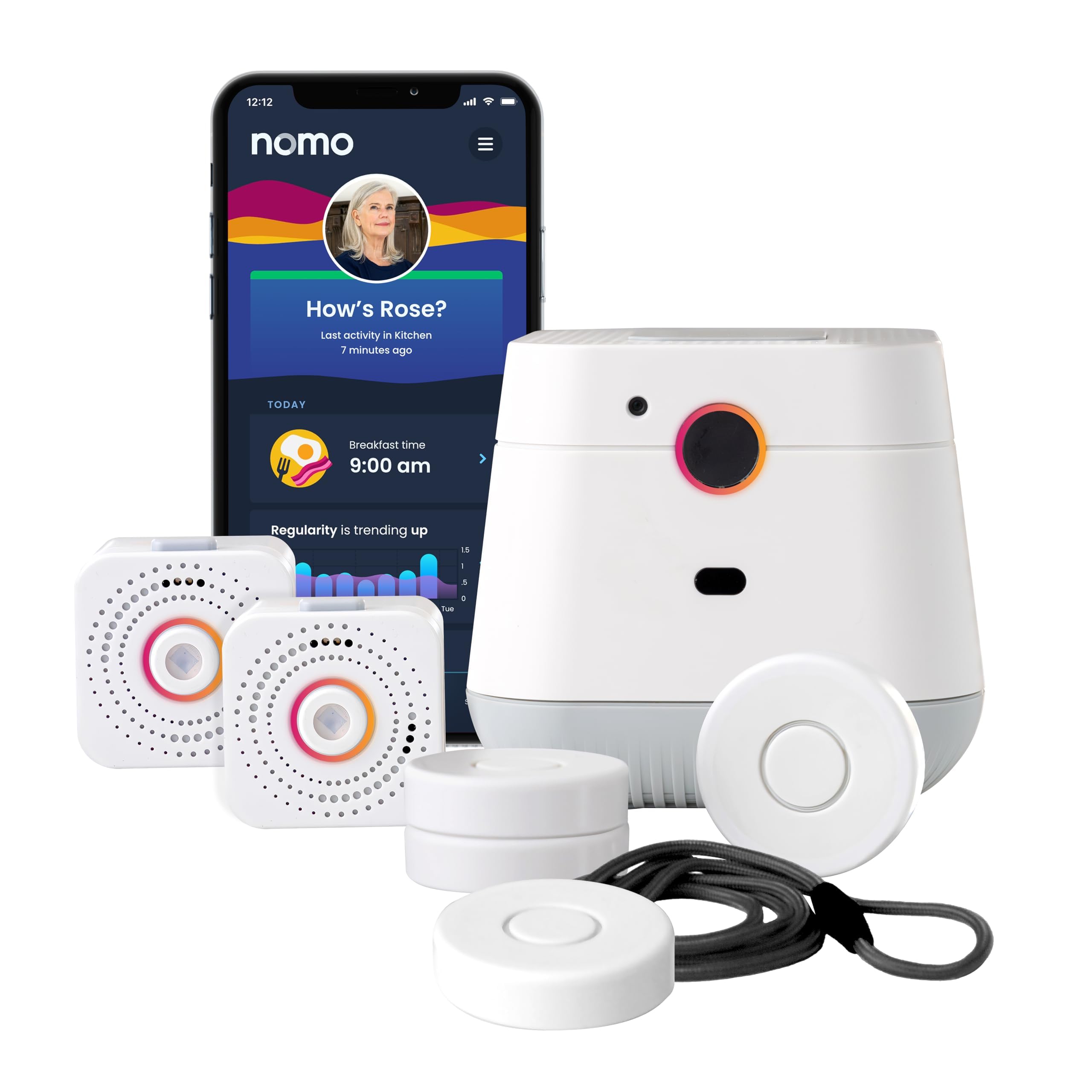
A camera-free in-home system that uses motion sensors to detect falls and unusual patterns — no pendant or watch needed.
This is the only option in this guide that doesn’t require the senior to wear anything at all. The Nomo Smart Care system consists of a central Hub, two motion-and-sound-sensing Satellites, and wearable Tags (which can be clipped to clothing or used as a panic button). The system learns the senior’s daily movement patterns and sends an alert if something is “off” — for example, no movement detected by a certain time in the morning, or a sudden fall event detected by the Tags. Because there are no cameras, the senior’s privacy is preserved while still being monitored.
The Tag with fall detection is the key piece: it clips onto a belt or pocket and detects unusual movements and falls, sending instant alerts to the caregiver’s smartphone via the app. The Hub also includes two-way voice communication so you can talk to the senior directly during an alert. The system includes a 60-day free trial of 24/7 monitoring with RapidSOS emergency services; after that, the subscription is per month — one of the lowest ongoing costs in this guide. Setup is plug-and-play — connect the Hub and Satellites to wall outlets — and the app is praised as intuitive.
The honest catch: the system is designed for in-home use only — it does not track the senior outside the house. Fall detection relies on the Tags being worn, so if the senior refuses to clip it on, the fall protection is lost. A single critical review mentions that the fall detection failed to trigger during two real-world falls, including one that resulted in a hip fracture. While most owners are very satisfied and find it works well for monitoring daily patterns, that one report is a serious flag for anyone relying on this as their sole fall detection solution.
Stationary senior: a senior who refuses to wear a pendant or watch but lives at home alone, and families who want a camera-free monitoring system for daily routine insights.
Traveling user: the fall detection via the Tags is not simple to use — a critical report of failure during real falls means you should not rely on this as your only fall protection if the risk is high.
Understanding the Specs
Battery Life and Charging
The battery endurance of a fall detection device is the most practical spec because a dead device is useless. Most pendants last between 3 and 6 days on a full charge, with the 321 Alert Mini X2 leading at 6 days. Smartwatches (like the SecuLife smartwatch) tend to last only about 12 hours because they power a screen and sensors constantly. Features like geo-fence tracking drain the battery faster — the SureSafe drops to 24-48 hours with that feature on. Look for a device with a simple recharge dock or a magnetic cable that is easy for arthritic hands to use. A device that needs daily charging may be forgotten by the very person it is meant to protect.
Cellular Connectivity and Coverage
Every wearable fall detector in this guide uses cellular networks (mostly 4G LTE) to send alerts and voice calls — they do not need a home landline or WiFi. This means they work anywhere there is cell service, including outdoors, grocery stores, and on walks. The quality of the connection depends entirely on the carrier: most run on AT&T or Verizon networks, but the Family First Alert MG Mini runs on both, giving it a coverage advantage in areas where one carrier is weaker. Before buying, check that the carrier used by the device has strong signal at the senior’s home and in the places they regularly visit. A device that constantly loses connection is just a piece of plastic.
FAQ
Do I need a landline or WiFi for these fall detection devices?
Will a fall detection device work if my loved one has dementia and wanders outside?
How does automatic fall detection actually work in these devices?
Can I use a fall detection device without paying a monthly subscription?
How long do the batteries last on a single charge?
Are these devices waterproof for showering or bathing?
What happens if my loved one falls but is not wearing the device?
Can I set up a fall detection device for a parent who lives in another state?
Final Thoughts: The Verdict
For most people, the best fall detection devices for seniors winner is the 321 Alert Mini X2 because it delivers the longest battery life (6 days), reliable automatic fall detection, and a responsive 24/7 call center at a reasonable monthly fee. If you want the largest community-vetted option and a fully waterproof build, the Lively Mobile2 is the safe choice. And for families who want to avoid any monthly fees and can handle a slightly more complex setup, the {“@context”: “https://schema.org”, “@graph”: [{“@type”: “ItemList”, “name”: “9 Best Fall Detection Devices For Seniors”, “url”: “https://wellfizz.com/best-fall-detection-devices-for-seniors/”, “numberOfItems”: 9, “itemListElement”: [{“@type”: “ListItem”, “position”: 1, “name”: “321 Alert Mini X2 Medical Alert System”, “url”: “https://wellfizz.com/best-fall-detection-devices-for-seniors/#product-1”}, {“@type”: “ListItem”, “position”: 2, “name”: “Family First Alert MG Mini”, “url”: “https://wellfizz.com/best-fall-detection-devices-for-seniors/#product-2”}, {“@type”: “ListItem”, “position”: 3, “name”: “Bay Alarm Medical SOS Mobile GPS”, “url”: “https://wellfizz.com/best-fall-detection-devices-for-seniors/#product-3”}, {“@type”: “ListItem”, “position”: 4, “name”: “Lively Mobile2 Medical Alert Device”, “url”: “https://wellfizz.com/best-fall-detection-devices-for-seniors/#product-4”}, {“@type”: “ListItem”, “position”: 5, “name”: “Fajocru Fall Detection Smart Watch”, “url”: “https://wellfizz.com/best-fall-detection-devices-for-seniors/#product-5”}, {“@type”: “ListItem”, “position”: 6, “name”: “SecuLife Medical Alert Pendant”, “url”: “https://wellfizz.com/best-fall-detection-devices-for-seniors/#product-6”}, {“@type”: “ListItem”, “position”: 7, “name”: “SecuLife Cellular Medical Alert Smartwatch”, “url”: “https://wellfizz.com/best-fall-detection-devices-for-seniors/#product-7”}, {“@type”: “ListItem”, “position”: 8, “name”: “SureSafe Dementia Tracker”, “url”: “https://wellfizz.com/best-fall-detection-devices-for-seniors/#product-8”}, {“@type”: “ListItem”, “position”: 9, “name”: “Nomo Smart Care In-Home System”, “url”: “https://wellfizz.com/best-fall-detection-devices-for-seniors/#product-9”}]}, {“@type”: “Product”, “position”: 1, “name”: “321 Alert Mini X2 Medical Alert System”, “image”: “https://m.media-amazon.com/images/I/71DELU+dHJL.jpg”, “brand”: {“@type”: “Brand”, “name”: “321”}, “url”: “https://www.amazon.com/dp/B0CBW2Y8DK/?tag=wellfizzmo-20”, “offers”: {“@type”: “Offer”, “url”: “https://www.amazon.com/dp/B0CBW2Y8DK/?tag=wellfizzmo-20”}}, {“@type”: “Product”, “position”: 2, “name”: “Family First Alert MG Mini”, “image”: “https://m.media-amazon.com/images/I/81Cru6MIAmL.jpg”, “brand”: {“@type”: “Brand”, “name”: “Family”}, “url”: “https://www.amazon.com/dp/B0DK4N9NYY/?tag=wellfizzmo-20”, “offers”: {“@type”: “Offer”, “url”: “https://www.amazon.com/dp/B0DK4N9NYY/?tag=wellfizzmo-20”}}, {“@type”: “Product”, “position”: 3, “name”: “Bay Alarm Medical SOS Mobile GPS”, “image”: “https://m.media-amazon.com/images/I/61NaOSD7L2L.jpg”, “brand”: {“@type”: “Brand”, “name”: “Bay”}, “url”: “https://www.amazon.com/dp/B0C4QTKR83/?tag=wellfizzmo-20”, “offers”: {“@type”: “Offer”, “url”: “https://www.amazon.com/dp/B0C4QTKR83/?tag=wellfizzmo-20”}}, {“@type”: “Product”, “position”: 4, “name”: “Lively Mobile2 Medical Alert Device”, “image”: “https://m.media-amazon.com/images/I/71w42hdLn5L.jpg”, “brand”: {“@type”: “Brand”, “name”: “Lively”}, “url”: “https://www.amazon.com/dp/B0CV83V94H/?tag=wellfizzmo-20”, “offers”: {“@type”: “Offer”, “url”: “https://www.amazon.com/dp/B0CV83V94H/?tag=wellfizzmo-20”}}, {“@type”: “Product”, “position”: 5, “name”: “Fajocru Fall Detection Smart Watch”, “image”: “https://m.media-amazon.com/images/I/71n49TuAvuL.jpg”, “brand”: {“@type”: “Brand”, “name”: “Fajocru”}, “url”: “https://www.amazon.com/dp/B0H5P3LDJB/?tag=wellfizzmo-20”, “offers”: {“@type”: “Offer”, “url”: “https://www.amazon.com/dp/B0H5P3LDJB/?tag=wellfizzmo-20”}}, {“@type”: “Product”, “position”: 6, “name”: “SecuLife Medical Alert Pendant”, “image”: “https://m.media-amazon.com/images/I/61FTVgThcfL.jpg”, “brand”: {“@type”: “Brand”, “name”: “SecuLife”}, “url”: “https://www.amazon.com/dp/B0FJY6RHW9/?tag=wellfizzmo-20”, “offers”: {“@type”: “Offer”, “url”: “https://www.amazon.com/dp/B0FJY6RHW9/?tag=wellfizzmo-20”}}, {“@type”: “Product”, “position”: 7, “name”: “SecuLife Cellular Medical Alert Smartwatch”, “image”: “https://m.media-amazon.com/images/I/71O7ZFpTeNL.jpg”, “brand”: {“@type”: “Brand”, “name”: “SecuLife”}, “url”: “https://www.amazon.com/dp/B0FJVRHZL6/?tag=wellfizzmo-20”, “offers”: {“@type”: “Offer”, “url”: “https://www.amazon.com/dp/B0FJVRHZL6/?tag=wellfizzmo-20”}}, {“@type”: “Product”, “position”: 8, “name”: “SureSafe Dementia Tracker”, “image”: “https://m.media-amazon.com/images/I/61tvlIIZElL.jpg”, “brand”: {“@type”: “Brand”, “name”: “SureSafe”}, “url”: “https://www.amazon.com/dp/B0GM28MLHZ/?tag=wellfizzmo-20”, “offers”: {“@type”: “Offer”, “url”: “https://www.amazon.com/dp/B0GM28MLHZ/?tag=wellfizzmo-20”}}, {“@type”: “Product”, “position”: 9, “name”: “Nomo Smart Care In-Home System”, “image”: “https://m.media-amazon.com/images/I/71EvXDN73kL.jpg”, “brand”: {“@type”: “Brand”, “name”: “Nomo”}, “url”: “https://www.amazon.com/dp/B0CNS9FJ12/?tag=wellfizzmo-20”, “offers”: {“@type”: “Offer”, “url”: “https://www.amazon.com/dp/B0CNS9FJ12/?tag=wellfizzmo-20”}}, {“@type”: “FAQPage”, “mainEntity”: [{“@type”: “Question”, “name”: “Do I need a landline or WiFi for these fall detection devices?”, “acceptedAnswer”: {“@type”: “Answer”, “text”: “No. Almost every wearable fall detection device on this list operates on a built-in cellular connection (4G LTE) — no landline, no WiFi, and no smartphone required. The one exception is the Nomo Smart Care system, which does require a home WiFi connection because it uses in-home sensors that communicate with a central Hub over your wireless network.”}}, {“@type”: “Question”, “name”: “Will a fall detection device work if my loved one has dementia and wanders outside?”, “acceptedAnswer”: {“@type”: “Answer”, “text”: “Yes, but only if the device includes GPS tracking AND geo-fence capabilities. The SureSafe Dementia Tracker is specifically built for this use case — it sends a wandering alert to your phone if the wearer leaves a designated safe zone, plus it includes automatic fall detection. Most standard pendants with GPS can show you a location, but only devices with geo-fencing will proactively alert you when the wearer moves beyond a preset boundary.”}}, {“@type”: “Question”, “name”: “How does automatic fall detection actually work in these devices?”, “acceptedAnswer”: {“@type”: “Answer”, “text”: “An automatic fall detection sensor uses an accelerometer (a small motion sensor) and sometimes a gyroscope (which measures rotation) inside the device to detect the sudden, rapid movement and impact of a fall. When the sensor detects a pattern consistent with a fall — a fast downward motion followed by a hard stop — it triggers an alert. Some devices then call a monitoring center (like the 321 Alert or Lively), while others call your pre-set family contacts (like the SecuLife Pendant). Not all devices include this feature automatically; some offer it as a paid add-on, so check before buying.”}}, {“@type”: “Question”, “name”: “Can I use a fall detection device without paying a monthly subscription?”, “acceptedAnswer”: {“@type”: “Answer”, “text”: “Yes, but options are limited. The Fajocru smart watch does not require a monthly fee — it includes one year of free data service with its pre-installed SIM, and after that you can replace the SIM with a standard carrier SIM at your own cost (no proprietary monitoring fee). The catch is that this device sends alerts to your phone, not a 24/7 call center. If you want a call center to handle the response, you will need a subscription with any of the major pendant providers.”}}, {“@type”: “Question”, “name”: “How long do the batteries last on a single charge?”, “acceptedAnswer”: {“@type”: “Answer”, “text”: “It varies significantly by device type. The best pendant battery life in this guide is the 321 Alert Mini X2 and the SecuLife Pendant, both rated for up to 6 days on a single charge. The Family First Alert MG Mini and Bay Alarm Medical OS both list around 5-6 days, though Bay Alarm customers note real-world performance closer to 2 days. Smartwatches have much shorter endurance — the SecuLife smartwatch lasts only about 12 hours. Devices with geo-fence alerts enabled (like the SureSafe) drain faster, dropping to 24-48 hours. If battery life is your top concern, stick with a simple pendant and turn off power-hungry features.”}}, {“@type”: “Question”, “name”: “Are these devices waterproof for showering or bathing?”, “acceptedAnswer”: {“@type”: “Answer”, “text”: “Most of the devices in this guide are water-resistant or fully waterproof. The 321 Alert and Family First Alert pendants are water-resistant for showers and rain. The Lively Mobile2 is fully waterproof, meaning it can be worn in the shower, at the pool, or in the rain without worry. The SecuLife Pendant and smartwatch both carry IP67 ratings, which means they can handle handwashing and rain but not full submersion. The Nomo Smart Care system uses wall-powered sensors that are not designed to get wet. If the senior insists on wearing the device in the shower (a common place for falls), check for a specific waterproof rating before buying.”}}, {“@type”: “Question”, “name”: “What happens if my loved one falls but is not wearing the device?”, “acceptedAnswer”: {“@type”: “Answer”, “text”: “This is the single biggest limitation of any wearable device. If the pendant or watch is not on the body, it cannot detect a fall. The only device in this guide that addresses this is the Nomo Smart Care in-home system — its motion sensors detect unusual patterns (e.g., no movement for a long period) even when the wearable Tag is not being worn. For someone who may refuse to wear a device day and night, an in-home motion system is a better safety net, though it will not help if the fall happens outside the home.”}}, {“@type”: “Question”, “name”: “Can I set up a fall detection device for a parent who lives in another state?”, “acceptedAnswer”: {“@type”: “Answer”, “text”: “Yes, most devices are designed to be shipped and activated remotely. You can set up the subscription and app on your own smartphone while the device is shipped to your parent’s home. The activation process usually involves a phone call to the monitoring center or scanning a QR code. The 321 Alert and Family First Alert both have simple activation processes. The Nomo Smart Care system’s setup is entirely app-based and can be done from anywhere. However, you will need someone at the senior’s home to plug in the device and follow the initial setup steps. The Bay Alarm Medical SOS Mobile, for example, includes \”easy-to-follow instructions\” that a non-tech-savvy senior can manage alone.”}}]}]}
Related Guides

Mo Maruf
I created WellFizz to bridge the gap between vague wellness advice and actionable solutions. My mission is simple: to decode the research and give you practical tools you can actually use.
Beyond the data, I am a passionate traveler. I believe that stepping away from the screen to explore new environments is essential for mental clarity and physical vitality.