Our readers keep the lights on and my smoothie glass nicely filled. As an Amazon Associate, I earn from qualifying purchases.
Specs are compiled from manufacturer listings and verified buyer reviews and can change over time — please confirm the key details on the product page before buying.
Modern laptops shed optical drives years ago, leaving a stack of CDs, DVDs, and software discs with no way to use them. The fix is an external drive that plugs into a USB port, reads and burns discs in minutes, and slips right back into a laptop bag. This guide covers the seven best external CD drives available now, from quick plug-and-play burners to multi-port hubs that replace several missing slots at once.
I’m Mohammad Maruf — the founder and writer behind WellFizz. This guide is built by comparing the manufacturers’ published specifications and the patterns across verified customer reviews, so you get each pick’s real strengths and trade-offs instead of marketing spin.
You need an external cd drive to install old software, burn a music mix, or watch a DVD on the go. The right one for you depends on how fast it reads discs, how easy it is to carry, and whether it adds ports your laptop is missing.
Our Picks at a Glance


How To Choose The Best External CD Drive
Not all external drives are the same. Your choice depends on your computer’s ports (USB-A or USB-C), the disc types you need to read (CD, DVD, or Blu-ray), and if you want extras like a memory card reader or an Ethernet port. Focus on these factors.
Interface: USB 3.0 vs USB 2.0 vs USB-C
The interface determines transfer speed. USB 3.0 drives can hit 5Gbps, which burns a full DVD much faster than an older USB 2.0 drive (480Mbps). Many modern drives also come with a built-in USB-C connector, so you can plug directly into a MacBook or ultrabook without an adapter. If your laptop has only USB-C ports, look for a drive that includes a USB-C cable or a detachable cable with both ends.
Read and Write Speeds
You will see speeds like “8x DVD” and “24x CD.” The “x” is a multiplier — 1x equals the original standard speed (about 1.4 MB/s for DVD, 150 KB/s for CD). An 8x DVD drive reads and writes a standard DVD in about six minutes; a 24x CD drive writes a full 700MB disc in roughly three minutes. For occasional use, 8x DVD and 24x CD are plenty fast. If you burn discs often, these numbers keep the wait short.
Compatibility with Your Computer
Most drives work with Windows, macOS, and Linux from the start. But there are a few gotchas. Drives that work natively on Intel Macs sometimes need extra power on M1/M2/M3 Macs — a powered USB-C hub or the included supplementary power cable solves this. Some drives do not support Apple’s DVD Player app, so you may need VLC Player instead. Always check if the drive is labeled for your specific operating system version.
Extra Ports and Features
Since many new computers have only one or two ports, some external drives double as USB hubs, SD/TF card readers, or even Ethernet adapters. An 8-in-1 or 9-in-1 drive can replace several missing ports at once. If you need to offload photos from a camera’s SD card while burning a disc, a drive with a card slot saves you from carrying a separate reader.
Quick Comparison
| Model | Best For | Interface | Max DVD Speed | Extra Ports | Amazon |
|---|---|---|---|---|---|
| BPAKDU External CD/DVD Drive★ Best Overall | All-in-one hub | USB 3.0 / USB-C | 8X | 4 USB-A, 1 USB-C, SD/TF slots | Amazon |
| Amicool External DVD DriveBudget Champion | Budget reliability | USB 3.0 / USB-C | 8X | None | Amazon |
| Rioddas External CD/DVD Drive | High-volume ripping | USB 3.0 | 8X | None | Amazon |
| ASHDOL 8 in 1 External Drive | Compact multi-function | USB 3.0 / USB-C | 8X | 4 USB-A, SD/TF slots | Amazon |
| ASUS LITE Portable | Style and brand trust | USB 2.0 | 8X | None | Amazon |
| LG GP65NB78 | Ultra-slim build & M-DISC | USB 2.0 | 8X | None | Amazon |
| ORIGBELIE Super External Drive | Full I/O expansion | USB 3.0 / USB-C | 8X | RJ45 Ethernet, 2 USB-A, 1 USB-C, SD/TF slots | Amazon |
In‑Depth Reviews
1. BPAKDU External CD/DVD Drive
Our pick — over 4★ from 750+ verified ratings; the strongest balance of quality and price.
The do-everything external drive that doubles as a USB hub and card reader.
This BPAKDU drive is by far the most versatile pick here. It is a CD/DVD burner and reader, yes, but it also adds four USB-A ports, one USB-C port, and two memory card slots (SD/TF) to your computer. That means you can plug in a mouse and flash drive, offload photos from a camera, and burn a DVD — all through a single connection to your laptop. The transfer rate reaches a full 5Gbps over USB 3.0, so disc writing and data transfers do not keep you waiting. At 9 ounces and with an embedded cable that tucks away, it is also genuinely portable, and it ships with a carrying case.
Owners praise this drive for handling many tasks. One buyer reports it “works as i had paid for for both DVD’s and Games (though no blu-ray), with an on board usb hub and sd card reader itll see some good useage time for me.” A small catch: if your computer does not recognize the drive at first, plugging in the extra power cable fixes it — a common fix for USB-powered drives on picky laptops. The 1-year warranty backs a build that already gets high marks from buyers.
What wins people over
- Built-in 4-port USB-A hub and SD/TF card reader save carrying separate accessories
- USB 3.0 and USB-C dual connectivity works with modern laptops
- Only 9 ounces with a bundled carrying case for travel
The honest trade-off
- May need the supplementary power cable if plugged into a low-power USB port
- No Blu-ray playback support
Perfect if you need one gadget to handle discs, cards, and USB devices at once.
Watch out for: Windows 11 or Mac users should have the extra power cable ready if the drive is not detected immediately.
2. Amicool External DVD Drive
A proven, affordable burner that has earned the trust of tens of thousands of users.
If you just need a simple, reliable drive to read and burn CDs and DVDs, the Amicool is the obvious choice. It connects via USB 3.0 or the included Type-C cable, hitting 5Gbps speeds that make a full disc burn quick. The slim body fits into any bag, and the bottom of the drive has a clever cutout to store the short cable — a design detail that keeps it tangle-free in a backpack. It supports all common disc formats (DVD+R, DVD-R, CD-R, CD-RW) and works on Windows, macOS (including Apple Silicon), and Linux.
Buyers report it “works well after 5-10 min setup; desktop and Windows Media Player recognize it.” That plug-and-play ease explains why this drive has over 25,000 ratings and a solid reputation. Owners consistently say it reads and burns without errors. The one catch: the attached USB cable is only about 6 inches long. On a desktop, you will likely need a USB extension cable to reach the back of your tower.
Simple, proven, and cheap: If you want a no-fuss drive that just works with Windows, Mac, and Linux, this is the one. Reality check: The short 6-inch cable is a real inconvenience for desktop users — budget for a short extension cord.
The go-to for pure plug-and-play burning.
skip it if you need extra ports or a long cable — the BPAKDU above is a better hub for your desk.
3. Rioddas External CD/DVD Drive

Tough enough for big jobs — one owner ripped over 70 DVDs without a hitch.
What sets the Rioddas apart from other budget drives is its internal copper mesh technology, which Amazon explains keeps the data transmission stable and minimizes errors during long read and write sessions. If you plan to rip a large DVD collection or burn many discs in a row, this matters. It also has a physical eject button — a small thing until your computer freezes and a disc is stuck inside. The brushed texture shell gives it a matte, modern look that does not show fingerprints.
Compatibility is the most-discussed aspect here, and it is a mixed bag. The drive works perfectly with Windows 11/10/8.1/7 and Linux, and with older macOS versions. But some owners found it does not work with newer MacBook Pros running the latest macOS. If you have a very recent Mac, check compatibility first. For everyone else, the plug-and-play setup is standard: connect to a USB port and the drive is detected instantly. At 5Gbps over USB 3.0, it handles CD write/read at 24x — fast enough to back up software discs in a few minutes.
Why owners depend on it
- Copper mesh internals keep data stable even when burning or ripping many discs
- Physical eject button saves you from a stuck disc if the computer reboots
- Works with Windows, Linux, and older Macs — broad OS support
A real caution
- Some newer MacBook Pro models may not recognize this drive — test before relying on it for Mac work
Best for PC and Linux users who rip discs often.
Think twice if you own a recent MacBook Pro — you may need one of the Mac-friendly options above or below.
4. ASHDOL 8 in 1 External CD/DVD Drive
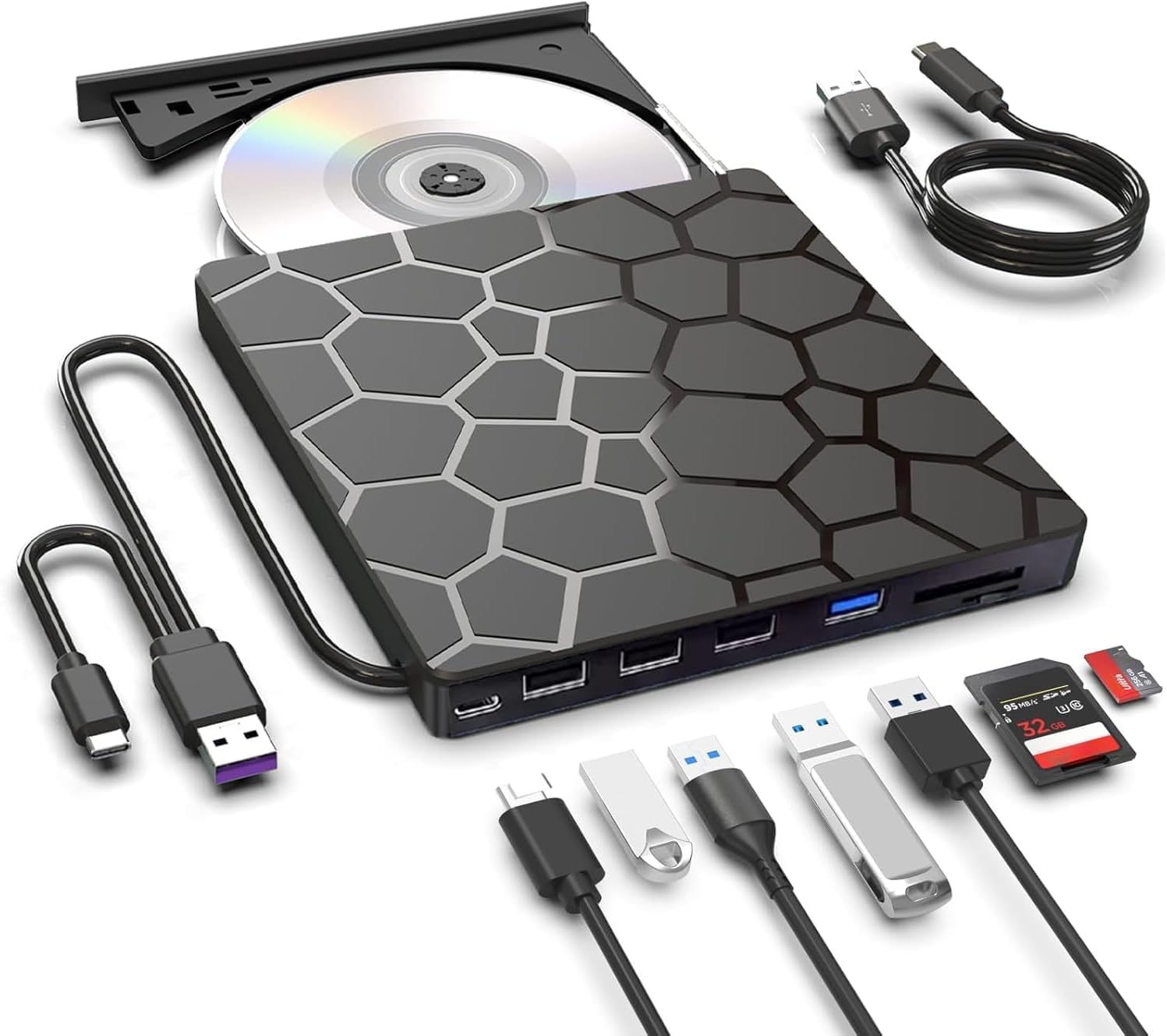
An ultra-slim drive that adds USB ports and a card reader without adding bulk.
At just 11.2 ounces and 0.63 inches thick, the ASHDOL drive is barely thicker than a smartphone. It is an 8-in-1 hub: it reads and burns CDs and DVDs at 8x DVD and 24x CD speeds, and it adds four additional USB-A ports, a USB-C port, and SD/TF card slots to your computer. The hidden built-in cable design keeps everything tidy inside a laptop bag. Buyers consistently say it is “fast, stable read/burn with low noise” and works across all operating systems, which is why compatibility and ease of use are the two most-mentioned positive aspects.
The drive also includes an extra USB power cable that fixes insufficient power issues on low-power ports — a real world saver for M1/M2 MacBook Air users who have no extra power to spare. The 2-year manufacturer warranty is twice as long as most other drives on this list, a solid signal of confidence from the maker. The only minor downside: some users report the USB-C port on the hub is for charging only, not data, so check the manual before relying on it for a fast data transfer.
Impressive warranty and build: A 2-year manufacturer warranty and antishock protection make this a good long-term investment. The real-life trade: The hub’s USB-C port is charging-only, so you still need the main cable for data.
Top choice for MacBook users who need a slim, multi-function hub that fits in a sleeve.
Otherwise, if you need a data-capable USB-C hub, the BPAKDU or the ORIGBELIE are better options.
5. ASUS LITE Portable DVD Writer
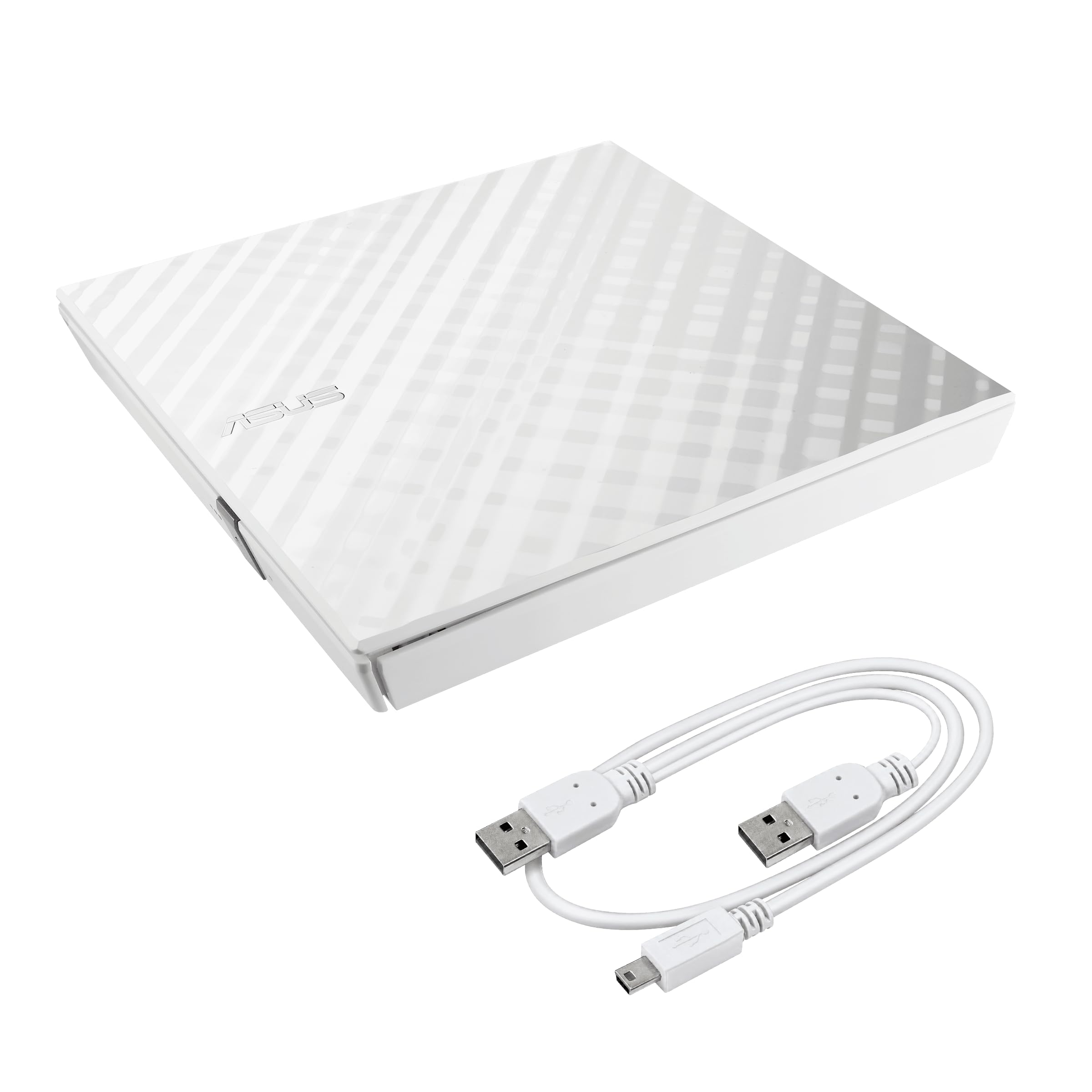
A stylish white drive from a trusted brand, with password-protected disc encryption built in.
Most external drives are black plastic slabs. The ASUS LITE stands out with a white diamond-cut design that looks at home next to a white MacBook or a minimalist desk setup. It runs on USB 2.0 (480Mbps), which means it is noticeably slower than the USB 3.0 drives here — a full disc burn will take longer. But for occasional use, the rated 8x DVD write speed is still adequate, and the drive is compact enough to stash in any bag. It also comes with ASUS Disc Encryption, a double-security feature that password-protects files and hides them from view on the disc.
Functionality is the aspect owners mention most — 111 buyers single it out positively. The drive is plug-and-play with both Windows and Mac, and it includes ASUS’s Drag and Burn software that guides you through burning in three clicks. Some owners note the tray must be pulled open manually, which feels a bit old-school but works fine. Durability gets mixed notes: a few units have failed over time, so this is less ideal for heavy daily burning. For light, occasional use — installing a game from a disc or watching a DVD — it looks great and does the job.
Distinctive look and clever security: The white diamond-cut shell is unique in this category, and the disc encryption is a useful extra if you archive sensitive files. The main drawback: USB 2.0 is half the speed of USB 3.0 — expect a 10-12 minute burn per DVD instead of 5-6.
Reach for this if you value Apple-like design and want password protection for burned files.
Not for you if speed matters — the LG below is faster for the same money.
6. LG GP65NB78 Ultra Slim DVD Writer
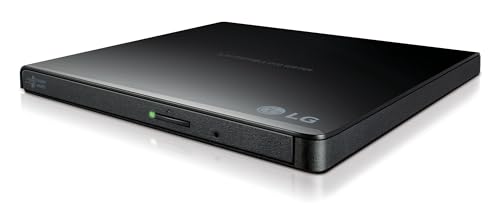
The thinnest and highest-rated drive here, with special support for archival M-DISC media.
At just 14 millimeters thick, the LG GP65NB78 is barely taller than a few stacked credit cards. It comes from LG, a name with decades of experience making optical drives, and includes Cyberlink software for burning and playback right from the start. The standout feature is M-DISC support — a type of write-once DVD that is physically resistant to heat, humidity, and light, keeping your data safe for a claimed hundreds of years. If you need to archive irreplaceable family photos or legal documents, this is the only drive here that can write M-DISCs.
The interface is USB 2.0 (480Mbps), which is slower than USB 3.0, but the drive’s read and write speeds are still 8x for DVD and 24x for CD — identical to the faster-interface drives. The USB 2.0 limit only shows up when transferring large data to and from the computer’s hard drive. Buyers find it “easy to use, works as it should, light weight and slim,” and the perfect companion for a Mac Mini or a space-constrained desk. A small number of owners mention that previous LG drives lasted about two years of heavy use, so this may not be the most durable pick for daily commercial burning.
What stands out
- Ultra-slim 14mm height fits in the tightest laptop bags alongside your computer
- M-DISC support for long-term, durable data archiving
- Bundled Cyberlink software saves you from downloading separate tools
The trade-off
- USB 2.0 interface transfers files at 480 Mbps — a third the speed of the 5 Gbps USB 3.0 options
Choose this drive if data longevity is your priority.
Otherwise, the faster USB 3.0 options like the ASHDOL or BPAKDU are better for regular burning.
7. ORIGBELIE Super External CD DVD Drive
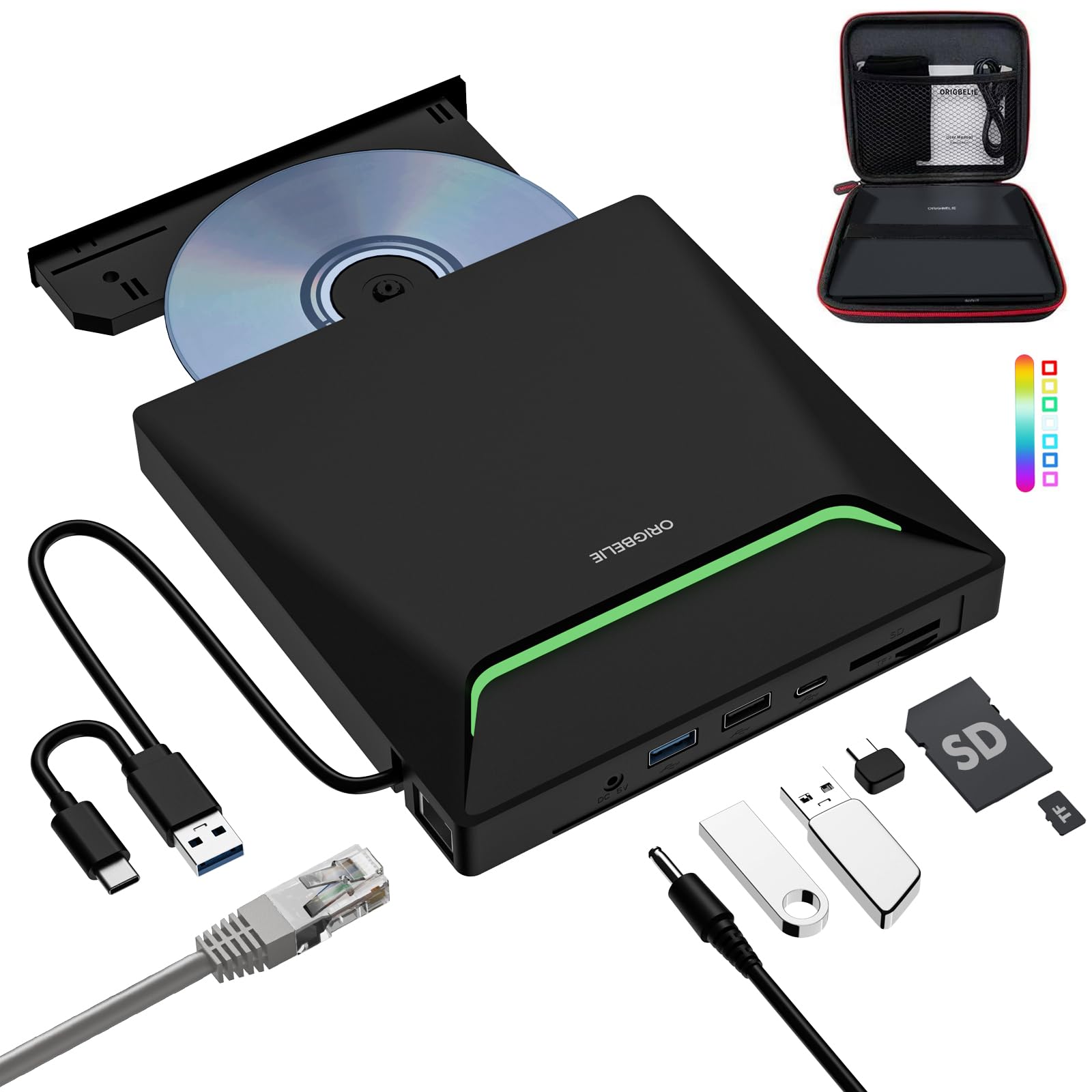
A complete port expansion station that adds Ethernet to your disc drive.
The ORIGBELIE is the only drive on this list that includes an RJ45 Ethernet port (up to 100Mbps), turning it into a wired network adapter as well. It is a genuine 9-in-1 device: a CD/DVD burner, a USB hub with two USB-A ports and one USB-C port, an SD/TF card reader, and a network interface — all through a single USB connection. It also features RGB LED lights that cycle through colors, a design inspired by Iron Man. Whether you like the lights or not, the drive is practical: it works with Windows 11/10/8/7, Linux, and Mac OS.
Buyers appreciate that the company proactively reaches out if something goes wrong, with detailed support. As one owner noted on the review pages, “the company reached out to me with detailed instructions with explanation that I could understand. It is working and they resolved my issue!!” The drive reads and burns at standard speeds — 8x DVD and 24x CD — over a USB 3.0 connection (5Gbps). It includes a storage bag and a carrying case in the box. The only real complaints are that it is slightly slower than expected and the built-in cable is short, similar to the Amicool. If you need wired internet along with disc access, this is your only single-device solution.
The big advantages
- RJ45 Ethernet port (100Mbps) — a genuine wired network adapter built into the drive
- 9-in-1 design with USB hub, card reader, and disc burner in one compact shell
- Strong customer service reputation with direct support from the maker
What to know beforehand
- The short built-in cable may need an extension for desktop users, same as the Amicool
- The RGB lights are not adjustable — it is always on, which may not suit an office setup
Your pick if you need Ethernet connectivity alongside disc access — a rare combo.
Not for you if you want a quiet, unassuming drive for a professional desk; the RGB lights stay on.
Understanding the Specs
USB Speeds: 5 Gbps vs 480 Mbps
The interface (the connection between the drive and your computer) is the biggest speed factor. A USB 3.0 drive can transfer data at up to 5 Gbps (gigabits per second) — about 10 times faster than USB 2.0’s 480 Mbps. You notice this most when copying files from a disc to your computer. For pure disc reading and burning, the drive’s own read/write speed (8x for DVD, 24x for CD) sets the pace, so a USB 2.0 drive can still burn a DVD in about the same time as a USB 3.0 drive. The speed gap only appears during file transfers between the computer and the disc.
DVD Read and Write Speeds
The “8x” number is a multiplier of the original DVD standard speed (about 1.4 MB/s). So an 8x DVD drive writes at roughly 11 MB/s, enough to burn a full 4.7GB DVD in about 6 to 7 minutes. Most drives here also hit 24x for CDs (24 times the original CD speed of 150 KB/s), which turns a 700MB disc burn into a roughly 3-minute task. These speeds are more than enough for occasional burning and everyday disc reading.
FAQ
Can I use an external CD drive with a modern MacBook Pro or MacBook Air?
Does an external CD drive work with a TV, game console, or car stereo?
What is the difference between USB 3.0 and USB 2.0 on an external CD drive?
Will a USB 3.0 drive work in a USB 2.0 port?
Can this drive play Blu-ray discs?
How long does an external CD drive last?
What kind of discs can I burn with an external CD drive?
Does the drive need to be plugged into a power outlet?
Why is my external CD drive not showing up on my computer?
Can I use an external CD drive to install software from a disc?
Final Thoughts: The Verdict
For most buyers, the external cd drive winner is the BPAKDU External CD/DVD Drive because it combines a fast burner with a 4-port USB hub, SD/TF card slots, and a carrying case — everything a modern laptop is missing, all in one slim 9-ounce box. If you just want a simple, proven burner at a low entry price, grab the Amicool External DVD Drive. And if your computer lacks both an optical drive and an Ethernet port, the ORIGBELIE Super External Drive gives you both in one compact, well-supported unit.
How We Picked
We do not accept paid placement. Every pick is matched to a real buyer and a real use-case; we do not hands-on test units.
Sources & Methodology
Specifications: manufacturer listings and product documentation. Review insights: verified customer reviews, as of July 2026. Pricing: not shown on this page (it changes often); check the current price via the retailer link.
As an Amazon Associate, WellFizz earns from qualifying purchases. This does not affect which products we feature.
Related Guides

Mo Maruf
I created WellFizz to bridge the gap between vague wellness advice and actionable solutions. My mission is simple: to decode the research and give you practical tools you can actually use.
Beyond the data, I am a passionate traveler. I believe that stepping away from the screen to explore new environments is essential for mental clarity and physical vitality.