Our readers keep the lights on and my smoothie glass nicely filled. As an Amazon Associate, I earn from qualifying purchases.
Specs are compiled from manufacturer listings and verified buyer reviews and can change over time — please confirm the key details on the product page before buying.
You can toss the sticky notes, mute the group chat that never ends, and stop asking “What are we doing today?” every single morning. A digital calendar display turns your kitchen wall or counter into one shared screen where every appointment, grocery list, and chore lives in plain sight — so no one misses a thing.
I’m Mohammad Maruf — the founder and writer behind WellFizz. This guide is built by comparing the manufacturers’ published specifications and the patterns across verified customer reviews, so you get each pick’s real strengths and trade-offs instead of marketing spin.
After combing through the data, these are the displays that keep real families organized. The best family calendar display gives you a sharp screen, no monthly fees, and a sync that just works — cutting mental load without adding another subscription to your budget.
Our Picks at a Glance

How To Choose The Best Family Calendar Display
The right display gets daily use instead of collecting dust.
Screen Size and Readability
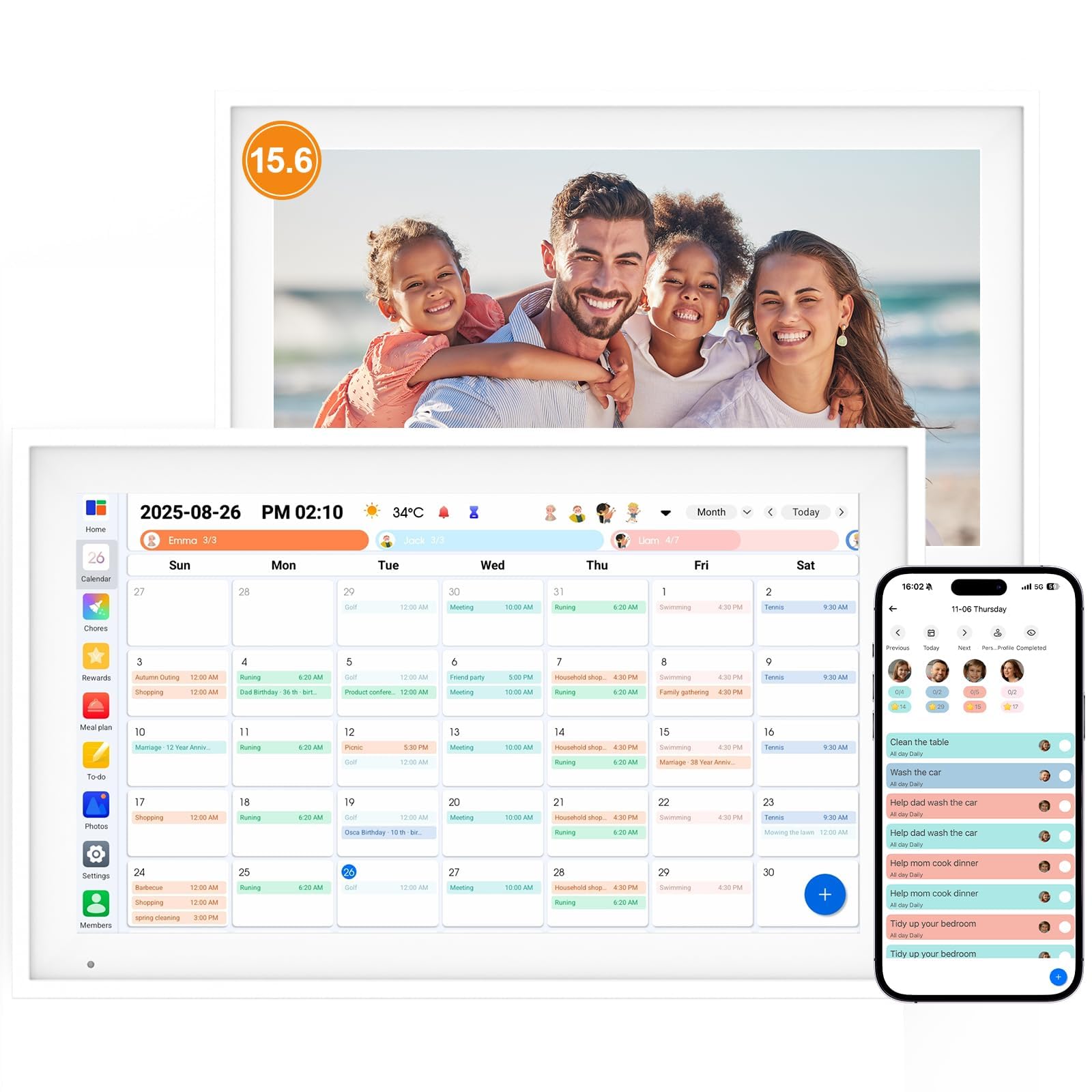
You need a screen you can read from across the kitchen. A 15.6-inch screen is the balance for most homes: large enough to read from the counter, but not so big it dominates the wall. An IPS panel (a type of LCD that keeps colors vivid from any angle — “in-plane switching”) with 1920×1080 resolution (full high-definition, or FHD) keeps text sharp and viewing angles wide, which matters when your kids are at a low angle at the breakfast table and you are standing.
Calendar Sync That Matches Your Ecosystem
Two-way sync means phone edits appear on the screen instantly. Look for a display that syncs two-way (changes on your phone appear on the screen, and vice versa) with the calendars you actually use — Google Calendar, iCloud, and Outlook are the big three. If a device only syncs one-way, you will still be typing on the screen itself, which defeats the purpose.
Subscription Trap
Many budget-friendly options hide monthly subscription costs. A growing number of solid options now have zero subscription costs for the core functionality — sync, chore charts, and even photo frame mode. The top pick has no subscription fees after the initial purchase.
Quick Comparison
| Model | Best For | Screen Size | Calendar Sync | Chore Chart | Amazon |
|---|---|---|---|---|---|
| Apolosign 15.6″★ Best Overall | Best Overall | 15.6″ | Google, iCloud, Outlook | Reward-based | Amazon |
| JSUSOU Magnetic MountFridge Favorite | Fridge Mount | 15.6″ | Google, iCloud, Outlook | Color labels + rewards | Amazon |
| Whale FramelyAuto-Rotate | Auto-Rotate Display | 15.6″ | Google, iCloud, Outlook, Yahoo | Color-coded | Amazon |
| Dragon Touch 15.6″ | Value & Features | 15.6″ | Google, iOS | Interactive with rewards | Amazon |
| HOOCEN 15.6″ | Magnetic Fridge Use | 15.6″ | Google, iCloud, Outlook | Color labels + rewards | Amazon |
| Yemsd Digital Calendar | Extended Warranty | 15.6″ | Google, iCloud, Outlook | Reward system for kids | Amazon |
| Anyuse 16″ | Largest Screen | 16″ | Google, iCloud, Outlook, Cozi, Yahoo | Star rewards | Amazon |
| Linkdaze 15.6″ | Built-in Storage | 15.6″ | Google, iCloud, Outlook | Interactive star chart | Amazon |
| Dragon Touch 15″ | Sleek & Simple | 15″ | Google, Yahoo | Star rewards | Amazon |
In‑Depth Reviews
1. Apolosign 15.6-inch Digital Calendar
Our pick — over 4.5★ from 850+ verified ratings; the strongest balance of quality and price.
The crowd favorite syncs schedules and motivates kids with no monthly fee.
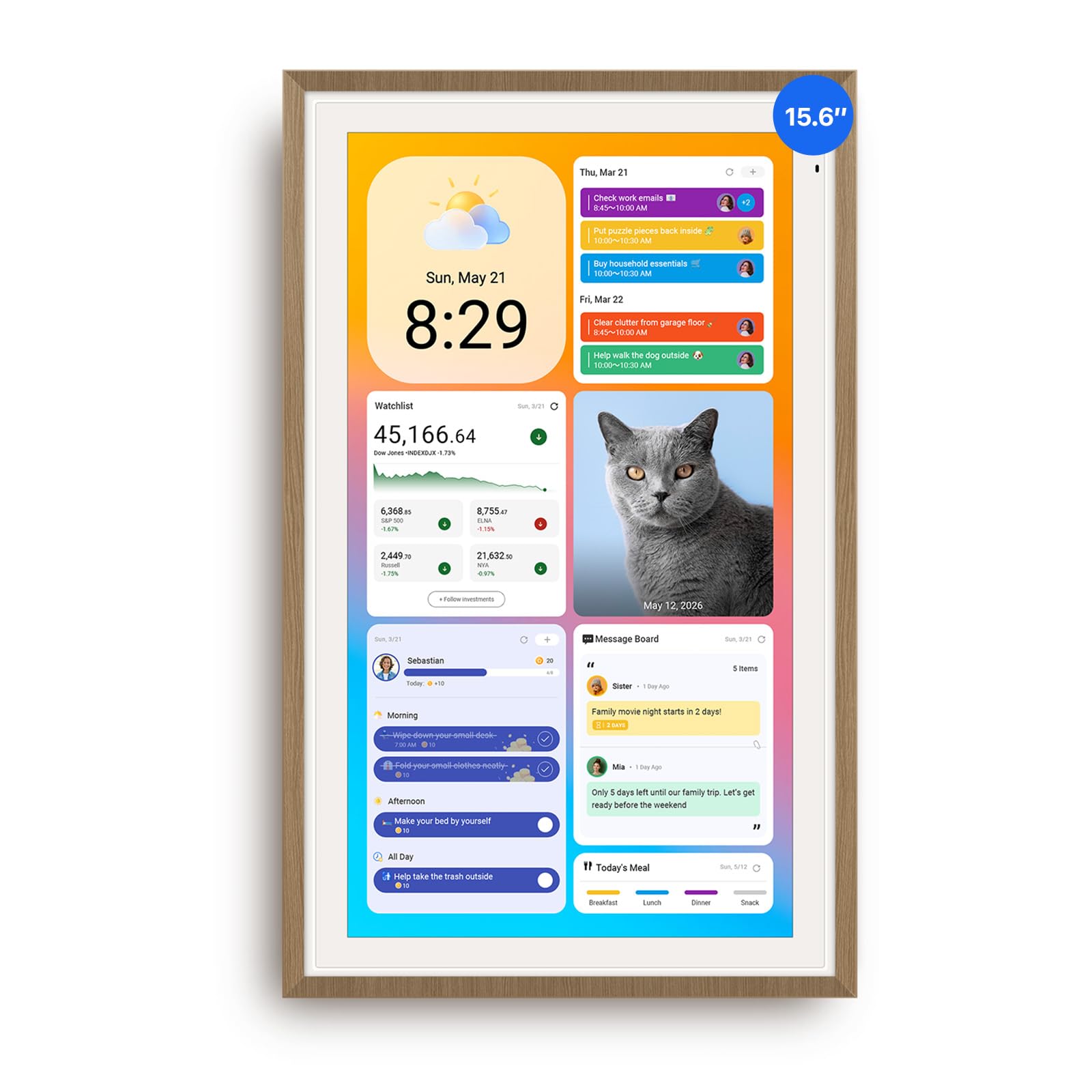
It handles the chaos of a busy family with smooth sync and a chore system. It syncs two-way with Google, iCloud, and Outlook — so you change an appointment on your phone and it shows up on the big screen instantly. The 15.6-inch teak-framed display is clear and anti-glare (a coating that cuts reflections so number plates stay readable at night), meaning you can read it from the kitchen counter without squinting.
Unlike many options in this space, the Apolosign runs on Android and includes a built-in chore system with reward points — no subscription required. Buyers report that the smooth Google and Apple calendar sync and the zero-monthly-fee structure are what push this over the finish line. It also doubles as a smart photo frame for family pictures, and the included Google Gemini voice assistant means you can ask about your day without touching the screen.
Why families love it
- No monthly subscription fees at all
- Syncs smoothly with Google, iCloud, and Outlook
- Built-in reward-based chore system motivates kids
- Google Gemini voice assistant for hands-free control
The trade-offs
- Only works in landscape or portrait orientation
- Bulky power plug and limited cable routing options
- No battery option — must stay plugged in
Reach for this if: you want a full-featured family hub with no subscription trap — this one does everything, and does it well.
Think twice if: you need a portable device or a discreet, low-profile plug. This is a permanent station, not a grab-and-go gadget.
2. JSUSOU Magnetic Mount Smart Digital Calendar 15.6 Inch
Sticks on your fridge and turns a blank metal door into the ultimate family command post.
The magnetic mount is the hook here — it attaches directly to your refrigerator, putting the calendar exactly where everyone passes every morning. It packs an ambitious 8-in-1 feature set: chore assignment with color labels, meal planning, habit tracking, to-do lists, and even smart home control, all on a single screen. The 15.6-inch HD touchscreen keeps everything readable.
As owners mention, the magnets are sturdy against a smooth fridge surface — one reviewer notes “magnets are strong will hold well on fridge” — but the same review notes that textured or paneled fridges may cause sliding. Setup is straightforward, and the app syncs with Google, iCloud, and Outlook with one click. It also doubles as a digital photo frame and includes photo sync storage.
What stands out
- Magnets hold tight on smooth fridges
- Big 8-in-1 feature set for the price
- Syncs with Google, iCloud, and Outlook instantly
The catch
- Magnets may slide on textured or paneled fridges
- Requires constant plug-in — no battery
- Setup can be fiddly for some users
Best suited for: the kitchen command-center approach — if you have a smooth fridge and want a visible, central hub, this is your pick.
Who should pass: anyone with a textured fridge door or who wants a wall-mounted solution. The magnets are the whole point, and they only work on the right surface.
3. Whale Framely 15.6 Inch Digital Wall Calendar
Auto-rotate adapts to landscape or portrait orientation with no setup.
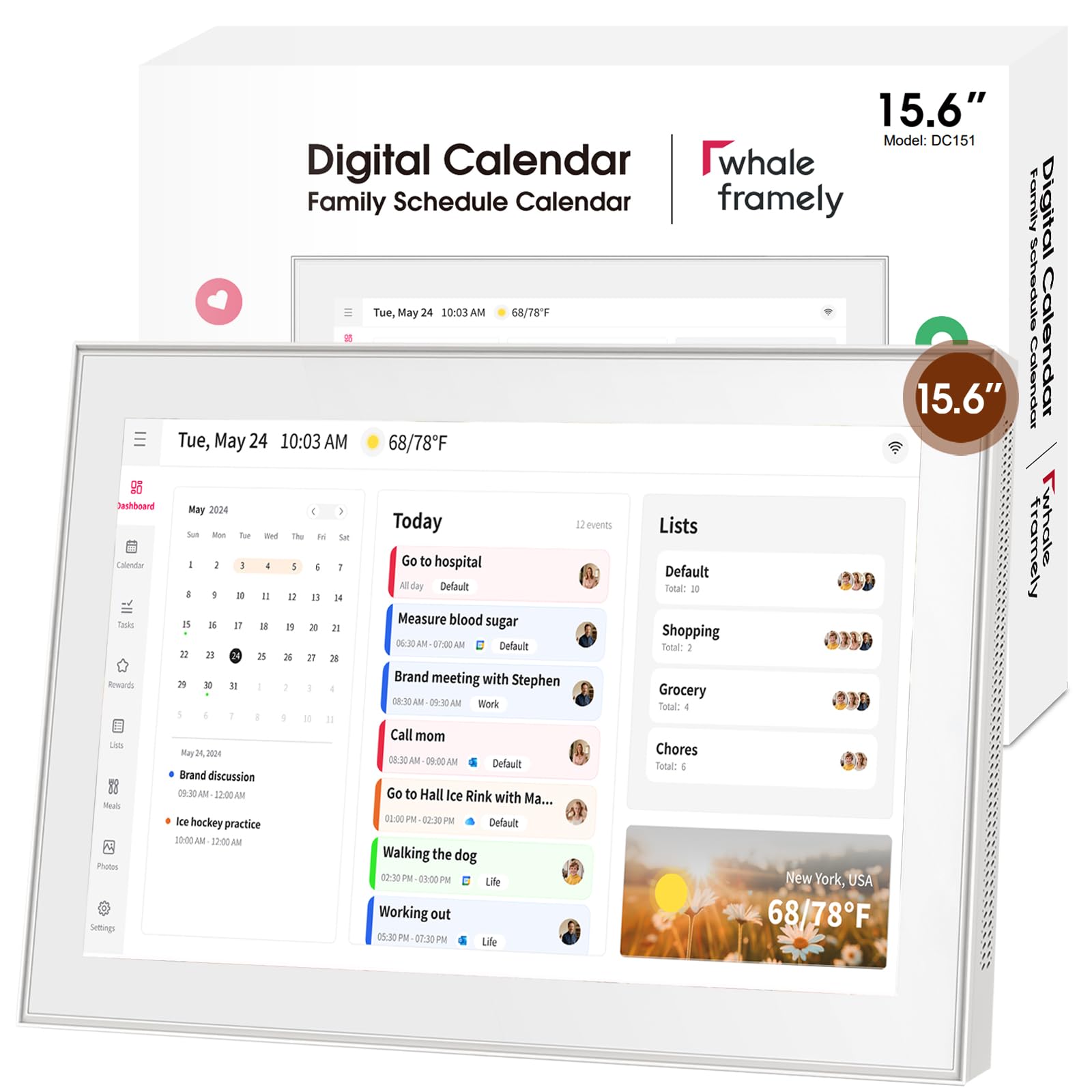
The Whale Framely distinguishes itself with an auto-rotating IPS FHD screen that adjusts whether you hang it vertically on the wall or sit it horizontally on a desk. This flexibility is rare in this category. It connects with Google, iCloud, Outlook, and Yahoo calendars, meaning almost any family ecosystem is covered. The anti-glare coating helps when the screen faces a window or a bright kitchen light.
Buyers consistently mention that the screen quality is very good and that the 15.6-inch size is perfect for a kitchen counter. The included mobile app lets you manage tasks, check status, and adjust display settings from anywhere. The basic version includes a meal planning feature, which customers note helps end the daily “what’s for dinner?” debate.
Strengths
- Auto-rotate for portrait or landscape use
- Anti-glare display, easy to read in bright rooms
- Syncs with Google, iCloud, Outlook, and Yahoo
- 1-year warranty with live expert support
Limitations
- Plastic build may not suit every decor
- Some users report the stand is not lap-friendly
Go for this if: you are not sure about orientation yet — the auto-rotate means you can try wall or desk without committing.
skip it if: a premium, metal build is non-negotiable for your home aesthetic; this one is solid plastic.
4. Dragon Touch 15.6″ Digital Calendar

A 1080p touchscreen that manages schedules, chores, and dinner plans without a single subscription.
Dragon Touch packs a lot into a familiar 15.6-inch frame. The FHD (full high-definition — 1920 pixels across by 1080 pixels down) display is crisp, and the touchscreen responds well to fingers of all sizes, which matters when a five-year-old is marking off a chore. You can assign different colors to each family member, so a glance tells you who is busy when. The eCalendar app lets you manage everything from your phone, and the core features — calendar sync, chore chart, meal planner, grocery list — are all free.
Reviewers point out that the setup is genuinely quick: one calls it an “easy one stop shop for the family to see chores, grocery list, and upcoming events.” The interactive chore chart with rewards gets consistent praise, and the meal planner feature eliminates that nightly question. The only recurring note is an occasional few-second loading delay when buffering, but it does not stop anyone from recommending it.
Why it works
- No subscription for essential features
- 1080p clear touchscreen
- Great chore and reward system for kids
- Easy setup with intuitive app
The downsides
- Occasional random buffering delays
- Some advanced tools require paid upgrade
Pick this if: you want a feature-packed calendar without the subscription weight — this one delivers the essentials.
Choose another if: you need flawless, instant loading every time. The occasional buffer may annoy a power user.
5. HOOCEN 15.6 Inch Smart Digital Calendar
A fridge-friendly calendar that skips the battery for a safer, longer-lasting setup.
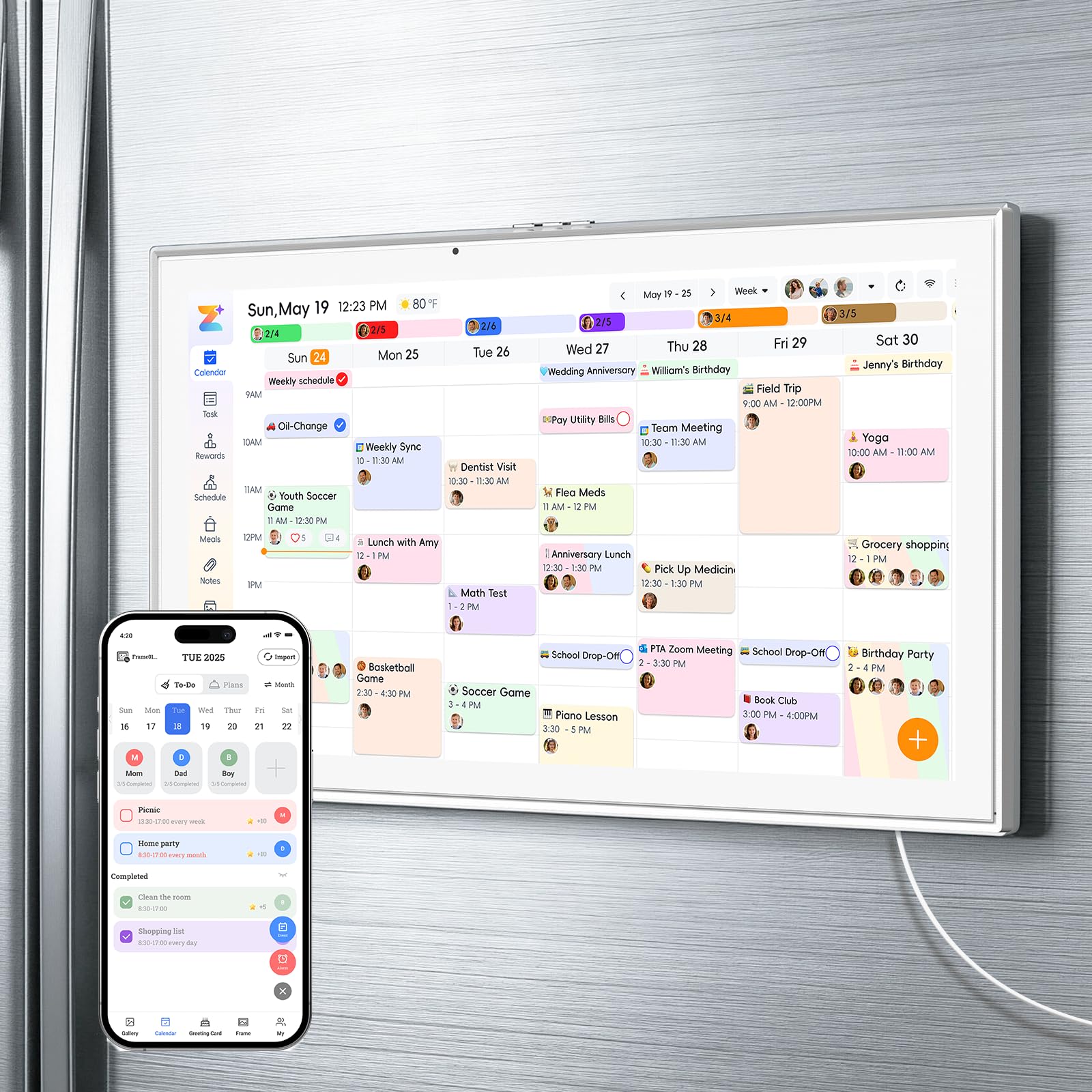
The HOOCEN is built around a simple philosophy: no battery means no swelling, no aging, and no charging anxiety. It runs plugged in at all times, which is a safety bonus for a device that lives on the fridge. It includes a 3-mode mount — magnetic for the fridge, a kickstand for the desk, and a wall-mount option — so you can relocate it if your kitchen layout changes.
Shoppers say that strong magnets hold tight to the fridge and setup is straightforward, though some note the power cord is short. It syncs with Google, iCloud, and Outlook, and the interface supports chore assignment with color labels, meal planning, and a digital photo frame mode with 32GB of storage. The 1-year warranty and 24/7 support add confidence.
Pros
- No battery at all — safer for long-term use
- Strong magnets on smooth surfaces
- Three mounting options: fridge, desk, wall
- 1-year warranty included
Cons
- Short power cord may limit placement
- Magnets struggle on textured fridges
- Some buyers find calendar syncing fiddly
This is for: safety-conscious buyers who want a permanent fridge display and prefer no battery to maintain.
Avoid if: your fridge door is textured or paneled. The magnet mount needs a smooth surface to hold.
6. Yemsd Digital Calendar 15.6 Inch
A bright, clear display backed by a two-year warranty that covers you long after the return window.
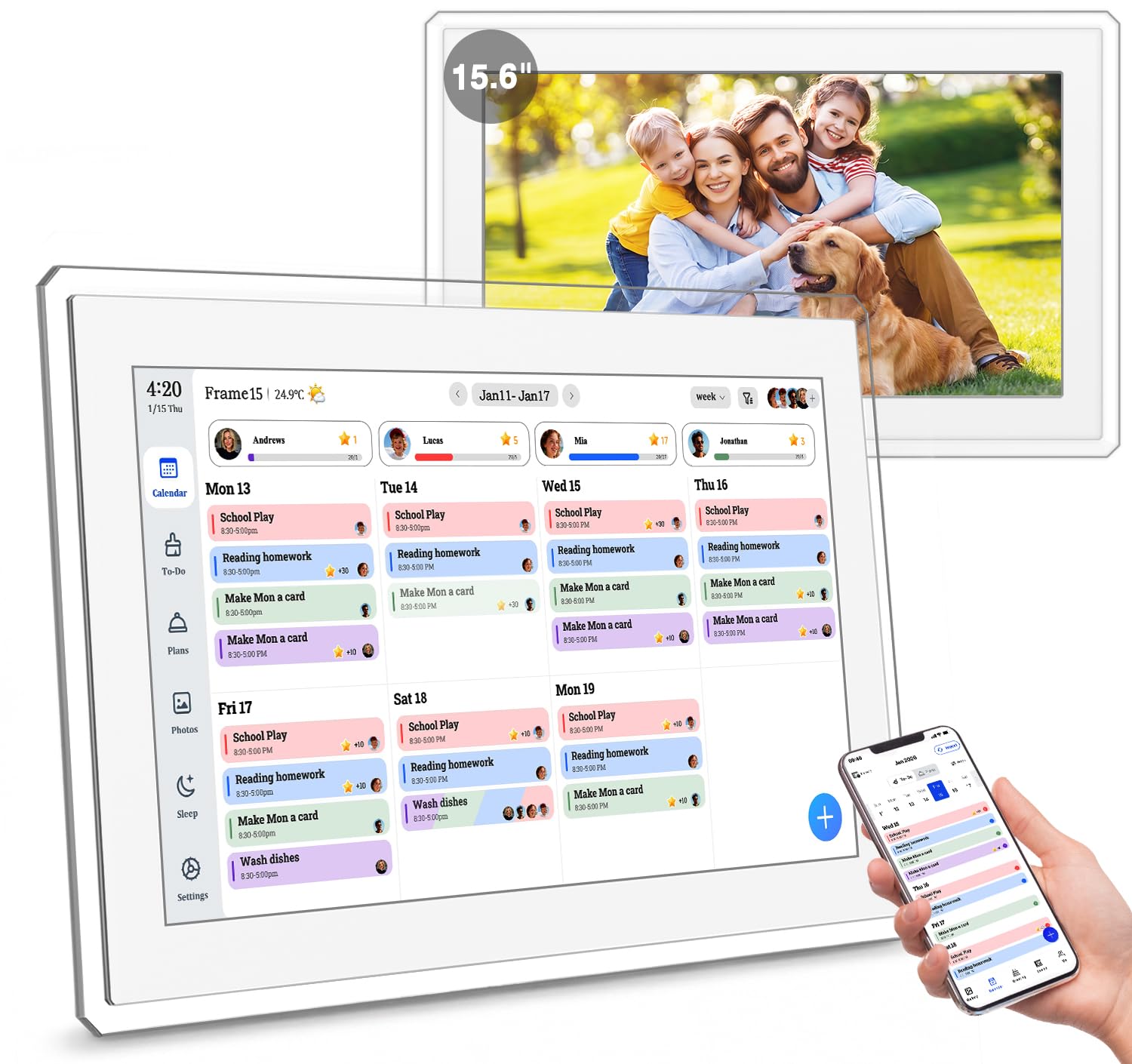
The Yemsd puts its money where its mouth is with a 2-year warranty — one of the longest in this category. The 15.6-inch glare-free HD screen is built to be readable from across the room, and the interface is intuitive enough that multiple family members, including a 5-year-old, can add events and mark chores. Buyers consistently highlight the bright, clear 15.6-inch screen and the intuitive touch screen as standouts.
It also includes a motivational chore chart with reward points, a meal planner, and a digital photo frame with AI-powered photo restoration and 32GB of storage. The subscription-free model means no hidden fees for the core calendar sync, which connects to Google, iCloud, and Outlook. The white acrylic frame blends into most kitchen decors.
What impresses
- Longest warranty in the roundup — 2 years
- Bright, glare-free HD screen
- AI photo restoration for old family pictures
- No subscription fees
The catch
- Some units have reported reliability issues
- Smudges easily on the white finish
Best for: buyers who want long-term coverage and a display that pulls double duty as a family photo album.
Not for: anyone looking for the absolute cheapest entry point — the warranty adds value, not a discount.
7. Anyuse 16″ Smart Digital Calendar

The biggest screen of the bunch, designed for seniors and kids who need bold, readable text.
That extra real estate comes with 4-level font size and brightness adjustments, making it particularly friendly for senior family members. It offers four placement modes (wall, desk, horizontal, vertical), so you can adapt it to whatever space you have. The sleep mode with custom on/off times saves power at night.
Buyers report that setup is straightforward and that it helps large families organize everyone’s busy schedule. It syncs with Google, iCloud, Outlook, Cozi, and Yahoo — the broadest sync compatibility here — and includes a reward-based chore system for kids. The pre-installed app supports real-time weather and a family photo slideshow.
Top features
- Largest screen at 16 inches
- 4-level font size adjustment for seniors
- Syncs with Google, iCloud, Outlook, Cozi, Yahoo
- Four placement modes for flexibility
Drawbacks
- Heavier at 5.1 pounds
- Some units have mixed reliability reports
Choose this for: multi-generational homes where grandparents and kids both need to read the screen easily.
Pass if: space is tight — the 16-inch frame is noticeably larger than the 15.6-inch standard.
8. Linkdaze 15.6″ Digital Calendar
A 64GB built-in memory means you can store thousands of family photos alongside your schedules.
The Linkdaze sets itself apart with 64GB of integrated storage — double the standard for this category. This means you can store a deep library of family photos without relying on cloud storage or external SD cards. The 15.6-inch display runs on Android, making app installation straightforward, and the touchscreen is responsive for all ages. It syncs with Google, iCloud, and Outlook calendars, and each family member gets a color-coded schedule.
Buyers consistently mention the bright, clear display and responsive touchscreen as strengths. The chore chart with star rewards helps build habits without nagging. It also includes a built-in meal planner and shopping list generator, which families report reduces daily decision fatigue. The catch is that it must remain plugged in at all times, and some users note the kickstand is integrated into the charging cable.
Why you want it
- 64GB built-in storage for thousands of photos
- Android OS for app flexibility
- Color-coded family schedules
- No subscription fees
Trade-offs
- Must always be plugged in
- Kickstand is part of the charger — limits placement
- Minor mixed reports on long-term reliability
Ideal for: photo-loving families who want a digital photo album that also manages the household schedule.
pass on it if: you want a portable device you can move around the house. This one is a permanent station.
9. Dragon Touch Digital Wall Calendar 15 Inch
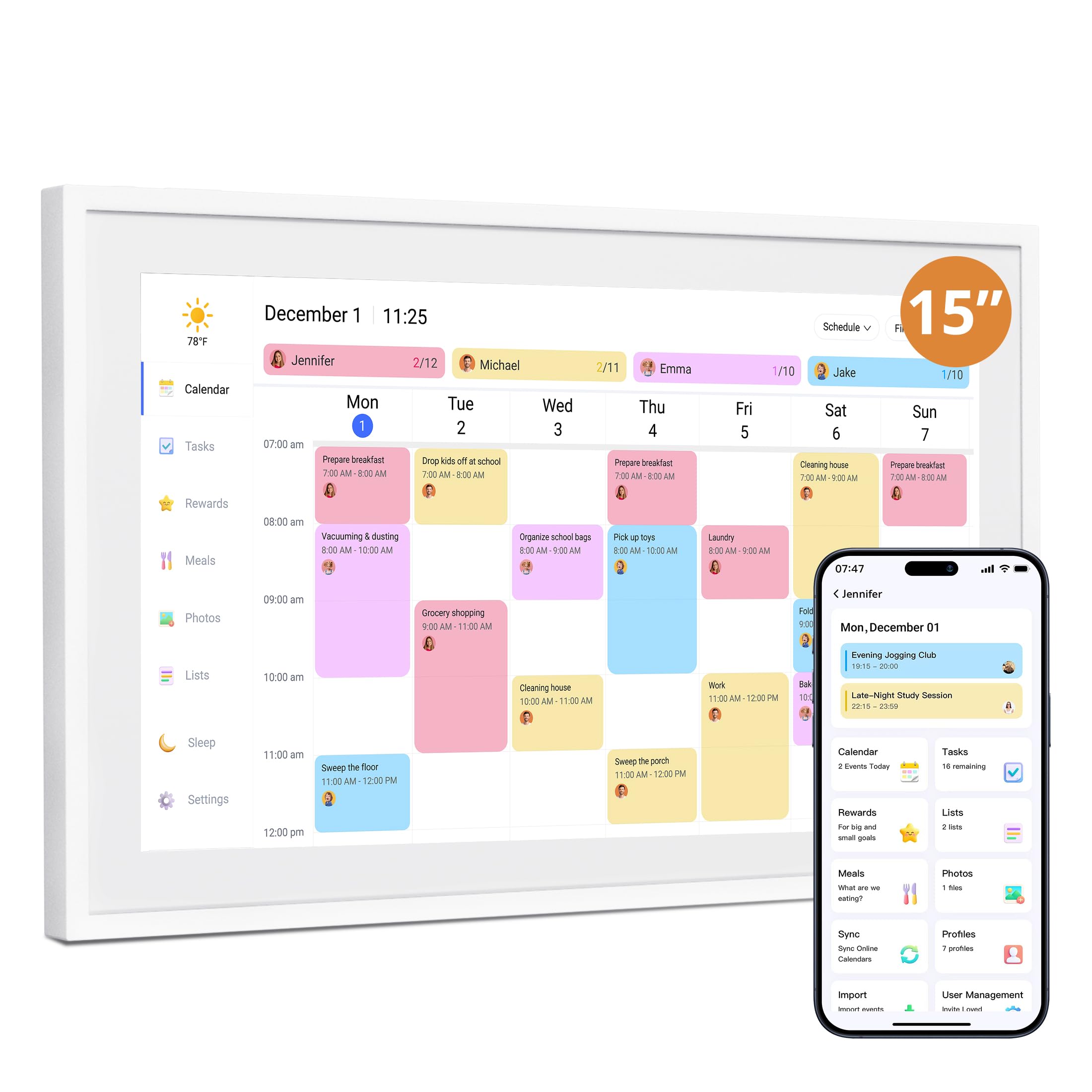
A streamlined, affordable entry point that covers the big essentials without the premium price tag.
At 15 inches, this Dragon Touch is slightly smaller than the 15.6-inch standard, but it keeps the core features that families need most: color-coded schedules, a reward-based chore chart, and an easy-to-use app. The 32GB storage turns the screen into a digital photo frame when idle, and the auto-sleep mode saves energy at night. It syncs with Google and Yahoo calendars, making setup simple for most households.
Buyers describe it as an affordable Skylight alternative and report that one family uses it for everything. The step-by-step online setup videos and the 2-year manufacturer warranty add confidence. The meal planning feature with automatic grocery list generation is a hit. The main limitation is the screen size and resolution compared to the 15.6-inch FHD models above, but for the price, it delivers a very complete experience.
What you get
- Great value for the feature set
- 2-year manufacturer warranty
- Easy setup with video guides
- Chore chart with stars and rewards
Compromises
- 15-inch screen is smaller than the 15.6-inch standard
- Only syncs with Google and Yahoo, not iCloud or Outlook natively
Reach for this if: you want the core family calendar experience without paying for the premium models — this is a smart, budget-friendly entry.
Look elsewhere if: you need iCloud or Outlook sync, or you want the largest possible screen for reading from across the room.
Understanding the Specs
Screen Resolution (FHD vs 720p)
FHD stands for “full high-definition” and means 1920 pixels across by 1080 pixels down. This makes text and icons sharp, especially from a few feet away. A lower resolution may look fuzzy when you are reading a small calendar entry across the kitchen, so FHD is the safe bet for a wall-mounted display.
Calendar Sync (Two-Way vs One-Way)
Two-way sync means that when you add an event on your phone, it appears on the display automatically — and if you tap an event on the display, it updates on your phone. One-way sync only pushes changes from your phone to the display. Two-way is far more practical if more than one person manages the schedule.
IPS Display Panel
IPS stands for “in-plane switching,” a type of LCD screen that keeps colors and brightness consistent even when you view it from a sharp angle. This matters for a family calendar because kids are shorter, adults are taller, and people walk past the screen from every direction. Non-IPS panels lose contrast and look washed out when viewed from the side.
Anti-Glare Coating
An anti-glare layer reduces reflections from windows, overhead lights, and bright countertops. Without it, a glossy screen becomes a mirror at certain times of day, making the calendar impossible to read. For a kitchen or hallway display that catches light from multiple sources, anti-glare is more important than a slightly higher resolution.
FAQ
Do I need a subscription for any of these calendar displays?
Will a digital calendar display work with my iPhone and iCloud calendar?
Can I mount these on the wall, or do they only sit on a desk?
How long does it take to set up a digital family calendar?
Can I keep certain events private while sharing family schedules?
Do these displays also work as a digital photo frame?
What is the difference between a 15-inch and a 15.6-inch screen?
Can my kids use the chore chart and mark off their own tasks?
Does the HOOCEN calendar have a battery, or does it need to stay plugged in?
How do I add a family member to the shared calendar on these displays?
Final Thoughts: The Verdict
For most families, the best family calendar display is the Apolosign 15.6-inch because it combines a sharp display, smooth calendar sync, a motivating chore system, and zero monthly fees — all backed by the strongest buyer consensus in the category. If you want a magnetic mount for your fridge, the JSUSOU is a solid value. And for a budget-friendly entry that covers the essentials while staying affordable, the Dragon Touch 15-inch is the smart choice. Whichever you pick, the payoff is the same: fewer missed appointments, less nagging, and one less conversation to have every morning.
How We Picked
We do not accept paid placement. Every pick is matched to a real buyer and a real use-case; we do not hands-on test units.
Sources & Methodology
Specifications: manufacturer listings and product documentation. Review insights: verified customer reviews, as of July 2026. Pricing: not shown on this page (it changes often); check the current price via the retailer link.
As an Amazon Associate, WellFizz earns from qualifying purchases. This does not affect which products we feature.
Related Guides

Mo Maruf
I created WellFizz to bridge the gap between vague wellness advice and actionable solutions. My mission is simple: to decode the research and give you practical tools you can actually use.
Beyond the data, I am a passionate traveler. I believe that stepping away from the screen to explore new environments is essential for mental clarity and physical vitality.