Our readers keep the lights on and my smoothie glass nicely filled. As an Amazon Associate, I earn from qualifying purchases.
Specs are compiled from manufacturer listings and verified buyer reviews and can change over time — please confirm the key details on the product page before buying.
You want a photo frame that looks like a real print on your wall, not another glowing screen. That is exactly what e-ink (electronic ink) delivers — the same paper-like display tech your Kindle uses, but now in color and sized for a frame. It holds a single image with zero power draw, so you never see a black rectangle when the battery dies. But not every e-ink frame is easy to live with: screen size, color saturation, and setup frustration vary wildly, and a great spec sheet does not guarantee a smooth morning unboxing.
I’m Mohammad Maruf — the founder and writer behind WellFizz. This guide is built by comparing the manufacturers’ published specifications and the patterns across verified customer reviews, so you get each pick’s real strengths and trade-offs instead of marketing spin.
If you want a display that disappears into your decor and makes a photograph look like a genuine print, these four e-ink photo frame options represent the best of what the technology currently offers, from a wireless NFC-powered tag to a full-color Wi-Fi connected gallery piece.
Our Picks at a Glance
How To Choose The Best E-Ink Photo Frame
Every e-ink photo frame makes the same basic promise — a static image that looks like paper and uses almost no power. But once you look under the hood, the differences in screen technology, color depth, connectivity, and daily hassle are massive. Here are the three factors that will shape your satisfaction more than anything else.
Color vs. Black-and-White — The Visual Character
The biggest decision is if you want a full-color display or a black-and-white one. Color e-ink panels — like ACeP (Advanced Color ePaper) or the newer Spectra 6 — produce muted, painterly tones that look like a vintage print or a Polaroid that has aged beautifully. Black-and-white e-ink, meanwhile, delivers razor-sharp contrast and text that looks typeset on paper. If you are displaying family photos, go color. If you are showing a quote, a logo, or a child’s black-ink drawing, monochrome is sharper and cheaper.
Power and Connectivity — The Daily Friction Factor
Some frames run on batteries you replace every few weeks, others use a rechargeable Li-ion pack you top up weekly, and at least one model pulls power and data wirelessly from your phone’s NFC (Near Field Communication) field — the same tap-to-pay tech you use at checkout. Wi-Fi models let you change the image from an app anywhere in the world. Wired models (SD card or USB) force you to walk up to the frame with a computer. Your tolerance for cables, app logins, and charging cycles determines which style fits your life.
Setup Complexity — The Unspoken Spec
The most common source of frustration across every e-ink frame is the initial setup, not the final display. Several frames require a 2.4 GHz Wi-Fi network, manual file conversion to a specific resolution (800×480 pixels is a frequent target), or disabling mesh network features. If you are not comfortable sideloading software or resizing images in Photoshop, look for a model that advertises a plug-and-play app experience. The best frame in the world is useless if it sits in a box because you could not get the first photo onto it.
Quick Comparison
| Model | Best For | Display Size | Screen Technology | Weight | Amazon |
|---|---|---|---|---|---|
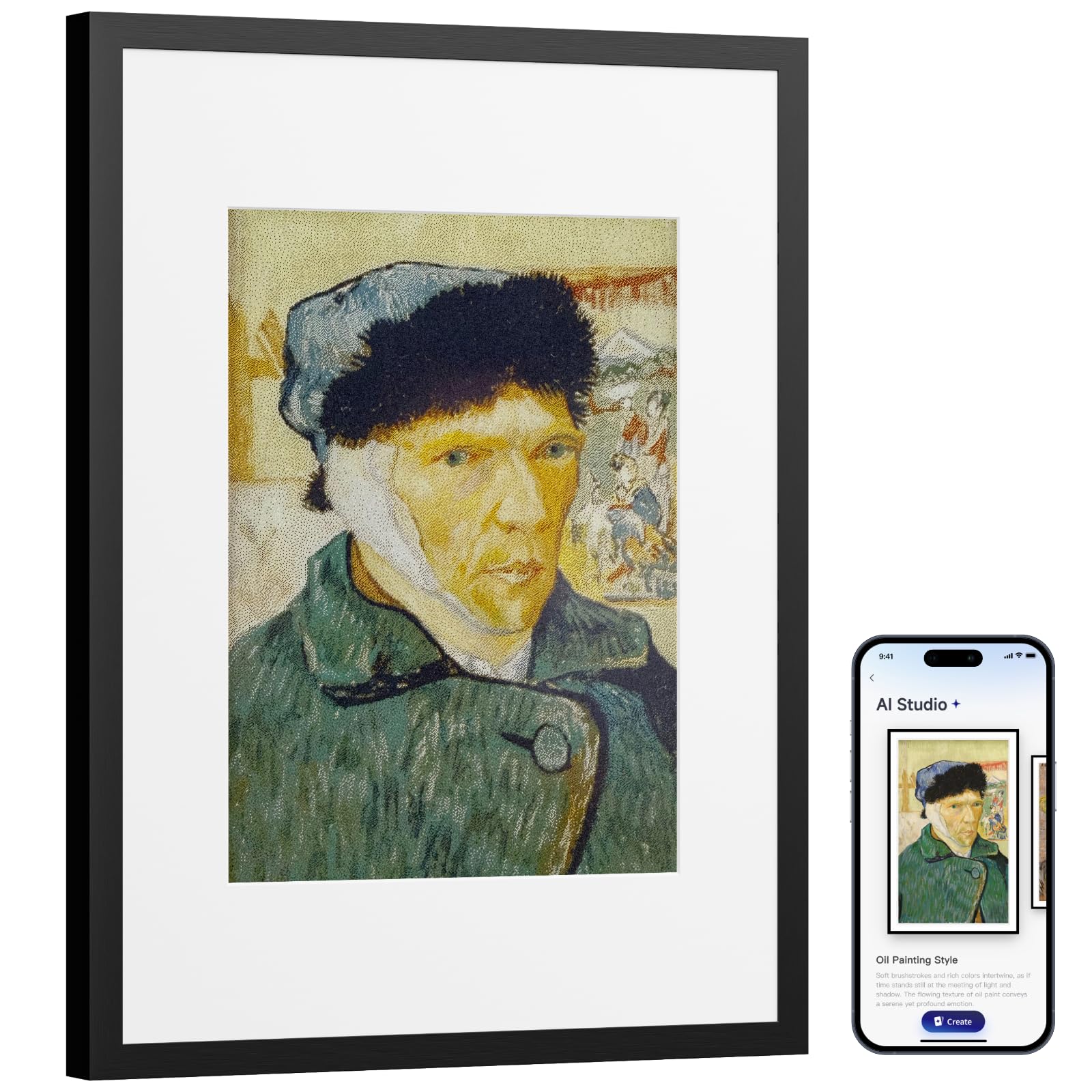
| SwitchBot AI Art Frame 13.3★ Best Overall | Wireless wall gallery | 13.3 inches | 6-Color E-Ink | 1.5 kg | Amazon |
| SMARTWIZ+ art | App-controlled full color | 7.3 inches | Spectra 6 Full Color | 360 g | Amazon |
| Waveshare 7.3 ACeP 7-Color | Open-source tinkerers | 7.3 inches | ACeP 7-Color | 1.3 lbs | Amazon |
| Waveshare 7.5 NFC-Powered | Zero-cable tags & signs | 7.5 inches | B/W E-Paper | 0.2 kg | Amazon |
In‑Depth Reviews
1. SwitchBot AI Art Frame 13.3
Our pick — over 4★ from 150+ verified ratings; the strongest balance of quality and price.
You get the biggest color e-ink canvas you can buy, and it runs for months on a single charge thanks to its 2000mAh battery.
At 13.3 inches, this frame is in a different visual league — its 4:3 aspect ratio gives you a display 82% larger than the 7.3-inch models below, and the black aluminum alloy frame makes it feel like a real art piece, not a gadget. The built-in 2000mAh rechargeable battery delivers what buyers report is roughly a week of life if you refresh the image every 15 minutes, but drop that to once a week and the frame can theoretically last up to two years between charges. Because it is an e-ink screen, the image stays on the display even when the battery is completely dead — you never face a black rectangle on your wall.
The six-color electronic ink produces painterly, muted tones that owners say look nothing like a conventional digital frame; as the reviews put it, “you think it’s a real foto.” The trade-off is that the pixel structure is coarse and the resolution is lower than a backlit LCD, so the recommended viewing distance is about three feet or more. Dark images perform poorly — bright and vibrant photos look best. The app-based Wi-Fi upload works smoothly, and Alexa voice control is a nice extra, but the AI art generation feature requires a subscription.
What wins people over
- Massive 13.3-inch canvas is the best paper-like experience for a wall or desk
- Wireless and battery-powered — no outlet required, hangs anywhere
- Stores the last image forever even when the battery dies
- App and Alexa integration make changing photos easy
The honest caveats
- Colors are painterly and muted — not photo-realistic like a backlit screen
- Dark and low-contrast images look flat; bright artwork is essential
- AI art feature requires a monthly subscription after trial
- At 1.5 kg it is noticeably heavier than the smaller frames — anchor it securely
Your wall deserves this: If you want a frame that looks like it came from a gallery, not an electronics store, and you have bright, simple images to display, this is the one. The wireless freedom and giant size make it the best overall pick.
The reality check: If you expect sharp, high-resolution photo realism or plan to display dimly lit shots, the muted color palette and coarse pixel structure will disappoint.
2. SMARTWIZ+ art 7.3
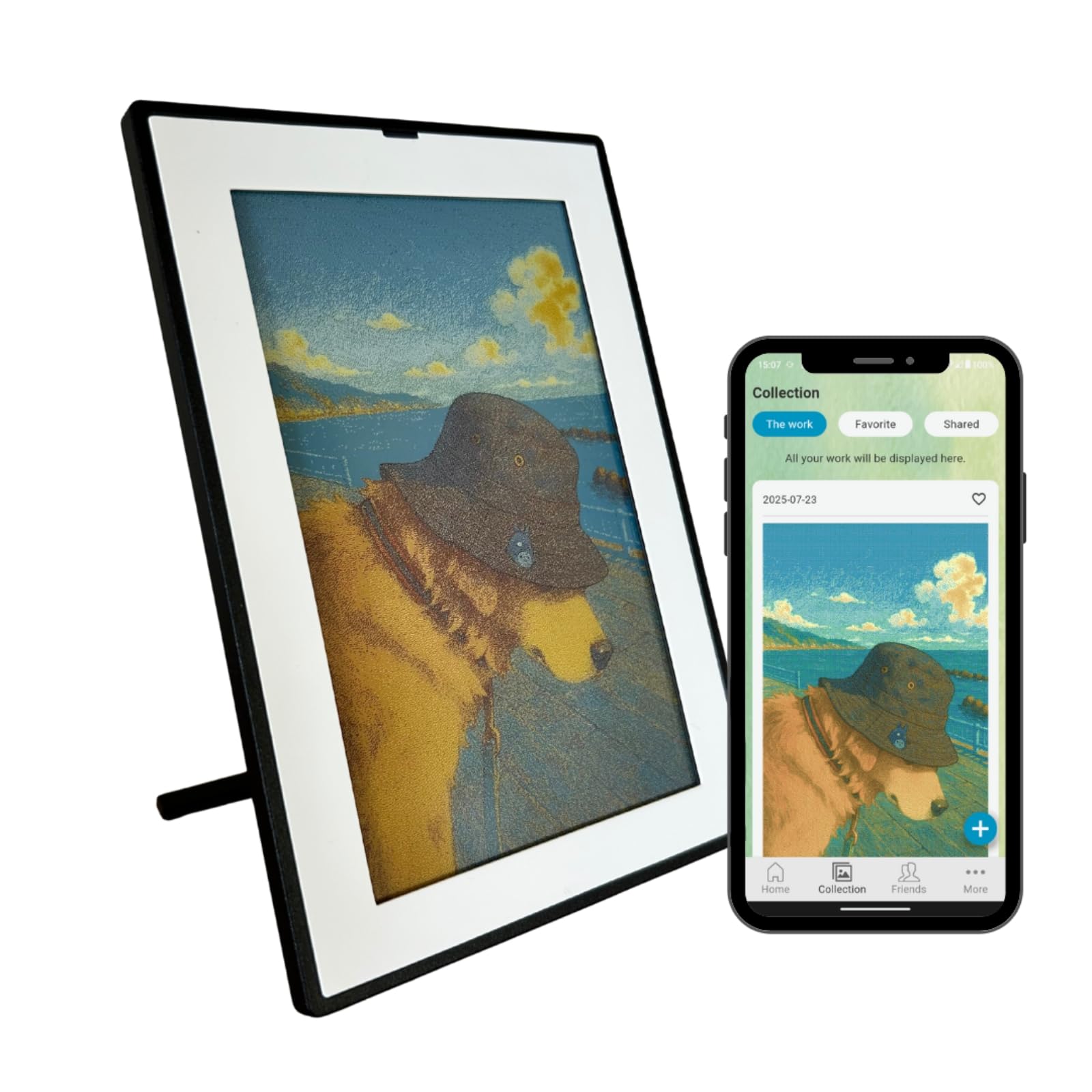
This Japan-designed frame uses E Ink’s latest Spectra 6 full-color panel, which delivers roughly 60,000 colors for a noticeable step up in vibrancy over the mute tones of the older ACeP panels.
This frame uses E Ink’s latest Spectra 6 full-color technology, which delivers roughly 60,000 colors — noticeably more vibrant than older ACeP panels, though still carrying that characteristic painterly, paper-like texture. The 7.3-inch screen at 800×480 resolution gives you a 127 ppi (pixels per inch) density, so images look like a finely printed photograph from a normal viewing distance. Owners consistently praise the battery life, with multiple reports confirming it lasts weeks on a single charge thanks to e-ink’s zero-power static hold. The 5:3 aspect ratio is a touch wider than the SwitchBot’s 4:3 canvas.
The biggest friction point here is the setup. The app requires a 2.4 GHz Wi-Fi connection (mesh network users may need to temporarily use a smartphone hotspot), and the upload speed is slow — owners mention 30 seconds to two minutes per photo. The frame displays only one image at a time with no slideshow, which some see as a strength (it reinforces the “framed print” illusion) and others as a limitation. A few owners note that skin tones can be off and that the screen is hard to see in dim rooms since there is no backlight. The hardware itself is beautifully made, and the company promises firmware updates, but the software still feels like version 1.0.
Why it stands out
- Spectra 6 full-color display offers the best color richness currently available in e-ink
- Battery lasts weeks — one owner called it exceptional for an always-on frame
- Multi-device sharing lets family members send photos from anywhere
- Build quality is excellent; the frame looks like a deliberate design object
Where it stumbles
- Setup is finicky — 2.4 GHz only, and the instructions are widely described as poor
- Only displays one photo at a time; no slideshow or rotation
- Slow photo upload (30 seconds to 2 minutes per image)
- No front light makes dim-room visibility poor
the balance: If you value color quality above all else and are willing to spend 30 minutes on setup for weeks of easy display, this is your frame. The Spectra 6 panel is genuinely a step up in vibrancy.
Think twice if: You want a quick, out-of-box experience, need a slideshow, or plan to place the frame in a dim corner where it will be invisible at night.
3. Waveshare 7.3inch ACeP 7-Color with Wood Frame

A genuine wood frame with a 7-color ACeP panel — but this one demands your patience and a bit of Python to get running.
The ACeP (Advanced Color ePaper) panel here produces seven distinct colors that owners describe as Polaroid-like and muted — from a distance the images look like real photo prints, but up close the dithering pattern is visible. The solid wood frame is genuinely elegant and the display has zero battery drain when the image is static, which is the whole point of e-ink. The 1.66:1 aspect ratio is the widest of this group, giving it a more letterboxed feel than the SwitchBot’s 4:3 canvas. Setup runs on two batteries that are not included, and the manufacturer emails you the battery ASIN once you contact them.
Here is the honest picture: this is not a consumer appliance, it is a maker project. To get a photo onto the screen you need to resize your images to 800×480 pixels in a photo editor, convert them to an indexed BMP (bitmap image) file, and copy them to an SD card. The open-source firmware gives you total control but the documentation is sparse, and as one owner put it bluntly, “Photos will randomly not load completely.” The single-button interface and lack of wireless connectivity mean every image change requires pulling the SD card. Owners who love it really love it — they describe the daily photo change as “magic” — but the setup is labor-intensive by any standard.
The payoff is real: If you are comfortable with file conversion, enjoy tinkering, and want a frame that genuinely looks like a wooden picture frame with a real photo print inside, this delivers that aesthetic at a competitive price.
The pain is also real: If you just want to beam a photo from your phone and walk away, the lack of wireless, the tricky SD card slot, and the random loading failures will drive you up a wall.
Reach for this if… You enjoy technical projects, value open-source customization, and want the most “real photo print” look for the lowest cost. The wood frame genuinely improve it.
Look elsewhere if… You want a simple, wireless, app-driven experience. This frame is a project, not a product.
4. Waveshare 7.5inch Passive NFC-Powered e-Paper Display V2

This is the only frame that needs zero cables and zero batteries — your phone’s NFC field powers and updates it.
This is a genuinely novel piece of technology: a 7.5-inch black-and-white e-paper display that receives both power and data wirelessly through your phone’s NFC field. You simply tap your NFC-enabled smartphone to the balance just below center of the frame, and the Waveshare app transfers the image. The display is 800×480 resolution in crisp black and white, with excellent contrast that makes text and simple graphics look typeset. At just 0.2 kg, it is the lightest frame here — a 7.5x weight gap versus the SwitchBot’s 1.5 kg — and comes in a basic ABS plastic case. Because there is no battery and no power adapter, the frame keeps showing the last image you sent it indefinitely with zero ongoing power draw.
The catch is that this is a developer-oriented device, not a consumer product. The app is bare-bones, the instructions live on a wiki page rather than in the box, and the case is held together by weak magnets — one owner reported that a door slam caused the screen to detach and the ribbon cable to separate. The NFC connectivity is finicky: the balance is narrow, and several customers note they cannot update the screen without a charger attached, despite the passive design claim. The mixed compatibility feedback (especially with Android 11 and some Samsung phones) means you should verify your device works before committing, if possible.
What is genius about it
- Truly zero-cable, zero-battery operation — just tap your phone and go
- Sharp black-and-white e-paper display with great contrast for text and graphics
- Never needs recharging, never needs battery changes
- At 0.2 kg, it can be wall-mounted with almost no support
What holds it back
- NFC positioning is finicky — requires finding the exact balance each time
- Case magnets are weak; a bump can detach the screen
- Black and white only — no color, no grey shades
- Not a plug-and-play product; expect a learning curve and wiki-diving
The ideal use: A small business sign, a household info tag “Wi-Fi password here,” or a tech enthusiast’s desk toy. For someone who values zero-maintenance operation and loves the magic of a tap-to-update display, this is a unique offering.
Not for: Anyone looking for a family photo frame, a color display, or a polished consumer experience. The fragility and the finicky NFC make it a niche pick.
Understanding the Specs
Display Technology — ACeP vs. Spectra 6 vs. Black & White
The type of e-ink panel determines what your photos will look like. ACeP (Advanced Color ePaper) produces 7 colors in a muted, watercolor-like palette — think faded Polaroid. Spectra 6 is the newer generation that delivers around 60,000 colors, making images noticeably richer, though still with a painterly texture. Classic black-and-white e-paper is the sharpest of the three — perfect for text, logos, and high-contrast line art — but incapable of showing any color at all.
Battery Life — The Benefit You Actually Feel
This is where e-ink crushes every other display technology. A backlit LCD frame needs power constantly to show an image. An e-ink display draws power only during the refresh — the moment the image changes — and then holds that image indefinitely with zero power. That is why a frame like the SwitchBot can claim up to two years on a single charge at one refresh per week, while the NFC-powered Waveshare never needs a battery at all. The trade-off is that frequent refreshes (every 15 minutes, for example) drain the battery much faster, down to about a week.
FAQ
Can an e-ink photo frame replace a regular digital photo frame?
How do I get my photos onto an e-ink frame?
Does an e-ink frame need to be plugged in all the time?
Can I display color photos on a black-and-white e-ink frame?
Is e-ink bad for displaying photos compared to a regular screen?
Why does my e-ink frame only show one photo at a time?
Will an e-ink frame work with a mesh Wi-Fi network?
How long does the battery actually last in daily use?
Final Thoughts: The Verdict
For the majority of shoppers, the e-ink photo frame winner is the SwitchBot AI Art Frame 13.3 because its giant wireless canvas delivers the most striking paper-like art experience with the least daily friction. If you want the richest color currently available in a compact size, grab the SMARTWIZ+ art 7.3. And for tinkerers who enjoy open-source control and a genuine wood frame at a lower cost, the Waveshare 7.3 ACeP is the one to reach for — just clear your Saturday afternoon for the setup.
How We Picked
We do not accept paid placement. Every pick is matched to a real buyer and a real use-case; we do not hands-on test units.
Sources & Methodology
Specifications: manufacturer listings and product documentation. Review insights: verified customer reviews, as of July 2026. Pricing: not shown on this page (it changes often); check the current price via the retailer link.
As an Amazon Associate, WellFizz earns from qualifying purchases. This does not affect which products we feature.
Related Guides

Mo Maruf
I created WellFizz to bridge the gap between vague wellness advice and actionable solutions. My mission is simple: to decode the research and give you practical tools you can actually use.
Beyond the data, I am a passionate traveler. I believe that stepping away from the screen to explore new environments is essential for mental clarity and physical vitality.