Our readers keep the lights on and my smoothie glass nicely filled. As an Amazon Associate, I earn from qualifying purchases.
Specs are compiled from manufacturer listings and verified buyer reviews and can change over time — please confirm the key details on the product page before buying.
An electronic cutting machine turns a tablet or laptop into a full-blown craft workshop — cutting custom stickers, fabric patches, cardstock invitations, and even thin wood without you touching a pair of scissors. The problem is that the choices range from tiny portable cutters to 18‑pound professional machines, and each brand locks you into its own software ecosystem. This guide cuts through that confusion, showing you exactly which machine matches the projects you actually want to make, what the real-world trade-offs are, and where owners say the hidden costs live.
I’m Mohammad Maruf — the founder and writer behind WellFizz. This guide is built by comparing the manufacturers’ published specifications and the patterns across verified customer reviews, so you get each pick’s real strengths and trade-offs instead of marketing spin.
Whether you’re a first-time crafter or a small-business owner scaling up, your next electronic cutting machine should match the materials you love to use and the software you’re willing to learn — and this guide lays out the best options to match those needs.
Our Picks at a Glance

How To Choose The Best Electronic Cutting Machine
Picking the right machine depends on three things: the materials you want to cut, the space you have on your desk, and how much you want to rely on a subscription for designs. An entry-level machine handles vinyl and cardstock beautifully, while a mid-range or premium model adds the ability to cut fabric, thin wood, and even emboss.
Match the machine to your materials
Every machine has a maximum material thickness it can handle — look for a spec like “cuts materials up to 3mm thick” if you plan to work with felt, balsa wood, or chipboard. If your projects stay with vinyl, iron-on transfers, and cardstock, any modern machine in this guide will deliver clean, precise cuts.
Software and design library
The design software you use every day matters more than the machine itself. Some brands offer free apps with thousands of built-in images, while others require a paid subscription to open up the full library. A machine with a built-in touchscreen and no computer needed can be a huge time-saver, but it often limits your design flexibility compared to a desktop app.
Matless vs. mat-based cutting
Many newer machines can load Smart Vinyl or similar materials directly without a sticky cutting mat, which saves setup time and waste. If you cut short, irregular pieces, a mat-based machine gives you more stability and precision. The trade-off is that sticky mats lose their tack over time and need to be replaced every few dozen projects.
Quick Comparison
| Model | Best For | Cutting Width | Max Material Thickness | Weight | Amazon |
|---|---|---|---|---|---|
| Cricut Maker 4★ Best Overall | All‑around champion, 300+ materials | 12 in (30.5 cm) | Up to 3 mm | 9.59 kg | Amazon |
| Likcut S501Budget Champion | Budget‑friendly AI‑powered starter | 4.5 in | — | 2.63 kg | Amazon |
| Cricut Joy 2Compact Pick | Ultra‑compact quick projects | 4.5 in (11.4 cm) | — | 0.91 kg | Amazon |
| Cricut Explore 5 | Versatile mid‑range, 100+ materials | 12 in (30.5 cm) | — | — | Amazon |
| Cricut Joy Xtra | Portable everyday crafting bundle | 68.75 sq in | — | — | Amazon |
| Silhouette Cameo 5 Alpha | Quiet performance, 3mm material support | 12 in x 24 in | Up to 3 mm | 11.5 lb | Amazon |
| Anna Griffin Empress Elite | Electric die‑cutting and embossing | 51.2 sq in | — | 15.1 lb | Amazon |
| Siser Juliet | Professional‑grade precision, WiFi connected | 12 in | — | 11.55 kg | Amazon |
| Brother ScanNCut SDX125EGY | Built‑in scanner, no computer needed for scanning | 11.7 in | Up to 3 mm | 18.2 lb | Amazon |
| Brother ScanNCut SDX125E + Bag | Scanner plus portable storage | 11.7 in | Up to 3 mm | 12.8 lb | Amazon |
In‑Depth Reviews
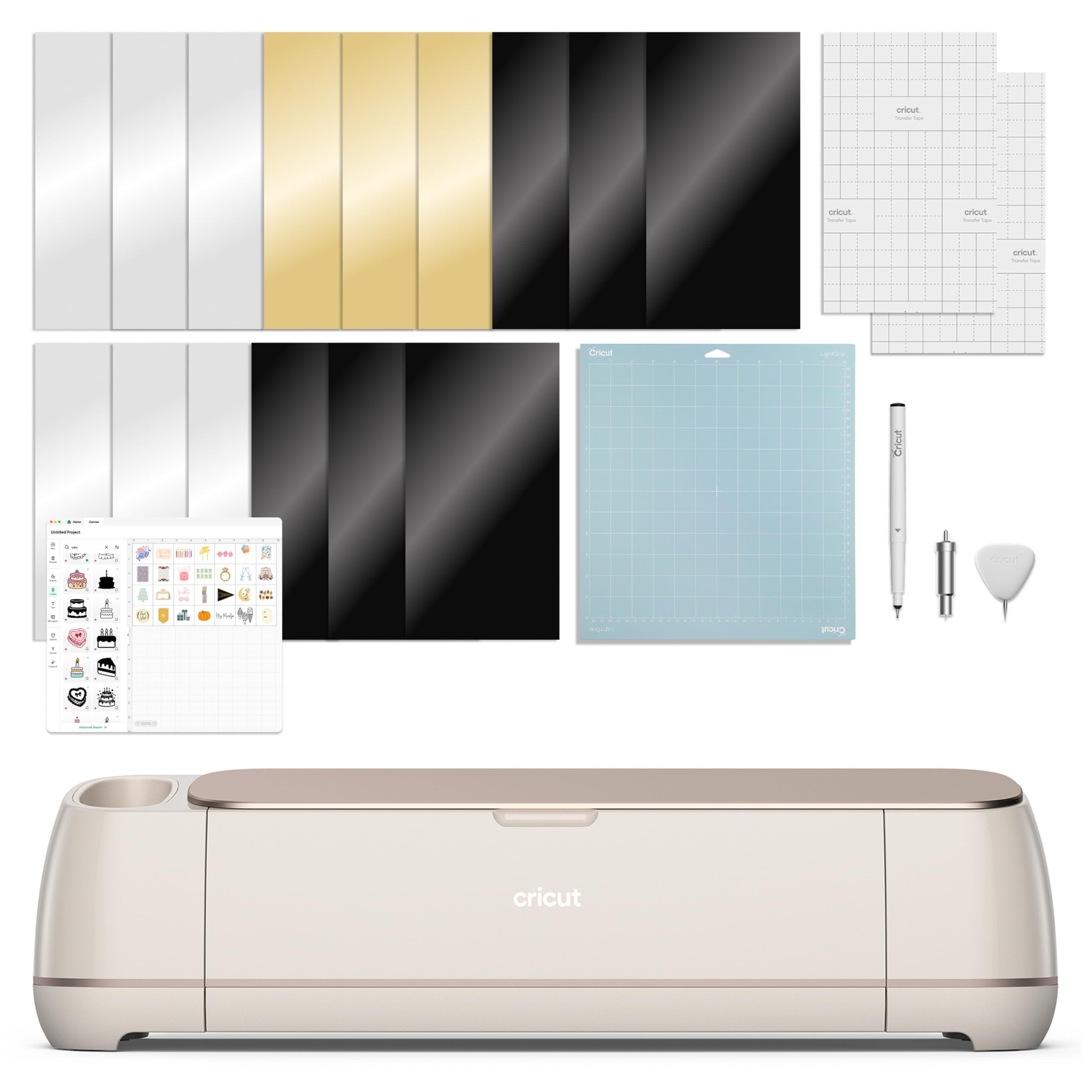
1. Cricut Maker 4
Our pick — over 4.5★ from 550+ verified ratings; the strongest balance of quality and price.
This machine cuts, draws, foils, scores, engraves, debosses, and perforates over 300 materials, from leather to sticker paper.
This is the machine owners call a perfect investment and an upgrade they never regretted. Its standout strength is material variety — it cuts, draws, foils, scores, engraves, debosses, and perforates, so you can move from custom t-shirts to engraved jewelry without swapping hardware. The quality is the most-praised aspect, and speed comes in second, with buyers reporting it is “super fast” and “smoother” than previous Cricut generations. Since it is 9.59 kg, it stays planted during long cuts but is not something you pack for a coffee shop session.
The Design Space software gives you a free library of over 3,000 images, but open up the full 1.5 million+ image catalog requires a Cricut Access subscription. That is the trade-off: the hardware is spectacular, but the best content is behind a paywall. Functionality and durability draw mixed feedback — a few owners mention units that stopped working early, though the enormous majority rate it 4.6 stars across a large owner base. Buyers report one upgraded “when my old silhouette broke” and found no complaints, calling it fast, precise, and easy to set up.
For anyone who wants a single machine that can handle nearly any craft material you can name, this is the one to beat. If you only cut vinyl and cardstock occasionally, a smaller, lighter option saves you money and desk space.
What wins people over
- Works with over 300 materials, including leather and wood
- Quality and speed are the top-praised aspects among owners
- Print-Then-Cut feature lets you create full-color stickers with any inkjet printer
- Included bundle has a materials sampler, pen, and cutting mat to get started
What to watch for
- Heavy build (9.59 kg) makes it a desk-permanent machine
- Best design library requires a Cricut Access subscription
- A small minority report units with early functionality issues
balance of the list: choose this if you want to cut leather, wood, vinyl, cardstock, and fabric from one machine with professional speed and precision.
skip it if: your projects rarely go beyond vinyl decals and cardstock — the Cricut Explore 5 covers that ground for less.
2. Likcut Vinyl Cutter S501
This budget-friendly cutter generates cut files from voice prompts, skipping complex design software.
This pink machine skips the learning curve of complex design software by letting you speak a prompt — for example, “a cute retro cat eating ice cream” — and generating a cut file automatically. It handles over 46 materials, from vinyl and cardstock to iron-on transfers, and it can work with matless smart material for faster setup. At 2.63 kg it is versus the Cricut Maker 4 at 9.59 kg, making it genuinely portable and easy to store on a shelf.
The big caveat is software. As buyers put it: “in order to use any useful tools in the app you have to pay for a subscription, the app doesn’t help at all with measuring your project.” The free app has limited utility, and several owners warn that the pay-per-use model adds up quickly. There is no print-then-cut feature, so full-color sticker making is off the table. It scores 4.2 stars across a large owner base, with the crowd praising its compact size, easy setup, and precise cuts for small projects like decals and cards.
Best for absolute beginners: if you want to dip a toe into cutting without spending much and you are comfortable with subscription costs for advanced features, the S501 is a friendly, low-risk starting point.
One real limitation: the app’s measuring and subscription model frustrates owners who want a no-surprises experience; the Silhouette Cameo 5 Alpha offers a broader free design library.
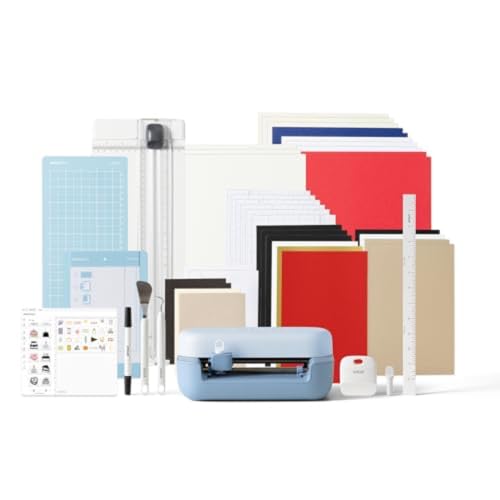
3. Cricut Joy 2 Essential Bundle
At just 0.91 kg, this compact machine fits in a drawer and handles small sticker and card projects.
At just over 2 lbs (0.91 kg) and with a 4.5-inch (11.4 cm) cutting width, this is the machine you grab for quick, small-format projects — custom cards, simple labels, and decals. The Essential Bundle comes with supplies for up to 35 projects, including Smart Vinyl, insert card sets, and printable vinyl, so you can make full-color stickers using a home inkjet printer. Owners highlight ease of use as the top positive aspect, and one called it “perfect for beginners and so much fun,” noting that the only hiccup was an initial material feed issue fixed by a simple reset.
The compact size gets mixed reactions — it is great for storing in a small space, but the 4.5-inch width limits you to designs smaller than a typical letter-size sheet. Bluetooth connectivity also draws mixed feedback; a few owners mention persistent connection failures with no USB backup option. If you mostly make small decals, labels, and greeting cards, the Joy 2 is a delight. If you ever need to cut a 12-inch-long vinyl decal, look at the Cricut Explore 5 instead.
Who it fits: the once-in-a-while crafter who wants a portable, easy-to-store machine for small projects like cards, labels, and simple stickers.
Where it falls short: Bluetooth pairing issues frustrate a few owners, and the narrow cutting width stops you from making anything larger than about 4.5 inches wide.
4. Cricut Explore 5 Essential Bundle
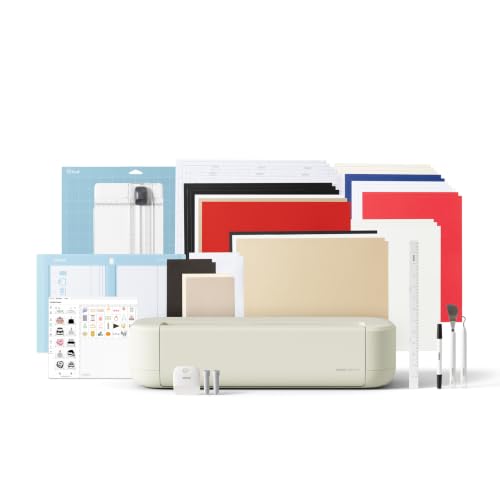
This 12-inch machine cuts over 100 materials faster and quieter than its predecessor.
Cutting performance is the star here — owners rate it the highest aspect by a wide margin. The 12-inch (30.5 cm) cutting width handles standard vinyl rolls and cardstock sheets, and it works with over 100 materials including vinyl, iron-on, cardstock, and printable sticker sheets. The Essential Bundle stocks supplies for up to 65 projects, giving you Smart Vinyl, Smart Iron-On, insert cards, and printable vinyl right in the box. Owners describe it as “fast, easy to use, and produces clean, professional cuts,” with one delighted buyer using it to make stencils and decals for a 600 mm wingspan RC plane.
Value for money gets mixed votes — some feel the software is excellent, while others say the Design Space app has a steep learning curve, especially for vinyl iron-on instructions. A few customers note that setup requires calibrating the machine in the app settings before it cuts perfectly. Compared to the Cricut Maker 4, the Explore 5 does not cut materials thicker than cardstock (no leather or balsa wood), but for vinyl, iron-on, paper, and felt, it is a fast, beautifully designed machine that hits a balance between capability and price.
Why it stands out: it is faster and quieter than its predecessor, with a sleek new Taupe color and a low-maintenance snap-in pen holder — owners call it “instantly obsessed” and “completely worth the hype.”
The honest limit: you cannot cut thick materials like leather, and the Design Space software requires a bit of patience to learn.
5. Cricut Joy Xtra with Rainbow Vinyl
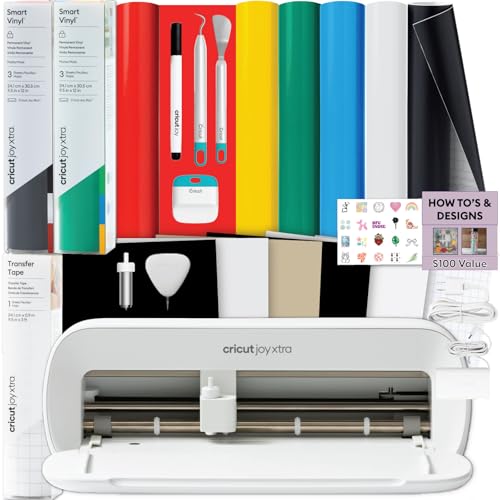
This bundle includes rainbow vinyl, tools, and a matless machine for labels and decals right from the start.
Cutting performance and ease of use are the top positives here — owners say it is “super simple to use” and perfect for a once-in-a-while crafter. The highlight is Smart Vinyl that loads into the machine without a cutting mat, saving setup time and reducing waste. The rainbow permanent vinyl assortment gives you color options for water bottles, classroom labels, wall decals, and storage bins right away. At a 4.6-star average with a solid owner base, the crowd consensus is that this is a complete, beginner-friendly system that works smoothly with the Design Space app.
Where reliability gets mixed marks is the occasional unit that arrives with alignment or feeding quirks. The compact size is praised — one owner noted it “takes little space” and is portable enough to carry — but it is not built for large-scale 12-inch vinyl decals. If you want a turnkey vinyl starter kit with everything included, this is an unbeatable way to begin. If you plan to cut larger sheets or need a scanner, the Brother ScanNCut line is a better fit.
Ideal for: teachers, hobby crafters, and anyone who wants a complete vinyl crafting bundle that works matlessly and produces clean, beautiful results for small projects.
Think twice if: you need to cut large-format designs — the Joy Xtra is designed for smaller everyday decals, not 12-inch rolled vinyl sheets.
6. Silhouette Cameo 5 Alpha

The whisper‑quiet cutter that reaches 400 mm/s while keeping your shared workspace peaceful.
This machine is built for speed and silence. Its motor cuts at up to 400 mm/s (millimeters per second — a measure of how fast the blade moves across the material) with an ultra-quiet operation that owners love for home or shared studios. The new 4-point registration system keeps print-then-cut alignment accurate, and Intelligent Path Technology (a system that tune the order the blade cuts, reducing material stress) delivers smoother, cleaner results with less waste. Quality and ease of use are the two most-praised aspects, and one owner described it as “a for my small business.”
The software and instructions draw the most negative feedback. The Mac version has notable GUI (graphical user interface) issues, and several owners found the instructions unclear. You also need to pay for extra designs beyond what is included. At 11.5 lb it sits between the compact Joy 2 and the heavy Cricut Maker 4, making it desk-stable but not portable. Compared to the Siser Juliet below, the Cameo 5 Alpha offers a slightly larger cutting area (12 in x 24 in) but the Siser has a reputation for superior accuracy.
What makes it special
- Whisper-quiet motor cuts at speeds up to 400 mm/s
- Handles materials up to 3mm thick, including fabric and chipboard
- 4-point registration system ensures precise print-then-cut alignment
- Owners love the quality and ease of use; over 600 ratings place it at 4.3 stars
What to know
- Software is a weak point — Mac users face broken hotkeys and a poor interface
- Instructions and introductory guides get the most negative owner comments
- Large footprint (22.28 inches wide) needs dedicated desk space
Reach for this if: you need a quiet, fast cutter that handles 3mm-thick materials and gives you a 12 x 24 inch cutting area for larger projects.
Look elsewhere if: you are a Mac user who demands polished software — the Silhouette Studio for Mac has consistent complaints about its interface.
7. Anna Griffin Empress Elite

The electric die cutter that makes embossing and precision cuts easy with a 360-degree turntable.
This is not a drag-knife vinyl cutter like the others on this list — it is an electric die cutting and embossing machine designed for card making and scrapbooking. You place metal dies and embossing folders between its steel rollers, and the machine feeds them automatically, saving you from hand-cranking. The 360-degree turntable is a hit: you can access the cutting plates from any angle without twisting your body. Owners compare it favorably against five other machines they have owned, noting it “cuts well even with cheap dies” and delivers “precision cuts in the first pass.”
The big downside is weight — at 15.1 pounds, it is heavy enough that the built-in handles feel necessary rather than optional. It is also semi-automatic, meaning you still load the dies manually. The price tier places it in premium territory, and while owners say it is “worth every penny” and “a card crafter’s dream,” that is a higher commitment for someone who only occasionally makes cards. If you love intricate die-cut cards and embossed stationery, this is the best machine on the list. If you need a versatile vinyl cutter for stickers and decals, the Cricut Maker 4 is a better fit.
Who it is built for: card makers and scrapbookers who want an electric, hand-crank-free machine that cuts and embosses with precision and ease.
One real caution: at 15.1 lb it is the heaviest pick here, and the semi-automatic operation still requires you to place dies by hand.
8. Siser Juliet High-Definition Cutter

The professional-grade cutter that owners call “insanely accurate” — .
Performance is the single most-praised aspect here, with speed and cutting accuracy right behind. The Juliet cuts at high speed while running quieter than traditional machines — owners switching from Cricut and Silhouette models consistently report a dramatic improvement in speed and noise level. It features adjustable pinch rollers (rollers that hold the material in place on either side, adjustable for different material widths) and a commercial-level blade, giving it a build quality that feels more like a pro tool than a hobby device. The touch-screen user interface is intuitive for beginners, and WiFi connectivity lets you cut without a USB cable.
The reliability score sits at mixed — a number of reviewers point out machines that stopped working after a period of use. The Leonardo Design Studio software also has a learning curve; owners say it is “superior once mastered,” but the basics take time to learn. Compared to the Silhouette Cameo 5 Alpha above, the Juliet is faster and quieter, but the Silhouette offers a larger cutting area (12 in x 24 in) for long-format projects. If you value high-definition precision for fine sticker details and professional-quality vinyl cuts, the Juliet is a top-tier choice. The catch is the learning curve and the occasional reliability concern.
Why pros love it
- Cuts with whisper-quiet operation
- Adjustable pinch rollers and commercial-level blades for professional-grade precision
- WiFi connectivity and an intuitive touch-screen interface
- Shoppers say extremely precise cuts — one noted cutting.05″ sticker edges in a single pass
The trade-offs
- Leonardo Design Studio software has a steep learning curve for beginners
- Some units experience reliability issues and stop working
- At 11.55 kg it is heavy and desk-bound
Best for: serious crafters and small-business owners who need high-definition precision on every cut and are willing to climb the software learning curve for professional results.
Not for: first-time buyers who want a simple, app-guided experience — the subscription-based Leonardo Pro and less-documented features can frustrate newcomers.
9. Brother ScanNCut SDX125EGY

The only cutting machine that scans your hand-drawn designs and converts them to cut files without a computer.
This is the standout feature: a built-in scanner that lets you draw a design on paper, scan it directly into the machine, and cut it out — no smartphone, tablet, or laptop required. It comes with 682 built-in designs (including 100 quilting patterns and 9 fonts), a 5-inch touchscreen LCD display, and an auto blade that automatically detects material thickness up to 3 mm. Owners who switched from Cricut praise the speed, the auto blade feature, and the fact that they do not need to keep a device nearby for scanning. One called it “a great investment” and “easier to use than Cricut Maker 3.”
The software and web interface draw the most negative feedback. The Canvas Workspace app is faster than Cricut Design Space, but owners say it is confusing for detailed designs. A few professionals note that the scanner struggles with reliable registration on 12-inch by 12-inch media for large print-and-cut projects. At 18.2 pounds, this is the heaviest machine in the entire list, so it is firmly a desk-station model. If you want to scan, edit, and cut without involving a computer, this is the only machine that does that. If you prefer working from a laptop or tablet and rarely draw freehand, a Cricut Explore 5 gives you a lighter, cheaper alternative.
Who it suits: anyone who likes to draw designs by hand, quilters who need built-in patterns, and crafters who want a standalone machine with a large touchscreen.
The honest limit: the software is confusing for complex projects, and the 18.2 lb weight means it stays on your desk permanently.
10. Brother ScanNCut SDX125E with Duffel Bag
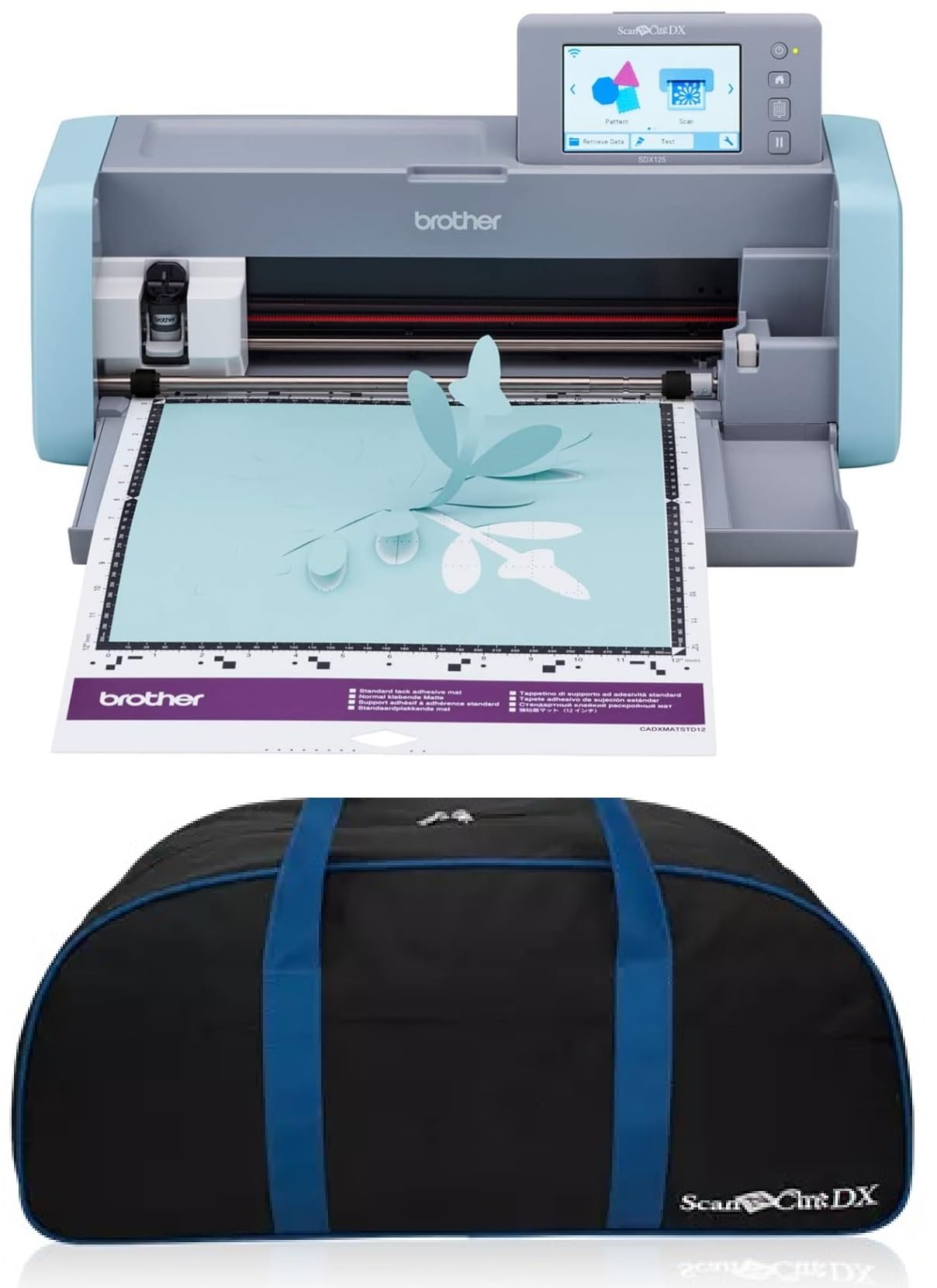
The same powerful scanner‑cutter as the SDX125EGY, bundled with a duffel bag for easy transport.
This bundle adds a custom duffel bag to the SDX125E, giving you over-the-shoulder straps, outside pockets, and enough room for the machine plus accessories. The core machine is identical to the grey SDX125EGY above: a built-in scanner, 682 designs, auto blade that detects material thickness up to 3 mm, and a 5-inch touchscreen. Owners say it is “very versatile” and “so easy to use,” with one calling it “amazing” for scanning pictures and cutting them out. It is 12.8 pounds — lighter than the SDX125EGY, which might help if you use the bag to carry it to workshops or crop events.
The learning curve is steeper than many owners expect for a scanning machine. Mats lose their stickiness quickly, especially with linen cardstock, and a bent corner on the mat can prevent the laser from reading the material correctly. A few owners note that the scan-and-cut function requires strong contrast on the material edges. If you love the Brother scanning workflow and plan to move the machine between rooms or events, this bag bundle is a smart value-add. If you never plan to pack it up, save the bag cost and get the SDX125EGY instead.
Reach for this if: you want the Brother scanner‑cutter experience and also need a dedicated carry bag for transporting the machine to classes, workshops, or crafting groups.
Think twice if: your machine will stay on one desk — the bag adds cost without benefit, and the mat maintenance (replacing sticky mats) is a recurring need.
Understanding the Specs
Cutting Width and Depth
Cutting width (measured in inches or centimeters) tells you how wide a material sheet the machine can handle. A 12-inch width handles standard letter-size sheets and standard vinyl rolls, while a 4.5-inch machine is built for smaller labels and cards. Depth is determined by the cutting force or a max thickness spec (often given in millimeters) — a machine rated for 3 mm can cut felt, chipboard, and thin balsa, while a standard machine handles cardstock and vinyl only.
Matless vs. Mat-Based Cutting
Matless machines let you load certain materials (usually Smart Vinyl or similar lined materials) directly into the machine without a sticky cutting mat, saving setup time and reducing waste. Mat-based machines use a reusable adhesive mat to hold the material in place, giving you more stability for small or irregular pieces. The trade-off is that mats lose stickiness over time and need replacement every few dozen projects.
Software and Design Libraries
Every modern electronic cutting machine relies on a companion app or desktop software to create and send designs. Some apps are free with a generous built-in library (3,000+ images), while others require a paid subscription to open up the full catalog. A few machines have a built-in touchscreen and design library that does not require a computer at all — ideal for hand-drawn designs or quick standalone projects.
Auto Blade vs. Manual Blade
An auto blade automatically adjusts its depth based on the material thickness detected by the machine, so you do not have to change blades between cardstock and vinyl. Manual blades require you to set the blade depth by hand, which adds time but gives experienced users more control. Look for “auto blade” or “auto material sensor” if you want a low-maintenance workflow.
FAQ
Can an electronic cutting machine cut felt or fabric?
Do I need a computer or can I use a smartphone?
What is the difference between a cutting machine and a die-cutting machine?
Can I cut my own designs or only pre-made ones?
How long do cutting mats last?
Is a subscription required to use these machines?
Can I cut iron-on (HTV) materials with these machines?
What is the difference between a machine that cuts 4.5 inches wide and one that cuts 12 inches wide?
Will third-party blades and mats work with these machines?
What maintenance does an electronic cutting machine need?
Final Thoughts: The Verdict
Across the board, the electronic cutting machine winner is the Cricut Maker 4 because it handles the widest range of materials (300+) and has the highest owner satisfaction in its tier, backed by thousands of positive ratings. If you want a portable, lightweight machine for small everyday projects like labels and cards, grab the Cricut Joy 2 Essential Bundle at just 0.91 kg. For professional-grade accuracy and a quieter cut, the Siser Juliet is the one to reach for — provided you are ready to learn the Leonardo software.
How We Picked
We do not accept paid placement. Every pick is matched to a real buyer and a real use-case; we do not hands-on test units.
Sources & Methodology
Specifications: manufacturer listings and product documentation. Review insights: verified customer reviews, as of July 2026. Pricing: not shown on this page (it changes often); check the current price via the retailer link.
As an Amazon Associate, WellFizz earns from qualifying purchases. This does not affect which products we feature.
Related Guides

Mo Maruf
I created WellFizz to bridge the gap between vague wellness advice and actionable solutions. My mission is simple: to decode the research and give you practical tools you can actually use.
Beyond the data, I am a passionate traveler. I believe that stepping away from the screen to explore new environments is essential for mental clarity and physical vitality.