Our readers keep the lights on and my smoothie glass nicely filled. As an Amazon Associate, I earn from qualifying purchases.
Specs are compiled from manufacturer listings and verified buyer reviews and can change over time — please confirm the key details on the product page before buying.
You want an e-reader that fits your daily reading habit, not a device that gets in the way. The real choice is between a light, pocketable model for commutes and a larger one that handles comics, notes, and audiobooks. Screen size, battery life, and if you need color or a simple paper-like display are the three things that matter most.
I’m Mohammad Maruf — the founder and writer behind WellFizz. This guide is built by comparing the manufacturers’ published specifications and the patterns across verified customer reviews, so you get each pick’s real strengths and trade-offs instead of marketing spin.
Every model reviewed here shares a distraction-free E Ink screen, but the differences in waterproofing, storage, and lighting make one far better suited to your habits than the others. That is exactly what this guide to the best electronic reader is built to help you decide.
Our Picks at a Glance


How To Choose The Best Electronic Reader
Focus on three things: screen size for your preferred content, battery life for your reading rhythm, and if you need waterproofing or color. Ignore gimmicks — the best device fades into the background so you can focus on the book.
Screen Size and Display Technology
A 6-inch screen is perfect for slipping into a purse or jacket pocket. A 7-inch display gives you more text per page, reducing page turns, and is ideal for home or travel reading. Color E Ink screens like Kaleido 3 add a visual layer for comics and covers but are slightly darker and less sharp than monochrome versions — a trade-off worth knowing.
Battery Life and Charging
E Ink screens consume almost no power when displaying a static page, so even basic models last weeks. Premium readers can go up to 12 weeks on a charge, while color models typically last 4 to 10 weeks. Choose a device with USB-C for modern convenience; wireless charging is a bonus on some premium models.
Waterproofing and Durability
If you read by the pool, in the bath, or on a rainy commute, look for an IPX8 rating. This means the device can survive a dunk in up to 2 meters of water for 60 minutes. Models without waterproofing are fine for dry environments but not for bathroom readers.
Quick Comparison
| Model | Best For | Screen Size | Storage | Battery Life | Amazon |
|---|---|---|---|---|---|
| Kindle Paperwhite 16GB★ Best Overall | Best Overall | 7″ | 16 GB | Up to 12 weeks | Amazon |
| Kindle 16GBPocket Champion | Lightest & Most Portable | 6″ | 16 GB | Up to 6 weeks | Amazon |
| PocketBook VerseFormat Freedom | Format Flexibility | 6″ | 8 GB + microSD | Up to 1 month | Amazon |
| Kobo Clara BW | Library Integration | 6″ | 16 GB | Weeks | Amazon |
| PocketBook Verse Pro Color | Color on a Budget | 6″ | 16 GB | — | Amazon |
| Kobo Libra Colour | Color with Page Buttons | 7″ | 32 GB | Up to 4 weeks | Amazon |
| BOOX Go Color 7 Gen II | Android App Lovers | 7″ | 64 GB + microSD | 1-3 weeks | Amazon |
| Kindle Scribe 64GB | Note-Taking & Reading | 10.2″ | 64 GB | Months (read) / Weeks (write) | Amazon |
| Kindle Colorsoft Signature Edition | Premium Color Experience | 7″ | 32 GB | Up to 10 weeks | Amazon |
In‑Depth Reviews
1. Amazon Kindle Paperwhite 16GB (Newest Model)
Our pick — over 4.5★ from 21,000+ verified ratings; the strongest balance of quality and price.
The crowd-favorite e-reader that nails everything: speed, battery, and a waterproof body.
This is the model the crowd raves about — and for good reason. The 7-inch glare-free display delivers a crisp, paper-like reading experience that stays sharp even in bright sunlight. Page turns are 25% faster than the previous generation, so flipping through a chapter feels instant. The warm front light lets you shift from cool white to amber, making late-night reading easy on the eyes.
Battery life is the standout here. A single USB-C charge lasts up to 12 weeks — a 2x gap over the basic Kindle’s 6 weeks. The IPX8 waterproofing means you can take it to the pool or the bath without worry. The 16GB of storage holds roughly 8,000 books, enough for any traveler. Owners consistently praise the quality and battery life, noting it’s “crisp display, outstanding battery life, fast and responsive.”
One trade-off: the 7-inch screen is bigger than the 6-inch basic Kindle, so it is slightly less pocketable. The color model above it adds color but costs significantly more. For most readers, the Paperwhite is the balance.
Why it wins
- 25% faster page turns than previous Paperwhite
- Up to 12 weeks on a single charge
- IPX8 waterproof for low-maintenance reading anywhere
The size fit
- Larger than the basic Kindle — less pocket-friendly
- No color display for comics or covers
Reach for it if: You want the best all-around e-reader with long battery, waterproofing, and a fast, crisp screen.
Look elsewhere if: You need the absolute lightest device or want color for graphic novels.
2. Amazon Kindle 16GB (Newest Model) — Lightest and Most Compact
The lightest Kindle ever made — it slips into a jacket pocket like it isn’t there.
At the top of the praise list is the size, with over a thousand owners calling it out. This is the lightest and most compact Kindle, making one-handed reading easy. As buyers report: “very light (lighter than phone in case), one-handed use.” The 6-inch glare-free display now has a front light that is 25% brighter at max setting, plus a dark mode for comfortable night reading.
Battery life is a solid 6 weeks on a single charge — well behind the Paperwhite’s 12 weeks, but plenty for most readers. The 16GB storage holds thousands of books. This model uses 75% recycled plastics and 90% recycled magnesium, so it is also the most sustainable choice.
One honest caveat: it lacks the Paperwhite’s waterproofing, so it is not the one for bath or pool reading. If you value extreme portability above all else, this is the one. It is also a perfect gift for someone who has never owned an e-reader.
Best for travel: The lightest Kindle fits in a purse or pocket and is comfortable to hold for hours. Not waterproof — keep it dry.
Grab it if: You want the most portable, lightweight e-reader for commuting and travel.
skip it if: You need waterproofing or the longer 12-week battery of the Paperwhite.
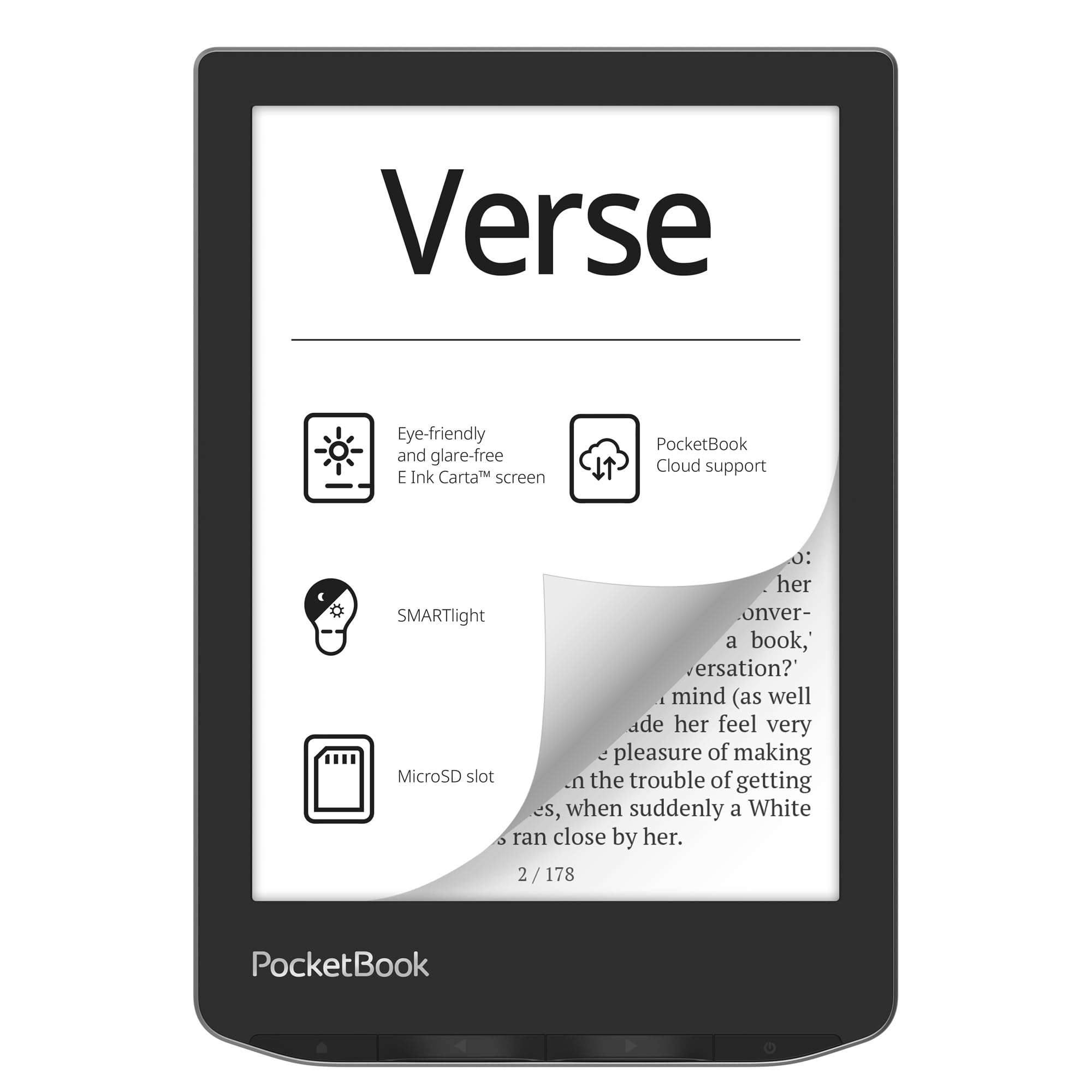
3. PocketBook Verse — Eye-Friendly 6″ E-Ink Carta HD Touchscreen
An open-format e-reader that plays nice with Calibre, SD cards, and EPUB files.
The PocketBook Verse is the anti-Kindle. It supports 25 formats including EPUB, FB2, DJVU, CBR, and CBZ without conversion, so you can load books from any source. The 6-inch E Ink Carta HD touchscreen has SMARTlight, letting you adjust both brightness and color temperature from warm to cool for reading in any light. Mechanical page-turn buttons complement the touchscreen — a welcome feature for one-handed reading.
Battery life hits about a month on a single charge, though owners mention even better results with Wi-Fi off. One owner noted “battery lasts months (4 months on first charge, 1115 pages).” The 8GB internal storage is modest, but the microSD card slot supports up to 128GB, giving you room for a massive library. The PocketBook Cloud syncs your collection across devices.
The trade-off is twofold: reliability gets mixed feedback, and the highlighting feature is described as frustrating by some. Also, the Libby app was not available as of early 2026, which limits library borrowing for US users.
Who it fits: Readers with a large Calibre library or file collection who hate format conversion. The SD card slot and open ecosystem are the main draws.
Best for: Tech-savvy readers who want total format freedom and expandable storage.
Not ideal for: Anyone who relies on Libby for library loans or wants a polished, glitch-free UI.
4. Kobo Clara BW — 6″ Glare-Free Touchscreen with ComfortLight PRO

A lightweight, waterproof e-reader with excellent library integration via OverDrive.
The Kobo Clara BW is a favorite among library users. It has built-in OverDrive support, letting you borrow eBooks directly from your local library without needing a computer. The 6-inch E Ink Carta 1300 HD display is glare-free with ComfortLight PRO, which adjusts brightness, color temperature, and reduces blue light for better sleep. Dark mode is also available for night reading.
The IPX8 waterproof rating means it survives a 60-minute dunk in up to 2 meters of water. Battery life lasts weeks — owners typically charge it twice a month with daily use. At 6.14 ounces, it is lighter than the Paperwhite and comfortable for small hands or readers with arthritis. Owners highlight the crisp, clear display that shifts automatically from daylight to warm tones at night.
One limitation: it does not have access to Amazon’s Kindle Store. If you have a large Kindle library, you would need to convert files or use Calibre. The interface is slightly slower than a Kindle, but most owners find it snappy enough for reading.
The catch: No Kindle Store access — this is for readers who prefer library borrowing, Kobo Store, or sideloading their own files.
Reach for it if: You borrow eBooks from your local library and want a lightweight, waterproof reader.
pass on it if: You are invested in Amazon’s Kindle ecosystem and want smooth access to your existing library.
5. PocketBook Verse Pro Color — Color Screen E Ink Kaleido 3

A compact color e-reader with an open ecosystem and IPX8 waterproofing.
The Verse Pro Color brings a 6-inch E Ink Kaleido 3 color display into a compact, IPX8 waterproof body. The color layer adds life to book covers, comics, and illustrations, though it is inherently less sharp than monochrome screens — the front light helps compensate. SMARTlight lets you adjust color temperature, and Text-to-Speech can read any text file aloud via Bluetooth.
Performance gets mixed feedback. While some owners find it fast with crisp text and good sunlight readability, others report significant lag with 5-10 second delays. The 16GB storage and open system (no account required, minimal data collection) appeal to privacy-conscious readers. USB drag-and-drop for DRM-free ebooks works simply, and it supports EPUB, MOBI, PDF, and CBZ.
The build quality is the one aspect owners praise most. If you want color while staying affordable and are willing to tolerate occasional slowness, this is a solid option. For comic readers, note that color e-ink is muted compared to an OLED tablet.
Build quality shines: The most praised aspect is the solid construction. The color screen is a nice bonus but not as vibrant as a tablet.
Best for: Privacy-focused readers who want color and waterproofing without paying for a premium brand.
Not for: Speed-sensitive readers or anyone needing a snappy, responsive interface.
6. Kobo Libra Colour — 7″ Color E Ink, Waterproof, White

A color e-reader with page-turn buttons and the best library integration available.
The Kobo Libra Colour is the best choice for anyone who wants color without leaving the Kobo ecosystem. The 7-inch Kaleido 3 color display brings cover art, comics, and illustrations to life, and color highlighting in yellow, orange, blue, and pink is a standout feature for annotators. Color is the most praised aspect — over 60 owners single it out. The ergonomic design includes physical page-turn buttons and left/right screen rotation, making one-handed reading comfortable.
The IPX8 waterproof rating matches the Paperwhite. Battery life runs up to 4 weeks on a charge. With 32GB storage, you can hold up to 24,000 eBooks or 150 Kobo Audiobooks. Built-in OverDrive support lets you borrow library books directly. It is also compatible with the Kobo Stylus 2 (sold separately) for note-taking and color annotations.
One honest trade-off: the color screen has a slightly grainy, newspaper-like quality compared to a monochrome e-reader. If sharpest text is your priority, a black-and-white model like the Clara BW is better. Also, the stylus is not included and is expensive to buy separately.
Color perks
- Color highlighting and cover art make reading more engaging
- Physical page-turn buttons are comfortable for long sessions
- Excellent OverDrive library integration
The screen trade-off
- Color screen is less sharp than monochrome models
- No expandable memory — 32GB is fixed
Reach for it if: You want color and page-turn buttons, and you rely on library borrowing.
Think twice if: Maximum text sharpness is your priority, or you already own many Kindle books.
7. BOOX Go Color 7 Gen II — Android 13 E Ink Tablet

An Android e-reader that runs Kindle, Libby, and Google Play apps on a color screen.
The BOOX Go Color 7 Gen II is not just an e-reader — it is an Android 13 tablet with an E Ink screen. It runs the Kindle app, Libby, Google Books, and even Spotify, giving you access to multiple ecosystems on one device. The 7-inch Kaleido 3 color display has a 300 PPI black resolution and 150 PPI color resolution. An octa-core processor and 4GB RAM keep things moving, though performance varies by app.
Battery life ranges from 1-3 weeks depending on usage and auto-shutdown settings. The 64GB internal storage is generous, and the microSD card slot allows expansion — unlike most Kindle and Kobo models. Page-turn buttons and a G-sensor for auto-rotation add convenience. Owners appreciate it for reading manga and comics, though colors are muted compared to a standard tablet.
The trade-off is significant: battery life is shorter than any Kindle, it is not waterproof, and the interface requires some tinkering. The page-turn buttons do not work with the Kindle app, which is a common complaint. This is a device for readers who want app flexibility and are comfortable with some customization.
Full Android access: Run multiple reading apps on one device. Be prepared for shorter battery life and some setup time.
Best for: Multisystem readers who want Kindle, Kobo, Libby, and Google Books on one device.
Not for: Anyone who wants a simple, turnkey reading experience or needs waterproofing.
8. Like-New Amazon Kindle Scribe (64GB) — with Premium Pen
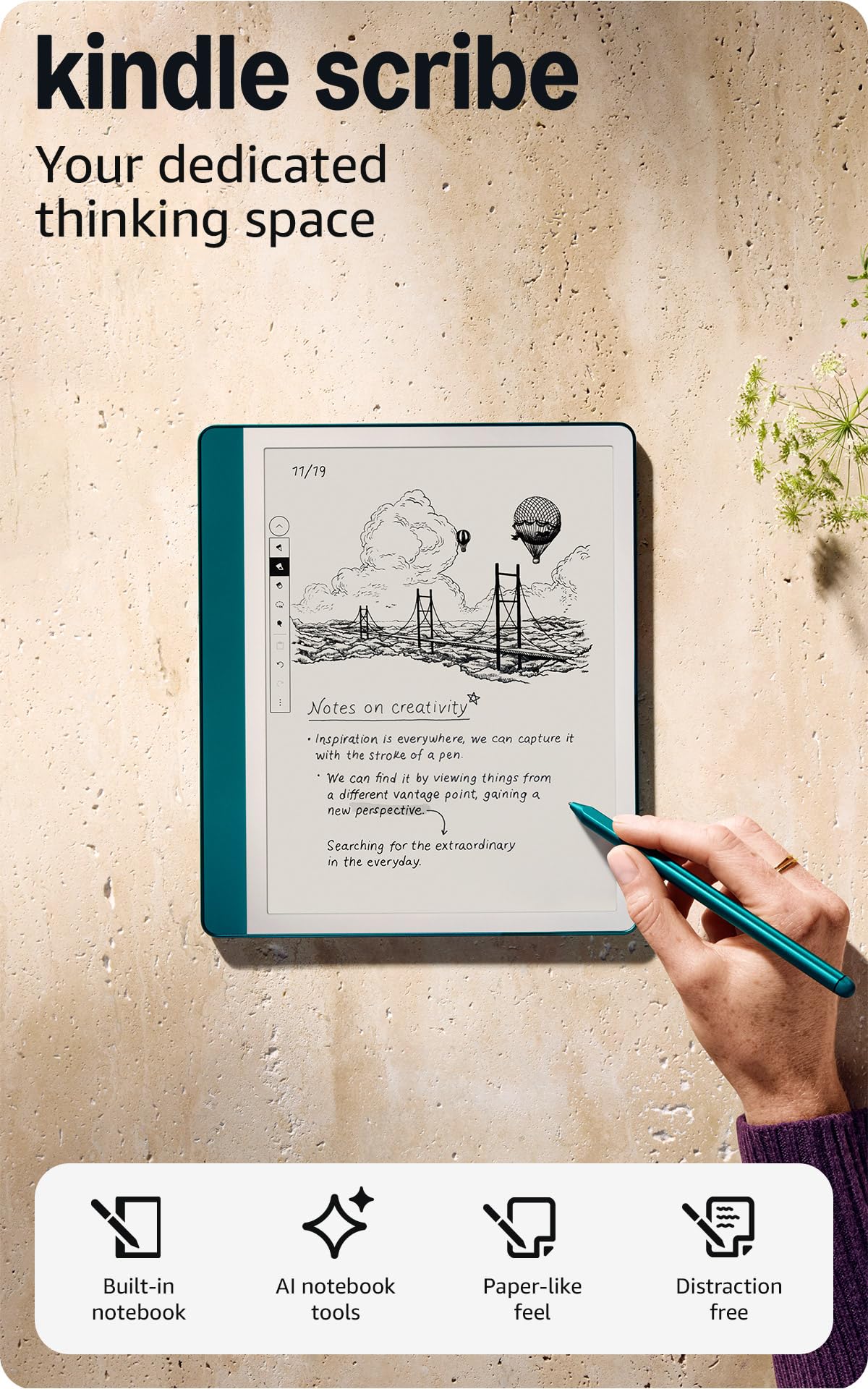
A large-screen Kindle that doubles as a digital notebook with AI summarization tools.
The Kindle Scribe replaces a stack of notebooks and books with a single 10.2-inch E Ink device. The glare-free, 300 PPI display is designed for both reading and writing. The Premium Pen requires no charging — just pick it up and write. The pen-to-paper feel is natural, with instant erasure by flipping the pen. AI tools can convert messy handwriting into readable font and summarize or change the tone of your notes.
The 64GB storage holds a massive library and thousands of notebook pages. Battery life is impressive: read for months on a single charge, write for weeks. Owners love it for journaling, day/week/month planning, to-do lists, and activity tracking. The Active Canvas feature creates space for notes on book pages, expanding or collapsing as needed.
One honest trade-off: the user interface for organizing notebooks is somewhat clumsy, and the web browser is very slow. PDF import can be hit-or-miss. If you primarily want to read and write notes in one device, this is excellent. If you just want a lightweight reader, the Paperwhite is the better choice.
Note-taking strengths
- Natural pen-on-paper feel with no charging needed
- AI tools for handwriting conversion and summarization
- Months of reading battery life
Interface quirks
- Clumsy UI for organizing notebooks
- Slow web browser with limited compatibility
Reach for it if: You want a large-screen e-reader and digital notebook in one, with AI note-summarization.
it’s not for you if: You only need a lightweight reading device and do not write notes.
9. Amazon Kindle Colorsoft Signature Edition Essentials Bundle (32GB)

Amazon’s first color Kindle — a premium reading experience with auto-adjusting light.
The Kindle Colorsoft Signature Edition is Amazon’s first color e-reader, and it does not disappoint. The 7-inch Colorsoft display is high-contrast and easy on the eyes, bringing book covers, illustrations, and graphic novels to life. You can highlight in yellow, orange, blue, and pink — a feature that owners call out as a major upgrade for annotating. The auto-adjusting front light adapts to your surroundings, making reading comfortable from bright sunlight to pitch-dark rooms.
Battery life is up to 10 weeks on a single charge, plus the wireless charging dock (included in the bundle) makes topping up easy. The 32GB storage holds thousands of books, and the IPX8 waterproofing means you can read by the pool or in the bath. The Colorsoft has received top marks from the first batch of owners, with color being the most praised aspect. As owners put it: “the color display enhances highlights, covers, and illustrations; excellent battery life; lightweight, glare-free screen.”
One small nitpick: the wireless charging dock does not work when the travel cover is on. Also, this is a premium device with a premium price tag. If you want color and can afford the upgrade, this is the best color Kindle available.
Color done right: Amazon’s first color e-reader is a polished, premium device. Best for readers who want color covers, comics, and highlighting.
Best for: Kindle fans who want color for covers, comics, and annotations with the best battery life in color.
Consider alternatives: If you just read black-and-white text, the Paperwhite delivers the same experience for less money.
Understanding the Specs
E Ink Carta vs Kaleido 3
E Ink Carta is the standard black-and-white display technology. It delivers crisp, paper-like text at 300 PPI and is glare-free in sunlight. Kaleido 3 is a color E Ink technology that adds a color filter layer, allowing around 4,096 colors. The trade-off is that color screens are slightly darker and less sharp than monochrome versions — the front light helps, but it is a real difference to notice.
Front Light and Color Temperature
A front light lets you read in the dark without a lamp. Basic models offer a single white light. Advanced ones like ComfortLight PRO or SMARTlight let you adjust the color temperature from cool blue to warm amber. Warm light reduces blue light exposure, making it easier to fall asleep after reading. This matters if you read in bed regularly.
Waterproofing (IPX8)
An IPX8 rating means the device can be submerged in up to 2 meters of fresh water for 60 minutes without damage. This covers drops in the bath, reading by the pool, and rainy commute use. Models without this rating can handle light splashes but are not designed for submersion.
Storage and Expandability
Storage determines how many books you can carry. A 16GB Kindle holds around 8,000 books, while a 32GB model holds up to 24,000. Some e-readers like PocketBook and BOOX include a microSD card slot, letting you expand storage up to 128GB or more. Kindle and Kobo models generally do not have expandable storage, so choose your capacity upfront.
FAQ
Can I read Kindle books on a Kobo or PocketBook?
Which e-reader has the best battery life?
Is a color e-reader worth it?
Can I borrow library books on an e-reader?
What is the difference between a Kindle and an e-reader?
How much storage do I need on an e-reader?
Are e-readers good for reading in direct sunlight?
Can I listen to audiobooks on an e-reader?
What is the difference between 300 PPI and 150 PPI?
Can I take notes on an e-reader?
Final Thoughts: The Verdict
For most readers, the best electronic reader winner is the Amazon Kindle Paperwhite 16GB because it balances a fast 7-inch display, 12-week battery life, and IPX8 waterproofing at a reasonable price. If you want the lightest, most portable device for travel, grab the basic Kindle 16GB. And for color comics and library borrowing with page-turn buttons, the Kobo Libra Colour is the one to reach for.
How We Picked
We do not accept paid placement. Every pick is matched to a real buyer and a real use-case; we do not hands-on test units.
Sources & Methodology
Specifications: manufacturer listings and product documentation. Review insights: verified customer reviews, as of July 2026. Pricing: not shown on this page (it changes often); check the current price via the retailer link.
As an Amazon Associate, WellFizz earns from qualifying purchases. This does not affect which products we feature.
Related Guides

Mo Maruf
I created WellFizz to bridge the gap between vague wellness advice and actionable solutions. My mission is simple: to decode the research and give you practical tools you can actually use.
Beyond the data, I am a passionate traveler. I believe that stepping away from the screen to explore new environments is essential for mental clarity and physical vitality.