Our readers keep the lights on and my smoothie glass nicely filled. As an Amazon Associate, I earn from qualifying purchases.
Specs are compiled from manufacturer listings and verified buyer reviews and can change over time — please confirm the key details on the product page before buying.
An electronic family calendar ends the chaos of missed practices, forgotten dinners, and skipped chores. It consolidates every schedule, chore, and meal plan onto a single, self-updating touchscreen. This guide compares nine top models, evaluating screen size, sync reliability, and chore tools that motivate kids.
I’m Mohammad Maruf — the founder and writer behind WellFizz. This guide is built by comparing the manufacturers’ published specifications and the patterns across verified customer reviews, so you get each pick’s real strengths and trade-offs instead of marketing spin.
The right electronic family calendar turns a wall into a command center where appointments sync instantly and chores become a game kids actually want to play.
Our Picks at a Glance
How To Choose The Best Electronic Family Calendar
Before buying, focus on models that simplify your life, not ones that add another screen to manage. Experienced buyers prioritize these four factors.
Screen Size and Placement Flexibility
A 10-inch model fits a small kitchen corner, but a 15.6-inch or 16-inch screen gives the whole family room to read appointments from across the room. Look for models that include both a desk stand and wall-mounting hardware — and a magnetic fridge mount if you want it front and center. The best electronic family calendars let you switch between horizontal and vertical orientation without extra tools.
Calendar Sync Quality
Calendar sync is the core feature. A good unit offers real-time two-way sync with Google, iCloud, and Outlook — meaning an event you add on your phone appears on the wall display instantly, and an edit on the display updates your phone. Avoid any model that only does one-way sync (phone to screen only), because that means you still have to touch the wall unit to make changes stick.
Built-in Chore Charts and Reward Systems
The best family calendars include color-coded task assignments and a points-based reward system that turns chores into a game. Kids check off their tasks on the touchscreen, earn stars or points, and redeem them for preset rewards. Chore and reward systems replace daily reminders with self-motivation, earning the highest praise from parents.
Subscription Costs
Nearly every model on this list has no monthly fee for core functions like calendar sync, chore tracking, and photo display. A few may ask for a small subscription to open up advanced AI features, but the essentials are free forever. Skip any model that charges a recurring fee for basic calendar sync — that is a red flag.
Quick Comparison
| Model | Best For | Screen Size | Calendar Sync | Special Feature | Amazon |
|---|---|---|---|---|---|
| Apolosign 15.6★ Best Overall | Best Overall | 15.6-inch | Google, iCloud, Outlook | Google Gemini voice assistant | Amazon |
| Digital Calendar 10.1Budget Champion | Budget Pick | 10.1-inch | Google, Apple, Yahoo, Cozi | Color-coded chore & reward system | Amazon |
| Ekasoco 15.6Mid-Range Power | Mid-Range Value | 15.6-inch | Google, iCloud, Outlook, Cozi | Two-way Google calendar sync | Amazon |
| JSUSOU Magnetic 15.6 | Fridge Mount | 15.6-inch | Google, iCloud, Outlook | Magnetic fridge mount | Amazon |
| Dragon Touch TM15 | App Integration | 15.6-inch | iOS, Google, Outlook | eCalendar App with remote management | Amazon |
| Magnetic Fridge 15.6 | Kitchen Hub | 15.6-inch | Google, iCloud, Outlook | Magnetic + 3-mode mount | Amazon |
| Yemsd 15.6 | Premium Display | 15.6-inch | Google, iCloud, Outlook | AI photo restoration, 32GB storage | Amazon |
| Westsee X200 | Easy Setup | 15.6-inch | Google, iCloud, Outlook | Zical App with smart sound reminders | Amazon |
| Anyuse 16 | Largest Display | 16-inch | Google, iCloud, Outlook, Cozi | 4-level font size adjustment | Amazon |
In‑Depth Reviews
1. Apolosign 15.6-inch Digital Calendar
Our pick — over 4.5★ from 850+ verified ratings; the strongest balance of quality and price.
The all-in-one family hub that syncs every schedule and runs on a voice assistant.
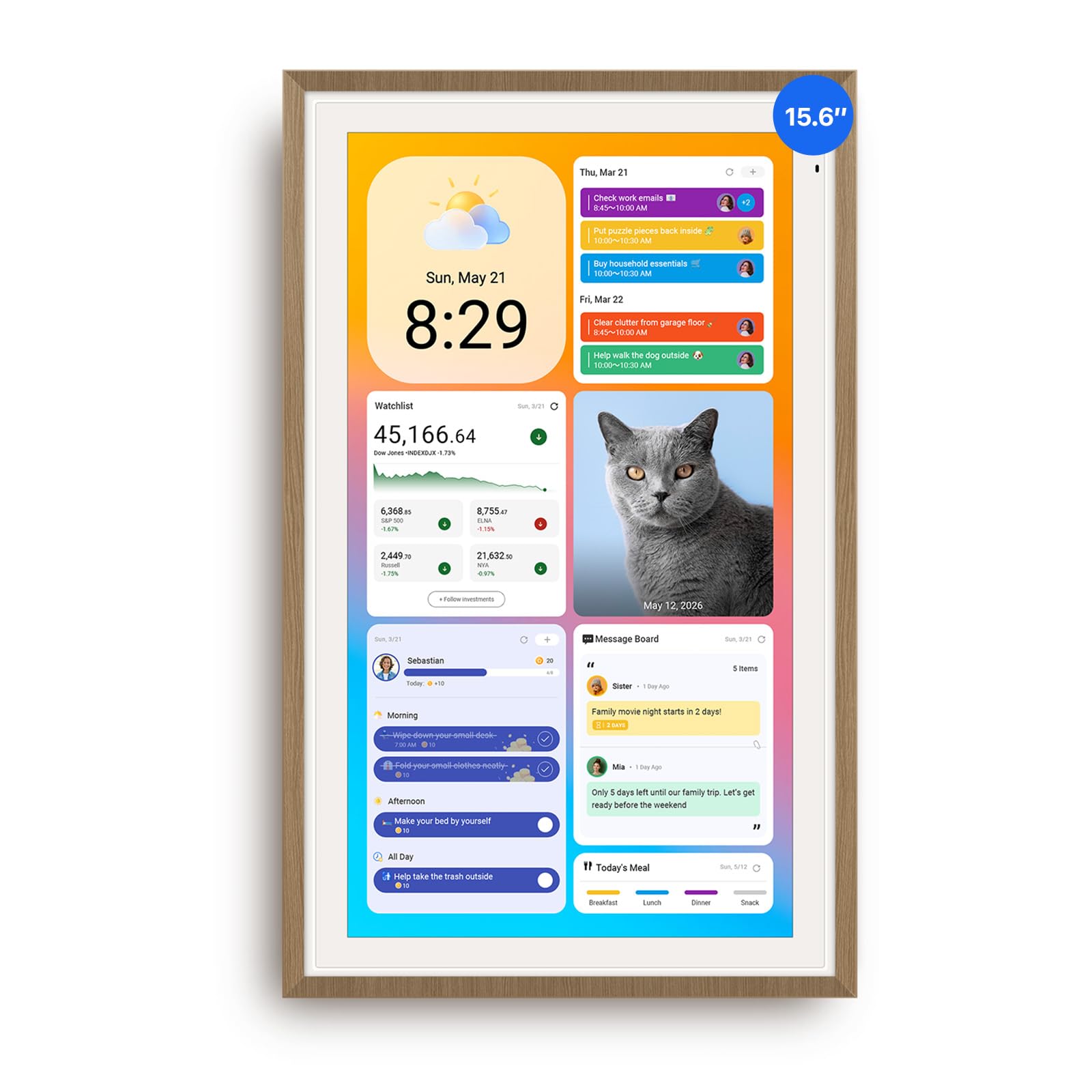
The Apolosign 15.6-inch earns its top spot because it syncs your Google, Apple, and Outlook calendars without a subscription, includes a built-in chore and reward system for kids, and has an anti-glare HD touchscreen that stays readable in bright kitchens. Buyers report plugging it in, connecting to Wi-Fi, and seeing their calendars populate within minutes. Its 15.6-inch display and teak wood border make it look like furniture, not a gadget, so it blends into a kitchen or home office.
The standout advantage here is the dual-mode system. You can keep it in Calendar Mode for a clean, focused family view, or switch to Android Mode for a fully customizable dashboard with widgets for weather, clocks, music, and smart home controls. It even integrates Google Gemini for voice commands — so you can ask about the day’s schedule without touching the screen. The photo slideshow screensaver turns it into a living family display when the calendar is idle.
The only real trade-off is the bulky power plug — there is no battery, so it must stay plugged in, and the cable routing is limited to the down or left side. For most families that is a minor wrinkle compared to what you get: a calendar, chore chart, meal planner, photo frame, and smart home controller in one no-subscription device.
Why It Wins
- smooth multi-calendar sync with Google, iCloud, and Outlook
- Built-in chore reward system — no monthly fees
- Google Gemini voice assistant for hands-free schedule checks
- Dual mode lets you switch between calendar and full Android
The Fine Print
- Must stay plugged in — no battery option
- Cable routing limited to down or left side
- Landscape and portrait only, no free rotation
Grab it if: you want a single device that does it all — calendar, chores, meal planning, photo frame, and voice assistant — without paying a cent after purchase.
Think twice if: you need a battery-powered device you can move around the house.
2. Digital Calendar Wall Planner 10.1 Inch
A budget-friendly entry point that still packs real-time sync and a chore reward system.
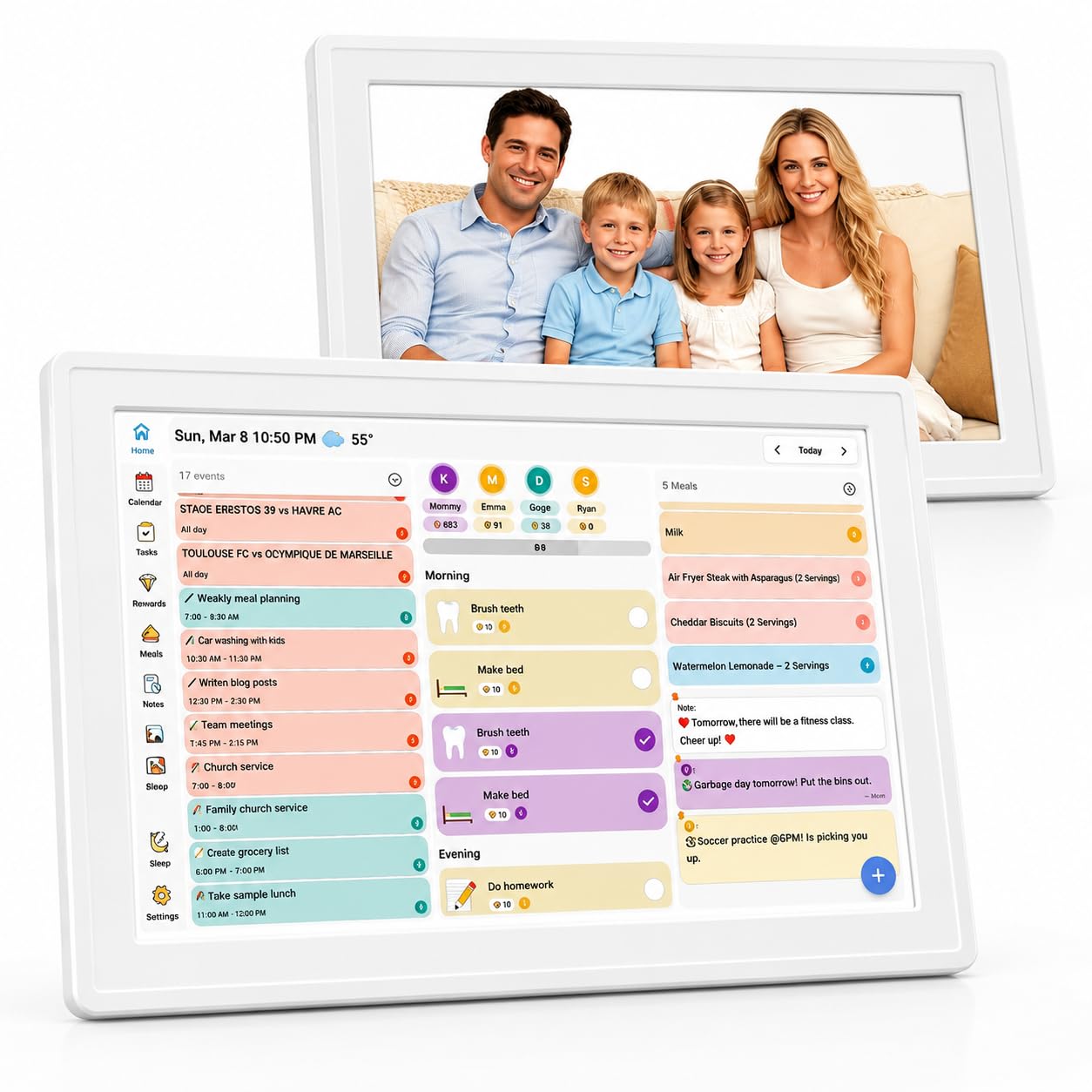
At 10.1 inches, this unit is noticeably smaller than the premium picks, but it punches far above its price tier. The touchscreen offers excellent image quality, and buyers specifically call out how easy the app setup is — you download the Wanmine app, connect to Wi-Fi, and the calendar syncs with Google, Apple, Yahoo, Outlook, and Cozi. The color-coded chore and reward system uses exclusive color markers to assign tasks to different family members, which owners say makes chores feel like a game for kids.
The built-in recipe-saving function and editable checklists simplify meal planning and grocery shopping. It also works as a digital photo frame, letting family members upload photos remotely via the app — a feature that gets strong praise from grandparents who love seeing daily snapshots of their grandchildren. The device supports both horizontal and vertical placement, so it fits on a desk, counter, or wall.
Owner feedback is mixed on storage and power: picture storage uses a micro SD card (not included), and the unit has no built-in battery, so it must stay plugged in. Reviewers still call it “excellent image quality, touch-screen, easy app setup, good storage capacity, remote upload from anywhere.” If you want the core features without a big spend, this is the smart starting point.
What Shines
- Sub- price with no subscription fees
- Color-coded chore and reward system
- Easy remote photo upload from any family member
- Horizontal or vertical placement
Trade-Offs
- 10.1-inch screen is smaller than 15.6-inch and 16-inch premium models
- Requires micro SD card for expanded photo storage
- No built-in battery — must stay plugged in
Reach for this if: you are new to digital family calendars and want to test the waters with a capable, low-commitment model.
Look elsewhere if: you need a large screen that everyone can read from across the kitchen.
3. Ekasoco 15.6 Inch Digital Calendar
A 15.6-inch screen with two-way Google sync that updates both your phone and the wall instantly.
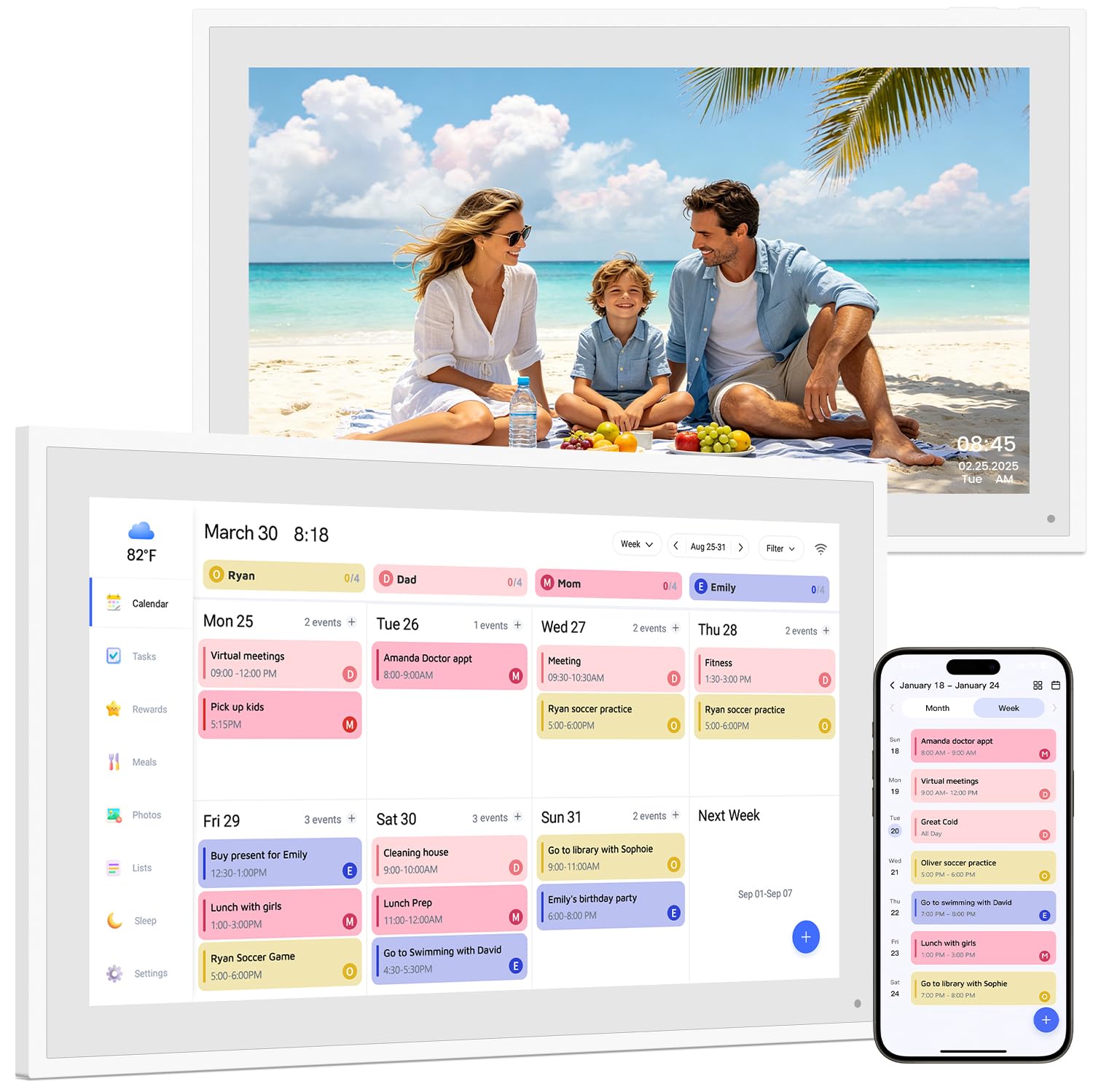
Ekasoco brings the full-size 15.6-inch experience into the mid-range price tier. The headline feature is true two-way calendar sync for Google and Outlook — edit an event on your phone and it appears on the wall calendar instantly, and vice versa. This is a feature that higher-priced models also offer, but Ekasoco makes it standard at a lower cost. The display is 1080P Full HD, and buyers consistently say it is easy to set up and use from day one.
The chore and reward system is built right in, with color-coded tasks that you assign to family members. Kids earn rewards as they check off tasks, which owners say transforms morning and after-school routines. The meal planner lets you visually plan weekly menus, and the device also displays weather forecasts and auto-adjusts its brightness. When idle, it works as a digital photo frame.
That said, functionality gets mixed feedback — some owners mention the device occasionally freezes or lags, requiring a reboot. A small number of units failed entirely within the first few weeks. The manufacturer backs it with a two-year warranty, which is longer than most competitors offer, but the reliability question means you should be comfortable with the warranty safety net. For the price, the value is still solid for families who want a big screen and reliable sync.
The Standout Spec: two-way calendar sync with Google and Outlook — edit from your phone and the wall calendar updates instantly.
The Honest Caveat: a minority of customers note occasional freezing and lag. The two-year warranty covers that, but it is worth knowing before you buy.
Best fit: families who want a large screen and true two-way sync without jumping to the premium price tier.
skip it if: reliability is your top concern and you prefer a model with zero performance complaints.
4. JSUSOU Magnetic Mount Smart Digital Calendar 15.6 Inch

Sticks right to the fridge door so the whole family sees the schedule before breakfast.
The JSUSOU is built around a simple idea — put the family calendar where everyone already gathers. The built-in magnets let you attach the 15.6-inch HD touchscreen directly to the refrigerator door, and buyers confirm the magnets hold well on smooth surfaces. Setup is straightforward: reviewers point out getting it connected and synced with Google, iCloud, and Outlook without needing the manual. It also comes with a desk stand, so you can place it on a counter or mount it on the wall if the fridge spot is taken.
Beyond the mount, this unit packs the full suite: color-labeled chore assignments with task rewards, meal planning with weekly menus and shopping lists, habit tracking, to-do lists, alarms, and smart home control. The digital photo frame feature uses 2GB internal storage plus 32GB expandable storage, so you can load plenty of family photos. The interface is intuitive, and owners love that it replaces eight separate tools — no more sticky notes on the fridge.
The magnets get mixed reviews — they are strong on flat, smooth fridge doors but can slide on textured or painted surfaces. A few owners solved this with a 3M adhesive strip. The device also requires constant plug-in power; there is no battery backup. For families with a standard smooth fridge, this is the most natural placement solution on the list.
Why This Works
- Magnetic mount puts the calendar at eye level on the fridge
- All-in-one: chores, meals, shopping lists, photo frame, smart home
- 32GB expandable storage for photos
- Includes desk stand and wall mount as alternatives
Watch For
- Magnets may slip on textured or painted fridge doors
- No battery — must stay plugged in at all times
Perfect for: families with a smooth fridge door who want the calendar front and center during mealtime.
Not ideal if: your fridge has a textured finish — you may need adhesive strips for a secure hold.
5. Dragon Touch 15.6″ Digital Calendar Chore Chart

A 15.6-inch touchscreen that you manage from anywhere using the eCalendar app on your phone.
Dragon Touch puts the app experience first. The eCalendar app lets you add events, assign chores, plan meals, and create grocery lists from your phone, and the 15.6-inch FHD touchscreen at home updates in real time. Buyers consistently praise the easy setup: plug in, connect to Wi-Fi, link your calendars, and authorize family members to contribute. It syncs smoothly with iOS and Google calendars, so work schedules and school activities populate automatically.
The interactive chore chart is the standout feature for parents. Kids check off tasks directly on the screen, and the reward system motivates them without daily nagging. The meal planner eliminates the “what’s for dinner?” question by displaying the weekly menu. When the calendar is not in use, it transforms into a digital photo frame that scrolls through family photos on the large display. Owners of families of five specifically call out how it keeps everyone organized.
The main complaint is occasional buffering or loading delays — the device sometimes takes a few seconds to respond to touches. It is not a dealbreaker for most, but if you expect instant responsiveness every time, it may frustrate. The core features are free with no subscription, though advanced tools like Magic Import require a paid upgrade. For families who want a responsive app as the primary control method, this is the top pick.
What owners love: the app-based management that lets parents update the calendar from work, plus the chore reward system that kids actually use.
The trade-off: occasional touchscreen lag and buffering — manageable for most, annoying for the impatient.
Choose this if: you want to manage the family calendar from your phone and need a system that kids can interact with independently.
Pass if: instant touch response is your top priority.
6. Magnetic Fridge 15.6 Inch Smart Digital Calendar
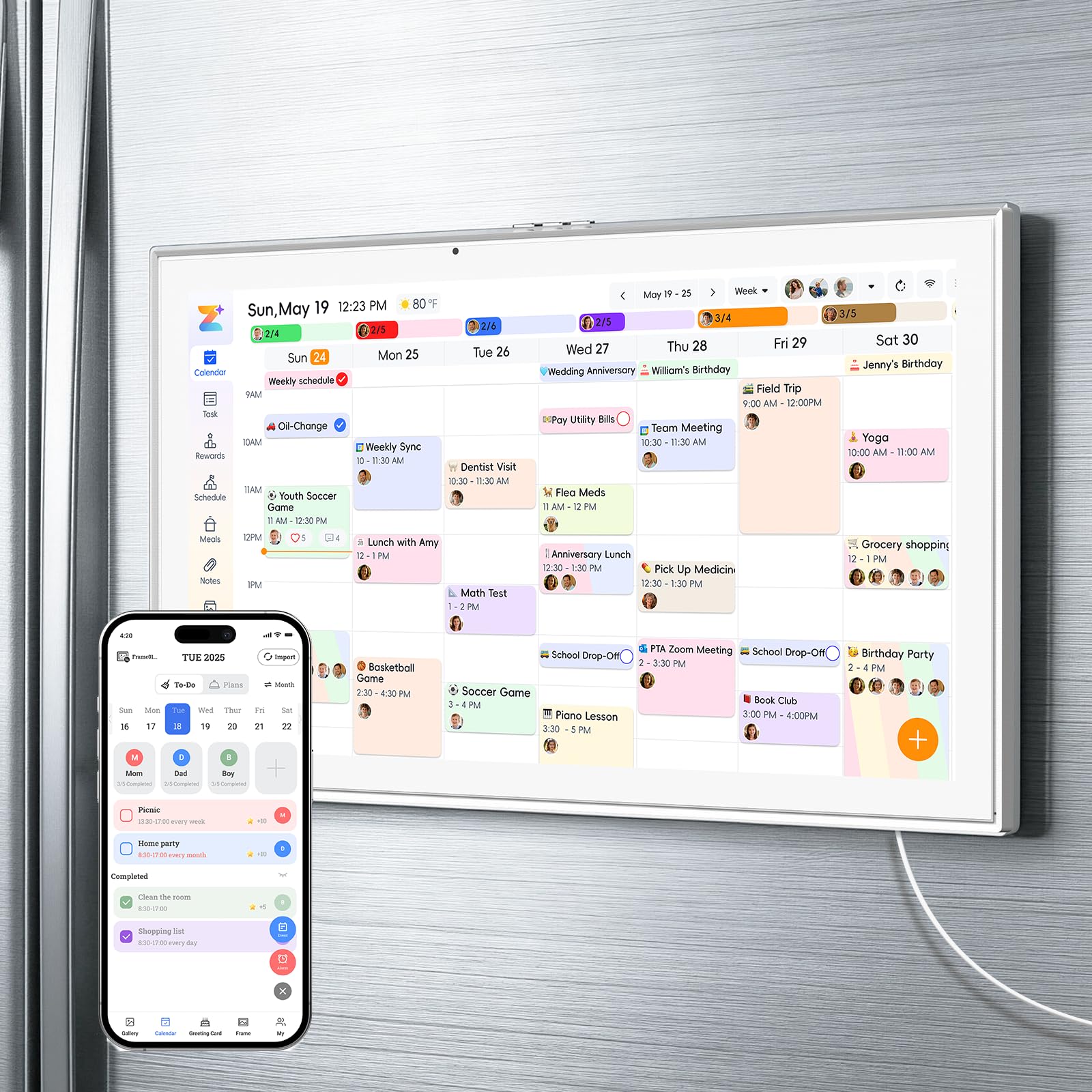
Magnets, a stand, and a wall mount give you three ways to place this 15.6-inch hub.
This model from the same design family as the JSUSOU offers the same magnetic fridge mount plus an adjustable stand for horizontal desk use and a vertical wall mount. The 15.6-inch HD touchscreen displays the whole family’s schedule with colors assigned per person, and it syncs with Google, iCloud, and Outlook in real time — a change on your phone appears on the screen instantly. The built-in magnets are strong enough to hold the device on a standard fridge, though owners with textured surfaces report sliding issues.
This all-in-one hub integrates eight functions: smart chore assignment with color labels and task rewards, meal planning with weekly menus and shopping lists, habit tracking, a digital photo frame with 2GB internal plus 32GB expandable storage, multi-calendar sync, to-do lists, alarms, and smart home control. There is no built-in battery — the manufacturer designed it to plug directly into power to eliminate battery aging and swelling, which improves long-term safety and reliability.
Owners widely praise the easy setup and strong magnet hold on smooth fridges. The recurring desire is a longer power cord — the included cord is short, which makes routing around a refrigerator tricky. Most owners manage by using an extension cord or reorienting the fridge placement. If you want a calendar that stays put on the fridge without extra adhesive, confirm your fridge door is smooth first.
Advantages
- Three mounting modes: magnetic fridge, desk stand, wall mount
- No battery to age or swell — plugs in for safer long-term use
- 32GB expandable photo storage
Drawbacks
- Power cord is short — may need an extension near the fridge
- Magnets slip on textured or painted fridge surfaces
Ideal for: families with a smooth fridge who want placement flexibility and the safety of a battery-free design.
Skip if: your fridge has a textured finish or you cannot easily reach an outlet.
7. Yemsd 15.6 Inch Smart Digital Calendar
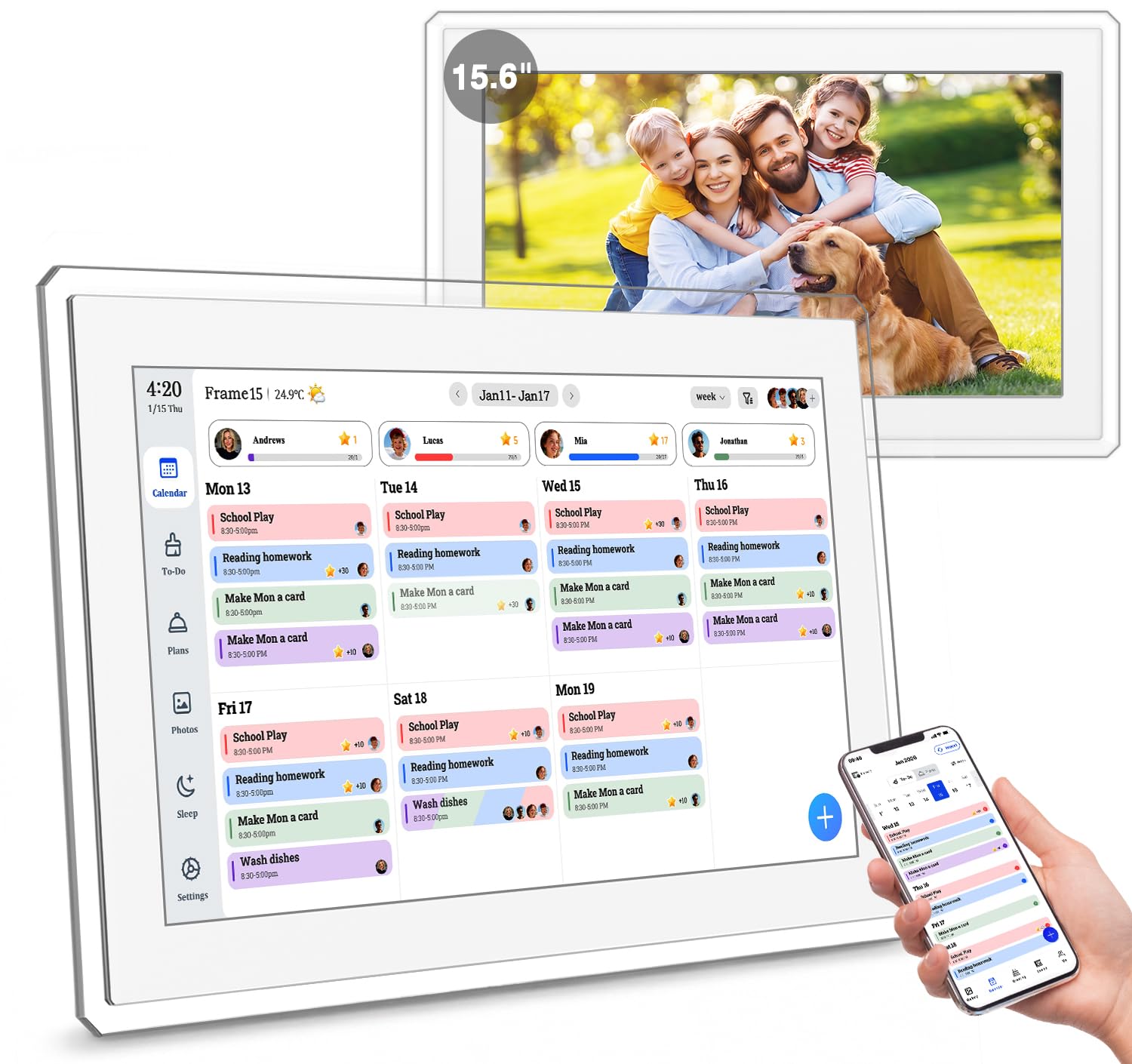
A 15.6-inch glare-free HD screen with AI-enhanced photo restoration and a two-year warranty.
Yemsd stands out by treating the photo-frame function as seriously as the calendar. The 15.6-inch glare-free HD touchscreen stays clear even in bright kitchen light, and the 32GB of built-in storage (expandable) means you can load thousands of photos. The AI photo restoration feature automatically sharpens and enhances old or low-resolution family pictures, which owners say brings new life to faded prints. When the calendar is idle, it cycles through your enhanced memories as an automatic slideshow.
The calendar side is equally strong: real-time sync with Google, iCloud, and Outlook with no subscription fees. Multiple family members can edit schedules simultaneously. The chore and reward system lets parents assign tasks and set point values, and kids check them off on the touchscreen to earn rewards. The meal planner helps you set weekly menus, and the device includes weather forecasts, sleep mode, and auto-brightness for comfortable viewing day and night.
The two-year warranty and 24/7 customer support are longer than most competitors offer — a meaningful safety net given the mixed reliability feedback on some other models. The design is sleek, with a white finish and options for wall mounting or desk standing. Owners note the screen smudges easily but cleans with a quick wipe. If you want a premium display that doubles as a museum-quality photo frame, this is the one.
Premium Highlights
- 32GB built-in storage for thousands of photos
- AI photo restoration enhances old family pictures
- Glare-free HD touchscreen stays readable in bright rooms
- Two-year warranty — above-average coverage
Minor Gripes
- Screen smudges easily from fingerprints
- No remote control included
- Videos limited to 15-second clips
Best for: families who value photo display quality as much as calendar sync — the AI enhancement makes it unique.
Not for: anyone who needs remote control or longer video playback.
8. Westsee 15.6″ Digital Calendar X200
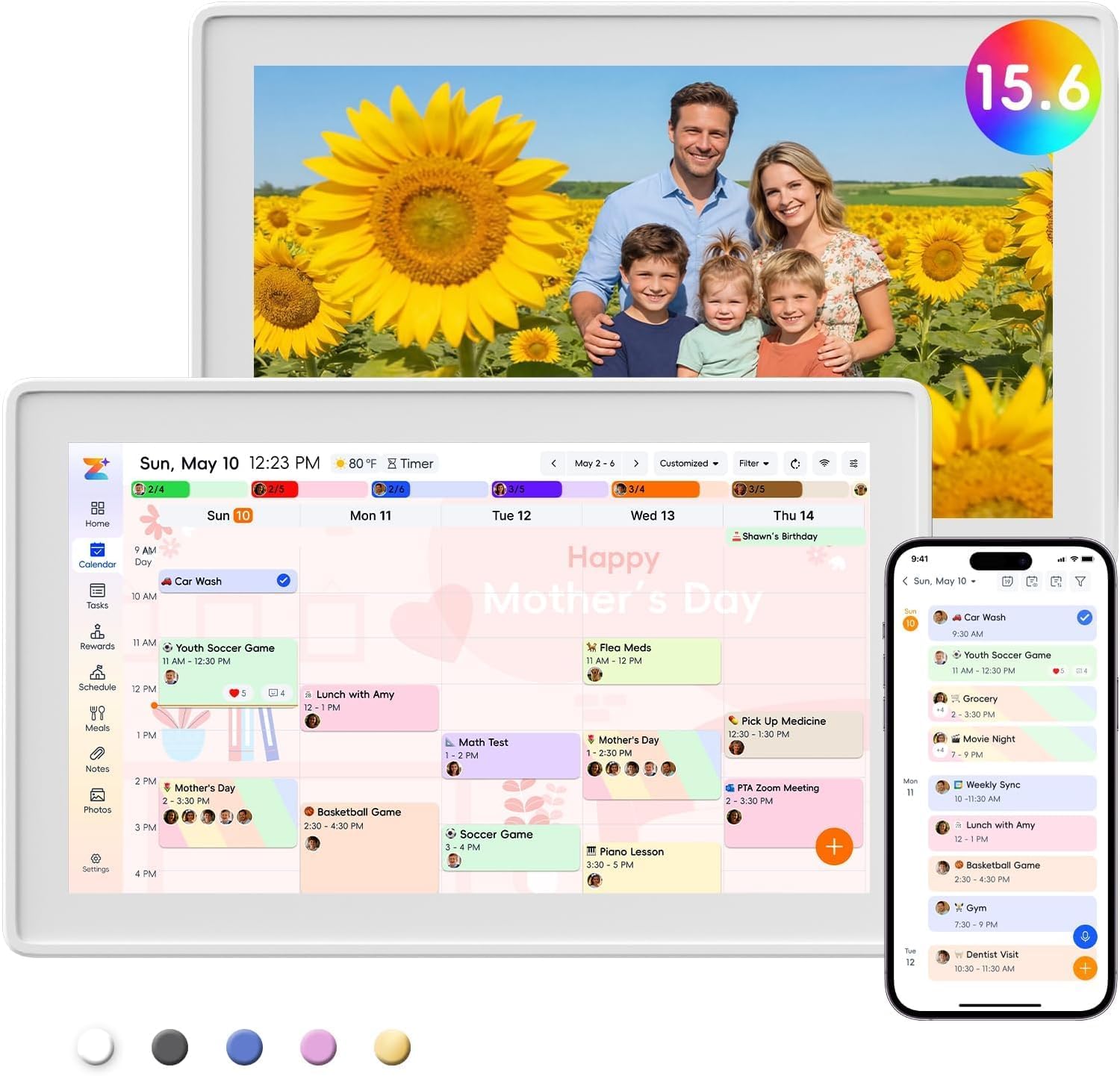
A slim, iPad-weight wall calendar that syncs instantly and keeps tasks separate from your phone’s native reminders.
The Westsee X200 is one of the thinnest and lightest units in this lineup at 3.2 pounds, making it easy to move between the desk stand and wall mount. Setup is straightforward via the Zical App — shoppers say it took minutes to connect to Wi-Fi and sync with Google and iCloud calendars. The color-coded system lets each family member have their own calendar color, so you can see at a glance who has what scheduled. The responsive touchscreen and smart sound reminders ensure nobody misses an appointment.
The organization features are comprehensive: photo screensaver, meal planning, task rewards and allowance tracking, and even a PS5 timer that parents use to manage screen time. The 15.6-inch screen size gets consistent praise as “just right” for the kitchen or entryway — big enough to read from across the room but not so large that it dominates the wall. The device uses 4 magnets to hold onto the fridge or mount, and owners confirm it stays secure on smooth surfaces.
The one notable gap is that tasks do not sync with Apple’s native Reminders app — the calendar syncs perfectly with Apple Calendar, but your to-do list stays inside the Zical app. Owners who rely on Apple’s default task system will have to adjust. The sleep mode (set by default from 10pm to 6am) sometimes hides appointments, but tapping the Calendar icon restores the view. For families that want a clean, lightweight organizer with no subscription, this is a top contender.
What wins people over: the slim build and instant sync — owners describe it as “iPad-weight” with Zical app setup that takes minutes.
The catch: tasks live only in the Zical app and do not sync with Apple Reminders or other native task apps.
Reach for this if: you want a lightweight calendar with clean sync and you do not rely on Apple Reminders for tasks.
Think twice if: you need tasks to sync with your phone’s native reminder system.
9. Anyuse 16″ Smart Digital Calendar

The largest display in the lineup — a 16-inch HD screen with font sizes seniors can actually read.
Anyuse claims the biggest screen in this category at 16 inches, and the HD touchscreen handles four levels of font size and brightness adjustment. That matters for multi-generational households — grandparents can read appointments from across the room, and kids can tap their chores easily. It offers four placement modes: wall mount, desk stand, horizontal, or vertical orientation, all with included mounting accessories. The sleep mode with custom on/off times saves power at night.
Calendar sync covers Google (two-way), iCloud, Outlook, Cozi, Yahoo, and TeamSnap — one of the broadest platform lists in this comparison. Changes sync in seconds, and you can filter events by family member or category. The chore and reward system assigns color-labeled tasks with star rewards, and kids redeem their stars for preset prizes like toys or outings. The built-in recipe library helps with weekly meal planning, and you can select multiple recipes for a single meal with cooking notes attached.
Photo sharing works through the Whale Framely App, allowing family members to send up to 50 photos at once or 60-second videos. The automatic slideshow screensaver displays weather and time alongside your memories. You can invite family via QR code or pairing code (valid for 48 hours), and even set up virtual member accounts for kids who do not have email. The trade-off is weight — at 5.1 pounds, it is noticeably heavier than the Westsee X200, so wall mounting requires a secure anchor. But if maximum screen real estate is your goal, nothing else here beats it.
what separates it
- 16-inch display — the largest in this guide
- 4-level font size adjustment for seniors
- Syncs with TeamSnap and Cozi in addition to standard platforms
- Virtual member accounts for kids without email
Consider This
- 5.1 pounds is heavy for some wall mounts
- Reliability reviews are mixed — some units stop working
- Photo adjustment settings limited to two size options
Get this for: large families or multi-generational homes where screen readability at a distance matters most.
Pass if: you need a lightweight unit or rely on perfect reliability from the start.
Understanding the Specs
Screen Size and Resolution
Screen size tells you how far away the calendar stays readable. A 10-inch unit works on a desk or counter within arm’s reach. A 15.6-inch or 16-inch display is readable from across a kitchen or living room, which is where most families mount them. Resolution — usually 1080P Full HD on the larger models — determines how sharp text and photos look, which matters for older eyes and for displaying family photos clearly.
Two-Way Calendar Sync
Two-way sync means an event you add on your phone appears on the wall unit instantly, and an edit made on the wall unit updates your phone. One-way sync only pushes changes from phone to the display, so you still have to touch the wall screen to make edits stick. For a true shared calendar that every family member can update from anywhere, two-way sync with Google and iCloud is the feature to prioritize.
FAQ
Do I need a subscription to use an electronic family calendar?
Will the calendar sync with my iPhone and Google accounts at the same time?
Can I mount the calendar on the fridge without damaging it?
How do kids use the chore chart on these devices?
Will the calendar keep running if the power goes out?
Can grandparents send photos to the calendar from another state?
Is a 10-inch screen big enough for a family of four?
How long does the setup take from unboxing to seeing my calendar?
Do these calendars work without a smartphone?
Can I set different font sizes for different family members?
Final Thoughts: The Verdict
For most buyers, the electronic family calendar winner is the Apolosign 15.6-inch because it combines smooth Google/Apple/Outlook sync, a built-in chore reward system with no subscription, Android app flexibility, and the Google Gemini voice assistant — all at a 4.6-star approval from hundreds of owners. If you want the largest possible display, the Anyuse 16 Inch gives you the biggest screen and four-level font adjustment for multi-generational homes. And for a budget-friendly start that still includes color-coded chores and remote photo sharing, the Digital Calendar Wall Planner 10.1 Inch delivers surprising value at a much lower entry point.
How We Picked
We do not accept paid placement. Every pick is matched to a real buyer and a real use-case; we do not hands-on test units.
Sources & Methodology
Specifications: manufacturer listings and product documentation. Review insights: verified customer reviews, as of July 2026. Pricing: not shown on this page (it changes often); check the current price via the retailer link.
As an Amazon Associate, WellFizz earns from qualifying purchases. This does not affect which products we feature.
Related Guides

Mo Maruf
I created WellFizz to bridge the gap between vague wellness advice and actionable solutions. My mission is simple: to decode the research and give you practical tools you can actually use.
Beyond the data, I am a passionate traveler. I believe that stepping away from the screen to explore new environments is essential for mental clarity and physical vitality.