Our readers keep the lights on and my smoothie glass nicely filled. As an Amazon Associate, I earn from qualifying purchases.
Specs are compiled from manufacturer listings and verified buyer reviews and can change over time — please confirm the key details on the product page before buying.
The biggest bottleneck in video editing isn’t your CPU or GPU — it’s the drive you’re dumping footage onto. A slow external drive turns scrubbing through a 4K timeline into a waiting game, and waiting is the one thing no editor has time for. The Crucial X9 is the best pick for most editors because it gives you SSD speed, IP55 ruggedness, and a realistic price that works with common USB 3.2 Gen 2 ports — no Thunderbolt upgrade needed.
I’m Mohammad Maruf — the founder and writer behind WellFizz. This guide is built by comparing the manufacturers’ published specifications and the patterns across verified customer reviews, so you get each pick’s real strengths and trade-offs instead of marketing spin.
We look at sustained read/write speeds, ruggedness for location work, and real-world capacity to find the best external hard drive for video editing that won’t hang your timeline when a client is standing behind you.
Our Picks at a Glance



How To Choose The Best External Hard Drive For Video Editing
Picking the wrong drive for post-production is like editing with one hand tied behind your back. Here is what separates a drive that keeps your timeline fluid from one that leaves you staring at a spinning beach ball.
Speed: Interface and Raw Throughput
The interface determines your ceiling. USB 3.0 tops out around 5Gbps (real-world ~500MB/s), which is fine for 1080p but chokes on multi-stream 4K or ProRes. USB 3.2 Gen 2 pushes to 10Gbps, and USB 3.2 Gen 2×2 hits 20Gbps. Thunderbolt 4 and USB4 blow past that to 40Gbps. Check your host port before you buy — a drive rated for 2000MB/s on a USB 3.0 port will throttle to about 500 MB/s.
Drive Type: SSD vs HDD for Video Work
A standard mechanical hard drive (HDD) spins a magnetic platter — think of it as a record player. For storing a finished archive, it is fine. For real-time editing, it struggles. A solid-state drive (SSD) has no moving parts and leaps ahead on random read/write speed, which is what your video editing software needs when it jumps between clips on the timeline. The crowd-sourced consensus is that SSDs are non-negotiable for 4K or higher resolution editing.
Durability and Environmental Resistance
If you shoot in the field or carry your drive between edit bays, look for an IP rating (dust and water resistance) and drop protection. A drive rated IP65, for example, can survive a dusty location shoot and a spill of coffee without losing your raw footage. A metal or silicone sleeve adds real confidence.
Capacity and File System Compatibility
Raw video eats space fast. A 1TB drive holds roughly 25-30 minutes of ProRes 422 HQ footage. For most editors, 1TB is the minimum, and 2TB or higher is the comfortable zone. Format matters too: exFAT reads and writes on both Windows and Mac without extra software — NTFS is read-only on Mac without a helper app, and APFS is the reverse.
Quick Comparison
| Model | Best For | Speed (Read) | Capacity | Ruggedness | Amazon |
|---|---|---|---|---|---|
| Seagate Portable 2TB★ Best Overall | Archival / mass storage | 130 MB/s | 2 TB | Standard plastic | Amazon |
| WD Elements 1TBBudget Champion | Reliable HDD backup | 1 Gbps | 1 TB | Standard plastic | Amazon |
| Crucial X9 1TBTop Performer | Everyday SSD speed | 1050 MB/s | 1 TB | IP55 / 7.5 ft drop | Amazon |
| Lexar ES5 1TB | MagSafe mobile ProRes | 2000 MB/s | 1 TB | IP65 / 3 m drop | Amazon |
| OSCOO 1TB SSD | Budget 4K editing | 2100 MB/s | 1 TB | Aluminum shell | Amazon |
| SanDisk Extreme PRO 1TB | Rugged field work | 2000 MB/s | 1 TB | IP65 / 3 m drop | Amazon |
| Amazon Basics 1TB SSD | Value small-form SSD | 2000 MB/s | 1 TB | IP65 / metal chassis | Amazon |
| Corsair EX400U Survivor 1TB | Top-speed / Thunderbolt | 4000 MB/s | 1 TB | IP55 rugged housing | Amazon |
| SABRENT Rocket Nano V2 1TB | 8K on the move | 1500 MB/s | 1 TB | Aluminum + silicone sleeve | Amazon |
In‑Depth Reviews
1. Seagate Portable 2TB External Hard Drive — USB 3.0
Our pick — over 4.5★ from 271,500+ verified ratings; the strongest balance of quality and price.
The massive 2TB archive locker that even a music producer trusts for sample libraries.
Speed is not the star here — 130 MB/s read is firmly in HDD territory, so scrubbing 4K timelines directly off this drive will feel laggy. The purpose is different: offloading finished projects, storing your raw B-roll archive, and keeping your edit drive clean. The crowd of over a quarter-million owners praises its reliability and easy drag-and-drop setup. The 2TB of capacity (the WD Elements has 1TB) makes it a natural companion to a faster SSD edit drive.
The included 1-Year Rescue Service is a genuine bonus for data recovery confidence. Buyers report it is “reliable, portable, well-built” for storing plugins and samples without delay. You will need to reformat it for Mac (APFS or ExFAT via Disk Utility), and the 18-inch USB 3.0 cable is frustratingly short. It works with PlayStation and Xbox too, which is a nice bonus for game capture storage.
2TB spacious backup
- 2TB capacity (many entry-level drives offer 1TB)
- Proven reliability from over 270,000 ratings
- Works across Windows, Mac, PlayStation, and Xbox
- 1-Year Rescue Service included for data recovery
slower HDD speeds
- HDD speeds (130 MB/s) will choke on active 4K/8K timelines
- Plastic casing feels less rugged than aluminum SSDs
- The very short included cable is a daily annoyance for desk setups
archivist’s pick: This 2TB drive is your finished-project warehouse, not your active edit bay — pair it with an SSD below for day-to-day cutting.
one honest caveat: an occasional unit arrives with a formatting quirk; budget ten minutes for a Disk Utility pass before loading your media.
2. WD 1TB Elements Portable External Hard Drive — USB 3.0
The quiet, reliable platter drive that 128,000 owners trust for pure backup duty.
Western Digital’s Elements is the simplest product in this lineup — no encryption, no flashy speeds, just a 2.5-inch mechanical drive that works the moment you plug it in. The 1TB of storage and 1 Gbps interface is fine for dumping a finished project or storing a photo library. If your workflow is entirely 1080p or you mostly edit off an internal drive, this one gets the job done at a friendly price point.
Quietness is a real highlight here. The drives make only a “soft whir on wake” according to the feedback, and they are light enough to toss in any bag. The catch is that it arrives formatted for Windows (NTFS), so Mac users must reformat to ExFAT or APFS before writing to it. A few units have reportedly arrived with a ding or a few hours of use, so inspect the package when it lands.
backup-duty pick: Reach for this 1TB drive if your primary edit drive is internal and you just need a drop-dead-simple place to park finished cuts.
skip it if: you work with 4K timelines directly from the drive — that needs an SSD.
3. Crucial X9 1TB Portable SSD — USB 3.2
The palm-sized speed demon that makes your edit suite feel like an internal drive.
This is where editing gets smooth. The Crucial X9 delivers up to 1050 MB/s reads — while the HDD options above offer 130 MB/s (Seagate) and 1 Gbps (WD Elements) — using USB 3.2 Gen 2. That means you can scrub 4K timelines and load large file transfers in seconds instead of minutes. It is IP55 rated against water and dust and survives drops from up to 7.5 feet, so it is ready for location work. Owners describe it as “ultra-compact, lightweight” and say the 1TB version fits right in a camera bag’s small pocket.
Compatibility spans Windows, Mac, iPad Pro, Android, and even PS5 and Xbox. The polycarbonate enclosure feels less premium than the all-metal SanDisk below, and the included cable is short. It runs cool during light work but can warm up under sustained heavy writes. For the price, however, this is the most balanced pure-performance SSD in the group — faster than the HDDs, cheaper than the 4000 MB/s monsters, and tough enough for the road.
best balanced edit drive: If you want real SSD speed without paying for Thunderbolt 4, the X9 is the balance — fast enough for most 4K workflows, rugged enough to take along.
keep in mind: the premium-priced Lexar and Corsair options below are significantly faster, but only if your computer has the port to match.
4. Lexar 1TB ES5 Magnetic External SSD — MagSafe
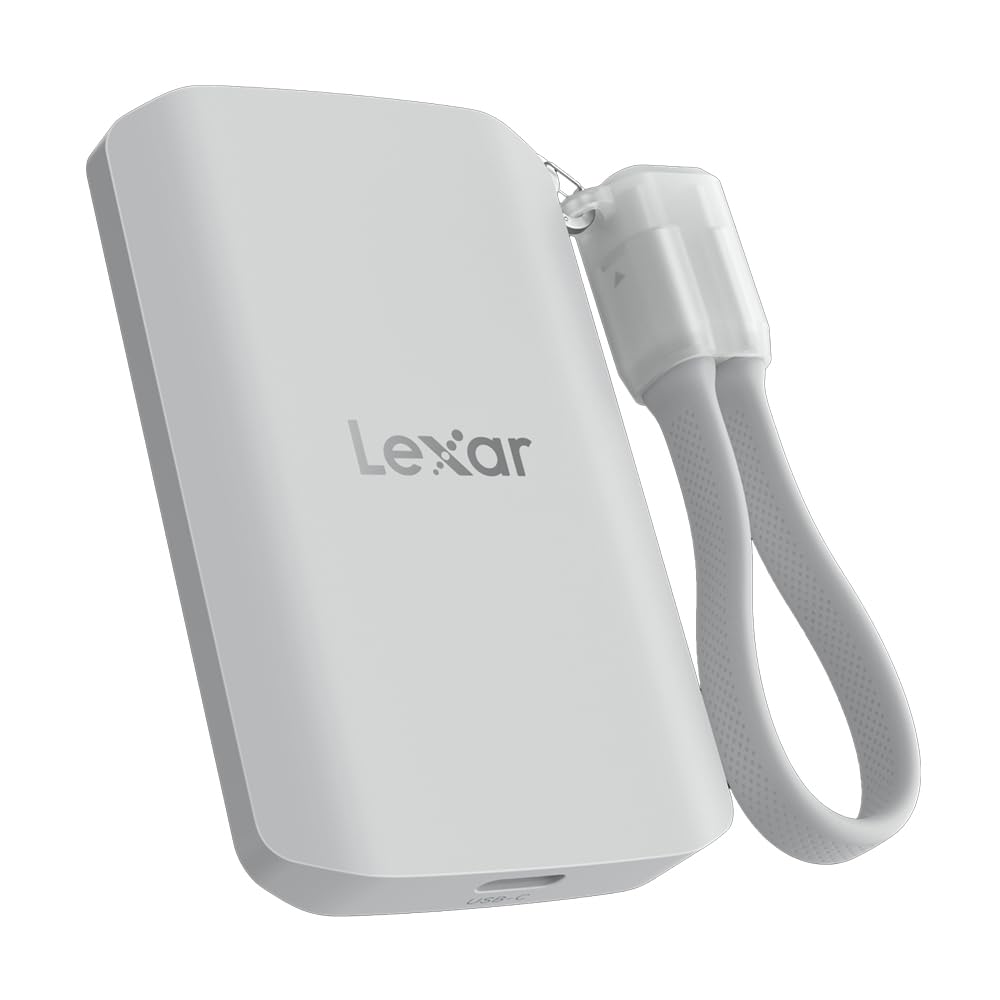
The first SSD designed to stick onto a phone and record ProRes 4K at 120fps.
The Lexar ES5 brings 2000 MB/s read and write speeds through USB 3.2 Gen 2×2, while the Crucial X9 offers 1050 MB/s. But the headline feature is the built-in magnet — it attaches directly to MagSafe-compatible iPhones, and an included metal ring lets any other device gain a magnetic surface. That open up a unique workflow: shoot Apple ProRes at 4K 120fps or Samsung Pro Video at 8K 30fps straight onto the SSD, bypassing internal storage limits. A thermal control design keeps temperatures in check during those high-bitrate captures.
Buyers consistently praise “quality” and “reliability” as the top draws, with one owner backing up “800+ large RAW photo files (60-100MP) in under 15 minutes.” The liquid silicone build feels great in hand and resists slipping. The IP65 dust and water resistance and 3-meter drop protection match the SanDisk. The MagSafe magnet is solid but not industrial-strength — a hard bump can dislodge it. At this price, the real trade-off is speed potential versus real-world host ports; most users will need a Gen 2×2 port to see the full 2000 MB/s.
mobile-first creator: Shoot ProRes directly onto this drive from an iPhone, then plug it into your Mac for no-copy editing — that is the workflow this drive was made for.
who should skip: If you have no intention of recording video onto a phone SSD, the SanDisk or Corsair picks below offer similar speed for traditional editing.
5. OSCOO 1TB Portable SSD — 2100 MB/s
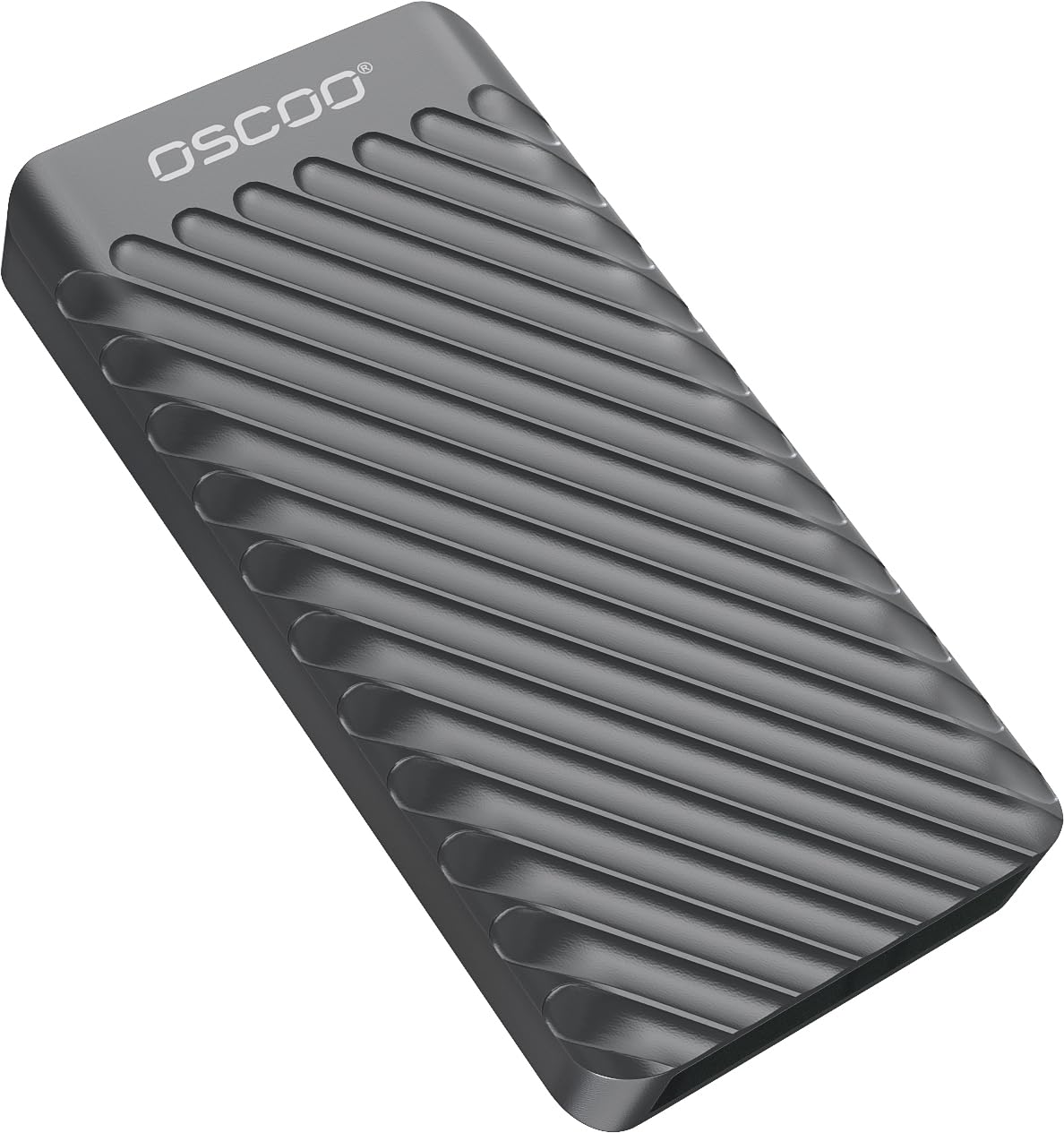
A sub-compact aluminum NVMe SSD that rivals premium names at a mid-range price.
The OSCOO uses an NVMe controller and premium NAND flash to push up to 2100 MB/s read, making it one of the speediest drives here on paper. It is built for the same tasks as the SanDisk Extreme PRO above — 4K video, RAW photo editing, and direct recording from USB-C cameras or iPhones. The aluminum shell acts as a heat sink, keeping temps down during sustained writes. It is also tiny, at just 2.85 × 1.52 × 0.40 inches and practically weightless, so it slips into any pocket.
Compatibility is broad — Windows, Mac, iPad Pro, Android, PS5, Xbox, and Linux all work. A magnetic ring and adapter cables are included for flexibility. Owners say it handled 4K video editing without a hiccup and that an older iMac “runs like new” after shifting apps to it. The real-world note is that the full 2100 MB/s requires a USB 3.2 Gen 2×2 or Thunderbolt 4 port; older USB 3.0 ports will hold it back. Also, a few iPhone 14 Pro users report it is not recognized — check your specific device compatibility first.
price-to-speed king: You get NVMe speeds comparable to drives costing more, in a compact metal body — ideal for anyone who wants fast transfers without a premium badge.
check your port: That 2100 MB/s is real, but only with a Gen 2×2 port; on USB 3.0 performance drops significantly.
6. SanDisk Extreme PRO 1TB Portable SSD — 2000 MB/s

The forged-aluminum field drive that survived the abuse of nearly 17,000 owners.
SanDisk’s Extreme PRO is among the most battle-tested portable SSDs on the market. Read and write speeds hit up to 2000 MB/s, but where this drive earns its keep is the build quality — a forged aluminum chassis that doubles as a heatsink, IP65 water and dust resistance, and 3-meter drop protection. A built-in carabiner loop lets you clip it to a camera bag strap, which is the kind of detail location shooters appreciate. The included password protection with 256-bit AES hardware encryption adds a security layer for client footage.
What wins buyers over is speed — it is the most praised aspect by far, mentioned nearly 500 times in owner feedback. The drive is also commonly called compact and portable. Reliability is the most-discussed topic overall, but with a mixed verdict, so treat it as a fit note: a small minority report data loss or software lockout issues with the SanDisk Unlocker utility. For confidence, keep a second backup of critical projects. When it works, it is a fantastic companion for film productions and heavy 4K workflows.
rugged performer for field wor: If your editing takes you outside the studio — dusty locations, coffee shops, bumpy travel — the Extreme PRO’s forged chassis and carabiner clip make it the most durable premium pick here.
one real caution: An occasional encryption software issue means this is not the drive for your only copy of a project; always maintain a separate backup.
7. Amazon Basics 1TB Portable External SSD — 2000 MB/s

The 2.33-inch square that matches the big brands on specs and beats them on value.
Amazon’s own brand delivers a near-identical spec sheet to the SanDisk Extreme PRO — 2000 MB/s reads and writes, IP65 dust and water resistance, a premium metal casing with a scratch-resistant polymer bottom — but at a friendlier price point. It comes with both a USB-C to C and a USB-C to A cable plus a fitted storage case, which is a nicer accessory bundle than most rivals include. At 51.8 grams and just 2.33 inches square, it is genuinely pocketable and quiet enough to go unnoticed on a desk.
Reliability is the top aspect praised by owners (counted 35 times), and storage capacity and transfer speed tie for second. The drive stays cool under load thanks to an advanced thermal solution that keeps it below 50°C. It comes formatted in exFAT for immediate cross-platform use on Mac and PC. A small number of owners needed to format it to NTFS for Windows-only use, and one replacement was needed for a compatibility hiccup with a specific laptop. Overall, though, the feedback is overwhelmingly positive for the price.
smart budget buy: If you want SanDisk-like performance and durability at a lower cost, the Amazon Basics SSD is the pragmatic choice — same speeds, similar toughness, and a carrying case included.
who might prefer elsewhere: Editors who want the assurance of the most reviewed brand name should choose the SanDisk; this one has a smaller owner community so far.
8. Corsair EX400U Survivor 1TB USB4 External SSD — 4000 MB/s
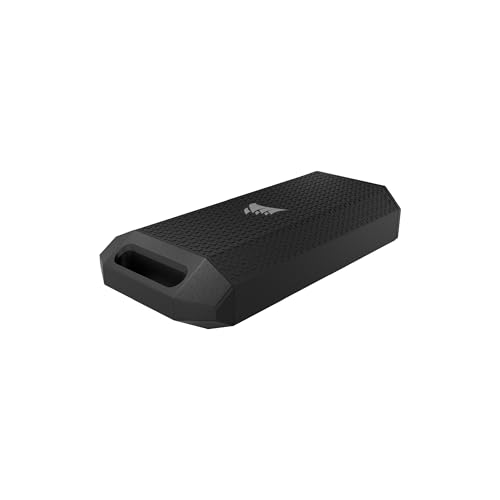
The 4000 MB/s pocket rocket that moves a 4K timeline like an internal drive.
The Corsair EX400U is the fastest drive in this lineup by a wide margin. With USB4 support and read speeds up to 4000 MB/s (write speeds hitting 3600 MB/s), it rivals internal NVMe drives. That means you can edit 8K ProRes, load game libraries, or move huge video exports faster than most computers can write to their own internal storage. It achieves this through a USB4/Thunderbolt 4 connection, so you need a modern laptop or desktop with those ports to see the full speed.
The Survivor name comes from the IP55-rated rugged housing that stands up to dust, rain, and the drops of location work. It uses a single USB-C cable for both power and data, with true plug-and-play simplicity. Owners call it “well built, extremely compact, and fast” and note it has run consistently without issues over three months of daily use. The 4.8 average rating across early reviews is the highest in this comparison. The trade-off is the premium price and the port requirement — without USB4 or Thunderbolt 4, you are capped at slower standards, and the speed advantage disappears.
Thunderbolt editors, this is your drive: If your MacBook or PC has USB4 or Thunderbolt 4, the EX400U is the fastest way to cut 8K ProRes on the go — it rivals internal drive speeds.
pass on it if: your computer lacks USB4/Thunderbolt 4 — you will not see the full speed, and a 2000 MB/s drive like the Crucial or SanDisk will serve you as well for less money.
9. SABRENT 1TB Rocket Nano V2 External SSD — 1500 MB/s

The half-sized rocket that punches above its weight for 8K ready workflows.
SABRENT’s Rocket Nano V2 packs sustained transfer speeds over 1500 MB/s into a drive that owners say is “half the size” of a SanDisk. The anodized aluminum housing is wrapped in a shock-absorbing silicone sleeve, providing drop protection and heat dissipation that keeps the drive cool under pressure. It is designed for real-time 8K video recording and editing high-bitrate content directly from the drive, so your timeline stays fluid even with the heaviest footage.
The dual-cable convenience (USB-C to C and USB-C to A) means no dongle hunting. Performance and speed are the two most praised aspects, with owners reporting “crazy fast” transfers — 22 GB moved in about 2 minutes off a PC and Samsung S23 Ultra. The compact form factor fits easily beside a MacBook Pro, and the silicone sleeve gives it a grippy, secure feel. The price is on the higher end, but for a drive this small with 8K-readiness and a 4.7 average rating, it offers serious value for traveling editors.
road warrior: The Rocket Nano V2 is the best small-form SSD here; if your editing bag is packed tight and you need 8K-ready speed, this is the most portable option that still delivers real performance.
trade-off to weigh: It is not the absolute fastest in this list (the Corsair smokes it at 4000 MB/s) but for most practical editing workflows and everyday portability, it is better balanced.
Understanding the Specs
SSD vs HDD: The Timeline Test
An SSD (solid state drive) uses flash memory and has no moving parts, so it can read or write data almost instantly from any location on the drive. An HDD (hard disk drive) spins a magnetic disc and must physically move a read head to find data. That spinning delay makes HDDs slow at the random reads your editing software does when jumping between clips on a timeline. For smooth scrubbing of 4K or 8K footage, an SSD is not optional — it is the minimum requirement.
USB Standards and Real-World Speed
Not all USB ports are the same. USB 3.0 (also called 3.1 Gen 1) tops out at 5 Gbps. USB 3.2 Gen 2 doubles that to 10 Gbps, and USB 3.2 Gen 2×2 reaches 20 Gbps. USB4 and Thunderbolt 4 go up to 40 Gbps. If you plug a 2000 MB/s SSD into a USB 3.0 port, the drive will throttle to around 500 MB/s — your host port is the bottleneck. Always match the drive speed to your computer’s highest available port for the best experience.
FAQ
Can I edit 4K video directly from an external hard drive?
What is the difference between USB 3.2 Gen 2 and Gen 2×2 for video editing?
How much storage do I need for video editing?
Should I format my external drive to exFAT or NTFS?
What does IP65 mean on a portable SSD?
Do I need a Thunderbolt 4 port for the Corsair EX400U to work?
Can I record video directly from my iPhone to an external SSD?
What is NVMe and why does it matter for editing?
Are cheaper external SSDs reliable enough for client work?
How do I know which USB speed my computer supports?
Final Thoughts: The Verdict
For most buyers, the best external hard drive for video editing winner is the Crucial X9 because it delivers SSD speeds, IP55 ruggedness, and an accessible price point that hits the balance for real-world 4K editing without forcing you to upgrade your laptop’s ports. If you want the ultimate speed for 8K ProRes work with a Thunderbolt-equipped machine, grab the Corsair EX400U Survivor. And for the most portable mobile-friendly option that sticks to your phone for direct ProRes capture, the Lexar ES5 is the one to reach for.
How We Picked
We do not accept paid placement. Every pick is matched to a real buyer and a real use-case; we do not hands-on test units.
Sources & Methodology
Specifications: manufacturer listings and product documentation. Review insights: verified customer reviews, as of July 2026. Pricing: not shown on this page (it changes often); check the current price via the retailer link.
As an Amazon Associate, WellFizz earns from qualifying purchases. This does not affect which products we feature.
Related Guides

Mo Maruf
I created WellFizz to bridge the gap between vague wellness advice and actionable solutions. My mission is simple: to decode the research and give you practical tools you can actually use.
Beyond the data, I am a passionate traveler. I believe that stepping away from the screen to explore new environments is essential for mental clarity and physical vitality.