Our readers keep the lights on and my smoothie glass nicely filled. As an Amazon Associate, I earn from qualifying purchases.
Specs are compiled from manufacturer listings and verified buyer reviews and can change over time — please confirm the key details on the product page before buying.
If you print photos at home, you know the cycle: you find a decent all-in-one, burn through a set of cartridges in a weekend, then wince at the refill cost. The real challenge isn’t picking between brands — it’s finding a machine that won’t bankrupt you on ink before you’ve printed your second birthday party album. This guide cuts past the marketing to show you which models actually deliver vivid color without the wallet-draining subscription trap.
I’m Mohammad Maruf — the founder and writer behind WellFizz. This guide is built by comparing the manufacturers’ published specifications and the patterns across verified customer reviews, so you get each pick’s real strengths and trade-offs instead of marketing spin.
You want one machine that prints sharp documents and borderless 4×6 photos without breaking your budget. The right all in one photo printer balances page yield (how many pages you get per ink cartridge), color accuracy (how true the colors look to your screen), and upfront cost for your home or office workflow.
Our Picks at a Glance


How To Choose The Best All In One Photo Printer
Photo printers have one job that matters more than any other: making your images look as good on paper as they do on screen. But the perfect machine for a home crafter is a completely different choice than the one for a busy home-office. Here are the three specs that actually decide the winner for you.
Ink System: Cartridge vs. Supertank vs. MegaTank
The biggest long-term cost of any printer is not the machine — it’s the ink. Standard cartridge printers (like the HP Envy 6155) have a low upfront price but hit you with high-cost replacements. Supertank models (Epson EcoTank and Canon MegaTank) cost more at checkout but include enough bottled ink for thousands of pages right in the box. If you print photos regularly, the supertank math almost always wins within a few months.
Print Resolution and Color Handling
For photo quality, look at the maximum dpi (dots per inch). Most all-in-ones land around 4800 x 1200 dpi, which is fine for 4×6 snapshots. But the real difference is how many ink colors the printer uses — a four-color CMYK system is standard, while higher-end models add photo-specific shades for smoother skin tones and deeper shadows.
Connectivity and Media Handling
A photo printer needs to handle heavier paper stock without jamming. Check if the model has a rear specialty tray or a separate photo tray — front-loading trays can be too tight for glossy paper. Wireless printing from your phone via the manufacturer’s app is standard now, but some apps are far more intuitive than others.
Quick Comparison
| Model | Best For | Ink System | B&W Speed | Color Speed | Amazon |
|---|---|---|---|---|---|
| Brother Work Smart 1410★ Best Overall | Budget-friendly all-rounder | Standard cartridge | 16 ppm | 9 ppm | Amazon |
| HP Envy 6155Budget Champion | Simple home document printing | Standard cartridge | 10 ppm | 7 ppm | Amazon |
| HP OfficeJet Pro 8135Office Speedster | Home office speed | Standard cartridge | 20 ppm | 10 ppm | Amazon |
| Canon MegaTank G3290 | High-volume, low-cost photo prints | Supertank (bottled) | 11 ppm | 6 ppm | Amazon |
| Epson EcoTank ET-2980 | Home value with supertank savings | Supertank (bottled) | 15 ppm | 8 ppm | Amazon |
| HP Envy Photo 7975 | Dedicated photo quality at home | Standard cartridge | 15 ppm | 10 ppm | Amazon |
| Canon MAXIFY GX2020 | Small office, pigment ink | MegaTank (bottled) | 15 ppm | 10 ppm | Amazon |
| Epson EcoTank Pro ET-5850 | Heavy-duty office use | Supertank (bottled) | 25 ppm | 25 ppm | Amazon |
In‑Depth Reviews
1. Brother Work Smart 1410 Wireless Color Inkjet All-in-One Printer
Our pick — over 4★ from 150+ verified ratings; the strongest balance of quality and price.
The unfussy workhorse that gets out of your way and lets you print.
The Brother 1410 keeps things simple — and that is exactly its superpower. You get a 2.7-inch color touchscreen that connects directly to cloud apps like Google Drive and Dropbox, so you can print and scan without ever touching a computer. The crowd favorite feature is print quality, with 30 owners highlighting how sharp the output looks across documents and basic photos.
At 16 pages per minute for black and 9 ppm for color, it keeps pace with a busy household without feeling sluggish. It also handles standard 8.5×14 paper, which is a rare bonus at this price. But the recurring note from owners is ink consumption — as buyers report, “seems to use up ink pretty fast.” That is the trade-off for a sub- cartridge printer; the upfront savings come with ongoing refill costs. A compact 13.5 x 15.4 x 7.2-inch footprint means it tucks onto a small desk without dominating the room.
work smart value
- Print quality consistently praised — 30 owners single it out as excellent
- Compact size fits tight spaces and handles legal-size paper
- Setup is straightforward; works with dual-band routers without fuss
ink cost catches up
- Ink runs through quickly — factor regular refills into your budget
- Reliability gets mixed feedback, with 27 owners divided on long-term durability
budget all-in-one: you want a straightforward, reliable all-in-one for mixed document and occasional photo duty while staying affordable upfront.
high volume users: you print photos every week — the ink costs on a standard cartridge model will stack up fast.
2. HP Envy 6155 Wireless All-in-One Color Inkjet Printer
A clean-looking home printer that values simplicity over raw speed.
The Envy 6155 is built for the household that prints homework, recipes, and the occasional borderless 4×6 photo. It prints at 10 ppm black and 7 ppm color — noticeably slower than the Brother or OfficeJet Pro above, but adequate for light use. Setup is the most-praised aspect here, with 28 owners calling it painless; you are up and running fast if you ignore the HP app and use the printer’s own Wi-Fi setup menu.
A 3-month trial of Instant Ink is included, which means ink arrives automatically before you run out, though after the trial a monthly fee applies. The colors look vibrant thanks to HP’s P3 technology, and the compact 5.35-inch width is the narrowest of any model here. The catch many mention is the software — owners mention “Printer is fine, software is crap! Computer keeps losing contact, have to constantly reconnect.” If you are willing to navigate the HP ecosystem, the hardware itself delivers solid value for occasional prints.
reliable home pick: perfect for a home with light printing needs — just budget time for the software friction.
everyday printing: you want the lowest upfront cost and a slim profile for a small desk.
photo enthusiasts: you print daily — the 10 ppm speed and HP app frustrations will wear thin.
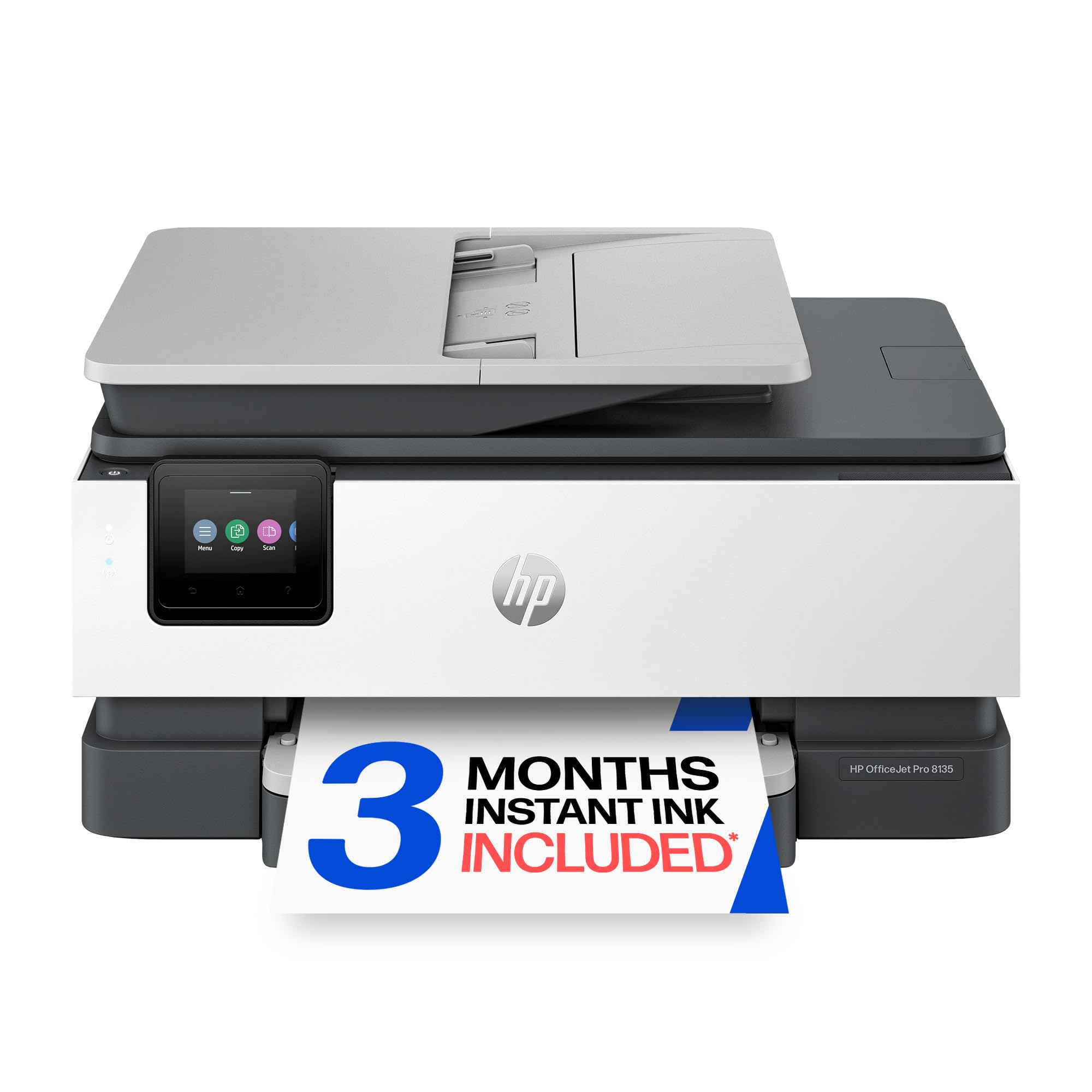
3. HP OfficeJet Pro 8135 Wireless All-in-One Color Inkjet Printer
The fastest cartridge printer here, built for the home office that never stops.
At 20 ppm black and 10 ppm color, the OfficeJet Pro 8135 doubles the speed of the Envy 6155 — it is the clear choice if you crank through reports and presentations every day. The 225-sheet input tray and automatic document feeder keep your hands free, and the 2.7-inch color touchscreen feels phone-like in its responsiveness. Customers note the color print quality is excellent for crafting, with crisp shapes and well-saturated images right from the start.
The major asterisk on this model is the ink policy. Every owner who mentions it flags that the printer blocks third-party cartridges — after firmware updates, only HP-branded chips work. That means you are locked into HP ink. The 3-month Instant Ink trial partially offsets the cost, but once that expires you are paying full price. The 18-second first-page-out time means you are not waiting around for the first document, either.
fast office speed: if you need fast color documents and are fine with HP’s ink ecosystem, this is the one.
speed priority: speed is your priority and you plan to use HP’s subscription ink model.
small desks: you want the freedom to buy affordable generic cartridges.
4. Canon Megatank G3290 All-in-One Wireless Supertank Printer

The printer that hands you two years of ink in the box and asks for nothing.
The Canon MegaTank G3290 changes the math entirely. Instead of cartridges, you get bottled ink — and the included bottles print up to 6,000 black pages or 7,700 color pages from a single set. That is roughly two years of average home use without buying a drop of ink. Owners call it the best craft printer they have owned, with reliable Wi-Fi connections and draft mode that prints fast with no lines or discoloration.
Print speed is moderate at 11 ppm black and 6 ppm color — it is slower than the OfficeJet Pro, but the per-page cost drops to pennies. The 2.7-inch color touchscreen and automatic duplex printing are welcome additions. The most-discussed downside is wireless connectivity, with 82 owners finding it mixed; setting up the Wi-Fi can take patience, and a few report issues maintaining a stable connection. For anyone burning through cartridges every month, the upfront price pays for itself within the first couple of ink refills.
low ink cost
- Ink costs drop to near nothing — a full set of bottles costs under
- Print quality on draft setting is surprisingly great for everyday photos
- Duplex works well with no paper jams reported after heavy use
initial price shock
- Wi-Fi setup can be finicky, especially if your network requires the app
- Black prints can look muddy on glossy photo papers; best for matte or plain
ink savings: you print a lot of color photos and want a near-zero per-print cost.
occasional users: you need fast print speeds every day — 6 ppm color is leisurely.
5. Epson EcoTank ET-2980 Wireless All-in-One Color Supertank Printer

The cartridge-free machine that delivers three years of ink right in the box.
The ET-2980 is Epson’s 7th-generation EcoTank, and it shows in the refinement. Each replacement ink bottle set replaces about 90 individual cartridges, and the box includes enough ink for 6,600 black pages and 5,500 color pages. Setup is the most straightforward of any supertank here — owners say the instructions are clearly written, and you can be printing within 45 minutes. The print speed at 15 ppm black and 8 ppm color is solid for a home machine, and drafts come out fast in the standard mode.
Photo quality gets a lot of love, with owners calling it excellent compared to dedicated photo printers. The Wi-Fi connectivity, however, is the most commonly mentioned weak spot; some machines lose the connection and need to be re-paired. The 11.5-pound weight makes it easy to move to a different desk if needed, and the compact 13.7 x 14.8-inch footprint fits on most shelves.
years of ink: a no-brainer if you want to stop thinking about cartridge costs for three years, just be ready for occasional Wi-Fi hiccups.
long-term value: you want the low per-page cost of a supertank with the easiest setup in the category.
fast printing: your Wi-Fi network is finicky and you do not want to troubleshoot connection drops.
6. HP Envy Photo 7975 Wireless Color Inkjet Photo Printer

The HP that puts photo quality first, with a dedicated tray for glossy paper.
The Envy Photo 7975 stands apart from the standard Envy line by adding a separate photo tray and an auto document feeder — two features that matter when you are printing batches of 4×6 borderless prints. It prints at 15 ppm black and 10 ppm color, which is healthy for a home photo machine. Print quality is the top praise, with 72 owners highlighting how vibrant the colors look, especially on glossy paper. The quiet operation and mobile printing from the HP app get consistent positive notes.
The catch is the same one that shadows every HP cartridge printer: the software. A vocal minority report connectivity issues with computers, and one owner called it the worst printer in 50 years after it died in four weeks. That said, the crowd is overwhelmingly positive — this is the best choice for a home that prioritizes photo quality and is willing to work within HP’s app ecosystem. The HP AI formatting feature removes unwanted content from web page prints, which is a surprisingly useful time-saver.
vivid photo output
- Dedicated photo tray means you do not have to swap paper for every print job
- Colors look true-to-screen with HP’s P3 technology
- Quiet enough for a shared bedroom or open-concept home office
small paper tray
- Connectivity to computers can be unreliable; the app is smoother on phones
- A small number of units arrive with paper-feed defects — check warranty coverage
photo quality: you print photos often and want the best color accuracy from an HP cartridge printer.
high volume docs: you need a printer that works perfectly with a PC right away without app troubleshooting.
7. Canon MegaTank MAXIFY GX2020 All-in-One Wireless Color Printer

A pigment-ink MegaTank built for the small office that prints all day.
The MAXIFY GX2020 uses pigment-based ink across all four colors, which means your documents and photos resist water and highlighter smears far better than dye-based prints. It delivers 15 ppm black and 10 ppm color, with a 35-sheet auto document feeder that makes multi-page scanning and copying easy. The print quality is the top praise — 222 owners call it excellent, with crisp text and good color for office materials and moderate photo work.
Setup is straightforward with sturdy ink bottles and clear instructions, and a single set of GI-25 bottles yields up to 3,000 pages in both black and color. The friction point here is that this is not a dedicated photo printer — owners note that photos come out blurry or dull compared to a true photo-centric model. If you need primarily documents with occasional color graphics, the GX2020’s low ink costs and reliable paper handling make it a strong mid-range pick.
sharp documents: excellent for a small office that prints mostly text and needs low-cost color; skip it if photo quality is your main priority.
office documents: you run a home office that prints a mix of documents and needs pigment ink’s durability.
photo printing: printing vivid borderless photos is your primary use case.
8. Epson EcoTank Pro ET-5850 Wireless Color All-in-One Supertank Printer

The heavy lifter that prints 25 pages per minute in color without cartridge costs.
The ET-5850 is a true office workhorse: 25 ppm in both black and color, a 50-sheet auto document feeder, and a 4.3-inch touchscreen with an Android-based controller. It handles everything from cardstock to glossy photo paper, with a monthly duty cycle of 66,000 pages — meaning it is built to run all day, every day. The all-pigment four-in-one TFP2 printing technology delivers 4800 x 2400 dpi, which makes text razor-sharp and photos good enough for client presentations.
The box includes two full sets of 542 ink bottles, so you start with a huge ink reserve. Owners praise the fast, high-quality prints and the easy network setup using website drivers (the CD-ROM is also included). The output tray is motorized, and the keyed ink bottles make refilling spill-proof. On the downside, error handling gets frustrated by frequent false messages, and the price tag is the highest here. For a small office that prints thousands of pages a month, the long-term ink savings more than justify the upfront cost.
pro-level reliability
- Print speed matches a laser printer — 25 ppm in both black and color
- Massive duty cycle means it is built for constant daily use
- All-pigment ink resists water and smudging on documents
high upfront cost
- Error messages can be overly sensitive, requiring occasional troubleshooting
- Photo quality is decent but not exceptional — better dedicated options exist for photo work
heavy workloads: you run a busy small office and need laser-like speed with inkjet photo capability and low per-page costs.
light users: your printing volume is light — the upfront investment only pays off at high page counts.
Understanding the Specs
Page Yield and Ink Cost Per Page
The single most important number for a photo printer is how many pages you get before refilling. A standard cartridge (like the HP Envy 6155) might give you 120 pages from a black cartridge. A supertank (like the Canon G3290) gives you 6,000 pages from the included bottles. Divide the ink cost by the page yield to get your true per-page cost — supertanks almost always come out ahead if you print more than a few hundred pages a year.
Duplex and Auto Document Feeder (ADF)
Automatic duplex (two-sided printing) saves paper and makes multi-page reports look professional. The ADF is a separate feeder on top of the scanner glass that automatically feeds a stack of pages for scanning or copying — a 35-sheet ADF means you load 35 pages and walk away. If you handle multi-page documents, an ADF is the difference between a 5-minute job and a 30-minute one.
FAQ
Can I use generic ink cartridges in my HP printer?
What is the difference between dye-based and pigment-based ink for photos?
How long do the included ink bottles last in a supertank printer?
Will a regular all-in-one printer produce good photo prints?
What does “borderless printing” mean and do I need it?
How important is print speed for a photo printer?
Can I print directly from my phone without a computer?
What paper weight can these printers handle?
Is a supertank printer worth it if I only print occasionally?
Final Thoughts: The Verdict
For most people, the all in one photo printer winner is the Canon MegaTank G3290 because it eliminates the single biggest pain point of photo printing — the cost of ink. With two years of supply in the box and print quality that owners consistently praise as vibrant and reliable, it is the smartest financial decision for anyone who prints photos regularly. If you want the fastest document printing in a cartridge-free system, grab the Epson EcoTank ET-4950. And for a budget-friendly entry with a trusted name, the Brother Work Smart 1410 is the one to reach for.
How We Picked
We do not accept paid placement. Every pick is matched to a real buyer and a real use-case; we do not hands-on test units.
Sources & Methodology
Specifications: manufacturer listings and product documentation. Review insights: verified customer reviews, as of July 2026. Pricing: not shown on this page (it changes often); check the current price via the retailer link.
As an Amazon Associate, WellFizz earns from qualifying purchases. This does not affect which products we feature.
Related Guides

Mo Maruf
I created WellFizz to bridge the gap between vague wellness advice and actionable solutions. My mission is simple: to decode the research and give you practical tools you can actually use.
Beyond the data, I am a passionate traveler. I believe that stepping away from the screen to explore new environments is essential for mental clarity and physical vitality.