Our readers keep the lights on and my smoothie glass nicely filled. As an Amazon Associate, I earn from qualifying purchases.
Specs are compiled from manufacturer listings and verified buyer reviews and can change over time — please confirm the key details on the product page before buying.
Your podcast setup is almost there, except for the one thing that makes viewers stay or click away: the video quality. A webcam just does not cut it anymore, and the right camera gives your show a polished, professional look that keeps an audience engaged from the start. This guide cuts through the noise to find the best camera for podcasting that actually works for your space, your co-host count, and your wallet.
I’m Mohammad Maruf — the founder and writer behind WellFizz. This guide is built by comparing the manufacturers’ published specifications and the patterns across verified customer reviews, so you get each pick’s real strengths and trade-offs instead of marketing spin.
Whether you record solo in a home office or run a three-person roundtable, the right camera for podcasting needs clean HDMI output, reliable autofocus, and a microphone input that handles real conversation without extra gear.
Our Picks at a Glance


How To Choose The Best Camera For Podcasting
A podcast camera is different from a travel or sports camera. Your subject sits still, the lighting is controlled, and you need reliable autofocus that does not hunt when a guest leans in to speak. Here is what to look for.
The Sensor Size and Background Blur
A larger sensor (APS-C or full-frame) creates natural background blur that separates you from the clutter behind you, which is exactly the look professional podcast viewers expect. Smaller sensors in webcams or budget camcorders keep everything in focus, which can look flat. The trade-off is that larger sensors cost more, so entry-level buyers can do well with a Micro Four Thirds sensor.
Clean HDMI Output
If you use a capture card or stream directly through software like OBS, you need a camera that outputs a “clean” HDMI signal — meaning no overlays, battery icons, or autofocus boxes on the stream. Most mirrorless cameras in this list provide it, but always double-check the specs for your video workflow.
Microphone Input and Audio Monitoring
A 3.5mm microphone jack lets you plug in a dedicated lavalier or a shotgun mic, which is a huge upgrade over the camera’s built-in mics. A headphone jack is also important for monitoring audio in real time, so you catch any hum or distortion before the show ends.
Quick Comparison
| Model | Best For | Sensor | Max Video | Microphone Input | Amazon |
|---|---|---|---|---|---|
| Sony Alpha 7 IV★ Best Overall | Pro-level solo podcast | Full-frame 33MP | 4K 60p 10-bit | 3.5mm | Amazon |
| Go Wireless Live Streaming Camera 4KStream Champion | Multi-platform live streaming | 1/2.3″ UHD | 4K UHD | 3.5mm | Amazon |
| OBSBOT Tail AirAI Tracker | AI-tracking solo podcast | 1/2.3″ 4K | 4K | 3.5mm | Amazon |
| Canon EOS R100 | Beginners on a tight budget | APS-C 24.1MP | 4K 24p | 3.5mm | Amazon |
| Sony ZV-E10 | Vlog-to-podcast hybrid | APS-C 24.2MP | 4K 30p | 3.5mm | Amazon |
| Panasonic LUMIX G85 | Stabilized handheld podcast | Micro Four Thirds 16MP | 4K 30p | 3.5mm | Amazon |
| Panasonic LUMIX GH5M2 | Streaming hybrid shoot | Micro Four Thirds 20.3MP | C4K/4K 60p 10-bit | 3.5mm | Amazon |
| Logitech Mevo Core | Wireless multi-cam podcast | Micro Four Thirds | 4K 30p | 3.5mm | Amazon |
| Logitech Mevo Start 3-Pack | Multi-cam, no cables needed | Fixed 1080p | 1080p HD | Built-in | Amazon |
| Blackmagic Pocket Cinema Camera 6K Pro | Cinema-grade production | Super 35 6K | 6K RAW / 4K ProRes | Mini XLR, 3.5mm | Amazon |
In‑Depth Reviews
1. Sony Alpha 7 IV
Our pick — over 4.5★ from 750+ verified ratings; the strongest balance of quality and price.
The full-frame heavyweight that turns your desk into a broadcast studio.
If your podcast demands the richest image quality and the most forgiving low-light performance, this is the one. The 33MP full-frame Exmor R back-illuminated CMOS sensor (a type of imaging chip that collects light very efficiently) paired with the BIONZ XR processing engine delivers video that looks expensive. You get 4K 60p 10-bit 4:2:2 footage with full pixel readout — meaning the camera uses the entire sensor width, so your talking head has no cropped, soft edges. The S-Cinetone color profile (a built-in color science borrowed from Sony’s cinema line) gives your skin tones a natural, filmic look right from the start.
The autofocus is the star of the real-world experience. With 693 phase-detection points and eye-tracking for humans, the camera locks onto your face and stays there, even if you lean forward or turn to glance at a guest. The in-body image stabilization smooths out any subtle desk vibration. Buyers report that the battery life exceeds 2,000 shots per charge, which translates to hours of continuous recording without swapping batteries — a lifesaver for long interview sessions.
The crowd favorite — with thousands of ratings — points to overall quality and image quality as the two most-praised features. The recurring note is that the menu system has a learning curve, so budget time to dial it in before your first live show.
What wins podcasters over
- Full-frame sensor creates that professional background blur immediately
- Fast, sticky eye-tracking autofocus never hunts during conversation
- 10-bit 4:2:2 color gives you rich grading flexibility in post
What gives you pause
- Higher price point than entry-level mirrorless options
- Menu system has a learning curve for beginners
- No built-in streaming — requires a capture card or HDMI out
Reach for this if: your podcast prioritizes single-camera image quality above all else and you want a future-proof investment.
Think twice if: you need built-in wireless streaming or a simple point-and-shoot experience for a multi-host roundtable.
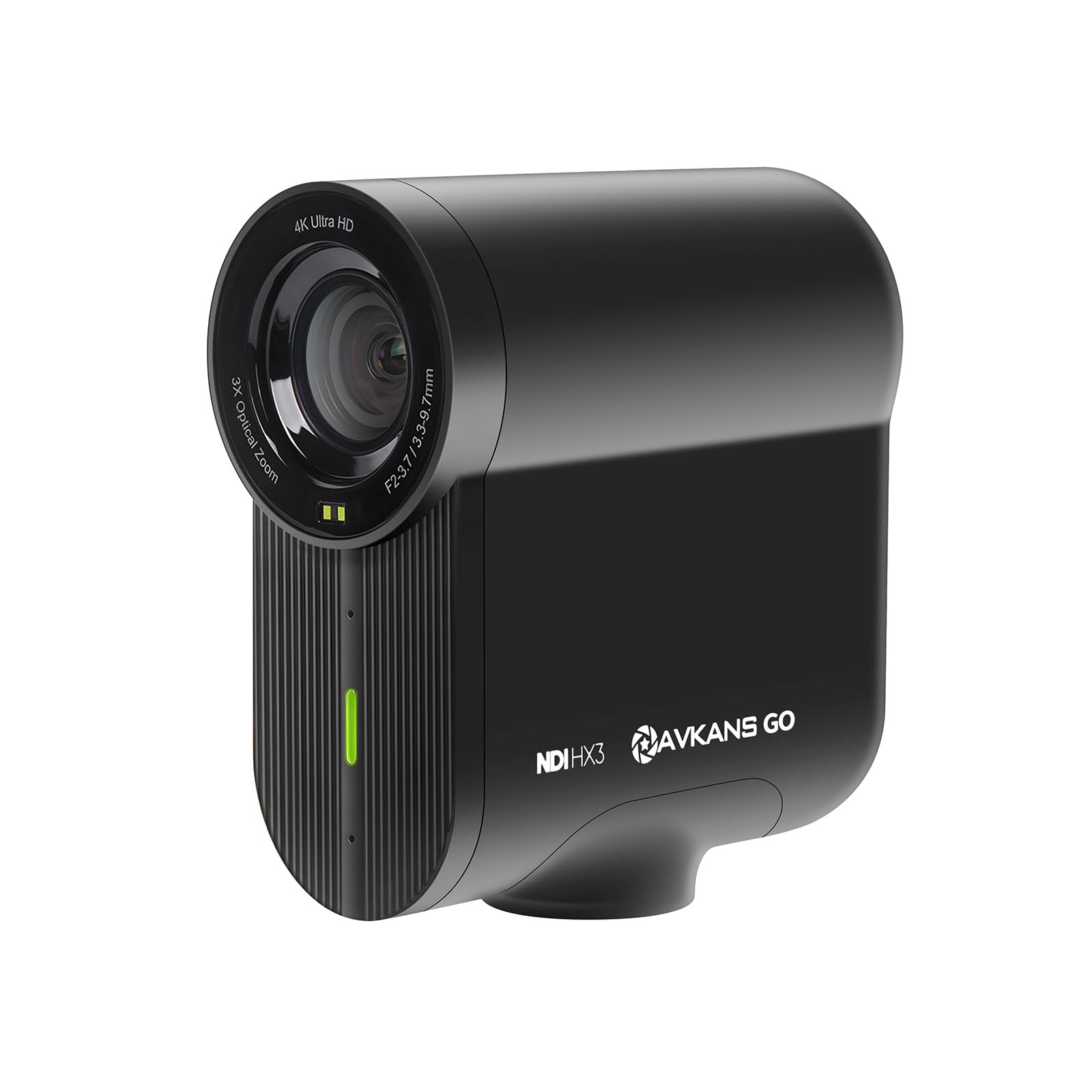
2. Go Wireless Live Streaming Camera 4K with NDI HX3
The all-in-one box that streams and records without a computer.
This is a purpose-built streaming camera, not a mirrorless crossover. It shoots in crisp 4K UHD resolution and can simultaneously stream at a lower resolution to platforms like YouTube and Facebook while recording the full-quality version to an SD card — a neat trick that saves you from needing a separate recording rig. The NDI HX3 license is included, which means you plug it into your network and any software (OBS, vMix, Wirecast) immediately recognizes it as a video source over ethernet or Wi-Fi.
The built-in 6-hour battery covers an entire recording session without needing a power outlet. Owners mention that the 3x digital zoom and wide field of view let you frame a two-person interview without putting the camera across the room. Image quality and video quality are the most-praised aspects, with over 70 mentions between them, while connectivity and field of view also get strong positive nods. The only common concern is that early units had Wi-Fi connection issues, which a firmware update to version 2.2.0 above resolved.
As owners put it, this camera “records to SD and streams simultaneously at different resolutions” — a feature that saves you hours in post-production if you run a live podcast.
Why streamers love it
- Records internally while streaming at a different resolution
- Included NDI license means no extra software cost
- 6-hour battery handles back-to-back recording sessions
What to watch for
- Digital zoom degrades image slightly past 3x
- Not waterproof — keep it sheltered for outdoor events
- Battery is not user-swappable for instant replacement
Perfect for: live-streamed podcasters who want wireless freedom and built-in multi-platform streaming.
Not for: filmmakers who need manual exposure control and interchangeable lenses.
3. OBSBOT Tail Air NDI Streaming Camera 4K
A pint-sized PTZ that follows you so you can focus on the conversation.
If you pace, gesture, or stand while podcasting, this is the camera that keeps you in frame without a camera operator. The OBSBOT Tail Air is a 4K PTZ (pan-tilt-zoom) camera small enough to fit inside a cola can, yet it rotates 320° horizontally and 180° vertically. Its upgraded AI tracking follows humans, animals, or objects — meaning you can set it on a shelf and walk around your recording space while it automatically pans and tilts to keep you centered.
Connectivity is generous: you get Micro HDMI, USB-C, Ethernet, and wireless options, plus support for RTMP, RTSP, and VISCA protocols. The 23mm f/1.8 lens lets in plenty of light, so your face stays bright even in a dimly lit room. Image quality is the top positive aspect, with 24 buyers calling it amazing. However, reliability is the most-discussed topic overall, and it comes with a mixed verdict — some customers note connectivity or battery issues after several months. The internal battery is not user-replaceable, which is the one design decision that limits the camera’s long-term life.
The thing everyone raves about is the gesture control: raise your hand to start tracking, and the camera locks on instantly. It is a genuinely useful shortcut for solo podcasters.
what separates it
- AI tracks humans, animals, and objects without a puck or app
- Four connection methods — HDMI, USB-C, Ethernet, Wi-Fi
- Wide f/1.8 aperture (a measure of how much light the lens lets in) for low-light performance
What holds it back
- Non-replaceable battery creates a hard lifespan limit
- NDI license requires an additional purchase
- Reliability is rated mixed, with some units failing after months
Great for: solo podcasters who move around and want automated framing with no operator.
Skip if: you need a camera that lasts multiple years of heavy daily use without a battery service.
4. Canon EOS R100 Mirrorless Camera with 18-45mm Lens

The lightest way to get a big-sensor look on a starter budget.
This is Canon’s smallest and lightest EOS R-series body, which makes it the easiest camera to set on a desk mount without a heavy tripod. The 24.1MP APS-C CMOS sensor (a crop-sensor chip larger than a phone’s but smaller than full-frame) paired with the DIGIC 8 processor delivers excellent image clarity and natural bokeh (the soft blur behind the subject). It records 4K video at up to 24 fps — enough for a talking-head podcast that does not need slow-motion.
The Dual Pixel CMOS AF covers 143 zones with human face and eye detection. In practice, this means the focus sticks to your face even if you look down at notes. The included RF-S 18-45mm f/4.5-6.3 IS STM lens (a compact zoom with image stabilization) gives you a versatile focal range for framing from a standard desk distance. Quality and image quality are the top two most-praised aspects by a wide margin. The recurring fit note is that battery life is a negative for some owners — plan to keep it plugged into USB power during long podcast sessions.
What you do not get is a headphone jack for monitoring, so you will need to trust your external recorder or use the on-screen audio levels.
What makes it easy
- 24.1MP APS-C sensor delivers natural background blur on a budget
- Dual Pixel AF with human eye detection is reliable and fast
- Compact and lightweight — the smallest EOS R body ever
Where it cuts corners
- 4K limited to 24 fps, which is fine for talking but not for slow-mo
- No headphone jack for real-time audio monitoring
- Battery life is rated negative — you will want USB power for long shows
Pick this for: a first podcast camera that gives you true interchangeable-lens quality without spending four figures.
Avoid if: you need 4K 60p or plan to monitor audio through the camera.
5. Sony ZV-E10 Mirrorless Camera Body
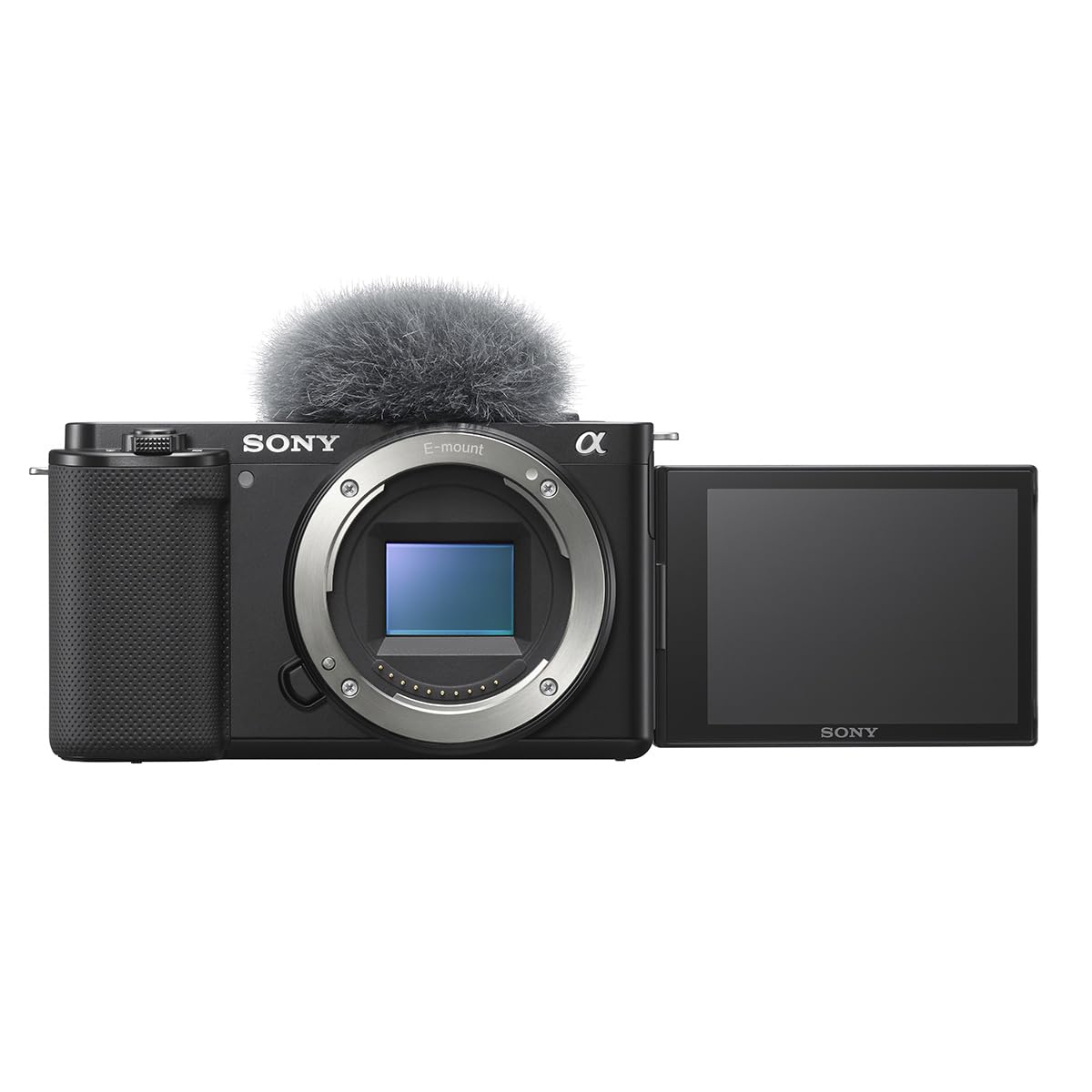
A dedicated vlogging body that doubles as a surprisingly capable podcast camera.
Sony designed the ZV-E10 specifically for video content creators, and it shows. The 24.2MP APS-C Exmor CMOS sensor oversamples 4K from a 6K readout (meaning it captures more detail than typical 4K cameras and then downsizes it, producing sharper footage), without pixel binning. That translates to noticeably crisp video of your face and any props you hold up. The Product Showcase Setting is a killer podcast feature: when you hold an object near the lens, the autofocus instantly pulls focus from your face to the object, then switches back when you lower it.
The Background Defocus button lets you blur or sharpen the background with one tap. Combined with the fully articulating touch LCD, you can frame yourself perfectly while sitting at a desk. The built-in three-capsule directional microphone (a multi-element mic that picks up sound from the front while rejecting rear noise) captures clear voice audio in a quiet room, though a dedicated lavalier will still sound better. Quality and image quality are the top two praise points. The most-discussed downside is a mixed reliability verdict — the camera is lightweight and excellent value, but a small number of owners experienced failures within months.
This camera is also called out directly by owners as a “GREAT podcast camera,” with one even preferring it over the more expensive Sony A7S for podcast filming because it never overheats.
Why it works for podcasts
- Product Showcase Setting shifts focus to objects instantly
- 4K oversampled from 6K gives you sharper video than typical 4K cameras
- Lightweight body and flip screen make desk framing easy
What to consider
- Severe rolling shutter (a visual distortion when moving the camera quickly) — but fine for static desk use
- No in-body image stabilization — you need a steady tripod
- Mixed reliability reports — some units fail after months
Ideal for: the vlogger-podcaster hybrid who shows products and needs face-detection autofocus.
Look elsewhere if: you need internal stabilization or a camera with a proven long-term reliability record.
6. Panasonic LUMIX G85 4K Digital Camera with 12-60mm Lens

The grip-friendly body that eliminates hand-shake so you can skip the gimbal.
The G85 is built around a 16MP Micro Four Thirds sensor (a smaller interchangeable-lens format that favors compact size and stabilization) with no low-pass filter, which boosts fine-detail resolution by nearly 10 percent. What truly separates it for podcasting is the 5-axis in-body image stabilization (IBIS), a mechanism inside the camera that shifts the sensor to counteract your hand or desk vibrations. When you hold this camera on a monopod or even a lightweight tripod, the image stays perfectly still — no micro-jitters.
The 12-60mm Power O.I.S. kit lens complements the IBIS, giving you a wide enough angle for a two-person interview and enough reach to frame a solo shot. The 3-inch tilt-and-touch LCD screen lets you tap to change focus points during recording. The magnesium alloy body is weather-sealed, so it shrugs off dust or light splashes from a water bottle. The most common praise is for the stabilization and the value at this price point — buyers consistently call it the “price/performance king” for entry-to-mid-level video. The trade-offs are sluggish autofocus in low light and a lack of a headphone jack for monitoring.
What wins people over is the rock-solid feel in the hand. The grip is larger than older Panasonic models, making it comfortable for extended recording sessions without hand fatigue.
Why it stands out
- 5-axis in-body IBIS gives you tripod-smooth footage from a handheld position
- Weather-sealed magnesium alloy body feels premium and durable
- Excellent value for the money — kit lens included
Where it shows its age
- Autofocus hunts in low light compared to modern Sony or Canon
- No headphone jack for audio monitoring
- 16MP sensor limits stills resolution vs. APS-C competitors
Great for: podcasters who record handheld or want to use a monopod without investing in a gimbal.
Not for: streamers who need real-time audio monitoring or fast low-light autofocus.
7. Panasonic LUMIX GH5M2 Body

The legendary GH5 updated with untethered live streaming and USB power.
The GH5M2 is the streaming-focused update to Panasonic’s beloved GH5. It supports both wired and wireless live streaming without a capture card, and it can record unlimited video in C4K/4K 60p 4:2:0 10-bit internally while simultaneously outputting over HDMI. That means you run your podcast live to YouTube while recording a pristine local file as a backup — no time limits, no overheating. The 20.3MP Micro Four Thirds sensor includes V-LogL and Cinelike D2/V2 presets that give you professional color grading flexibility in post.
The 5-axis image stabilization (advanced I.S. up to 6.5 stops) is the best in this class. You can hold this camera in your hand while walking and still get a smooth shot. The magnesium alloy body is splash, dust, and freeze-proof down to -10°C (14°F). The built-in live streaming over Wi-Fi means you can go live from a coffee shop or a studio with no Ethernet cable. Buyers consistently praise the video autofocus speed upgrade over the original GH5, and the fact that Panasonic continues to release firmware updates for this model.
The consensus from owners is that the GH5M2 is “a big upgrade in the small things” — specifically the linear focus control for manual lenses and the anti-glare coating on the LCD. It is heavier than the G85, but the feature set justifies the weight for serious podcast producers.
What professionals appreciate
- Untethered live streaming over Wi-Fi — no computer needed
- Unlimited C4K/4K 60p 10-bit recording with simultaneous HDMI output
- 6.5-stop stabilization for rock-solid handheld footage
What to know
- Body only — you need to invest in a Micro Four Thirds lens separately
- Heavier than the G85 and other entry-level mirrorless bodies
- Autofocus uses contrast detection, which can be slower than phase detect in fast movement
Best for: the power-user podcaster who needs unlimited recording, built-in streaming, and top-tier stabilization.
Overkill if: you record solo in a static desk setup and do not need multi-protocol streaming.
8. Logitech for Creators Mevo Core Wireless 4K Video Camera

A wireless 4K camera with interchangeable lenses for the cable-free podcast studio.
The Mevo Core is designed around the Mevo Multicam ecosystem — place multiple units around your set and control them all through the Mevo Multicam app on your phone or tablet. It uses a Micro Four Thirds lens mount (the same system used by Panasonic and Olympus), so you are not locked into a fixed field of view. You can swap in a wide 14mm lens for a two-host shot or a longer lens for a close-up on a single speaker. The camera streams directly to YouTube, Twitch, and other platforms in up to 4K 30p without a capture card.
The built-in six-hour battery (when live streaming at 1080p30) means you set it up once and forget about power for an entire recording day. The built-in three-mic array with noise cancellation handles basic audio well, and there is a 3.5mm input for an external mic plus digital audio input for higher-end setups. HDMI output is clean, so you can also feed the signal into a traditional switcher. The wireless connectivity using Wi-Fi 6E is fast and reliable, but some owners have reported difficulty with support when issues arise.
Reviewers point out that this camera is “incredibly versatile” for podcasters needing multiple angles, and that using a 14mm lens turns it into a professional Zoom call camera for remote interviews.
What makes it unique
- Interchangeable Micro Four Thirds lenses for framing flexibility
- 6-hour battery life frees you from cables during a podcast
- Built-in NDI/SRT support and clean HDMI out
What to note
- Requires the Mevo Multicam app for full functionality
- Customer support is reported as slow when problems occur
- Premium price — you are paying for the wireless ecosystem
Ideal for: multi-camera podcast setups where running cables is impractical.
Not for: solo hosts who want a single-camera workhorse at a lower price point.
9. Logitech Mevo Start Wireless 1080p HD Camera — 3 Pack with Cases

Three wireless camera angles in one box, no technical skills required.
This bundle is the simplest way to get a professional three-camera podcast look. It includes three Logitech Mevo Start cameras, each streaming in 1080p HD resolution, plus a protective case for each unit. Sync them through the Mevo Multicam app, and you get a multi-angle production with Auto-Director switching between the cameras based on who is speaking. Each camera has a built-in battery that lasts up to six hours, and streaming works over Wi-Fi — no cables, no capture cards, no external power.
The cameras are compact and lightweight, designed to sit on a bookshelf or a small tripod. The built-in microphones capture decent audio, and you can connect external sound sources through the app for better quality. Picture quality is the top positive aspect, with owners calling the video crisp and detailed. Ease of use follows closely behind — setup is simple enough that you can unpack the box and be live within minutes. The main area of mixed feedback is reliability, with some units experiencing connection drops over long recording sessions.
The review pages sum it up: people use these every weekend for baseball tournaments and live streaming, and the clear recordings and sound make it a “must have” for group content.
Why this bundle works
- Three cameras from the start for a multi-camera podcast setup
- Auto-Director in the app switches angles based on speaking
- 6-hour battery and Wi-Fi streaming mean zero cable clutter
What to consider
- Limited to 1080p HD — no 4K option
- Reliability is mixed — some units drop connection during long sessions
- Requires the Mevo Multicam app — no standalone operation
Perfect for: non-technical podcast teams who want a three-camera look without learning video production.
Skip if: you need 4K resolution or a single high-end camera for a solo show.
10. Blackmagic Design Pocket Cinema Camera 6K Pro

The cinema camera that brings movie-studio quality to your podcast studio.
If you are producing a visual podcast that needs to look indistinguishable from a broadcast TV show, this is the tool. The Blackmagic Pocket Cinema Camera 6K Pro features a Super 35 sensor (a film-industry standard size slightly larger than APS-C) with a native resolution of 6144 x 3456 and 13 stops of dynamic range. That means it captures every detail in the shadows of your dark-painted studio and every highlight on your guest’s face without blowing out. The dual native ISO goes up to 25,600, so you can shoot with minimal noise in a dimly lit room.
It records in 12-bit Blackmagic RAW or Apple ProRes to SD/UHS-II, CFast 2.0 cards, or an external SSD via USB-C. The built-in 2, 4, and 6-stop ND filters (neutral density filters that act like sunglasses for the lens) let you keep your aperture wide for background blur even in bright lighting — perfect if you want that filmic shallow depth-of-field on a podcast backdrop. The tilting 5-inch HDR LCD screen is bright enough to use as your main monitor, eliminating the need for an external display. The mini XLR input with phantom power means you can plug professional broadcast microphones directly into the camera.
Image quality and quality are the top positive aspects. Owners call the footage “stunning” and note that the 6K resolution gives them incredible cropping capability in post-production — you can zoom in on a guest’s reaction during editing and still output 4K without losing sharpness. The main caveat is that this is a dedicated cinema camera, so it lacks autofocus features found on consumer mirrorless bodies.
Why production houses choose it
- 6K resolution allows for lossless digital zoom and reframing in post
- 13 stops of dynamic range captures shadow and highlight detail
- Built-in ND filters and mini XLR with phantom power
What to know before buying
- No continuous autofocus — you must pull focus manually or use a follow-focus rig
- Requires external batteries for longer recording sessions
- Professional workflow means a steeper learning curve for beginners
Built for: high-end visual podcasts, video-led shows, and creators who need cinema-grade footage for broadcast.
Not for: solo podcasters who want point-and-shoot simplicity and reliable autofocus.
Understanding the Specs
Clean HDMI Output
A “clean” HDMI signal means the camera sends pure video without any overlays — no battery icons, autofocus boxes, or record indicators. This is essential for podcasting because your live stream or recording software expects a pristine video feed. If you use a capture card or stream directly through OBS, check that the camera supports clean output. Most mirrorless cameras in this guide offer it, but some require a menu setting to turn on.
Autofocus System
Podcasting happens in a controlled space, but you still move — leaning forward, turning to a guest, holding up a prop. A good autofocus system with face and eye detection (like Sony’s 693-point phase detection or Canon’s Dual Pixel CMOS AF) keeps you sharp without hunting. Cameras that rely on contrast detection only (like the Panasonic GH5M2) can be slower in low light. For a static talking-head podcast, even entry-level autofocus is fine, but for dynamic shows, invest in phase-detection systems.
FAQ
What is the most important spec in a podcast camera?
Can I use a webcam instead of a mirrorless camera for my podcast?
Do I need a 4K camera for my podcast?
What is a clean HDMI output and why does it matter?
How many cameras do I need for a podcast?
Will a camera overheat during a long podcast recording?
What microphone input do I need on my camera?
What is the difference between a full-frame and an APS-C sensor for podcasting?
Can I use a DSLR from ten years ago for my podcast?
Should I buy a camera body only or with a kit lens for my podcast?
Should I buy a camera body only or with a kit lens for my podcast?
Final Thoughts: The Verdict
For most podcasters, the camera for podcasting winner is the Sony Alpha 7 IV because its full-frame sensor, sticky autofocus, and 10-bit 4K 60p video deliver a broadcast-ready look that justifies the investment — and the thousands of owners agree on the image quality. If you want built-in wireless streaming and a battery that lasts an entire recording day, grab the Go Wireless Live Streaming Camera 4K with NDI HX3. And for a true multi-camera setup with no cables and no technical headaches, the Logitech Mevo Start 3-Pack is the one to reach for.
How We Picked
We do not accept paid placement. Every pick is matched to a real buyer and a real use-case; we do not hands-on test units.
Sources & Methodology
Specifications: manufacturer listings and product documentation. Review insights: verified customer reviews, as of July 2026. Pricing: not shown on this page (it changes often); check the current price via the retailer link.
As an Amazon Associate, WellFizz earns from qualifying purchases. This does not affect which products we feature.
Related Guides

Mo Maruf
I created WellFizz to bridge the gap between vague wellness advice and actionable solutions. My mission is simple: to decode the research and give you practical tools you can actually use.
Beyond the data, I am a passionate traveler. I believe that stepping away from the screen to explore new environments is essential for mental clarity and physical vitality.