Our readers keep the lights on and my smoothie glass nicely filled. As an Amazon Associate, I earn from qualifying purchases.
Specs are compiled from manufacturer listings and verified buyer reviews and can change over time — please confirm the key details on the product page before buying.
The machines here range from sleek all-in-one workstations to compact mini PCs and dedicated GPU towers, each built to handle the specific weight of creative software without compromise. This guide cuts through the spec sheet noise to focus on what actually matters for designers, illustrators, video editors, and 3D artists.
I’m Mohammad Maruf — the founder and writer behind WellFizz. This guide is built by comparing the manufacturers’ published specifications and the patterns across verified customer reviews, so you get each pick’s real strengths and trade-offs instead of marketing spin.
Whether you work in 2D illustration, 4K video editing, or heavy 3D rendering, you need a system that matches the task — and this roundup of the best computer for design work is designed to point you to the exact right tool for your creative workflow.
Our Picks at a Glance



How To Choose The Best Computer For Design
A design computer is a balancing act between processor power, graphics muscle, memory capacity, and storage speed. The right mix depends heavily on the type of creative work you do, but a few core specs separate a smooth experience from a frustrating one. Here is what to look for.
GPU (Graphics Processing Unit) — The Rendering Workhorse
If you work in 3D modeling, video editing, or any task that uses GPU acceleration (like rendering in Blender or applying effects in Premiere Pro), a dedicated graphics card is non-negotiable. A dedicated GPU has its own video memory, so it does not steal RAM from the rest of the system. For 2D design and illustration, a capable integrated GPU (like the one in Apple’s M4 chip) can be surprisingly powerful because the software leans more on the CPU.
RAM — The Multitasking Buffer
Design applications are memory-hungry. A large Photoshop file with dozens of layers, or a complex After Effects composition, can easily eat up 16GB of RAM. For most design work, 32GB is the balance — it lets you keep multiple heavy applications open without slowdown. Going to 64GB makes sense for high-end 3D rendering or 8K video projects.
Processor (CPU) — The Brain Behind the Creativity
The CPU handles the logic of your design software — applying filters, running calculations, managing the operating system. A modern chip with high clock speeds (measured in GHz) and multiple cores is ideal. More cores help with tasks that can be split up, like rendering a 3D scene. Higher single-core speed helps with things that cannot, like applying a filter in Photoshop.
Storage — How Fast Your Projects Load
A fast SSD (solid state drive) is as important as the processor for a design computer. It determines how quickly your design software launches, how fast a project file opens, and how snappy the operating system feels. An NVMe SSD that connects via the PCIe interface is the fastest option you can get for a desktop or laptop today. The capacity you need depends on your project sizes, but 1TB is a good starting point for most creatives.
Quick Comparison
| Model | Best For | GPU | RAM | Storage | Amazon |
|---|---|---|---|---|---|
| Apple iMac M4★ Best Overall | All-in-one creative suite | 10-core GPU (integrated) | 24GB Unified | 512GB SSD | Amazon |
| MINISFORUM UM790 ProUltra-Compact Workstation | Ultra-compact workstation | Radeon 780M | 32GB DDR5 | 1TB SSD | Amazon |
| ZYNEEX Prebuilt PCEntry-Level Design Rig | Entry-level design/gaming | RTX 3050 6GB | 16GB DDR4 | 1TB NVMe | Amazon |
| HP Pro Mini 400 G9 | Compact business productivity | Intel UHD 770 | 32GB DDR4 | 1TB NVMe | Amazon |
| HP Mini Desktop (Triple 4K) | Multi-monitor design work | Intel UHD 770 | 32GB DDR4 | 1TB SSD | Amazon |
| GEEKOM X16 Pro Laptop | Mobile design powerhouse | Intel Arc (integrated) | 32GB LPDDR5x | 2TB SSD | Amazon |
| GEEKOM A9 Max Mini PC | AI-powered creative workflows | Radeon 890M | 32GB DDR5 | 1TB SSD | Amazon |
| YAWYORE Gaming PC | 3D rendering on a budget | RTX 5060 8GB | 32GB DDR4 | 1TB NVMe | Amazon |
| Dell Pro Tower QCT1250 | Business design & multitasking | Intel UHD 770 | 32GB DDR5 | 1TB PCIe | Amazon |
| Skytech O11 Vision | High-end 4K gaming & design | RX 9070 XT 16GB | 32GB DDR5 | 2TB NVMe | Amazon |
| Skytech King 95 | Premium 1440p design rig | RTX 5070 Ti 16GB | 32GB DDR5 | 1TB NVMe | Amazon |
| GIGABYTE AORUS Supreme 5 | Ultimate no-compromise workstation | RTX 5090 32GB | 64GB DDR5 | 2TB Gen5 NVMe | Amazon |
In‑Depth Reviews
1. Apple 2024 iMac All-in-One Desktop Computer with M4 chip
Our pick — over 4.5★ from 150+ verified ratings; the strongest balance of quality and price.
The all-in-one that swallows heavy creative sessions without a stutter.
For designers who want a clean desk and zero tinkering, this iMac is the obvious starting point. The M4 chip with its 10-core CPU and 10-core GPU is built to breeze through demanding creative suites. Buyers report that it handles heavy multitasking — keeping two websites, Canva, AI tools, and multiple browser tabs open — without any lag or freezing. The 24-inch 4.5K Retina display pushes 500 nits of brightness and supports up to 1 billion colors, which matters enormously when you are judging subtle gradients in a logo or color-correcting a still frame. It even runs World of Warcraft smoothly, proving the integrated graphics are no slouch for lighter 3D work.
The unified 24GB memory means the CPU and GPU share a single, fast pool of RAM — nothing gets bottlenecked by having to copy data between separate memory banks. You get up to four Thunderbolt 4 ports for fast accessory connections and external displays, plus Wi-Fi 6E and Bluetooth 5.3 for wireless peripherals. The all-in-one design weighs 9.77 pounds, so moving it to a different desk or taking it to a client meeting is genuinely easy. Performance is the thing owners praise most — 24 single it out — with speed close behind at 10 mentions. The crowd favorite runs at 4.7 stars across 100+ ratings, making it the most trusted all-in-one pick here.
M4 chip power: If your workflow is built around the Apple ecosystem — iPhone, iPad, AirDrop — the integration is smooth. iPhone Mirroring, universal clipboard, and shared FaceTime calls are the kind of small conveniences that add up to real time saved.
all-in-one choice: you want a polished, zero-fuss creative workstation with a stunning display and the strongest overall owner satisfaction in this roundup.
budget seekers: the 512GB SSD fills fast if you work with 4K video or massive photo libraries — consider an external drive for archiving.
2. MINISFORUM Venus UM790 Pro Mini PC
A stapler-sized PC that punches far above its footprint for design tasks.
The MINISFORUM Venus UM790 Pro is not just small — it is genuinely powerful. The AMD Ryzen 9 7940HS processor clocks up to 5.2 GHz, and the integrated Radeon 780M graphics can handle 4K video editing and moderate 3D work. Owners mention it is fast, virtually silent, and remarkably compact — about the size of a stapler. The initial display issues some saw with spreadsheets and PDFs were fixed by installing the AMD Adrenalin drivers, a simple one-time step. Speed is what owners praise most (7 mentions), and the connectivity is versatile with two USB4 ports and two HDMI 2.1 ports, letting you run up to four displays at 4K resolution.
The Cold Wave 2.0 liquid metal cooling system keeps performance steady without the fan noise you would expect from a tiny chassis. It comes with 32GB of DDR5 RAM and a 1TB SSD, a solid baseline for design work. One owner summed it up: “Works like a champ, noiseless, does the job of my 10-month-old Tower Ryzen 9 monster that sucks electricity.”
compact powerhouse: you get desktop-class performance in a space-saving footprint, but the integrated GPU means you should not expect RTX-level rendering speed in complex 3D scenes. This is a brilliant pick for 2D and light 3D work where desk space is at a premium.
space saver: designers who need a near-silent, compact workstation for 2D creatives and 4K editing without wanting a tower under the desk.
expansion fans: heavy 3D rendering or GPU-accelerated effects are your daily bread and butter — a dedicated GPU tower will serve you better.
3. Prebuilt Gaming Desktop PC (ZYNEEX)
A solid first tower for new designers who also game on the side.
This ZYNEEX desktop is a straightforward entry point for design work. The AMD Ryzen 5 5500 processor (up to 4.2 GHz) and the dedicated GeForce RTX 3050 6GB graphics card give you a real GPU for hardware acceleration in apps like Photoshop and Premiere Pro — something integrated graphics can struggle with on complex projects. Customers note it runs games like Sims 4, GTA 5, and Roblox without trouble, and one noted it handled 165GB of mods smoothly. The 16GB of DDR4 RAM is enough for moderate multitasking, and the 1TB NVMe SSD provides fast load times for your software and files.
The ARGB air cooling system with quad-copper pipes keeps things stable during long rendering sessions. Performance is the top praise (15 mentions), and the setup is straightforward — though one owner noted a boot issue with a pre-existing user account that Zyneex support fixed with a reset. The fan noise remote gives you control over the cooling sound, which is a thoughtful touch for a quiet workspace. It is note this system uses DDR4 RAM rather than DDR5, so it is not cutting-edge on the memory front, but the dedicated GPU more than makes up for it at this level.
starter PC: a beginner designer or student who needs a capable desktop for design software and wants to play games at 1080p without building a PC from scratch.
hardcore gamers: you are doing heavy 4K video editing or complex 3D rendering — the 6GB of VRAM on the RTX 3050 will become a bottleneck.
4. HP Pro Mini 400 G9 Business Desktop PC
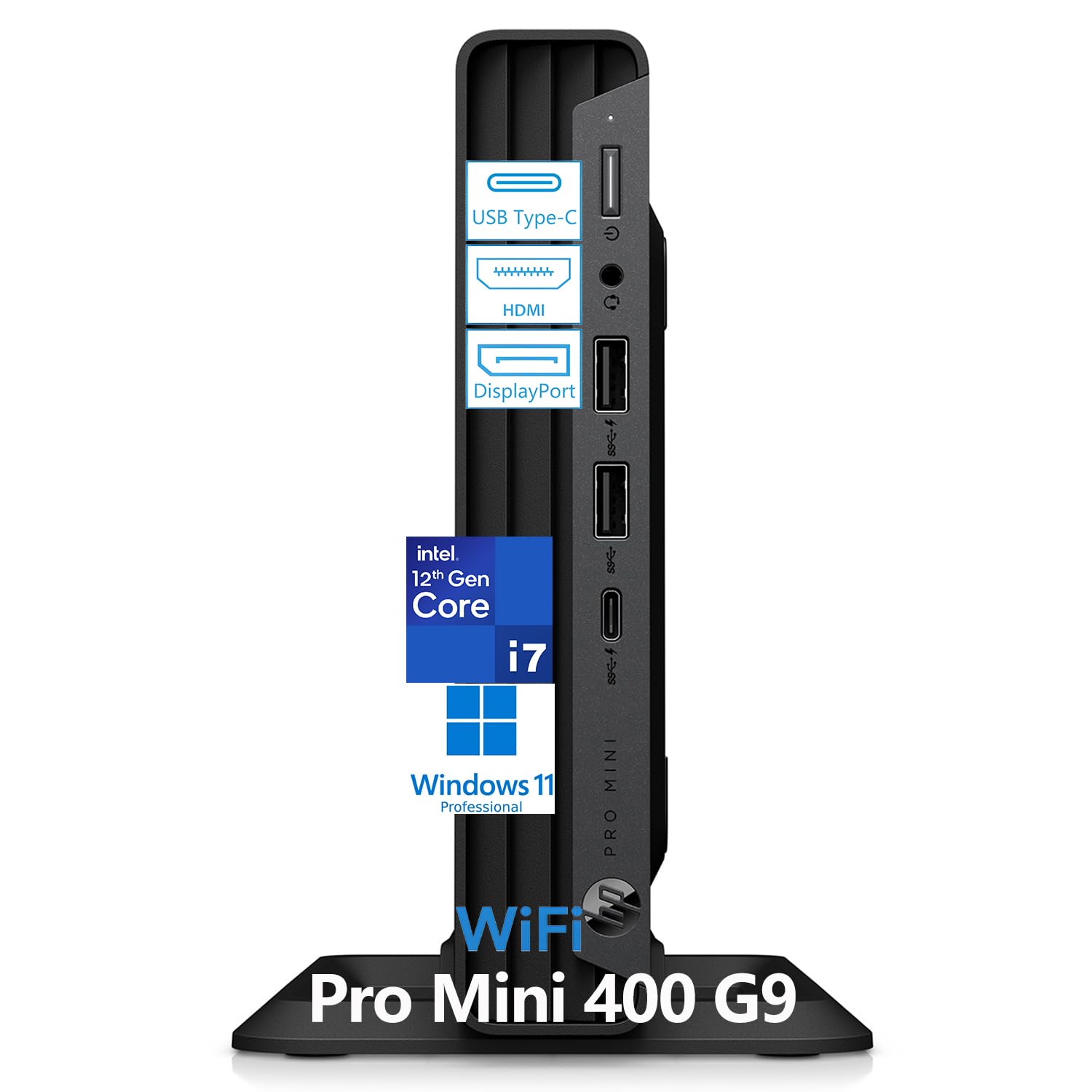
A tiny box that delivers serious multitasking for design professionals.
The HP Pro Mini 400 G9 is a small-form-factor PC that prioritizes workspace efficiency without cutting corners on performance. The Intel Core i7-12700T processor, with its 12 cores (8 Performance + 4 Efficiency) and 20 threads, is designed to handle heavy multitasking — running multiple design applications, video conferencing, and data analysis simultaneously. You get 32GB of DDR4 RAM (expandable to 64GB) and a 1TB NVMe SSD for fast booting and file access. The dual monitor support comes via 2 DisplayPort 1.4 and an HDMI 2.1 port, which is great for keeping your palettes and timelines on a second screen.
It measures just 6.97 x 6.89 x 1.34 inches and weighs 3.13 pounds — smaller than many laptops, but with desktop-grade processing power. Owners call it “small and mighty” and note the set up is a cinch, with the machine guiding you through initial steps. The VESA mount capability means you can attach it behind a monitor for an ultra-clean setup. The downside is the integrated Intel UHD Graphics 770, which is fine for 2D design and office tasks but will not accelerate 3D rendering or heavy video effects the way a dedicated GPU does.
office workhorse: graphic designers, illustrators, and UI/UX professionals who work primarily in 2D and want a powerful, tiny machine that keeps the desk clutter-free.
creative pros: your daily work includes 3D modeling or GPU-intensive video editing — you will want a dedicated graphics card.
5. HP Mini Desktop PC (Triple 4K Support)
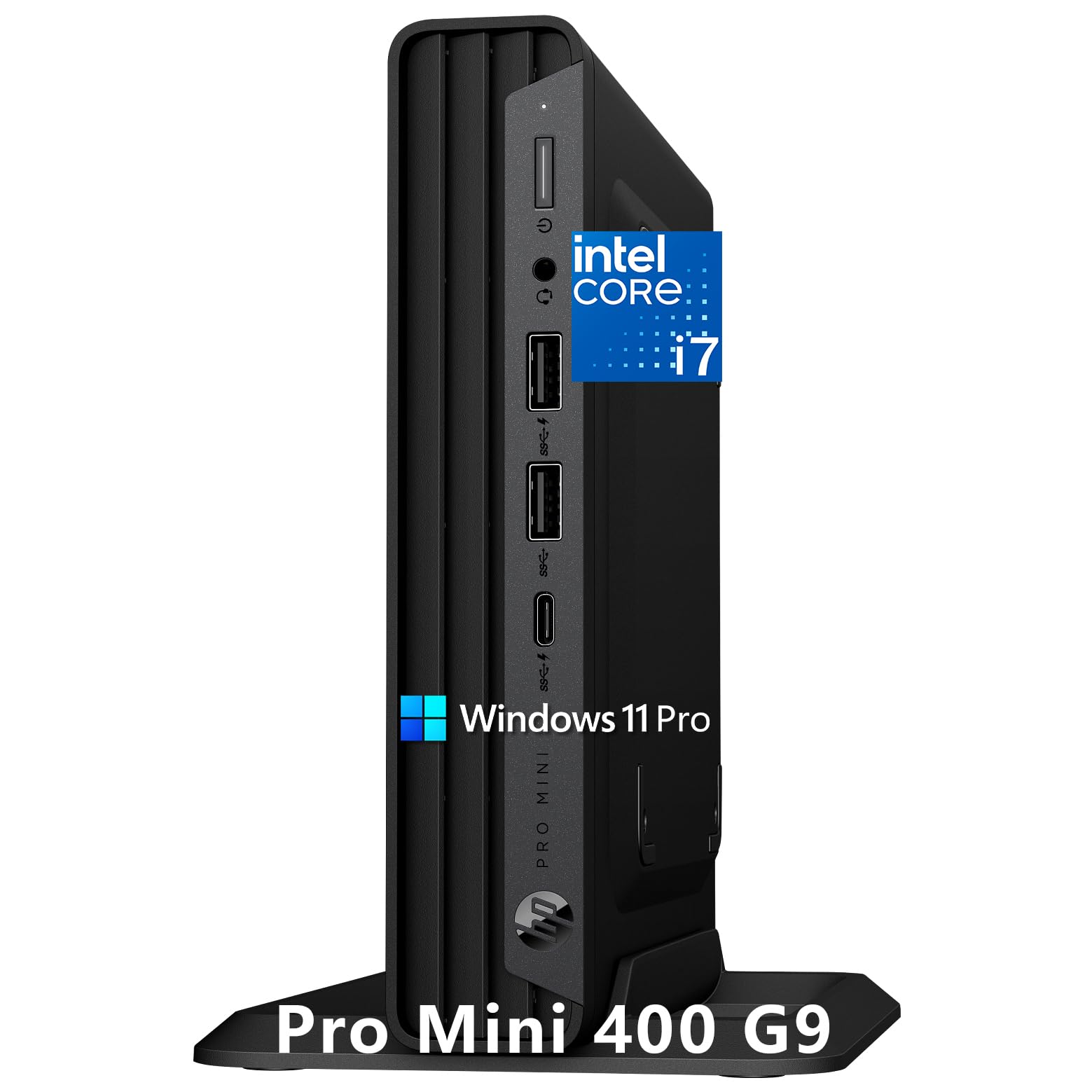
A stealthy little desktop that drives three 4K monitors without breaking a sweat.
Vision is everything in design, and this HP Mini is built to give you as much screen real estate as possible. The Intel Core i7-12700T processor (12 cores, 20 threads) and 32GB of DDR4 RAM provide the brawn for demanding business apps and multitasking, but the standout feature is the triple 4K display support. Via HDMI 2.1 and dual DisplayPort 1.4, you can hook up three high-resolution monitors — a standout for any creative who needs reference images, toolbars, and a canvas all visible at once. Owners confirm it delivers great performance in a dual monitor setup for graphics work, with one reviewer saying it has “performed very well for months now.”
The machine is whisper-quiet, thanks to an advanced thermal design, which makes it ideal for quiet offices or home studios where fan noise is a distraction. It includes a wired keyboard, mouse, and vertical stand right in the box, so you are ready to work immediately. The 1TB PCIe NVMe SSD ensures near-instant booting and file access. It is important to note that, like the HP Pro Mini, this uses integrated Intel UHD Graphics 770 — adequate for 4K output and 2D design, but not a substitute for a dedicated GPU in 3D rendering.
multi-tasker: graphic designers, UI/UX professionals, and financial traders who need a massive multi-monitor workspace for detailed, data-heavy creative projects.
heavy rendering: 3D artists or video editors who rely on GPU acceleration for rendering — the integrated graphics will hold you back in those tasks.
6. GEEKOM GeekBook X16 Pro Laptop

A 2.8-pound laptop with a 16-inch canvas that meets pro designer needs.
The GEEKOM GeekBook X16 Pro is a laptop that does not make you choose between portability and screen quality. The 16-inch IPS display comes at a 2.5K (2560 x 1600) resolution with a 16:10 aspect ratio — the extra vertical space is a real help when you have tall toolbars in Premiere Pro or a long Layers panel in Photoshop. It covers 100% of the sRGB color gamut, so colors stay accurate for print and digital work, and the 400 nits of brightness is enough to work near a window. The 120Hz refresh rate makes scrolling through a dense timeline or webpage feel fluid. Owners praise its lightweight design (12 mentions) and performance (12 mentions), calling it very capable for photographers.
Under the hood, the Intel Core Ultra 9 185H processor (16 cores, up to 5.1 GHz) is backed by 32GB of LPDDR5x RAM at 7500MHz and a 2TB PCIe Gen4 SSD. The Intel Arc graphics bring support for XeSS, ray tracing, and AV1 encoding — features that directly speed up video exports and effects in compatible software. The battery is a 77Wh unit that the maker claims can last up to 17 hours, and the 65W GaN charger can bring it to 80% in about an hour. The IceBlade 2.0 cooling system with dual fans and heat pipes keeps performance steady under load, though a few owners noted the fan can get loud and the non-upgradable 32GB RAM is a limitation for future-proofing.
on-the-go: photographers, digital illustrators, and video editors who need a lightweight, color-accurate laptop they can take from a desk to a shoot without sacrificing screen quality or performance.
all-day users: the RAM is soldered and cannot be upgraded, so 32GB is your ceiling — ideal for today’s needs but not expandable for future demands.
7. GEEKOM A9 Max Mini PC

A tiny desktop that brings dedicated AI acceleration to your creative suite.
The GEEKOM A9 Max is a mini PC with a big focus on AI-accelerated creative workflows. Powered by the AMD Ryzen AI 9 HX 370 processor, it delivers up to 80 TOPS (trillions of operations per second) of AI performance through a dedicated XDNA 2 NPU. That translates to faster local AI tasks — running Stable Diffusion for image generation, using AI upscaling in video editors, or accelerating features in Adobe software. The 12-core, 24-thread Zen 5 CPU and the Radeon 890M graphics with 16 RDNA 3.5 Compute Units make it capable of handling 4K video editing in DaVinci Resolve, 3D rendering in Blender, and AAA gaming. Owners praise its performance (68 mentions), speed (57 mentions), and compact size (56 mentions), calling it super fast with quick startup times.
You get 32GB of DDR5 RAM, a 1TB SSD, and connectivity including dual USB4 ports, dual HDMI 2.1 ports (supporting up to four 8K displays), Wi-Fi 7, and dual 2.5GbE LAN ports. The all-metal chassis and IceBlast 2.0 cooling system (copper heat sinks, dual heat pipes) keep it cool during sustained loads. It comes with Windows 11 Pro pre-installed and a 3-year limited warranty — longer than many mini PCs offer. The Radeon 890M is among the most powerful integrated GPUs available, but it still falls short of a dedicated RTX-class card for heavy 3D rendering.
desk declutter: you are a creator who uses AI tools (image generation, AI-assisted coding, local machine learning) alongside traditional design software and want a compact desktop that excels at both.
peripheral lovers: rendering-heavy 3D work or high-end video production where a dedicated GPU is essential — the integrated 890M is impressive but has limits.
8. YAWYORE Gaming PC (Ryzen 7 + RTX 5060)
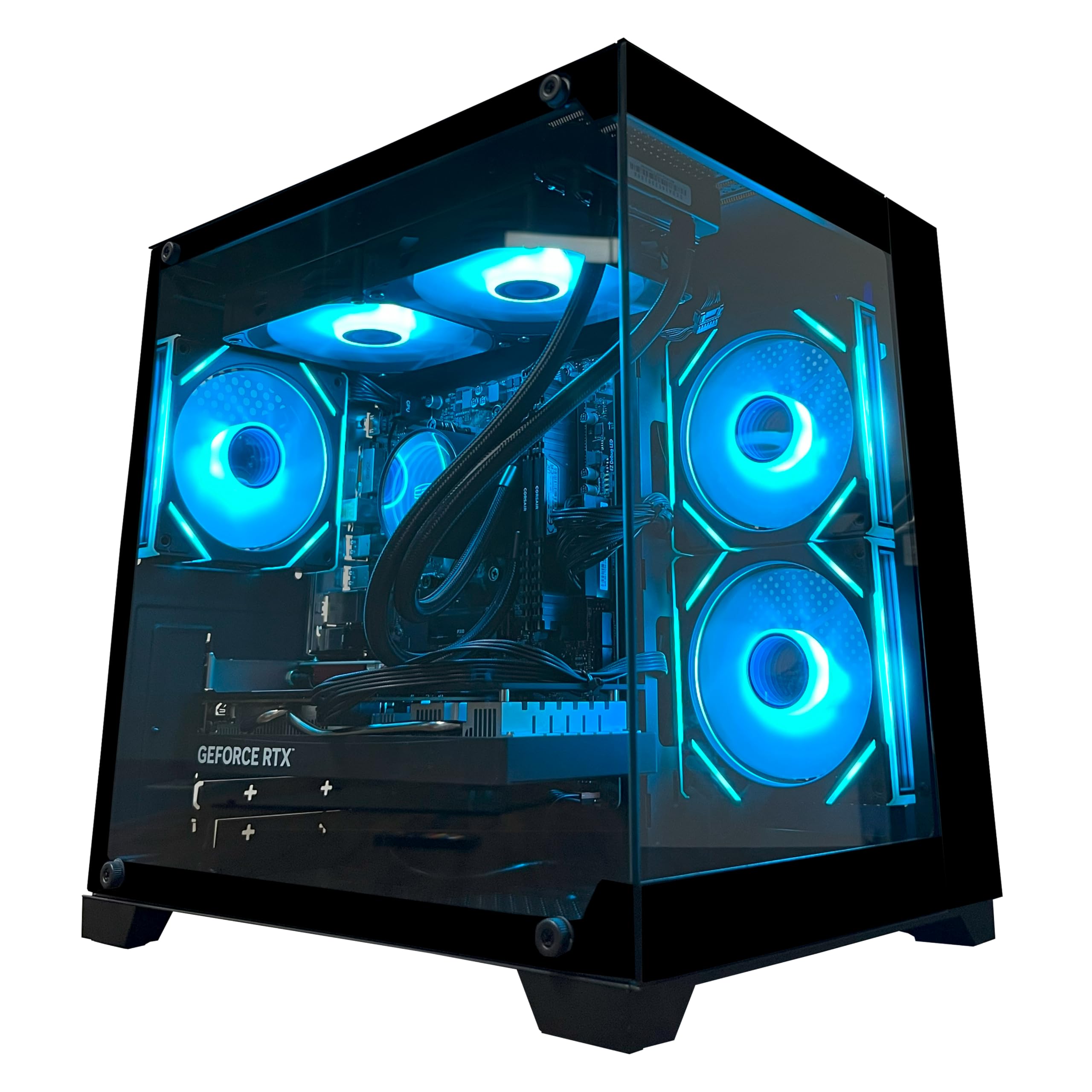
A pre-built tower that gives you dedicated rendering muscle without the premium price tag.
For designers who need a real dedicated GPU on a tighter budget, the YAWYORE Gaming PC is a strong contender. The AMD Ryzen 7 5700X processor (8 cores, 16 threads, up to 4.6 GHz) pairs with a GeForce RTX 5060 8GB GDDR7 graphics card — a combination that handles 3D modeling, rendering, and GPU-accelerated effects in apps like Blender and After Effects. The 32GB of DDR4 RAM gives you plenty of headroom for multitasking, and the 1TB M.2 NVMe SSD keeps load times snappy. Reviewers point out performance is exceptional for the price, with one calling it “240 plus fps” for gaming and noting it gave no problems during setup or play. Performance is the top praise (12 mentions), and value for money is second (9 mentions).
The system is built on an MSI B550M-A PRO motherboard and powered by a 650W 80 Plus Bronze power supply. It includes built-in Wi-Fi and Bluetooth for wireless connectivity, and the ARGB fans are controllable via remote. The case comes with shock-absorbing foam for safe shipping — owners note to remove the foam before use. The motherboard uses DDR4 RAM rather than the newer DDR5, which is the main trade-off for an otherwise impressive spec list. The RTX 5060, while capable, is an entry-level current-gen card; it will handle 1080p and 1440p design and gaming well but may struggle with 4K rendering.
mid-range play: designers who are just starting with 3D work or who game alongside their design work and want a dedicated GPU without spending over budget.
high-end demands: if you need the fastest possible RAM for professional video editing, the DDR4 platform here is a step behind DDR5 systems.
9. Dell Pro Tower QCT1250
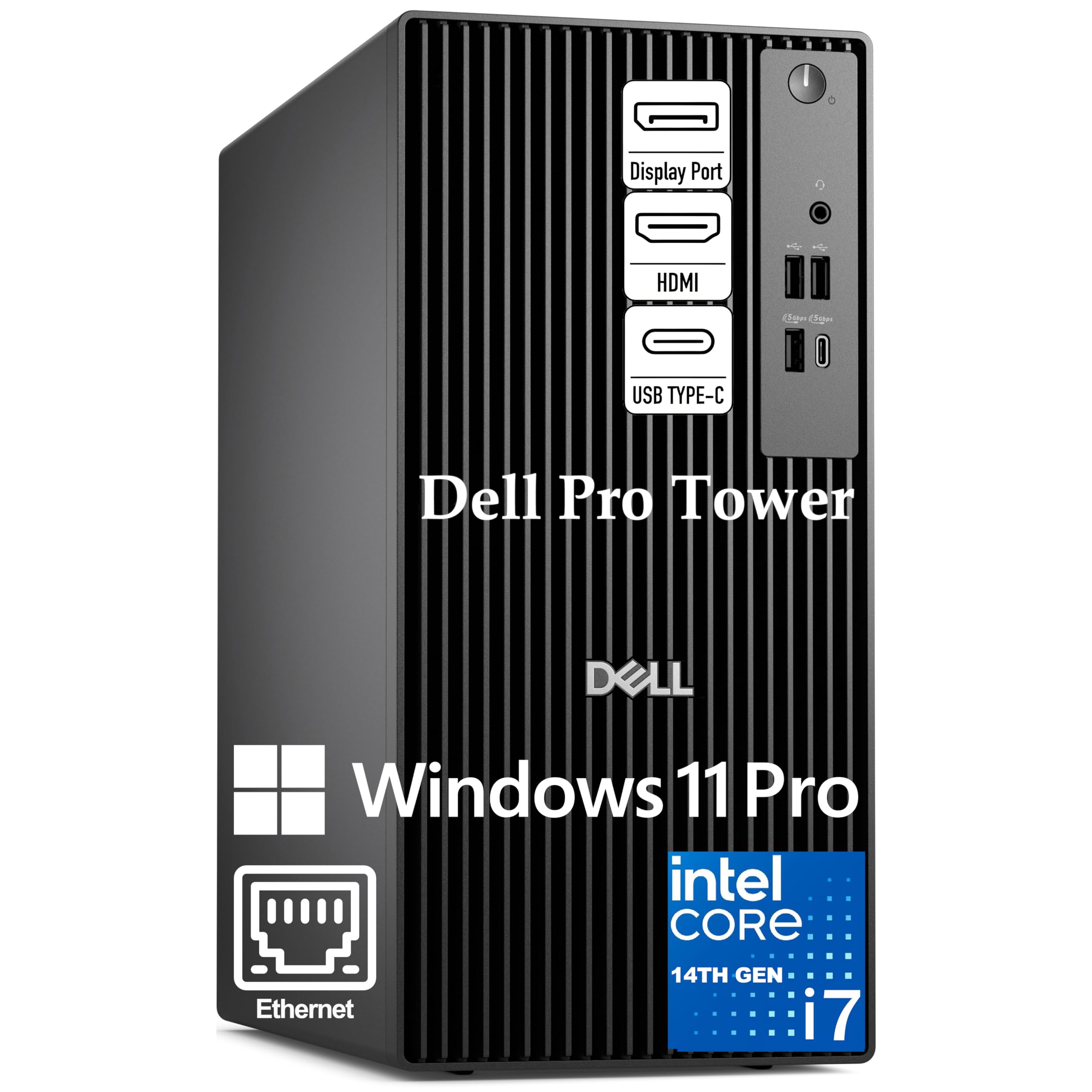
A reliable tower for professional multitasking across multiple design applications.
The Dell Pro Tower QCT1250 is built for the professional who needs to run multiple IDEs, virtual machines, and design software simultaneously without breaking stride. The Intel Core i7-14700 processor with 20 cores and 28 threads (including the hybrid Performance + Efficiency core design) delivers a 33MB cache and a turbo boost that handles complex data analysis and heavy multitasking with ease. You get 32GB of fast DDR5 RAM, a 1TB PCIe SSD, and the ability to drive dual 4K monitors via the available DisplayPort and HDMI connections. Owners describe it as “the fastest and most complete computer tower I’ve worked with” and call the performance “impressive.”
It runs Windows 11 Pro with enterprise-grade features like BitLocker encryption and remote desktop — useful if you handle client data or work across multiple locations. The tower construction is classic Dell Pro quality, designed for long-term dependability. The integrated Intel UHD Graphics 770 is fine for 2D design and productivity apps but not intended for GPU-accelerated 3D rendering. It lacks an SD card reader, and while the seller says no Wi-Fi is included, shoppers say a Wi-Fi USB dongle was thrown in the box. This is a productivity-focused machine, not a dedicated design workstation.
upgrade friendly: business professionals, data analysts, and 2D designers who need a reliable, powerful machine for multitasking and professional software without needing a top-tier GPU.
minimalists: 3D artists or video editors who require dedicated graphics — you will want to look at the Skytech or GIGABYTE options below.
10. Skytech Gaming O11 Vision Desktop PC

A white beauty built for 4K design work and serious creative flow.
The Skytech Gaming O11 Vision is a desktop that delivers top-tier performance for design professionals who also game. The AMD Ryzen 7 9800X3D processor (up to 5.2 GHz) is one of the fastest CPUs for creative tasks, and it is paired with an AMD Radeon RX 9070 XT 16GB graphics card — a dedicated GPU with plenty of VRAM for 4K texture work and complex 3D scenes. The 32GB of DDR5 RAM at 6000 MHz and the 2TB Gen4 NVMe SSD mean your design software and project files have both the memory and speed they need. Owners say the PC runs smoothly from the start and is easy to set up, with performance being the most praised aspect (31 mentions).
The case is the stunning Lian Li PC-O11 Vision in white, with a tempered glass panel that shows off the 360mm AIO liquid cooler and ARGB fans. It comes with a free gaming keyboard and mouse, and there is no bloatware — just Windows 11 Home and your software. The 850W Gold ATX 3 power supply gives you headroom for upgrades. That said, reliability receives mixed feedback here, with some owners reporting failing motherboards and connectivity issues. The motherboard is described as “basic” by owners, and the onboard Wi-Fi can be slow without an antenna upgrade. This is a high-performance machine, but it comes with some variance in quality.
showpiece build: designers who want 4K creative performance and a stunning case aesthetic, plus the ability to game at max settings without compromise.
easy access: the mixed reliability feedback means you should check the warranty and be prepared for potential motherboard issues — not everyone experiences them, but it is a known pattern.
11. Skytech Gaming King 95 Desktop PC

A quiet, liquid-cooled monster that handles 3D creation without breaking a sweat.
The Skytech King 95 steps up the graphics power with an NVIDIA GeForce RTX 5070 Ti 16GB GDDR7 card, making it a natural choice for designers who work with GPU-intensive 3D applications, game engines like Unreal Engine, or high-resolution video. The AMD Ryzen 7 9800X3D processor (up to 5.2 GHz) is the same top-tier CPU as the O11 Vision, but here it is paired with NVIDIA’s 50-series architecture for superior ray tracing and AI-accelerated features in creative software. The 360mm AIO liquid cooler keeps everything running cool and quiet — owners note it is “phenomenal speed and very quiet operation.” Build quality is the top praise (16 mentions), with performance close behind (12 mentions).
You get 32GB of DDR5 RAM at 5600 MHz and a 1TB Gen4 NVMe SSD — a smaller drive than the O11 Vision, but still fast. The system is assembled in the USA and comes with a 1-year warranty and free technical support. Owners say it is well worth the money, with one describing it as “perfect for 3D content creation” and noting the RTX 5070 Ti runs Unreal Engine well. The fans can be loud from the start (a few owners noted a stuck fan issue), but adjusting the fan curve in BIOS quickly fixes that, making it whisper quiet. The King 95 case in white looks premium on any desk.
cool runner: 3D artists, game developers, and video editors who need NVIDIA’s RTX 50-series features and appreciate a system built with quality components and quiet liquid cooling.
neat freaks: the 1TB SSD is smaller than some competitors at this tier; you may need to add storage if you work with large 4K projects regularly.
12. GIGABYTE AORUS Supreme 5 Desktop PC
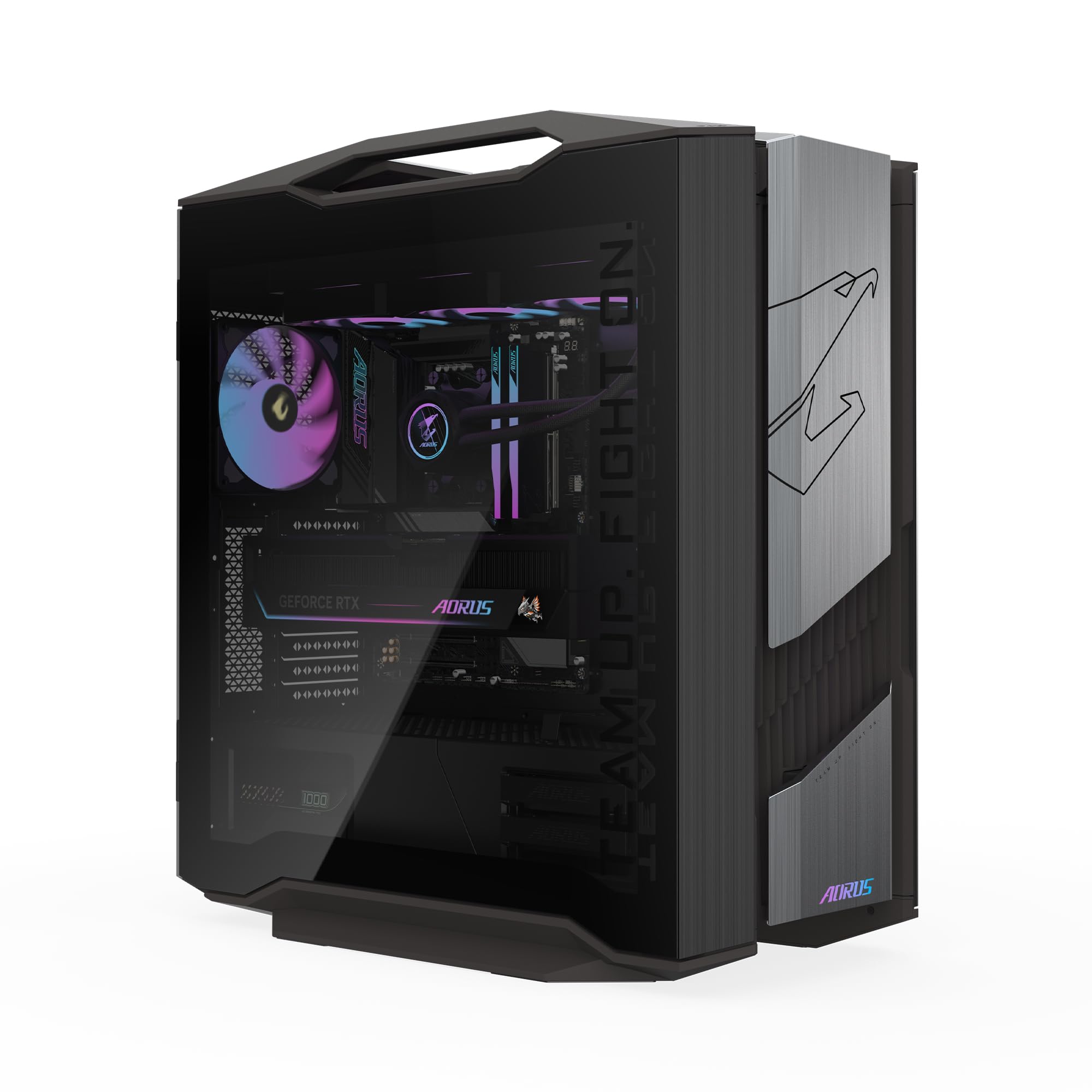
The absolute pinnacle of desktop performance for professionals who demand the very best.
The GIGABYTE AORUS Supreme 5 is not a computer for casual designers — it is a workstation for professionals who need the most powerful components available. The AMD Ryzen 7 9800X3D processor is paired with an AORUS GeForce RTX 5090 32GB GDDR7 graphics card, making this the most GPU-capable system in this roundup. The 64GB of DDR5 RAM and the 2TB Gen5 NVMe SSD (the fastest consumer SSD interface available) ensure that even the most demanding 8K video editing, complex 3D rendering, and AI model training tasks have all the resources they need. Owners describe it as “a beast” and say the build quality is excellent and the performance is future-proof. Every single owner review is 5 stars.
The system features a 360mm AORUS AIO liquid cooler and GIGABYTE’s signature WINDFORCE cooling system with Hawk Fans for optimal airflow. The tempered glass side panel on the mid-tower case lets you see the premium components inside. It runs Windows 11 Home, and while the maker recommends setting the memory speed correctly in BIOS (it arrives with a non-optimal default), the performance from the start is described as “quiet under heavy load” and “ready to run basically from the start.” The RTX 5090 with 32GB VRAM is a class of its own — it will handle the most demanding creative and rendering tasks for years to come.
enthusiast toy: professional 3D artists, VFX studios, animators, and designers who work with 8K video, complex simulations, or AI training — anyone who regularly hits the limits of lesser hardware.
casual users: 2D designers, UI/UX professionals, or video editors working primarily at 1080p or 1440p — you will pay for power you will not fully use. The iMac or GEEKOM mini PC would serve you better at a fraction of the cost.
Understanding the Specs
Dedicated vs. Integrated GPU
A dedicated GPU (like the RTX 5080 or RX 9070 XT) is a separate card with its own memory, called VRAM. It handles complex graphics tasks — 3D rendering, video effects, GPU-accelerated filters — without draining your system RAM. An integrated GPU (like the Intel UHD 770 or the Radeon 780M) is built into the processor and shares system memory. It is fine for 2D design and basicediting, but you will see slowdowns with heavy 3D or multi-layer 4K video work. The VRAM size on a dedicated card (measured in GB) directly impacts how large and complex the textures or scenes you can work with in real time. For 3D artists, more VRAM is always better.
RAM (Memory) — Capacity & Speed
RAM is where your computer stores data for active tasks. For design work, 16GB is the absolute minimum, 32GB is the balance for most professionals, and 64GB is for heavy 3D, 8K video, or running multiple virtual machines. The type matters: DDR5 is faster and more power-efficient than DDR4, and it shows in tasks like video encoding and large file handling. Speed is measured in MHz (like 6000 MHz). Faster RAM can help with CPU-bound tasks in software that is sensitive to memory bandwidth.
Processor Cores and Clock Speed
The CPU has two key specs: clock speed (measured in GHz) and core count. Clock speed is how fast each core can process a single task — higher GHz is better for things like applying a Photoshop filter that cannot be split up. Core count is how many tasks the CPU can handle at once — more cores help with multi-threaded workloads like rendering a 3D scene or exporting a video. A modern chip like the Ryzen 7 9800X3D combines high clock speeds (5.2 GHz) with a high core count (8) and a large 3D V-Cache that speeds up gaming and some creative tasks.
Storage: NVMe vs. SATA vs. Gen5
An NVMe SSD connects directly to the motherboard via the PCIe interface, offering much faster read/write speeds than a traditional SATA SSD. For design work, this means your software launches in seconds and large files open nearly instantly. The latest generation, Gen5 NVMe (found in the GIGABYTE AORUS Supreme 5), offers double the speed of Gen4, which is noticeable when loading massive 3D scenes or 8K video projects. A 1TB drive is a good start, but 2TB or more is recommended if you store many project files locally.
FAQ
How much RAM do I actually need for design work?
Can I use a gaming PC for professional design work?
Is an all-in-one computer like the iMac good for design?
What is the difference between a dedicated and integrated GPU for designers?
How important is the display resolution for a design computer?
Can a mini PC handle professional design software?
Is a laptop powerful enough for professional design work?
What storage capacity do I need for design projects?
How does the Ryzen 7 9800X3D processor benefit design work?
Should I get a pre-built design PC or build my own?
Final Thoughts: The Verdict
Across the board, the best computer for design work is the Apple iMac M4 because it offers a stunning color-accurate display, powerful integrated performance, and the highest owner satisfaction across the board. If you want the raw power of a dedicated GPU for 3D rendering and 4K video editing, the Skytech King 95 delivers fantastic value with its RTX 5070 Ti and liquid cooling. And for a space-saving mini PC that handles moderate design tasks beautifully, the MINISFORUM UM790 Pro is tough to top.
How We Picked
We do not accept paid placement. Every pick is matched to a real buyer and a real use-case; we do not hands-on test units.
Sources & Methodology
Specifications: manufacturer listings and product documentation. Review insights: verified customer reviews, as of July 2026. Pricing: not shown on this page (it changes often); check the current price via the retailer link.
As an Amazon Associate, WellFizz earns from qualifying purchases. This does not affect which products we feature.
Related Guides

Mo Maruf
I created WellFizz to bridge the gap between vague wellness advice and actionable solutions. My mission is simple: to decode the research and give you practical tools you can actually use.
Beyond the data, I am a passionate traveler. I believe that stepping away from the screen to explore new environments is essential for mental clarity and physical vitality.