Our readers keep the lights on and my smoothie glass nicely filled. As an Amazon Associate, I earn from qualifying purchases.
Specs are compiled from manufacturer listings and verified buyer reviews and can change over time — please confirm the key details on the product page before buying.
Buying a CO₂ laser means you are done with diode limitations. You want to cut clear acrylic in one pass, engrave glass without cracking it, and work with materials a diode beam simply passes through. The question is which machine gives you the real-world speed and work area you actually need — without a support nightmare.
I’m Mohammad Maruf — the founder and writer behind WellFizz. This guide is built by comparing the manufacturers’ published specifications and the patterns across verified customer reviews, so you get each pick’s real strengths and trade-offs instead of marketing spin.
Every machine on this list is a genuine desktop CO₂ laser engraver and cutter, chosen for its power, speed, and work area. Here is a close look at four very different approaches to the same task, starting with the flagship that dominates the shop floor, then moving through the best mid-range and budget-friendly starters. This is the real breakdown for anyone searching for the best co2 laser that fits their actual workshop.
Our Picks at a Glance

How To Choose The Best CO₂ Laser
A CO₂ laser is a significant purchase, so you want to match the machine to your actual projects, not just the spec sheet. The main things to sort out are laser power, work area size, engraving speed, and how much tinkering you are willing to do. A 40W machine can cut thin wood and engrave glass, but a 55W or 80W model cuts thicker materials faster and handles production work.
Laser Power and Tube Quality
Power, measured in watts, determines how thick a material you can cut and how fast you can engrave. A 40W laser is the standard entry point — it cuts 0.2-inch wood and clear acrylic cleanly but may need multiple passes for thicker stock. Jumping to a 55W or 80W tube cuts through 0.7-inch acrylic or thicker hardwood in a single pass, which saves a lot of time on production runs. The tube itself is a consumable that gradually loses power over thousands of hours; higher-end machines use sealed or custom tubes designed for longer life.
Work Area and Pass-Through
The bed area determines the maximum size of material you can cut or engrave without repositioning. An 8-inch by 12-inch bed fits smaller items like coasters, keychains, and small signs. A 12-inch by 24-inch or larger bed handles bigger projects like full-size signs, box templates, and guitar bodies. Some machines offer a pass-through slot that lets you feed a long piece of material through the machine — this is critical for things like long wooden rulers, custom trim, or continuous production of small parts on a roll.
Software Compatibility and Ease of Use
Software is where you feel the difference between machines. LightBurn is the industry standard for CO₂ lasers — it is powerful, widely supported, and lets you control every parameter. Some machines come with their own proprietary software that is simpler but may limit what you can do. Beginners tend to prefer a plug-and-play experience with guided setup, while experienced users want a machine that works with LightBurn from the start and lets them tweak settings manually. Also check if the machine has a camera for positioning your design directly on the material — a huge time saver.
Quick Comparison
| Model | Best For | Laser Power | Work Area | Engraving Speed | Amazon |
|---|---|---|---|---|---|
| xTool P2S 55W★ Best Overall | Top Value & Workflow | 55W | 26″ x 14″ | 600 mm/s | Amazon |
| Monport 40W 2.0 | Budget Starter | 40W | 8″ x 12″ | — | Amazon |
| OMTech K40+ 45W | Entry-Level Value | 45W | 12″ x 8″ | 300 mm/s | Amazon |
| xTool P3 80W | Flagship Performance | 80W | 36″ x 18″ | 1200 mm/s | Amazon |
In‑Depth Reviews
1. xTool P2S 55W CO2 Laser Cutter
Our pick — over 4★ from 70+ verified ratings; the strongest balance of quality and price.
The speed demon that pairs a huge bed with beginner-friendly automation.
This is the machine that makes you rethink what a desktop CO₂ laser can be. The xTool P2S delivers a 55W output and an engraving speed of 600 mm/s; the OMTech K40+ runs at 300 mm/s. The 26-inch by 14-inch work area; the Monport 40W has an 8-inch by 12-inch bed, so you can lay out bigger projects or run multiple smaller items in one batch. The dual 16MP cameras give you a high-resolution, real-time preview of where your design lands on the material — buyers report “camera alignment perfect; no calibration needed,” which is rare at this level.
Setup takes about 30 minutes according to the review consensus, and the XCS software is praised as beginner-friendly, though owners note it lacks a built-in vector tracing tool. The machine’s 55W laser cuts through 20mm acrylic and 18mm black walnut in a single pass, which is the kind of power that separates a hobby machine from a production tool. The crowd favorite feature is the magnetic mirrors and accessible lens — cleaned with just two screws — making maintenance fast. The catch is the premium price tag for being inside the xTool ecosystem, and the 130.7-pound heft means you will want two people for setup. The most-discussed aspects are its speed and reliability, with owners consistently noting it is “fantastic for beginners.”
The recurring praise is for the machine’s build quality and the time-saving material test arrays. A few owners flag that coolant access is a bit difficult and the slats are less practical than a honeycomb bed, but these are minor compared to the overall performance. If you want a large work area, fast engraving, and a machine that works predictably from the start, this is the one to beat. For a power user who needs the most advanced automation and a massive bed, the xTool P3 below may be a better fit.
Why It Earns The Top Spot
- 55W power cuts 20mm acrylic and 18mm wood in one pass
- 600 mm/s engraving speed — twice as fast as entry-level machines
- 26″ x 14″ work area with pass-through for materials up to 118″ long
- Dual 16MP cameras for real-time preview and 0.001-inch autofocus
- Most owners mention setup under an hour and easy maintenance
Trade-Offs To Know
- Premium price for the xTool ecosystem of accessories
- Weighs 130.7 pounds — needs two people to move
- XCS software lacks built-in vector tracing
- Coolant access is a bit awkward per some owners
Reach for it if: you want a fast, beginner-friendly machine with a huge work area and top-tier camera alignment that handles production work.
Think twice if: you are on a tight budget or you prefer full LightBurn control over xTool’s XCS software ecosystem.
2. xTool P3 80W Flagship CO₂ Laser
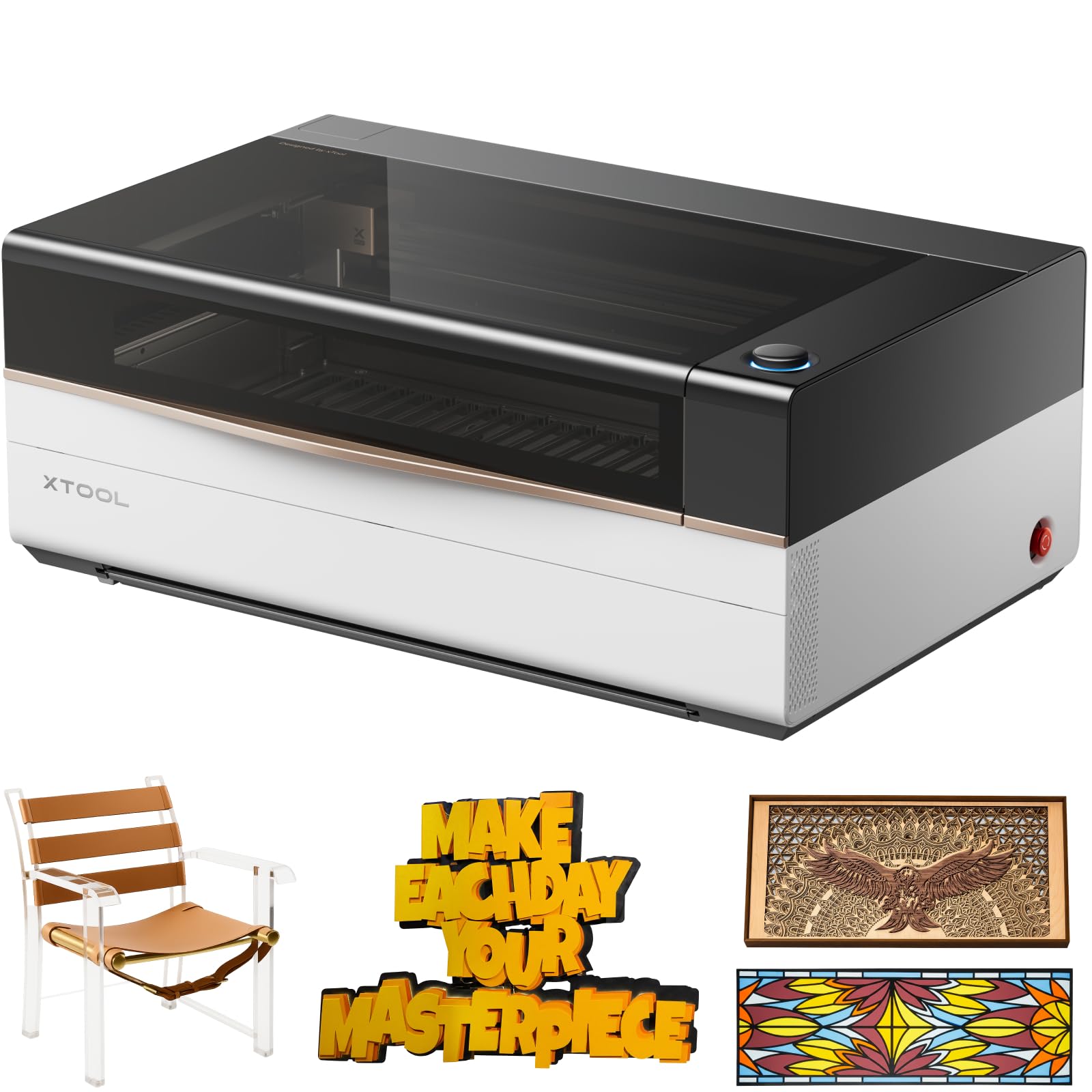
The industrial-grade workhorse that brings full automation to a desktop footprint.
The xTool P3 is in a different league. With an 80W laser output, it cuts through 25mm acrylic and 20mm wood with room to spare — that is noticeably thicker material than the P2S’s 20mm limit, and at 1200 mm/s; the P2S runs at 600 mm/s and the OMTech K40+ at 300 mm/s. The work area is a massive 36 inches by 18 inches, the largest on this list, and the included AutoLift Base raises the bed up to 8.7 inches for taller objects. The ACS system combines LiDAR autofocus with dual HD cameras for what the maker calls a “Place & Go” workflow — you set your material, and the machine figures out focus and position automatically. Owners note it “works just beautifully” and that the quality is consistently praised above everything else.
The real story is the automation. AI-powered Smart Nesting achieves 98.7% material utilization, which means less waste on expensive sheets. The dual-camera system offers 0.0079-inch alignment accuracy, so multi-part projects fit together perfectly. One experienced owner who upgraded from a 50W Omtech reports the P3 cuts 1/2-inch pine and 5-6mm maple significantly faster. The recurring honest note is that the xTool Studio software is not as refined as LightBurn, and the built-in material presets run the tube at high power that may shorten lifespan. At 322 pounds and a 49-inch width, this machine requires dedicated floor space and planning for delivery — Amazon’s third-party couriers have reportedly dropped packages, so you want to inspect the box carefully upon arrival. Quality and functionality are the most-discussed aspects by a wide margin.
One owner who runs a full xTool ecosystem — from the D1 diode through the F1 Ultra — calls the P3 “the completion of the collection” and praises its smooth integration with the IR laser, conveyor feeder, and RA3 rotary. The downside for some is the steep learning curve on the RA3 rotary and the fact that the actual bed width measures closer to 17 inches than the advertised 18. If you are running a small business and every minute of automation saves you money, the P3 is the clear choice. For a solo creator who wants excellent performance without the huge footprint and price, the P2S above is a smarter fit.
Flagship Performance: The 80W power and 1200 mm/s speed make this the fastest cutter here, and the automated setup with dual cameras means less time aligning and more time cutting. The 36″ x 18″ work area handles full sheets and long runs without repositioning.
The Honest Trade-Off: At 322 pounds, this is not a desktop machine — it needs a dedicated table or floor stand. The software presets are not perfect, and the conveyor, rotary, and air purifier are sold separately. The huge bed is wasted on smaller projects where the P2S would be more efficient.
Ideal for: a growing small business or serious maker who needs maximum automation, the largest possible work area, and the speed to run production batches daily.
Too much for you if: you only need a machine for occasional projects, smaller items, or you are working in a home office with limited floor space.
3. OMTech K40+ 45W Desktop CO₂ Laser Engraver & Cutter

The compact 45W starter that actually includes air assist and a strong warranty.
The OMTech K40+ is the bridge between a bare-bones K40 and a serious production machine. At 45W output, it cuts through 0.4-inch (10mm) acrylic and 0.31-inch (8mm) wood — a step up from the Monport 40W, which typically needs multiple passes on thicker material. The engraving speed of 300 mm/s; the xTool P2S runs at 600 mm/s but still enough for most hobby and small business runs. The 12-inch by 8-inch work area is 50% larger than the Monport’s 8-inch by 12-inch bed, and the honeycomb bed handles flat items while the detachable base allows for taller objects. The built-in 45° air assist auto-adjusts based on laser power, which is a feature usually reserved for more expensive machines. The thing owners praise most is the customer support — the 24/7 global team offers video consultations for alignment, and the 2-year comprehensive service is a major safety net.
Setup can be challenging for a first-time CO₂ user, but the support team provides live video walkthroughs to get the mirrors and lens aligned. One owner coming from a diode laser calls it a “great upgrade — performs beautifully.” The machine supports both LightBurn and LaserGRBL, so you are not locked into proprietary software. A few owners mention the emergency safety switch needed adjustment on arrival, which is a minor but correctable issue. At 81.8 pounds and dimensions of 31.9 x 19.7 x 9.8 inches, it is compact enough for a standard workbench while staying manageable for one-person transport. The crowdsourced view is that for the price, the K40+ delivers more out-of-box capability than any other entry-level CO₂ laser — the included air-assist, the larger bed, and the 2-year warranty together make it the best starter value on the market.
Owners consistently note that this machine “trabaja super bien” (works super well) and that engravings come out “súper limpios” (super clean). The compact footprint and solid build mean you can set it up and start producing the same day. The trade-off is the slower engraving speed compared to premium machines and the smaller work area than the P2S, but that is the nature of a capable entry-level machine. If you are a DIY enthusiast or a small business just starting with CO₂ laser work, the K40+ gives you the features you need without overwhelming you with cost or complexity.
The Value Equation: Built-in air assist, LightBurn compatibility, and a 2-year warranty in a machine that costs a fraction of premium models. The 45W power is enough for most small business and hobby projects.
What You Give Up: Engraving speed tops out at 300 mm/s, so large production runs will take longer than with a 55W or 80W machine. The 12″ x 8″ bed also means you cannot cut full-size signs or long pieces without a pass-through.
Choose this if: you are new to CO₂ lasers and want a reliable, well-supported machine with air assist and LightBurn compatibility right from the start.
skip it if: you need faster engraving speeds for daily production or a bed larger than 12 inches for big projects.
4. Monport 40W 2.0 Laser Engraver (8″ x 12″)

The tinkerer’s choice that offers LightBurn compatibility at the lowest entry point.
The Monport 40W 2.0 is the classic K40-style machine with an important upgrade: a control board that works with LightBurn right from the start. This single feature makes it a strong budget pick because LightBurn is the industry-standard software that gives you full control over power, speed, and engraving patterns — something proprietary software on other budget machines often lacks. At 40W output and an 8-inch by 12-inch work area, it is best suited for smaller projects like custom coasters, keychains, wood signs, and acrylic ornaments. The adjustable laser head and the red dot guidance system help you line up your designs precisely before you fire the laser, which saves material. The built-in water cooling system with three LED monitors shows water temperature, laser temperature, and current power in real time, so you can spot overheating before it damages the tube. Owners who have upgraded from diode lasers call it a “sweet machine” that delivers “flawless test cuts on wood and acrylic.”
The honest picture is that this machine is built for someone who likes to tinker. Multiple owners who know the K40 platform well note that you will want to add a better air assist, an external water chiller, replace the stock bed with a honeycomb, and potentially upgrade the exhaust for full production capability. The factory air assist is now built in (a 2.0 upgrade), which is an improvement, but the 63-pound weight and compact 32 x 20 x 10-inch footprint make it manageable for a small workspace. A few customers note issues with the Y-axis motor skipping steps after adding additional equipment, and the print-and-cut function is described as unreliable for precision work. The biggest recurring frustration is customer support — some owners who ran into problems found no help via tickets, calls, or social media, which is a real risk on a machine that needs setup adjustments. The buyers who are happiest are those who already understand laser mechanics and expect to tweak and calibrate the machine themselves. For a plug-and-play experience, the OMTech K40+ above is a simpler path.
Between the two entry-level machines, the decision depends on your personality. The Monport 40W 2.0 is for the confident tinkerer who wants the cheapest way into a LightBurn-compatible CO₂ laser and has the skills to dial it in. The OMTech K40+ is for the buyer who wants air assist included, a larger work area, and a 2-year warranty with live support for setup. If you just want to start engraving without figuring out why your motor is skipping, the K40+ is a better first step. If you enjoy the process of upgrading and tweaking a machine, the Monport is your canvas at a lower entry price.
Why It Stands Out
- LightBurn-compatible controller from the start, no extra board needed
- 3 LED monitors for real-time water and laser temperature tracking
- Red dot guidance for precise design placement before firing
- Compact 63-pound footprint fits on a standard workbench
What To Expect
- Most owners recommend adding a better chiller, air assist upgrade, and honeycomb bed
- Customer support is unresponsive for some users who had issues
- Y-axis motor can skip steps with additional equipment attached
- Print-and-cut function is not reliable for precision alignment work
Best for: a DIY-minded user who knows their way around laser alignment and modding and wants the cheapest LightBurn-compatible CO₂ laser available.
Not for: anyone who expects plug-and-play operation, responsive customer support, or reliable print-and-cut features.
Understanding the Specs
Laser Power (Wattage)
Laser power is measured in watts and tells you how much cutting force your machine has. A 40W laser is fine for thinner materials like 3mm wood or acrylic. A 55W laser cuts 18mm wood and 20mm acrylic in one pass. An 80W laser can handle 25mm acrylic and 20mm wood easily. Higher wattage also means faster engraving because the laser spends less time on each spot. The trade-off is that more powerful machines are larger, heavier, and cost more to buy and operate.
Engraving Speed (mm/s)
Engraving speed is measured in millimeters per second (mm/s). A 300 mm/s speed on the OMTech K40+ is fine for small batches and custom pieces. The xTool P2S at 600 mm/s is faster; the OMTech K40+ at 300 mm/s takes longer. The xTool P3 at 1200 mm/s is for production environments where speed directly saves money. Speed matters most if you are running multiple items or large-format pieces. For a hobby shop doing a few items a day, 300 mm/s is enough.
Work Area and Pass-Through
The work area is the maximum size of material you can cut or engrave without repositioning. An 8-inch by 12-inch bed fits coasters, keychains, and small signs. A 12-inch by 24-inch bed can handle larger box templates, full-size acrylic panels, and multi-part projects. A 36-inch by 18-inch bed is for full production sheets and oversized items. Some machines also offer a pass-through slot that lets you feed an extra-long piece of material through the work area — this is essential for items like trim, long signage, or continuous runs of small parts on a strip.
LightBurn Compatibility
LightBurn is the leading software for controlling CO₂ lasers. It lets you import vector designs, set power and speed for each color layer, and control the laser directly. Machines that are “LightBurn compatible” from the start connect easily without extra hardware or adapter boards. Proprietary software like xTool’s XCS or Glowforge’s web app is simpler for beginners but may lack advanced features like parameter chaining, material libraries, and custom macros. If you plan to do production work or need precise control, LightBurn compatibility is a feature worth prioritizing.
FAQ
Can a 40W CO₂ laser cut through acrylic?
What is the difference between CO₂ and diode laser engravers?
How long does a CO₂ laser tube last?
Do I need an air compressor for a CO₂ laser?
Can I engrave metal with a CO₂ laser?
What does a pass-through slot do on a CO₂ laser?
Is LightBurn better than the included software on a CO₂ laser?
How much space do I need for a desktop CO₂ laser?
Can a CO₂ laser engrave glass or ceramic?
What does “Class 1” or “Class 4” laser safety mean for a CO₂ laser?
Final Thoughts: The Verdict
For the majority of shoppers, the best co2 laser winner is the xTool P2S 55W because it combines a generous 26-inch by 14-inch work area, fast 600 mm/s engraving, and beginner-friendly dual-camera alignment into a machine that grows with your skills. If you need maximum automation and the largest possible bed for production work, the xTool P3 80W is the flagship choice with its 36-inch by 18-inch area and 1200 mm/s speed. And for the best entry-level value with air assist and a 2-year warranty, the OMTech K40+ 45W is the smart pick for new CO₂ users who want a reliable start.
How We Picked
We do not accept paid placement. Every pick is matched to a real buyer and a real use-case; we do not hands-on test units.
Sources & Methodology
Specifications: manufacturer listings and product documentation. Review insights: verified customer reviews, as of July 2026. Pricing: not shown on this page (it changes often); check the current price via the retailer link.
As an Amazon Associate, WellFizz earns from qualifying purchases. This does not affect which products we feature.
Related Guides

Mo Maruf
I created WellFizz to bridge the gap between vague wellness advice and actionable solutions. My mission is simple: to decode the research and give you practical tools you can actually use.
Beyond the data, I am a passionate traveler. I believe that stepping away from the screen to explore new environments is essential for mental clarity and physical vitality.