Our readers keep the lights on and my smoothie glass nicely filled. As an Amazon Associate, I earn from qualifying purchases.
Specs are compiled from manufacturer listings and verified buyer reviews and can change over time — please confirm the key details on the product page before buying.
A CO2 laser cutter is the single machine that turns a side hustle into a real production line. The question is which one actually makes commercial sense when every hour of downtime costs you orders — and every wrong cut burns material profit. This guide breaks down five very different machines, from a desktop-friendly 40W starter to an 80W industrial flagship, so you can match the power, bed size, and workflow to your actual production volume.
I’m Mohammad Maruf — the founder and writer behind WellFizz. This guide is built by comparing the manufacturers’ published specifications and the patterns across verified customer reviews, so you get each pick’s real strengths and trade-offs instead of marketing spin.
Whether you are scaling a Etsy shop, launching a custom acrylic sign business, or adding laser production to an existing workshop, this breakdown of the best co2 laser cutter for small business gives you the honest data to pick the machine that earns back its cost in material through-put, not just promises.
Our Picks at a Glance


How To Choose The Best CO2 Laser Cutter For Small Business
Your first CO2 laser is a production equipment buy, not a hobby purchase. The wrong choice means either outgrowing the machine in six months or paying for power you never use. Here is what to check before you click buy.
Laser Power — What 40W, 55W, and 80W Actually Mean
The wattage of the CO2 tube determines how thick a material you can cut in a single pass and how fast the job finishes. A 40W machine handles thin plywood, acrylic up to about 1/4 inch, and leather well enough for small-batch production. A 55W tube cuts through 20mm acrylic and 18mm hardwood in one pass — a noticeable speed leap for any material thicker than a coaster. An 80W machine chews through 25mm acrylic and 20mm wood, and the speed difference in daily engraving is dramatic; it turns a ten-minute job into a three-minute one.
Bed Size and Through-Pass — The Real Production Limit
The working area (the bed measured in inches) defines the maximum piece you can fit without manual repositioning. A 12″ x 8″ bed limits you to smaller coasters, keychains, and phone cases. A 26″ x 14″ or 36″ x 18″ bed lets you run larger signage, bigger acrylic panels, and nested batches of smaller items all at once. If your business involves long items like cutting boards or yard signs, look for a machine with a pass-through slot — it lets you feed material through the machine for projects longer than the bed itself.
Software and Workflow — LightBurn vs Proprietary
LightBurn is the industry-standard software for CO2 lasers — it handles design, material libraries, and job control in one place. Some machines support LightBurn natively; others use their own software (like xTool’s XCS). Native LightBurn support (Monport, OMTech) is ideal if you want to avoid a learning curve and use one tool for multiple machines. Proprietary software (xTool) is often more beginner-friendly but may require a separate LightBurn license later if you outgrow it. Also check whether the machine includes autofocus and a built-in camera — those two features save enormous setup time across a full production day.
Safety and Cooling
A CO2 laser tube generates significant heat. All machines above 40W require active water cooling — either a built-in pump and reservoir or an external chiller. An integrated air assist (a stream of air at the cutting point) clears smoke from the cut line, reduces charring on wood, and keeps the focusing lens clean. A fire-suppression system and emergency stop are non-negotiable for a business setting because unattended laser cutting is a real fire risk, especially with wood and acrylic.
Customer Support and Spare Parts Availability
Every CO2 tube has a finite life (typically 2000-8000 hours depending on power and cooling quality). A machine is only worth its support. Check whether the brand offers a warranty longer than a year, whether replacement tubes are easily available, and whether community forums exist for troubleshooting. A 1-star review about a machine that works great but has zero support is a pattern to take seriously.
Quick Comparison
| Model | Best For | Laser Power | Work Area | Max Speed | Amazon |
|---|---|---|---|---|---|
| xTool P2S 55W★ Best Overall | Expanding production with camera vision | 55W | 26″ x 14″ | 600 mm/s | Amazon |
| Monport 40W 2.0Best Value | Budget start with LightBurn | 40W | 8″ x 12″ | — | Amazon |
| OMTech K40+ 45W | Solid support & 2-year warranty bundle | 45W | 12″ x 8″ | 300 mm/s | Amazon |
| OMTech Polar Lite 55W | Mid-size work with autofocus | 55W | 20″ x 12″ | 500 mm/s | Amazon |
| xTool P3 80W | High-volume production & large formats | 80W | 36″ x 18″ | 1200 mm/s | Amazon |
In‑Depth Reviews
1. xTool P2S 55W CO2 Laser Cutter
Our pick — over 4★ from 70+ verified ratings; the strongest balance of quality and price.
The production-ready desktop that puts camera alignment and pass-through capability in a 55W package.
This machine is built for speed and precision at a scale that matters for a growing business. The 55W custom CO2 tube cuts through 20mm acrylic and 18mm black walnut in a single pass, and the 26″ x 14″ bed — compared to a standard K40-style machine’s 12″ x 8″ working area. The LiDAR system enables autofocus within 0.001 inch accuracy, so you do not waste material on test runs. Dual 16MP cameras give you a high-resolution real-time preview of your workpiece, which makes alignment of engraved text or logos across multi-piece runs essentially error-free.
The expandable work area is the real business advantage here. The auto-pass-through accepts material up to 118 inches long, and a riser base accommodates objects up to 8.4 inches tall. That means you can run long yard signs, large acrylic panels, or tumblers on the RA2 Pro rotary without needing a separate machine. The engraving speed peaks at 600 mm/s — compared to the OMTech K40+’s 300 mm/s — so batch jobs on serial numbers or custom names finish in a fraction of the time. At 130.7 pounds, it is heavy enough to demand a dedicated workstation (reviews note it needs two people to move), but that weight reflects the rigid aluminum alloy frame that keeps vibration low at high speeds.
The built-in 233.3 CFM exhaust fan and dual-cylinder air pump clear smoke aggressively, and the AI fire detection and automatic lock add a layer of safety for unattended operation. On the downside, the XCS software, while beginner-friendly, lacks a vector trace tool that LightBurn users depend on — and a few owners note that reassembling the machine when rotating accessories is a chore.
Production Strengths
- LiDAR autofocus plus dual 16MP camera alignment for zero-waste setup
- 118 inch pass-through enables signage and long-format production
- AI fire detection and automatic lock for safer unattended runs
Honest Trade-Offs
- XCS software lacks vector trace — LightBurn users may need a secondary tool
- Accessory reassembly (rotary, conveyor) is time-consuming
- Gantry design allows some smoke escape during operation
Reach for this if: you need multi-material production across large formats and want a machine that sets up fast every morning.
Look elsewhere if: your primary material is thin craft wood only or you need native LightBurn support without a workaround.
2. Monport 40W 2.0 Laser Engraver (8″ x 12″)
The low-cost entry to CO2 production that forces you to learn the machine inside out.
This is the budget-friendly K40-style laser with a genuine upgrade: the control board is LightBurn-compatible right from the start, so you skip the license cost and the headache of retrofitting a controller. The 40W tube handles small-format jobs on wood, acrylic, and glass — test cuts on wood and acrylic have been called “flawless” by owners — but the 8″ x 12″ work area is small. The bed is 8″ x 12″ — compared to the xTool P2S’s 26″ x 14″ — which limits you to coasters, keychains, and small signage in a single pass. The machine weighs 63 pounds — the xTool P2S weighs 130.7 pounds — so moving it on a benchtop is manageable.
The adjustable laser head and 3 LED displays (monitoring water temperature, laser temperature, and current power) give you finer control than older K40 units — buyers report that the real-time data helps catch cooling problems before the tube overheats. The water cooling system uses a compact pump and built-in hoses, and the recommended range is 60-70°F with distilled water. A seasoned owner noted that production-level output may still require modifications: a better air assist nozzle, a replacement honeycomb bed, and a larger exhaust fan.
Customer support is the recurring weak spot. Several owners describe the same pattern: the machine works well initially, but when a part fails — a y-axis step-skip, a laser that stops firing mid-engrave — the support team is unresponsive. For a tinkerer who enjoys maintaining their own gear, this machine delivers great raw capability at the lowest entry point. For a business owner who needs a reliable partner on the line, the lack of a support safety net is the real cost.
Tinkerer’s Edge
- LightBurn-compatible board included — no controller upgrade needed
- 3 LED displays give real-time tube temp and power readouts
- Compact 63-pound frame fits on a small bench
Business Reality Check
- Production-quality cuts may require aftermarket mods (bed, air assist, exhaust)
- Customer support is unresponsive when components fail
- Small 8″x12″ bed limits batch size and product range
Who this fits: a hands-on owner comfortable with basic laser tweaks who needs an affordable LightBurn-compatible starter machine.
Who should skip it: anyone who expects to run production without becoming the repair technician.
3. OMTech K40+ 45W Desktop CO2 Laser Engraver & Cutter

The 45W desktop that backs its performance with 24/7 global support and a 2-year warranty.
The K40+ steps up from the classic K40 design with a 45W tube that cuts 10mm acrylic and 8mm wood in a single pass. The 12″ x 8″ work area is the same as the Monport above, but the attached honeycomb bed handles flat stock cleanly, and the detachable base lets you work on irregular or taller objects. The 45-degree air assist auto-adjusts airflow based on laser power, a smart touch that reduces char on wood and keeps the lens cleaner during long cutting jobs. The machine weighs 81.8 pounds, sitting between the Monport and the xTool units in portability.
The engraving speed is 300 mm/s — the xTool P2S runs at 600 mm/s — noticeable if you run high-volume engraving orders. But the machine fully supports LightBurn and LaserGRBL, so you can use the same design workflow across different machines. OMTech’s 24/7 global support team is the standout here. Several owners mention that the initial setup for a CO2 laser newbie is challenging, but the company provides video consultations for alignment and troubleshooting. The machine includes door and water protection, an emergency stop, and a flame-retardant acrylic panel.
The recurring owner observation is that the machine performs beautifully once aligned, especially for acrylic cutting, and is a great upgrade from a diode laser. The only reported issue that pops up is a safety switch that needed adjusting from the start. For a small business owner who values reliable support over raw power, the K40+ offers the clearest peace-of-mint package in the list.
Reliability Anchor: OMTech’s 2-year warranty and 24/7 support bridge the gap for first-time CO2 buyers who need a safety net. The 45W tube delivers a real speed and depth improvement over 40W without the price jump into premium beds.
Speed Ceiling: At 300 mm/s engraving speed, it falls behind the faster competition; high-volume engraved-keepsake businesses may feel the bottleneck.
Reach for this if: you are new to CO2 lasers and want a supported, warranty-backed machine that handles acrylic, wood, and leather production from the start.
Look elsewhere if: your daily production requires fast engraving speed or a bed larger than 12″ x 8″.
4. OMTech Polar Lite 55W Desktop CO2 Laser Engraver
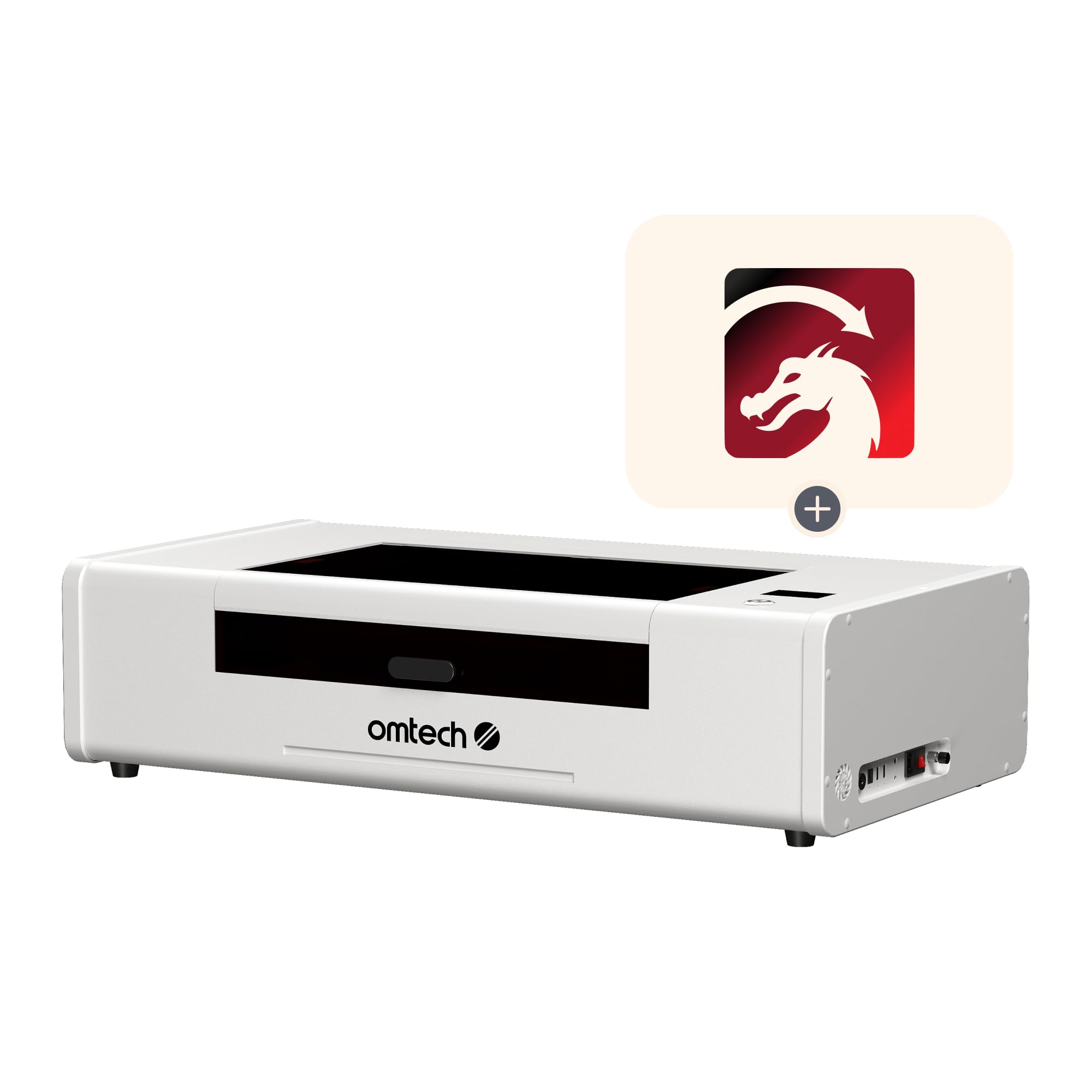
The 55W mid-size workhorse with autofocus and a removable bed for oversized projects.
The Polar Lite is OMTech’s step-up machine — a 55W tube in a 20″ x 12″ bed with autofocus, a removable workbed, and front-and-back pass-throughs that accept material up to 0.28 inches thick. This combination solves the main limitation of the smaller K40 machines: you can now run longer projects like cutting boards, batons, and larger signage pieces through the pass-through slot. The 55W tube cuts 1-inch acrylic and 0.61-inch wood in single passes, keeping pace with the xTool P2S on material thickness. The engraving speed is 500 mm/s — compared to the K40+’s 300 mm/s and the P2S’s 600 mm/s.
OMTech offers the same 24/7 global support and 2-year warranty here, which matters because the machine has a reputation for needing patience. Owners mention that LightBurn requires a separate DSP license, and the “autofocus” feature is more of a scheduled focus than a true real-time autofocus — one owner mentions that an aftermarket lens breaks the auto-focus entirely, requiring a manual test at 22.2mm. The camera calibration is described as poor, and the included USB cables are prone to faulting out; swapping them solves the issue. The machine weighs 90.4 pounds and comes with a 0.5-gallon water tank and a 282.5 CFM exhaust fan.
The Polar Lite includes a rotary attachment (a feature the Glowforge lacks at this price), which opens up tumbler, mug, and wine glass production immediately. But the ecosystem is not plug-and-play — owners emphasize joining the Polar Users Facebook group before starting. The honest take: this machine rewards the learner with a powerful 55W production line at a mid-range cost, but the “it just works” expectation from a Glowforge or xTool ecosystem will leave a new buyer frustrated.
Production Perks
- 55W tube cuts 1″ acrylic and 0.61″ wood in single passes
- Pass-through slot enables long-format production work
- Includes a rotary attachment for cylindrical engraving
Learning Curve
- Autofocus is misleading — requires manual focus checks with some lenses
- Camera calibration is unreliable, needing community video guides
- Software quirks (USB disconnects, origin glitches) demand ongoing tweaking
Who it suits best: an owner who wants 55W power with a rotary included and a support team behind the machine, and who is willing to invest setup time.
Who should reconsider: a business owner who needs zero-fuss daily operation and cannot afford hour-long troubleshooting sessions.
5. xTool P3 80W Flagship CO2 Laser Cutter
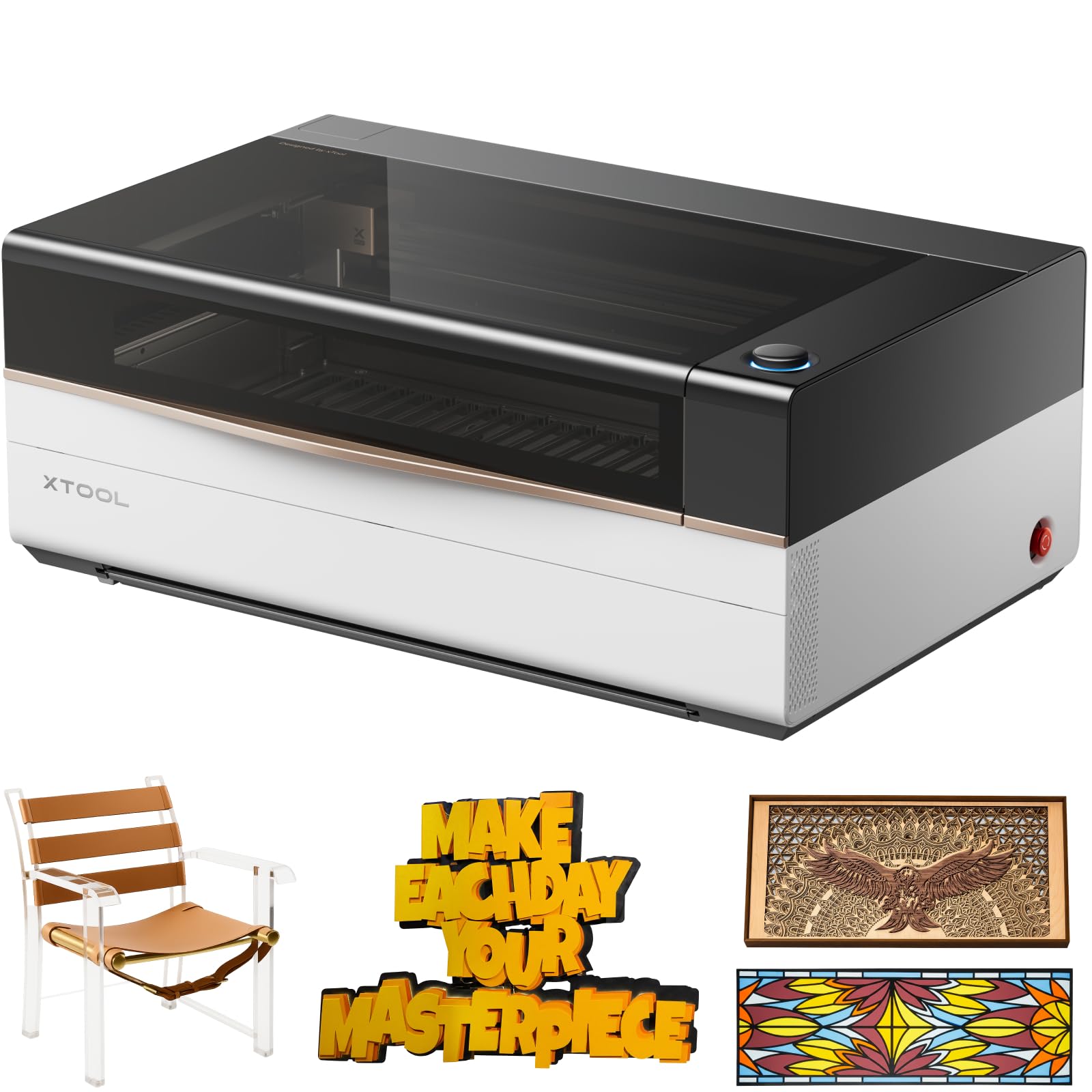
The 80W industrial-grade desktop that cuts 25mm acrylic at 1200 mm/s — near-automated production.
The xTool P3 is the serious volume play. Its 80W tube cuts 20mm wood and 25mm acrylic in a single pass, and the 36″ x 18″ work area is the largest in this list — the xTool P2S has a 26″ x 14″ bed, and a K40 typically has a 12″ x 8″ bed. The maximum engraving speed of 1200 mm/s — the P2S runs at 600 mm/s, and the K40+ at 300 mm/s. That speed gap translates into real production hours saved when you are running a batch of 200 customized items. The Advanced Creation System (ACS) integrates LiDAR ranging for autofocus, dual HD cameras (a 16MP SkyView and a close-range detail cam), and an AutoLift Base that handles objects up to 8.7 inches tall.
The machine weighs 322 pounds and measures 49.21 x 30.71 x 19.53 inches — it demands its own floor space and a dedicated circuit. The safety engineering is class 1 rated, with a fully enclosed design, lid interlocks, active fire detection, and scrap buildup alerts. The AI-powered Smart Nesting tool achieves 98.7% material utilization, which is not a small savings when you are buying acrylic sheets by the case. Buyers praise the laser performance: it easily cuts half-inch pine and maple faster than the 50W OMTech Polar. The xTool ecosystem includes optional add-ons: an Intelligent Conveyor Feeder for unlimited-length work, a MagSwap RA3 rotary, and a 5W IR laser for metal marking.
The software, xTool Studio, has been the main friction point for experienced users coming from LightBurn — the preset cut settings tend to be too aggressive, risking tube lifespan. One buyer also noted that the actual usable bed width is about 17 inches, not the full 18 inches. The machine is clearly built for a business that has outgrown smaller lasers, and the many customers note it works beautifully as a production center. The quality and functionality earn the most praise. If your daily volume demands maximum throughput and you can afford the floor space and cost, the P3 is the only machine here that eliminates speed as a bottleneck.
Production Dominance
- 80W tube cuts 25mm acrylic and 20mm hardwood in single passes
- 36″ x 18″ bed is the largest desktop format available
- 1200 mm/s speed quadruples small-machine throughput
Ownership Trade-Offs
- Software preset settings run aggressive — manual tweaks needed for tube longevity
- Actual usable bed width is slightly less than advertised due to frame margin
- 322-pound weight and large footprint demand dedicated shop space
Reach for this if: you run a high-volume production shop where every minute of laser time matters and you need to process large acrylic panels, MDF sheets, or batch orders at maximum speed.
Look elsewhere if: your production volume fits on a 20″ x 12″ bed or your budget prioritizes a second machine over a single flagship.
Understanding the Specs
Laser Tube Power (Wattage)
The CO2 tube wattage directly controls how thick a material you can cut in one pass. A 40W tube handles thin plywood (1/8 inch or less) and thin acrylic well for small items like coasters and keychains. A 55W tube cuts 20mm acrylic and 18mm wood in a single pass, which opens up signage, thicker cutting boards, and larger decorative pieces. An 80W tube moves into 25mm acrylic and 20mm wood, and the speed gain for any material under 10mm is dramatic. Higher wattage also means a larger and heavier power supply and more demanding cooling requirements.
Engraving Speed (mm/s)
This is the maximum speed the laser head moves across the bed during engraving. 300 mm/s is typical for entry-level machines and is perfectly fine for low-volume custom jobs. 500-600 mm/s is the balance for a small business running daily batch orders — the difference per piece is seconds, but across 100 pieces it is a full hour saved. 1200 mm/s (the xTool P3) is effectively industrial speed, turning high-density engraving runs into a quick workflow. Real-world speed also depends on material and design complexity, not just the cap.
Working Area and Pass-Through
The bed size in inches determines the maximum material you can place in a single setup. A 12″ x 8″ bed is standard for the K40 class — fine for small production runs of coasters and keychains. A 20″ x 12″ or 26″ x 14″ bed (OMTech Polar Lite / xTool P2S) allows signage panels, larger boxes, and nested production of smaller items all at once. A 36″ x 18″ bed (xTool P3) is truly production-scale for desktop. Pass-through slots (front and back openings) let you feed material longer than the bed itself, which is essential for yard signs, picture frames, and long trim work.
Autofocus and Camera Alignment
Autofocus uses a sensor (often LiDAR or a mechanical probe) to measure material thickness and adjust the laser head height automatically. True autofocus turns a five-minute manual step into a one-second software click, which matters when you swap materials multiple times per day. Camera alignment overlays a live image of the workpiece onto the design software, letting you position engravings with precision. Dual-camera systems (like xTool’s 16MP arrays) offer distortion-free preview and sub-0.01-inch alignment accuracy. Machines without autofocus or a camera require manual focus with a focus gauge every time you change material thickness.
FAQ
Can a 40W CO2 laser cutter really run a small business?
How often does a CO2 laser tube need to be replaced?
Does LightBurn work with all CO2 laser cutters?
Do I need a water chiller or just tap water?
What materials can a CO2 laser cut and engrave?
How much maintenance does a CO2 laser cutter need?
Is a CO2 laser cutter safe to use in a home workshop?
How much space does a CO2 laser cutter need?
Can I use a CO2 laser cutter for business right away, or is there a learning curve?
Which laser cutter is best for someone upgrading from a diode laser?
Final Thoughts: The Verdict
For most small businesses, the best co2 laser cutter for small business winner is the xTool P2S 55W because it combines a production-useful 26″ x 14″ bed, 600 mm/s speed, camera-based alignment, and a trustworthy safety ecosystem in a package that sets up in under an hour. If you value an aggressive budget entry and are comfortable with ongoing modifications, the Monport 40W 2.0 gets you LightBurn-compatible laser cutting at the lowest dollar. And if you are scaling up to high-volume acrylic and wood production where speed equals revenue, the xTool P3 80W is the only desktop machine that eliminates time as a bottleneck — the 1200 mm/s speed and 36″ x 18″ bed justify the premium for a business running daily batch orders.
How We Picked
We do not accept paid placement. Every pick is matched to a real buyer and a real use-case; we do not hands-on test units.
Sources & Methodology
Specifications: manufacturer listings and product documentation. Review insights: verified customer reviews, as of July 2026. Pricing: not shown on this page (it changes often); check the current price via the retailer link.
As an Amazon Associate, WellFizz earns from qualifying purchases. This does not affect which products we feature.
Related Guides

Mo Maruf
I created WellFizz to bridge the gap between vague wellness advice and actionable solutions. My mission is simple: to decode the research and give you practical tools you can actually use.
Beyond the data, I am a passionate traveler. I believe that stepping away from the screen to explore new environments is essential for mental clarity and physical vitality.