Our readers keep the lights on and my smoothie glass nicely filled. As an Amazon Associate, I earn from qualifying purchases.
Specs are compiled from manufacturer listings and verified buyer reviews and can change over time — please confirm the key details on the product page before buying.
A CO2 laser cutter is a serious step up from a diode machine — you move from burning wood to slicing through clear acrylic like butter. But the moment you start shopping, you hit a wall of numbers: 40W versus 55W versus 80W, beds measured in inches, speeds in mm/s, and a price spread that runs from several hundred to several thousand dollars. This guide cuts through the spec noise to help you pick the one that matches your actual workshop, your experience level, and the kind of projects you want to produce.
I’m Mohammad Maruf — the founder and writer behind WellFizz. This guide is built by comparing the manufacturers’ published specifications and the patterns across verified customer reviews, so you get each pick’s real strengths and trade-offs instead of marketing spin.
If you are moving up from a diode laser (a lower-power laser that uses a light-emitting diode) or buying your first CO2 machine (a laser that uses carbon-dioxide gas to cut thicker materials), these three models are the best starting points. By the end, you will know which co2 laser cutter fits your budget, workspace, and project ambitions.
Our Picks at a Glance

How To Choose The Best CO2 Laser Cutter
Picking your first CO2 machine means matching the laser’s power and workspace to what you actually plan to make. A 40W unit works well for small goods and thin materials like 3mm plywood. A 55W or 80W machine handles thicker cuts, faster cycles, and industrial-grade output. The right choice depends on three factors: laser wattage (how much cutting power it has), bed size (the maximum material area it can work on), and how much hands-on tuning you want to do.
Match Laser Power to Your Materials
Wattage is the single biggest performance gate. A 40W tube handles thin plywood, acrylic, and leather for small-batch production. A 55W cuts 18mm black walnut and 20mm acrylic in a single pass. An 80W monster chews through 25mm acrylic and 20mm wood with room to spare, and at a top speed of 1200mm/s — versus the 55W model’s 600mm/s — it turns hours-long runs into quick cycles. If you ever plan to cut thick clear acrylic or dense hardwoods, aim for 55W or higher.
Bed Size Defines Your Project Ceiling
A working area of 8″ × 12″ (the smallest of the three here) is great for coasters, keychains, and small signs. A 26″ × 14″ bed opens up large panels, long nameplates, and bigger decor pieces. And a mammoth 36″ × 18″ workspace — the largest desktop option in this lineup — lets you tackle full-size signage, furniture inserts, and production batches without re-positioning. The bigger the bed, the fewer cuts you have to tile together.
Look for LightBurn Compatibility
LightBurn is the industry-standard software for laser cutters because it gives you full control over speed, power, and layer ordering. Machines that support it natively (like the Monport) let you import SVG, DXF, and AI files directly. Proprietary software, like xTool’s XCS or Studio, can be easier for beginners but may frustrate users who want advanced parameter tuning or are switching from LightBurn. If you already know LightBurn, a compatible machine saves you a steep learning curve.
Factor in Setup and Support
Some machines arrive nearly ready to run — assemble, align a mirror or two, and start cutting within an hour. Others are more of a DIY proposition: you may need to upgrade the air assist, swap the work bed, or recalibrate the gantry to reach full potential. Review feedback consistently shows that strong customer support matters as much as the hardware itself. A machine that works well is a joy; one with a broken part and no response from the manufacturer becomes a very expensive paperweight.
Quick Comparison
| Model | Best For | Laser Power | Working Area | Engraving Speed | Amazon |
|---|---|---|---|---|---|
| xTool P2S 55W★ Best Overall | Versatile desktop work with large bed | 55W | 26″ × 14″ | 600 mm/s | Amazon |
| xTool P3 80W Flagship | Production-grade cutting at high speed | 80W | 36″ × 18″ | 1200 mm/s | Amazon |
| Monport 40W 2.0 | Budget-friendly entry for small-scale projects | 40W | 8″ × 12″ | — | Amazon |
In‑Depth Reviews
1. xTool P2S 55W CO2 Laser Cutter
Our pick — over 4★ from 70+ verified ratings; the strongest balance of quality and price.
A 55W workhorse that pairs a 26″ × 14″ bed with smart automation the moment you unbox it.
This model hits the balance for buyers who want serious capability without the flagship price tag. At 55W, it slices through 20mm acrylic (a clear plastic) and 18mm black walnut in a single pass — enough to handle the vast majority of hobby and small-business projects. The engraving speed of 600mm/s (millimeters per second) compared to the P3’s 1200mm/s, but that is still fast enough that most batch jobs feel snappy. The 26″ × 14″ working area is 3.2 times larger than the Monport’s 8″ × 12″, and with Auto-Passthrough you can feed material up to 118″ long — think long signs or continuous production runs.
What owners love most is how quickly it goes from box to cutting. Buyers report: “Setup in 30 min; XCS easy, beginner-friendly, but lacks bitmap trace.” The dual 16MP cameras give you a crisp real-time preview, and the LiDAR autofocus hits 0.001″ precision. The 3D Curve Engraving automatically models cylindrical objects so tumblers and mugs come out perfect. The RA2 Pro Rotary attachment (sold separately) extends that to rings and bottles. At 130.7 pounds, you want a second person to help with placement, but once it is in position, the enclosed design with AI fire detection and a 233.3 CFM exhaust fan keeps things safe and fume-free.
The trade-offs are software and support. The XCS software is praised as beginner-friendly, but it lacks a native bitmap trace function — a basic feature users expect. And while most units arrive and work flawlessly, a small number of owners mention that when a part breaks, getting a response from customer support can be slow. If you are looking for “setup in under an hour and start cutting” — as multiple owners confirm is the norm — this machine delivers that promise better than any other in its class.
Why It Wins
- 55W cuts 20mm acrylic and 18mm walnut in one pass
- 26″ × 14″ bed with 118″ passthrough for long projects
- LiDAR autofocus (0.001″) and dual 16MP cameras for precise setup
- 3D curve engraving for tumblers and cylinders
What to Watch
- XCS software lacks bitmap trace — a workaround may be needed
- Customer support responsiveness is inconsistent per some owners
- Coolant access is tight; slats are less practical than honeycomb
Best for: The hobbyist-turned-small-business owner who wants plug-and-play reliability, a huge bed, and enough power for real cutting — all without the 80W price tag.
Not if you: Need LightBurn compatibility or depend on bitmap trace for your design workflow.
2. xTool P3 80W Flagship CO2 Laser Cutter
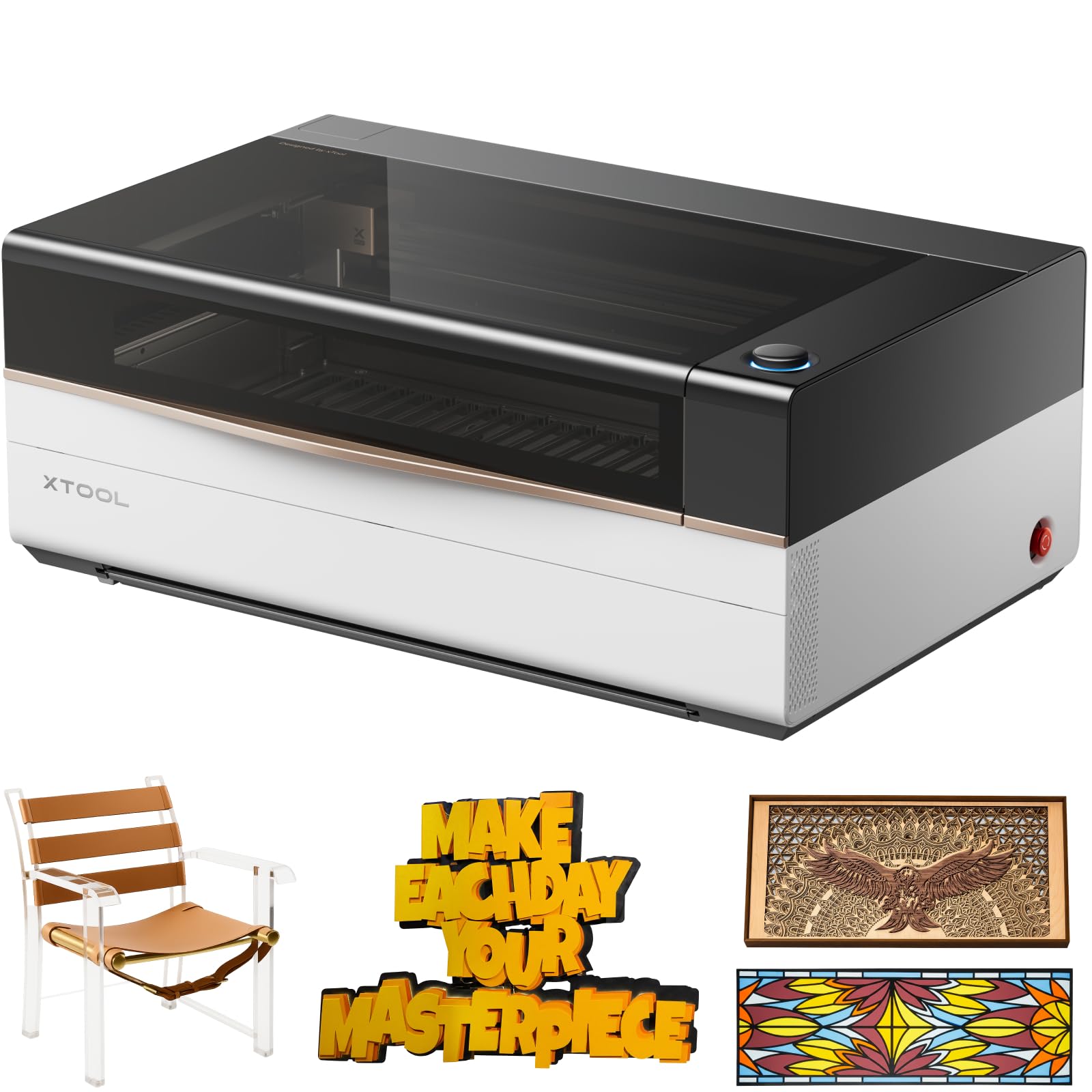
Eighty watts of muscle that cuts 25mm acrylic and 20mm wood faster than most desktop machines can dream of.
This is the machine you buy when you are done experimenting and need real output. The 80W tube powers through clear acrylic at 25mm thick and hardwoods at 20mm — materials a diode laser simply cannot touch. And it moves: 1200mm/s engraving speed versus the 55W P2S’s 600mm/s The 36″ × 18″ workspace is the largest desktop area in this roundup, so you park a full sign or a long production row without re-positioning.
Buyers highlight the quality and functionality — these are the top two aspects owners praise most. The automated workflow is the headline: ACS (Auto Creation System) uses LiDAR ranging for autofocus and a pair of HD cameras for distortion-free previews down to 0.0079″ alignment accuracy. The AutoLift Base accommodates objects up to 8.7″ tall. And AI-powered Smart Nesting claims 98.7% material utilization, which matters if you are running high-volume production. The crowd favorite — 4.6 stars across 20+ owners — backs up the hardware claims with real satisfaction.
The catch is the price and the ecosystem. This is the most expensive machine on the list by a wide margin, and you are buying into xTool’s modular world: the Intelligent Conveyor Feeder, the RA3 rotary, the IR laser module — all sold separately. Owners also note that the built-in material presets run at high power, so you may want to dial them back to protect tube life. And the bed is slightly under the advertised 36″ × 18″. But if you need industrial speed, a vast bed, and true “place-and-go” automation, nothing else here comes close.
Why It Dominates
- 80W power cuts 25mm acrylic and 20mm wood in one pass
- 1200 mm/s engraving — 2x the speed of the 55W model
- 36″ × 18″ workspace, the largest desktop area of any pick here
- Class 1 safety rating with lid interlocks and fire suppression
Where It Stings
- Starts at a premium price; key accessories sold separately
- Proprietary software (xTool Studio) frustrates LightBurn users
- Bed is slightly under the stated 36″ × 18″ per owner feedback
Who this is for: The serious maker or small shop who wants production-grade speed, a massive bed, and automated workflow — and is willing to pay for it.
Think twice if: You are on a tight budget or rely heavily on LightBurn, because the shift to xTool Studio is a real adjustment.
3. Monport 40W 2.0 Laser Engraver (8″ × 12″)

A LightBurn-compatible CO2 starter that proves you do not need to spend thousands to get into the game.
At 40W with an 8″ × 12″ working area, this is the entry-level CO2 experience for anyone coming from a diode laser or starting from scratch. The big selling point is LightBurn compatibility from the start — that means you can use the industry-standard software immediately, importing SVG and DXF files with full layer control. The 2.0 upgrade includes a built-in air assist and an adjustable laser head, both of which improve cut quality without needing aftermarket parts. The three LED displays give you live reads on water temperature, laser temperature, and current power — a practical way to catch problems before they damage the tube.
Customers note that “test cuts on wood and acrylic flawless” and that the machine works well for engraving glass and leather too. At 63 pounds, compared to the xTool P2S at 130.7 pounds and significantly more compact at 32″ × 20″ × 10″. That makes it genuinely desktop-friendly if your workshop space is tight. The water cooling setup is straightforward — a built-in pump and hoses that need distilled water kept at 60–70°F. It is a true K40-style platform, which means a huge community of modders and replacement parts online.
Honestly, this is a tinkerer’s machine. Several owners note it works from the start but benefits from DIY upgrades — a better air assist nozzle, a honeycomb bed replacement, a larger exhaust fan, and recalibration. Print-and-cut reliability is shaky, and the Y-axis motor can skip steps after modifications. Customer support also gets mixed marks, with some owners reporting they could not get help when things went wrong. If you enjoy tweaking and want to learn CO2 inside-out, this is a fantastic, affordable entry point. If you need everything to just work, the xTool P2S is a much smoother path.
Why it earns its spot: True LightBurn compatibility at the lowest price point — you get the software control that many advanced users demand, plus a proven K40 platform with endless mod community support.
The honest limitation: It needs DIY love to reach its full potential, and the small 8″ × 12″ bed limits you to smaller goods. Support is a roll of the dice.
Reach for this if: You are a cost-conscious maker who already knows LightBurn or wants to learn it, and you do not mind spending weekends tuning and upgrading.
Pass if: You want a ready-to-run machine with a large bed and responsive manufacturer support — the xTool P2S is worth the extra spend.
Understanding the Specs
Laser Power (Wattage)
This is the raw cutting muscle measured in watts. A 40W tube is good for thin materials like 3mm plywood, 5mm acrylic, and paper products. A 55W cuts 20mm acrylic and 18mm hardwood in one pass. An 80W handles 25mm acrylic and 20mm wood with ease, and does it at higher speeds. More wattage also means faster engraving on tricky surfaces like coated metals and anodized aluminum. For any buyer planning to cut clear acrylic or dense lumber regularly, 55W or higher is the safe target.
Working Area (Bed Size)
The bed dimensions define the maximum size of a single project you can cut or engrave. An 8″ × 12″ bed fits coasters, keychains, and small signs — fine for side-gig production. A 26″ × 14″ bed accommodates large panels, long nameplates, and bigger decor pieces, and with passthrough slots you can feed material many feet long. A 36″ × 18″ workspace is the largest desktop option here, handling full-size signage and production batches without tiling. Always measure your biggest planned project against the bed before buying.
FAQ
Can a CO2 laser cutter cut clear acrylic?
Is LightBurn better than the free software that comes with these machines?
How much space do I need for a CO2 laser cutter?
Do I need a water chiller or can I use a bucket of water?
What safety features should I look for?
How long do CO2 laser tubes last?
Can I engrave on curved glasses, mugs, or tumblers?
What materials cannot be cut with a CO2 laser?
Can I use a CO2 laser cutter in my home or apartment?
How hard is it to align the laser mirrors?
Final Thoughts: The Verdict
For most people, the co2 laser cutter that makes the most sense is the xTool P2S 55W because it delivers the best balance of power, bed size, and beginner-friendly automation at a mid-range investment. If you need industrial throughput and the largest possible workspace, the xTool P3 80W is the production-grade speed demon that justifies every dollar. For the budget-conscious maker who wants LightBurn control and enjoys tweaking hardware, the Monport 40W is the most affordable path into CO2 — just budget some time for upgrades and accept the smaller bed.
How We Picked
We do not accept paid placement. Every pick is matched to a real buyer and a real use-case; we do not hands-on test units.
Sources & Methodology
Specifications: manufacturer listings and product documentation. Review insights: verified customer reviews, as of July 2026. Pricing: not shown on this page (it changes often); check the current price via the retailer link.
As an Amazon Associate, WellFizz earns from qualifying purchases. This does not affect which products we feature.
Related Guides

Mo Maruf
I created WellFizz to bridge the gap between vague wellness advice and actionable solutions. My mission is simple: to decode the research and give you practical tools you can actually use.
Beyond the data, I am a passionate traveler. I believe that stepping away from the screen to explore new environments is essential for mental clarity and physical vitality.