Our readers keep the lights on and my smoothie glass nicely filled. As an Amazon Associate, I earn from qualifying purchases.
Specs are compiled from manufacturer listings and verified buyer reviews and can change over time — please confirm the key details on the product page before buying.
You open a timeline in Premiere Pro or a complex DaVinci Resolve node tree, hit play, and the preview stutters. That frozen frame is your PC telling you it cannot keep up with the combination of a 4K timeline, heavy color grades, and a dozen effects stacks. A content creator’s desktop needs to handle that without flinching, and the difference between a machine that makes you wait and one that just works depends on three things: the graphics card’s video memory, the CPU core count, and enough fast RAM so the timeline never has to page out to slow storage.
I’m Mohammad Maruf — the founder and writer behind WellFizz. This guide is built by comparing the manufacturers’ published specifications and the patterns across verified customer reviews, so you get each pick’s real strengths and trade-offs instead of marketing spin.
After combing through the specs and owner experiences for thirteen different models, the consensus sharpest computer for content creators balances a high-core-count processor with a generous graphics memory buffer and enough fast RAM to keep your timeline scrubbing instantly, even in 4K multi-layer projects.
Our Picks at a Glance



How To Choose The Best Computer For Content Creators
Choosing a desktop for creative work is different from finding one just for games. You need to balance raw rendering speed with memory capacity, because a single Adobe Premiere Pro project with 4K footage and color grading can eat up over 20GB of RAM quickly. The wrong balance leaves you waiting for exports or watching preview stutter.
Graphics Card Memory (VRAM)
This is the single biggest difference between a gaming PC and a creator PC. Video memory (VRAM) is where your GPU holds textures, timeline frames, and effects data. For 4K video editing or complex 3D renders, 8GB of VRAM is the absolute floor, and 12GB or 16GB is far more comfortable. Look for a card with at least 12GB of dedicated video memory if you plan to edit 4K footage, work in After Effects, or use GPU-accelerated rendering in DaVinci Resolve.
Processor Core Count and Clock Speed
A content creator’s CPU lives under constant load. Exporting a video uses every available core, while scrubbing a timeline relies more on single-core speed. Aim for a processor with at least 8 cores and a boost clock above 5.0 GHz. The Intel Core i7/i9 series and AMD Ryzen 7/9 series are the main contenders here. A higher core count directly reduces export times, while a higher boost clock keeps the interface responsive.
RAM Capacity and Speed
Your video editing software, browser tabs, and background applications all compete for memory. 16GB is the minimum for light 1080p work, but 32GB is the real starting point for 4K multi-track timelines. If you work with 6K or 8K footage or heavy After Effects compositions, 64GB becomes a practical necessity. The speed of the RAM also matters — DDR5 memory at 5600MHz or faster moves data quicker than older DDR4, which helps reduce export times.
Quick Comparison
| Model | Best For | GPU / VRAM | CPU / Cores | RAM | Amazon |
|---|---|---|---|---|---|
| Skytech O11 Vision★ Best Overall | High-end 4K render + streaming | RTX 5070 Ti / 16GB | Ryzen 7 9850X3D / 8 cores | 32GB DDR5 5600 | Amazon |
| Lenovo Legion Tower 5iTop Performer | Entry-level 1080p editing | RTX 5060 Ti / 8GB | Core Ultra 7 265F / 20 cores | 16GB DDR5 5600 | Amazon |
| CyberPowerPC Gamer XtremeBest Value | Value 1080p game + edit | RTX 5060 Ti / 8GB | i7-14700F / 20 cores | 16GB DDR5 | Amazon |
| suevery I9 13900HX | Budget 4K editing | RTX 5060 / 8GB | i9 13900HX / 24 cores | 32GB DDR5 | Amazon |
| iBUYPOWER Element | 1440p gaming + streaming | RTX 5070 / 12GB | i7 14700F / 20 cores | 32GB DDR5 4800 | Amazon |
| KOTIN 9700X | 1440p/4K creative + smart display | RTX 5070 / 12GB | Ryzen 7 9700X / 8 cores | 32GB DDR5 6000 | Amazon |
| Alienware Aurora | Quiet premium build | RTX 5070 / 12GB | Core Ultra 7 265F / 20 cores | 32GB DDR5 | Amazon |
| Galaxy V4 Gaming PC | High-FPS 1440p/4K | RX 9070 XT / 16GB | Ryzen 7 9800X3D / 8 cores | 32GB DDR5 6000 | Amazon |
| Skytech King 95 | VR/3D creation on AMD | RTX 5070 Ti / 16GB | Ryzen 7 9800X3D / 8 cores | 32GB DDR5 5600 | Amazon |
| ASUS ROG GM700 | 1440p ultrawide gaming + create | RX 9070 XT Prime OC / 16GB | Ryzen 7 9800X3D / 8 cores | 32GB DDR5 | Amazon |
| The Horizon Autherium Dragon | Video editing + massive storage | RTX 5070 OC / 12GB | Core i9 open up / 24 cores | 64GB DDR5 | Amazon |
| Panorama RTX 5080 | Elite 4K/VR creation | RTX 5080 / 16GB | i9-14900KF / 24 cores | 32GB DDR5 | Amazon |
| GIGABYTE AORUS Supreme | Maximum 8K / heavy 3D workflow | RTX 5090 / 32GB | Ryzen 7 9800X3D / 8 cores | 64GB DDR5 | Amazon |
In‑Depth Reviews
1. Skytech Gaming O11 Vision Gaming PC, AMD Ryzen 7 9850X3D 4.7GHz, NVIDIA RTX 5070 Ti 16GB VRAM, 2TB Gen4 NVMe SSD, 32GB DDR5 RAM 5600, 850W Gold ATX 3 PSU, 360 ARGB AIO, WI-FI 5, Windows 11, Desktop
Our pick — over 4.5★ from 750+ verified ratings; the strongest balance of quality and price.
The prebuilt that gives you RTX 5070 Ti 16GB VRAM plus a 2TB Gen4 NVMe drive, so your 4K timeline never has to wait.
What wins people over about this machine is the sheer capacity for complex projects. The NVIDIA GeForce RTX 5070 Ti with 16GB of GDDR7 memory means you can layer multiple 4K video tracks, apply color grading LUTs, and add After Effects overlays without the preview dropping frames. The AMD Ryzen 7 9850X3D processor turbo boosts up to 5.6 GHz, which is noticeably higher than the Lenovo’s 5.3 GHz — a gap that shaves seconds off every export. With 32GB of DDR5 RAM at 5600MHz, you can keep Premiere Pro, Photoshop, and a dozen Chrome tabs open simultaneously without the system swapping to disk.
The 2TB Gen4 NVMe SSD is a serious advantage over the 1TB drives found in most competitors at this level. It offers double the out-of-the-box storage, so your working footage and project files stay on fast storage longer before you need to archive. A 360mm AIO liquid cooler keeps the CPU from thermal throttling during extended render jobs, which is exactly when an air cooler would start to choke. The Lian Li PC-O11 Vision case also provides excellent airflow for the 850W Gold ATX 3.0 PSU, giving you headroom for future GPU upgrades.
The catch? The factory fan curve can be aggressive from the start. Some buyers report the fans are loud until they tweak the curve in BIOS or through the fan controller, where a simple adjustment makes it whisper-quiet. The Wi-Fi 5 standard is also a step behind the Wi-Fi 6E or Wi-Fi 7 found on some newer builds, though for wired editing workflows this rarely matters.
What creators gain
- 16GB GDDR7 video memory — enough for 4K multi-track timelines and ray-traced previews
- 2TB Gen4 NVMe SSD — double the storage of most rivals, so project files stay on fast media
- 5.6 GHz turbo boost on the 9850X3D CPU — one of the highest single-core speeds in this roundup
What to expect
- Fan curve from the start runs high; needs a BIOS tweak for silent operation
- Wi-Fi 5 instead of Wi-Fi 6E — fine for wired editing, but not the latest wireless standard
Summit pick for: creators who edit 4K video daily, need 16GB of VRAM for GPU-accelerated renders, and want plenty of fast storage ready to go.
Better to look elsewhere if: you need built-in Wi-Fi 6E or want a prebuilt where the fans are silent without any manual adjustment.
2. Lenovo Legion Tower 5i – AI-Powered Gaming PC – Intel® Core Ultra 7 265F Processor – NVIDIA® GeForce RTX™ 5060 Ti Graphics – 16 GB Memory – 1 TB Storage – 3 Months of PC GamePass
The Intel Core Ultra 7 265F delivers a 5.3 GHz boost across 20 cores, giving you export muscle without the premium price tag.
What makes this Legion Tower stand out is its processor-first design for creators who need multi-core rendering on a tighter budget. The Intel Core Ultra 7 265F with 20 cores and a 5.3 GHz max turbo boost is strong enough for video encoding in HandBrake or Premiere Pro. But the real limitation here is the 8GB of video memory on the RTX 5060 Ti — compared to the Skytech’s 16GB GDDR7, this has 8GB of video memory, which means heavier 4K timelines with lots of effects will bump into VRAM limits faster.
Owners mention this machine “runs golf simulator perfectly with no lag/freezing” and highlight that “specs accurately listed unlike competitors’ vague descriptions.” The 16GB of DDR5 memory is expandable to 128GB, so you can upgrade later as project complexity grows. The transparent tool-less side panel makes adding RAM or a second drive straightforward without needing a screwdriver. The 180W tune air-cooling solution keeps the system quiet under normal load, which is a plus for open-plan editing spaces.
The honest trade-off is that 16GB of RAM is tight for 4K editing today — you will likely need to close background apps or upgrade to 32GB sooner rather than later. The 8GB GPU also limits how much VRAM-heavy work you can do before the system falls back to slower system memory.
Value angle: A 20-core CPU with a 5.3 GHz boost for under mid-range pricing, but the 8GB GPU and 16GB RAM mean you will budget for upgrades soon. Ideal for 1080p editing and lighter 4K projects where export time matters more than real-time effects playback.
Grab it if: you mostly edit 1080p or light 4K and want a CPU-heavy machine you can upgrade over time.
Think twice if: your workflow involves lots of GPU-accelerated effects, multi-layer 4K, or you want to avoid buying more RAM right away.
3. CyberPowerPC Gaming PC, Intel Core i7-14700F, GeForce RTX 5060 Ti 8GB | Gamer Xtreme, 16GB DDR5, 1TB PCIe 4.0 SSD, WiFi Ready & Windows 11 Home (GXiVR8040A19)
The i7-14700F with a GDDR7 RTX 5060 Ti delivers surprisingly smooth 1080p performance for the price.
The thing owners praise most is performance — over 200 buyers single it out, and the reason is the combination of a 20-core Intel Core i7-14700F processor clocking up to 2.1 GHz base with a GeForce RTX 5060 Ti with 8GB of video memory. The 16GB of DDR5 RAM and 1TB PCIe 4.0 NVMe SSD are paired with an 850W PSU — more power supply headroom than many competitors, leaving room for future upgrades.
Buyers confirm this is an “excellent value prebuilt” that handles “Helldivers 2, CoH” smoothly at 1080p high settings. The CyberPowerPC comes with a tempered glass side panel and customizable RGB lighting, plus a keyboard and mouse included. One commonly noted minor issue is that the HDD LED and reset switch wires can be swapped from the factory — a quick fix for anyone comfortable opening the case, but worth checking on arrival. The WiFi 6 and Bluetooth 5.3 connectivity are modern standards that support fast file transfers to NAS or cloud storage.
The 16GB RAM and 8GB VRAM are both at the entry-level threshold for serious 4K editing. You will likely upgrade the RAM fairly soon if you move beyond light 1080p projects.
Bang for the buck: An i7-14700F with GDDR7 memory on a budget that undercuts most 20-core prebuilts. Best for 1080p editing, casual 1440p work, and users who plan to upgrade RAM as their projects grow.
Reach for this if: you are starting with 1080p content creation on a tighter budget and want GDDR7 memory for the bandwidth advantage.
Look elsewhere if: you need more than 16GB of RAM or 8GB of VRAM from the start for heavier 4K projects.
4. suevery Prebuilt Gaming PC White | DDR5 32G RAM, NVMe 1TB SSD, RTX 5060 8G GPU, Core i9 13900HX 24 Cores 32 Threads Up to 5.4G, WiFi6, Desktop Computer

The 24-core Core i9 13900HX with 32GB of DDR5 RAM at a price that undercuts most 20-core Intel builds.
This machine packs an Intel Core i9 13900HX processor with 24 cores and 32 threads that boosts up to 5.4 GHz — that is more CPU cores than the Lenovo’s 20-core Ultra 7 at a comparable price point. Combined with 32GB of DDR5 RAM, you get excellent multi-core performance for video exports and 3D rendering without needing to budget for a RAM upgrade on day one. The RTX 5060 with 8GB of GDDR6 VRAM is the weaker link here — it is sufficient for 1080p and light 1440p editing, but the 8GB buffer will fill up on complex 4K timelines.
Customers note it is an “excellent starter PC for gaming and photo editing” that “runs games like Marvel Rivals, Fortnite, DBD smoothly.” The white chassis with a curved tempered glass panel and color-changing RGB fans gives it a distinctive look that stands out on a desk. However, reliability gets mixed feedback — this is the most-discussed aspect, with some owners reporting perfectly smooth operation and others encountering driver or hardware issues after arrival. The single RAM stick configuration also limits memory bandwidth compared to a dual-channel setup, which can impact CPU-intensive tasks like video encoding.
The consensus is that this is a strong CPU-first value, but the GPU and single RAM stick are areas where you trade some performance for the lower price.
CPU powerhouse: 24 cores, 32 threads, 32GB RAM, and a 5.4 GHz turbo make this a rendering beast on a budget. The GPU is the obvious bottleneck — plan to upgrade it if you move to heavy 4K timelines.
Best for: CPU-heavy rendering tasks like video encoding or 3D modeling where core count matters more than VRAM.
Skip if: you need a reliable, consistent GPU experience from the start — the mixed feedback on reliability means QC can vary.
5. iBUYPOWER Element Gaming PC Desktop Computer Intel Core i7 14700F CPU, NVIDIA GeForce RTX 5070 12GB GPU, 32GB DDR5 RAM, 1TB NVMe SSD, Windows 11 Home, Gamer Keyboard and Mouse – EBI7N5704
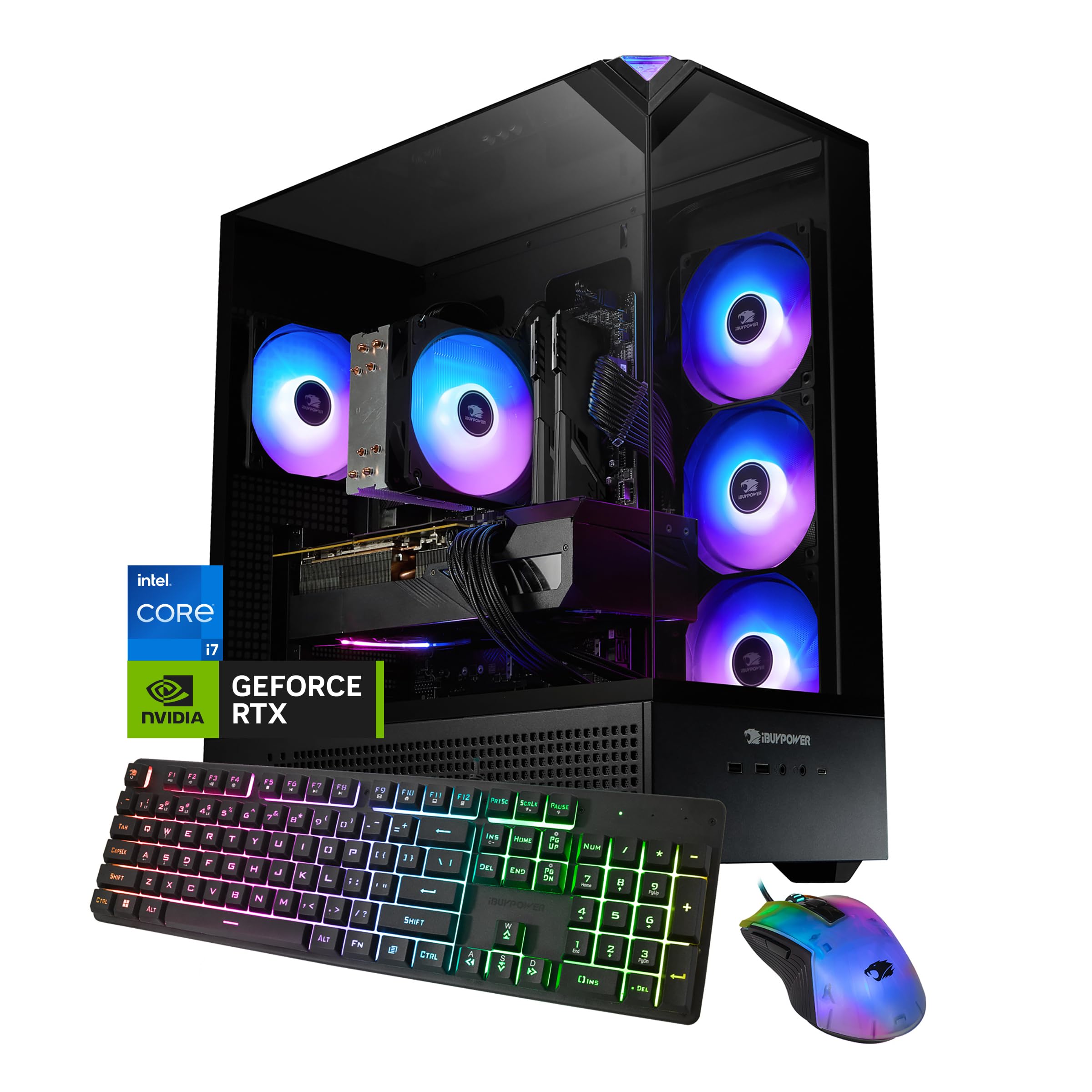
The RTX 5070 with 12GB of GDDR7 memory gives you a meaningful VRAM upgrade over 8GB cards at a competitive price.
What sets this iBUYPOWER apart for content creators is the jump to 12GB of video memory on an RTX 5070 using GDDR7 — a significant increase over the 8GB cards found on the CyberPowerPC and Lenovo above. That extra 4GB of VRAM makes a real difference when you are working with 4K timelines that have multiple adjustment layers, Lumetri color grades, and motion graphics overlays. The Intel Core i7 14700F with 20 cores and a 5.4 GHz boost clock provides strong multi-core rendering power for video exports. The 32GB of DDR5 RAM is the right starting point for creative work, though the 4800MHz speed is slower than the 5600MHz or 6000MHz found on some competitors.
Performance gets the most praise from owners — over 300 buyers mention it positively, with many noting it runs everything smoothly for the price. The tempered glass RGB case and included gaming keyboard and mouse add to the out-of-box value. One catch is that storage gets negative feedback — the 1TB NVMe SSD fills up fast if you work with 4K footage, and some reviewers point out the included mouse feels basic. The motherboard has only two RAM slots, which means upgrading from 32GB to 64GB requires replacing both sticks rather than adding two more.
Why creators choose it
- 12GB GDDR7 video memory — the cheapest way to get above the 8GB VRAM ceiling in this roundup
- 32GB DDR5 RAM — ready for 4K editing without an immediate upgrade
- 5.4 GHz turbo boost on the i7-14700F — strong single-core speed for responsive timeline scrubbing
Real-world limits
- Only two RAM slots — upgrading beyond 32GB means replacing both sticks, not adding
- 1TB SSD fills fast on 4K projects — plan for external or additional storage
Pick it for: the 12GB VRAM balance that handles 4K effects-heavy timelines without choking, paired with a strong 20-core CPU.
Pass if: you want an easy path to 64GB RAM later, or need built-in Wi-Fi 6E instead of 802.11AC.
6. KOTIN Prebuilt Gaming PC RTX 5070 12GB, Ryzen 7 9700X, 32GB DDR5, 1TB SSD | 11.3in Smart Display, 850W 80+ Gold PSU, 360mm Liquid Cooler, WiFi 7, 1440p 4K ARGB Windows 11 Gaming Desktop Computer
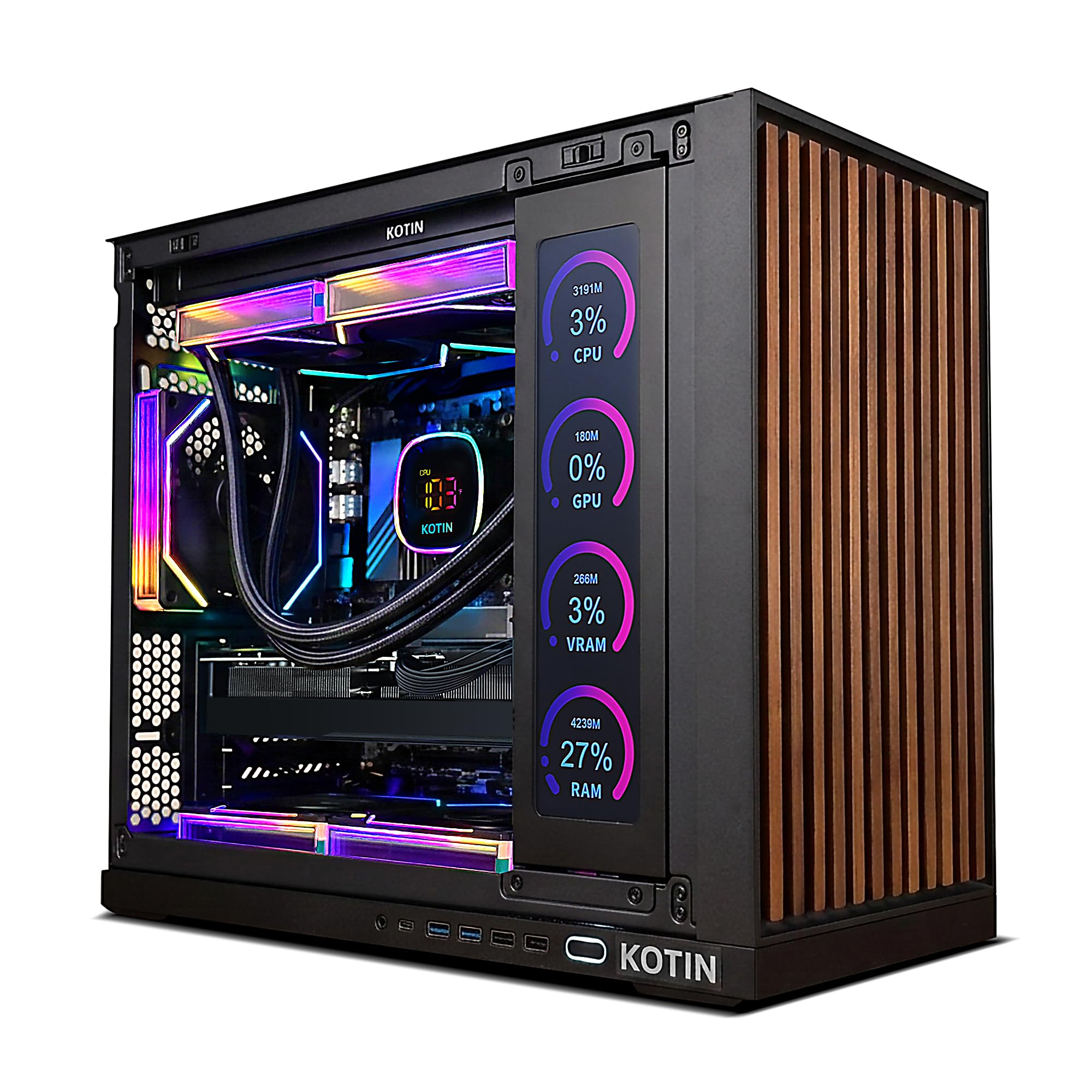
Integrated 11.3-inch smart display for real-time system monitoring, plus WiFi 7, in a mid-tower that handles 1440p and 4K creative work.
The inclusion of an 11.3-inch built-in smart display is this machine’s defining feature — it shows real-time CPU and GPU temperatures, usage stats, and even weather while you work, so you can keep an eye on thermal headroom during long renders without overlaying software. Under the hood, the 8-core AMD Ryzen 7 9700X with a 5.5 GHz boost clock pairs with an RTX 5070 that has 12GB of GDDR7 memory and 32GB of DDR5 RAM at 6000MHz — the faster RAM speed compared to the iBUYPOWER’s 4800MHz helps with data-intensive tasks like scrubbing 4K ProRes footage. The 360mm AIO liquid cooler and 850W 80+ Gold PSU provide solid thermal and power headroom for extended creative sessions.
Buyers describe it as “pretty powerful running all my games 120+ fps on 1440p easily” and note it handles “light 4K gaming” better than expected. The WiFi 7 connectivity is the most modern wireless standard in this roundup, offering theoretical speeds far above Wi-Fi 6E for large file transfers. The smart display is a genuine productivity tool, but some shoppers say the side screen can have functionality quirks — it may require occasional software interaction to display correctly. The brand itself is less established than Skytech or Alienware, and the limited review count (under 40 ratings) means long-term reliability data is thin.
Standout feature: The built-in system monitor display and WiFi 7 make this feel future-proof, with 32GB of 6000MHz RAM and 12GB VRAM hitting the balance for 1440p editing. The smaller brand presence is the main caveat for risk-averse buyers.
Perfect for: tech enthusiasts who want a built-in monitoring screen and the latest Wi-Fi standard, working on 1440p or light 4K content.
Not for: those who prefer established brands with thousands of reviews and a longer reliability track record.
7. Alienware Aurora Gaming Desktop ACT1250 – Intel Core Ultra 7 265F, 32GB DDR5 RAM, 1TB SSD, NVIDIA GeForce RTX 5070, 1000W Platinum Rated PSU, Windows 11 Home, Clear Panel – Black

Alienware’s legendary build quality meets a 1000W Platinum PSU and an RTX 5070, delivering silent, cool operation for marathon creative sessions.
The defining advantage of this Aurora is its power supply — a 1000W Platinum-rated unit that provides clean, efficient power with plenty of headroom for future GPU upgrades. The Intel Core Ultra 7 265F with a 5.3 GHz boost across its cores pairs with the NVIDIA GeForce RTX 5070 with 12GB of VRAM. The 32GB of DDR5 RAM is the right capacity for multitasking, though the system’s DDR5 speed is not specified in the data as being notably fast. The Alienware Command Center software lets you customize AlienFX lighting across the ecosystem and monitor performance modes, which is useful for switching between a quiet editing preset and a full-performance render preset.
The 1 Year Onsite Service from Dell means a technician comes to your location if hardware issues arise — a support advantage over smaller builders. Buyers report it is “very quiet, remains cool, very easy plug and play setup” and runs demanding games like “Escape from Tarkov and Delta Force with ease.” Some units have arrived with incorrect specifications listed on the box, and a few owners note the boot time is around 2 minutes. The matte basalt black finish with customizable AlienFX stadium lighting gives it a distinctive premium look, but the air cooling solution is less powerful than the liquid coolers found on comparably priced competition.
Premium experience: The 1000W Platinum PSU and Dell onsite warranty are genuine advantages, but the air cooling and sometimes-inconsistent spec sheets mean you are paying partly for the brand name. Best for those who prioritize quiet operation and service support over raw spec-for-spec value.
Choose this if: you want Dell’s onsite service, a very quiet system, and a premium aesthetic over maximum performance-per-dollar.
skip it if: you need liquid cooling for sustained rendering or want the fastest RAM speed available — the air cooler caps sustained CPU performance.
8. Galaxy V4 Gaming PC – AMD RX 9070XT 16GB GDDR6 | Ryzen 7 9800X3D 4.7 GHz (5.2 GHz Turbo Boost) | 32GB DDR5 6000 | 2TB Gen4 SSD | 850W Gold PSU | ARGB Fans | Wi-Fi + BT | Win 11
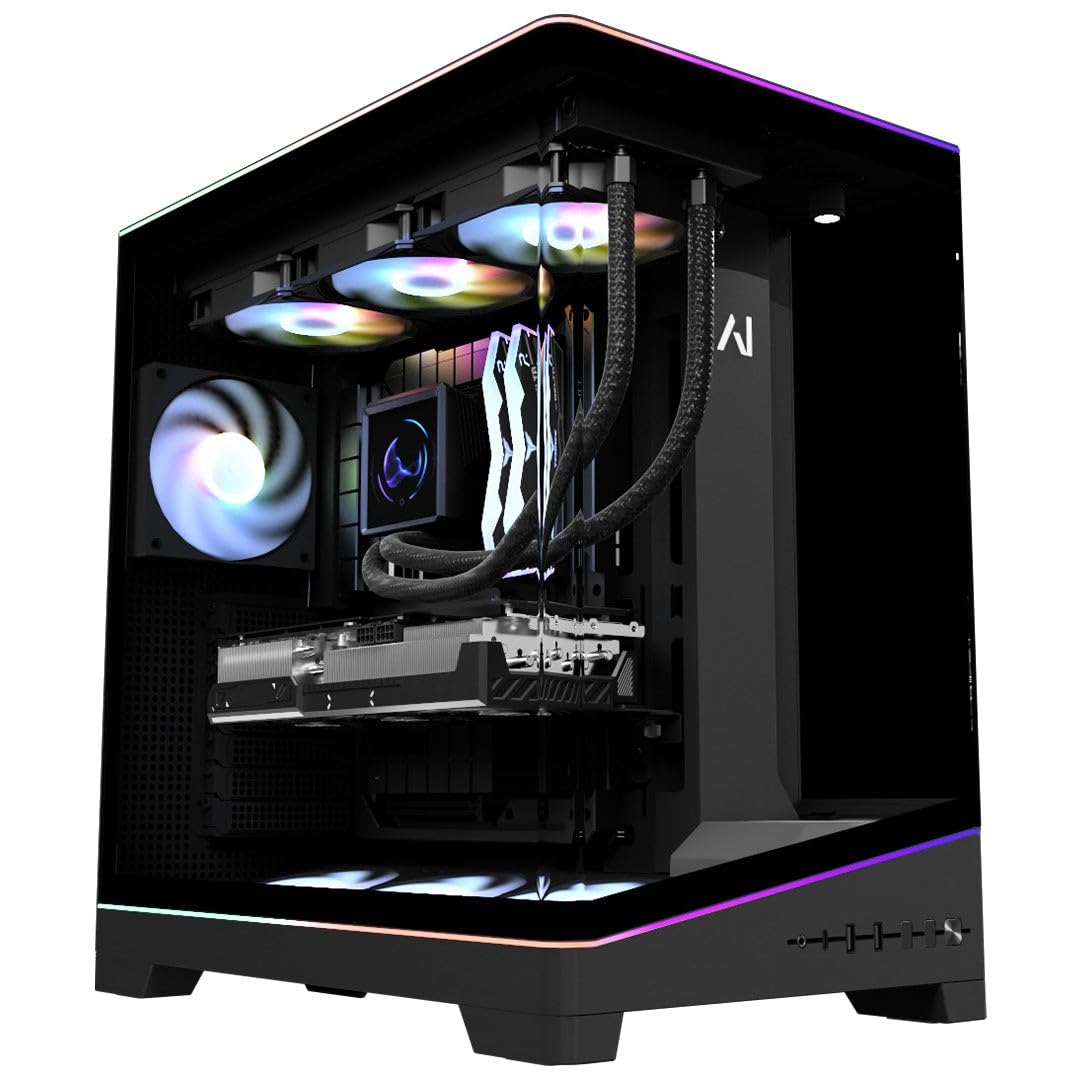
The AMD Radeon RX 9070 XT with 16GB of VRAM and Ryzen 7 9800X3D delivers class-leading 1440p render performance in a clean, quiet build.
This Galaxy V4 is the AMD equivalent of the top-tier Intel builds, pairing the Ryzen 7 9800X3D (the processor Amazon’s AI labels “the world’s fastest gaming CPU”) with an AMD Radeon RX 9070 XT that has 16GB of GDDR6 memory and supports FSR 4 upscaling. The 16GB VRAM matches the Skytech O11 Vision’s RTX 5070 Ti, giving you the same capacity for GPU-accelerated rendering tasks. The 32GB of DDR5 6000MHz RAM is faster than the Skytech’s 5600MHz and the iBUYPOWER’s 4800MHz, which helps with data-intensive operations like 4K ProRes timeline scrubbing. A customizable LCD screen on the AIO liquid cooler displays live temperatures or custom images — useful for monitoring render thermals.
Performance gets the most praise — owners mention it delivers “great 1440p gaming performance” averaging “144-180 FPS” at max settings, and call it “the perfect system to advance his gaming and coding skills.” The 2TB Gen4 NVMe SSD is a significant advantage over 1TB competitors like the KOTIN and iBUYPOWER. The V4 chassis includes an exclusive action-figure display stand behind the tempered glass — a niche feature but one that shows attention to design. A few owners note the white GPU can look mismatched against the black build, and the 2-year parts warranty (with lifetime labor) is shorter than some competing warranties.
What makes it worth it
- 16GB VRAM on the RX 9070 XT — matches the best video memory capacity in this roundup for AMD fans
- 2TB Gen4 NVMe SSD — double the storage of many rivals at this price tier
- 6000MHz DDR5 RAM — fastest memory speed among the top-tier picks
What to consider
- AMD GPUs lack some NVIDIA-specific features like CUDA acceleration in certain Adobe apps
- Some buyers mention the white GPU clashes with the black case design
Reach for it if: you are comfortable with AMD GPUs (no CUDA dependency) and want 16GB VRAM, fast 6000MHz RAM, and a 2TB drive from the start.
Look elsewhere if: your creative software relies heavily on NVIDIA’s CUDA or NVENC encoders for rendering and streaming.
9. Skytech Gaming King 95 Desktop PC, Ryzen 7 9800X3D 4.7 GHz (5.2 GHz), NVIDIA RTX 5070 Ti 16GB, 1TB Gen4 NVMe SSD, 32GB DDR5 RAM 5600 RGB, 850W Gold ATX 3 PSU, 360mm ARGB AIO, Wi-Fi, Win 11

The Ryzen 7 9800X3D with 96MB of 3D V-Cache makes this the pick for creators who also game at 1440p on the side.
Build quality is the most praised aspect of this Skytech King 95 — 16 owners single it out, noting the King 95 case in white with panoramic tempered glass looks premium on any desk. Inside, the AMD Ryzen 7 9800X3D (5.2 GHz turbo) with 96MB of 3D V-Cache is paired with an NVIDIA GeForce RTX 5070 Ti carrying 16GB of GDDR7 video memory — the same VRAM capacity as the O11 Vision above, but with AMD’s v-cache technology that helps with physics-heavy simulations and rendering tasks. The 360mm AIO liquid cooler with ARGB fans keeps thermals in check during long exports, and the 850W Gold ATX 3.0 PSU provides stable power.
Noise level is another strong positive — many buyers find the fans whisper-quiet after adjusting the fan curve in BIOS. One owner describes it as a “gorgeous case, quality components throughout, and great bang for the buck” and notes the “5070 Ti runs Unreal Engine excellently for 3D content creation.” The 1TB Gen4 NVMe SSD is adequate but smaller than the 2TB drives on the Skytech O11 Vision and Galaxy V4 at similar price points. A few customers note the fans run loud at maximum speed from the start until adjusted through the fan controller.
Build-quality champion: The King 95 case with 9800X3D and 16GB RTX 5070 Ti is a balanced creator-gamer mix. The 1TB drive is the main compromise — you will likely add a second SSD sooner than with the 2TB competitors.
Great for: creators who also game heavily and want the 9800X3D’s v-cache advantage, plus the premium King 95 chassis.
Not ideal if: you need more than 1TB of storage from the start or prefer not to adjust fan settings for quiet operation.
10. ASUS ROG GM700 (2025) Gaming Desktop PC, AMD Ryzen™ 7 9800X3D Processor, AMD® Radeon™ RX 9070 XT Prime OC, 2TB M.2 NVMe™ PCIe® 4 SSD, 32GB DDR5 RAM, Windows 11 Home, GM700TZ-MS777
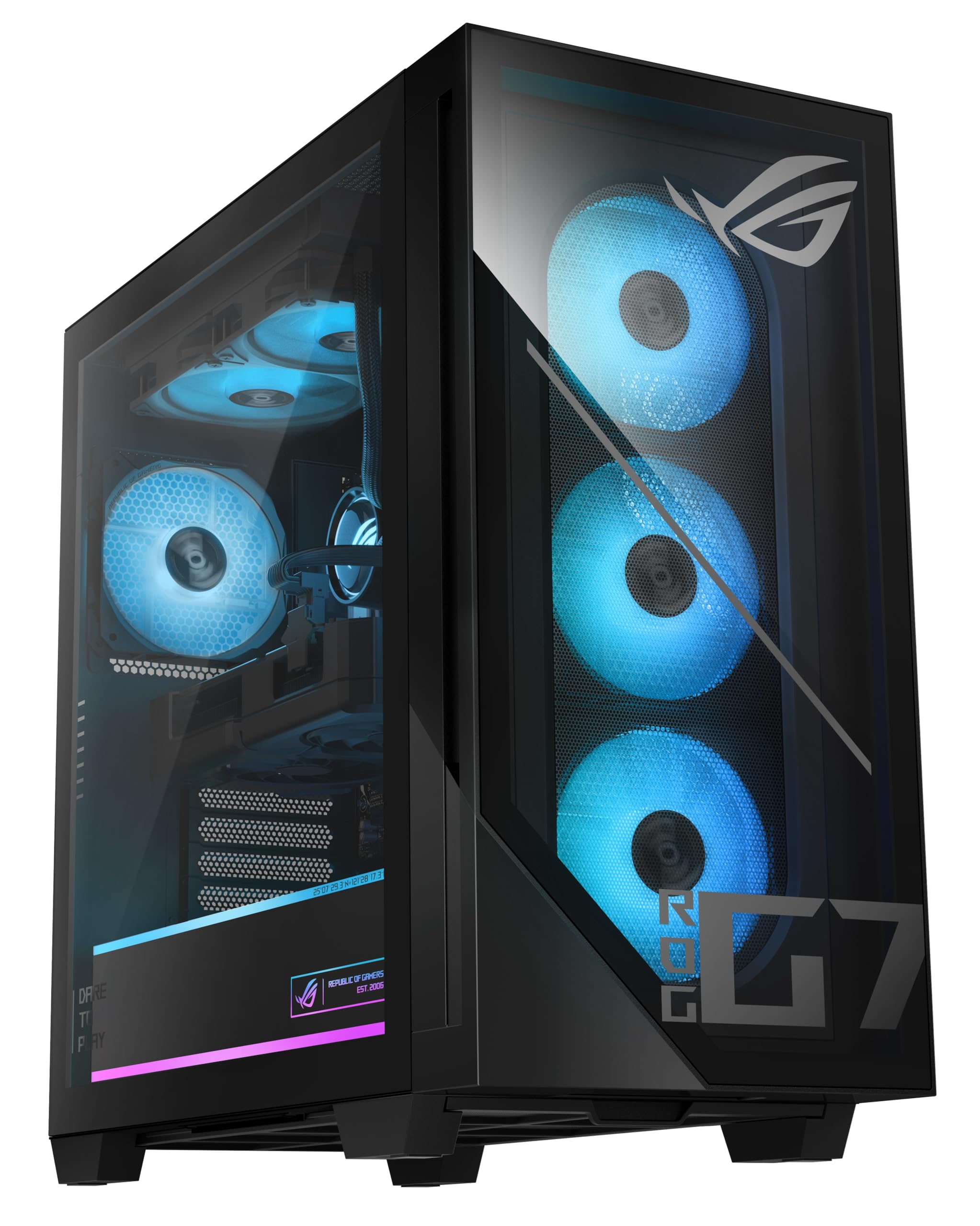
ASUS ROG design language meets a Ryzen 7 9800X3D and RX 9070 XT with 2TB of fast storage for the 1440p ultrawide creative workstation.
The ASUS ROG GM700 is built around the AMD Ryzen 7 9800X3D and the AMD Radeon RX 9070 XT Prime OC — the overclocked factory variant that delivers enhanced ray tracing and AV1 encoding support, making it a strong choice for streamers who encode in AV1. The 2TB PCIe Gen 4.0 NVMe SSD is the same capacity as the Skytech O11 Vision and Galaxy V4, providing generous out-of-the-box space for project files and media caches. The 32GB of DDR5 RAM is standard for this price tier, and the included RGB keyboard and mouse add to the unboxing experience.
Reviewers point out it is a “massive upgrade from Ryzen 3rd gen/3080” and handles “1440p ultrawide max settings” easily. One caveat is that the Asus Prime motherboard inside is not a full ATX board, which means limited SATA ports (only 2) and a tight layout that places the second M.2 slot behind the GPU, requiring GPU removal to access. The setup instructions are minimal — a few owners note a learning curve for first-time users. The 96MB cache on the 9800X3D provides an edge in physics-heavy workflows like 3D simulations in Blender, but the RX 9070 XT lacks NVIDIA’s CUDA ecosystem, which is widely used in Adobe Creative Cloud.
ROG pedigree: The branded motherboard and GPU from ASUS give this a distinct premium feel. The compact motherboard inside a mid-tower is a space compromise that limits expansion. Best for AMD-centric creators who value the ROG ecosystem and are comfortable with AV1 encoding.
Choose this if: you want the ASUS ROG ecosystem, AV1 encoding support for streaming, and are comfortable with the motherboard’s SATA limitations.
Pass if: your workflow relies on CUDA-accelerated Adobe apps or you need easy access to multiple M.2 slots and SATA ports.
11. The Horizon Autherium Dragon RGB I9 RTX Gaming PC || 64GB RAM || 5TB Storage || Core I9 Upto 5.4Ghz || RTX 5070 OC || Windows 11 PRO || 360MM AIO || 2.4GB/s WiFi, VR, Gaming Ready Desktop Computer

The Horizon Autherium Dragon delivers a staggering 64GB of RAM and 5TB of total storage, making it the ultimate workstation for heavy 4K and 3D workflows.
The defining spec here is the 64GB of DDR5 RAM — double what most competitors offer and enough to run multiple Adobe Creative Suite applications, a browser with dozens of tabs, and a 4K render engine simultaneously without any swapping. The storage configuration combines a 1TB Gen4 NVMe SSD (with read speeds up to 7000MB/s) for your OS and active projects, plus a 4TB 7200RPM HDD for archiving raw footage and completed exports. The Core i9 open up processor boosting up to 5.4 GHz paired with the RTX 5070 OC (12GB) provides strong single-core performance for timeline responsiveness and solid GPU acceleration for effects.
Shoppers say this machine handles “MS Flight Simulator Ultra and VR smoothly” and renders “video in 3 min in 35 sec” — a concrete example of the real-world speed. The 360mm AIO liquid cooler with 11 total fans (7 visible, 4 internal) keeps the system quiet even under load, a point multiple owners specifically praise. The 3-year parts warranty and 5-year labor warranty are among the best in this roundup, providing long-term confidence. The RTX 5070’s 12GB VRAM is adequate for 4K editing, but falls short of the 16GB cards on the Skytech and Galaxy builds for the most demanding multi-layer 4K timelines.
Storage and memory champion: 64GB RAM and 5TB of total storage mean you can keep your entire project library on internal drives. The 12GB VRAM is the only spec that feels slightly undersized for a machine at this price point. Best for creators working with massive media libraries who hate juggling external drives.
Grab it if: you need 64GB of RAM and 5TB of storage from the start for 4K editing with large media archives.
Think twice if: your primary bottleneck is GPU VRAM for heavy effects work — the 12GB card will fill up on complex timelines before the 64GB RAM does.
12. Panorama RTX 5080, 24-Core i9-14900KF, 32GB DDR5 RAM, 2TB Gen4 NVMe SSD, Liquid Cooled Gaming Desktop PC w/Windows 11 Pro, 3-Year Warranty, RGB Keyboard+Mouse, RJ45, Internal Wi-Fi 6E, 3X DP & HDMI

The Panorama packs an Intel Core i9-14900KF boosting up to 6.0 GHz, an RTX 5080 with 16GB GDDR7, and Windows 11 Pro for elite content creation.
The headline spec here is the NVIDIA GeForce RTX 5080 with 16GB of GDDR7 dedicated memory — the most powerful GPU in this roundup until you reach the GIGABYTE’s RTX 5090. The Intel Core i9-14900KF with 24 cores and a 6.0 GHz max boost clock is the fastest single-core speed available in this list, which translates to the snappiest timeline scrubbing in Premiere Pro and the fastest single-threaded export performance. The 32GB of DDR5 RAM is adequate for most creative work, though it trails the 64GB found on The Horizon above.
Performance gets positive mentions — buyers call it “superfast” and note it runs “PCVR games smoothly.” The panoramic case with front and side full-panel tempered glass provides a striking showpiece aesthetic with 9 ARGB PWM fans for cooling. The 3-year limited hardware warranty with lifetime tech support is a strong commitment from Empowered PC. Some buyers report that the advertised 10 RGB fans are actually 9, and the GPU power cable can touch a lower fan causing a spin failure — a simple cable routing fix, but worth checking on arrival. A few owners mention reliability issues after prolonged use, with the system breaking after extended periods.
What makes it elite
- 6.0 GHz max boost clock on the i9-14900KF — the fastest single-core speed in this entire roundup
- RTX 5080 with 16GB GDDR7 — second only to the RTX 5090 in raw GPU power here
- Windows 11 Pro included — business-grade features like BitLocker and Remote Desktop
What to watch for
- Some units ship with 9 fans instead of advertised 10 — check and contact support if needed
- Mixed long-term reliability feedback — some units have issues after extended use
Best for: creators who want the fastest single-core performance available (6.0 GHz) with an RTX 5080 and Windows 11 Pro for a balanced high-end workstation.
Skip if: you need guaranteed long-term reliability or want the absolute maximum GPU power (the GIGABYTE’s RTX 5090 outpaces this by a wide margin).
13. GIGABYTE AORUS Gaming Desktop PC, AMD Ryzen 7 9800X3D, RTX 5090, 64GB DDR5 RAM, 2TB Gen5 NVMe SSD, Windows 11 Home, AORUS Supreme 5 AS5A7N9-5000
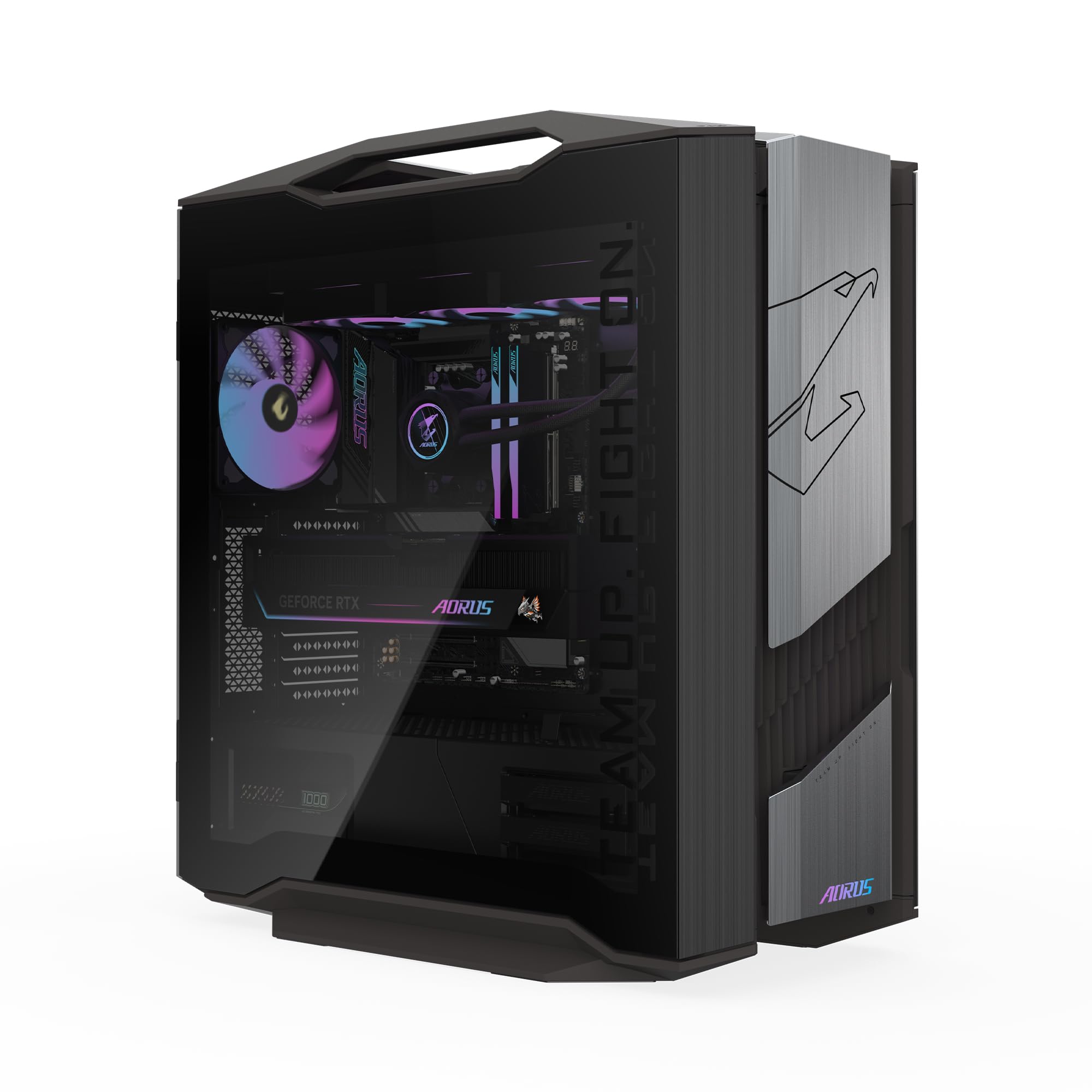
The AORUS Supreme packs an RTX 5090 with 32GB of GDDR7 VRAM and a 2TB Gen5 SSD — the absolute ceiling for content creation desktops today.
This is the flagship — the NVIDIA GeForce RTX 5090 with 32GB of GDDR7 memory delivers more VRAM than any other graphics card in this roundup, enough to handle 8K video timelines, massive 3D scenes in Blender, and GPU-accelerated AI upscaling without ever approaching its memory ceiling. The AMD Ryzen 7 9800X3D processor with its 96MB of 3D V-Cache pairs with 64GB of DDR5 RAM to eliminate any RAM bottleneck across the most demanding creative applications. The 2TB Gen5 NVMe SSD is a generation ahead of the Gen4 drives found in every other entry here — Gen5 offers roughly double the sequential read speeds, which directly reduces asset loading times in 4K and 8K projects.
The 360mm AORUS AIO liquid cooler combined with the WINDFORCE cooling system featuring Hawk fans keeps the RTX 5090 and 9800X3D operating within safe temperatures even during extended multi-hour renders. Customers note it is “a beast” and “designed to be future-proof,” noting the “GPU is quiet and barely has to go all out because it is such a beast.” The GIGABYTE Control Center (GCC) software allows full customization of the RGB Fusion 2.0 lighting. The caveat is the price — it is over double the cost of many entries here. Some owners note you need to set the memory speed to the correct value in BIOS after unboxing, as it ships with the wrong value from the factory.
Why it is the ultimate
- 32GB GDDR7 VRAM on the RTX 5090 — enough for 8K timelines and the heaviest 3D scenes
- 2TB Gen5 NVMe SSD — double the speed of Gen4 drives for instant asset loading
- 64GB DDR5 RAM — no RAM bottleneck, even with massive After Effects compositions
What to expect
- Premium price — this costs more than the combined total of several budget-tier picks in this guide
- Factory BIOS sets the wrong memory speed — a quick adjustment is needed for full performance
The one for: professional content creators working with 8K footage, complex 3D renders, or AI-enhanced workflows who need zero compromise and future-proofing for years.
Overkill for: anyone editing 1080p or light 4K projects — the RTX 5090 and Gen5 SSD advantages are wasted on simpler workflows where a mid-range build would deliver the same real-world speed.
Understanding the Specs
Video Memory (VRAM) and Graphics API
Video RAM is the dedicated memory on your graphics card that holds the frames, textures, and effects data your GPU processes in real time. For content creation, the amount of VRAM matters more than the brand name on the card. An 8GB card will start struggling with 4K timelines that have multiple adjustment layers or complex 3D viewport previews. Cards with 12GB or 16GB give you breathing room to add color grades, motion graphics, and effects without the system dropping frames or falling back to slower system RAM. The newer GDDR7 memory standard offers higher bandwidth than GDDR6, which helps with high-resolution texture streaming and faster render previews.
CPU Core Count and Boost Clock
Two numbers matter here: the number of cores and the maximum boost clock speed. Cores handle parallel tasks like video encoding and 3D rendering — more cores mean faster exports. A 20-core or 24-core processor will export a Premiere Pro video noticeably faster than an 8-core chip. The boost clock (measured in GHz) determines how fast a single core works — this affects timeline scrubbing, interface responsiveness, and single-threaded tasks. Look for a boost clock above 5.0 GHz for snappy day-to-day editing. The Ryzen 7 9850X3D and i9-14900KF both hit 5.6 GHz or higher, which makes the timeline feel instant, while the 20-core Core Ultra 7 at 5.3 GHz trades a bit of single-core speed for more core count at a lower price.
FAQ
How much RAM do I need for 4K video editing?
Is an Intel or AMD processor better for content creation?
How much video memory (VRAM) do I really need?
Do I need Windows 11 Pro over Windows 11 Home for creative work?
Which storage type is best for video editing?
Can I upgrade the RAM and storage on these prebuilt PCs?
Is liquid cooling necessary for content creation?
What is more important for rendering speed — CPU or GPU?
Final Thoughts: The Verdict
For most people, the computer for content creators winner is the Skytech Gaming O11 Vision because it delivers 16GB of VRAM on the RTX 5070 Ti, a 2TB Gen4 SSD, 32GB of fast DDR5 RAM, and a 5.6 GHz CPU all in a well-built case with liquid cooling — a balanced spec sheet that handles 4K editing without compromises. If you need the absolute maximum GPU power for 8K or heavy 3D work, the GIGABYTE AORUS Supreme with its RTX 5090 and 32GB VRAM is the ceiling. And for massive media libraries on a strong budget, the The Horizon Autherium Dragon with its 64GB RAM and 5TB total storage is the one to reach for.
How We Picked
We do not accept paid placement. Every pick is matched to a real buyer and a real use-case; we do not hands-on test units.
Sources & Methodology
Specifications: manufacturer listings and product documentation. Review insights: verified customer reviews, as of July 2026. Pricing: not shown on this page (it changes often); check the current price via the retailer link.
As an Amazon Associate, WellFizz earns from qualifying purchases. This does not affect which products we feature.
Related Guides

Mo Maruf
I created WellFizz to bridge the gap between vague wellness advice and actionable solutions. My mission is simple: to decode the research and give you practical tools you can actually use.
Beyond the data, I am a passionate traveler. I believe that stepping away from the screen to explore new environments is essential for mental clarity and physical vitality.