Our readers keep the lights on and my smoothie glass nicely filled. As an Amazon Associate, I earn from qualifying purchases.
Specs are compiled from manufacturer listings and verified buyer reviews and can change over time — please confirm the key details on the product page before buying.
You want a first console that survives drops, fits tiny hands, and does not bury a 4-year-old in joystick menus or violent shooters. The real trouble is sifting through a hundred handhelds that promise “ages 4+” but ship with rock-hard controls and games that baffle a preschooler. This guide separates the ones a 4-year-old can actually play from the ones you will end up playing yourself while your kid watches.
I’m Mohammad Maruf — the founder and writer behind WellFizz. This guide is built by comparing the manufacturers’ published specifications and the patterns across verified customer reviews, so you get each pick’s real strengths and trade-offs instead of marketing spin.
After weighing dozens of kid-friendly portables on build quality, button simplicity, and battery stamina, these are the consoles for 4 year olds that earn a spot in your diaper bag or back seat.
Our Picks at a Glance

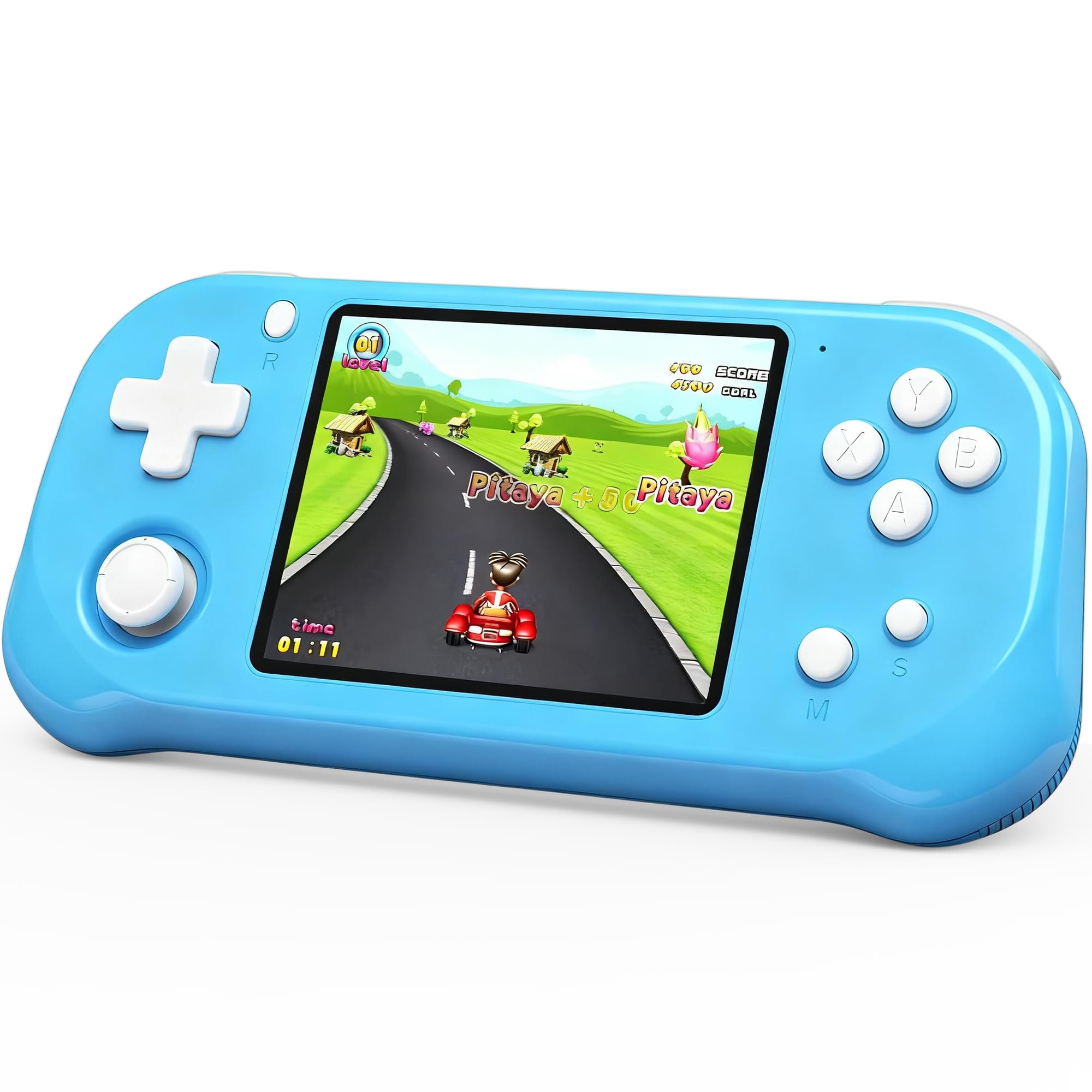
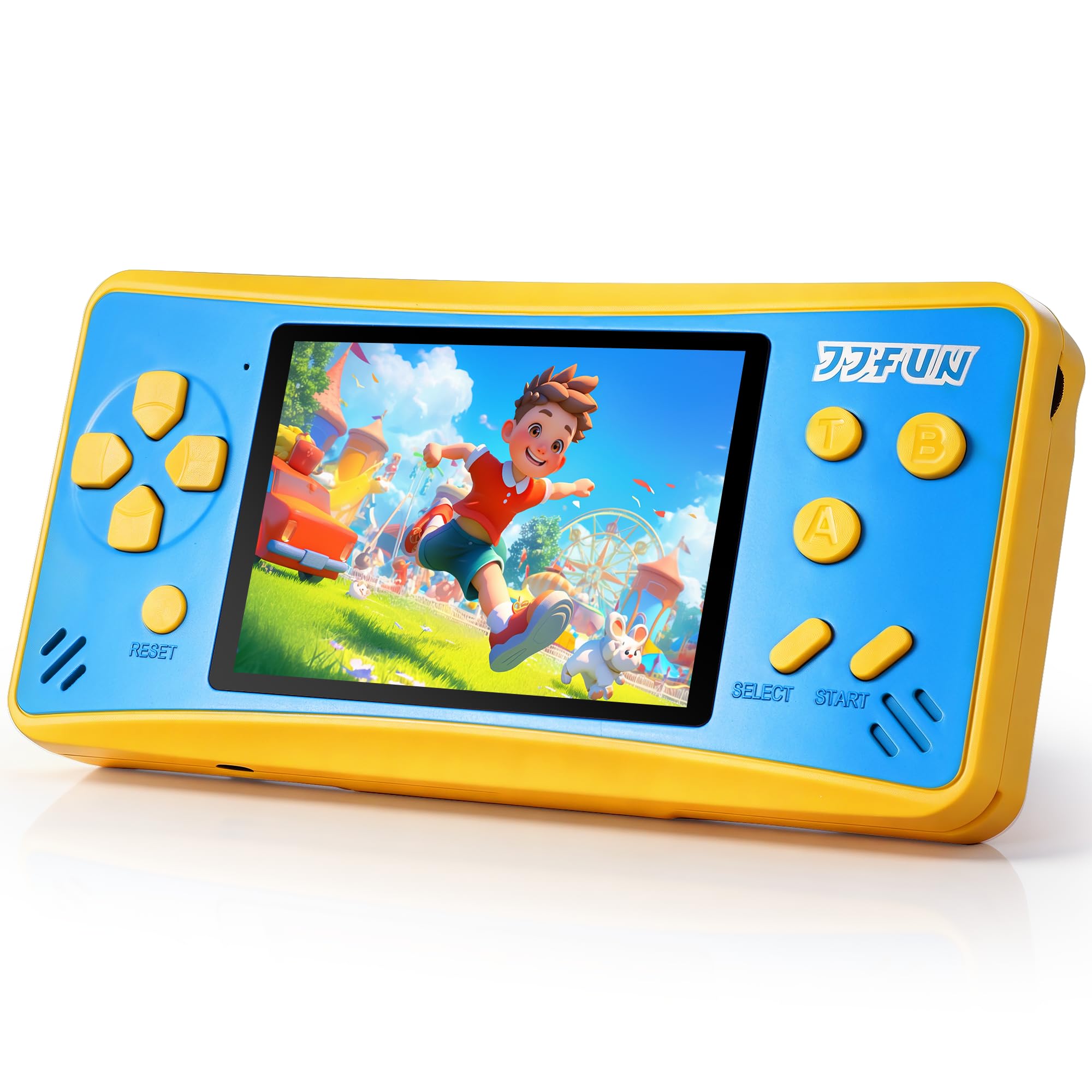
How To Choose The Best Consoles For 4 Year Olds
A 4-year-old’s console is not a miniature PlayStation. You need to look past the cartoon decals and check three things: how easy the buttons are to mash, how long the charge lasts before a meltdown, and whether the games teach anything beyond thumb-jamming. Here is what matters most.
Button size and layout come first
A preschooler does not have the fine motor control for tiny shoulder triggers or cramped D-pads. Look for consoles with big, widely spaced buttons and a simple layout — ideally just a directional pad and two action buttons. If the controller shape mimics a grown-up gamepad, that is a bonus, because a 4-year-old loves copying what they see parents hold.
Battery life sets the sanity limit
A console that dies in under three hours turns a long car ride into a whine-fest. Rechargeable lithium batteries are far cheaper in the long run than disposable AAA cells, which the Lexibook units chew through fast. Aim for at least 5 hours of playback so it survives a full flight or an afternoon at grandma’s.
Educational depth versus arcade filler
Some handhelds pack 200+ games, but many are repeats or clones of the same simple maze and shooter. For a 4-year-old, a console with 30 thoughtfully built letter, number, and logic games (like the LeapFrog units) is more useful than one with 268 retro titles that all look alike. Check whether the games teach — or just distract.
Quick Comparison
| Model | Best For | Battery Life | Screen Size | Game Count | Amazon |
|---|---|---|---|---|---|
| LeapFrog 2-in-1 LeapTop Touch★ Best Overall | Educational play + parental quality | 3×AA (disposables) | Folding 2-in-1 | 5 learning modes | Amazon |
| Beijue 32‑Bit 139 GamesTop Performer | Premium screen + responsive controls | 6 hours | 3.5″ IPS | 139 | Amazon |
| X‑JOYKIDS 168 GamesCompact Pick | Longest battery life in class | 6 hours | 3.2″ IPS | 168 | Amazon |
| YOROSY Handheld 200+ Games | Budget arcade variety | 5 hours | 3.0″ LCD | 200+ | Amazon |
| Beico Handheld 268 Games | Large game library for road trips | 4-5 hours | 3.0″ LCD | 268 | Amazon |
| LUHYAUAN 16‑Bit 230 Games | HD display + lightweight travel | 5 hours | 3.0″ HD | 230 | Amazon |
| Lexibook Paw Patrol 150 Games | Paw Patrol obsessed kids | 3×AAA (not incl.) | 2.5″ LCD | 150 | Amazon |
| Lexibook Racing Motion Control | Active tilt-control gameplay | 2×AA (not incl.) | 2.8″ LCD | 30 | Amazon |
| LeapFrog Leapster Ultra | Educational depth + school skills | 4×AA (disposables) | Rotating LCD | 30+ games | Amazon |
In‑Depth Reviews
1. LeapFrog 2-in-1 LeapTop Touch, Pink
Our pick — over 4.5★ from 30,500+ verified ratings; the strongest balance of quality and price.
The preschool laptop that flips into a tablet and teaches phonics without overstimulating.
This 2-in-1 LeapTop starts in laptop mode with a full keyboard of letters A–Z and numbers 1–10, then swivels the screen into a touch tablet. It runs five learning modes — ABCs, numbers, games, music, and messages — so a 4‑year‑old gets letter and number recognition, animal recognition, and pretend-play communication skills all from one toy. The big, widely spaced buttons are exactly right for clumsy fingers.
What wins people over is the educational depth: nearly a thousand owners single out the learning value alone. The device runs on three AA batteries, and the sound comes through clear without being harsh. The screen is deliberately simple — no overload, no internet, no pop-ups. A handle on the side makes it portable enough for a preschooler to carry room to room.
The honest trade‑off is durability. While most units stand up to drops well, a few buyers report the keyboard stopping within a week. Treat the hinge gently and the laptop mode stays reliable — but if your child is a heavy slammer, keep the receipt handy.
Learning‑first design: Teaches phonics, letters, numbers, and pretend play through music and messages. The biggest praise — by a huge margin — is the educational value, with nearly a thousand owners calling it out. The laptop format also makes a 4‑year‑old feel grown‑up without needing a real screen.
The catch: Mixed reports on long-term hinge and keyboard reliability. A few units arrive with sticky keys or fail within a week. It is also 1.3 lb and runs on disposables — not as travel‑light as the rechargeable handhelds below.
Who it fits: Parents who want a first “electronics” toy that actually teaches letters and phonics before kindergarten.
Think twice if: You need a rugged, long‑haul travel console that can survive drops and last a full road trip without battery swaps.
2. Beijue Handheld Game Console with 3.5″ IPS Screen
The 3.5‑inch IPS screen and adult‑shaped ergonomics make this the handheld that kids actually want to hold.
This Beijue console runs 139 preloaded 32‑bit games spanning casual puzzles, sports, and action — all designed specifically for ages 4–12. The 3.5‑inch IPS HD display delivers vivid colors and a 178° viewing angle, so two kids can watch one screen without fighting over the angle. The body weighs just 0.48 lb and is 7.08 inches long, shaped like a grown‑up controller that fits small palms comfortably.
The 6‑hour rechargeable battery (USB‑C) is a standout here, beating most competitors by a wide margin. Owners consistently praise the bright, clear screen and responsive joystick that even a 4‑year‑old can push without frustration. It also needs no Wi‑Fi, no downloads, and no account setup — truly pull it from the start and play.
The Beijue is a compact unit at 7.08×3.35×1.18 inches, so it fits into a backpack pocket easily.
Biggest strength: The 3.5‑inch IPS screen is the largest and sharpest in this roundup. The 6‑hour battery life matches the X‑JOYKIDS (both top of class) and the USB‑C charging is modern and convenient.
Some owners found the game selection leans toward simple arcade clones, not deep educational content.
Best for: Families who want the best screen quality and battery life in a compact, kid‑friendly shape.
Skip if: You need a console packed with letter/number learning games — this is a pure arcade device.
3. X‑JOYKIDS Handheld with 168 Games
The 6‑hour battery and rugged build make this the ultimate no‑Wi‑Fi travel companion for preschoolers.
The X‑JOYKIDS packs 168 games into a 6.18‑inch body that weighs almost nothing. The 3.2‑inch HD display gives clear visuals without overwhelming young eyes, and all games run completely offline — no ads, no pop‑ups, no in‑app purchases. The battery delivers a genuine 6 hours of continuous play on a single charge, thanks to the 1800mAh rechargeable cell.
Owners mention it surviving flights to Egypt and back without a scratch. The TV output feature is a nice bonus: plug the console into a television via the included cable for family game night on a big screen. The build feels durable enough to handle the drops and bumps of a cross‑country road trip.
The library is carefully curated for ages 4–12, mixing puzzles, racing, logic, and sports games. While some buyers mention the controls feel a bit different from classic games they grew up with, kids adapt within minutes. It is also a 16‑bit unit, so the graphics are colorful without being complex.
Best battery life: Tied with the Beijue at 6 hours, but the X‑JOYKIDS has a slightly larger library (168 vs 139 games) and a TV output feature the Beijue lacks.
The catch: A few customers note the charging port becoming unstable after a few months of normal use. The 3.2‑inch screen is smaller than the Beijue’s 3.5‑inch IPS panel.
Grab this for: Long car rides, cross‑country flights, or any trip where you cannot afford a dead battery mid‑drive.
Look elsewhere if: You want the best possible screen quality — the Beijue’s IPS display is noticeably sharper and more colorful.
4. YOROSY Handheld Console with 200+ Games
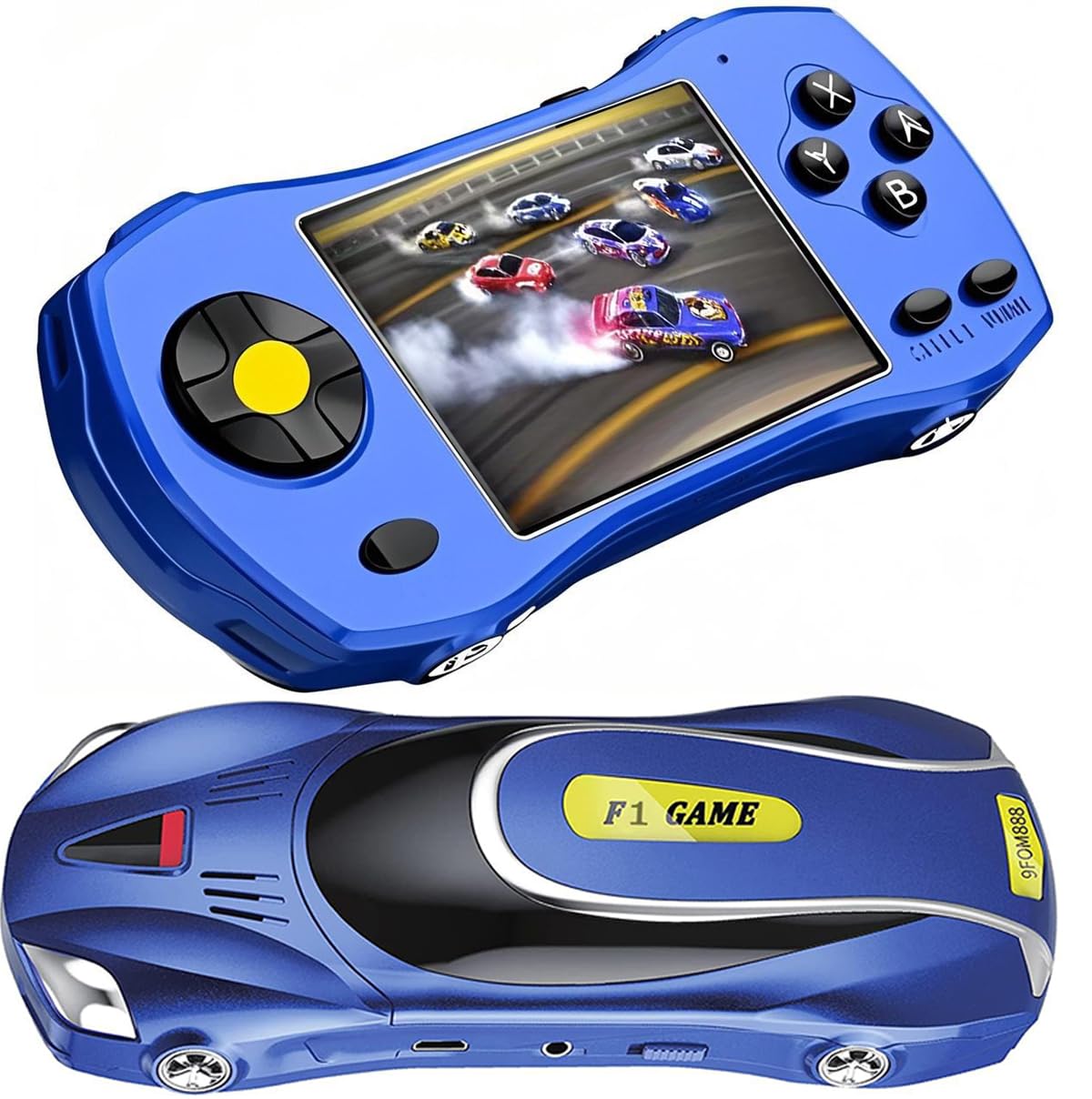
Over 200 classic games in a slim blue body that disappears into a carry‑on bag.
The YOROSY is a 3.0‑inch LCD handheld preloaded with 200+ retro games spanning entertainment, sports, adventure, and puzzles. The body is just 6×3×1.2 inches and weighs 0.24 kg, making it the lightest full‑featured console in this lineup. The rechargeable 1200mAh lithium battery delivers 5 hours of play — enough for a short road trip without hunting for a USB cable.
The biggest praise is the game selection: owners consistently say the 200+ variety keeps a 6‑year‑old entertained during downtime on a cruise or in the car. The ergonomic shape fits well in small hands, with a button layout that is straightforward enough for a 4‑year‑old to start pressing immediately.
There is a trade‑off here. The battery life is “not the very best” as some owners put it — one buyer keeps it plugged in the car because the charge does not last a full day. The games are also very old‑school (Atari‑ and Tandy‑style), so some lack on‑screen instructions, which means a 4‑year‑old may need an adult to explain the rules.
Value argument: 200+ games for the same price as the X‑JOYKIDS’ 168. The 5‑hour battery is still solid, and the build quality gets consistent praise for being sturdy despite the low weight.
The shortfall: Older game styles mean no modern educational content. The charging uses mini‑USB (not USB‑C), and the UI has paginated game lists that can frustrate an impatient toddler.
Reach for this if: You want the biggest game library for the lowest cost and your child enjoys simple retro‑style arcade games.
Pass if: You need educational letter/number games or USB‑C charging convenience.
5. LeapFrog Leapster Ultra Handheld Learning Game Console

The controller‑shaped handheld that teaches preschool skills without internet, downloads, or frustration.
The Leapster Ultra is shaped like a real grown‑up controller, with a bonus spinner and a rotating screen that adds unique ways to play. It comes with 30+ bite‑sized games that explore preschool and kindergarten skills — letters, numbers, shapes — across three skill levels that auto‑adjust as the child improves. No Wi‑Fi, no account setup, no downloads: pull it from the start, insert four AA batteries, and it is ready.
Owners with 4‑year‑olds repeatedly call this a “great alternative to traditional video games,” noting that even children with autism pick up the fundamentals quickly. The educational content is deep enough to introduce pre‑reading skills, and the rotating screen means the handheld can sit flat like a mini tablet or stand upright like a console. The characters on LeapFriends Island (a farm, airport, fire station) make learning feel like play.
One owner noted the device has “too much talking” for a child who gets overstimulated easily. It is also the priciest unit in this roundup and runs on four AA disposables — a rechargeable option would have been better at this price tier.
Why it stands out: The only console here with three adjustable skill levels, so it grows with your 4‑year‑old through kindergarten. The rotating screen and spinner are genuinely unique interaction methods that keep kids engaged.
The honest downside: Runs on four AA batteries (disposables, not included for regular use). The 30‑game library is small compared to the 200+ units, and the constant voice prompts can overwhelm a sensory‑sensitive child.
Who this is for: Parents who want the most educational console available — one that teaches school readiness rather than just distraction.
Not for you if: You need a rechargeable device or your child gets frustrated by voice‑heavy guidance.
6. Beico Handheld with 268 Retro Video Games

The biggest game library in the class — 268 classics — packed into a slim 0.8‑inch thick travel companion.
The Beico handheld is just 6×2.8×0.8 inches and 0.8 inches thick — the slimmest console here, designed to slide into a back pocket or a small carry‑on pouch. It packs 268 classic retro games (puzzle, action, educational, sports) that run on a 3.0‑inch LCD screen. The rechargeable battery delivers 4–5 hours of play, which is on the shorter side, but the USB micro charging port means you can top it up from any portable battery.
The user‑friendly design is the big selling point: the joystick and button layout is intuitive enough that even 4‑year‑olds can start playing without help. Reviewers point out clear color pictures, volume control, and great battery life — one owner charged it only once in four days of intermittent play.
Some units have reliability issues. One owner reported the device stopped working unless plugged into the charger, and another noted many games are clones of each other (about 50 unique games out of the 268 claimed). The screen is also just 43×56mm, which is small for long play sessions.
The biggest draw: 268 games at the lowest price point in this review. The slim profile and joystick control make it the most portable option for a diaper bag or glovebox.
The shortcoming: The battery is the worst in class at 4 hours. Some units arrive defective or stop holding a charge after a few weeks, and the game library has significant overlap and clones.
Best for: Budget‑minded families who want the largest game variety possible and can handle the occasional durability issue.
skip it if: You need a reliable, long‑lasting battery or a console that will survive heavy daily use without breaking.
7. Lexibook Cyber Arcade Console Paw Patrol Edition

The only console with 10 official Paw Patrol games — a must‑have for kids obsessed with Chase and Marshall.
This Lexibook Cyber Arcade features 150 games, including 10 official Paw Patrol titles that let kids hunt monsters, score goals, and race with their favorite pups. The 2.5‑inch LCD color screen is small but serviceable, and the unit itself is very lightweight at just 0.15 pounds — light enough for a 4‑year‑old to hold for extended periods without tiring. It runs on three AAA batteries (not included).
The quality of the unit gets consistent praise: owners call it “great quality” and “easy to use.” The body is small at just 4.88×2.52×0.79 inches, making it extremely pocketable. For a toddler who loves Paw Patrol, the branded games are a huge draw — it is the only console here that taps into that specific character appeal.
The battery situation is the big problem. Shoppers say the batteries drain “very quickly” — one reviewer noted new batteries lasted only an hour of play. The 2.5‑inch screen is also the smallest in this roundup, and some of the non‑Paw Patrol games are too complicated for a 4‑year‑old to figure out without help. A 13‑year‑old grabbed one unit and loved it, but the 4‑year‑old struggled.
Unique advantage: The only console with 10 official Paw Patrol games — your 4‑year‑old will recognize the characters and music immediately.
The real cost: Three AAA batteries are not included and drain fast (many buyers report 60–90 minutes of play). You will spend more on batteries than the console itself within a few months.
Reach for it if: Your child is deeply attached to Paw Patrol and you are okay swapping batteries regularly (or using rechargeable AAAs).
Avoid if: You want a rechargeable console that lasts a full road trip — the disposable batteries make this impractical for long travel.
8. Lexibook Cyber Arcade Racing Console

The motion‑sensing tilt control turns the console into a steering wheel — great for active kids who get bored pressing buttons.
This Lexibook Racing console swaps standard button control for a built‑in motion sensor: tilt the device left and right to steer vehicles in racing games, or angle it forward for action challenges. It includes 30 preloaded games — racing, action, and puzzles — on a 2.8‑inch color LCD screen. The integrated handles on each side make it easy for small hands to grip while tilting.
The motion control is genuinely novel. A 4‑year‑old who has trouble with D‑pad precision can simply lean the console side to side, which feels more intuitive and active. The customizable brightness and volume settings are a thoughtful touch for parents who want to adjust the screen for car rides or quiet time. The unit runs on two AA batteries (not included).
The drawbacks are significant here. With a 3.6‑star rating across 389 ratings, it has the lowest owner satisfaction in this roundup. Some units arrive non‑functional (multiple owners mention “junk” or “doesn’t work”), and the 30‑game library is the smallest of any console here. The screen is also described as fragile — one buyer mentioned “the screen is fragile, so buyer beware.” At this price, the reliability gap is hard to ignore.
Why it is different: The tilt control is genuinely unique and perfect for an active 4‑year‑old who wants to physically move rather than sit still pressing buttons.
The reliability problem: The lowest owner rating in the roundup. Defective units are reported often, the screen is fragile, and the 30‑game library is thin. The Lexibook battery life is also poor on disposables.
Who might love it: A child who gets bored sitting still and loves the physical sensation of tilting a steering wheel.
Better to skip if: You value reliability and a sturdy game library — the cheaper YOROSY or Beico offer far more games with fewer defect reports.
9. LUHYAUAN 16‑Bit Handheld with 230 Games
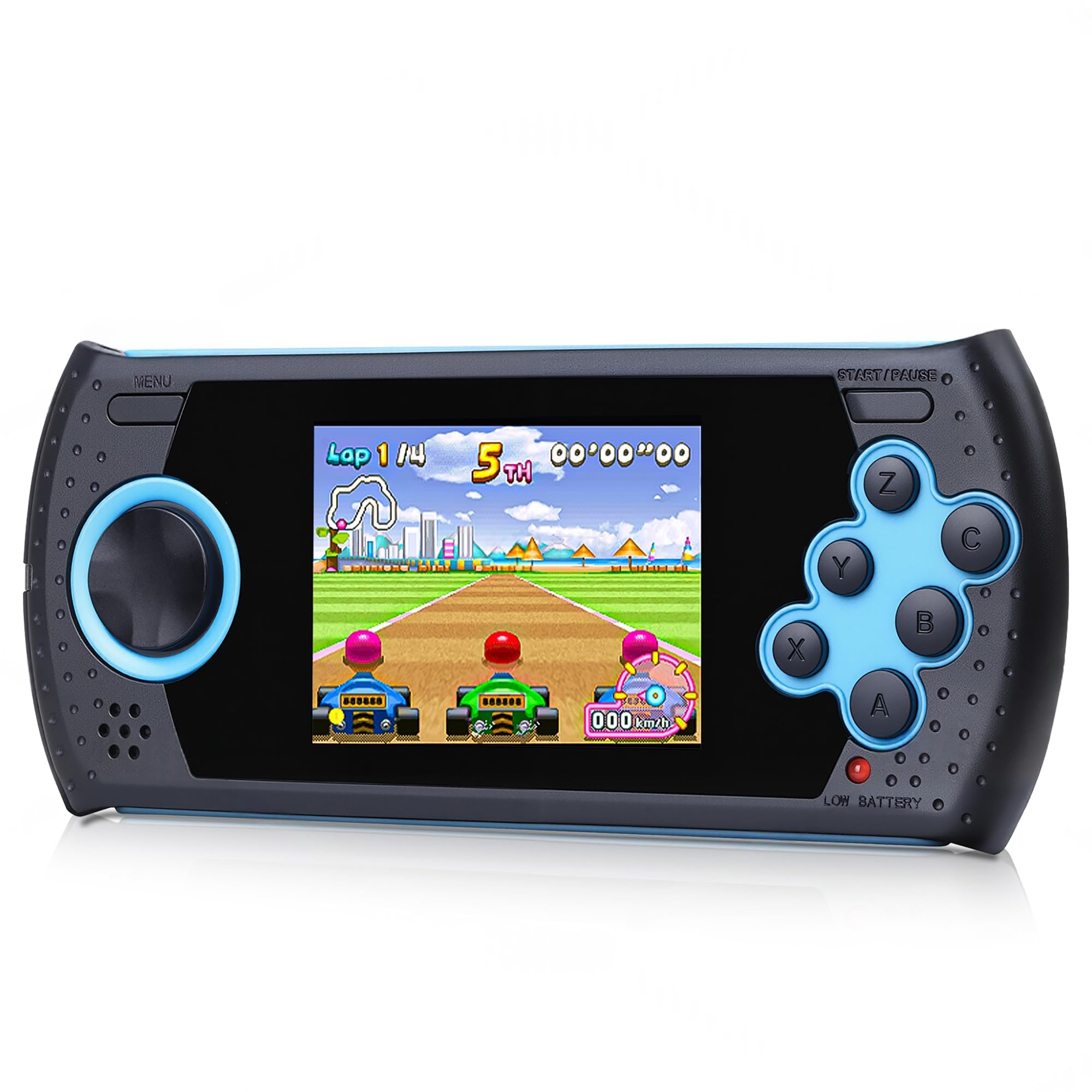
A 3.0‑inch HD display and 230 non‑violent games make this the sharpest‑screen budget option for cautious parents.
The LUHYAUAN 16‑Bit handheld runs 230 HD games spanning sports, logic, memory, adventure, racing, puzzles, and math — all specifically non‑violent. The 3.0‑inch HD display provides a clear, crisp picture that looks noticeably sharper than the standard LCD screens on the YOROSY and Beico units. The high‑strength plastic shell is tested to withstand “violent behavior by children,” as the maker puts it, making this one of the more durable options here.
The 5‑hour rechargeable battery matches the YOROSY, and the USB charging is straightforward. The lightweight body at 5.9×2.2×0.6 inches is easy to slip into a backpack or carry‑on. The educational objective — developing hand‑eye coordination, thinking, and problem‑solving skills through non‑violent gameplay — is a clear differentiator for parents who want screen time without gunfire or explosions.
The game selection is good but not perfect. Some customers note many “games that last only a minute” and the reliability is mixed — some units arrive with games that won’t load or break after a single use. The charging also gets occasional complaints about the micro‑USB port being finicky. Compared to the LeapFrog Leapster, the educational depth is shallow; these are arcade mini‑games, not structured learning.
Best screen in this price tier: The 3.0‑inch HD display produces noticeably better color and sharpness than the YOROSY or Beico. The shatterproof shell also gives this a durability edge over the Lexibook units.
The downside: Reliability is a real gamble — some units break quickly or arrive non‑functional. The game library has a lot of filler that lasts a minute or less, and the micro‑USB port can be unstable.
Reach for this if: You want the sharpest display in the budget tier and you value a console that is explicitly non‑violent.
Look elsewhere if: Reliability is your top priority — the LeapFrog and X‑JOYKIDS units have far fewer defect reports.
Understanding the Specs
Battery Life (Hours, Not Hype)
The number of hours a single full charge lasts is the single most practical spec for a 4‑year‑old’s console. A 4‑5 hour battery (Beico) is fine for a short trip around town, but you will reach for a 6‑hour unit (X‑JOYKIDS, Beijue) on a flight or long drive. Lithium rechargeable batteries are far cheaper over time than disposables — the Lexibook units burn through AAA cells in 60–90 minutes, which adds up fast. The battery average life rating in hours is usually a realistic high estimate; expect slightly less with brightness up and volume maxed.
Screen Size and Display Type
The screen diagonal in inches (2.5″ to 3.5″) determines how easy the games are to see at arm’s length. A 2.5‑inch screen (Lexibook Paw Patrol) is small enough that a preschooler may need to squint. A 3.5‑inch IPS screen (Beijue) or a 3.2‑inch IPS screen (X‑JOYKIDS) is far more comfortable. IPS panels offer wider viewing angles — up to 178° — so two kids can crowd around without washing out the picture. HD displays (LUHYAUAN) offer sharper pixels, but at this screen size, the difference is less dramatic than the panel type.
FAQ
Which console is easiest for a 4‑year‑old to use without help?
Do any of these consoles work without Wi‑Fi or internet?
Rechargeable versus disposable batteries: which is better for a preschool console?
How many games do I actually need for a 4‑year‑old?
Are these consoles safe for a 4‑year‑old to play while charging?
Which console has the best screen for young eyes?
Can I connect any of these consoles to a TV?
Will a 4‑year‑old be able to play the tilt‑control Lexibook Racing console?
Which console has the longest battery life for a long car ride?
Is it worth spending more on the LeapFrog Leapster Ultra versus a cheaper handheld?
Final Thoughts: The Verdict
For most families, the best consoles for 4 year olds winner is the LeapFrog 2‑in‑1 LeapTop Touch because it smoothly blends phonics and number education with a fun laptop‑to‑tablet design that a preschooler can navigate alone. If you want the brightest screen and longest battery life for travel, grab the Beijue Handheld with 3.5″ IPS. And for parents who want structured kindergarten readiness instead of arcade filler, the LeapFrog Leapster Ultra is the clear educational choice.
How We Picked
We do not accept paid placement. Every pick is matched to a real buyer and a real use-case; we do not hands-on test units.
Sources & Methodology
Specifications: manufacturer listings and product documentation. Review insights: verified customer reviews, as of July 2026. Pricing: not shown on this page (it changes often); check the current price via the retailer link.
As an Amazon Associate, WellFizz earns from qualifying purchases. This does not affect which products we feature.
Related Guides

Mo Maruf
I created WellFizz to bridge the gap between vague wellness advice and actionable solutions. My mission is simple: to decode the research and give you practical tools you can actually use.
Beyond the data, I am a passionate traveler. I believe that stepping away from the screen to explore new environments is essential for mental clarity and physical vitality.