Our readers keep the lights on and my smoothie glass nicely filled. As an Amazon Associate, I earn from qualifying purchases.
Specs are compiled from manufacturer listings and verified buyer reviews and can change over time — please confirm the key details on the product page before buying.
The wrong CAD monitor leaves you zooming in and out constantly, second-guessing whether that edge is truly aligned. The right CAD monitor makes your modeling software feel like an extension of your hand — crisp vectors, immediate motion, and a canvas big enough to hold your toolbars and your design side by side.
I’m Mohammad Maruf — the founder and writer behind WellFizz. This guide is built by comparing the manufacturers’ published specifications and the patterns across verified customer reviews, so you get each pick’s real strengths and trade-offs instead of marketing spin.
Whether you are drafting mechanical parts or architectural sections, finding one of the best computer monitors for cad means matching panel resolution, refresh rate, and screen real estate to the way your software actually renders geometry.
Our Picks at a Glance


How To Choose The Best Computer Monitors For CAD
A CAD monitor is a tool, not a TV. You need pixel density high enough to resolve 0.5 mm grid lines, a panel that keeps contrast consistent when you tilt your head, and a size that fits both your model window and your reference palette without constant alt-tabbing.
Resolution: The Real Benchmark
In CAD, you are not watching video — you are reading geometry. A 27-inch 4K (3840 x 2160) panel gives you roughly 163 pixels per inch. That means fillet radii and chamfer edges appear as smooth curves, not jagged stairsteps. At QHD (3440 x 1440) on a 34-inch ultrawide, the pixels are slightly larger, but the horizontal room lets you park your property panel and layer manager next to the viewport without shrinking the canvas.
Panel Type and Contrast
IPS panels keep color and brightness stable from nearly every angle — essential when you lean in to inspect a tight tolerance. VA panels offer higher native contrast (3000:1), which makes shaded 3D views pop, but viewing angles are narrower. The newer IPS Black technology splits the difference, hitting a 2000:1 contrast ratio with IPS viewing stability, making shaded models look deeper without washing out when you shift position.
Refresh Rate and Motion
You do not need 240 Hz for CAD. But a 100 Hz or 120 Hz panel makes orbiting a 3D assembly feel fluid — no stutter when you rotate the viewport, no tear line across a pan. Monitors with AMD FreeSync or Nvidia G-Sync also help if your workstation GPU can sync frames, eliminating that micro-judder during real-time orbit operations.
Quick Comparison
| Model | Best For | Resolution | Panel Type | Connectivity | Amazon |
|---|---|---|---|---|---|
| Dell 27 Plus 4K (S2725QS)★ Best Overall | Everyday precision | 3840 x 2160 | IPS | HDMI, DP | Amazon |
| Samsung ViewFinity S50GCScreen Real Estate Champ | Spreadsheet multitasking | 3440 x 1440 | VA | HDMI, DP | Amazon |
| LG 34U650A-BLaptop Powerhouse | Single-cable laptop CAD | 3440 x 1440 | IPS | HDMI, DP, USB-C 96W | Amazon |
| ASUS ProArt PA279CRV | Color-critical modeling | 3840 x 2160 | IPS | HDMI, DP, USB-C 96W | Amazon |
| ASUS ProArt PA279CV | Budget color accuracy | 3840 x 2160 | IPS | HDMI, DP, USB-C 65W | Amazon |
| Samsung ViewFinity S7 S70D | Large-screen detail | 3840 x 2160 | VA | HDMI, DP, USB-C | Amazon |
| BenQ PD3205U | Mac-based CAD suites | 3840 x 2160 | IPS | HDMI, DP, USB-C 90W | Amazon |
| Dell UltraSharp U2725QE | Thunderbolt docking | 3840 x 2160 | IPS Black | Thunderbolt 4 140W | Amazon |
| Dell UltraSharp U3425WE | Ultrawide multitasking | 3440 x 1440 | IPS | Thunderbolt 4, Ethernet | Amazon |
| BenQ PD3225U | Mac design pro | 3840 x 2160 | IPS Black | Thunderbolt 3 85W | Amazon |
In‑Depth Reviews
1. Dell 27 Plus 4K Monitor – S2725QS
Our pick — over 4★ from 900+ verified ratings; the strongest balance of quality and price.
The 4K workhorse that brings fluid orbit to your CAD viewport without the premium price.
You get a 27-inch 4K (3840 x 2160) IPS panel with a 120Hz refresh rate — that means orbiting a complex assembly in SolidWorks or Fusion 360 feels smooth, not choppy. The 1500:1 contrast ratio gives shaded surfaces more depth, and the 99% sRGB coverage keeps rendered previews reasonably accurate. ComfortView Plus cuts blue light emissions to ≤35% without washing out the color, a real advantage for day-long modeling sessions.
The stand adjusts for height, tilt, swivel, and pivot, so you can dial in the exact angle for reviewing detailed drawings. It also includes built-in speakers with improved frequency response over the previous generation, which is handy for design-review calls. The image quality is what owners praise most; from the data, well over 150 buyers single out the crispness and color. The trade-off is the group of users who note slight ghosting in fast games — but for CAD, the 0.03 ms response time is more than adequate.
Viewport fluidity: The 120Hz refresh is a genuine step up from 60 Hz. Panning across a large 2D drawing or rotating a 3D model feels immediate, and AMD FreeSync Premium keeps the motion tear-free when paired with a compatible GPU.
Reach for this if: you want a sharp, responsive 4K panel that handles both precision modeling and everyday office work without a second thought.
Think twice if: you need ultrawide screen real estate for side-by-side toolbars — a 16:9 panel at 27 inches can feel cramped when your CAD UI fills half the screen.
2. Samsung 34″ ViewFinity S50GC Series Ultrawide QHD Monitor
A 34-inch canvas that splits your viewport and toolbox without splitting your desk.
The 21:9 aspect ratio at 3440 x 1440 resolution gives you roughly 30% more horizontal space than a standard 16:9 27-inch screen. That means you can keep your model window full-width while your layer manager, properties palette, and command line sit comfortably to the side. The VA panel delivers a 3000:1 static contrast ratio — so shaded 3D surfaces and dark mode UIs look noticeably deeper. The 100Hz refresh rate is enough to make viewport panning feel fluid, and AMD FreeSync keeps it smooth.
Picture-in-Picture (PIP) and Picture-by-Picture (PBP) let you view two input sources at once, which is useful if you reference a datasheet on a second computer while modeling. The ambient light sensor adjusts brightness automatically, and Eye Saver Mode cuts blue light. The main catch: as owners describe it, the built-in speakers are poor and the stand can feel wobbly — most buyers recommend a monitor arm. The 34-inch width also means you need deep desk space.
Ultrawide workflow: For CAD users who need toolbars and reference material always visible, this format is a standout. The high contrast also makes wireframe edges pop against dark backgrounds better than most IPS panels.
Grab this for: a spacious workspace where you can spread out your CAD interface without stacking windows.
skip it if: your desk depth is under 24 inches — the 34-inch width and wobbly stock stand demand a dedicated mount and enough real estate.
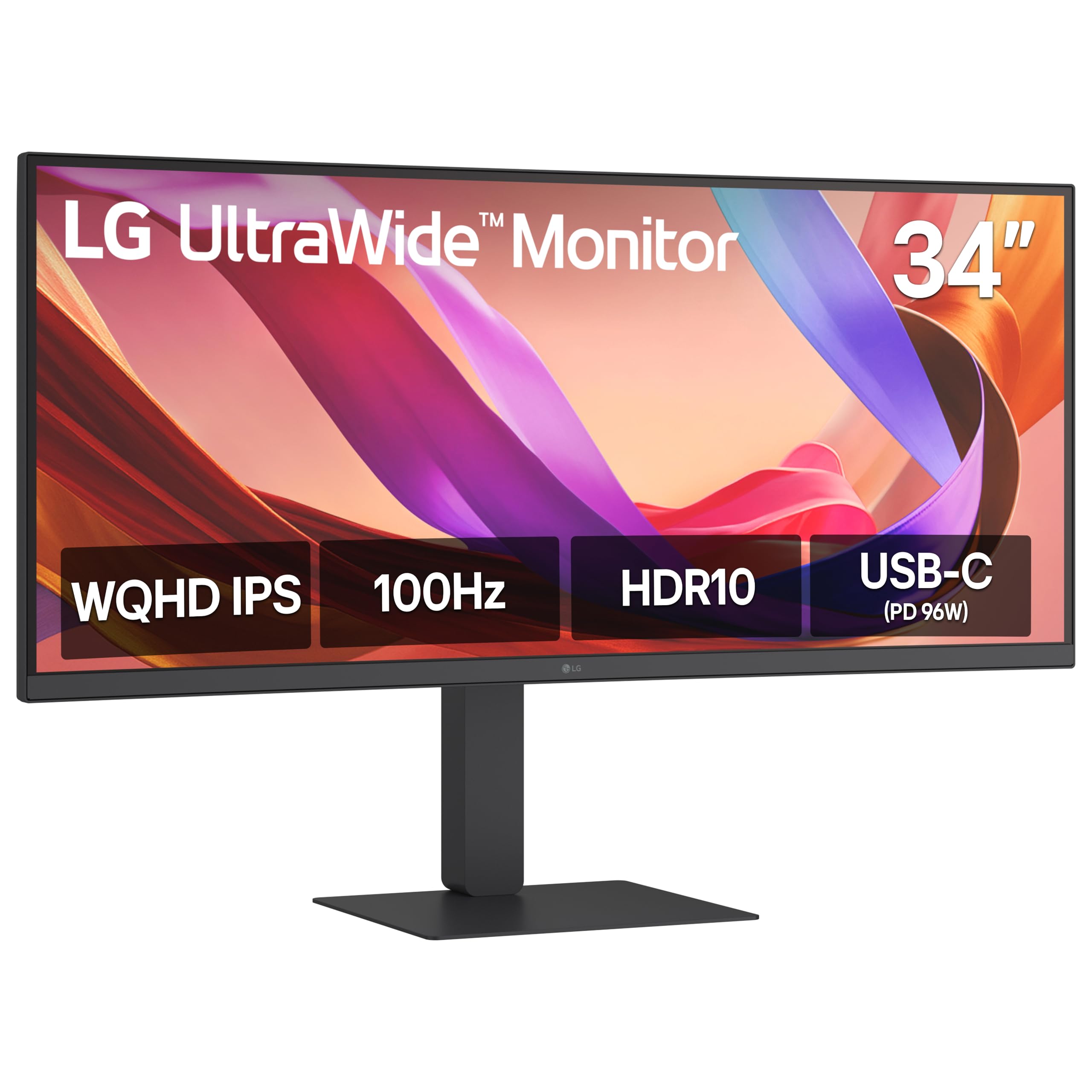
3. LG 34U650A-B 34-inch UltraWide WQHD IPS Curved Monitor
One USB-C cable charges your laptop and feeds it a wide IPS canvas.
The LG 34U650A-B pairs a curved 34-inch 21:9 WQHD (3440 x 1440) IPS display with USB-C power delivery up to 96W — so a single cable handles video signal, data transfer, and laptop charging. The 3800R subtle curve wraps the image around your field of view, making long modeling sessions less fatiguing than a flat panel of the same width. The 100Hz refresh rate and 5ms response time keep orbit and pan operations smooth, matching the Samsung above on fluidity but adding the wider viewing angles of IPS.
Up to 99% sRGB coverage and HDR10 support deliver balanced color for rendering previews. The built-in DepthSound speakers are a step above basic monitor audio, useful for video calls and walkthroughs. The Switch app lets you split the screen into up to six sections — ideal for arranging your CAD layout, reference PDF, and email simultaneously. Owners love the clean single-cable setup, and while a few units ship with minor pixel defects, the general consensus is that the screen quality is solid.
Single-cable convenience: The 96W power delivery means a 14-inch or 16-inch laptop stays charged through the monitor. No extra power brick needed on your desk.
Best for: laptop-based CAD users who want a clean desk with one connection for video, data, and charging.
Consider the alternative: if you do not need the ultrawide format, a 27-inch 4K panel gives you higher pixel density for the same budget.
4. ASUS ProArt Display 27” 4K HDR Professional Monitor (PA279CRV)

Factory-calibrated color so your renders look the same on screen and on paper.
The PA279CRV delivers 27 inches of 4K (3840 x 2160) IPS with 99% DCI-P3 and 99% Adobe RGB coverage — color spaces that matter when your CAD output feeds into rendering or presentation workflows. It is Calman Verified and factory pre-calibrated to Delta E < 2, meaning each unit ships with a report proving the color accuracy. For architects and product designers who present client-ready renders straight from the modeling app, that consistency is invaluable.
Connectivity includes USB-C with 96W Power Delivery, DisplayPort, and HDMI, plus a built-in USB hub. The stand offers tilt, swivel, pivot, and height adjustment, and the 178-degree IPS viewing angles mean two people can review a drawing without color shift. The monitor quality is where owners focus praise; the main caveat is that a few owners note needing to tweak power-saving settings to avoid wake-up glitches. The 60Hz refresh rate is fine for CAD — motion fluidity is lower than the Dell above, but for precision modeling it is not a bottleneck.
Strengths
- Factory-calibrated color with Delta E < 2 accuracy
- USB-C 96W PD powers your laptop
- Full ergonomic stand with pivot
Limitations
- 60Hz refresh — no 120Hz smoothness
- Some buyers report power-saving quirks
Perfect for: CAD professionals who also produce client-facing renders or presentations where color fidelity is non-negotiable.
Not for: users who prioritize high-refresh viewport orbiting — this panel is about accuracy, not speed.
5. ASUS ProArt Display PA279CV 27” 4K HDR Monitor

ASUS ProArt color science at a price that does not hurt the project budget.
The PA279CV is the slightly more affordable sibling of the PA279CRV, offering 100% sRGB and 100% Rec. 709 coverage with factory calibration to Delta E < 2. It is Calman Verified and comes with a pre-calibration report in the box. For CAD users who work primarily in sRGB workflows — most architectural and engineering software defaults — this panel gives you trustworthy color without the premium of the wider DCI-P3 gamut. The 27-inch 4K (3840 x 2160) IPS display keeps lines sharp and viewing angles wide.
Connectivity includes USB-C with 65W Power Delivery, DisplayPort, HDMI, and a USB 3.1 hub. The stand supports tilt, swivel, pivot, and height adjustment, including 90-degree pivot for reviewing tall drawings. The monitor quality and color accuracy are the top positives noted by owners. The recurring honesty from reviews: USB-C connectivity can be picky with some Mac models, and a few users report units that fail to power on — a risk at this price tier. For the majority, the image quality is excellent for the cost.
Value analysis: You get the same Delta E < 2 calibration and 4K resolution as the pricier PA279CRV, with a narrower but still useful color gamut. The 65W PD is enough for most ultrabooks but not for larger workstations.
Choose this if: your CAD work stays within standard sRGB color spaces and you want professional-grade accuracy without overspending.
Look elsewhere if: you need wider DCI-P3 coverage for rendering, or your workflow relies on flawless USB-C/Thunderbolt handshake with a Mac.
6. SAMSUNG 32-Inch ViewFinity S7 (S70D) Series 4K UHD Monitor

A roomy 32-inch 4K canvas with the high contrast that makes shaded models pop.
The ViewFinity S7 pairs a 32-inch 4K UHD (3840 x 2160) VA panel with a 3000:1 contrast ratio — the same VA advantage as the ultrawide Samsung above, delivering deep blacks and strong surface depth in shaded 3D views. The larger 32-inch size at 4K gives you physically larger UI elements without losing pixel density (still 140 PPI), so your toolbars and icons are comfortable to read while your model stays crisp. HDR10 support adds a bit more dynamic range for presentations.
Port selection is solid: HDMI, DisplayPort, USB-A, and USB-B ports for peripherals. The Easy Setup Stand requires no tools or screws — just push a button to adjust. Advanced Eye Care includes an ambient light sensor and TÜV-certified flicker-free backlight to reduce strain during long drafting sessions. The display quality gets the most praise, with owners calling the 4K sharpness a major upgrade from FHD. The mixed feedback centers on color quality — some users find the VA panel colors slightly less vibrant than IPS, and a few units arrive with dead pixels or software quirks.
Comfort factor: The 32-inch size at 4K hits a balance for CAD — enough room for a large viewport plus toolbars, without the scaling headaches of a 27-inch 4K.
Ideal for: CAD users who prefer a single large screen over a dual-monitor setup, especially if you work with dark mode UIs where VA contrast shines.
Be aware of: the slight color calibration variance from the start — you may need to adjust settings to match your preferred color temperature.
7. BenQ PD3205U Mac-Ready Monitor 32″ 4K UHD

Mac-native color matching and hardware calibration for design pros.
The PD3205U is a 31.5-inch 4K UHD (3840 x 2160) IPS display with 99% sRGB and 99% Rec.709 coverage — the video-standard color space used in many CAD visualization pipelines. It is Calman Verified and Pantone Validated, with a Delta E ≤ 3 factory calibration. For Mac users, the ICC Sync feature automatically aligns the monitor profile with your Mac’s color settings, so the model you see in Fusion 360 matches what exports to Keynote. The Hotkey Puck G2 lets you switch inputs or color modes without diving into OSD menus.
USB-C delivers up to 90W of power to your laptop, with DisplayPort Alt Mode and data transfer over a single cable. The KVM Switch lets you control two computers with one keyboard and mouse — handy if you test models on both a PC workstation and a MacBook. The image quality and build quality are the most praised aspects, with owners calling the 32-inch size perfect for side-by-side windows. The speakers are weak, and some find brightness a bit low for very bright rooms.
Standout Features
- Pantone Validated and Calman Verified color
- Hotkey Puck for instant mode switching
- USB-C 90W PD with KVM
Trade-offs
- Built-in speakers are weak
- Brightness caps at 350 nits — not ideal for sunlit rooms
Top choice for: Mac-based CAD workflows where color accuracy across the design-to-presentation pipeline is critical.
Not for: users who need high peak brightness or rely on built-in speakers for daily work.
8. Dell UltraSharp U2725QE 27 Inch 4K UHD IPS Black Monitor

IPS Black contrast meets a Thunderbolt hub in a single 4K 120Hz package.
The U2725QE uses Dell’s IPS Black technology to deliver a 2000:1 contrast ratio — double the 1000:1 of standard IPS panels — while maintaining the wide viewing angles IPS is known for. That means shaded CAD models look deeper and richer, with blacks that approach VA territory without the color shift off-angle. At 27 inches and 3840 x 2160 resolution, the pixel density is high enough for crisp linework, and the 120Hz refresh rate gives you fluid viewport orbit. The Delta E less than 1.5 factory calibration ensures the color is accurate from the start.
The Thunderbolt 4 port delivers up to 140W of power delivery — enough for even a 16-inch MacBook Pro at full load — and supports daisy-chaining to a second 4K monitor. It also includes HDMI 2.1, USB-C, USB-A, and Ethernet ports, essentially functioning as a dock. Owners praise the quality and image quality, with the built-in KVM being a real desk-space saver. A few Mac users report compatibility hiccups, and some units arrive with coil whine, though these appear limited.
Hub integration: The Thunderbolt 4 port with 140W PD turns this monitor into the center of your desk — one cable handles video, peripherals, and full laptop charging.
Best for: professionals who want a high-refresh 4K panel with deep contrast and a built-in docking station, especially with a Thunderbolt-equipped laptop.
Consider the S2725QS instead if: you do not need Thunderbolt or the extra contrast — the 27 Plus delivers similar fluidity at a significantly lower price.
9. Dell UltraSharp 34 Monitor – U3425WE, 34-inch UltraWide QHD
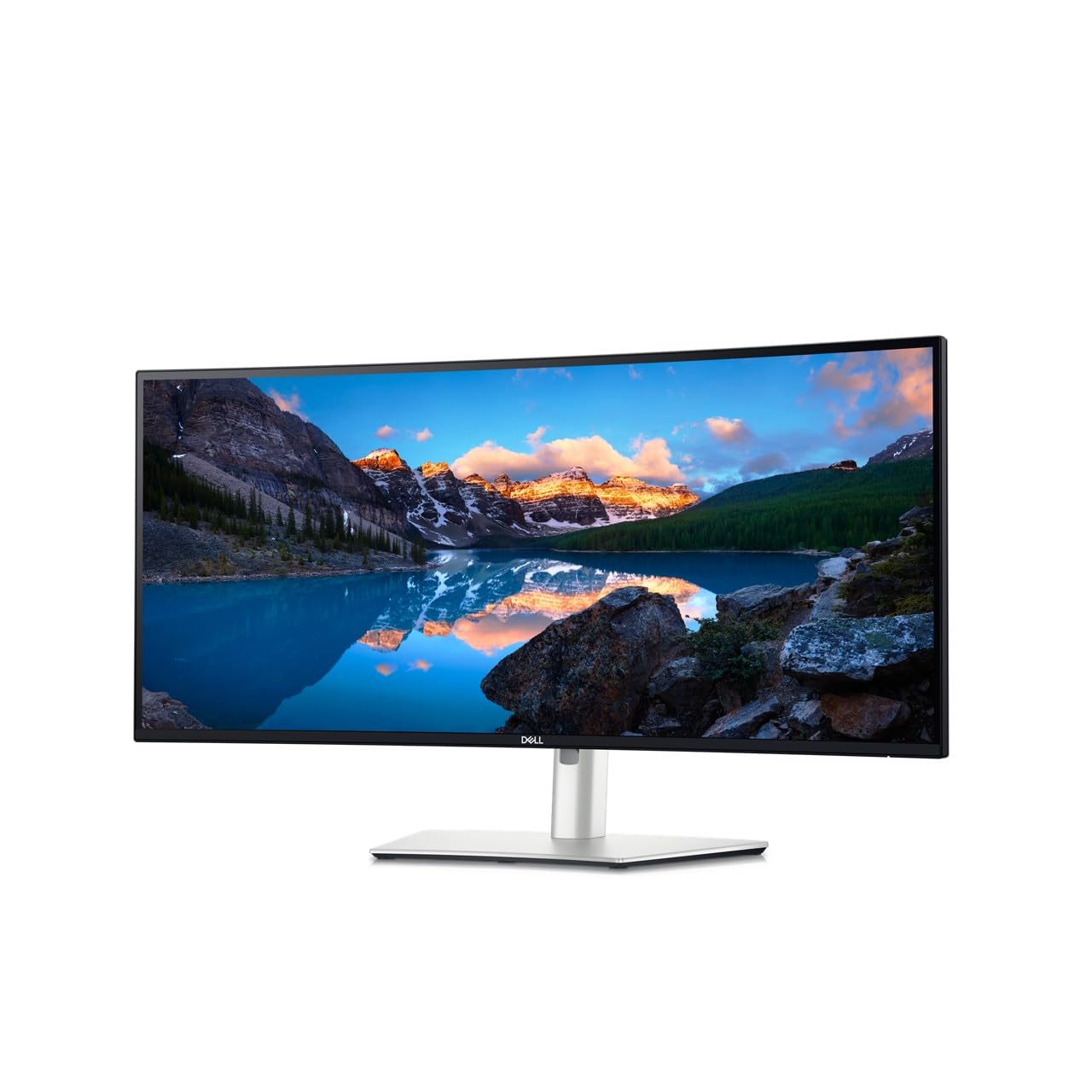
A curved ultrawide with an integrated dock built for split-screen CAD productivity.
The U3425WE is a 34-inch 21:9 curved IPS display at 3440 x 1440 resolution, coupled with Thunderbolt 4, Ethernet, and multiple USB ports built directly in. The 2000:1 contrast ratio (from the IPS panel) provides solid depth, and the 300 nits brightness is adequate for most indoor environments. The Digital Daisy Chain and Picture by Picture features let you connect multiple sources and view them side by side at native resolution — a genuine advantage when you run CAD on one computer and a simulation tool on another.
The monitor quality and productivity gains receive the most praise from buyers. The generous horizontal space allows your full modeling toolbar to sit to the left while the viewport occupies the center and right. The built-in hub powers and connects a laptop through a single Thunderbolt cable, and the ambient light sensor adjusts brightness automatically. The main drawbacks: the 60Hz refresh rate means viewport orbit is less fluid than the 120 Hz panels above, and a small number of owners experienced dead pixels that fell outside Dell’s warranty replacement threshold.
Productivity hub: The combination of a 34-inch canvas and Thunderbolt 4 docking means you can run dual-source workflows without extra cables or a separate dock.
Perfect for: users who need a single ultrawide display with built-in docking for a clean, cable-free desk — especially if you frequently split-screen between two computers.
Consider the Dell U2725QE if: you prefer higher pixel density and 120 Hz fluidity over ultrawide width.
10. BenQ PD3225U 32 Inch 4K IPS Black UHD Thunderbolt Monitor

IPS Black depth plus Mac-native color matching in a 32-inch design-grade panel.
The PD3225U uses IPS Black technology for a 2000:1 contrast ratio — giving you shaded model surfaces that look deep and realistic without the viewing-angle compromises of a VA panel. The 32-inch 4K UHD (3840 x 2160) panel covers 98% DCI-P3 and 100% sRGB and Rec.709, with Delta E ≤ 2 factory calibration. The M-Book mode matches the color performance of a MacBook display, so your CAD model looks consistent between your laptop screen and the external monitor.
Thunderbolt 3 provides 40 Gb/s bandwidth and up to 85W power delivery, supporting daisy-chain for a multi-monitor setup. The Display Pilot 2 software and Hotkey Puck make input switching and brightness control easy. The anodized metal stand is both elegant and fully adjustable. Display quality is the top praise, with owners calling it excellent for photography, design, and video editing. It is slightly dimmer (250 nits) than some competitors, so a very bright office may require window shades. A few owners note slow wake times from sleep on Mac Studio.
Ace Features
- IPS Black with 2000:1 contrast
- M-Book mode for Mac color matching
- Thunderbolt 3 with 85W PD
Heads-up
- 250 nits brightness is lower than most competitors
- Wake time can be slow with Mac Studio
Your pick if: you work on a Mac and want deep IPS contrast with factory color calibration that matches your laptop screen.
Look elsewhere if: you need a bright panel for a sunlit studio — the 250-nit max may feel dim.
Understanding the Specs
Resolution and Pixel Density
Resolution determines how many pixels your monitor uses to draw the image. In CAD, higher resolution (4K at 3840 x 2160 or 6K at 6016 x 3384) means smaller geometry — like a 0.2 mm chamfer — is rendered as a smooth curve rather than a jagged stair-step. Pixel density (PPI) matters more than screen size alone: a 27-inch 4K monitor has about 163 PPI, while a 32-inch 4K has about 140 PPI. Higher PPI is better for line detail, but it makes UI elements smaller. If you need readable icons without scaling issues, a 32-inch 4K or a 34-inch WQHD ultrawide may be more comfortable.
Panel Technology: IPS vs VA vs IPS Black
IPS panels maintain consistent brightness and color from almost any viewing angle — important when you lean in to inspect a detail or when a colleague looks over your shoulder. VA panels offer higher native contrast (3000:1), making dark models and wireframes pop, but colors shift if you view from an angle. IPS Black is a newer technology that boosts IPS contrast to 2000:1, giving you deeper blacks without losing the wide viewing angle stability, which is ideal for shaded 3D views where both contrast and color consistency matter.
Refresh Rate and Adaptive Sync
Refresh rate (measured in Hz) is how many times per second the image updates. A 60Hz monitor updates 60 times per second — fine for static drafting. A 100Hz or 120Hz monitor can make orbiting a 3D model feel much smoother, because the image updates more often as you rotate the view. Adaptive Sync technologies (AMD FreeSync or Nvidia G-Sync) match the monitor’s refresh rate to your graphics card’s output, which eliminates tearing or stuttering during real-time operations. For CAD, 100-120 Hz with FreeSync or G-Sync is a genuine productivity gain, not a gimmick.
Color Accuracy and Gamut
Color accuracy (measured as Delta E) describes how closely the monitor reproduces the intended color. A Delta E less than 2 is considered excellent — colors look true to the source file. Color gamut (sRGB, DCI-P3, Adobe RGB) defines the range of colors the monitor can display. Most CAD software uses the sRGB color space, so 99% or 100% sRGB coverage is sufficient for modeling. If you render presentations or work in video, DCI-P3 and Adobe RGB coverage become more relevant. Factory calibration ensures the monitor is accurate from the start, which saves you the hassle of manual tuning.
FAQ
Is 4K resolution necessary for CAD?
Does a high refresh rate matter for CAD?
What is the difference between IPS and VA for CAD?
Will a 34-inch ultrawide work with my CAD software?
Can I use a CAD monitor with a Mac laptop?
What is the ideal screen size for CAD?
Does color accuracy really matter for CAD modeling?
What connectivity do I need for a CAD monitor?
How many monitors do I need for CAD?
Is a curved monitor good for CAD?
Final Thoughts: The Verdict
If you want one dependable pick, the computer monitors for cad winner is the Dell 27 Plus 4K S2725QS because it combines a sharp 4K IPS panel with a 120Hz refresh rate at an accessible price — the crowd favorite across hundreds of owners. If you want ultrawide multitasking with a single-cable laptop setup, the LG 34U650A-B is a strong mid-range call. For professional color accuracy and Thunderbolt docking on a Mac, the BenQ PD3205U and Dell UltraSharp U2725QE deliver the reliability that design workflows demand. Pick based on your screen-size preference and whether viewport fluidity or color fidelity is your higher priority.
How We Picked
We do not accept paid placement. Every pick is matched to a real buyer and a real use-case; we do not hands-on test units.
Sources & Methodology
Specifications: manufacturer listings and product documentation. Review insights: verified customer reviews, as of July 2026. Pricing: not shown on this page (it changes often); check the current price via the retailer link.
As an Amazon Associate, WellFizz earns from qualifying purchases. This does not affect which products we feature.
Related Guides

Mo Maruf
I created WellFizz to bridge the gap between vague wellness advice and actionable solutions. My mission is simple: to decode the research and give you practical tools you can actually use.
Beyond the data, I am a passionate traveler. I believe that stepping away from the screen to explore new environments is essential for mental clarity and physical vitality.