Our readers keep the lights on and my smoothie glass nicely filled. As an Amazon Associate, I earn from qualifying purchases.
Specs are compiled from manufacturer listings and verified buyer reviews and can change over time — please confirm the key details on the product page before buying.
That monthly subscription for cloud storage feels like a quiet leak in your budget—, or more every year just to keep your photos and files somewhere you can’t really see them. A cloud storage device flips that: you buy the hardware once, and your data lives on a drive you own, inside your home, accessible from anywhere. The hard part is picking the right one for your files, your network, and your comfort with setup.
I’m Mohammad Maruf — the founder and writer behind WellFizz. This guide is built by comparing the manufacturers’ published specifications and the patterns across verified customer reviews, so you get each pick’s real strengths and trade-offs instead of marketing spin.
The right cloud storage device connects your phones, laptops, and TVs to a single pool of storage you control—no recurring fees, no third-party servers holding your family photos. Whether you are wrangling terabytes of media or just want a safe place for documents, this guide breaks down the six best options, from simple single-bay boxes to fast multi-bay powerhouses.
Our Picks at a Glance

How To Choose The Best Cloud Storage Device
A NAS, or network attached storage, is a small computer built just for storing and sharing files over your home network. Unlike an external hard drive that plugs into one computer, a NAS connects to your router so every device in the house—and you from anywhere in the world—can reach your data. Choosing the right one depends on a handful of decisions that depend on how much data you have, how fast you need to move it, and how much tinkering you are willing to do.
Drive Bays and Capacity
The number of drive bays is the first fork in the road. A 1-bay NAS holds a single hard drive. It works fine for basic backups of one or two computers, but if that single drive fails, you lose everything. A 2-bay NAS lets you run RAID 1, which mirrors your data across both drives—one drive can die and your files survive on the other. Models with 4 bays or more give you even more flexibility: you can run RAID 5 or 6, which spreads data across multiple drives for space efficiency with protection. Entry-level units often accept two drives for up to 60TB or more of raw storage, while 4-bay units can easily scale into the hundreds of terabytes.
Processor and Memory (CPU and RAM)
If your only plan is file storage and occasional remote access, a modest ARM or Intel quad-core processor with 1GB to 4GB of RAM handles that easily. The moment you want to stream 4K video to your TV via Plex or run virtual machines, you need a stronger Intel x86 chip and at least 4GB of RAM—preferably upgradeable. The RAM in a NAS affects how many simultaneous tasks, users, or background apps the device can handle without slowing down. Think of it this way: a low-power chip saves electricity but struggles with video transcoding, while an Intel chip costs a bit more up front but gives you a media server that works smoothly.
Network Speed (Ethernet Ports)
The port where you plug the Ethernet cable into your router determines your maximum transfer speed. A standard 1GbE (gigabit) port tops out around 125MB/s—fine for most home use. A 2.5GbE port is 2.5 times faster, which matters if you edit video directly off the NAS or move huge photo libraries. The fastest home option you will see is a 10GbE port—this is overkill for simple backups but a lifesaver for creative professionals handling 4K footage. Many premium NAS units offer two Ethernet ports so you can combine them for even higher throughput or keep one dedicated to a separate network.
Quick Comparison
| Model | Best For | Drive Bays | Network Speed | RAM | Amazon |
|---|---|---|---|---|---|
| Synology DS124★ Best Overall | Simple single-drive backup | 1 | 1GbE | Standard (not specified) | Amazon |
| TERRAMASTER F2-425Also Great | Home multimedia hub | 2 | 2.5GbE | 4GB | Amazon |
| Asustor AS5402T | Power users and gaming | 2 + 4x M.2 NVMe | Dual 2.5GbE | 4GB (up to 16GB) | Amazon |
| QNAP TS-432X-4G-US | High-speed 4-bay backup | 4 | 10GbE SFP+ | 4GB | Amazon |
| UGREEN NAS DH2300 | Beginners moving from cloud storage | 2 | 1GbE | 4GB | Amazon |
| Asustor Drivestor 2 Gen 2 | Budget-friendly entry-level | 2 | 2.5GbE | 1GB DDR4 | Amazon |
In‑Depth Reviews
1. Synology DS124 Personal Backup & File Hub
Our pick — 4.5★ from 900+ verified ratings; the strongest balance of quality and price.
One bay, alloy steel, and Synology’s rock-solid software—simple and secure.
The Synology DS124 is a 1-bay NAS that strips away complexity: you slide in a single hard drive, connect it to your router, and let Synology’s operating system handle automatic backups from iPhones, Android phones, Macs, and Windows PCs. It uses an alloy steel enclosure, which feels considerably more premium than the plastic chassis of the UGREEN DH2300 or the Asustor Drivestor 2 Gen 2. With dimensions of 2.8″D x 6.54″W x 8.82″H and a weight of 1247 grams, it is a bit deeper but slimmer than the TERRAMASTER F2-425 (8.74″D x 4.69″W x 6.06″H, 1.3 kilograms)—a roughly 3.1x gap in depth that reflects the different internal layout. Synology offers a 2-year warranty and ongoing software updates, which buyers often cite as a major reason they stick with the brand.
The real draw here is the software. Synology DSM (DiskStation Manager) is widely considered the most polished and user-friendly NAS operating system on the market. You get features like Synology Photos for AI-powered photo organization, Surveillance Station for home security cameras with person and vehicle detection, and secure file sharing without any monthly subscription. The DS124 supports 100% data ownership, meaning your files never touch a third-party server. Customers note that the automatic phone backup works reliably from day one, and the DDNS (Dynamic DNS, a service that gives your device a fixed web address) makes remote access straightforward even if your home internet IP address changes. With 914 ratings and a 4.5 average, it has the highest customer satisfaction in this lineup.
The catch is the single drive bay. Unlike the 2-bay UGREEN or TERRAMASTER units, you have no RAID mirroring. If your drive fails, all data is gone unless you maintain a separate backup. For a single-drive NAS, you absolutely must pair it with a second backup strategy, such as an external drive or a cloud service. This NAS is also not suitable for 4K media streaming or heavy multitasking—it is a backup appliance, not a media server.
Best feature: Synology’s DSM operating system is class-leading for ease of use. You get automatic phone backups, smart photo albums, and home security monitoring from the start.
The honest limitation: With one bay and no RAID, this is not your primary data vault. It is a convenient backup hub that needs a second copy of your files elsewhere.
Perfect for: Anyone who wants a simple, automatic phone and computer backup that “just works” with the best software in the business.
Not enough for: People who need data redundancy or plan to store their only copy of important files on a NAS. You need at least a 2-bay model with RAID 1 for that confidence.
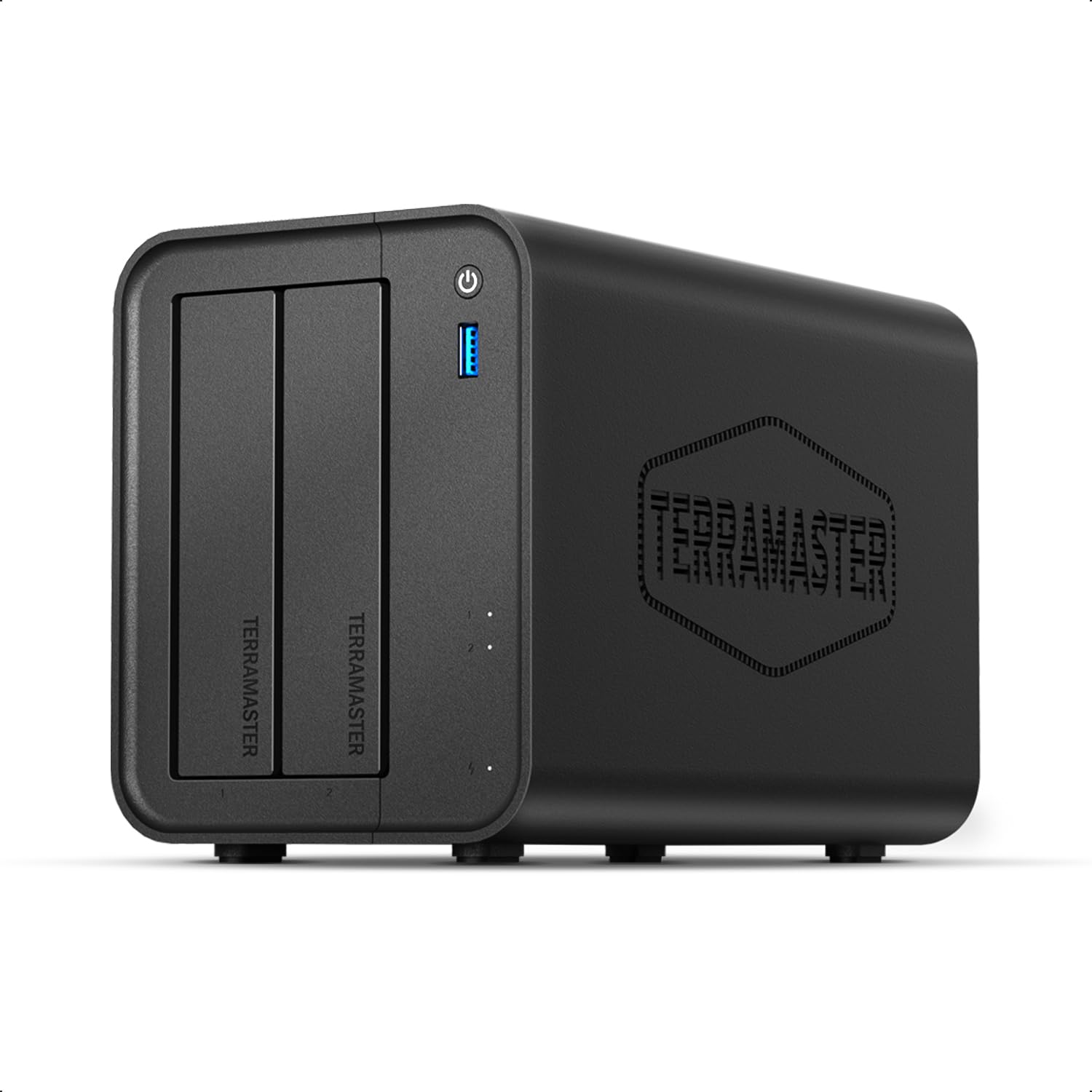
2. TERRAMASTER F2-425 2-Bay NAS
Silent enough for a bedroom, fast enough for a home media server.
You get a smooth 4K movie stream and fast file transfers without hearing a hum because the TERRAMASTER F2-425 operates at just 19dB(A)—quieter than most desk fans. Under the hood, an Intel x86 quad-core processor and 4GB RAM handle hardware-level 4K H.265 decoding, so you can run Plex, Emby, or Jellyfin and send video to any screen in the house. The 2.5GbE port provides a noticeable speed bump over standard gigabit models, which matters when multiple people are pulling files at once. It supports up to 60TB of storage across its two bays (2 x 30TB) and uses TRAID, a flexible RAID mode that the maker claims saves 30% more storage space than traditional RAID while still protecting your data. At 1.3 kilograms and just 8.74″D x 4.69″W x 6.06″H, it is compact enough to sit on a bookshelf beside your router.
Buyers report that the mobile app, TNAS Mobile, lets you complete the initial setup entirely from a phone without needing a PC—a convenience that removes one of the biggest pain points for new NAS owners. The tool-free Push-Lock HDD trays snap drives in place in about ten seconds, so adding storage later is as simple as sliding in a new hard drive. If you own a mix of Windows, Mac, Linux, Android, and iOS devices, the F2-425 plays well with all of them, and features like CloudSync keep your data in two-way sync with Google Drive, OneDrive, or Dropbox. Unlike the budget-minded Asustor Drivestor 2 Gen 2, which comes with only 1GB of RAM, the F2-425 packs 4GB from the start—enough for smooth multitasking without an immediate upgrade.
The only real trade-off here is the plastic enclosure. It won’t win any build-quality awards versus all-metal alternatives, but it keeps weight low and noise down. You also need to supply your own hard drives, since this is a diskless unit—factor that per drive into your budget depending on capacity.
What stands out
- Intel x86 quad-core handles 4K transcoding with ease
- 2.5GbE port delivers faster transfers than standard gigabit
- Ultra-quiet at 19dB(A)—fits in a bedroom or living room
- Tool-free drive trays for quick, screwless installation
The trade-offs
- Plastic casing feels less premium than metal alternatives
- Hard drives are sold separately—adds to total cost
- Only two bays, so expansion is limited
Who this is for: Home users who want a quiet, capable media server that can stream 4K movies and back up phones and laptops while staying affordable.
Who should look elsewhere: If you need four or more drive bays for massive storage growth, or if you plan to run heavy virtual machines, the 4-bay QNAP or the SSD-equipped Asustor AS5402T better fit that workload.
3. Asustor AS5402T 2-Bay NAS

Four NVMe slots make this the speed king of two-bay NAS devices.
The Asustor AS5402T gives you a rare combination: two standard 3.5-inch drive bays for bulk storage plus four M.2 NVMe SSD slots that you can use either as a super-fast cache (temporary high-speed storage) or as full flash storage. That means you get the low-latency, high-IOPS (input/output operations per second) performance of an SSD without sacrificing the capacity of spinning hard drives. It is powered by an Intel N5105 quad-core 2.0GHz processor, the same chip found in many mid-range PCs, and comes with 4GB DDR4 RAM that you can expand to 16GB if you run virtual machines or heavy workloads. With dual 2.5GbE ports, you can either run two separate networks or combine them for link aggregation, doubling your potential throughput beyond what a single port provides.
This NAS is built with an HDMI 2.0b output, so you can plug it directly into a TV or monitor for 4K playback without needing a separate media player—a feature the TERRAMASTER F2-425 lacks. The USB 3.2 Gen2 ports move data at up to 10Gbps, making external drive backups fast. Owners mention that the hardware-accelerated transcoding is smooth for Plex and mobile streaming, and the gaming-inspired design with angled ventilation gives it a distinctive look on a desk. At 1500 grams, it is slightly heavier than the Asustor Drivestor 2 Gen 2 (1160 grams) and the Synology DS124 (1247 grams), but that extra weight reflects the more capable internals and the M.2 SSD slots.
The catch is that this is a 2-bay unit—if you need more than two spinning hard drives, you have to step up to a 4-bay chassis. The price also sits firmly in the premium tier, so it is not a casual impulse buy.
Why you would want it: Four M.2 NVMe slots for SSD caching or all-flash storage, an Intel N5105 processor for multitasking, and dual 2.5GbE ports make this the most future-proof 2-bay NAS you can buy.
The one thing to know: You are paying for speed and expandability—if you just need simple file backups and have no interest in M.2 drives, the less expensive TERRAMASTER or UGREEN models would serve you just as well.
For the power user: Anyone running a home lab (a personal test network), editing video directly off the network, or running multiple virtual machines will appreciate the NVMe slots and 16GB memory ceiling.
skip it if: You want a simple two-drive backup for photos and documents. The added cost of M.2 drives and the dual 2.5GbE hardware is wasted on basic use.
4. QNAP TS-432X-4G-US 4-Bay NAS
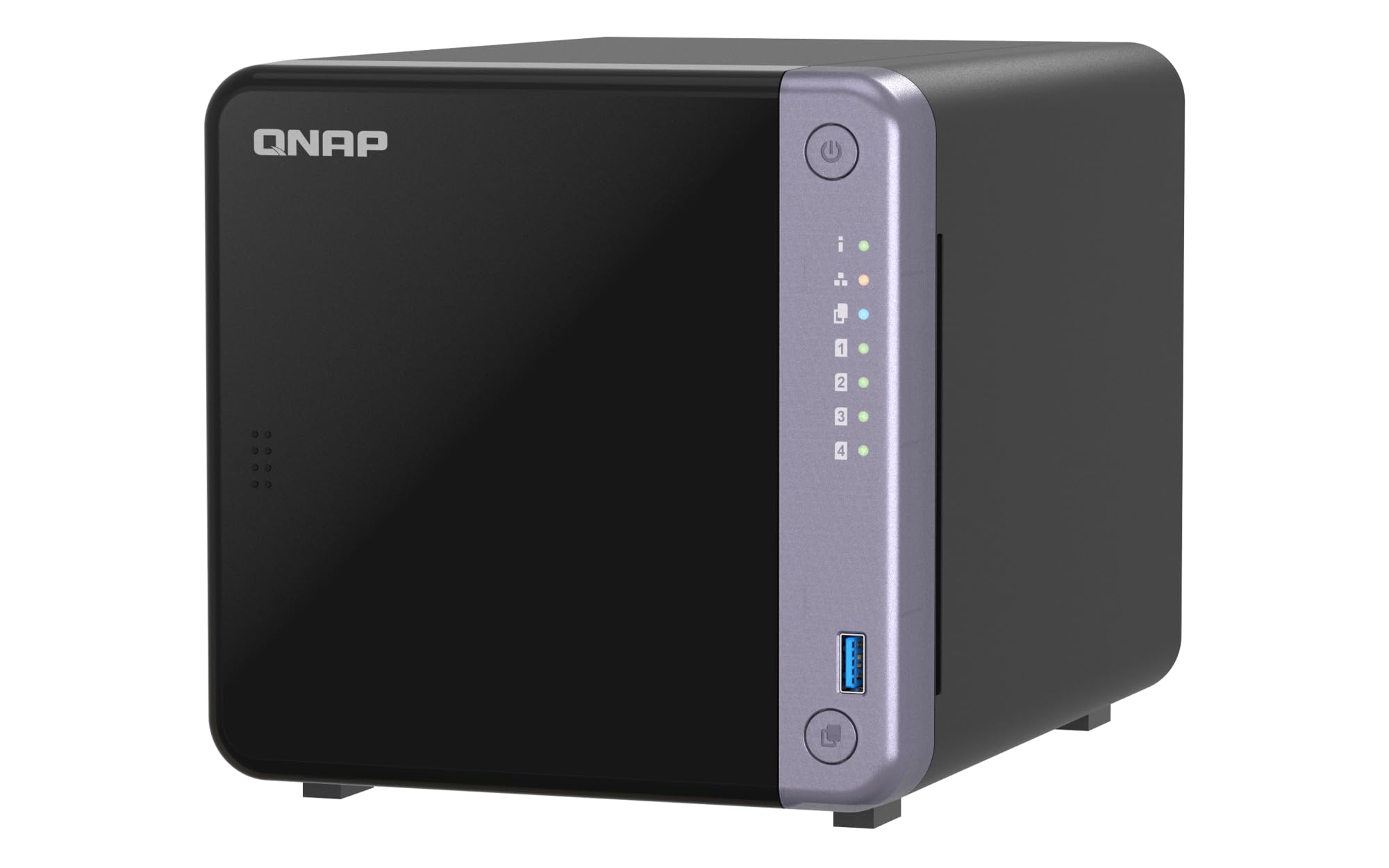
A rare 10GbE port in a four-bay package for serious data movers.
Most home NAS devices top out at 2.5GbE, but the QNAP TS-432X gives you a single-port 10GbE SFP+ connection, which is ten times faster than standard gigabit. If you frequently move large video projects, database backups, or multi-GB photo libraries, that speed difference is massive—a full 4K film that takes minutes on a 1GbE link finishes in seconds here. The TS-432X runs on an AnnapurnaLabs Alpine AL524 quad-core 2.0GHz processor and comes with 4GB of non-ECC RAM (standard memory, not the error-checking kind used in servers), expandable to 16GB; it also supports ECC RAM for data integrity. It also has dual 2.5GbE ports on top of the 10GbE connection, so you can keep your fast storage network separate from your regular home traffic.
With four drive bays, you get real RAID flexibility—RAID 5, 6, or 10—meaning you can protect against one or two drive failures while using only one or two drives for parity (error-checking data) instead of mirroring everything. The single PCIe Gen 3 x4 expansion slot lets you add more M.2 SSD slots or a faster network card later, extending the life of the hardware. Dual USB 3.2 Gen 1 ports with a One Touch Copy button make it simple to dump photos from an SD card or an external drive without opening a computer. This is a QNAP unit, so you get the full QTS app ecosystem for backups, media serving, and surveillance recording.
The downsides: the 10GbE port is SFP+, so you need either a compatible switch or a direct cable to a PC with a 10GbE adapter (most home routers only have 1GbE ports). The processor is an ARM chip, not Intel, so it may not handle intensive 4K transcoding as smoothly as an Intel-based unit like the TERRAMASTER F2-425 or Asustor AS5402T. You also pay a premium for the 10GbE hardware.
The speed advantage
- 10GbE SFP+ port for near-instant large file transfers
- Four drive bays allow RAID 5/6 for efficient data protection
- Dual 2.5GbE ports for additional bandwidth
- PCIe slot for future expansion (M.2 SSDs or extra networking)
Before you buy
- ARM processor may lag behind Intel chips on 4K transcoding
- 10GbE requires compatible switch or adapter—not plug-and-play with most home routers
- Premium price point compared to 2-bay alternatives
For the heavy lifter: Creatives who move huge files daily and need a 4-bay RAID array will appreciate the 10GbE speed and expandability.
Not for: Anyone on a standard 1GbE network with no plans to upgrade. You would pay for a 10GbE port you cannot use, and the ARM processor might leave you frustrated if you want a powerful media server.
5. UGREEN NAS DH2300 2-Bay Desktop NAS

A beginner-friendly NAS that saves you thousands over cloud subscriptions.
The UGREEN NAS DH2300 is built for people who are tired of monthly cloud bills and want a simple, private place to store their files without learning server administration. It supports up to 64TB of storage (two bays, disks not included) and uses AI to tag faces, locations, and objects in your photos, so you can find any picture by searching for who or what is in it—no manual folder sorting required. The processor, 1GbE port, and 4GB onboard RAM push file transfers at up to 125MB/s, meaning a 1GB file finishes transferring in about 8 seconds. UGREEN makes the value argument clear: they claim you save over 10 years compared to a cloud storage plan, based on their own example of a 12TB plan at per month versus the DH2300 plus a 12TB hard drive.
This unit has the highest customer satisfaction in the beginner category, with 844 ratings and a 4.4 average. Buyers appreciate the tool-free setup and the fact that the operating system is intuitive for people moving from external drives or Dropbox. It supports automatic backups across Windows, macOS, Android, and iOS, and includes two-factor authentication and encrypted file transfers for security. However, the maker is upfront about limits: the DH2300 does not support Docker, virtual machines, or Plex via Docker (a container platform for running apps), and it only connects via wired Ethernet—you will need a separate USB Wi-Fi adapter if you want wireless. Unlike the TERRAMASTER F2-425, which has a 2.5GbE port, this unit sticks with 1GbE, so multi-user file transfers will top out at around 125MB/s.
One more practical consideration: the enclosure is plastic, and the device is designed for personal or content-creator use, not enterprise or critical business workloads. If you need server-grade reliability or virtualization, UGREEN advises stepping up to a professional solution.
Why beginners like it
- Easy setup with an intuitive interface—no networking knowledge needed
- AI photo tagging makes finding pictures fast and simple
- Massive 64TB capacity handles years of files
- Strong security features: two-factor authentication and encrypted transfers
The limits
- No support for Docker, virtual machines, or advanced apps
- 1GbE port is slower than 2.5GbE rivals for multi-user use
- Plastic build feels less sturdy than metal alternatives
Reach for this if: You are quitting monthly cloud storage and want a dead-simple NAS for family photos, documents, and media backups—no interest in tinkering with apps.
Look elsewhere if: You plan to run Plex as a Docker container, need virtual machines, or already have a 2.5GbE network you want to use to its fullest.
6. Asustor Drivestor 2 Gen 2 AS1202T
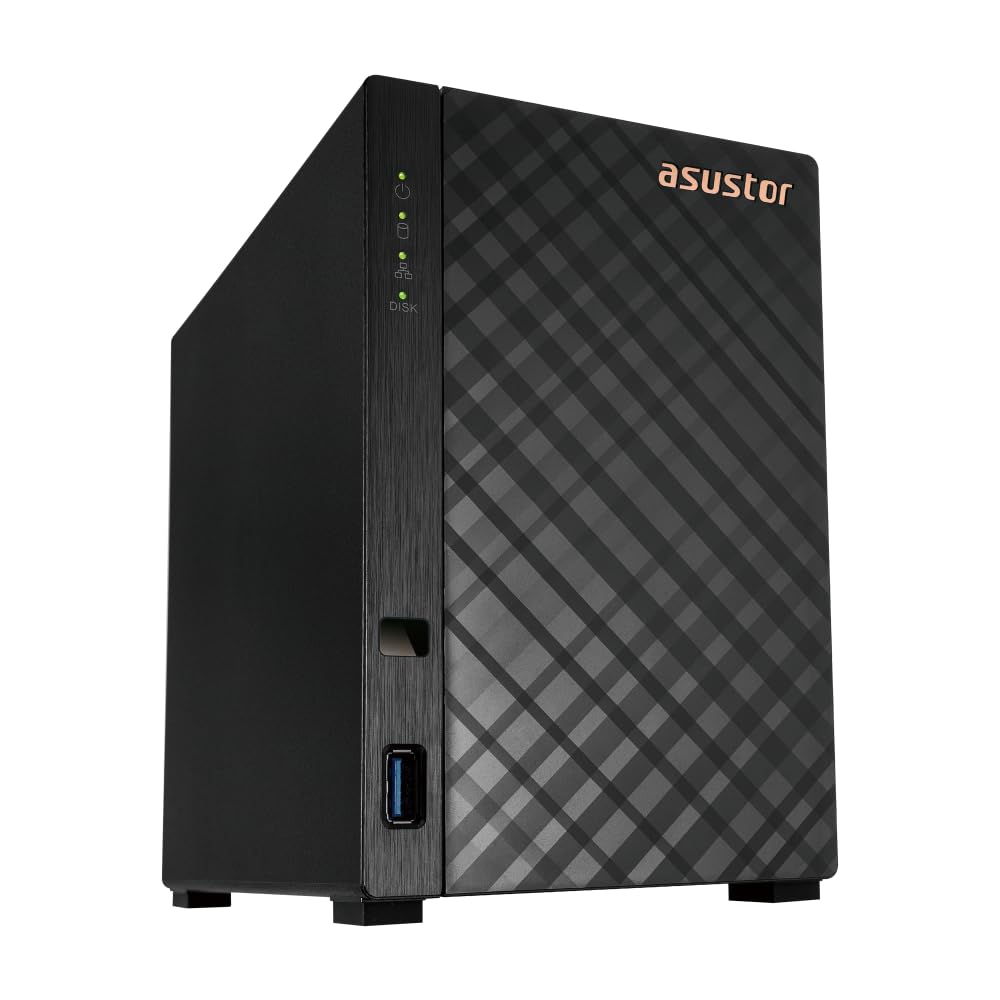
An entry-level 2-bay NAS that sneaks in a 2.5GbE port at a bargain price.
The Asustor Drivestor 2 Gen 2 is the most affordable 2-bay NAS on this list, yet it includes a 2.5GbE port that most budget units skip. You get the faster network speed without jumping to a premium price bracket—useful if your home network already supports 2.5GbE or you plan to upgrade soon. It runs on a Realtek RTD1619B quad-core 1.7GHz processor with 1GB DDR4 memory.
Setup is genuinely tool-free: the drive trays slide out and accept 3.5-inch hard drives without any screws, which is a welcome convenience for newcomers. The Asustor operating system (ADM) offers a personal cloud backup solution with full data ownership and remote file access. Reviewers point out that the web-based interface is clean and responsive, and the 2-year warranty provides solid confidence for an entry-level device. However, the 1GB of RAM means you should not expect to run multiple background services or have many users accessing the device simultaneously—the system may slow down under heavier loads. The UGREEN DH2300, at a similar price, offers 4GB of RAM and AI photo tagging, making it a more capable choice for the same money if you want extra features. 3.5-inch drives work best; 2.5-inch SSDs can also be used but may require a separate mounting kit.
At just 26 customer ratings so far, this is a newer model with limited real-world feedback compared to the well-reviewed Synology DS124 (914 ratings, 4.5) or the TERRAMASTER F2-425 (82 ratings, 4.2). If you are willing to trade some brand maturity for the lower entry point and the 2.5GbE port, it delivers solid value.
Good value points
- 2.5GbE port in an entry-level 2-bay NAS—rare at this price
- Tool-free drive installation speeds up setup
- Quad-core CPU handles basic file sharing and backup reliably
Where it shows its price
- Only 1GB of RAM limits multitasking and app use
- Newer model with few customer reviews to confirm long-term reliability
- Plastic enclosure feels less durable than metal alternatives
Reach for this: If your budget is tight but you insist on two drive bays for RAID 1 mirroring and you already have a 2.5GbE network.
Probably better to skip: If you want more than 1GB of RAM or expect to run apps like Plex or virtual machines. The UGREEN DH2300 offers more memory and features for a similar outlay.
Understanding the Specs
Drive Bays
The number of hard drive slots in the NAS. A 1-bay unit can hold one drive with no data protection if it fails. A 2-bay unit can run RAID 1 (mirroring), where the same data is written to both drives so you survive a single drive failure. A 4-bay unit adds RAID 5 or 6 options, which spread data plus parity (error-checking data) across three or four drives for efficient space usage with protection. More bays also mean you can buy smaller drives now and add larger ones later.
Network Port Speed
The Ethernet port speed determines how fast data travels between the NAS and your computer or router. Standard gigabit (1GbE) maxes out around 125MB/s. 2.5GbE is 2.5 times faster, ideal for multi-user homes or editing directly off the NAS. 10GbE is ten times faster but requires compatible network hardware (switch or adapter) and is overkill unless you handle large video files daily. Dual ports let you combine speeds or keep traffic separate.
Processor and RAM
The CPU and memory capacity decide what your NAS can do beyond file storage. A quad-core ARM chip with 1GB of RAM is fine for basic file sharing, phone backups, and remote access. An Intel x86 processor with 4GB or more of RAM lets you run apps like Plex Media Server, Docker containers, virtual machines, and camera surveillance—think of it as a tiny server computer. Some premium NAS units allow RAM upgrades up to 16GB for heavier workloads.
RAID Modes
RAID (Redundant Array of Independent Disks) combines multiple drives to prevent data loss or improve speed. RAID 1 mirrors data across two drives—if one drive dies, your files survive on the other. RAID 5 spreads data across three or more drives with parity, so one drive can fail without losing anything while using less total capacity than mirroring. RAID 0 splits data across drives for speed but offers no protection—if one drive fails, all data is lost. Always choose RAID 1 or 5 for important files.
FAQ
Will a NAS work with my existing router?
Do I need a hard drive to use a cloud storage device?
Can I access my NAS files from outside my home?
How many people can use a NAS at the same time?
Can I run Plex Media Server on any NAS?
Is a 1-bay NAS safe for important files?
What does “diskless” mean when buying a NAS?
How much power does a NAS use?
Is a wired Ethernet connection required for a NAS?
How long does a cloud storage device last?
Final Thoughts: The Verdict
For most people, the cloud storage device winner is the TERRAMASTER F2-425 because it combines a fast 2.5GbE port, a capable Intel processor for 4K transcoding, and whisper-quiet operation in a compact two-bay design. If you want to save money and avoid a monthly fee, grab the UGREEN NAS DH2300 for its beginner-friendly interface and AI photo sorting. And for the power user who needs NVMe speeds or 10GbE networking, the Asustor AS5402T or the QNAP TS-432X each deliver raw speed class-leading by the others here—just bring your own drives and your own network upgrade plan.
How We Picked
We do not accept paid placement. Every pick is matched to a real buyer and a real use-case; we do not hands-on test units.
Sources & Methodology
Specifications: manufacturer listings and product documentation. Review insights: verified customer reviews, as of July 2026. Pricing: not shown on this page (it changes often); check the current price via the retailer link.
As an Amazon Associate, WellFizz earns from qualifying purchases. This does not affect which products we feature.
Related Guides

Mo Maruf
I created WellFizz to bridge the gap between vague wellness advice and actionable solutions. My mission is simple: to decode the research and give you practical tools you can actually use.
Beyond the data, I am a passionate traveler. I believe that stepping away from the screen to explore new environments is essential for mental clarity and physical vitality.