Our readers keep the lights on and my smoothie glass nicely filled. As an Amazon Associate, I earn from qualifying purchases.
Specs are compiled from manufacturer listings and verified buyer reviews and can change over time — please confirm the key details on the product page before buying.
You need a computer that actually keeps up — opening multiple browser tabs, running a spreadsheet, and jumping on a video call without freezing — all without draining your wallet. Many budget machines look good in photos but choke on real work. This guide covers the eight most honest computers in this range, showing which ones earn their keep and which ones leave you frustrated.
I’m Mohammad Maruf — the founder and writer behind WellFizz. This guide is built by comparing the manufacturers’ published specifications and the patterns across verified customer reviews, so you get each pick’s real strengths and trade-offs instead of marketing spin.
The right computer under 300 needs a processor that keeps up, enough memory for your apps, and a build that lasts. This guide shows which ones deliver that balance for a home office, student workstation, or light gaming rig.
How To Choose The Best Computer Under 300
Shopping for a sub-300 desktop means you are almost exclusively in the renewed market — professionally refurbished business-class machines that big offices cycle out. That is actually good news: enterprise-grade hardware like Dell OptiPlex and HP ProDesk lines were built to run reliably for years. The trick is knowing which specs improve your day-to-day experience and which are just marketing noise.
Processor Generation Is Everything
An Intel Core i5 from the 7th generation (like the 7500 or 7700) will feel noticeably faster than a 3rd gen i5 when you open applications or switch between tasks. The data shows a 40% clock-speed gap between the i7-7700 (3.6GHz base, up to 4.2GHz) and an older i5 3rd gen at 3.2GHz. That difference means less waiting for office apps, web browsing, and light photo editing. Aim for 6th gen i5 or newer if you can.
RAM and Storage: The Real Speed Bottleneck
16GB of RAM is the balance for multitasking under 300 — a dozen browser tabs, a word processor, and a music player open without slowdown. An SSD (solid-state drive — a fast chip that stores your data, unlike a spinning hard drive) makes booting and launching apps feel instant. A 256GB or 512GB SSD plus a secondary HDD offers speed for your operating system and bulk space for files. Avoid any system that still relies solely on a traditional hard drive.
Integrated vs. Dedicated Graphics
If you plan to play modern 3D games, you need a dedicated graphics card with its own video memory (VRAM). In this price range, that usually means an NVIDIA GeForce GT 1030 with 2GB of GDDR5 video memory. The GT 1030 handles Fortnite, Minecraft, and Sims 4 at 1080p on medium settings. Integrated graphics (like Intel HD Graphics 630) is fine for video streaming, spreadsheets, and older titles, but struggles with demanding games.
Quick Comparison
| Model | Best For | Processor | RAM | Storage | Amazon |
|---|---|---|---|---|---|
| Dell Tower i7-7700 | Office & Productivity | i7-7700 (3.6GHz base, 4.2GHz turbo) | 16GB DDR4 | 512GB SSD | Amazon |
| Dell OptiPlex 5060 i5-8500 | Work & Multitasking | i5-8500 (4.3GHz turbo) | 16GB DDR4 | 500GB SSD + 1TB HDD | Amazon |
| HP ProDesk SFF + Monitor | All-in-One Family Setup | i5 8th Gen Hexa-Core | 16GB DDR4 | 500GB SSD | Amazon |
| Dell Gaming GT 1030 | Casual Gaming | i5-7500 (3.4GHz base, 3.8GHz turbo) | 16GB DDR4 | 256GB SSD | Amazon |
| OKAMUS Gaming PC | Entry Gaming & Streaming | i5 (up to 3.6GHz) | 8 GB | 256 GB M.2 | Amazon |
| HP RGB Gaming i5-6500 | Starter Gaming Rig | i5-6500 (up to 3.6GHz) | 16GB DDR4 | 512GB SSD | Amazon |
| Dell OptiPlex i5 3rd Gen Bundle | Budget Seniors & Basic Tasks | i5 3rd Gen (3.2 GHz) | 16GB | 2TB HDD | Amazon |
| Dell OptiPlex 7050 i5-7500 | Compact Office PC | i5-7500 (3.4GHz, up to 3.8GHz) | 16GB DDR4 | 512GB SSD | Amazon |
In‑Depth Reviews
1. Dell Tower Desktop PC – Intel Core i7-7700 7th Gen – 16GB DDR4 RAM – 512GB SSD (Renewed)
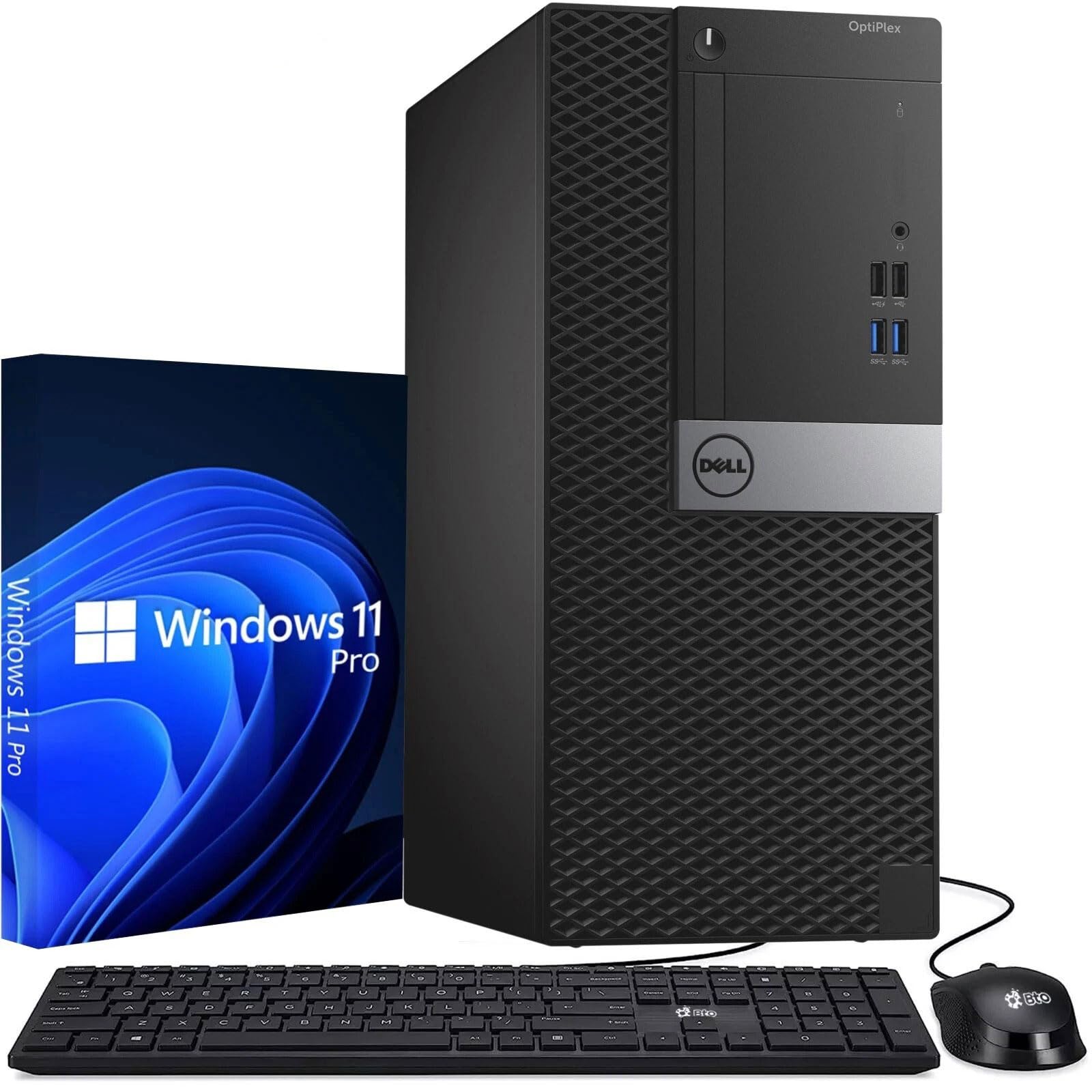
The fastest processor in this price range makes everyday tasks feel instant — no waiting for apps to open or tabs to load.
This Dell tower is the pick for anyone who needs to get real work done without waiting. The Intel Core i7-7700 7th Gen processor runs at a 3.6GHz base speed and can turbo up to 4.2GHz — that is a 40% faster base clock than the older 3rd gen i5 chips you see in this price range. Paired with 16GB of DDR4 RAM and a fast 512GB SSD, this machine chews through spreadsheets, video calls, and multiple browser windows without hesitation. It feels noticeably faster than the Dell OptiPlex 5060’s i5-8500 for single-threaded tasks like web browsing.
The display resolution maximum hits 3840×2160 (true 4K — four times the detail of 1080p), which is a 2.0x resolution gap compared to the 1920×1080 limit on entry-level gaming boxes like the OKAMUS. That means you can drive a high-resolution monitor for crisp text and sharp video playback. It also comes with a keyboard and mouse included, plus Windows 11 Pro pre-installed. The catch: integrated Intel HD Graphics means this is strictly an office/productivity machine — it will not run modern 3D games. Buyers report it comes with a 90 Days Warranty, so check the machine thoroughly after arrival.
Peak productivity pick: The fastest processor in this price range, 16GB of RAM, and 4K output make this unbeatable for office work, school, and home use — just do not expect to game on it. Look elsewhere if you need a dedicated graphics card for gaming or video editing.
2. Dell Windows 11 Desktop Computer OptiPlex 5060 – Intel Core i5-8500 – 16GB DDR4 RAM – 500GB SSD + 1TB HDD (Renewed)

A six-core processor and a dual-drive setup that gives you both speed and space — boot in seconds and store terabytes.
The OptiPlex 5060 runs on an Intel Core i5-8500 six-core processor that can turbo up to 4.3GHz — the highest clock speed among the i5 chips on this list. You get the responsiveness of a 500GB SSD for your operating system and favorite apps, plus a 1TB HDD for storing photos, music, and larger files. Owners mention that it boots in about 15 seconds and draws roughly 30W of power, making it an efficient daily driver for a home office. Its turbo speed is 26% faster than the i5-7500 in the Dell Tower i7-7700, though the i7 still edges ahead in single-core tasks.
Integrated Intel UHD Graphics 630 handles crisp visuals and video playback at 1920×1080, and the machine includes WiFi, Bluetooth, and LAN for flexible connectivity. Some buyers mention the fan can be noisy and the WiFi drops after sleep, requiring a power-button push to restore connection. Also note the OptiPlex uses a proprietary power supply (a custom-shaped part that only fits this case), so upgrading the PSU (power supply unit) or adding a dedicated GPU is not straightforward. It is a fast, reliable workstation for productivity but not a gaming machine.
Speed-and-storage champion: The 500GB SSD + 1TB HDD combo and 4.3GHz turbo give you instant boot times and plenty of room for files. skip it if you plan to game or upgrade the graphics later — the proprietary design limits your options.
3. HP Windows 11 Desktop Computer – 16GB RAM + 500GB SSD – Intel i5 – 24″ LCD – WiFi 6 – RGB Keyboard/Mouse + Speakers + Webcam (Renewed)

A complete family-ready setup that comes with a monitor, speakers, and webcam in one box — just plug it in and go.
This HP ProDesk Small Form Factor PC is built around an Intel Core i5 8th Gen Hexa-Core processor, 16GB of DDR4 RAM, and a 500GB SSD — all packed into a compact case that fits neatly on a desk. Unlike most renewed PCs that arrive as just a tower, this bundle includes a refurbished Grade A 24-inch LCD monitor, new RGB speakers, a new 2K webcam, plus an RGB keyboard and mouse. It is essentially a full home office or student workstation that you can unbox, plug in, and use immediately. Compared to the bare-bones Dell Tower i7-7700, this saves you from tracking down a monitor and peripherals separately.
The inclusion of WiFi 6 (the latest generation of Wi-Fi, faster and more reliable than Wi-Fi 5) and Bluetooth means faster wireless speeds and better range than older Wi-Fi 5 standards. Some customers note that while the description says “WiFi-ready,” the machine may arrive without the necessary drivers or antenna, requiring a separate USB Wi-Fi adapter to connect wirelessly. Others praise the fast and smooth performance for everyday tasks and note the RGB lighting adds a fun touch for younger users. If you want a single-box solution for a family or student, this bundle saves you from buying a monitor and accessories separately.
One-box convenience: Monitor, speakers, webcam, keyboard, and mouse are all included — just add power. Look elsewhere if you prefer a larger monitor (the included one is 24-inch and the brand may vary) or if you need dedicated gaming graphics.
4. Dell Gaming Tower Desktop PC – Intel Core i5-7500 7th Gen – 16GB DDR4 RAM – 256GB SSD – GeForce GT 1030 – RGB Keyboard & Mouse (Renewed)
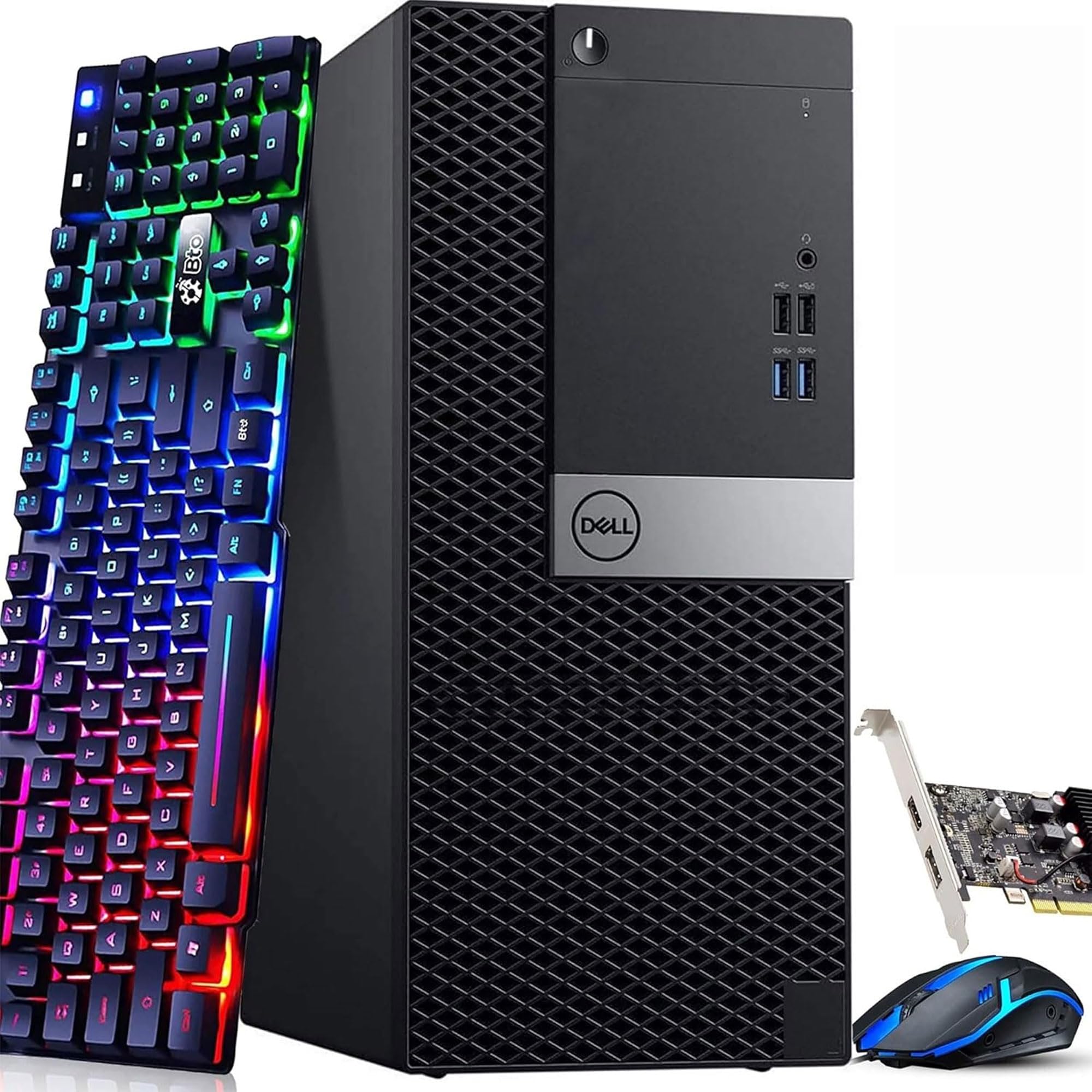
A genuine gaming-ready desktop with a dedicated GT 1030 that runs games like Fortnite and Sims 4 without stuttering.
This Dell gaming tower is the real deal for entry-level gaming. It packs an Intel Core i5-7500 7th Gen processor (3.4GHz base, up to 3.8GHz turbo), 16GB of DDR4 RAM, a 256GB SSD, and most importantly — a dedicated NVIDIA GeForce GT 1030 with 2GB of GDDR5 video memory. That dedicated graphics card is what separates this machine from office-focused PCs. Reviewers point out they run games like World of Warcraft, Sims 4, Farm Sim, and 7 Days to Die without issues at decent settings. It blows the OKAMUS Gaming PC out of the water for 3D games because it has twice the RAM (16GB vs 8GB) and a real GPU instead of integrated graphics.
The display resolution maximum supports up to 4096×2160, so you can connect a high-resolution monitor. A few buyers mention intermittent startup issues that require a restart to boot normally, and one review reports a mouse was faulty from the start. For the price, this is the most capable gaming machine in the lineup — but it is still entry-level, so do not expect to run modern AAA titles at high settings.
What it does well
- Dedicated GT 1030 graphics with 2GB GDDR5 runs casual games smoothly
- 16GB DDR4 RAM handles multitasking and streaming
- 4K display output (up to 4096×2160)
The trade-offs
- Some units have intermittent startup issues requiring a restart
- 256GB SSD fills fast with modern games
- Renewed machine — individual quality varies
Casual gamer’s pick: Reach for this if you want to play Sims, WoW, Minecraft, or Fortnite on a budget and you are comfortable with a refurbished machine. Look elsewhere if you need to run modern AAA games at high settings — this is entry-level gaming.
5. Gaming PC – i5 CPU Up to 3.6GHz – 8GB RAM – 256GB M.2 – Integrated Graphics – RGB Fans – WiFi 6 + BT 5.3 – 400W PSU (OKAMUS)
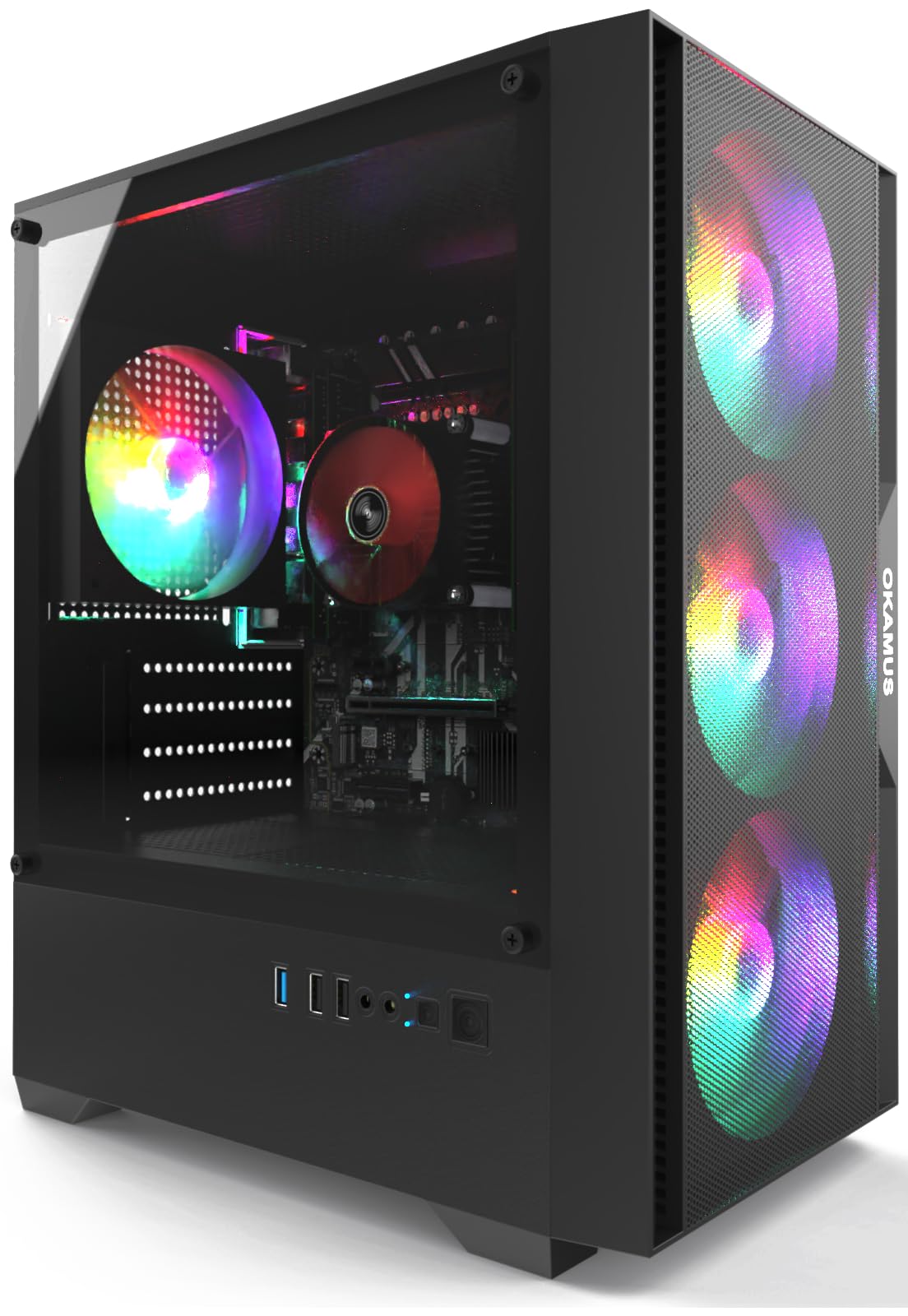
RGB-loaded desktop that looks the part and runs light games, but needs realistic expectations about what it can handle.
This OKAMUS pre-built gaming computer is all about the gaming aesthetic on a tight budget. It features a matte black case with four RGB fans and a digital temperature display CPU cooler — all controllable via an included remote. Inside, an i5 processor runs up to 3.6GHz, paired with 8GB RAM and a 256GB M.2 SSD for fast boot times. The 400W power supply leaves some room for future upgrades, and the inclusion of WiFi 6 and Bluetooth 5.3 means modern wireless connectivity from the start.
The key limitation here is the integrated graphics and 8GB RAM. The display resolution maximum is 1920×1080, and this machine will handle lighter games like Minecraft and Fortnite (according to a buyer’s report that their son plays those plus COD and Siege without alterations). But compared to the Dell Gaming Tower above, this OKAMUS has half the RAM (8GB vs 16GB) and no dedicated GPU, so demanding 3D games will struggle. One reviewer noted the KingSpec M.2 SSD has a manufacturer defect where the drive may not click in and sit flat, preventing the computer from booting. Check that connection if you receive a non-booting unit.
Style-forward starter: The RGB fans, WiFi 6, and 400W PSU make this a fun entry rig for kids who like the gaming look and play light titles. pass on it if you need to run modern shooters or AAA games — the integrated graphics and 8GB RAM will leave you frustrated.
6. HP RGB Gaming Desktop Computer – Intel Quad Core i5-6500 up to 3.6GHz – GeForce GT 1030 2G – 16GB DDR4 – 512GB SSD – RGB Keyboard & Mouse (Renewed)

An HP tower with a GT 1030 and 16GB RAM that punches above its weight for light gaming, with twice the SSD storage of the Dell Gaming Tower.
This HP RGB Gaming Desktop pairs an Intel Core i5-6500 Quad Core processor (up to 3.6GHz) with a dedicated NVIDIA GeForce GT 1030 2G GDDR5 video card, 16GB of DDR4 RAM, and a 512GB SSD. That combination makes it a solid contender against the Dell Gaming Tower — you get the same GT 1030 GPU but with double the SSD storage (512GB vs 256GB). The RGB case lighting and included RGB gaming mouse and keyboard complete the gaming setup look.
Shoppers say it works flawlessly for mild gaming and Foundry VTT from the start. One buyer mentioned their son runs high-FPS games on it without issues. However, another buyer reported the WiFi stopped working after moving the PC, requiring a USB adapter or Ethernet cable. A separate review mentioned it is underpowered for intense games and suitable only for light tasks like bookkeeping or card games — so set expectations accordingly. This machine ships with genuine Windows 10 Professional 64-bit (upgradable to Windows 11) and comes with 1 Year parts & labor plus free lifetime tech support.
Solid starter with support: The 1-year warranty and lifetime tech support give confidence, and the 512GB SSD leaves room for more games. Look elsewhere if you need intense gaming power — this is for casual play.
7. Dell OptiPlex Computer Desktop PC – Intel Core i5 3rd Gen 3.2 GHz – 16GB RAM – 2TB HDD – 22″ LED Monitor – RGB Keyboard & Mouse (Renewed)
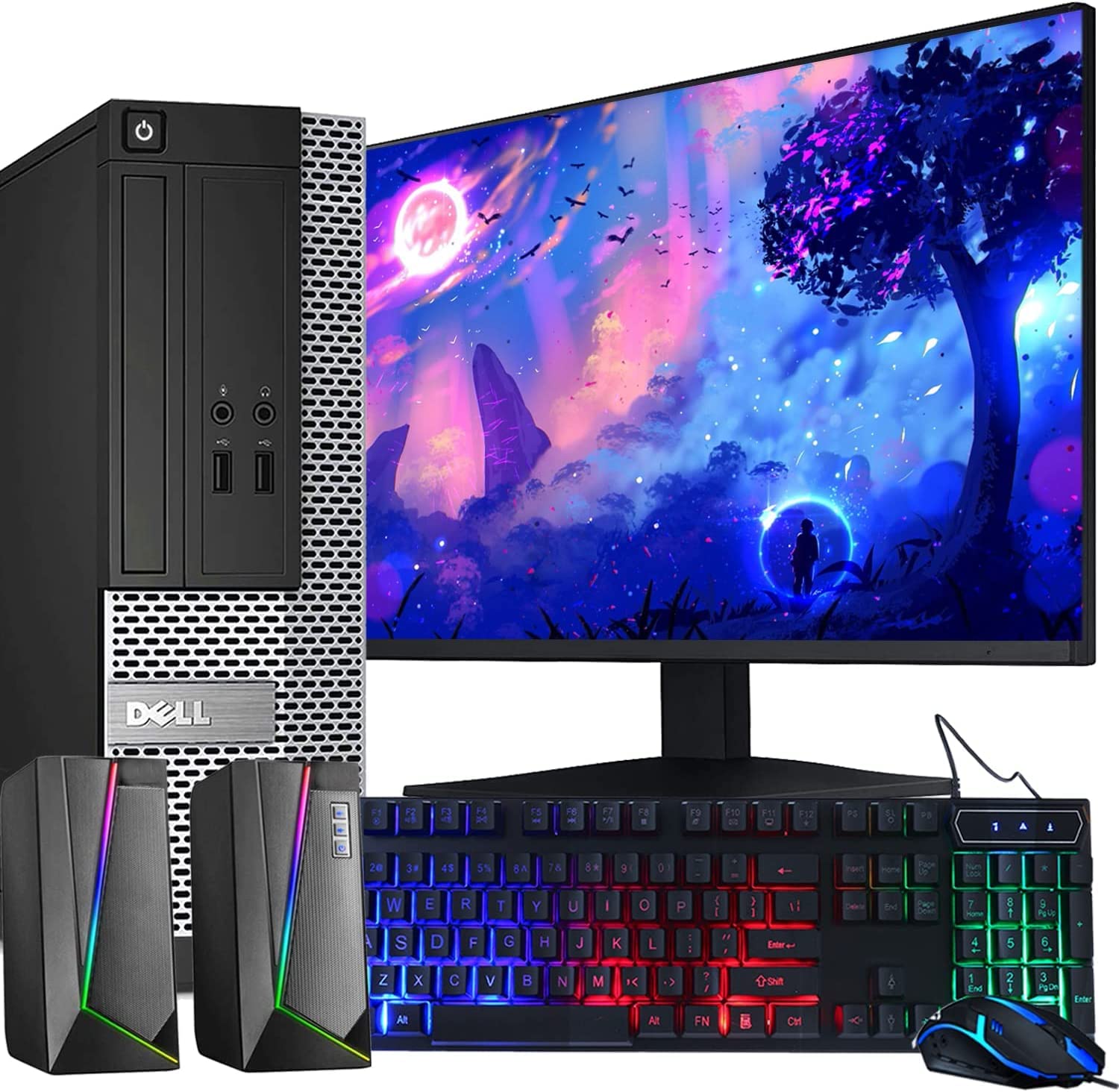
A full desktop bundle with a monitor and RGB gear for the lowest price, but the older hardware and reliability reports demand caution.
This Dell OptiPlex bundle gives you the most complete package for the lowest cost in this lineup. You get the tower (Intel Core i5 3rd Gen at 3.2GHz), a new 22-inch Full HD 1920×1080 75Hz LED monitor, an RGB keyboard and mouse, and RGB speakers — everything you need to get started. The 16GB RAM is good for multitasking, and the 2TB HDD provides plenty of storage space for your files, photos, and movies. One owner reported that the RGB function on the keyboard requires pressing the Scroll Lock key to activate.
The honest trade-off is reliability. One verified buyer reports that after 6 months, the PC crashed and the power cord melted — the seller was unhelpful, and the power supply had failed. Another review said the tower worked great initially but died within 6 months. The processor is a 3rd gen i5 (2.0x slower base clock than the i7-7700 in the Dell Tower), and a traditional HDD instead of an SSD means slower boot and load times (booting can take over a minute). In the 2023 performance landscape, this is a lot of box for the money, but the older hardware comes with a higher risk of failure. For very basic tasks by a patient user, it works — but the safer play is spending a bit more for a newer generation.
What you get
- Monitor, keyboard, mouse, and speakers all included
- 16GB RAM and 2TB HDD provide capacity
- 22-inch 1080p 75Hz display is decent for office work
What to watch for
- Older 3rd gen i5 processor (2.0x slower than i7-7700)
- No SSD — slower boot times than SSD-based systems
- Multiple reports of power supply failure within 6 months
Absolute budget bundle: This is the cheapest way to get a full setup, but the older hardware and reliability concerns mean you are taking a real gamble. Consider spending slightly more for the OptiPlex 7050 or the Dell Tower i7-7700 for a much better experience.
8. Dell OptiPlex 7050 Desktop Computer PC – Intel Core i5 7500 3.40GHz – 16GB DDR4 RAM – 512GB SSD – Wi-Fi – Bluetooth – Windows 11 Pro (Renewed)

A compact office PC with 4K output and a modern Type-C port that punches above its price tag — but check reliability closely.
This Dell OptiPlex 7050 is a small-form-factor business machine with an Intel Core i5 7500 processor (3.4GHz up to 3.8GHz Turbo Boost), 16GB of DDR4 RAM, and a 512GB SSD. It supports a display resolution maximum of 3840×2160 (4K), matching the Dell Tower i7-7700 above. The connectivity is generous: 2x DisplayPort 1.2, 1x HDMI 1.4, 1x USB 3.0 Type-C, 5x USB-A 3.0, and 4x USB-A 2.0. Built-in Intel 7260 802.11ac Wi-Fi and Bluetooth make for easy wireless connections.
One immediate concern: the seller notes this PC only has TPM 1.2, while TPM 2.0 (a security chip needed for Windows 11’s full features) is recommended for Windows 11. This means it may not support all the latest security features and Windows updates. More critically, several buyers warn of reliability issues. One verified reviewer says after having these computers for 4.5 months, 2 of them stopped working with a “Hard Drive Not Found” error, and the seller would not make it right. Another buyer was very pleased initially, calling it Super-Fast and worth the money. If you buy this, run diagnostics immediately and consider an extended warranty like Asurion.
Cautious office buy: The 4K output, Type-C port, and 512GB SSD make it a capable productivity machine for the price. But the TPM limitation and reports of hard drive failures after a few months mean you should buy from a seller with a solid return policy and test it thoroughly. For a safer bet, the Dell Tower i7-7700 offers similar specs with fewer reported issues.
Understanding the Specs
Processor Generation (i5 vs i7)
The generation number (3rd, 6th, 7th, 8th) matters more than the i5 vs i7 label. A 7th-gen i5 runs at 3.4GHz, while an 8th-gen i5 can boost to 4.3GHz — that is a 26% speed gain in the same chip family. An i7-7700 from the 7th generation (3.6GHz base, 4.2GHz turbo) offers the best performance in this price range. Older 3rd-gen i5 chips at 3.2GHz are noticeably slower for multitasking and will feel sluggish with modern software.
Dedicated vs. Integrated Graphics
Integrated graphics (like Intel HD Graphics 630 — the video processor built into the CPU itself) share your system’s RAM and are fine for streaming video, office work, and older 2D games. A dedicated GPU (like the NVIDIA GeForce GT 1030) has its own video memory (2GB GDDR5) and handles 3D gaming much better — it can run Fortnite, Minecraft, and Sims 4 at 1080p (standard high-definition) on medium settings. If you see “GT 1030” in the description, that is the entry-level dedicated card to look for at this budget.
FAQ
Will a Computer Under 300 run Windows 11?
Can I play Fortnite on a 300 dollar computer?
Is it safe to buy a renewed/refurbished computer?
How much RAM do I really need in a budget desktop?
What’s the difference between an SSD and an HDD?
Will a sub-300 computer work for video editing?
What does the 4K support in some of these computers mean?
Can I upgrade the graphics card in these renewed desktops?
How long will a renewed computer last?
Which desktop under 300 is best for a college student?
Final Thoughts: The Verdict
Across the board, the computer under 300 winner is the Dell Tower Desktop i7-7700 because the 7th-gen i7 processor, 16GB of DDR4 RAM, 512GB SSD, and 4K display output give you the best everyday performance for office work, school, and home use. If you want a dedicated gaming machine, grab the Dell Gaming Tower GT 1030 — the dedicated GPU and 16GB RAM make it the only entry-level gaming rig that actually works. And for a complete family setup straight from the start, the HP ProDesk bundle with the 24-inch monitor, speakers, and webcam saves you the hassle of shopping for peripherals separately.
How We Picked
We do not accept paid placement. Every pick is matched to a real buyer and a real use-case; we do not hands-on test units.
Sources & Methodology
Specifications: manufacturer listings and product documentation. Review insights: verified customer reviews, as of July 2026. Pricing: not shown on this page (it changes often); check the current price via the retailer link.
As an Amazon Associate, WellFizz earns from qualifying purchases. This does not affect which products we feature.
Related Guides

Mo Maruf
I created WellFizz to bridge the gap between vague wellness advice and actionable solutions. My mission is simple: to decode the research and give you practical tools you can actually use.
Beyond the data, I am a passionate traveler. I believe that stepping away from the screen to explore new environments is essential for mental clarity and physical vitality.