Our readers keep the lights on and my smoothie glass nicely filled. As an Amazon Associate, I earn from qualifying purchases.
Specs are compiled from manufacturer listings and verified buyer reviews and can change over time — please confirm the key details on the product page before buying.
Finding a reliable camera for under thirty dollars usually means sorting through a lot of fuzzy footage and terrible microphones. This guide cuts through the noise to show you exactly which budget webcams deliver clear video and decent audio without making you spend more than you have to. You get the real specs and real buyer experiences for seven of the most affordable options available right now.
I’m Mohammad Maruf — the founder and writer behind WellFizz. This guide is built by comparing the manufacturers’ published specifications and the patterns across verified customer reviews, so you get each pick’s real strengths and trade-offs instead of marketing spin.
We examine seven low-cost models based on their published specs and hundreds of verified buyer experiences. Here is everything you need to know to pick the right cheapest webcam for your setup.
Our Picks at a Glance

How To Choose The Best Cheapest Webcam
When your budget is tight, you cannot afford to waste money on a camera that looks worse than your laptop’s built-in one. Focus on three things that matter most at this price point: the actual video resolution, the microphone quality, and the lens’s ability to handle your room’s lighting. Most cheap webcams share the same basic tech, so the small differences in these areas decide whether you look professional or like a glitchy mess on your next call.
Video Resolution: 1080p vs Marketing Hype
Every webcam in this guide advertises 1080p, but not all of them deliver the same sharpness. Look for the effective video resolution in pixels in the spec sheet — a camera that truly outputs 1920 x 1080 pixels will always look clearer than one that upscales from a lower sensor. The sensor size and quality also affect how the image holds up in dim light, which is where many budget cameras fall apart.
Microphone and Noise Handling
A cheap webcam with a terrible microphone defeats the purpose of buying an external camera. The best budget picks include dual microphones or a noise-canceling feature that filters out keyboard clacking and room echo. A single microphone is usually fine for quiet rooms, but for shared offices or spaces with ambient noise, the dual-mic models make a real difference.
Field of View and Lens Quality
The field of view (FOV) measured in degrees tells you how much of your background the camera shows. A 90° FOV is good for a single person sitting at a desk, while a 100° FOV lets you show off more of your workspace or fit two people in the frame. Most budget cameras use fixed-focus lenses, which means objects closer than about 16 inches will appear blurry — something to keep in mind if you hold things up to the camera.
Quick Comparison
| Model | Best For | Video Resolution | Field of View | Microphone | Amazon |
|---|---|---|---|---|---|
| Gowzmnd 1080P Webcam★ Best Overall | Lowest price + tripod | 1080p | Wide-angle | Noise-canceling | Amazon |
| NexiGo N930AFAlso Great | Autofocus flexibility | 1080p | — | Noise-canceling | Amazon |
| UGREEN 2K Webcam | Crisp 2K resolution | 1440p | 95° | Dual | Amazon |
| NexiGo N60 | Software control | 1080p | Adjustable | Noise-canceling | Amazon |
| Acer 1080p Webcam | Wide compatibility | 1080p | 100° | Dual noise-reduction | Amazon |
| RUWBY Pro HD 1080p | Auto-focus + tripod | 1080p | Wide-angle | Dual noise-cancelling | Amazon |
| OIEXEN 1080P Webcam | Natural skin tones | 1080p | 90° | Dual | Amazon |
In‑Depth Reviews
1. Gowzmnd 1080P Webcam
A sub-p webcam with a tripod, privacy cover, and surprisingly high ratings.
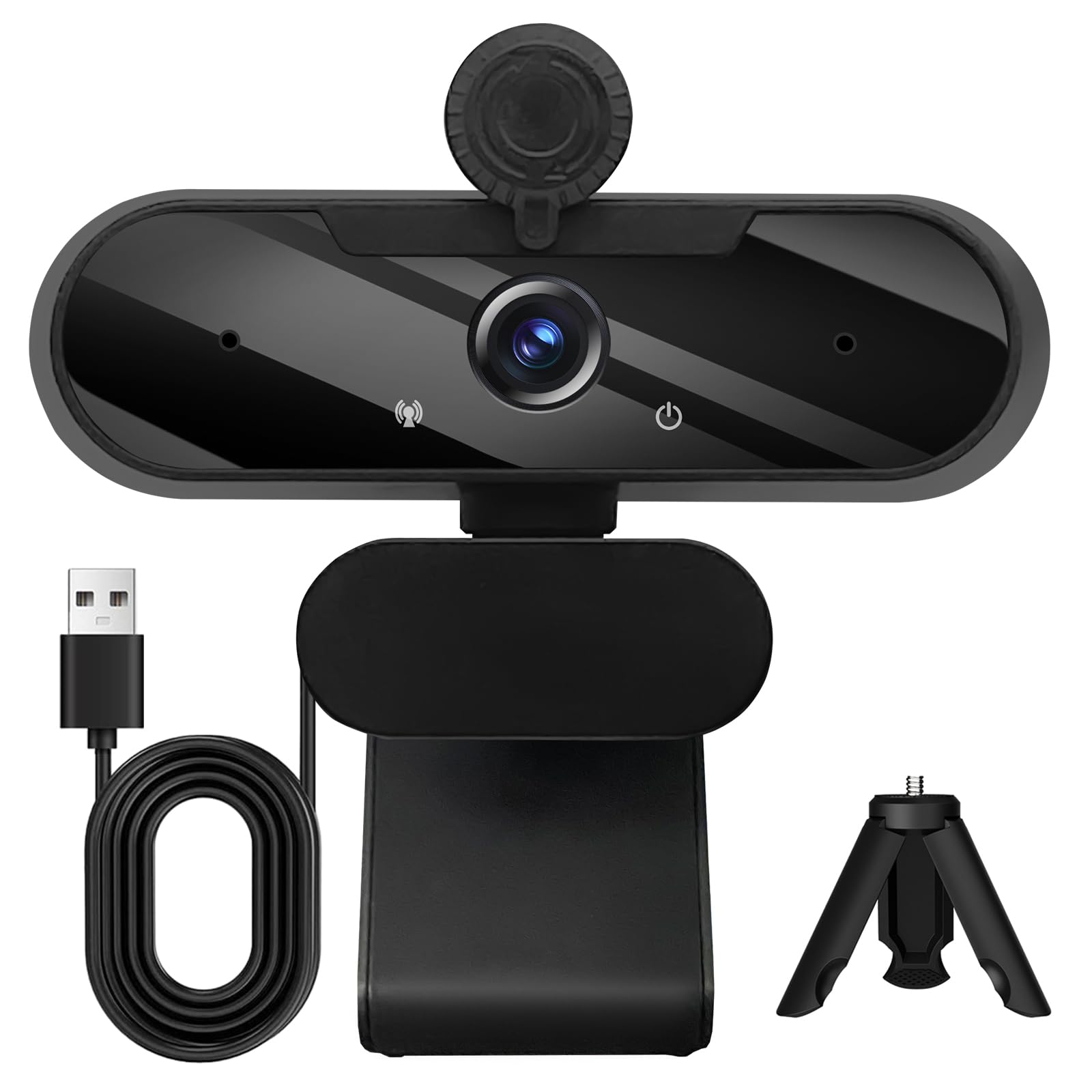
The Gowzmnd webcam delivers 1080p full HD video at 30 frames per second through a wide-angle lens, with automatic light correction that adjusts brightness and color for different room conditions. The built-in noise-canceling microphone is designed to transmit your voice clearly even in noisy environments. It comes with a detachable tripod for flexible desk placement, plus a built-in clip for attaching directly to your monitor or laptop — giving you two mounting options right in the box.
Plug-and-play works with USB 2.0, 3.0, and 3.1, and the 5ft USB power cable is included. The privacy cover slides over the lens when the camera is not in use. Owners mention the video quality is really good and the installation is quick and easy, though one reviewer noted they wish the USB cord was a little longer. The camera is compatible with Windows, Mac iOS, Linux, and Android devices.
Best Price-to-Feature Ratio: At roughly twenty dollars, the Gowzmnd gives you a tripod, privacy cover, and 1080p video — features that cost more from most competitors.
Cable Length: The 5ft USB cable might be too short for some desk setups, as one buyer mentioned in their review.
Best for: The tightest budgets — you get a tripod, decent video, and a microphone for the lowest entry price on this list.
Consider an upgrade if: You need a longer USB cable or the highest possible video quality; the UGREEN offers sharper 2K resolution for a few dollars more.
2. NexiGo N930AF Webcam
Autofocus that tracks your face without forcing you to sit at a fixed distance.
Unlike most budget webcams with fixed-focus lenses, the NexiGo N930AF uses a two MP CMOS sensor (a light-capturing chip) with autofocus that you can turn off if you prefer a manual focal point. This means you can lean in to show a document or sit back in your chair without the image going blurry — a flexibility you do not get from the fixed-optics models like the UGREEN or Gowzmnd. It delivers up to 1080p resolution at 30fps (30 frames per second, the standard for smooth video), and the built-in noise-canceling microphone is designed to reduce ambient noise for clearer calls.
The privacy cover protects the lens from dirt and debris when the camera is not in use. You also get the optional NexiGo Webcam Software for customizing settings, which is rare at this tier — most competitors, such as the Acer, offer no software at all. The 6.5 ft (2 Meter) USB cord gives you plenty of reach for desk setups. Buyers report that the autofocus can lose lock when moving quickly and sometimes needs a hand-block to reset, and one reviewer noted the built-in mic is poor and requires an external mic for streaming. It is compatible with Switch 2, Windows, Mac OS, Linux, Chrome OS, and Ubuntu.
What Stands Out
- Rare autofocus in a budget webcam, with a 7 cm starting point
- Plug-and-play setup, no drivers needed
- Optional software for customizing video settings
Where It Trips
- Autofocus can struggle with fast movements, requiring a manual reset
- Built-in microphone is weak, an external mic is better for streaming
Reach for this if: You need autofocus for a dynamic desk setup where you move around — the NexiGo N930AF gives you flexibility no other webcam at this price point offers.
Look elsewhere if: You rely on the built-in microphone for clear streaming audio; you will likely need a separate mic.
3. UGREEN 2K Webcam

A 2K sensor that out-resolves every other cheap webcam on this list.
The UGREEN webcam steps up to 2K at 30FPS with a 4 MP ultra-high sensitivity CMOS sensor, giving you noticeably sharper detail than the standard 1080p cameras here — a real edge for showing documents or product details on calls. It is important to note that the maximum 2K resolution (2560 x 1440 pixels) only works if your computer, monitor, USB port bandwidth, and software all support 2K; otherwise it defaults to 1080p. The built-in dual microphones capture sound clearly while minimizing background noise, and the 95° field of view (FOV) — how wide the camera sees — lets you show more of your background during group meetings.
Auto light correction adjusts the color temperature to fix low-light situations, so you look natural even with bad room lighting. The privacy cover blocks the lens when not in use, and the camera supports 360° rotation for flexible positioning. Owners mention the picture is very clear with little motion blur, and one reviewer using Kubuntu Linux confirmed it works with no additional software required — though they noted the fixed-focus design means it does not support focus adjustment or digital zoom.
Why It Leads
- Highest effective video resolution on the list at 1440 pixels
- Solid dual microphones for clear audio pickup
- True plug-and-play on both Windows and Linux
The Fixed-Focus Limitation
- Fixed-optics lens means no focus adjustment or digital zoom
- No bundled software for advanced video settings
Best for: Anyone who wants the sharpest image possible within a strict budget — the UGREEN’s 2K sensor beats the 1080p cameras, like the Gowzmnd, on pure detail.
skip it if: You need autofocus or plan to zoom in during calls; the fixed-focus lens does not allow either.
4. NexiGo N60 1080P Webcam

A 1080p webcam with a 3.6mm glass lens and software that lets you tweak the settings.
The NexiGo N60 uses a 1080p FHD two-MP CMOS sensor with a 3.6mm glass lens tune for fixed distances between 19.6 inches and 13 feet — the typical range for desk use. It offers 4x digital zoom and an adjustable field of view, giving you more framing control than the fixed-lens competition like the Acer. The built-in noise-canceling microphone reduces ambient noise for clearer calls, and the privacy cover blocks the lens when the camera is inactive.
Plug-and-play setup works with USB 2.0/3.0 and is ready in about a minute on Windows, Mac OS, Linux, Chrome OS, and Ubuntu. Customers note the video quality is sharp and suitable for professional settings, though one buyer mentioned the built-in mic lacks volume and sounds tinny, and another mentioned the privacy flip cover loosens over time. The camera is not compatible with Xbox, PS4, or PS5.
Software Edge: The NexiGo N60 allows you to manually adjust zoom and FOV via software — a rare feature among budget webcams that gives you more control over your framing than the UGREEN or Gowzmnd models.
Microphone Warning: The built-in mic/speaker lacks volume and sounds tinny, so plan on using a separate microphone if audio quality matters for your calls.
Grab this for: The software control and adjustable FOV, which let you fine-tune your image in a way most cheap webcams do not.
Consider something else if: You need a powerful built-in microphone — the N60’s is below average for this price tier.
5. Acer 1080p Webcam
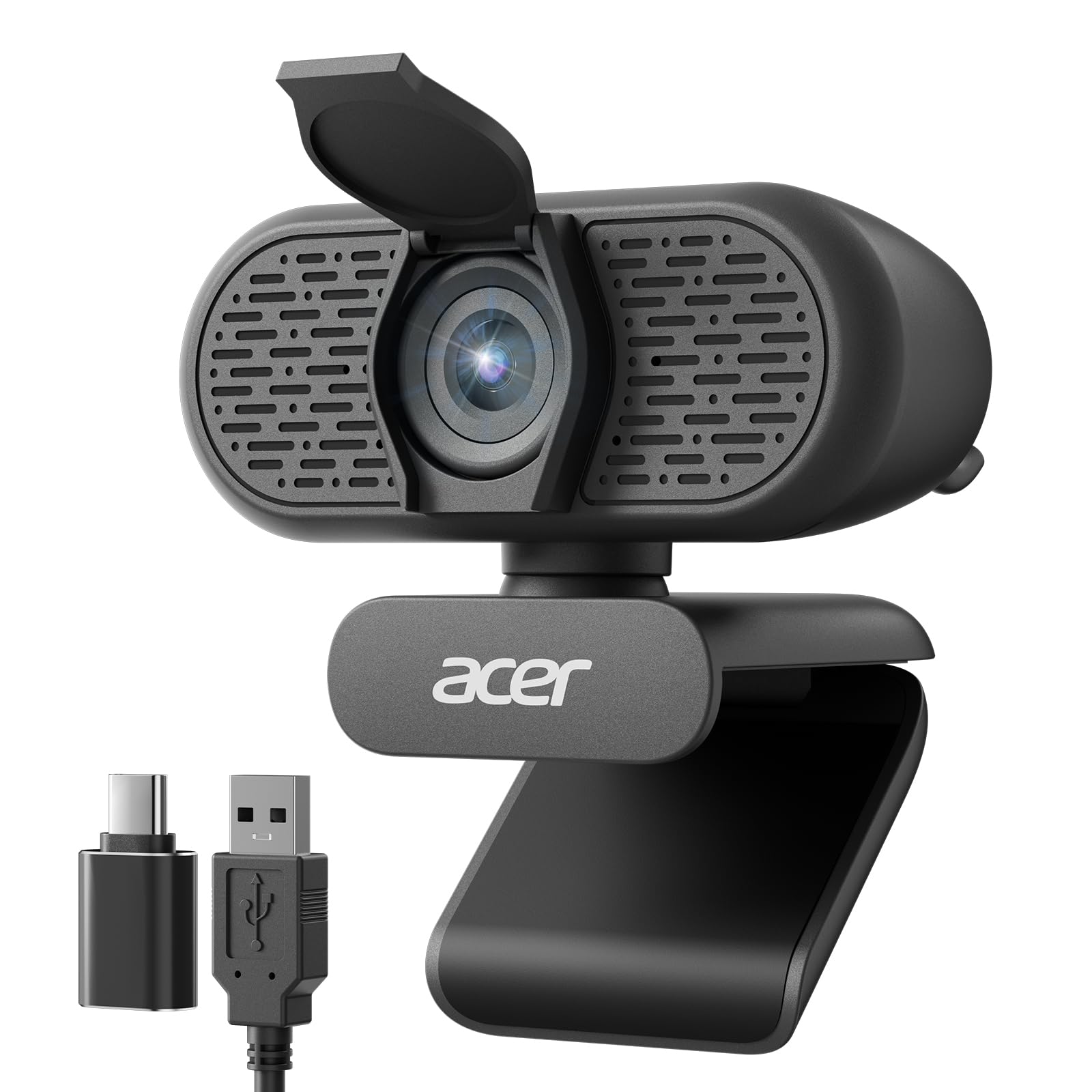
A name-brand 1080p webcam with a 100° wide-angle view and a handy USB-C adapter.
The Acer 1080p webcam delivers clear 1080p video from a new CMOS sensor that improves image clarity and color performance. Its 100° field of view is wider than the 90° and 95° options on this list, making it a better fit for group calls or showing a fuller background than the OIEXEN’s tighter 90° view. The dual noise-reduction microphones help improve clarity during calls, and automatic low-light correction adjusts exposure so you look professional even in dim rooms.
Plug-and-play setup needs no drivers, and the included Type-A to Type-C adapter ensures compatibility with modern laptops. The built-in privacy cover slides down to conceal the lens. Reviewers point out the video is clear and sharp for meetings, and one owner reported the wide-angle view captures everything nicely. The 360° rotation lets you adjust the angle easily.
What Works
- Wider 100° FOV than most competitors at this price
- Comes with a USB-A to USB-C adapter
- Dual noise-reduction microphones for clearer audio
What’s Missing
- Fixed-focus lens with no manual adjustment
- No bundled software for customizing settings
Pick the Acer if: You want a reliable brand with a wider field of view for group meetings and appreciate the included USB-C adapter for modern laptops.
Pass on it if: You need autofocus or software-based controls — this is a simple, fixed-focus plug-and-play camera.
6. RUWBY Pro HD 1080p Webcam

Auto-focus and a sturdy tripod in one package for under thirty dollars.
The RUWBY Pro webcam uses a high-performance CMOS image sensor delivering 1080p at 30 frames per second with fast auto-focus that keeps your face sharp even during movement. The dual noise-cancelling microphones capture sound up to 10 feet away while filtering background noise. Low-light correction automatically brightens the image in dimmer rooms, and the wide-angle lens shows your full workspace. The camera rotates 360° for easy angle adjustments.
The included aluminum tripod with a universal 1/4-inch screw is a standout feature at this price — it folds for travel and gives you flexible desk placement that the clip-only competitors like the Acer cannot match. Shoppers say the picture is crisp with natural color and no blur or stutter, though one customer observed the auto-focus cannot be turned off if you prefer manual control. The camera works with Windows, Mac OS, Chrome OS, Linux, and all major video platforms.
Tripod Value: The sturdy aluminum tripod with folding design makes the RUWBY the most versatile positioning option among these budget webcams — none of the others include a tripod in the box.
Auto-Focus Caveat: One user highlighted there is no way to turn off the auto-focus feature, which could be a problem if you prefer a fixed focal point for consistent framing.
Ideal for: Users who want auto-focus and a real tripod setup without paying extra — the RUWBY delivers both in one affordable package.
Not for you if: You need to disable auto-focus for manual control; the camera does not offer that option.
7. OIEXEN 1080P Webcam
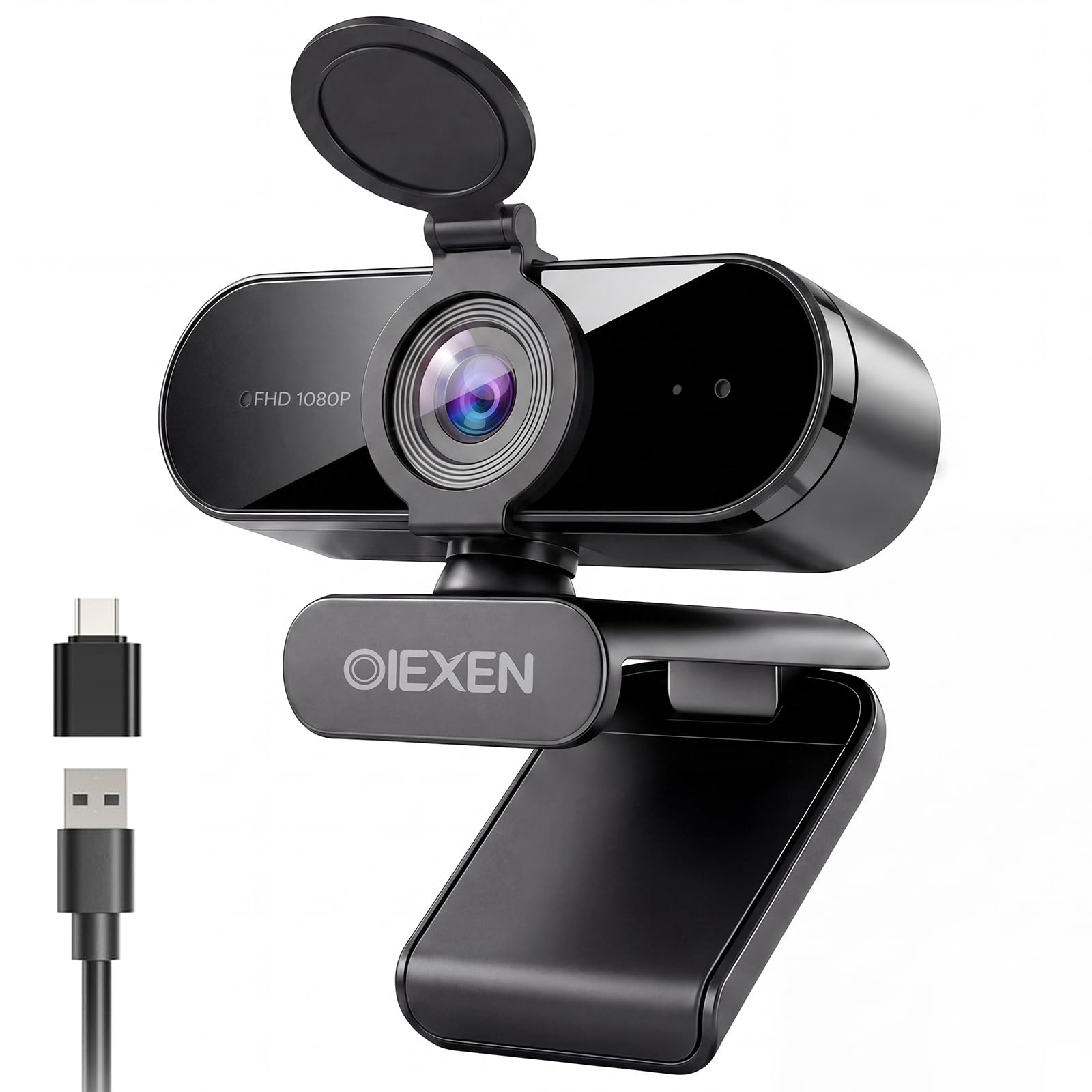
Face Auto Exposure technology that keeps your skin tone natural in tricky lighting.
The OIEXEN webcam focuses on color accuracy with its Face AE (Auto Exposure) technology, which balances exposure to keep your skin tone looking natural in backlit or dim rooms — a smart feature that many budget webcams overlook. The 1080p sensor delivers sharp video at 30FPS, and the fixed-focus lens is precision-tuned for a balance within 16.5 inches, the typical distance for a monitor setup. The 90° field of view fits a single person comfortably in frame.
Dual built-in microphones capture your voice within 16.5 feet, and the generous 6.6ft (2m) cable gives you more placement freedom than the 5ft cables on most competitors like the Gowzmnd. An all-in-one flexible mount clips to any laptop, monitor, or tripod, and the camera rotates 360° on a ball joint. The privacy cover flips closed to block the lens. Buyers report the Face AE handles backlighting excellently, though one shopper added the image gets blurry under 1.5 ft and the privacy cover feels flimsy.
Strengths
- Face AE keeps skin tones natural even with backlighting
- Long 6.6ft cable for flexible positioning
- Works on Linux without driver issues
Weaknesses
- Blurry for objects closer than 1.5 ft
- Privacy cover feels flimsy according to buyers
Choose this for: The Face AE technology that makes you look good in difficult lighting — no other budget webcam here offers this specific feature.
pass on it if: You often show objects up close to the camera; the fixed-focus lens blurs at under 1.5 ft.
Understanding the Specs
Video Resolution and Sensor Quality
The number you see on the box — usually “1080p” or “2K” — tells you the maximum pixel count the camera can output. A 1080p camera records 1920 x 1080 pixels, while a 2K camera (like the UGREEN) records 2560 x 1440 pixels. Higher resolution means you can see finer details like text on a whiteboard or product labels. The sensor type (CMOS, a light-capturing chip) and size determine how well the camera handles different lighting. Most cheap webcams use a standard CMOS sensor, but the quality varies between brands.
Field of View and Lens Type
Field of view (FOV) is measured in degrees and describes how wide the camera’s view is. A 90° FOV captures roughly what one person at a desk sees, while a 100° FOV lets you show a wider background or fit two people in frame. Most budget webcams use fixed-focus lenses, meaning the camera is sharp at a specific distance range — usually about 16 inches to 13 feet. Anything closer than that balance will appear blurry. Autofocus lenses, found on the NexiGo N930AF and RUWBY Pro, adjust continuously to keep you sharp as you move.
FAQ
Will a cheap webcam look better than my laptop’s built-in camera?
What does 30fps mean for video calls?
Do I need a webcam with autofocus for meetings?
How does the noise-canceling microphone work in a cheap webcam?
Will a cheap webcam work with Linux?
What is the difference between a 90° and a 100° field of view?
Why do some webcams need 2K support from my computer?
Can I use these webcams with a Nintendo Switch 2?
How important is the privacy cover on a webcam?
What does fixed-focus mean for streaming or recording?
Final Thoughts: The Verdict
For the majority of shoppers, the cheapest webcam winner is the Gowzmnd 1080P Webcam because it delivers a tripod, privacy cover, and solid 1080p video at the lowest price. If you want the sharpest image possible, grab the UGREEN 2K Webcam for its higher resolution and dual microphones. And for the tightest budget that still includes a tripod and solid video, the standout is the Gowzmnd 1080P Webcam.
How We Picked
We do not accept paid placement. Every pick is matched to a real buyer and a real use-case; we do not hands-on test units.
Sources & Methodology
Specifications: manufacturer listings and product documentation. Review insights: verified customer reviews, as of July 2026. Pricing: not shown on this page (it changes often); check the current price via the retailer link.
As an Amazon Associate, WellFizz earns from qualifying purchases. This does not affect which products we feature.
Related Guides

Mo Maruf
I created WellFizz to bridge the gap between vague wellness advice and actionable solutions. My mission is simple: to decode the research and give you practical tools you can actually use.
Beyond the data, I am a passionate traveler. I believe that stepping away from the screen to explore new environments is essential for mental clarity and physical vitality.